
Every organization today faces the same challenge: keeping employees connected, productive, and informed, regardless of where or how they work. The rise of hybrid and remote models has forced businesses to rethink how they share information, manage collaboration, and maintain culture. That’s where digital workplace software comes in.
These platforms centralize communication, collaboration, and knowledge into a single hub that streamlines daily work. From messaging and document sharing to project management and engagement tools, digital workplaces are designed to simplify how teams operate. Choosing the right one, however, depends on understanding your organization’s size, needs, and long-term goals.
Here, we explore what digital workplace software is, what to look for when choosing one, and the top platforms helping companies stay connected and agile.
Top 10 digital workplace software
- Axero
- Microsoft 365 (Microsoft Teams + SharePoint)
- Google Workspace
- Slack
- Workvivo
- Notion
- Staffbase
- LumApps
- Happeo
- Viva Engage
What is digital workplace software?
Digital workplace software combines communication, collaboration, and knowledge-sharing tools into one unified platform. It’s designed to replace or integrate multiple standalone apps like email, chat, and file storage, giving employees a seamless digital environment to work together efficiently.
Instead of toggling between disconnected tools, a digital workplace enables employees to access everything they need, such as announcements, project files, calendars, and analytics, in one central hub. It supports remote and hybrid work by ensuring every employee, regardless of location, can stay connected, informed, and productive.
What to consider when choosing the right digital workplace software
Choosing the right platform means balancing functionality with usability. Consider how well the software fits your organization’s size, workflows, and goals.
Collaboration and communication tools
These features connect teams through chat, video, document sharing, and project spaces. Look for real-time collaboration, searchable channels, and integrations with your existing tools.
Customization and scalability
A flexible platform adapts to your brand and evolves as your organization grows. Prioritize software that allows easy configuration of spaces, permissions, and content without IT dependency.
User experience and adoption
If the interface feels cluttered or confusing, employees won’t use it. A simple, intuitive design ensures smooth onboarding and sustained engagement across departments.
Integration capabilities
Your digital workplace should integrate seamlessly with CRMs, HR systems, and productivity tools like Microsoft 365 or Google Workspace. This eliminates silos and improves efficiency.
Analytics and insights
Built-in analytics help leaders track engagement, usage patterns, and communication effectiveness to refine internal strategies over time.
10 best digital workplace software
1. Axero
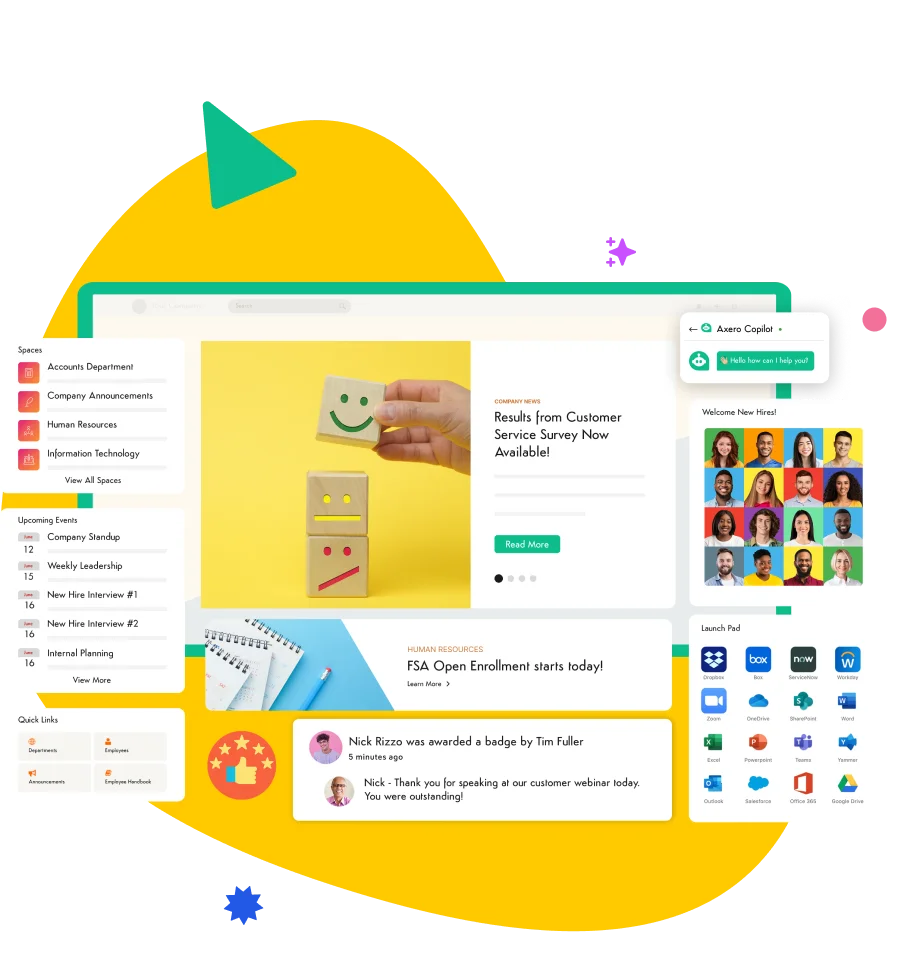
Axero is an industry-leading digital workplace platform that combines intranet, communication, collaboration, and knowledge management in one place. Trusted by global enterprises, Axero empowers teams to connect, share, and get work done through customizable workspaces and social intranet capabilities.
Key features of Axero:
- Centralized hub: Unify communications, documents, and workflows in one secure location.
- Social engagement tools: Activity feeds, likes, and comments foster community and participation.
- Powerful integrations: Works with Microsoft 365, Google Workspace, Slack, and other essential tools.
Best for: Organizations seeking an all-in-one digital workplace that enhances collaboration, culture, and engagement.

2. Microsoft 365 (Microsoft Teams + SharePoint)

Microsoft 365 combines productivity apps and collaboration tools in one suite. Teams handles messaging and meetings, while SharePoint powers file management and intranet functionality.
Key features of Microsoft 365:
- Integrated suite: Combines chat, video, and document editing in real time.
- Enterprise-grade security: Includes compliance tools and advanced data protection.
- Extensive integrations: Connects with hundreds of third-party business tools.
Best for: Enterprises seeking a robust, Microsoft-based digital ecosystem.
3. Google Workspace
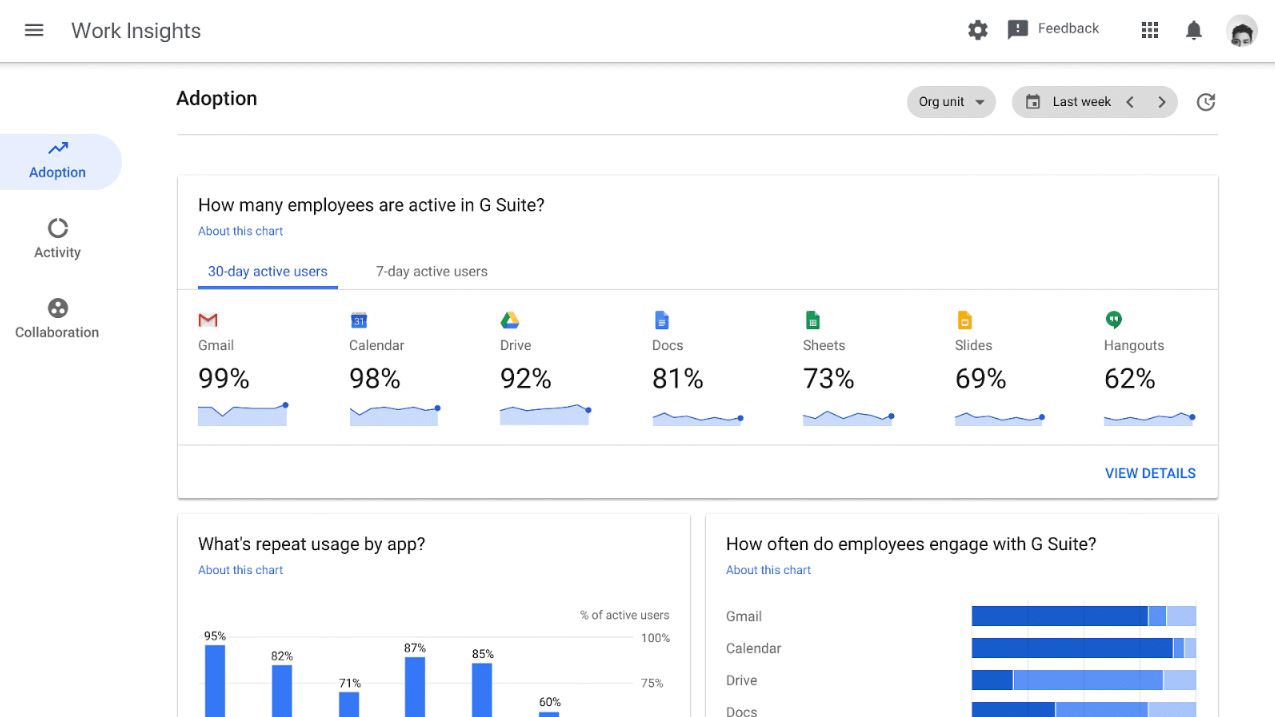
Google Workspace offers productivity tools such as Gmail, Drive, Docs, and Meet for communication and collaboration. It’s cloud-native and ideal for distributed teams.
Key features of Google Workspace:
- Real-time co-editing: Multiple users can edit documents simultaneously.
- Universal accessibility: Accessible from any browser or device.
- Secure collaboration: Data encryption and admin controls safeguard content.
Best for: Teams prioritizing ease of use and cloud-first collaboration.
4. Slack
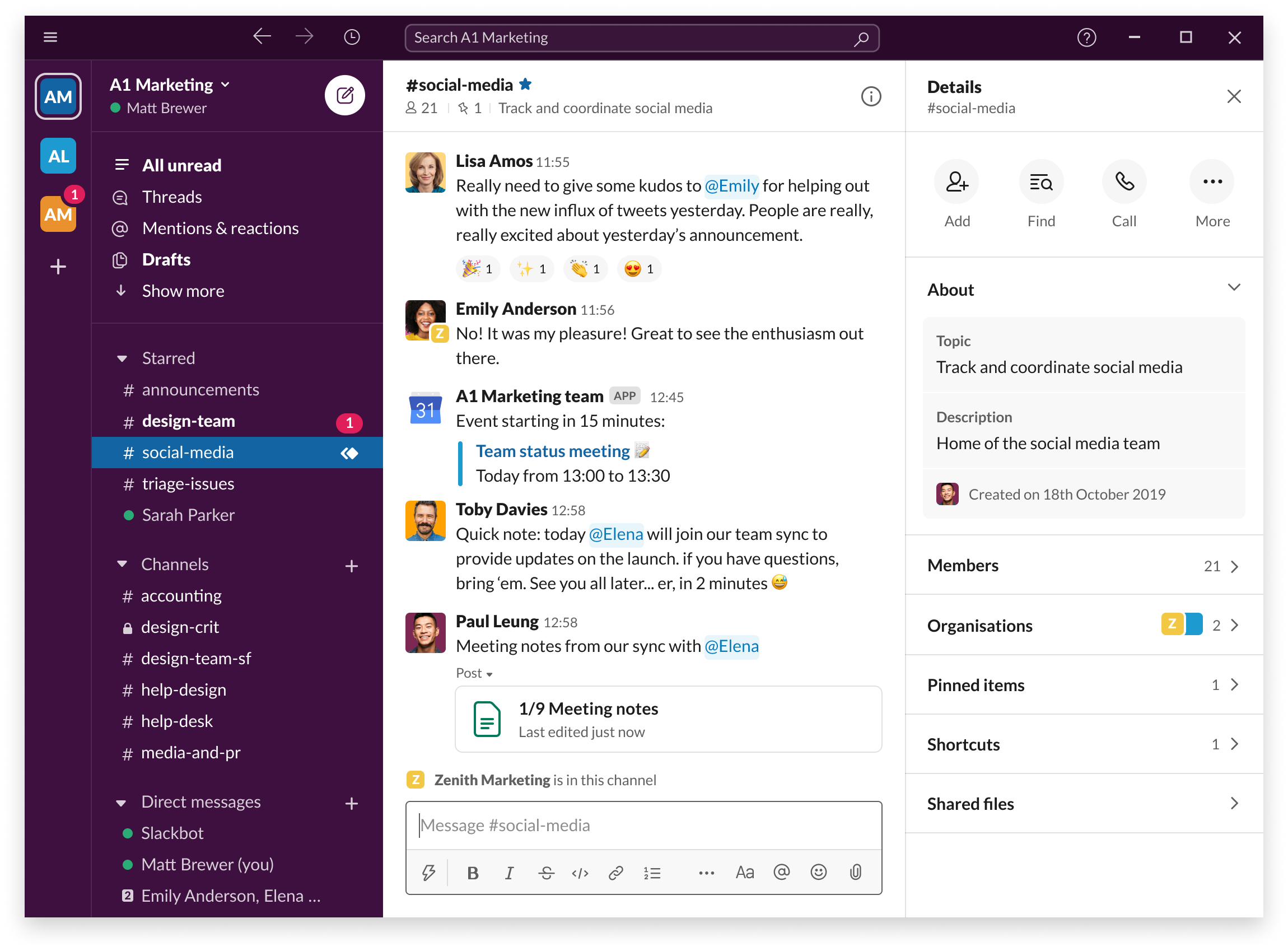
Slack is a team communication and collaboration platform that organizes conversations into channels and integrates with thousands of business tools.
Key features of Slack:
- Channel-based communication: Keeps discussions organized and searchable.
- App integrations: Connects seamlessly with Google Drive, Jira, and Salesforce.
- Automation tools: Streamlines repetitive tasks using custom workflows.
Best for: Teams that rely heavily on messaging and fast-paced collaboration.
5. Workvivo
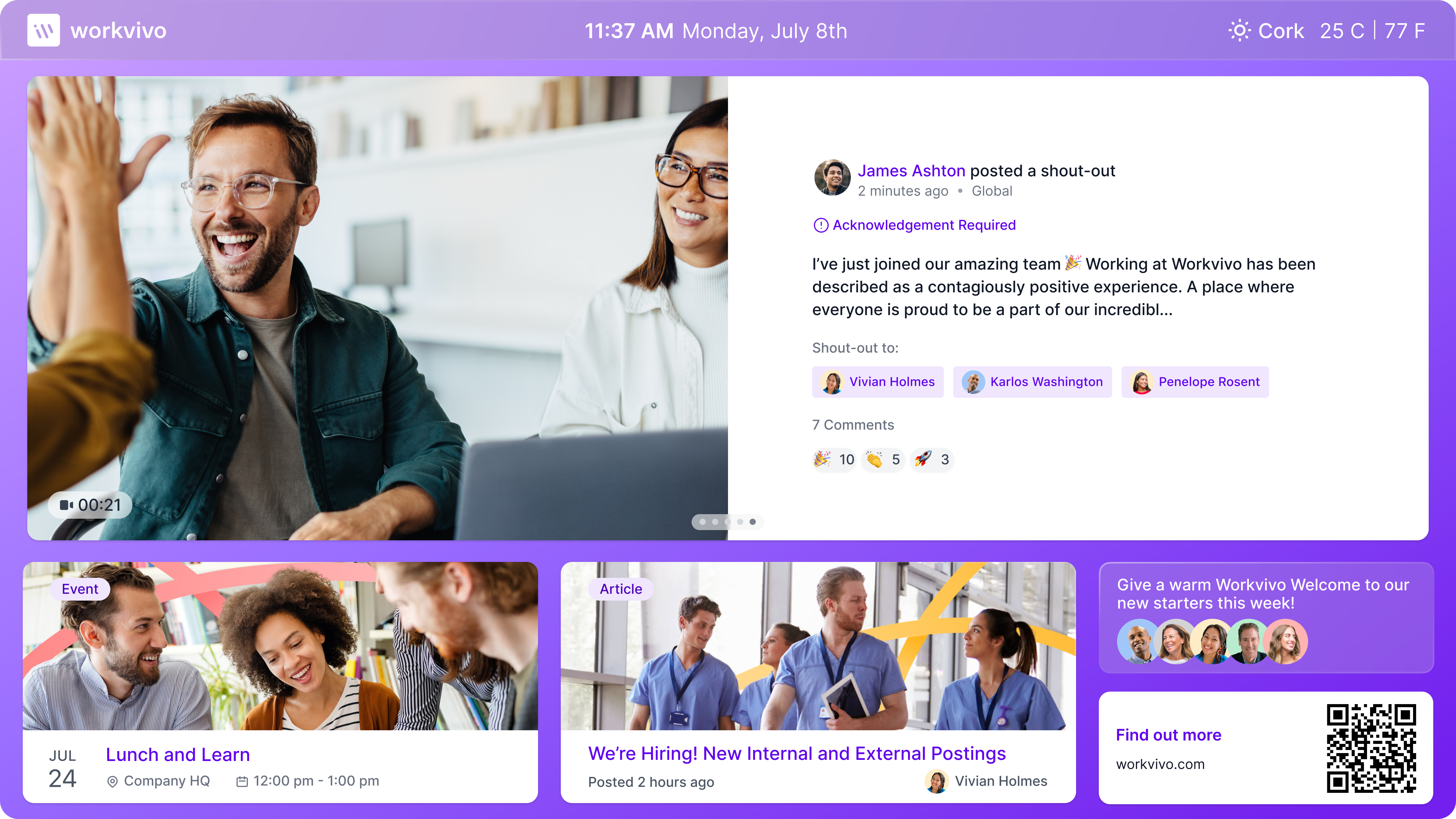
Workvivo focuses on employee engagement, blending intranet, communications, and culture-building tools into one digital experience.
Key features of Workvivo:
- Engagement feeds: Share updates and shoutouts across the company.
- Content publishing: Simplifies internal news and announcements.
- Mobile-first design: Built for on-the-go and frontline employees.
Best for: Companies focused on culture, recognition, and engagement.
6. Notion
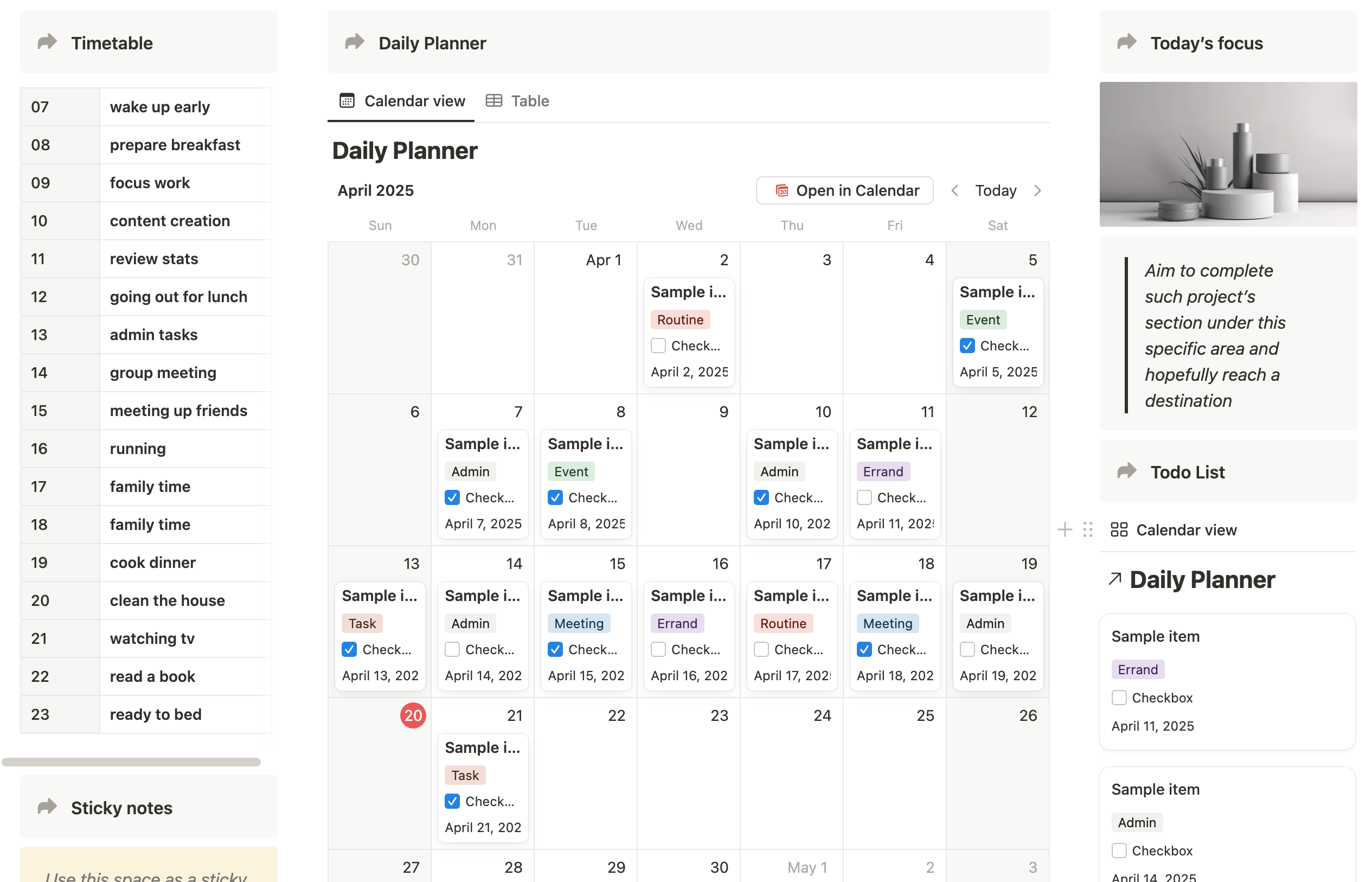
Notion is a flexible workspace that combines notes, wikis, project management, and documentation in one platform. It’s ideal for teams looking to create structured yet adaptable digital work environments.
Key features of Notion:
- All-in-one workspace: Centralizes tasks, projects, and knowledge bases.
- Custom templates: Easily design pages for meetings, projects, or documentation.
- Collaboration tools: Real-time editing and commenting streamline teamwork.
Best for: Teams that value flexibility and want a lightweight yet powerful digital workspace.
7. Staffbase
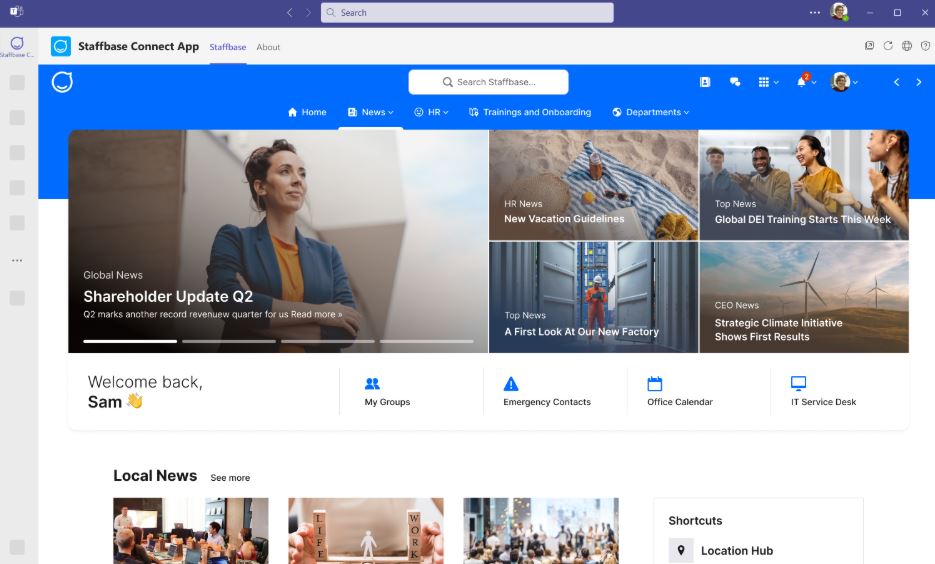
Staffbase combines communication and employee experience in one app. It supports intranet, mobile access, and content management for company-wide engagement.
Key features of Staffbase:
- Branded intranet: Customizable design to match company branding.
- Multi-channel publishing: Delivers updates via app, email, and desktop.
- Employee surveys: Captures feedback and sentiment data.
Best for: Large organizations prioritizing communication and engagement.
8. LumApps
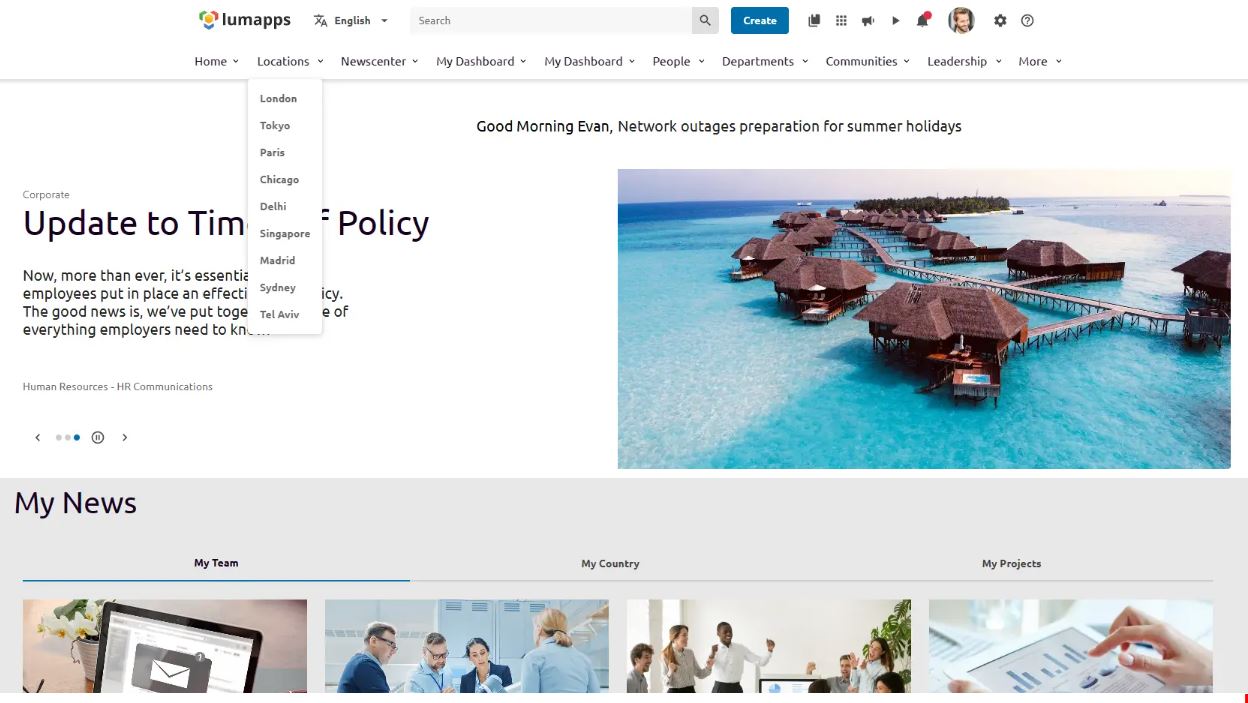
LumApps is an employee experience platform focused on knowledge sharing, personalized communications, and intranet services.
Key features of LumApps:
- Personalized content feeds: Delivers targeted updates by department or role.
- Multilingual support: Ideal for global enterprises.
- Integrations: Works with Google Workspace and Microsoft 365.
Best for: Global teams seeking a scalable digital workplace with strong content management.
9. Happeo
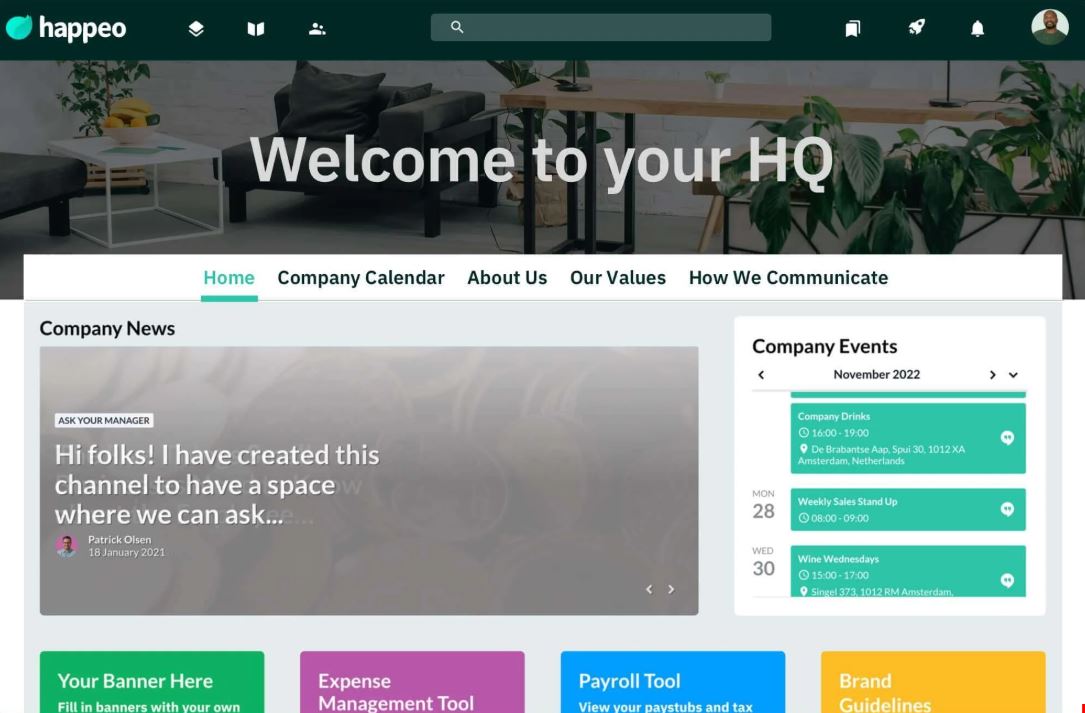
Happeo combines social intranet and collaboration features for organizations using Google Workspace.
Key features of Happeo:
- Dynamic intranet pages: Build custom pages for teams and initiatives.
- Social features: Channels, reactions, and commenting to foster engagement.
- Integration with Google tools: Syncs seamlessly with Drive and Calendar.
Best for: Google Workspace users seeking deeper collaboration capabilities.
10. Viva Engage
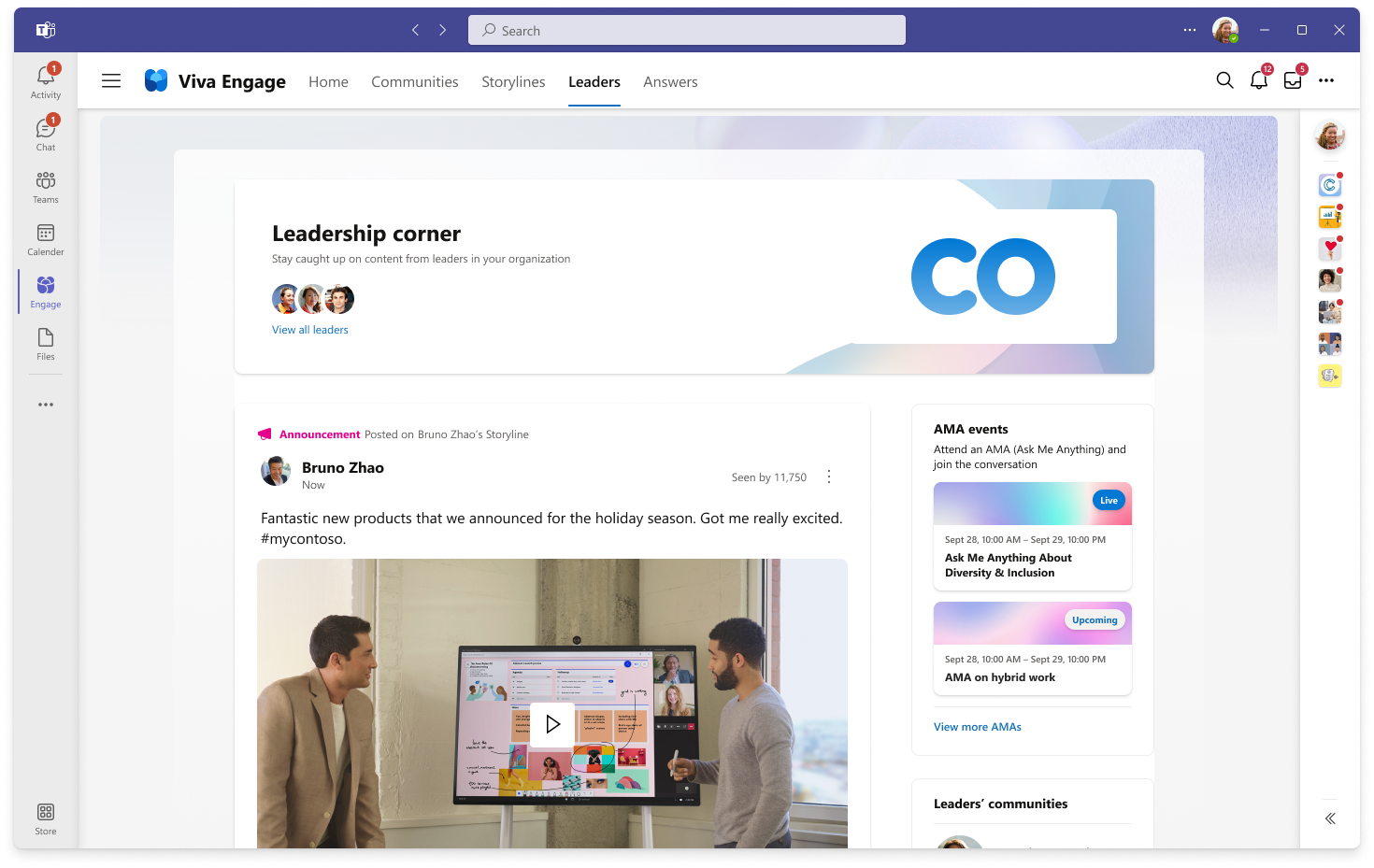
Viva Engage, part of the Microsoft Viva suite, helps organizations strengthen connections, share knowledge, and foster community across departments.
Key features of Viva Engage:
- Community discussions: Enables open dialogue and information sharing.
- Integration with Teams: Embeds community engagement directly in daily workflows.
- Leadership engagement tools: Supports company-wide announcements and live events.
Best for: Microsoft 365 users seeking to strengthen culture and communication through social engagement.
Building the digital workplace of the future
The right digital workplace software connects your people and simplifies how work gets done. Whether you’re focused on communication, culture, or productivity, each platform on this list brings something valuable to the table.
Axero can do it all, bringing together communication, knowledge, and collaboration into one, unified hub that grows with your organization.
Ready to see how Axero can transform your workplace? Book a demo today.






 info@axerosolutions.com
 1-855-AXERO-55