Axero Solutions

Collaboration software for teams

Team collaboration software that connects your people, knowledge, and tools

Give your employees a foundation built for real collaboration. Axero gives you one digital workplace where communication, knowledge, documents, and people come together — so collaboration actually happens across your organization.

Team collaborating on the Axero intranet across desktop and mobile.

Trusted by

AmazonToyotaJohns HopkinsBenjamin MooreWileyCognexEdwards LifesciencesSchneider ElectricBuseyCredit AgricolePLACEStanfordArco ConstructionSeneca College

What is team collaboration software?

Team collaboration software is any tool that helps people work together more effectively. This covers a lot of ground because some tools are point solutions built for specific goals, like instant messaging or tracking tasks and deadlines. Most solve one specific problem and stop there.

Axero is built for something broader. As an intranet platform, it gives employees a connected digital workplace where communication, knowledge, documents, and people come together. Instead of replacing Slack and project management tools, your workplace gets one hub that ties your tools, teams, and information into one place so collaboration can flow freely across your entire organization.

Designer and developer building a connected team collaboration workspace.

Why teams with collaboration tools are frustrated

Most organizations already have collaboration tools. The problem is that point solutions do not automatically create a collaborative workplace. When communication, knowledge, documents, and workflows live in separate systems, nobody knows where anything lives.

The fragmentation problem

Announcements go out by email. Documents live in SharePoint. Conversations happen in Slack. HR forms are somewhere on the shared drive. Nobody knows which version of the org chart is current. And IT has stopped counting the number of tools people have quietly stopped using.

The knowledge disappears problem

Someone asks a question in Slack. A subject matter expert gives a great answer. Two weeks later, a different person has the same question and the answer is buried in a thread that nobody can find. The right information was shared. It just has nowhere to live.

The nobody's reading anything problem

A critical policy update goes out to the whole company. You get a few replies, a couple of read receipts from people who happened to click. Two months later during an audit, you have no way to show who acknowledged the change. Communications went out, but did they actually land?

The new hires don't know where to start problem

Day one: A new employee shows up and gets a welcome email with twelve links and a Google Drive folder. Their manager is busy. IT is setting up their accounts. They're supposed to complete onboarding somehow, but the checklist is in one place, the HR forms are in another, and the team wiki (if it exists) hasn't been updated since 2023.

How Axero creates the foundation for better collaboration

Axero doesn't add another tool to your stack. It becomes the place where everything and everyone connects under one employee intranet, so your teams spend less time navigating fragmented tools and more time on the work that matters.

A shared space everyone actually uses

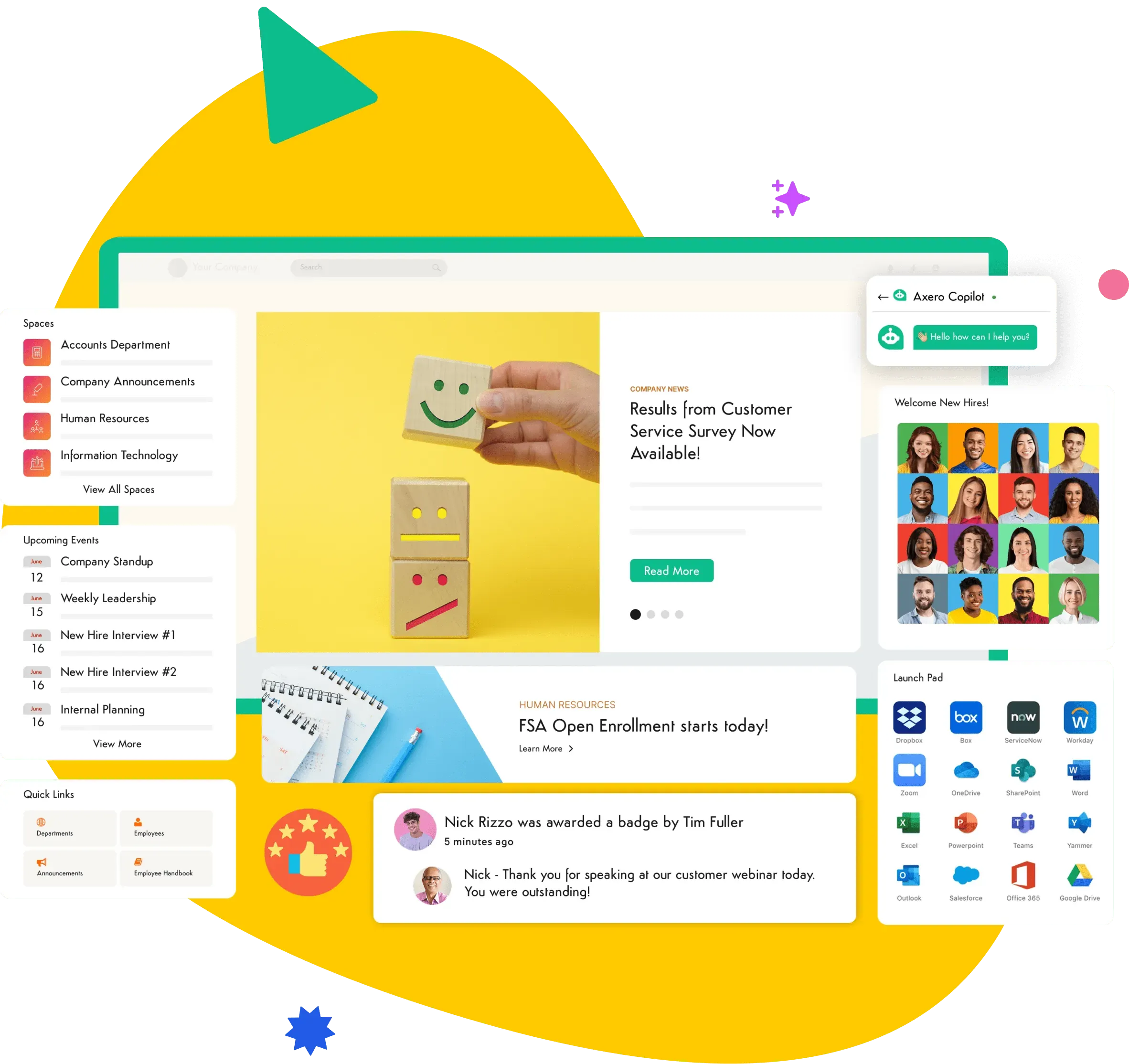
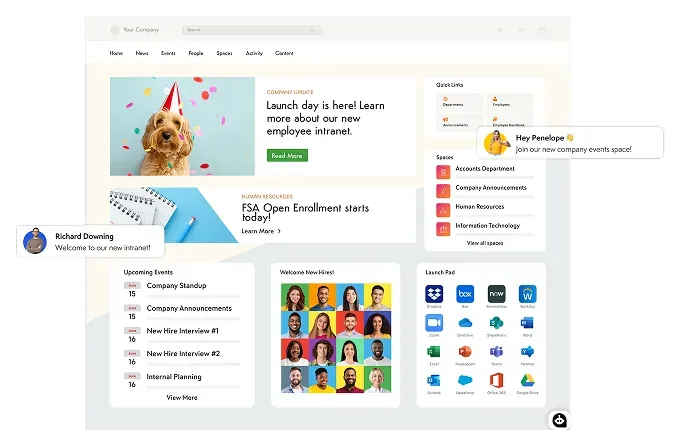
Collaboration gets easier when everyone starts from the same shared environment instead of navigating a different maze of tools, links, and folders. Axero gives your organization a single destination to find news, access documents, look up colleagues, and stay connected to what's happening — all entirely customized to your brand and how your company works.

  • Branded company homepage

    Your logo, your colors, your layout. Full control over navigation, content, and the tools employees see the moment they log in.

  • Embedded tools & custom apps

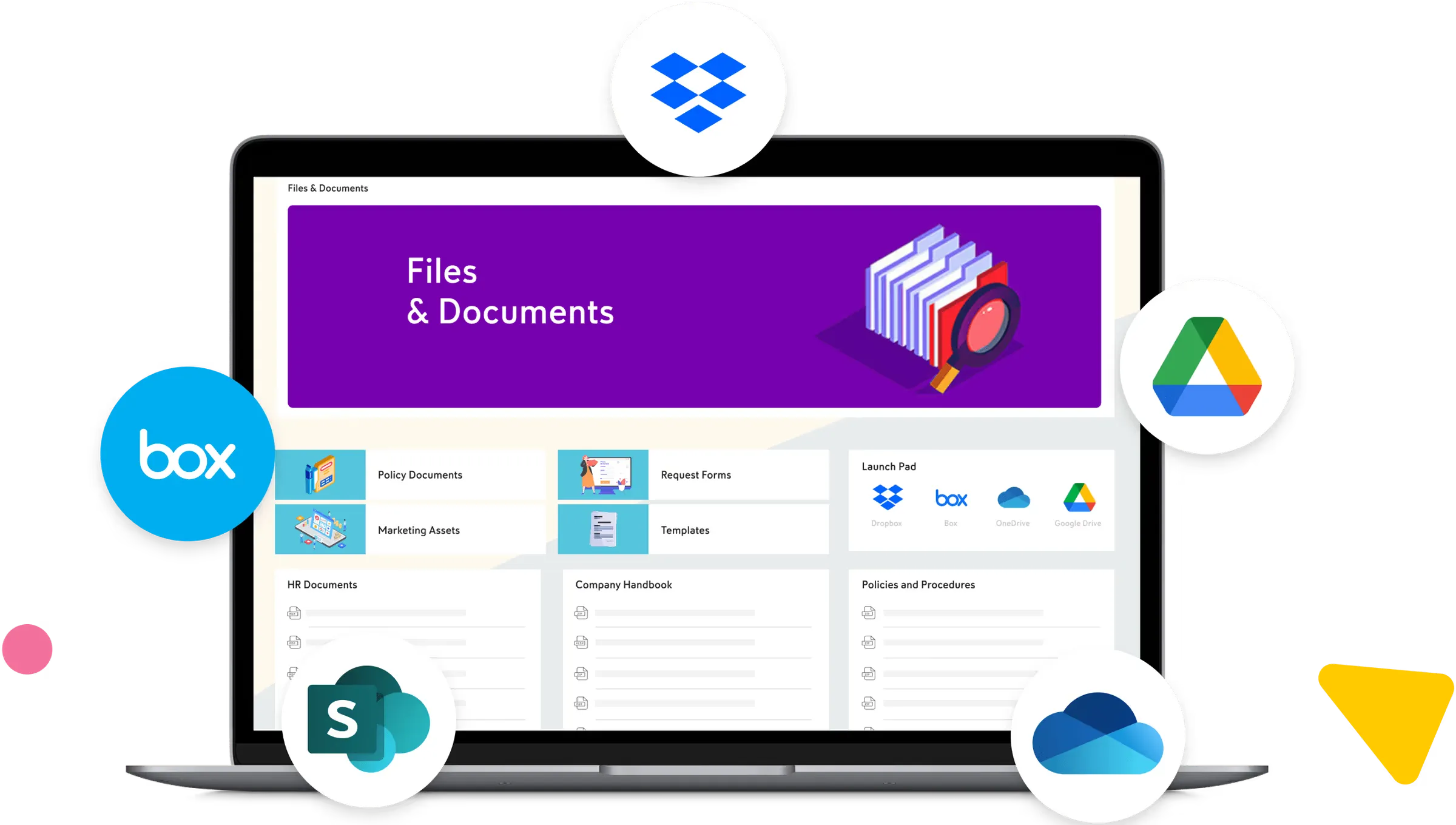
    Bring dashboards, third-party apps, and custom-built tools into Axero so the hub is where employees move work forward.

  • Launchpad and quick links

    One-click access to the tools, documents, wikis, and other platforms your team uses every day.

  • Pinned announcements

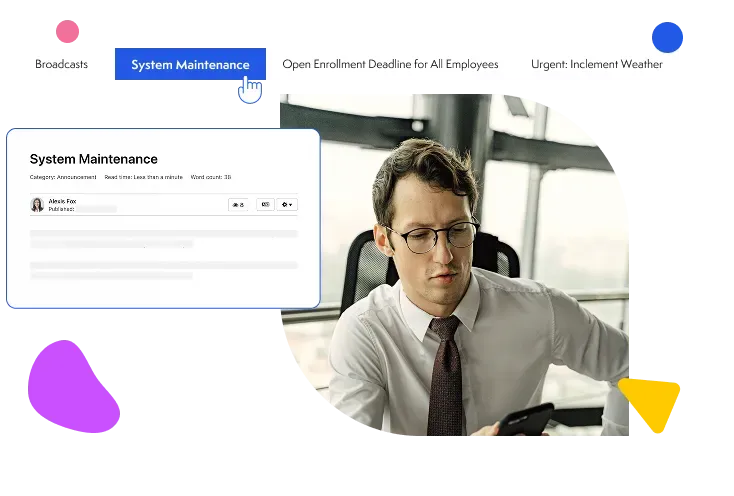
    Critical information is always front and center, never buried under the day's noise.

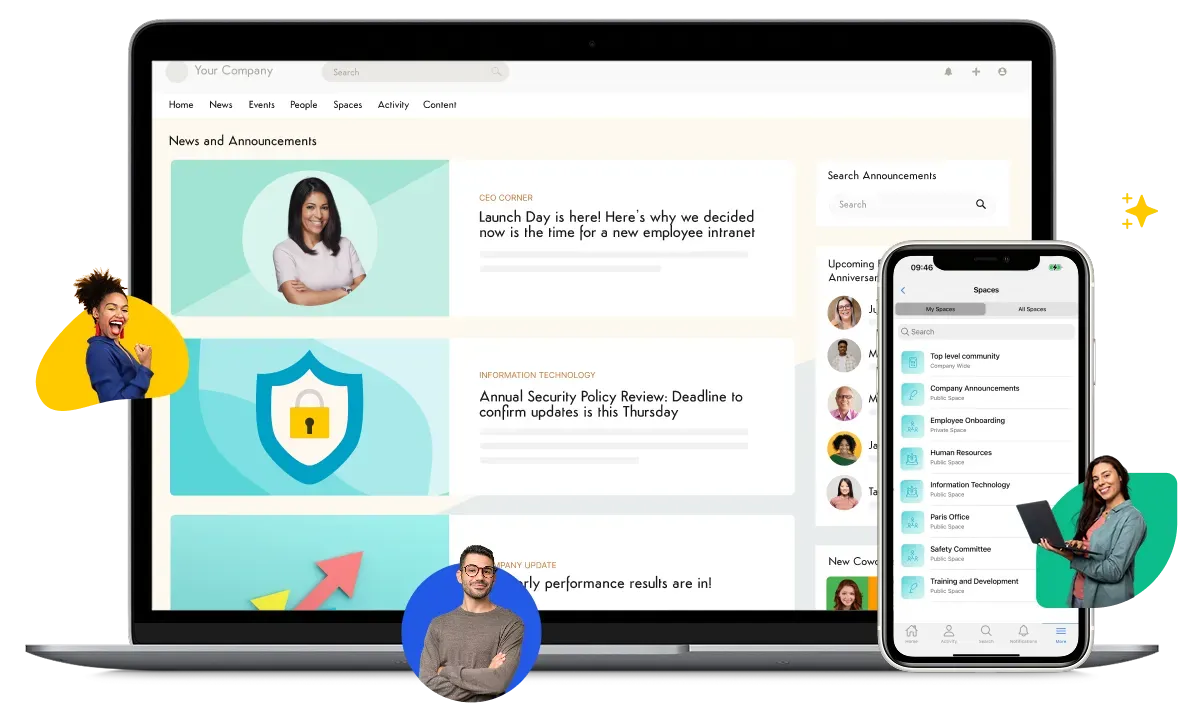
Branded Axero homepage with quick links, announcements, and team spaces.

Knowledge that stays findable

Axero turns conversations, documents, and wikis into a searchable, organized knowledge layer that grows as your team uses it, not a separate project someone has to maintain. When a question gets answered in a discussion forum, that answer becomes part of the institutional record. When a document gets updated, the previous version doesn't disappear. It's preserved, versioned, and auditable. This is what makes Axero different from a file drive — it's knowledge management software built into your daily workflow.
  • Intelligent search across everything

    Wikis, documents, discussions, people. One search box for your organizational knowledge.

  • Axero Copilot

    AI-powered answers from your organization's own knowledge, instantly.

  • Collaborative wikis & knowledge base

    Teams build institutional knowledge as they work, not as a separate project someone has to maintain.

  • Version control & document management

    Always the right version, with full history and a full audit trail.

Search results surfacing wikis, files, and discussions across an Axero intranet.

Communications that keep everyone on the same page

Collaboration breaks down when people don't have the same information. Axero makes sure the right message reaches the right people — by department, location, role, or any custom attribute — and gives you confirmation it landed. For distributed, remote, or frontline teams, that's the difference between hoping a message got through and knowing it did.

  • Read-receipt tracking

    See exactly who's acknowledged your most important content and who still needs a nudge.

  • Push notifications & SMS broadcast

    Get urgent updates to every employee, wherever they are.

  • Audience segmentation

    Target by department, location, role, or any custom attribute so every message reaches the right people.

Broadcast announcement with read-receipt tracking in Axero.

Onboarding that sets people up to collaborate from day one

The fastest way to slow a team down is a new hire who spends their first month figuring out how things work. Axero gives new employees a structured space inside the same platform the rest of the team already uses — so they're not starting from a twelve-attachment email; they're starting from the same employee portal everyone else works in.

  • Onboarding spaces

    A structured, dedicated space for new hires with everything they need to hit the ground running.

  • Journeys

    A defined sequence of steps, tasks, and content so nothing gets missed and no one falls through the cracks.

  • Role-specific content and permissions

    Every new hire sees what's relevant to their team, location, and role from day one.

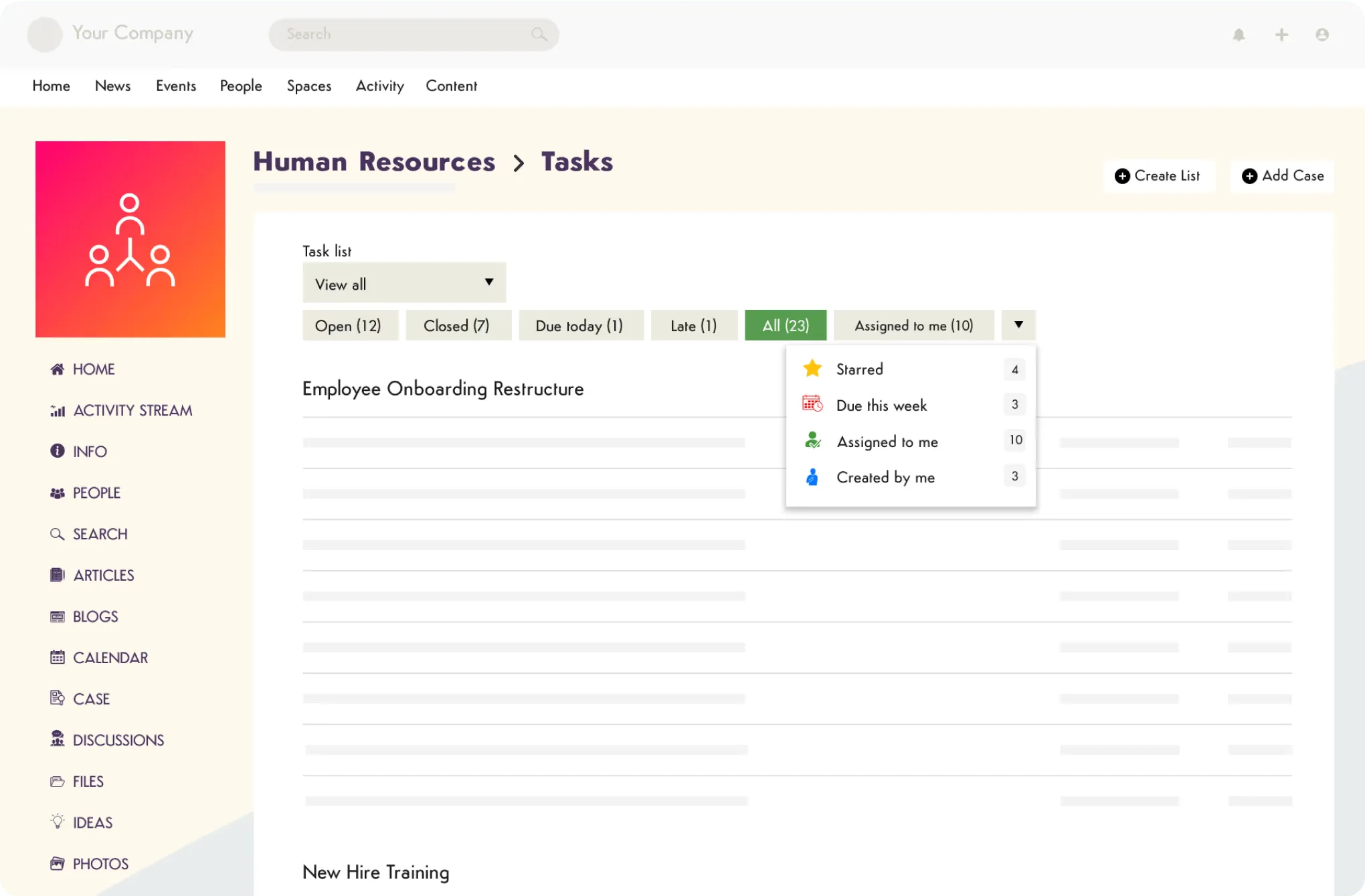
Onboarding journey with assigned tasks and acknowledgments in Axero.

Everything your employee collaboration software needs

Axero is a full-featured intranet platform to streamline how employees work together. Here's what comes with it.

News, Announcements & Broadcasts

Publish company-wide or targeted news, pin critical updates, and send broadcast alerts via push notification or SMS. Know who read what and who didn't.

Knowledge Base & Wikis

Build a searchable, living knowledge base from wikis, discussions, and documents. Content is organized, versioned, and discoverable.

Intelligent Search

One search box surfaces content from across your entire portal — wikis, documents, announcements, people profiles, and discussions.

Employee Directory & Org Chart

A searchable people directory with skill tagging, reporting structure, and an org chart that auto-updates.

Onboarding Alignment

Role-based onboarding spaces with structured checklists, document acknowledgment, and permission controls.

Policy & Document Management

Version-controlled documents with read-receipt tracking and expiry reminders. Know exactly who acknowledged what and when.

Tickets & Cases

Give employees a structured way to submit requests and get help. Track status, assign ownership, and close the loop, all in one place.

Slack & Microsoft Teams Integration

Launch into Teams and push intranet activity into Slack channels — keeping your collaboration tools connected no matter where work is happening.

Permissions & Security

Granular role-based access controls, SSO integrations, and enterprise-grade security. Visit our security page for full documentation.

Custom Branding & Page Builder

Full HTML, CSS, and JavaScript access. Build pages that look like your brand, not a generic software template.

Works with your stack

Connect with the tools your teams already use every day.

Microsoft Teams
Slack
Zoom
Google Workspace
Microsoft 365
SharePoint
Microsoft Teams
Slack
Zoom
Google Workspace
Microsoft 365
SharePoint
Google Drive
OneDrive
Dropbox
Box
Okta
Azure AD
Google Drive
OneDrive
Dropbox
Box
Okta
Azure AD

Axero goes where your employees go

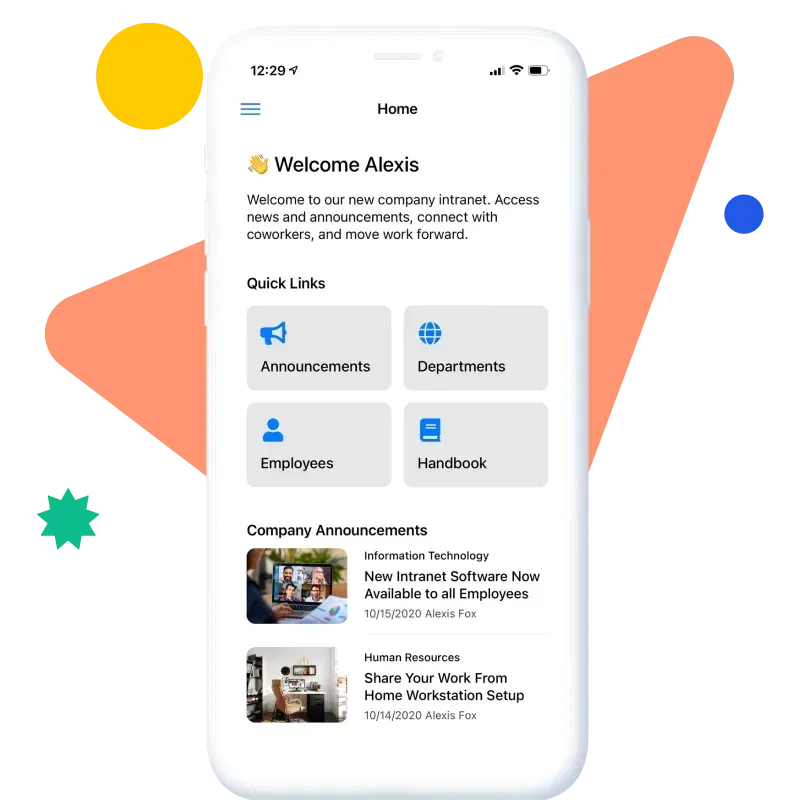
Whether your team works from a central office, logs in from home, or checks in from the field, Axero brings team collaboration to any device. Employees can receive notifications, access announcements, look up colleagues in the directory, and stay connected to their spaces from desktop or mobile. For distributed teams and organizations that need to reach employees who aren't sitting at a desk, it matters that the intranet is always within reach.

Explore mobile intranet
Axero mobile app home screen with quick links and announcements.

Enterprise-grade collaboration software your IT team can finally hand off

Day-to-day administration doesn't require IT involvement. Content owners, department admins, and communications managers can build and update their own spaces without writing a line of code.

When your team does need to get involved, Axero's 500+ REST API endpoints, webhooks, and Axero App Manager give you the building blocks to integrate, extend, and customize without standing up separate software. IT owns the architecture. Everyone else manages their own spaces.

  • Integrations, REST APIs, and Webhooks

    Connect Axero to your SSO provider, Microsoft 365, Google Workspace, and more. 500+ endpoints for teams that need to go further.

  • Axero App Manager

    Build custom collaboration tools directly on top of your intranet. Consolidate your stack without adding vendors. Learn more about Axero App Manager.

  • Custom branding and developer access

    Full HTML, CSS, and JavaScript control when you need it. Non-technical admin when you don't.

  • Enterprise security and compliance

    SOC 2 Type II certified, HIPAA compliant, SAML SSO, audit logging, and a single-tenant architecture that keeps your data completely isolated.

  • Self-administrable by content owners

    Departments can manage their own spaces without filing an IT ticket every time something needs to change.

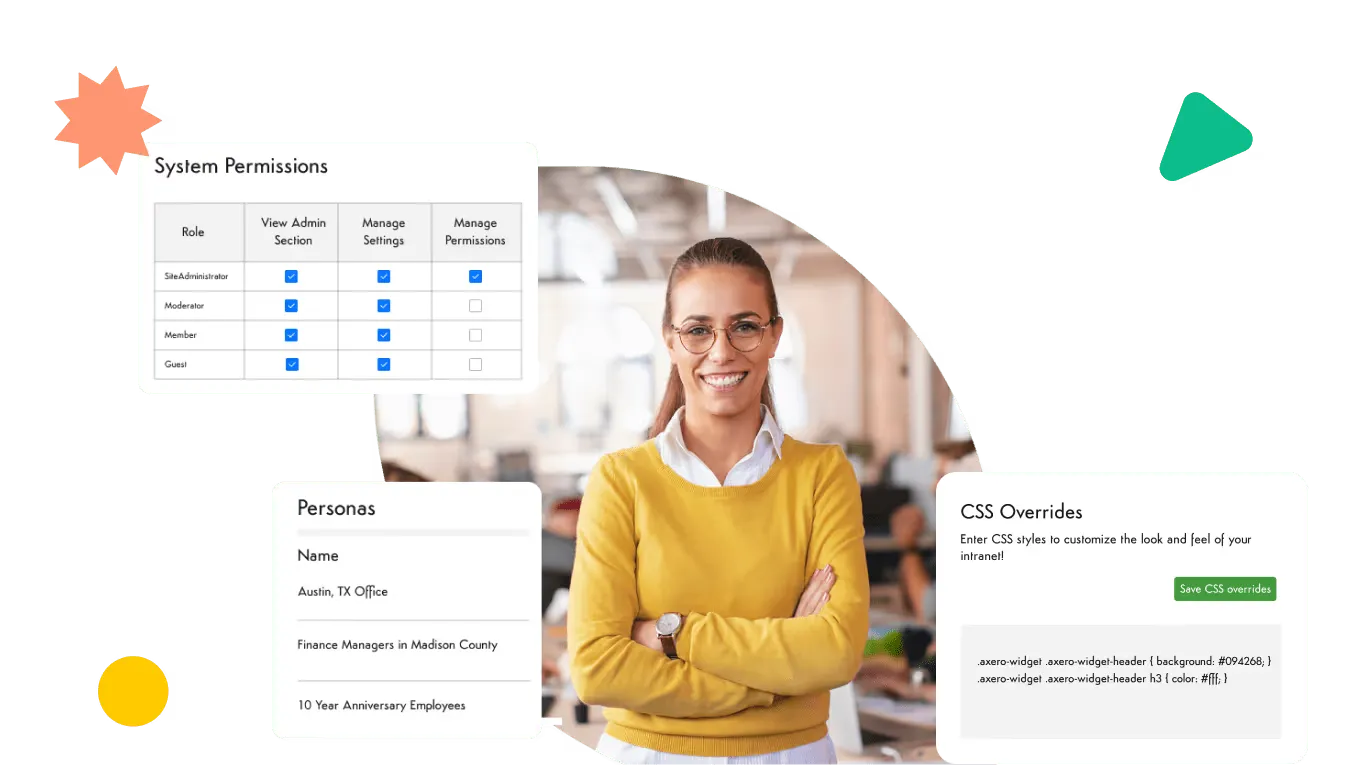
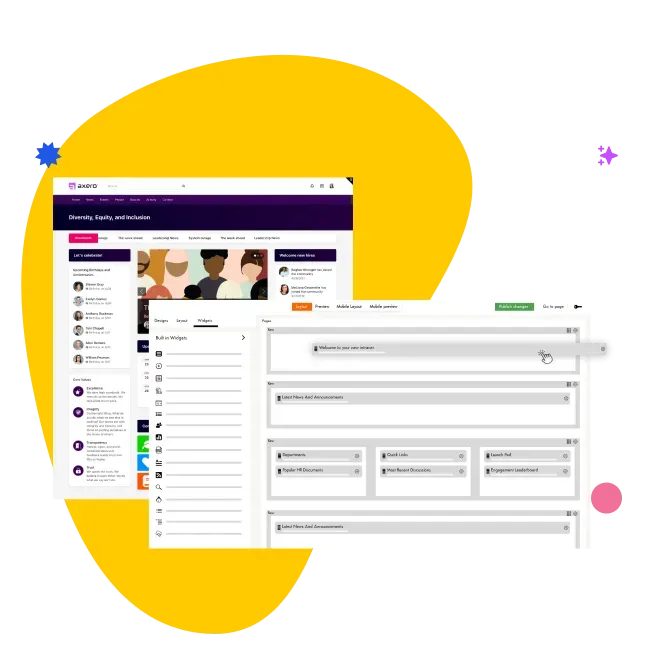
Axero admin and customization screen showing user-experience controls.

The support that makes the difference

A new platform is only as good as the team behind it. Axero's implementation and client success team is consistently the first thing customers mention. That's intentional!

When you go live with Axero, you get a dedicated implementation team that works with you from kickoff through launch — covering information architecture, content strategy, branding, integrations, training, and go-live. After launch, you have a named point of contact who knows your platform specifically, not a generic support queue. We've been told by many clients that it doesn't feel like working with a vendor and that's our goal!

Learn more about client success experience
Axero implementation team partnering with a customer success manager.

Why teams choose Axero to collaborate

“The biggest difference is the ease of use for content contributors. People are creating blogs, wikis, and events without any training. It fosters a culture of accountability and content ownership.”
Neeraj K.
Neeraj K.
Vice President of IT and CIO, Roosevelt University
“Axero is very robust. It's fully developed so we launched quickly and could build additional functionality over time. We now have better collaboration and our staff feels connected to each other.”
Blaine H.
Blaine H.
Director of Operations, Encompass World Partners
“The launch of our product with Axero has been nothing short of amazing thus far, and we absolutely could not have succeeded without both their product and their support.”
Sarah K.
Sarah K.
VP Product, PSG

Most Frequently Asked Questions about Collaboration Software

Do I need collaboration software if I already have Slack?
Probably, mainly because Slack is a chat tool, not a collaboration platform. It's excellent at real-time conversation, but it's not built to store and organize institutional knowledge, deliver company-wide communications, manage documents with version control, support structured onboarding, or track whether a critical update was received and read. Those things disappear into threads. Axero is where the knowledge, the communications, the documents, and the people directory live. Most organizations use both, and they serve different purposes.
What's the difference between collaboration software and project management software?
Project management software (like Asana or Monday) helps teams track tasks, deadlines, and project progress. Collaboration software is broader — it's the platform where your people, knowledge, communications, and documents all live together. Think of project management as one tool inside your collaboration ecosystem. Axero handles the things that don't fit neatly into a project: company news, institutional knowledge, onboarding, policies, and the directory that helps everyone find each other.
How does Axero handle permissions and security?
Axero has granular, role-based permission controls, so you can manage exactly what each team, department, or individual sees and can edit — at the space level, the page level, or the content type level. Axero is SOC 2 Type II certified and HIPAA compliant, which matters for organizations in healthcare, financial services, and life sciences. SSO is supported via SAML 2.0, Okta, Microsoft Entra ID, and other major identity providers. All data is encrypted at rest and in transit, and every Axero customer runs on a single-tenant architecture. An on-premise deployment option is also available. See the full security and compliance page for documentation.

Does Axero integrate with Microsoft 365 and Google Workspace?
Absolutely! Axero integrates with Microsoft 365 (including SharePoint, OneDrive, and Teams), Google Workspace, Slack, ServiceNow, Okta, and a wide range of HRIS platforms. For teams that need to go further, Axero's 500+ REST API endpoints and webhook support give your development team a full integration surface to build on. Visit the integrations page for a complete list.
How long does it take to set up Axero?
Most Axero implementations go live in 1-2 months for a core deployment, though this varies depending on the complexity of your requirements, the amount of content to migrate, and the integrations involved. Axero's implementation team works with you from kickoff through launch — covering information architecture, content strategy, branding, integrations, training, and go-live support. It's a structured, supported process with a dedicated team.
Is Axero a good fit for remote or hybrid teams?
Yes, and it's one of the use cases Axero handles particularly well. For organizations where employees are spread across locations, time zones, and work arrangements, having an employee intranet where everyone can find information and access the same resources regardless of where they work is exactly what Axero provides. Features like targeted announcements, push notifications, and read-receipt tracking are especially valuable for reaching employees who aren't in a shared physical space.
How is Axero different from SharePoint for team collaboration?
SharePoint is a powerful document management platform, but it's not purpose-built for intranet and internal communications and it typically requires significant IT resources to configure and maintain. Axero is built specifically for this: easier to brand, easier to manage without IT involvement, and with built-in features like read receipts, onboarding spaces, and an employee directory that SharePoint doesn't offer out of the box. The best part? Axero integrates directly with SharePoint, so your documents stay where they are, and your employees finally have a front door that makes sense.

See what team collaboration looks like when it all comes together

Book a personalized demo and we'll show you exactly how Axero works for your organization, your team size, and your use case — no pressure, no generic slide deck.