
Data Encryption
All data is encrypted at rest using AES-256 and AES-256 FIPS 140-2 Level 3. Passwords are encrypted using AES Rijndaehl algorithm (with proper hashing) and query string parameters are encrypted when necessary.
Security & compliance
Everything you need to know about security, compliance, single sign-on, system requirements, and administrator tools. Axero's security is built into the foundation of the platform — no gaps, no backdoors, no weak links.






Our posture
“We care deeply — both for the user and for protecting your company data. We've built advanced security into our products from the ground up, making them secure by design. And we've done this in a way that's in balance with a great user experience, giving your people the freedom to work the way they want.”
Security
Encryption, isolation, and hardening baked into every layer of the stack.
All data is encrypted at rest using AES-256 and AES-256 FIPS 140-2 Level 3. Passwords are encrypted using AES Rijndaehl algorithm (with proper hashing) and query string parameters are encrypted when necessary.
Each customer gets their own independent database and instance of the Axero software — each customer's data is completely separate from one another.
Axero is well tested against SQL injection attacks, malicious JavaScript code, cookie hijacking, and cross site request forgery. CAPTCHA image technology is available to discourage automated spammers.
All Axero employees are trained on security and privacy procedures. Access to confidential information and hardware infrastructure is restricted to authorized personnel only.
System installation using hardened, patched OS to provide ongoing protection from exploits. Dedicated hardware firewall. Intrusion detection services and distributed DoS mitigation.
All connections are secured via SSL/TLS 1.3.
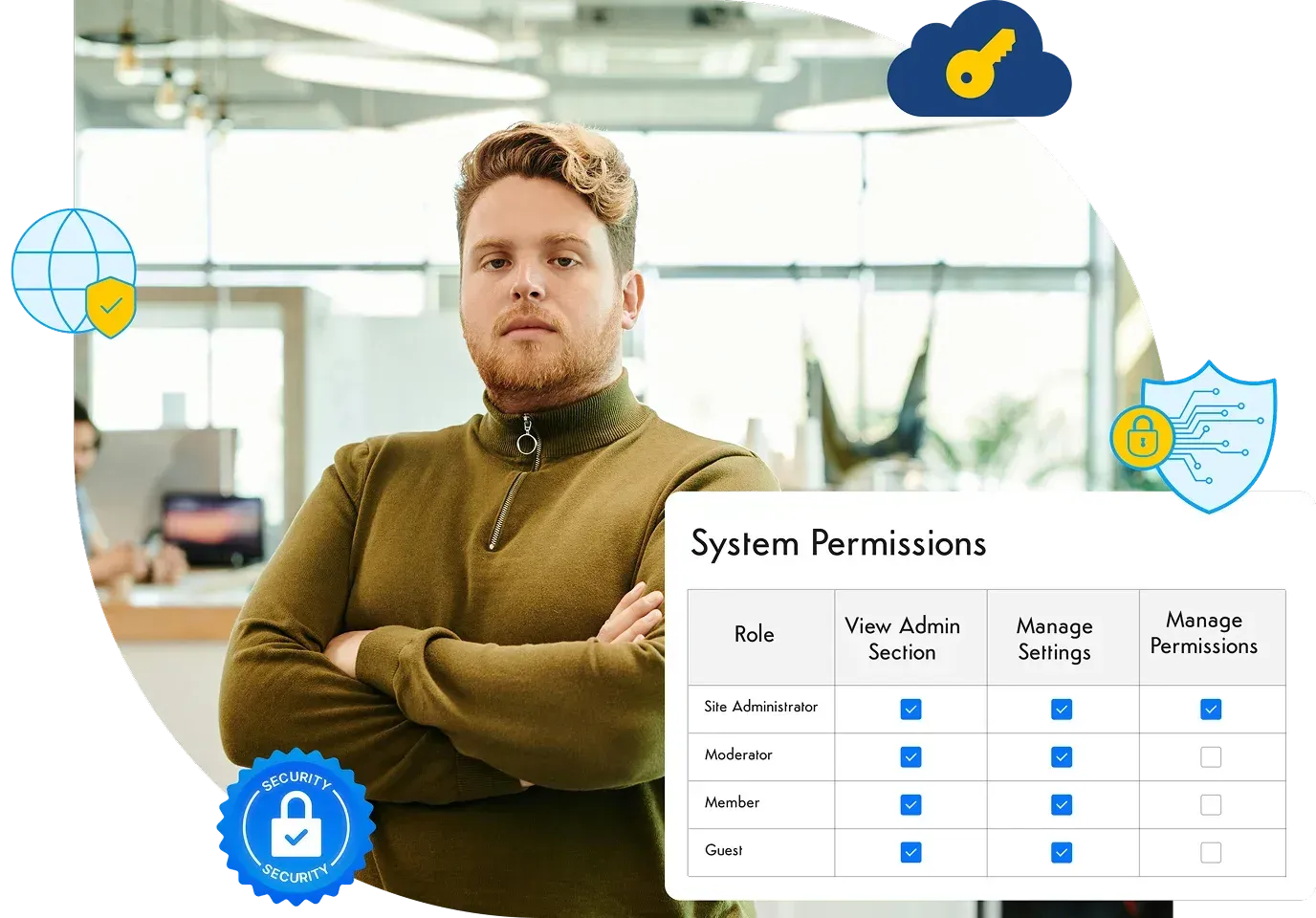
Axero uses a fine-grained, role based permission matrix to manage access to different parts of the system. Permissions are mapped to roles, and each user can have multiple roles.
Data center access is limited to authorized data center technicians. Security camera monitoring. Biometric scanning for controlled access. 24×7 onsite staff. Unmarked facilities to help maintain low profile.
MFA authentication for all internal access to production environments. Access to production is limited to select Axero team members.
Compliance
Axero is SOC 2 Type II compliant and our cloud hosting environments are SSAE 16 (SOC 1, SOC 2 Type II) and ISO 27001 compliant. SOC reports can be delivered upon request.
We conduct ongoing third-party network vulnerability scans and penetration tests:
Axero is SOC 2 Type II compliant and our cloud hosting environments are SSAE 16 and ISO 27001 compliant.
Each customer gets their own independent database and instance — data is never shared across tenants.
Our hosting environment complies to HIPAA standards. Axero will execute a Business Associate Agreement (BAA) to become joint custodians of PHI.
ADA, Section 508, WCAG 2.0, and GDPR documentation available on request.
Deployment
Run on our single-tenant Azure cloud, or host Axero on your own infrastructure for maximum control.
We'll host and run your intranet platform on our private Azure cloud hosting environment, managing the hardware, updates, and security.
Deploy Axero on your own server infrastructure for maximum power and control over your intranet platform.
Mobile
Designed for native integration with the Android and iOS operating systems. Customers with an active license can download the apps free of charge from the App Store or Google Play.
Add your own branding to the iOS and Android apps. Includes your icon, login splash, and name. Annual fee covers software, support, and ongoing upgrades.
Axero works on a full range of mobile devices. Your content and user interface scales dynamically to the width of your browser.
Identity
Integrate your Single Sign-on across your business applications to make life easier for your employees. About 95% of our customers do it — and you can too.
Supported providers
Axero supports SSO with all the major identity providers, plus custom SAML-based integrations.
Axero exposes a SCIM 2.0 endpoint so your identity provider can provision, update, and deprovision accounts directly, with role syncing. Deactivate a user in your IdP and their Axero access is revoked automatically.
Axero comes out-of-the-box with native login and full user management capabilities — validate credentials, create user roles, manage user settings.
Each user profile contains the basics (email, name, password). Create your own profile fields for contact info, work info, or anything else you need.
Auto-assignment identifies the domain of a new member's email and sorts them into the spaces or groups you choose.
Data Retention
Complete data backups with redundant storage — daily backups with 7-day retention, weekly backups with 30-day retention, redundant storage in a separate zone. Data recovery drill is planned and executed regularly by the managed services team.
Disaster recovery services so your critical data stays safe, even when disaster strikes. Detailed information of the Axero Disaster Recovery Program can be delivered upon request.
Load Balancer is in place for all production servers and peak load situations. Every customer site is monitored separately for software failover. Hardware and network failover is covered by Axero Disaster Recovery Policy.
Technical specs
Below is a list of the compatible operating systems, databases, and recommended hardware for on-premise installations.
All data is stored in a MS SQL database server with an optimized schema and stored procedures.
Built on Microsoft ASP.NET 4.5 with C Sharp in Visual Studio.
Axero's intranet portal architecture is based on a scalable N-tier, enterprise service oriented architecture (SOA) with fully object-oriented code, optimized database schema, strongly typed objects and collections, data caching, and a unique state management system.
Axero utilizes the Bootstrap framework and heavily utilizes the jQuery framework for faster web development and cross-browser client-side scripting.
Utilize the Axero REST API to GET and POST data using any programming language you want. Extend Axero to integrate with your existing business applications, 3rd party web services, and even mobile apps.
Axero uses the .NET Cache object to cache frequently accessed data. The platform also comes with a Redis plug-in, support for Memcached, and a caching provider framework.
Recommended hardware (on-premise)
Supported browsers
Governance
Fine-grained controls for admins: content moderation, branding, workflows, localization, and everything in between.
Manage and drill down into different content types — blogs, wikis, ideas — to oversee every page or post. Find, filter, edit, or delete as an admin.
The Application Settings gives you the option of enabling, disabling, or only having certain features enabled. They're simple settings to turn on or off features.
Flexible and scalable file storage for photos, videos, and documents. Add multiple server locations and store media where you want it.
Add your own outgoing email servers for welcome messages, notifications, password requests. Axero can also receive email and create content items (cases, blogs, forum posts).
Send rich HTML or text emails to all members. Choose to send mass emails to specific roles or sets of individual users.
There are lots of actions that happen in Axero that trigger emails to be sent out. The emails all have default content. They use mnemonics for personalization. You can add, edit, and manage the templates that are frequently required within the system.
Simple web form to upload your logo, favicon, and header color to match your look and feel. No web coding required.
Identify words you deem inappropriate and substitute them for the censored word or symbols you want to use.
A workflow is a series of moderation steps or levels data must pass before publication. Each step is a member role; admin selects the number of steps.
A robust set of tools to manage settings, look and feel, domain configurations, localization, and much more — all in one admin section.
Axero uses custom resource providers for static content. No RESX or XML resource files — everything is database-managed. Change, add, and use them to add completely different languages.
Content in Axero can be tagged with keywords. Axero suggests popular tags and you can create your own managed tags to use as filter groups in search.
Flag content as mandatory reading for others. Track which users have indicated they have read the content.
Axero ships with a core CSS file. Customize by adding your own CSS overrides directly into the admin interface.
Inject custom HTML, JavaScript, or text into the Axero UI PageBuilder. Keep custom scripts and text elements organized in the database.
Switching from an existing platform? Keep internal URLs active by mapping old URLs to new ones with dynamic redirects. Also useful as tiny URLs.