An intranet puts your company’s information, documents, and team communication tools in one place, so projects keep moving without a scavenger hunt through inboxes and shared drives. Most platforms go further than that — community spaces for engagement, help desks and AI chatbots for the questions that would otherwise land on someone’s desk.
The question this piece is about is where that platform runs. In government, nonprofit, and financial organizations, security requirements often push the intranet on-premise. Organizations handling sensitive information have historically built their own in-house, which costs a lot of time to develop, a lot of resources to build, and a lot of ongoing IT time to maintain.
Some vendors, including Axero, support both: an intranet that lives on the vendor’s cloud, or the same software self-hosted on your own server infrastructure.
Here’s what a self-hosted modern intranet involves, how it differs from a cloud-based deployment, and which organizations it actually suits.
What is a self-hosted intranet?
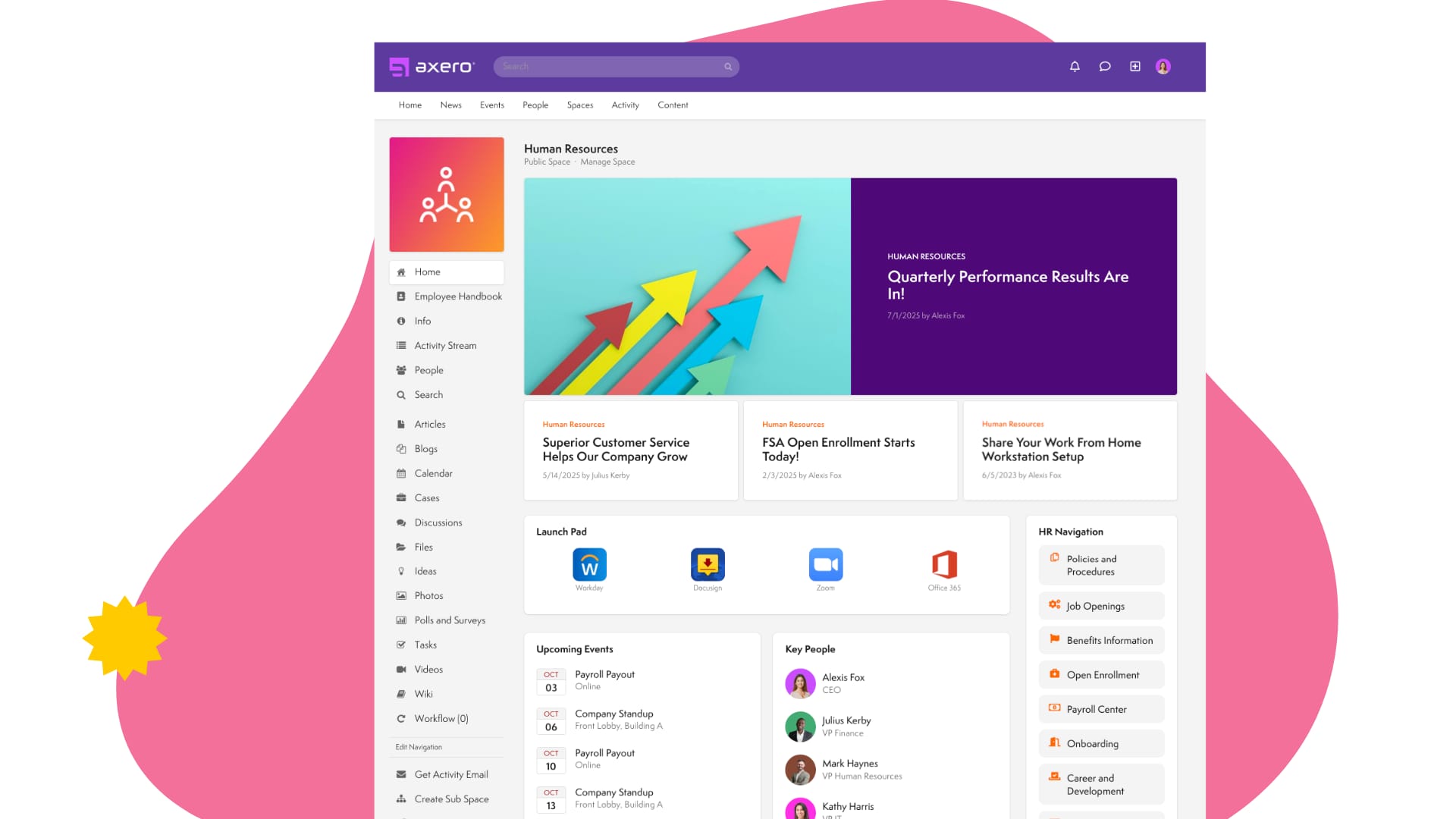
A self-hosted intranet is your company’s internal hub, running on infrastructure you control. Anything that needs to reach all employees—company news, policy updates, knowledge worth sharing—has somewhere to live that isn’t an email nobody can find three weeks later.
Unlike an ordinary website, an intranet is closed to everyone but your employees’ logins. An intranet with social networking features plays a real role in the digital workplace, supporting collaboration and engagement across dispersed teams. Those same features give employees a way to connect on a personal level, which is how a distributed workplace culture survives having no shared office.
What does ‘self-hosted’ mean?
The infrastructure of an intranet has to live somewhere on a server. Many intranet platforms are cloud-hosted, meaning the server is hosted and managed on the vendor’s private cloud. However, some open source software also offers a self-hosted option. This means that you host the intranet on your own server.
When you use a cloud-based intranet, maintenance such as updates and patches is handled by the service provider. With a self-hosted solution, the IT teams in your company take ownership of these updates instead. Having this control allows you to customize the platform, manage team communication, implement workflow automation and even fine-tune technical support processes to meet your unique needs.
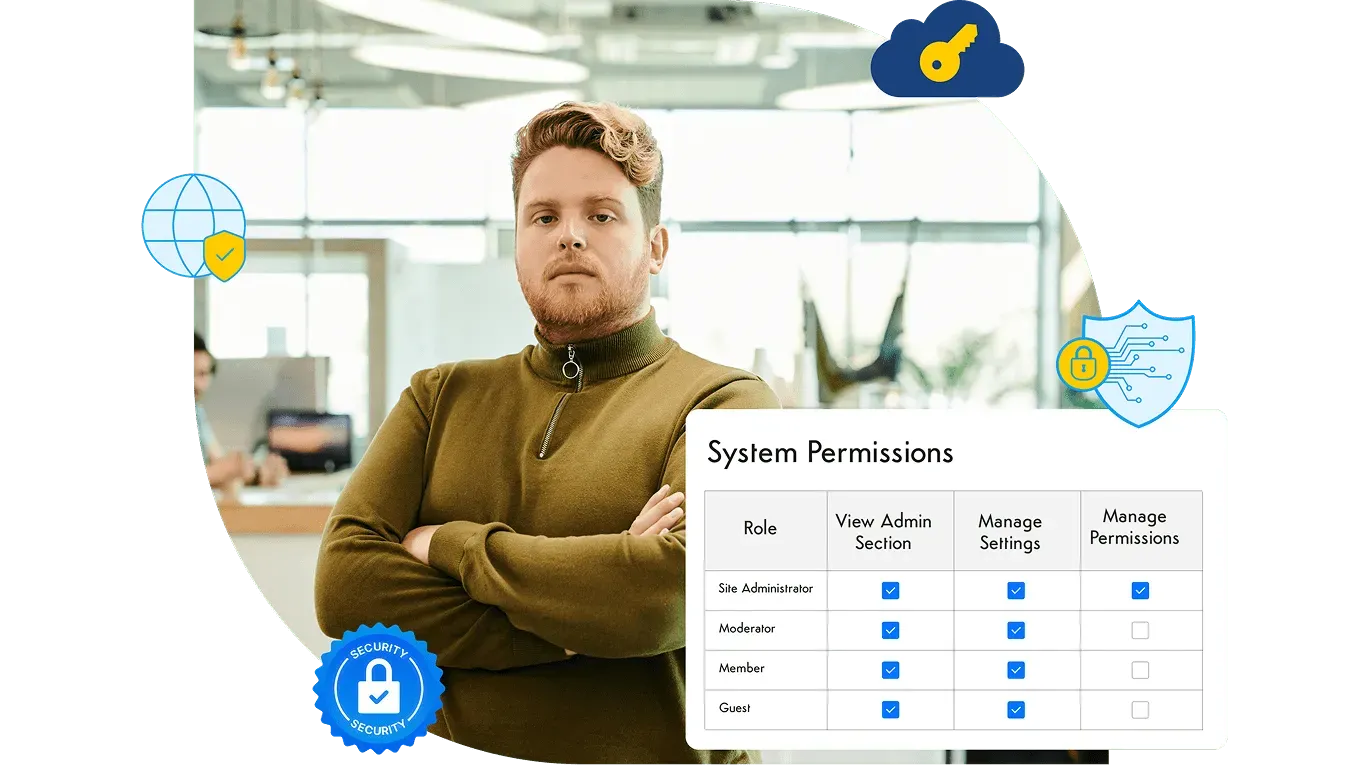
Self-hosting also requires stronger security protocols and compliance since everything is handled in-house. If you opt for a cloud-based intranet platform, the provider will take care of this for you. But for many organizations, having deeper control over compliance, enterprise-grade security, and knowledge management practices is a deciding factor. A 2024 ConnectWise study found that 94% of SMBs had experienced at least one cyberattack in the prior year. Security and compliance needs to be a top priority for any business regardless of the industry they work in.
Open Source vs Self-Hosted
Occasionally, you may see the term “open source” used alongside “self-hosted.” While they can overlap, they are not the same.
- Open source refers to software where the source code is publicly available. It’s free to download, and you can alter it in any way you see fit.
- Self-hosted intranets may be open source, but they can also be licensed solutions hosted on your own servers.
Open source solutions can be great for those who want maximum flexibility and deep customization—but they require technical expertise. Many organizations choose licensed self-hosted intranet solutions to balance key features, scalability, and control.
Key features of a self-hosted intranet platform
Whichever platform you shortlist, these are the capabilities worth checking before you commit to running it yourself.
Hub sites
Think of your intranet as a series of islands. You might want one for knowledge management, document management, company news, another for social networking or social content features and internal communication notices. These hub sites allow you to easily arrange and manage communication in a way that supports both structure and flexibility.
You can arrange these however you choose. Whether you work in strict teams and departments or are used to cross-team collaboration, a modern intranet should be flexible enough to support how employees work best.
Security and compliance
Security and compliance will always be two of the most important features you need for an intranet. Even if you are not exploring open-source intranet solutions and the need to handle security yourself, your organization should still have a good grasp of what is needed to keep your knowledge base and data safe and secure. For regulated industries, enterprise-grade security is a must.
Security isn’t just about ensuring threats from the outside don’t gain access to your company’s digital workspace. You also need to make sure that employees know how to behave correctly in these spaces. Establish a code of conduct for these tools, and ensure access control is in place for sensitive data and documents that should not be accessible to everyone. There will be a right way and a wrong way to behave on your intranet, and you need to make sure you enforce it well. Self-hosted intranets make it possible to apply organization-specific compliance rules while maintaining high employee engagement and trust.
High customization
Customization covers two things that get conflated. One is structure: whether knowledge management is set up so people can actually find resources. The other is appearance, which matters more than it sounds like it should.
An intranet nobody opens delivers nothing, and appearance is part of whether people open it. Look at what other organizations have built and you’ll notice the ones that get used look like the company they belong to — the same fonts, colors, and navigation conventions employees already recognize. That familiarity does more for adoption than any single feature.
Integration capabilities
Nowadays, every business has a range of existing tools employees use in their everyday roles. When creating an intranet, you want these enterprise tools to easily integrate with your new platform so task management is as simple as can be. Look for advanced features such as AI-powered search, analytics, and automation to make everyday workflows more efficient.
A well-structured intranet like Axero can integrate with hundreds of popular widgets and third-party applications commonly used across business, from the Google Workspace and Microsoft suite through to content management systems like WordPress. Employees should not have to fight to transfer files and move their work from platform to platform.
Mobile Accessibility
With today’s distributed workforce, mobile accessibility is no longer optional. Whether checking the employee directory, accessing documents, or leveraging AI-powered features, your intranet should work reliably on any device.
Easy to use
Not everyone who uses your intranet will be a technical whiz. Though you may have very tech-literate people in your team, you might still have a few non-technical users who need more support when onboarding new tools. Intranets can just have a few basic features, or they can be incredibly complex and need a proper onboarding structure so users know how to use it to its fullest. Having responsive technical support available makes onboarding easier and ensures that employees with questions or challenges get quick answers.
Just because you find a tool intuitive to use does not mean everyone will. Intranets need to work for every employee who has to use them.
What are the advantages of a self-hosted intranet?
Taking on the maintenance buys you five things a hosted deployment can’t offer. How much each is worth depends on your industry and your IT capacity.
Full control over data
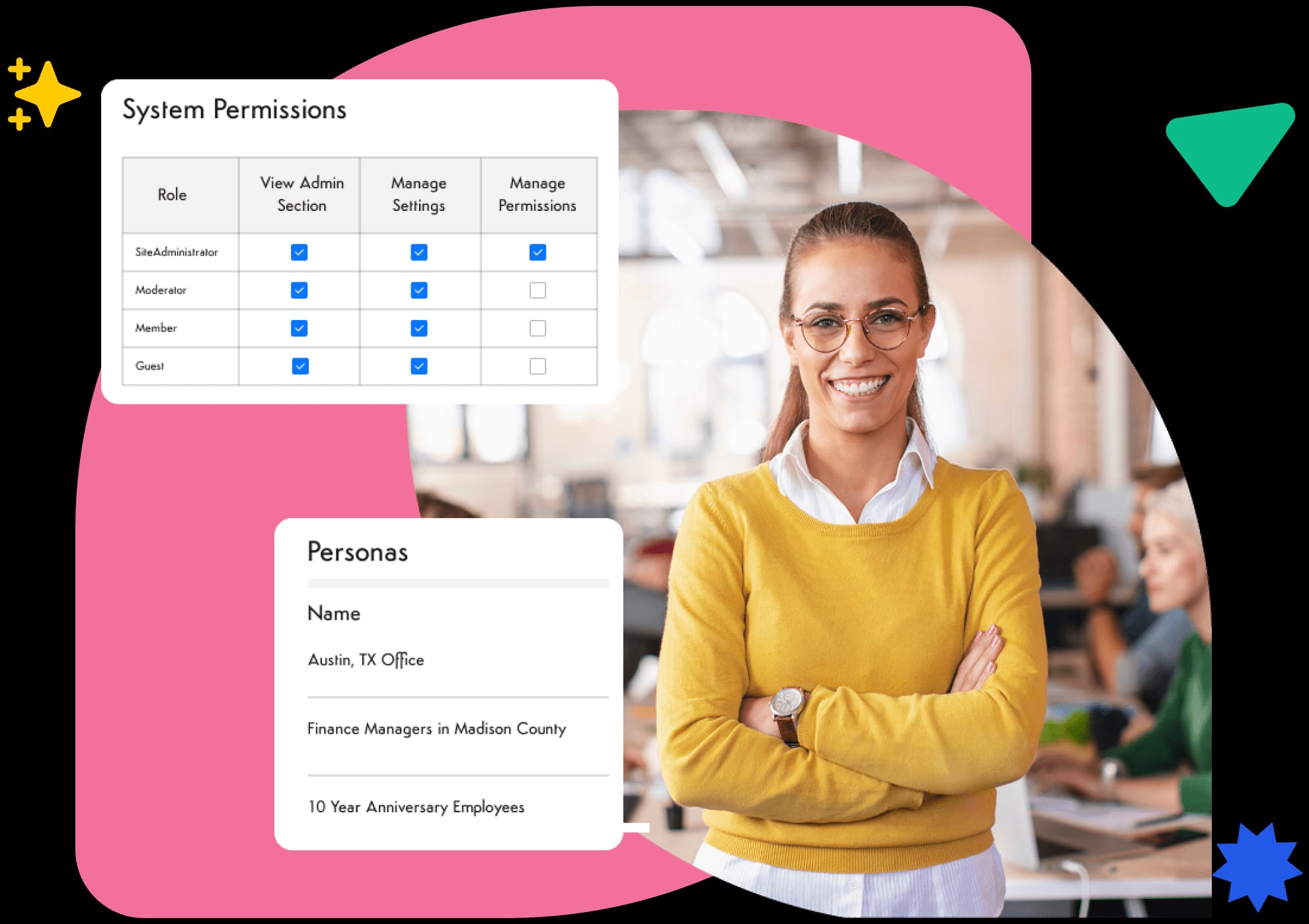
Having your own servers on-site means you have full control over your company data. It is all physically located on-premise rather than in a third party’s data centre. If you operate in a heavily regulated industry such as finance or healthcare, you may have a regulatory and compliance obligation to hold sensitive data securely in your facilities rather than in the cloud.
Custom security and compliance
With an on-site, self-hosted intranet, you can implement your own firewalls, encryption methods and access policies. This makes it easier for you to comply with region-specific regulations like GDPR or tight industry standards that require strict control over data storage and access.
Performance and reliability
You have full control over your server capacity, backup processes, and uptime guarantees. This helps to give better performance to any employees who usually work from the office rather than remotely. Don’t think this is just a benefit for in-office employees; remote workers can benefit through your IT team setting up VPNs, private cloud environments, or even regional servers.
Limited-connectivity access
A self-hosted intranet can be configured to run on a local network. In the event that the WiFi goes down (something that can bring most modern companies to a grinding halt), employees can still access critical information on this local network with the right configurations. This can prove to be especially valuable in industries such as manufacturing, transportation, or healthcare, where staff need to maintain reliable access no matter what. Having a cache or local access to key resources means there is no reliance on continuous connectivity to a cloud vendor, allowing for efficient file sharing.
Independence from vendor limitations
Cloud hosting is convenient, but it does mean that you are reliant on someone else’s schedule. Your vendor will have their own downtime schedule, upgrade cycles, and feature roadmap to adhere to. When you are self-hosted, you have more control over upgrades and integrations and can prioritize them to better suit your internal timelines. This reduces the risk of disruption from forced updates or discontinued features that can come from using a cloud service.
What does a self-hosted intranet cost?
Self-hosting changes the shape of the bill, not just the size of it. A cloud intranet is a subscription: one recurring fee that folds in hosting, updates, and support. A self-hosted intranet front-loads the investment instead. You pay for licensing, the server hardware or private-cloud capacity to run it, and the implementation work to stand it up, then carry the ongoing cost of the IT staff who maintain it.
That upfront weight is the trade. Over a short horizon, a subscription is almost always cheaper to get running. Over a longer one, an organization that already operates data centers and keeps the platform for years can bring the total cost of ownership closer to parity. Which model comes out ahead depends on your time horizon, your size, and whether the infrastructure and people are already in place. For a side-by-side look at both models, see our breakdown of on-prem vs. cloud intranet.
The trade-offs of self-hosting
The advantages above are real, but self-hosting asks something in return, and an honest evaluation names it:
- Higher upfront investment. Licensing, hardware, and implementation land before anyone logs in, rather than spreading across a subscription.
- Your IT team owns maintenance. Security patches, version upgrades, backups, and uptime monitoring become your responsibility instead of the vendor’s. An under-maintained self-hosted intranet is less secure than a well-run cloud one, not more.
- Slower to launch. Provisioning and hardening an environment takes longer than spinning up a hosted tenant, so time-to-value is measured in weeks or months rather than days.
None of these rule self-hosting out. They make clear that it fits organizations with the IT capacity to run it well.
Migrating to a self-hosted intranet
Most teams arrive at self-hosting from one of two places: a cloud tool they’ve outgrown on control or compliance grounds, or an in-house build that has become expensive to maintain. Either way, the move is a migration, not a rebuild. You export content and users from the current system, stand up the self-hosted environment, import, test permissions and integrations, then cut over.
Platforms that run the same software in both cloud and self-hosted models make this easier, because you’re changing where the intranet runs, not learning a new product. Plan for content mapping, an SSO and integration re-point, and a pilot group before the full switch.
Who a self-hosted intranet is right for
Self-hosting is not the default choice, and it isn’t meant to be. It earns its place in specific situations:
- Regulated industries — finance, healthcare, government — with data-residency rules or compliance mandates that require data to stay on infrastructure you control.
- Air-gapped or limited-connectivity environments where the intranet has to run on a local network, independent of a cloud vendor.
- Organizations that already have the IT capacity — the people, the data centers, and the security practices — to run and maintain the platform to a high standard.
If none of those describe you, a managed cloud deployment usually delivers the same intranet with less operational weight. If one or more do, self-hosting gives you control a hosted model can’t match.
Axero can run on your own servers
See how self-hosted Axero deploys on your infrastructure — giving IT control over data residency, security policies, and compliance, all behind your firewall.
Self-host your intranet and unlock new connectivity for your workforce
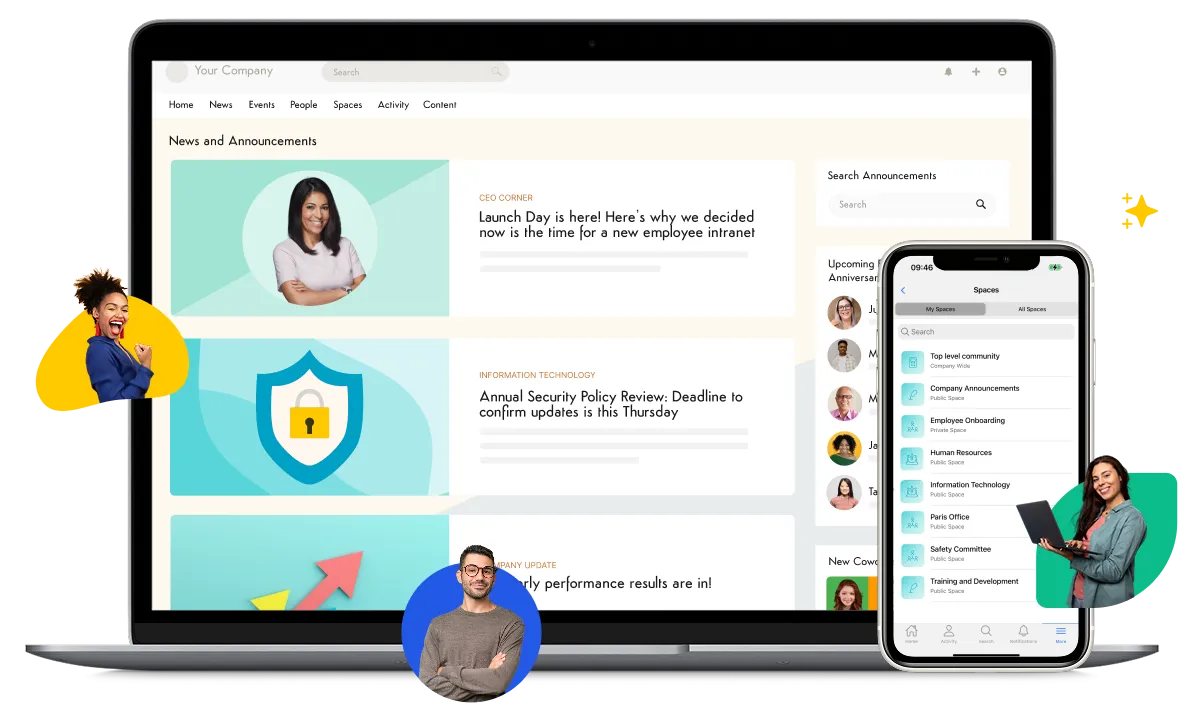
The right intranet changes how your organization handles project management, team communication, and knowledge sharing. Cloud hosting takes the operational work off your plate. Self-hosting on-premise gives you control over the environment itself — data location, security policy, upgrade timing — which is worth the maintenance burden when a compliance requirement or an existing infrastructure investment makes it worth it, and isn’t when neither applies.
Axero offers both cloud-based and self-hosted intranets. With AI-powered features, mobile accessibility, and flexible tools for fostering collaboration, we deliver the functionality organizations need to succeed. From employee directories to company-wide spaces for sharing company news, Axero makes it easier to keep your workforce connected.
Book a demo today to explore how a modern intranet solution can elevate your digital workplace—and discover whether cloud or self-hosted deployment is the best fit for your teams.
Frequently asked questions
What does self-hosted mean for an intranet?
A self-hosted intranet is one your organization runs and controls, rather than subscribing to a vendor-managed cloud service. The software sits on servers you own or on private-cloud capacity you control, and your IT team owns hosting, updates, patching, and backups. In exchange for that operational work, you get direct control over where your data lives and how the environment is secured.
Is self-hosted the same as on-premise?
They overlap but aren’t identical. On-premise specifically means the intranet runs on servers inside your own data center or network. Self-hosted is broader: you control and run the software, but the servers can sit on-premise or in a private cloud account you own, such as AWS or Azure. Every on-premise intranet is self-hosted; not every self-hosted intranet is strictly on-premise. Our on-prem vs. cloud intranet comparison covers the distinction in full.
How much does a self-hosted intranet cost?
A self-hosted intranet front-loads the cost instead of spreading it across a subscription. You pay for licensing, the server hardware or private-cloud capacity to run it, and the implementation work to stand it up, then carry the ongoing cost of the IT staff who maintain it. Whether that costs more than a cloud subscription over time depends on your time horizon, organization size, and existing infrastructure — there is no flat answer.
Can a self-hosted intranet still run in the cloud (private cloud, AWS, or Azure)?
Yes. Self-hosted doesn’t have to mean a server in your building. You can run a self-hosted intranet inside a private cloud environment you control — such as your own AWS or Azure account — and keep ownership of the configuration, data location, and security policies while letting a cloud provider handle the physical hardware. This is a common middle path for teams that want control without operating their own data center.