
Built around Google Workspace
Happeo sets out to be a home for Workspace, with Drive files, meetings, Google Chat, and email reachable from one place. Your files stay in Drive, and user data is stored in Google Cloud.
Axero vs Happeo
Happeo is an AI-powered intranet built around Pages, Channels, and search. It grew up on Google Workspace and works with Microsoft 365, too. So why look for a Happeo alternative? Usually, it's because you want your intranet to do more than organize knowledge. You want a space for every department, work like tasks and case management happening right next to your news and docs, and an intranet that looks and feels like your organization. Some teams also need to host it themselves, or just want to see a price before the first sales call. Axero is built for all of that.
A 30-minute personalized demo. No slides, no commitment.
Axero is trusted by












Where Happeo fits
Happeo calls itself “the AI-powered intranet rated #1 for Google Workspace.” If your company runs on Workspace and wants a knowledge hub and company news on top of it, with AI search at the center of how people find things, it's a natural fit. It also works if your teams already chat in Slack or Teams and you want the intranet to be the official source of truth. The basics are there too: a people directory, mobile app, analytics, and an App Marketplace.
Happeo sets out to be a home for Workspace, with Drive files, meetings, Google Chat, and email reachable from one place. Your files stay in Drive, and user data is stored in Google Cloud.
If part of your company lives in Microsoft 365, Happeo connects there as well: users and permissions from Azure AD, OneDrive and Office files, and embedded SharePoint libraries. It isn't a Google-only product.
Its pricing page talks about bringing “company knowledge together.” Pages and page groups act as knowledge hubs, with templates, 30+ page widgets, multi-language pages, and AI page review. Lifecycle management flags outdated content and notifies its owners, and a Knowledge Engine add-on looks for gaps.
Search is the headline. Happeo's AI search covers its own content and your connected tools, and search analytics come with it.
Why teams look elsewhere
Most of the reasons come down to scope and setup. If one of these sounds like your organization, bring it up in your Happeo demo, and ask every other vendor on your list the same question.
Happeo focuses on knowledge, communication, and search, and it connects to tools like Slack for chat. You won't find tasks, case management, learning (LMS), forms, project management, or recognition badges on its feature list. If you want those inside the intranet, you'd be running other tools alongside it.
Happeo organizes things into Pages for knowledge and Channels for news and updates. Some teams would rather hand each department, location, or project one space that already has its news, files, discussions, calendar, and tasks, and let the people there fill it in.
Happeo runs on Google's cloud and doesn't manage its own infrastructure, and its platform data is hosted in the EU. If you need to host it yourself or keep data in the US, not having an on-prem option is a deal breaker.
Happeo's pricing page lists three plans, Starter, Growth, and Enterprise, and each one says “Book a demo” where the price would be. That makes it hard to put a budget together before you've talked to sales.
Axero vs Happeo
How we compared: in October 2026 we reviewed Happeo's public product pages (pricing, integrations, security, and hosting) alongside Axero's own platform. Where the two differ, it reflects what each product focuses on. Every Happeo page we used is linked in the sources at the bottom of this page.
| Feature | Axero | Happeo |
|---|---|---|
| News, knowledge, and search | ||
| Company news and announcements | ||
| Knowledge pages and wikis | ||
| AI search | Axero Search and Copilot (permission-aware) | |
| People directory and profiles | ||
| Multi-language content | ||
| Analytics | ||
| Mobile app | ||
| Structure and customization | ||
| How content is organized | Spaces per team, location, or project | Pages, page groups, and Channels |
| Page templates and widgets | ||
| Custom code | HTML, CSS, JavaScript, custom widgets | Custom widgets on Enterprise plan |
| Files | Built in, plus SharePoint, OneDrive, and Google Drive | Uses Google Drive, OneDrive, and SharePoint |
| Tools beyond the intranet | ||
| Chat | Built in | Via Google Chat or Slack |
| Recognition and badges | Not listed | |
| Tasks | Not listed | |
| Case management | Not listed | |
| Workflow automation | Not listed | |
| Learning (LMS) | Add-on | Not listed |
| Form builder | Add-on | Not listed |
| Project management | Add-on | Not listed |
| Integrations, hosting, and pricing | ||
| Google Workspace integration | ||
| Microsoft 365 integration | ||
| Single sign-on (SAML, Okta) | On Enterprise plan | |
| Developer APIs | REST APIs across 500+ endpoints | On Enterprise plan |
| Hosting | Cloud, or self-hosted on Enterprise | Cloud only, data hosted in the EU |
| Pricing | Published, with a free trial on Axero Go Essentials | Quote-based (demo required) |
The Axero column reflects Axero Premium and Enterprise. Axero Go plans include a subset; see pricing for each plan. “Not listed” means the feature isn't part of Happeo's published feature list.
Who Axero fits
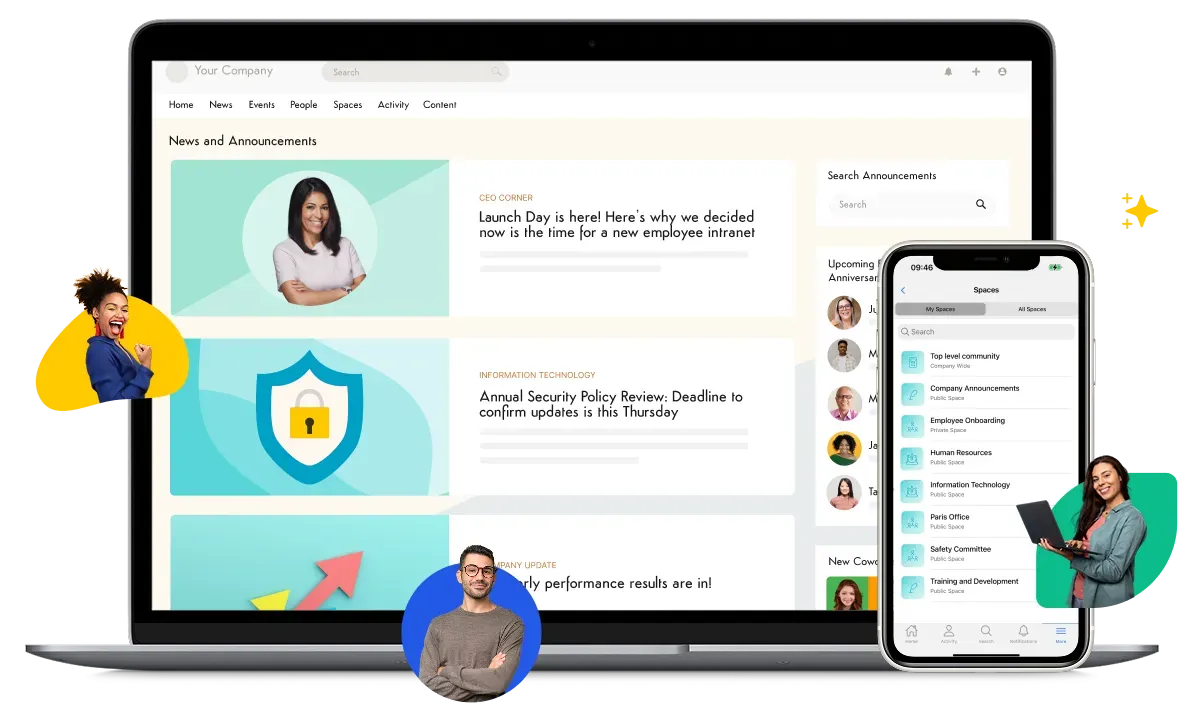
Every space comes with its own news, wiki, files, discussions, calendar, tasks, and members. Your team gets a working home without assembling it page by page.
Axero becomes the central home for company knowledge, and Axero Search and Copilot pull answers from it and from connected repositories like SharePoint and Google Drive. Answers are permission-aware, so people only see what they're allowed to see.
Your comms team can build pages with the drag-and-drop page builder and templates. When you need more, developers can work in HTML, CSS, JavaScript, and custom widgets. And when a team needs a tool that doesn't exist yet, Axero can build it right on the intranet with Axero App Manager.
Run Axero in its cloud, or self-host it on your own servers with Axero Enterprise.
Axero Premium and Enterprise connect to Google Workspace, Drive, and Calendar, and to Microsoft 365 as well, so you don't have to pick one.
If your company runs on Google Workspace and your main goal is a well-organized knowledge hub, Happeo is built for exactly that and may be the simpler choice.
*This comparison uses Axero Premium and Enterprise, the full platform. See pricing for what each plan includes.
What customers say
“I was really happy with our launch. People adopted it and had a good time. All the documents they need are now in one place and are easy to reference. We wanted something that was all-in-one.”

“Axero's training has helped me so much that I can train our intranet ambassadors to use and update Axero. It's perfect for communication and I love the custom homepages.”

“Working with the Axero team has been a wonderful experience. I started out new to Axero software, but thanks to the helpful Axero Library and the ability to reach out to my Axero rep with questions, learning and training others has been really smooth and stress-free.”

Why add Axero to your shortlist
Your intranet, and then some. Axero starts as the intranet and keeps going, so the work that would otherwise need a separate tool and a separate login lives on one platform, next to the knowledge behind it.
Tools beyond an intranet
Most intranets stop at news and knowledge. Axero also runs the work around them. A help-desk request, a training course, or a project plan sits next to the announcement about it, with the same people, permissions, and search.
Learning, Form Builder, and project management are add-on modules, so you only take on what you'll use.
Tasks and journeys
Assign work with owners and due dates, and guide new hires and role changes through onboarding steps.
Case management
Log and track requests for HR, IT, or facilities so nothing gets lost between the person who raises it and the person who resolves it.
Author courses, run SCORM training, and track completion inside the intranet.
Turn each submission into content, notifications, and workflow steps.
Plan projects on boards, Gantt charts, and task lists.

On Premium and Enterprise, you work with an account manager, and your rollout is planned with Axero's implementation services team.
“The experience has been wonderful overall. The support team is always there when you need help, making everything feel easy and reassuring. The onboarding process is smooth and straightforward, so you can get started quickly without any hassle.”
 Karan S. Algoma University
Axero has been building intranet software since 2008, and some customers have been on the platform for close to a decade. Read how other organizations launched in our client stories.
Along the way, Axero has been recognized year after year on major review platforms, including G2, Capterra, Gartner Peer Insights, and SourceForge.





Not sure which plan fits? Every plan runs on the same platform, so you can start where you are and grow from there.
Axero Go Essentials gives up to 100 people one company-wide intranet. It's a simpler starting point, without spaces, integrations, or custom pages, and people sign in with an email and password.
Axero Go Growth adds up to 10 spaces, single sign-on and directory sync, and content approvals, for up to 500 people.
Axero Premium and Enterprise add integrations like Google Workspace, custom pages with Page Builder, and unlimited spaces. If you need to self-host, that's Enterprise.
Moving up later is a plan change, not a re-platform. Your content, people, and settings come with you. Compare plans and pricing.
Happeo's own website, reviewed October 15, 2026.