











Axero Solutions

Content management

Intranet content management software

Publish, organize, and find every piece of content your company creates. Articles, wikis, documents, and events live in one place your employees actually use.

Axero intranet content flowing into one organized hub — articles, files, wikis, and pages together

Trusted by

AmazonToyotaJohns HopkinsBenjamin MooreWileyCognexEdwards LifesciencesSchneider ElectricBuseyCredit AgricolePLACEStanfordArco ConstructionSeneca College

What is intranet content management?

Intranet content management is how an organization creates, publishes, organizes, and governs the content its employees rely on. That includes articles, policies, wikis, documents, and announcements, all inside a single internal platform. It covers the full life of a piece of content: who can create it, who approves it, where it lives, and how people find it again later.

A content management system, or CMS, is the software that makes this possible without a developer for every change. An intranet CMS is a content management system built for an internal audience. It pairs familiar publishing tools with the permissions, approval workflows, and search an organization needs to keep internal knowledge accurate and easy to reach.

This is more than file storage. Storing a document is a filing-cabinet job. Managing content means keeping it current, controlling who can see and edit it, and surfacing the right version to the right person the moment they search. That's why content management isn't a standalone tool at Axero — it's built into the intranet itself, alongside the knowledge base people search every day and the internal communications tools that get the right message to the right people. One platform, one permission model, one place your content actually lives.

Content creation

Everything your team needs to create, share, and collaborate

Axero's intranet content management system covers every content type your team publishes, from long-form articles to quick polls. Create it, organize it, set who can see it, and give people the information they need in the format they want.

Articles.

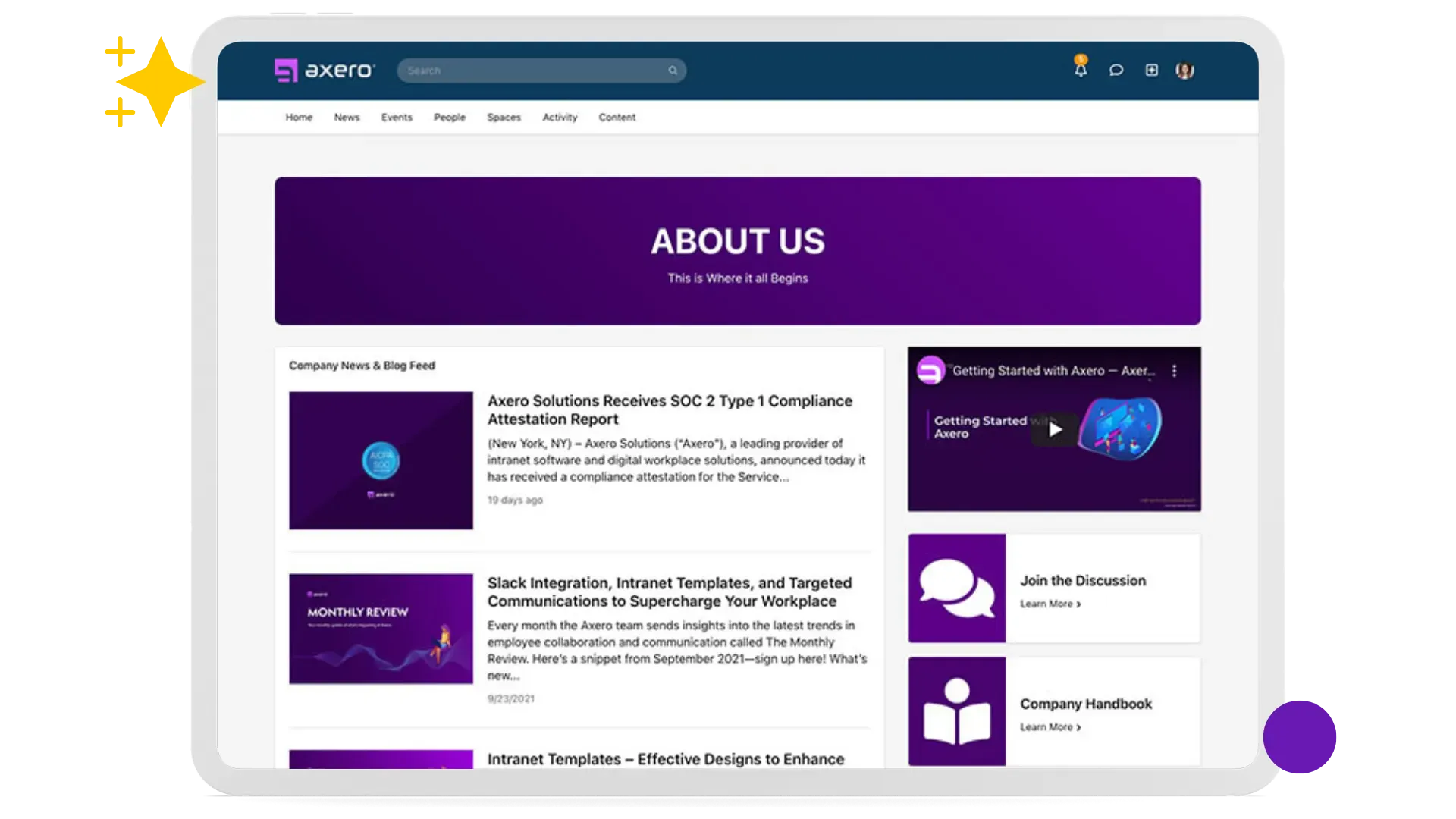
Make a big deal of your latest and greatest. Keep everyone inside and outside your community up-to-date with articles — great for sharing news, press releases, and knowledge base how-to's. Create your own categories, add tags to make them easy to find, set permissions, and share the information you need people to know. Boost engagement with built-in social tools, including commenting, like and follow buttons, and rating controls.

Articles listing page showing content with categories and engagement

Blogs.

Get your organization talking and sharing with your own enterprise-level blogging platform. Use them internally to increase communication and encourage the sharing of ideas, opinions and news. Open them up to the public for sales and marketing. There's a robust approvals workflow built-in, so you can be sure nothing gets out that doesn't fit your brand.

Blog listing page with posts and categories

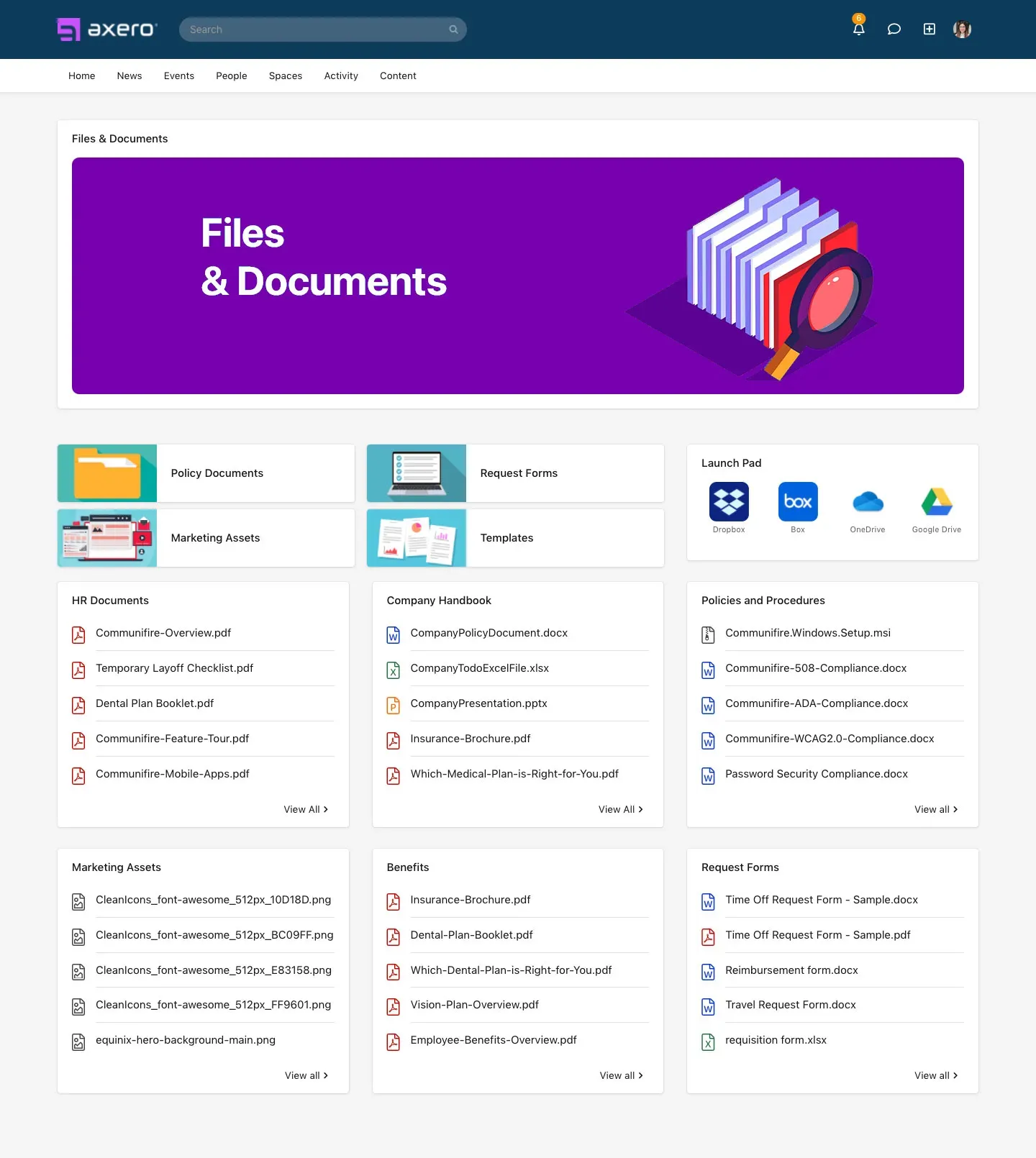
File and Document Management.

Sharing and storage made smart. Don't just store files — make them an interactive tool through collaboration, comments, and ratings. Upload and share documents using drag-and-drop from your desktop, or use the built-in content browsers. View the upload history of each file and roll back to previous versions. Set fine-grained permissions on individual folders — choose who can view, upload, edit, and delete.

File manager showing documents with version history

Wikis.

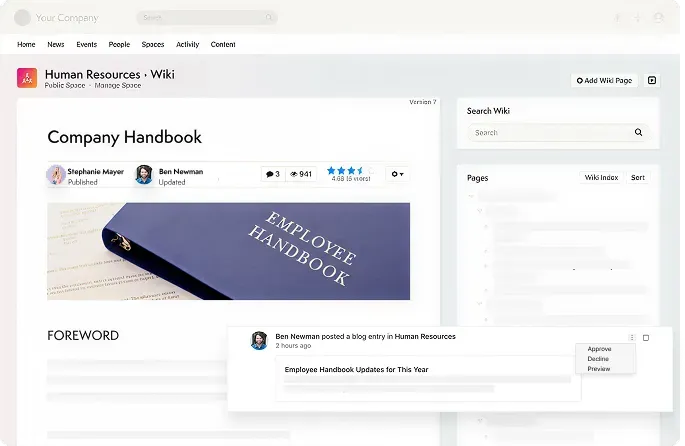
Help your people share their knowledge, skills, and best practices in your own collaborative workspace. Collaborate, share ideas, plan projects, create a knowledge base, and much more. Attach files and embed videos and photos. Every edit creates a new version — so you can always view history, compare versions, and roll back. Your wiki is fully searchable and can be exported as a PDF.

Wiki page showing collaborative documentation

Pages.

Create your own content pages for your community or specific groups. As simple or elaborate as you need — from indexes of information to whole web pages with images, photos, and videos. Code your own layouts using HTML and CSS or simply use the WYSIWYG editor. Embed anything: 3rd party maps, HubSpot CTAs, Google Spreadsheets, MailChimp forms, SlideShare presentations, and much more.

CMS page editor with drag-and-drop builder

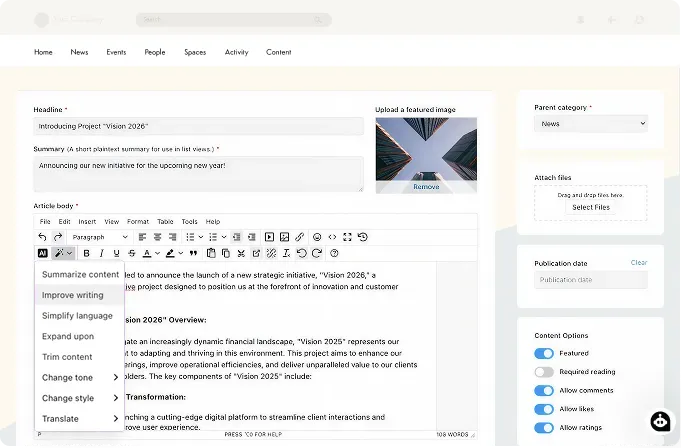
AI Assistant.

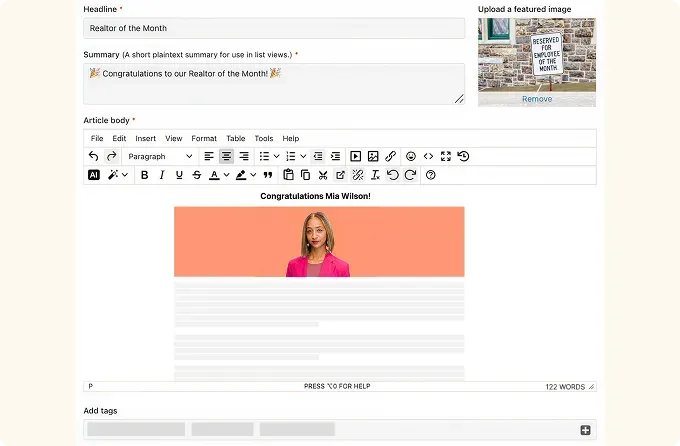
The AI Assistant sits right on the editor toolbar with ready-made actions: summarize a long article into a short recap, improve or simplify the wording, expand a brief passage, trim the text back, or change the tone and style to match the moment. Need something the presets don't cover? Type your own instruction and the assistant follows it. Available as an Enterprise feature.

AI Assistant menu in the Axero content editor showing ready-made writing actions

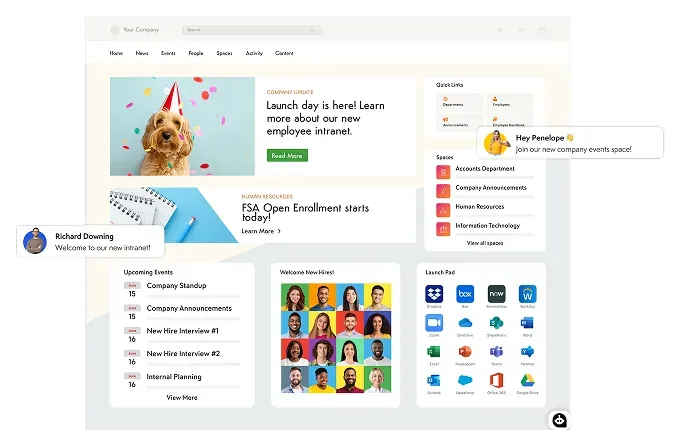
Homepage.

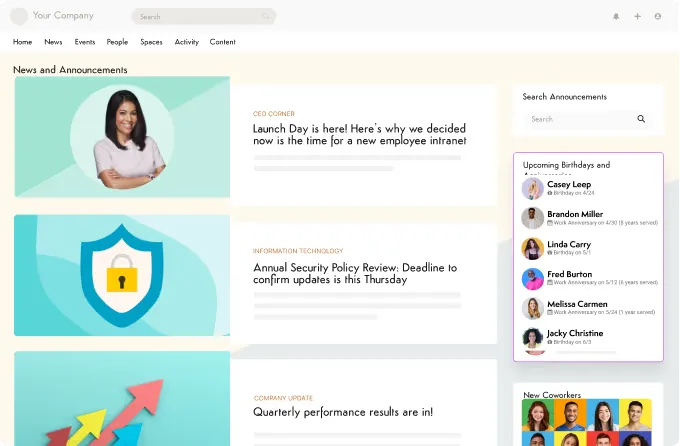
Imagine that your employees actually find value in visiting your intranet homepage. Stock it with information automatically from different departments and spaces. Provide access to useful links, resources, and other systems. Highlight featured content and bring the best to the surface. Create secondary homepages and customize them however you want.

Branded intranet homepage with announcements, quick links, and featured content

Drag-and-Drop Page Builder.

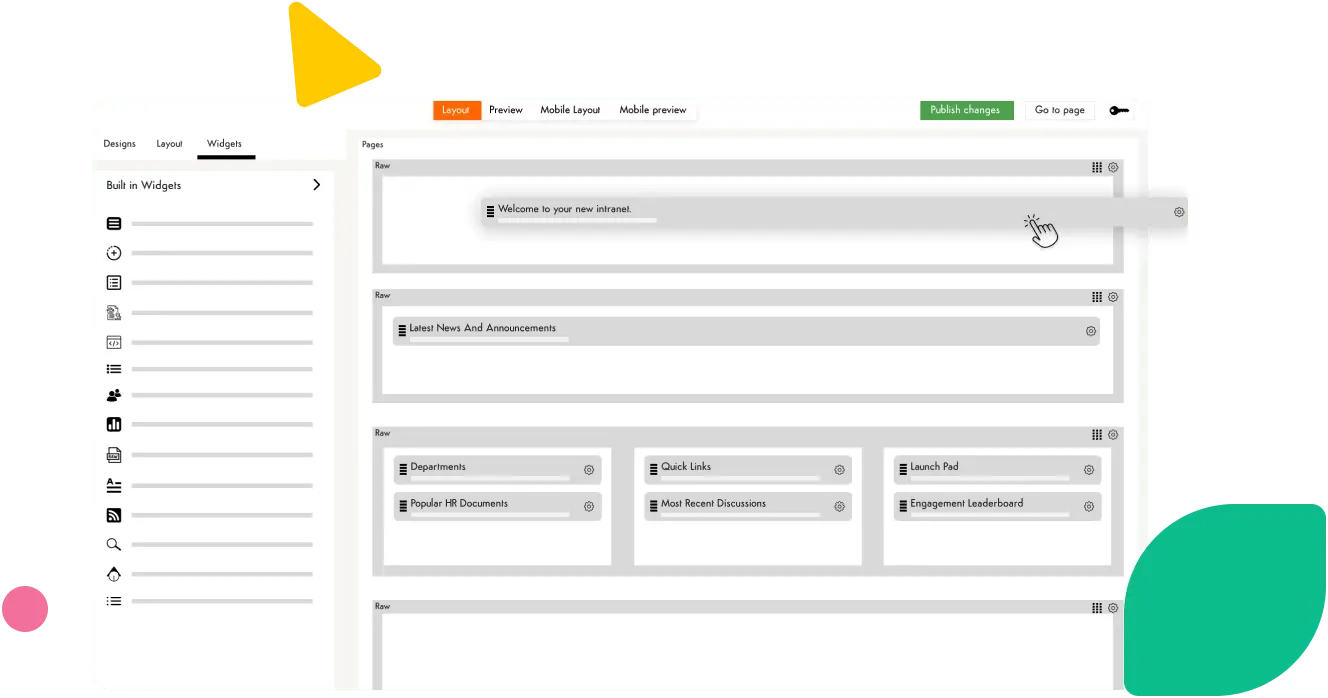
The Page Builder is a drag-and-drop interface to create page layouts in Axero. Simplifies designing your Homepage, Space pages, and CMS pages. Create responsive, column-based layouts that adapt to all mobile devices. The builder transforms elements into visual building blocks — anyone can understand and edit without touching a single line of code.

Drag-and-drop page builder customizing an intranet page layout

Media & discovery

Rich media, events, and search

Everything your team needs to share, find, and stay connected.

Events.

Publish and track RSVPs for meetings, webcasts, and conferences. Showcase your service by providing a helpful list of local places for each event. Upload photos and videos to document your event. Powerful search lets you filter on tags, keywords, categories, location, and date.
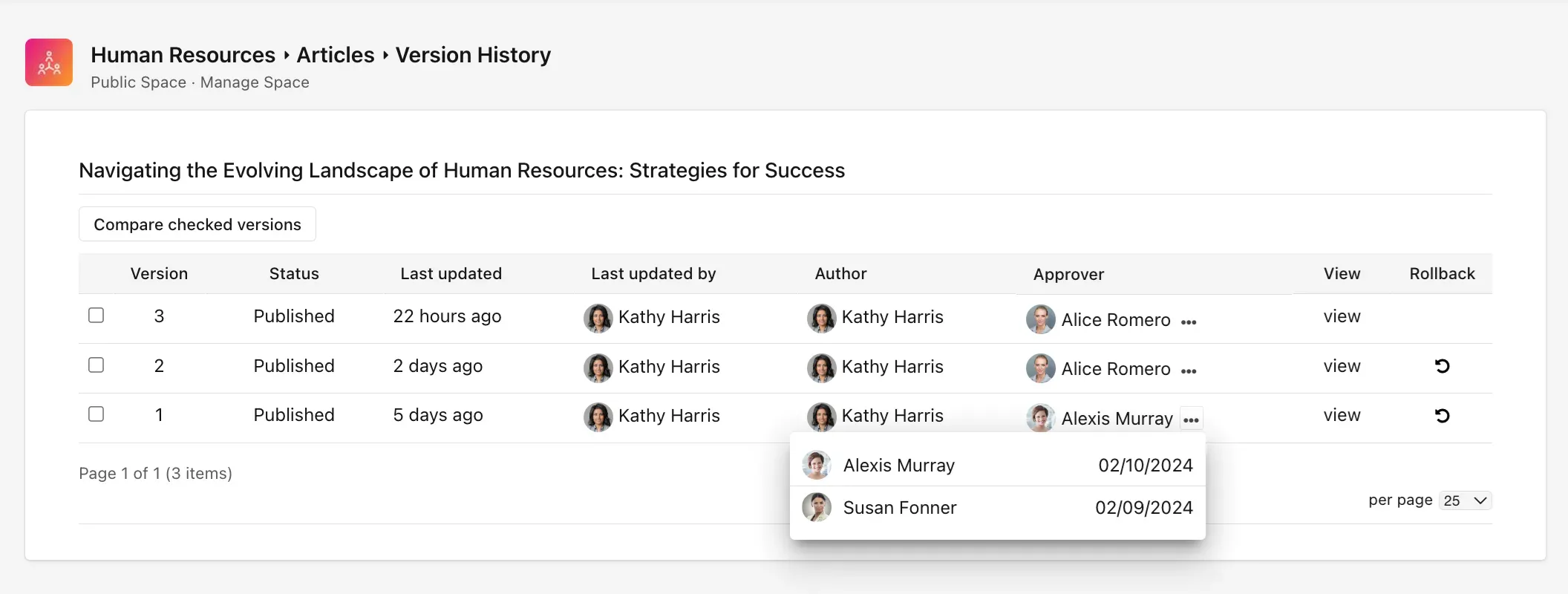

Photo Sharing and Albums.

A picture says a thousand words. Upload and share photos into albums. Insert them into blog posts, articles, or wikis directly from your computer. Create stock photo albums so everyone has access to dress up their posts. Upload as many as you want — tag them, like them, rate them, and collect comments.

Video Sharing.

Harness the power of video for your business. Upload, tag, and share your own videos while still keeping your YouTube account. Organize by category, tag for searching, and add metadata. Share videos from YouTube and Vimeo with a simple paste into status updates. Embed in blogs, wikis, and discussions.

Polls and Surveys.

Ask quick questions about any topic — just type your question, provide options, and invite your team to reply. Real-time bar charts let you take the pulse of your team fast. Gain more in-depth knowledge with multiple-question surveys. Drag-and-drop questions in any order. View results in beautiful visual charts.

Smart Search.

Everything is just a click away. The search remembers everything so you don't have to. It's super smart — knows what you're allowed to find and helps you find it instantly. Automatically indexes all content you publish, including PDFs and Office documents. Filter by space, content type, and tags. Powered by the Lucene full-text search toolkit.

Governance

Manage content through its full lifecycle

From draft to approval to expiration, every piece of content stays current, accountable, and visible to the right people.

Axero governance tools — approval workflows, version history, and content controls in one view

Approval Workflows.

Set up multi-step approval chains by role and content type. Declined content can be revised and resubmitted rather than starting over, and each step notifies the right people automatically.

Required Reading.

Flag any article, policy, or wiki as mandatory. Track exactly who's confirmed they've read it, with reminders for stragglers and a compliance report for the record.

Content Expiration.

Set an expiration date on articles, blogs, files, videos, or wikis. Choose whether expired content disappears automatically or shows an "expired" warning — authors and moderators are notified either way.

Flagged Content and Auto-Deactivation.

Anyone can report content, and moderators can activate, deactivate, or delete it from one place. Set a report threshold and Axero deactivates flagged content automatically.

Version History and Drafts.

Every edit is saved as a comparable, restorable version, and content moves through clear states — draft, pending approval, published, expired — so status is always visible.

See how your content comes together in one place.

Get a personalized walkthrough of Axero's content management — publishing, permissions, workflows, and search.

Why Axero

Why Axero's content management system is different

A purpose-built intranet CMS, not a file share with a search box bolted on.

One system, every content type.

Articles, wikis, documents, pages, events, and videos live under one content management system with one permission model and one search index. You're not stitching a file share to a wiki to a separate news tool and hoping they stay in sync.

Permissions and governance built in.

Every piece of content carries role-based permissions, approval workflows, and full version history. Delegate publishing to a department without handing over the keys to everything else, and build pages with the drag-and-drop page builder while still controlling exactly who can edit them.

Content people actually find.

Smart search indexes everything the moment it's published, PDFs and Office files included, and only returns what each person is allowed to see. Ratings, tags, and best-content sorting push useful material up instead of letting it sink.

Structure that scales.

Group content by team, project, or audience in workspaces, extend a space to partners through an extranet, and add engagement tools without adding another vendor. The system grows with the organization instead of fragmenting across plug-ins.

FAQ

Intranet content management, answered

What is intranet content management?
Intranet content management is the practice of creating, publishing, organizing, and governing the content employees use inside a single internal platform: articles, policies, wikis, documents, and announcements. It covers the whole life of that content, from who can create and approve it to how people find it later.
What's the difference between an intranet and a content management system?
A content management system (CMS) is software for creating and managing digital content without hand-coding every change. An intranet is the wider platform where that content lives alongside people, spaces, and communication. Axero combines both, so publishing, permissions, and search work as one system instead of separate tools you have to integrate.
Can I manage documents, wikis, and articles in one platform?
Yes. Documents, wikis, articles, pages, events, and media are all first-class content types in Axero, under one permission model and one search index. There's no need to run a separate file share, wiki, and news tool that don't share data.
Is Axero's content management system easy to use for non-technical teams?
Yes. Content is created in a familiar WYSIWYG editor, and the drag-and-drop page builder lets non-technical teams build and update pages without touching code. Developers can still go deeper with HTML, CSS, and JavaScript when a layout calls for it.
Does Axero's CMS support approval workflows and permissions?
Yes. Every content type supports role-based permissions and multi-step approval workflows, so content is reviewed before it goes live and only the right people can view or edit it. Full version history means you can compare changes and roll back at any time.
How does Axero keep outdated or unapproved content from staying visible?
Content can carry an expiration date so it's automatically hidden or flagged once it's stale, and nothing publishes without passing through approval workflows first. If something gets reported, admins can set a threshold for it to be deactivated automatically, so outdated or flagged content doesn't linger without anyone noticing.

Recognized by the industry

G2 High Performer Winter 2026 badge
G2 Momentum Leader Spring 2026 badge
G2 High Performer Summer 2026 — Employee Intranet badge
G2 High Performer Enterprise Summer 2026 — Employee Communications badge
G2 Highest User Adoption Enterprise Summer 2026 — Employee Communications badge

Managing your content shouldn't be harder than creating it.