An intranet holds the material attackers and auditors both care about: the org chart, policy documents, HR procedures, internal announcements about deals and reorganizations, and often links into every other system your employees use. It is also one of the few applications every employee signs into. Intranet security is the set of controls that keeps that concentration of access and information from becoming your widest attack surface.
The questions below are the ones a security-minded IT lead should be able to answer about any intranet, whether you are evaluating a new platform or tightening the one you already run. Each section covers what good looks like, what usually goes wrong, and what to ask a vendor.
Intranet security best practices at a glance
| Area | What good looks like | Question to ask |
|---|---|---|
| Identity and SSO | Sign-in through your IdP, MFA enforced, no separate password store | Which identity providers and protocols are supported? |
| Provisioning and offboarding | Accounts created, updated and removed automatically from the IdP | Is SCIM supported, including deprovisioning? |
| Permissions | Role-based, least privilege, set at space, page and file level | Can permissions be delegated without granting admin rights? |
| Encryption | TLS in transit, strong encryption at rest | Which algorithms and standards, and who holds the keys? |
| Hosting and residency | A deployment model that matches your residency and control requirements | Single or multi-tenant? Cloud, private cloud or self-hosted? |
| Compliance | Independent attestations you can read | Can we see the SOC 2 report and ISO certificate? |
| Audit logging | Revision history, permission changes and approvals are traceable | What is logged, and how long is it retained? |
| Integrations | Scoped, reviewed connections with an owner for each one | What permissions does each connector request? |
| Mobile and deskless | Same identity and MFA policy as desktop | Does deprovisioning revoke mobile sessions? |
| Governance | Owners, review cycles and approval workflows for sensitive content | Who can publish what, and who approves it? |
Identity and single sign-on
Almost every intranet security control depends on knowing exactly who a user is, which makes identity the first thing to get right. The strongest pattern is to have no intranet-specific passwords at all: employees authenticate through your identity provider (IdP), and the intranet trusts the assertion it receives.
What good looks like:
- SSO through your existing IdP over SAML 2.0 or OpenID Connect, so password policy, conditional access and sign-in risk rules apply to the intranet automatically.
- Multi-factor authentication enforced at the IdP, or natively in the intranet for any accounts that can’t go through SSO (contractors, service accounts, break-glass admins).
- A documented exception list. Every account that signs in with a local password should be known, owned and reviewed. Local admin accounts are a common blind spot because they were created during implementation and never revisited.
What goes wrong: SSO gets configured for employees, but a handful of local accounts remain for “just in case” access, often with admin rights and no MFA. Those accounts are the easiest way in and the last ones anyone remembers to disable.
Axero example: Axero supports SSO with all the major identity providers, including Active Directory, Entra ID, Google, ADFS, OneLogin, Okta and Salesforce, plus custom SAML-based integrations. About 95% of Axero customers connect SSO. Two-factor authentication is supported through Microsoft Authenticator, Google Authenticator and Duo. The identity and SSO details on the technology and security page list the full set.
Provisioning, role changes and offboarding
Access should follow HR events, not help desk tickets. When someone joins, changes departments or leaves, their intranet access should change without anyone remembering to do it.
What good looks like:
- Automated provisioning over SCIM 2.0, so accounts are created and updated from your IdP, including group or role membership.
- Automated deprovisioning. Deactivating a user in the IdP should revoke intranet access immediately. This is the single most important offboarding control, and it is the one most often missing.
- Role changes that remove access, not just add it. A transfer from Finance to Sales should take away Finance space access, not leave the person with both.
What goes wrong: orphaned accounts. A contractor’s engagement ends, their laptop is collected, and their intranet account stays active for months because it was created by hand. If your intranet can’t be deprovisioned from the IdP, build a recurring access review that compares active intranet accounts against your HR system.
Axero example: Axero exposes a SCIM 2.0 endpoint so your identity provider can provision, update and deprovision accounts directly, with role syncing. Deactivating a user in the IdP automatically revokes their Axero access, so there are no orphaned accounts left behind.
Permissions and least privilege
Once you know who a user is, permissions decide what they can see and do. The principle is least privilege: everyone gets the access their role requires and nothing more. On an intranet, that is harder than it sounds, because the whole point is to share information widely.
What good looks like:
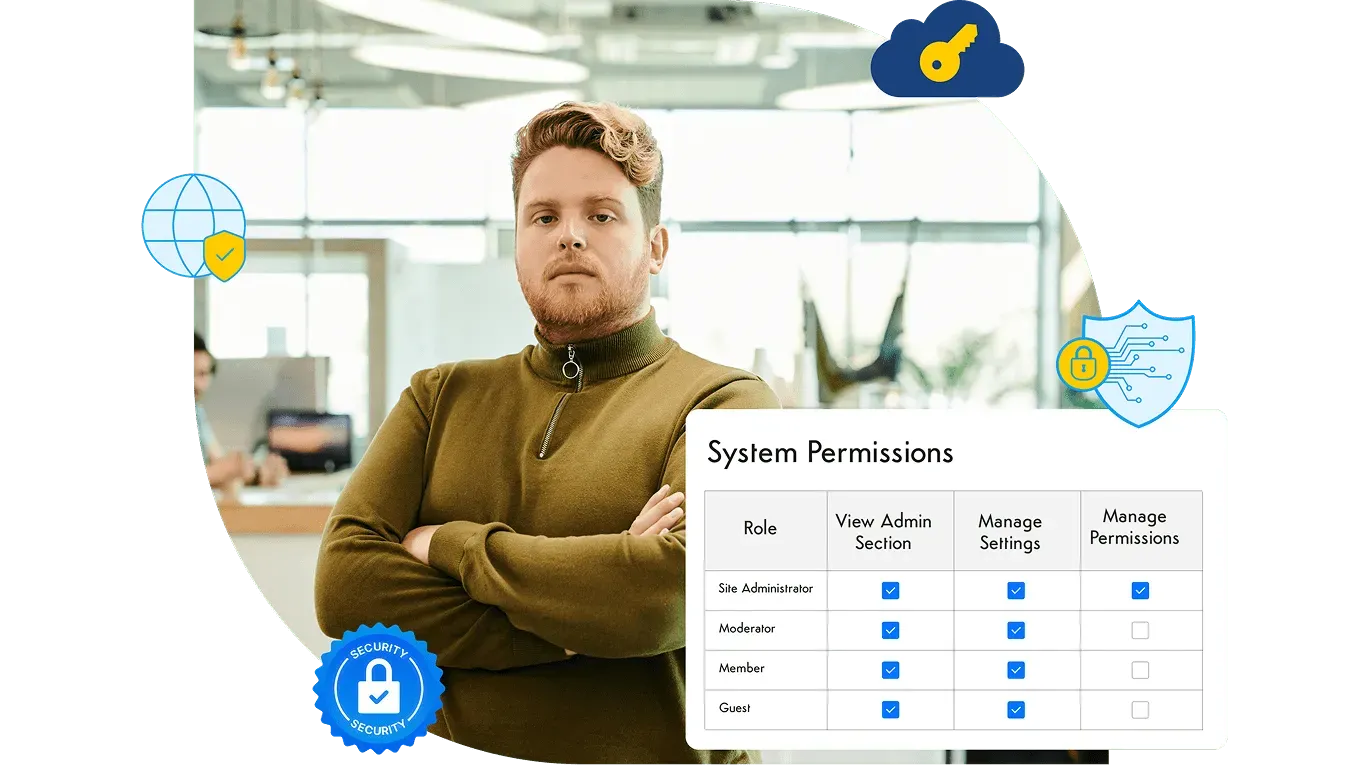
- Role-based access control. Permissions attach to roles, and users get roles. Granting access person by person does not scale and cannot be audited.
- Granularity where it matters. Company news can be open to everyone. HR case files, M&A workspaces and executive planning need permissions at the space, page and file level.
- Delegated administration without admin sprawl. Department owners should be able to manage their own spaces without being handed system-wide admin rights. Count your full administrators; the number should be small and every name should be justified.
- Default-deny for sensitive spaces. New spaces that will hold confidential material should start private and have access added deliberately.
What goes wrong: permission drift. Inherited permissions nobody reviews, one-off exceptions that were never removed, and “temporary” admin rights that became permanent. Schedule permission reviews for sensitive spaces at least quarterly, and ask whether the platform can show you who has access to a given item.
Axero example: Axero uses a fine-grained, role-based permission matrix. Permissions are mapped to roles, each user can have multiple roles, and access can be set at the space, page and file level. See how that plays out in delegated intranet governance.
Encryption in transit and at rest
Encryption is table stakes, but the details still matter when you are filling out a vendor security questionnaire.
What good looks like:
- TLS for every connection, with current protocol versions (TLS 1.2 at minimum, TLS 1.3 preferred) and older versions disabled.
- Encryption at rest for the database and file storage using a strong, standard algorithm such as AES-256. Regulated industries may also ask about FIPS 140-2 validated modules.
- Proper password handling for any local accounts: salted, hashed and never recoverable in plain text.
- Clarity on key management. Know who holds the keys and how they are rotated.
Axero example: All Axero data is encrypted at rest using AES-256 and AES-256 FIPS 140-2 Level 3, and all connections are secured via SSL/TLS 1.3.
Hosting, tenancy and data residency
Where the intranet runs, and who else runs on the same infrastructure, shapes both your risk and your compliance position.
Questions to settle:
- Multi-tenant or single-tenant? In a multi-tenant SaaS, customers share application instances and often databases, separated logically. Single-tenant architectures give each customer its own database and instance, which simplifies data isolation questions in a security review.
- Where is data stored? If you have residency obligations, confirm the hosting region for the database, file storage and backups, not just the application.
- Cloud, private cloud or self-hosted? Most organizations are well served by a vendor-managed cloud. Air-gapped environments, strict residency rules or internal standards that require software inside your own perimeter may call for self-hosting, which moves patching, backups and monitoring onto your team. The trade-offs are covered in more depth in on-prem vs. cloud intranet.
- Backups and recovery. Ask how often backups run, how long they are retained, where they are stored, and when the vendor last tested a restore.
Axero example: each Axero customer gets their own independent database and instance of the software. Axero can host on its private Azure cloud, managing hardware, updates and security, or you can self-host Axero on your own infrastructure. Cloud backups run daily with 7-day retention and weekly with 30-day retention, with redundant storage in a separate zone.
Compliance frameworks and vendor assurance
Compliance frameworks don’t make a platform secure on their own, but independent audits are the most efficient way to verify a vendor’s controls without running the audit yourself.
What to look for:
- SOC 2 Type II, which reports on how security controls operated over a period of time, not just whether they were designed.
- ISO 27001, the international standard for an information security management system.
- HIPAA support and a willingness to sign a Business Associate Agreement if the intranet will hold protected health information.
- GDPR documentation if you process personal data of people in the EU.
- Ongoing testing, such as third-party penetration tests and vulnerability scanning.
Ask for the reports themselves under NDA. Check the scope: an attestation that covers the hosting provider is different from one that covers the vendor’s own application and operations.
Axero example: Axero is SOC 2 Type II compliant and its cloud hosting environments are SSAE 16 (SOC 1, SOC 2 Type II) and ISO 27001 compliant. SOC reports can be delivered upon request. The hosting environment complies to HIPAA standards, and Axero will execute a Business Associate Agreement (BAA). GDPR documentation is available on request, and Axero conducts ongoing third-party network vulnerability scans and penetration tests.
Bring the security questionnaire
Walk through SSO, SCIM, permissions, hosting options and compliance documentation with someone who can answer the follow-up questions.
Audit logging and revision history
When something goes wrong, or an auditor asks a pointed question, logs are the difference between an answer and a guess.
What an intranet should record:
- Sign-ins, failed sign-ins and MFA events (often captured at the IdP when SSO is in place)
- Permission and role changes, including who made them
- Content edits and deletions, with the editor and a timestamp, plus the ability to view previous versions
- Approvals on content that went through a workflow
- Acknowledgements on required policy documents
- Administrative configuration changes
Questions to ask: how long logs are retained, whether they can be exported to your SIEM, and whether deleted content can be recovered or at least traced.
Axero example: revision history on every page and document makes each change traceable to who made it and when, and Required Reading tracking records who acknowledged a policy.
Third-party integrations
A modern intranet connects to Microsoft 365, Google Workspace, Slack, ServiceNow, HR systems and more. Every connection is useful, and every connection is a new trust relationship.
What good looks like:
- An owner for every integration, recorded somewhere IT can find it.
- Scoped permissions. Review the OAuth scopes or API permissions each connector requests, and prefer read-only access where it is enough.
- Permission-aware content surfacing. When an intranet displays documents from SharePoint or Google Drive, confirm that it respects the source system’s permissions rather than exposing files to everyone who can see the intranet page.
- Managed API credentials. API keys and webhook secrets should be rotated, stored securely and revoked when a project ends.
- Periodic review. Remove integrations nobody uses; they keep their access long after they stop delivering value.
Browse the full list of intranet integrations to see which connections Axero supports and how each one is configured.
Mobile and deskless access
Frontline and deskless employees often reach the intranet only from a phone, sometimes a shared one. That access is essential, and it is also where security policies get quietly relaxed.
What good looks like:
- The same identity and MFA policy on mobile as on desktop. Avoid separate mobile passwords.
- Deprovisioning that reaches mobile sessions. Removing someone in the IdP should end their app session too.
- A plan for employees without corporate email, such as IdP accounts created from HR records, rather than shared logins.
- Care with shared devices: shorter sessions and limits on what sensitive content is available offline.
Axero example: Axero offers native iOS and Android apps, white-label versions of those apps with your own branding, and a responsive design that scales to the width of any mobile browser.
Governance: security that survives day-to-day publishing
Technical controls protect the platform. Governance protects what people put on it. Most intranet data exposure is not a breach; it is a confidential document published to the wrong audience, or an outdated policy that still looks authoritative.
Security-relevant governance controls include approval workflows for sensitive content, named owners for every space, review dates that flag stale material, and delegated administration that keeps the permission model under IT’s control. How those mechanisms are designed and who owns each layer is a governance question in its own right; the intranet governance best practices article covers ownership models and the governance document in detail.
Axero example: Axero workflows route content through a set of moderation steps before publication, with each step assigned to a member role. Intranet governance in Axero covers approvals, content ownership and delegated administration.
An intranet security checklist for your next review
Use this list for a vendor evaluation or an annual review of the intranet you run today:
- All employee sign-ins go through SSO, and MFA is enforced.
- Every local account is documented, owned and justified.
- Provisioning and deprovisioning are automated from the IdP, ideally over SCIM.
- Full administrators can be counted on one or two hands, and each is named.
- Sensitive spaces are private by default and reviewed quarterly.
- Data is encrypted in transit with current TLS and at rest with a strong standard algorithm.
- Hosting region, tenancy model and backup retention are documented and match your obligations.
- You have read the vendor’s SOC 2 Type II report and ISO 27001 certificate, and know their scope.
- Content changes, permission changes and approvals are logged and retained.
- Every integration has an owner and a scope review.
- Mobile access uses the same identity controls as desktop, and offboarding revokes it.
- Sensitive content has an owner, an approval path and a review date.
If you’re comparing platforms against this list, the Axero technology and security page documents each control for Axero, from encryption and single-tenant architecture to SSO providers, compliance reports and deployment options.