
Search returns nothing useful
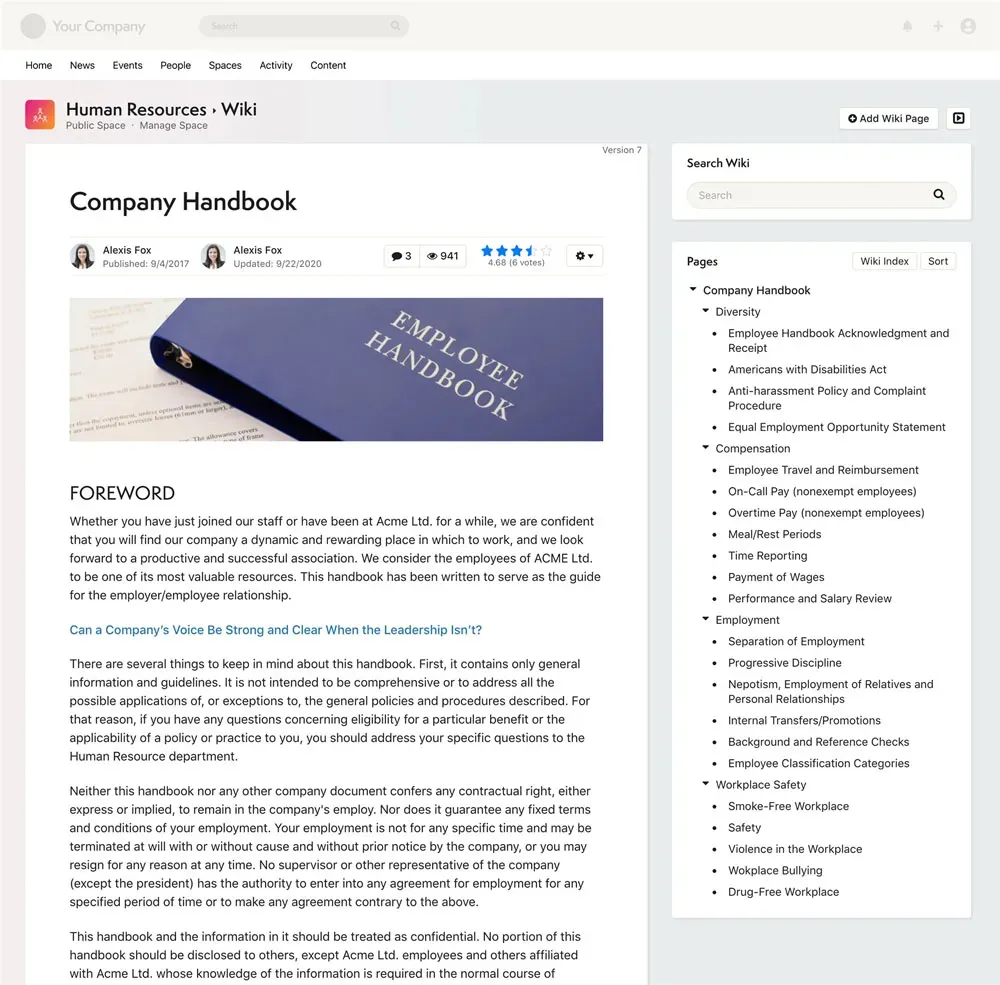
The article exists, but full-text search can't surface it — wrong keywords, no indexing of file contents, results buried under noise. People give up and ask a person instead.
Internal Knowledge Base Software
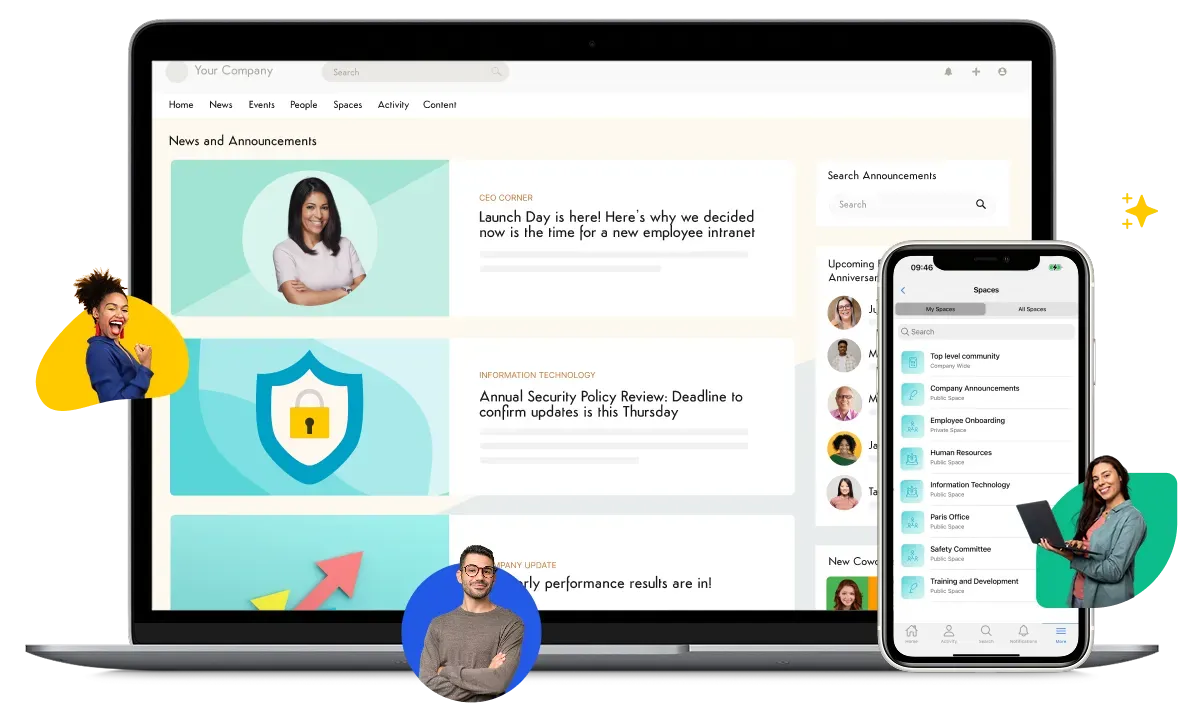
Most internal knowledge isn't missing. It's scattered, duplicated, and out of date. Axero gives employees one internal knowledge base to organize it, search it, lock it down, and keep it current, inside the intranet your teams already work in.
Trusted by











Every "where do I find…" message, broken link, and duplicate document eventually lands on the team that runs the systems. These are the failures underneath them.
The article exists, but full-text search can't surface it — wrong keywords, no indexing of file contents, results buried under noise. People give up and ask a person instead.
The answer lived in one senior employee's head or their inbox. When they move teams or leave, the procedure goes with them and nobody can reconstruct it.
Some content is in a shared drive, some in chat threads, some in a wiki nobody maintains. There's no single place to look, so there's no single place to trust.
Three copies of the same policy, each slightly different, none dated. People act on the wrong one and you find out after it causes a problem.
One outdated article makes people doubt the whole library. Without owners and review dates, content decays quietly until the knowledge base is dead weight.
Access was bolted on after the fact, so permissions are inconsistent across folders. Confidential content sits one broad share link away from the whole company.
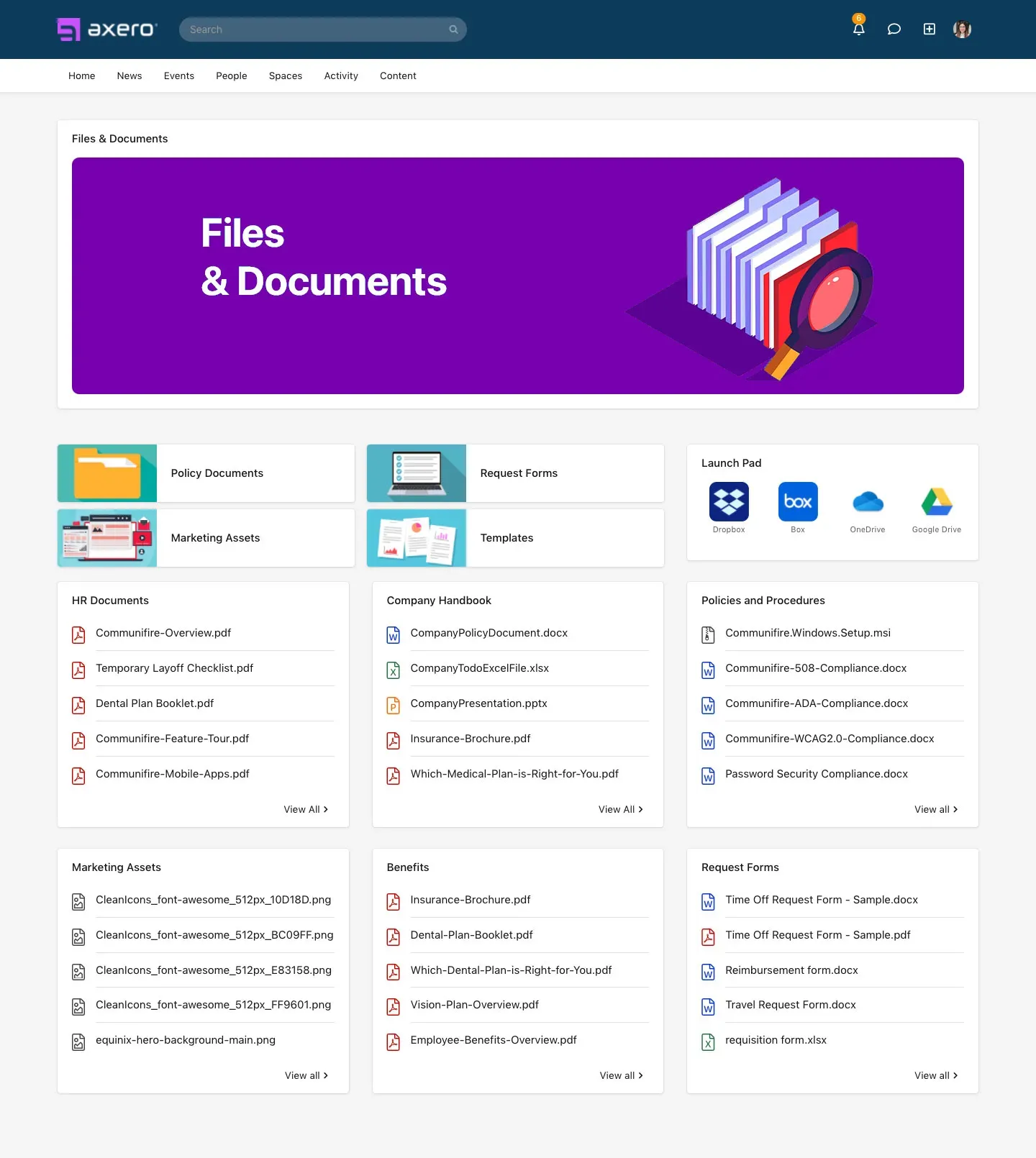
Structure content into Spaces — one per department, product, location, or audience — each with its own articles, wikis, files, and members. Authors publish in a familiar editor with co-authoring, comments, and @mentions; categories and tags keep a growing library browsable instead of sprawling. There's no separate CMS to administer: the knowledge base is part of the intranet, so structure and access follow the same model everywhere.
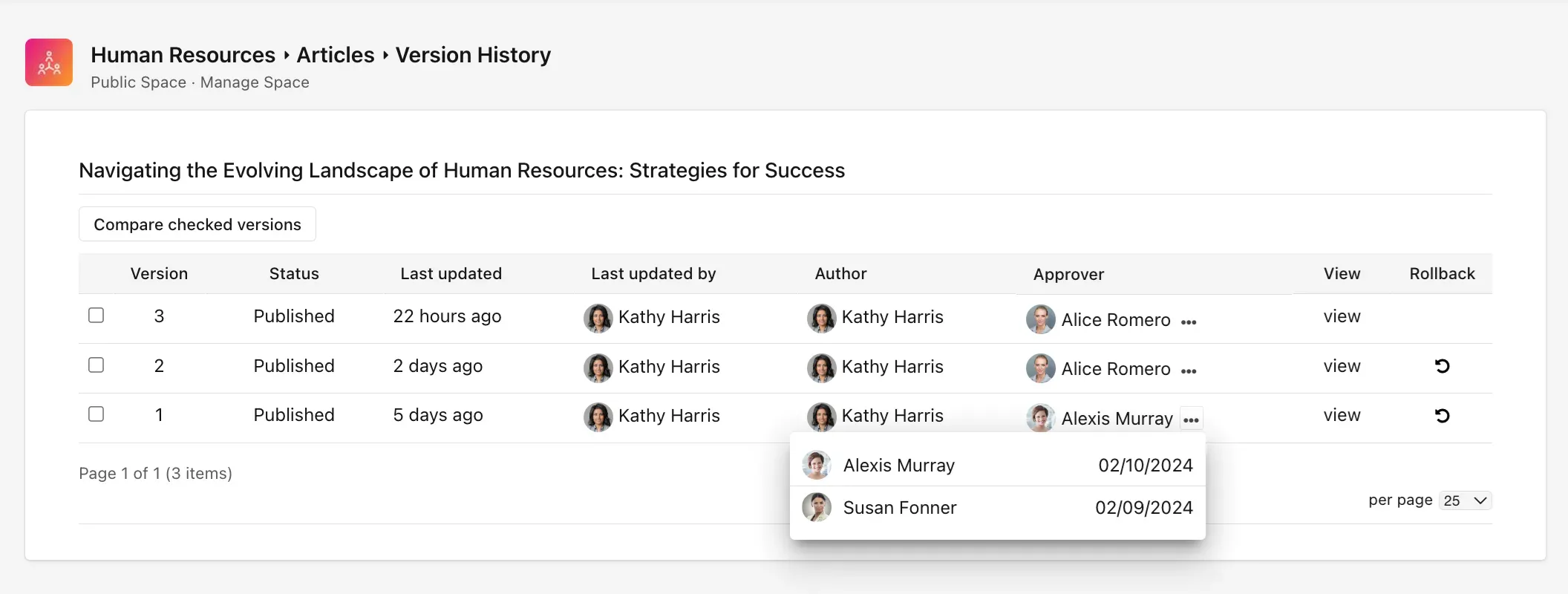
Every page and document carries a revision history, so any change is traceable and reversible. Assign content owners, set expiration dates, and route updates through approval workflows; aging content flags its author for review instead of decaying silently. When an auditor asks who changed a procedure and when, the history answers.
Knowledge rarely starts on a blank page. Import the documents and files you're bringing over from a legacy wiki, a document management system, or scattered shared drives — and keep the repositories you're not migrating by connecting them. Then build on top: author wikis for living reference material, articles for announcements and how-tos, and pages with rich text, embedded media, and attachments. Whether content is migrated or written fresh, it's organized, permissioned, and searchable the same way.
Findability
Access control
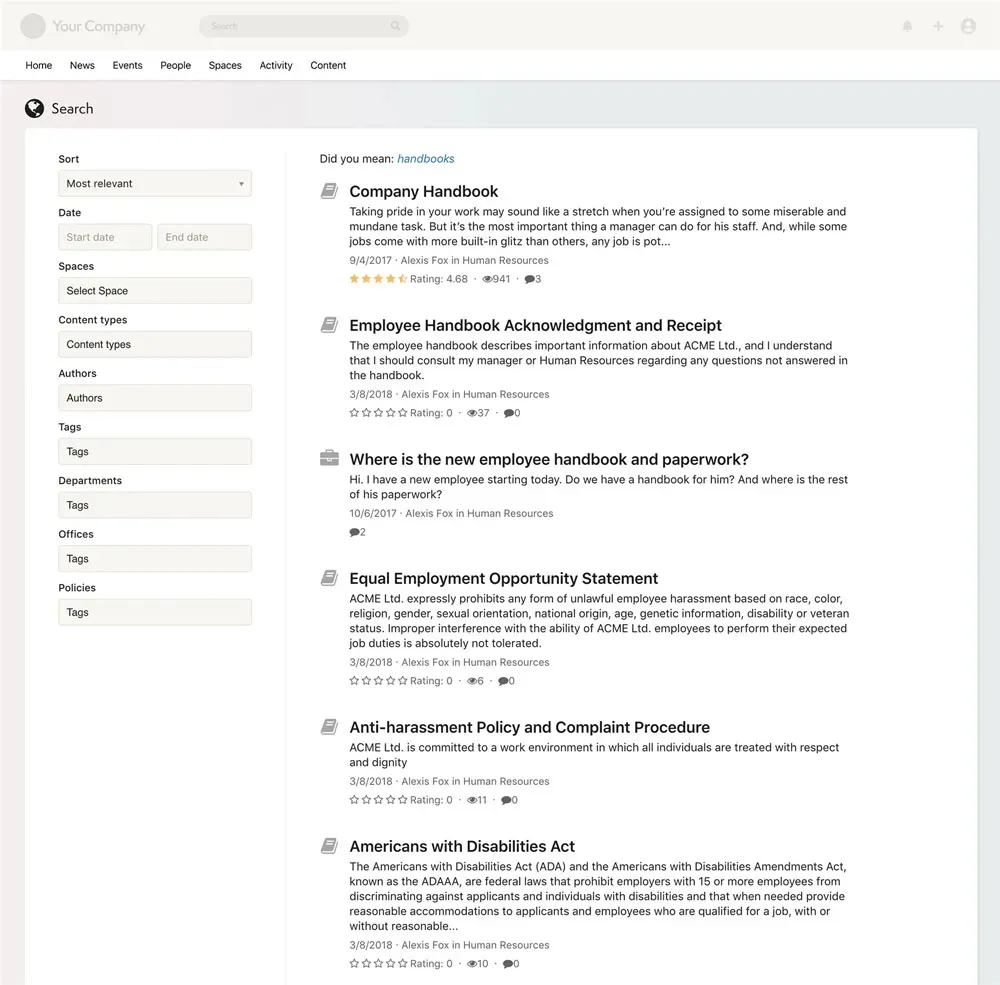
Access isn't an afterthought bolted onto folders. Role- and Space-level permissions govern every page, file, and workspace from one model, so you can answer "who can see this?" without auditing share links one by one.
Granular, role-based control
Set access at the Space, page, or file level by role or group. Confidential content stays scoped to the people who should have it.
Access follows your identity provider
Single sign-on with Okta, Microsoft Entra ID, ADFS, OneLogin, Google, and SAML 2.0 means provisioning and de-provisioning follow the controls you already run.
Search and Axero Copilot honor the same rules
Permissions apply everywhere downstream — a user can't surface a restricted document through search or an Axero Copilot answer.
Auditable and isolated
Revision histories and audit trails make changes traceable; every customer runs on an isolated single-tenant instance, SOC 2 Type II compliant, with a self-hosted option for strict data-residency requirements.
Compatibility
You don't have to rip out SharePoint to give people one place to find answers. Axero connects to the repositories and apps your content already sits in, pulls them into one permission-aware search, and adds the structure and lifecycle controls a shared drive never had.
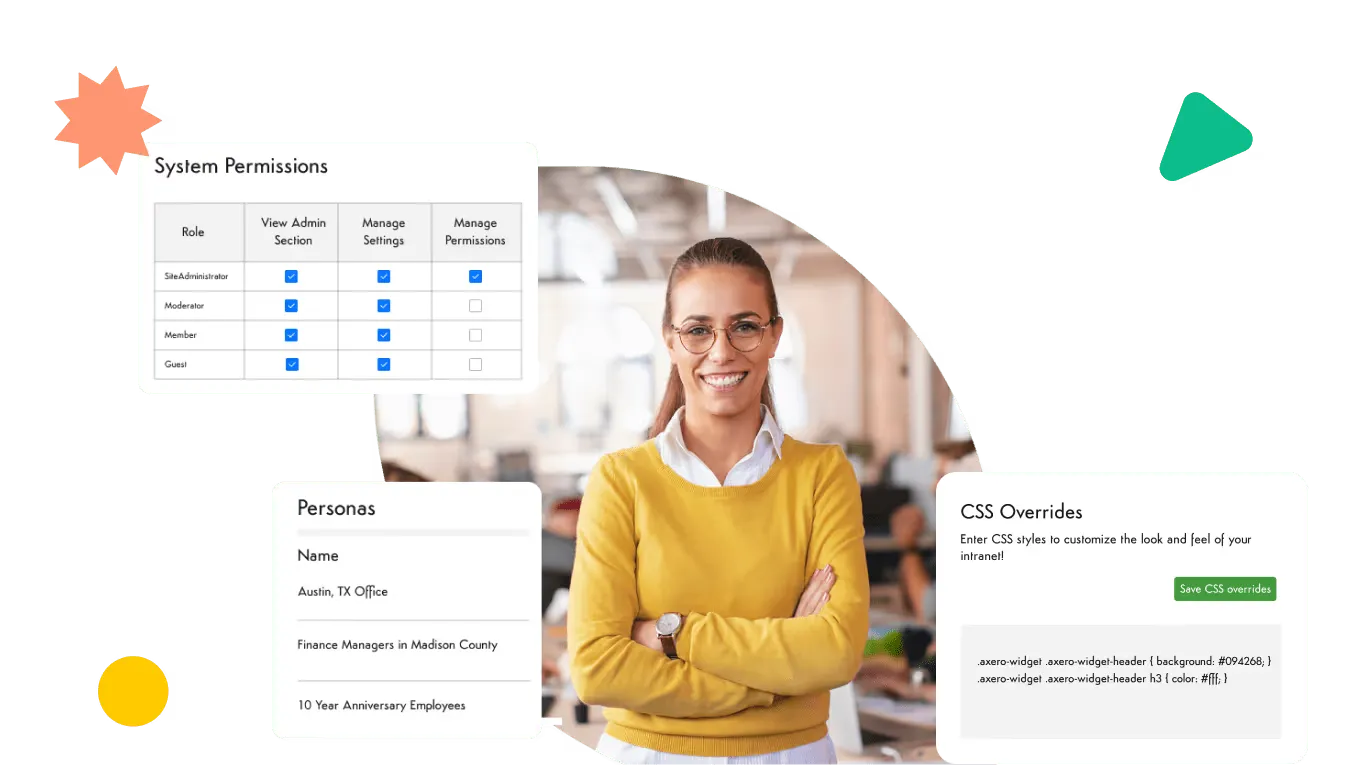
SharePoint and OneDrive
Access SharePoint documents and folders from inside Axero, and surface them in federated search alongside native content — so existing libraries stay reachable while the intranet becomes the front door.
Microsoft Teams and your daily stack
Launch into Axero from Teams, and connect Slack, Google Workspace, and the apps people already open, so the knowledge base meets them where they work.
Network drives and other sources
Connect file repositories so legacy content is findable without a migration project on day one.
500+ REST APIs
Pull content and data from systems Axero doesn't integrate with natively. See the full list on the integrations page.
Axero Copilot
Even a well-organized knowledge base still asks people to guess the right search terms and figure out which document is current. Axero Copilot closes that gap: an employee asks a question in plain language and gets a direct answer drawn from your intranet's own content, with a link to the source article.
It reads the text inside your files, stays inside each user's permissions, and updates as your content changes — so the answer is current, sourced, and safe to act on. Fewer interruptions to your subject-matter experts, and a knowledge base people trust to have the right answer.

Implementation
The questions that decide whether a knowledge base launches on time are rarely about features. They're about what moves, what stays connected, and who owns each area after launch.
Import the documents and files worth keeping from shared drives, a legacy wiki, or Confluence exports, and leave large SharePoint libraries where they are by connecting them to search. Nothing has to move on day one for people to find it.
Most deployments go live in a few weeks to a few months, depending on integrations, content migration, and customization scope. Our implementation team helps plan Space structure, permissions, and SSO before content lands.
Assign each department's Space an owner, set review dates on articles that change, and let expiration flags do the chasing. Ownership is what keeps a knowledge base accurate in year two.
Who maintains it
A knowledge base only stays accurate if the people who own the content can update it. Axero lets department teams maintain their own Spaces inside the permission model IT defines — no ticket queue, no loss of control.
Publish a policy update or company announcement to the right audience without filing a request — within the publishing rights IT grants, with version control behind it.
Each Space has its own owners who keep their corner of the library current. IT delegates content ownership without delegating permission control.
The knowledge base is one part of how Axero handles company knowledge. For wikis, documentation, AI-assisted discovery, and how they fit together, see Axero's knowledge management software.
FAQ

How the leading knowledge management platforms compare on search, governance, and AI discovery — and where Axero fits.

A practical guide to building a living library of documents, instructional materials, and self-help content your teams and customers can use.
Where each platform fits for intranet and knowledge management, and why teams move document libraries onto Axero without ripping out SharePoint.
Bring the questions you'd ask in an evaluation — search depth, permission model, SharePoint connection — and we'll show you how it works on real content.