The internet
A public global network anyone can access. It's where your website, social channels, and customer-facing content live. Audience: everyone. Access: open.
An intranet is a company's private digital workplace: where employees go for news, policies, documents, people, and the tools they use every day. Most organizations run one, whether it started as a SharePoint site, a shared drive with a homepage, or a purpose-built platform.
Trusted by

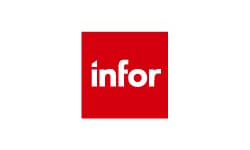










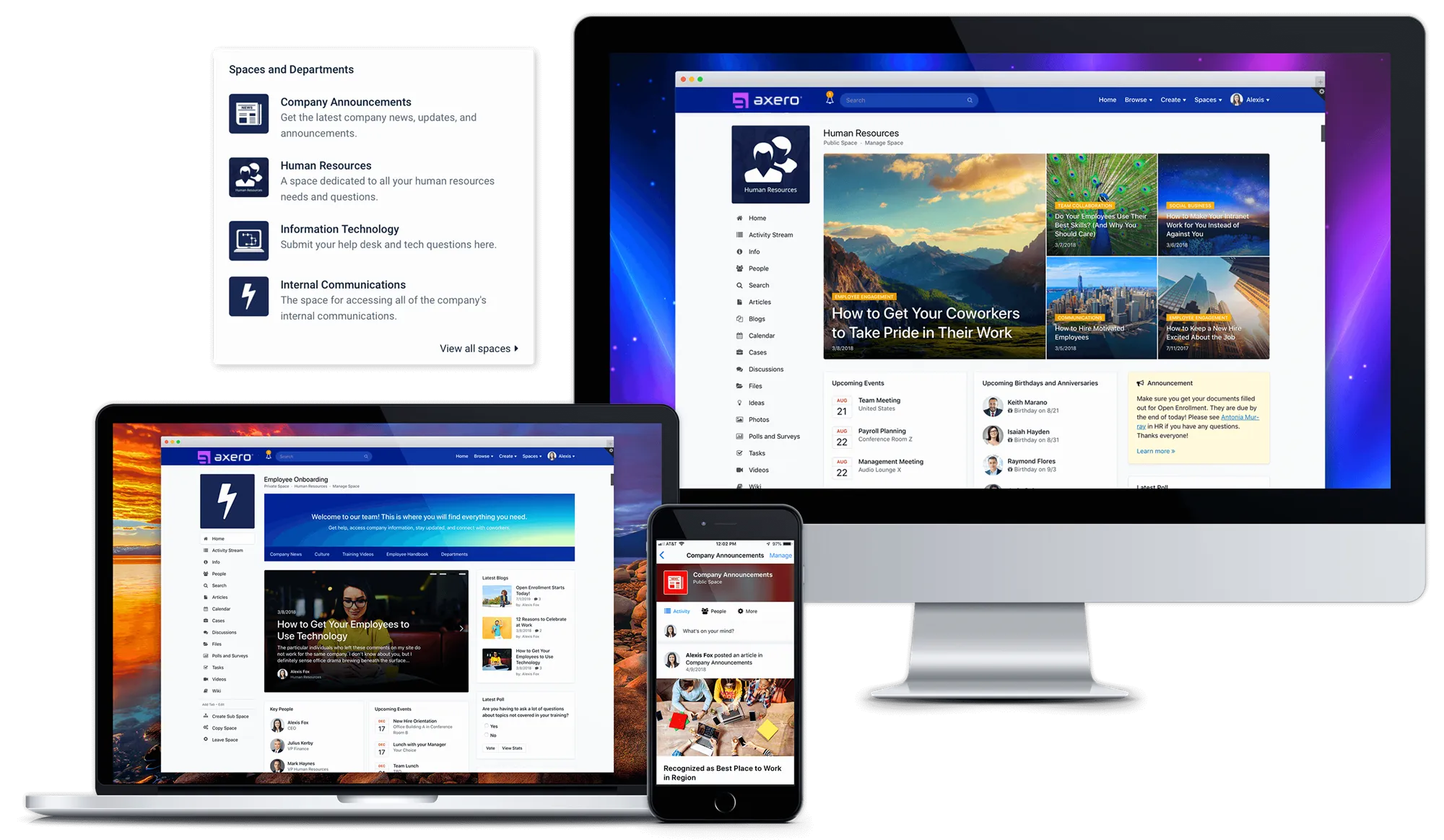
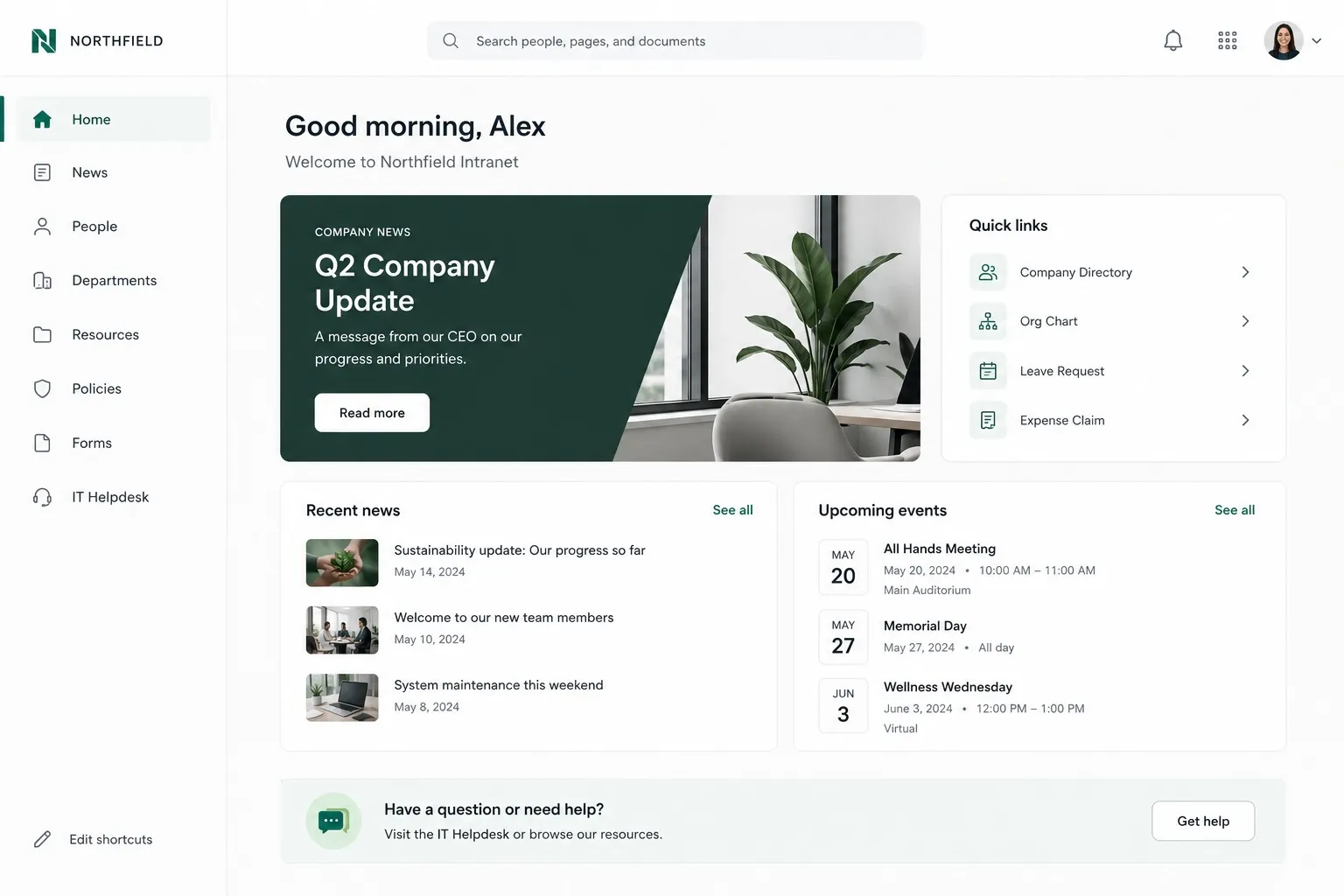
An intranet is a private, secure online network where employees can create content, communicate, collaborate, manage tasks and events, and build company culture. Unlike the public internet, only people inside your organization (and guests you explicitly invite) can access it.
Intranets emerged in the mid-1990s as simple internal websites and have evolved into the digital heart of the modern workplace: a company home base, team touchpoint, central knowledge repository, and multifunctional communication hub all in one.
Today the terms "intranet" and intranet software are often used interchangeably — the software is the platform an organization uses to create and run its intranet.

Know the difference
The three terms get mixed up constantly. The difference comes down to who can get in and what it's for.
A public global network anyone can access. It's where your website, social channels, and customer-facing content live. Audience: everyone. Access: open.
A private network restricted to people inside your organization. It's where internal news, knowledge, tools, and conversations live. Audience: employees. Access: login required.
A controlled extension of your intranet that invites specific outsiders in — partners, vendors, or customers — to collaborate in dedicated, permissioned areas. Audience: employees plus invited guests. Access: selective.
Some platforms support both modes at once — for example, an intranet with permissioned spaces that work as an extranet for partners and clients.
Every company shapes its intranet around its own priorities, but most usage falls into a handful of patterns:
Company news, leadership updates, announcements, and targeted broadcasts all live in one place instead of scattered inboxes. Many organizations treat the intranet as the backbone of their internal communications strategy.
A product launch, an office move, a new-client onboarding — each gets a dedicated workspace where the files, tasks, and questions stay together. That's what built-in collaboration software does: the project's record lives with the project instead of in someone's inbox.
Policies, procedures, and how-tos get organized and made searchable, so answers don't depend on knowing who to ask. When the one person who knows how the expense system works leaves, the knowledge stays. This is the domain of knowledge management software.
An employee comments on the CEO's quarterly update, congratulates a teammate on a work anniversary, and gets recognized for helping another department — small interactions that compound into a workforce that actually reads company news.
Org charts, profiles, anniversaries, kudos, and interest communities give company culture a digital identity. A new hire in a remote office can put faces to names — and find the running club — before their first week ends. See how intranets support workplace culture.
An employee needs the parental-leave policy at 9pm. They search the intranet and have it in a minute — no email to HR, no waiting until morning. IT requests, onboarding checklists, and company forms work the same way in a self-service employee portal.
Because modern intranets are flexible, the advantages show up differently in every organization. Across the board, though, these are the benefits companies most consistently report after launching one:
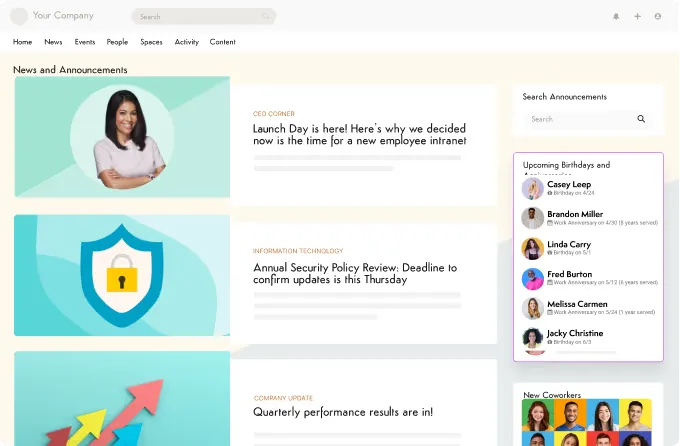
Instead of hunting through inboxes for the latest policy update or project status, employees find it in one place. Teams that launch an intranet typically see a significant drop in internal email volume within the first few months.
When the employee handbook, brand assets, and project documents each have one known home, nobody wastes an afternoon reconciling three versions of the same file.
Folders, version history, and permissions keep company documents structured and current — so “where's the latest one?” always has the same answer.
Company news, open discussions, and shared workspaces give employees visibility into what other teams are doing. For many companies it's the first time the whole organization can see itself in one place.
Remote employees see the same announcements, celebrations, and conversations as people in the office, at the same time — nobody learns about a reorg two weeks late.
Comments, reactions, and badges make contributing visible. People who answer questions and share expertise get credit for it, which keeps them doing it.
A public shout-out takes thirty seconds to post and reaches the whole company. Those small moments compound into higher morale and better retention.
Employees see updates relevant to their role, department, and location first — instead of scrolling past headquarters news that doesn't apply to them.
Dig into the details in our guide to the benefits of an intranet, or see how intranets improve internal communication specifically.
Estimate the time and cost savings an intranet could deliver for your organization — it takes about two minutes.
Organizations of 50 people or 50,000 use an intranet — what changes is what they lean on it for. Here's how it looks across industries:
Hospitals and health systems distribute policy updates, shift-critical announcements, and compliance documentation to clinical and non-clinical staff — including the majority who never sit at a desk.
ExploreBanks and credit unions keep procedures, rate sheets, and regulatory updates current across every branch, with permissions and audit trails examiners expect.
ExploreSchools and universities connect faculty and staff across campuses with department workspaces, policy libraries, and announcements that don't get lost in email.
ExploreAgencies and municipalities centralize procedures, forms, and interdepartmental communication on a platform that meets public-sector security requirements.
ExploreCarriers and brokers put underwriting guidelines, product documentation, and compliance updates where agents and adjusters can find them — from any office or the field.
ExploreNonprofits coordinate staff and volunteers, share program resources, and keep distributed teams aligned without enterprise IT overhead.
ExploreMost intranets are built from the same core building blocks. How deep each one goes is what separates platforms:
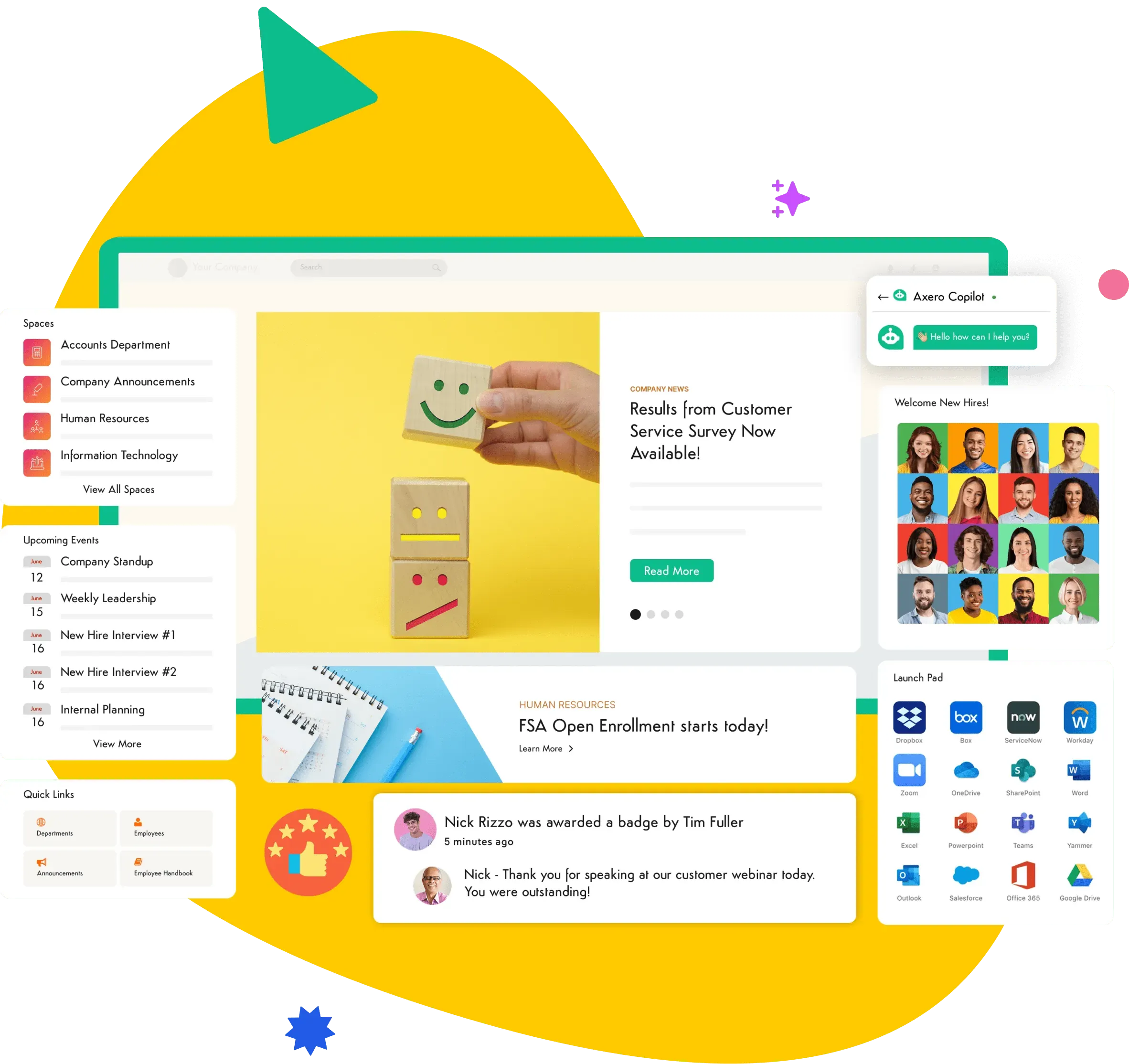
Company updates, leadership news, and announcements targeted to the teams they apply to.
Dedicated spaces for teams and projects, with their own files, discussions, and tasks.
Wikis, document libraries, and search that finds people and information across everything the intranet holds.
Profiles and reporting lines that show who's who and who to ask.
Shout-outs, badges, polls, and comments that give employees a reason to participate.
Native apps for frontline and remote employees, connected to the tools teams already use.
Evaluating platforms? The intranet features and requirements checklist in our buyer's guide breaks down what to look for in each area and what to ask vendors. You can also see every feature on the Axero platform and the intranet integrations it supports.
A step-by-step guide to defining requirements, comparing vendors, and avoiding the hidden costs — or watch a short demo video to see a modern intranet in action.
Deployment & security
Intranet platforms are usually delivered one of two ways: cloud-hosted (SaaS), where the vendor hosts, maintains, and updates the platform for you, and self-hosted, where it runs on servers your own team controls. Neither is universally better — the right choice depends on your IT strategy, compliance requirements, and internal resources.
The platform is hosted and maintained by the vendor. You get fast launch times, automatic updates, and no infrastructure to manage.
The platform is installed on servers you control — on-premises or in your own private cloud. Common in regulated industries with strict data-residency requirements.
Whichever hosting model you pick, an intranet security review comes down to a handful of areas: identity and SSO, permissions, encryption, compliance attestations, audit trails, and how your data is isolated from other customers. Our intranet security best practices guide walks through each one from an IT perspective, and Axero's technology and security overview covers how Axero handles them.
Axero is an intranet platform that brings everything on this page — internal communications, knowledge management, collaboration, and workplace culture — together in one branded hub.
The value shows up in the day-to-day: employees find answers without asking around, announcements reach the people they're meant for, and every department gets a home that matches how it works. Because the platform shapes itself to your organization — not the other way around — no two Axero intranets look the same.
And you're not on your own. Axero's customer success team is consistently one of the first things customers mention — real people who know your intranet and stay involved well past launch. It's a big part of why Axero holds top ratings on G2 and Capterra.
Intranet FAQs
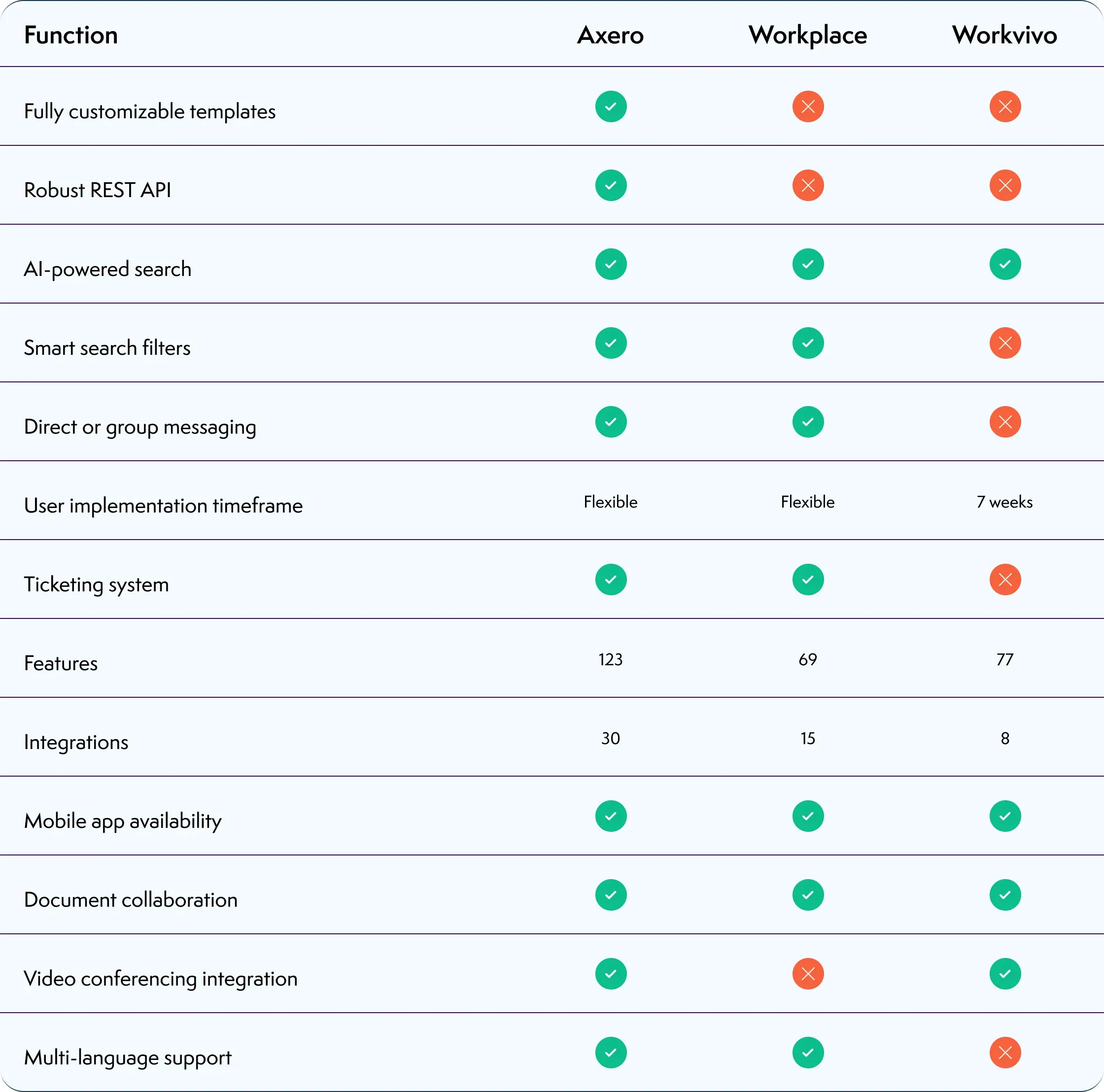
A side-by-side comparison of the leading intranet platforms — strengths, gaps, and which types of organizations each one fits.

How to evaluate and choose intranet software that satisfies both IT and Internal Comms, avoids hidden costs, and drives real adoption.
A detailed comparison of Axero and Microsoft SharePoint — adoption, maintenance burden, and what each platform was built for.

“Everyone is very attentive and easy to work with. Any issues that are brought up are handled very quickly. They are always available to troubleshoot and always come up with several options for solutions.”

Tatiana P.
Policy and Procedures Manager, Mariner Finance
“Axero is a great platform that gives us multiple ways to communicate with customers, partners and staff. It is also integrated with our website. The future of business is a marriage between web site and customer interaction. This software allows us to move in that direction.”

Chuck V.
Managing Partner, CLEARIFY
“We launched our intranet with Axero in late 2019, and it's been great for creating a modern, personalized experience for our users. The support team is quick and super knowledgeable with any requests, making everything run smoothly.”

Chloie D.
CHG Healthcare
“Platform to provide communications to employees and central repository for knowledge based content. Ability to provide private or public spaces which allows us to control what content is visible”

Kevin M.
Seneca College of Applied Arts & Technology