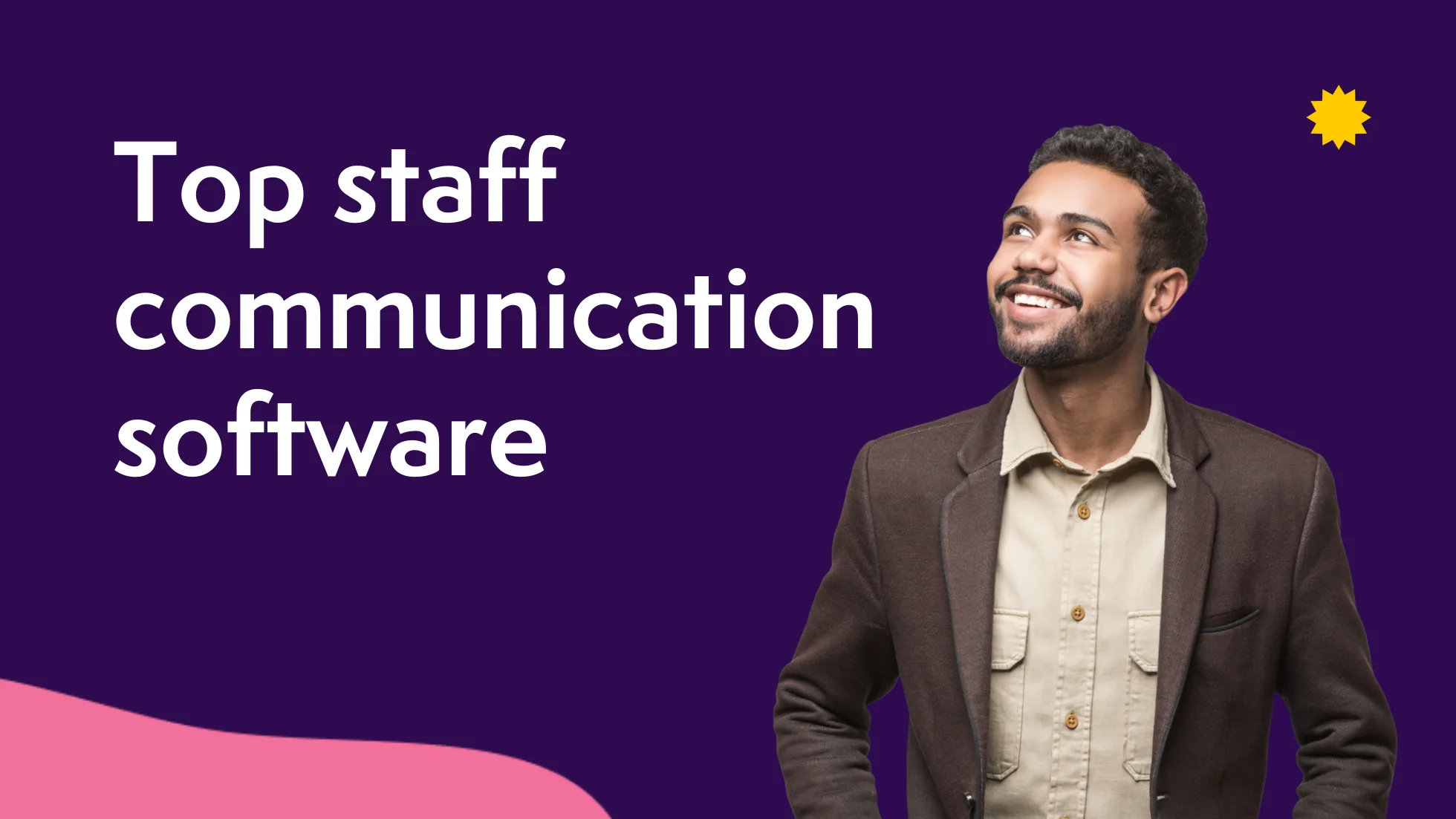

Staff communication plays a central role in how people stay informed, connected, and aligned. Many organizations rely on different tools to message teams, distribute updates, and share knowledge, which often results in scattered information and inconsistent communication. Employees need a place to access timely messages, understand priorities, and engage with one another. Leaders need visibility into how information flows and how teams respond. HR needs reliable channels to support people, reduce confusion, and reinforce culture.
Modern staff communication software helps address these needs by centralizing messages, simplifying updates, and supporting collaboration across departments and locations. With more employees working away from traditional offices, the right platform makes it easier to reach everyone and maintain clarity in daily operations. Organizations also gain peace of mind knowing communication is accessible, secure, and organized in one place.
Top 15 staff communication software for 2026
- Axero
- Staffbase
- Blink
- Simpplr
- Firstup
- Workvivo
- Beekeeper
- Slack
- Igloo Software
- Microsoft Viva Engage
- Happeo
- Zoho Connect
- MangoApps
- Flock
- Poppulo
What is staff communication software?
Staff communication software helps organizations share information, coordinate with employees, and support internal communication. These platforms offer messaging tools, news publishing, alerts, and centralized spaces for conversations. They replace fragmented methods like long email chains and scattered chat tools with a unified system for staff communication.
Most platforms include features to help share updates, organize conversations, and give employees easy access to information. Many also include integrations with business tools to support daily work. With a reliable communication hub, people know where to look for updates and resources.
What to consider when choosing the right staff communication software
Choosing staff communication software starts with understanding the actual needs of your teams. Consider how your people currently communicate and where they experience friction. A clear understanding helps you select a platform that solves real problems and supports long-term adoption.
Centralized communication
A central hub helps employees find updates, conversations, and documents in one place. This reduces confusion and supports consistent messaging.
Mobile access
Many employees work in the field or on the go. Mobile access ensures everyone receives updates and participates in conversations, regardless of location.
User-friendly design
An intuitive interface helps teams learn the platform quickly and encourages regular use. Straightforward navigation supports faster adoption.
Integrations
Tools should connect with your current systems. This eliminates switching between apps and helps maintain steady workflows.
Security and permissions
Reliable security protects sensitive information. Flexible permissions help control access to content, which supports clarity and safety.
Content publishing tools
Teams need ways to share newsletters, announcements, or updates. Strong publishing tools make information easy to distribute and easier to read.
Collaboration features
Messaging, chat, and commenting support daily teamwork. Employees stay connected and can offer input without relying on email.
15 best staff communication software
1. Axero
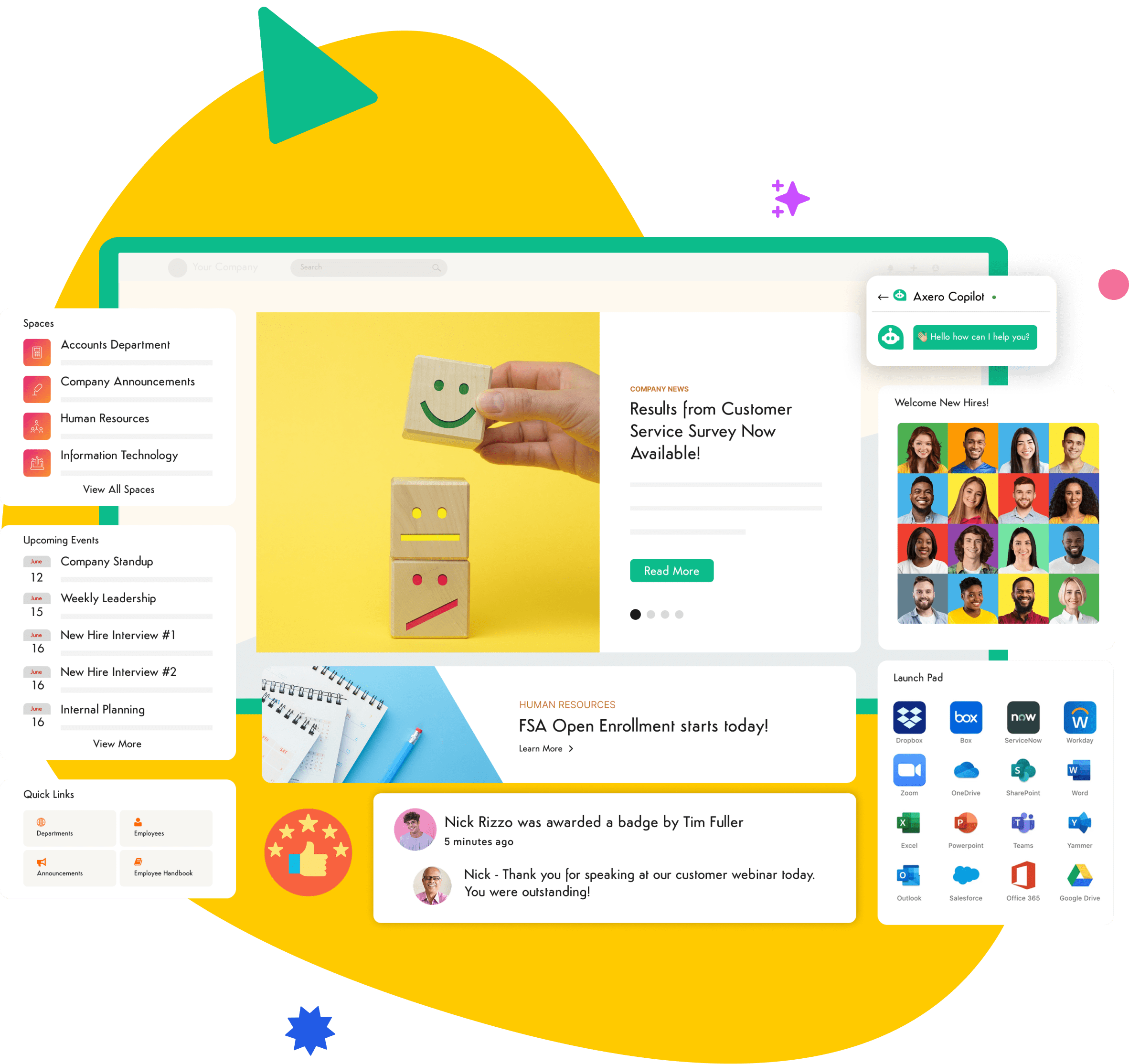
Axero is an all in one intranet platform designed to help organizations communicate clearly, share information, and keep employees connected. It replaces scattered messaging systems with one centralized hub where teams can read announcements, join discussions, and access resources without searching across multiple apps. Axero supports staff communication with company news, activity streams, and customizable page layouts that help teams organize information in ways that match their needs. Employees can comment, react, and engage with content, which encourages participation and builds a stronger sense of connection.
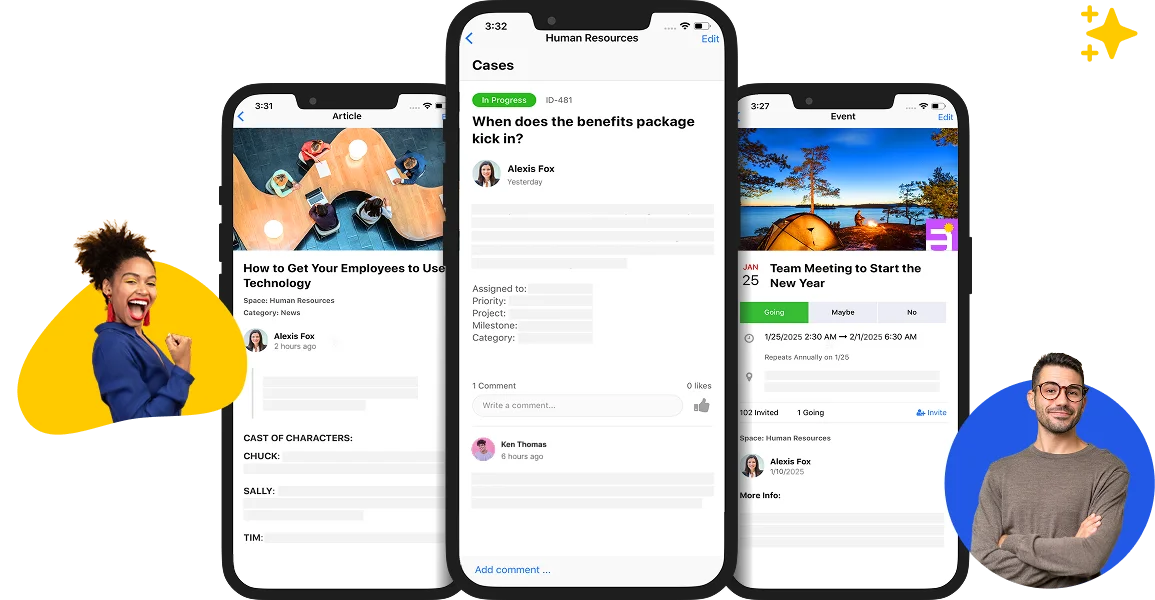
Leaders and HR teams gain simple tools to publish updates, target messages to specific groups, and track engagement. Axero supports mobile access, making it easy for frontline and remote teams to stay informed. Document management, spaces for departments, and integrated chat help streamline daily communication. With strong search, customizable permissions, and flexible integrations, Axero helps organizations create a consistent communication experience. It brings communication, collaboration, and knowledge sharing into one platform that supports the entire employee experience.
Key features of Axero
- Company news and updates: Publish important announcements where employees can easily find and engage with them.
- Spaces for teams: Organize communication by department or project to help employees focus on information that matters.
- Integrated chat: Support conversations without switching apps to keep collaboration simple.
Best for: Organizations looking for a comprehensive intranet that consolidates communication, collaboration, and knowledge into one hub.

2. Staffbase
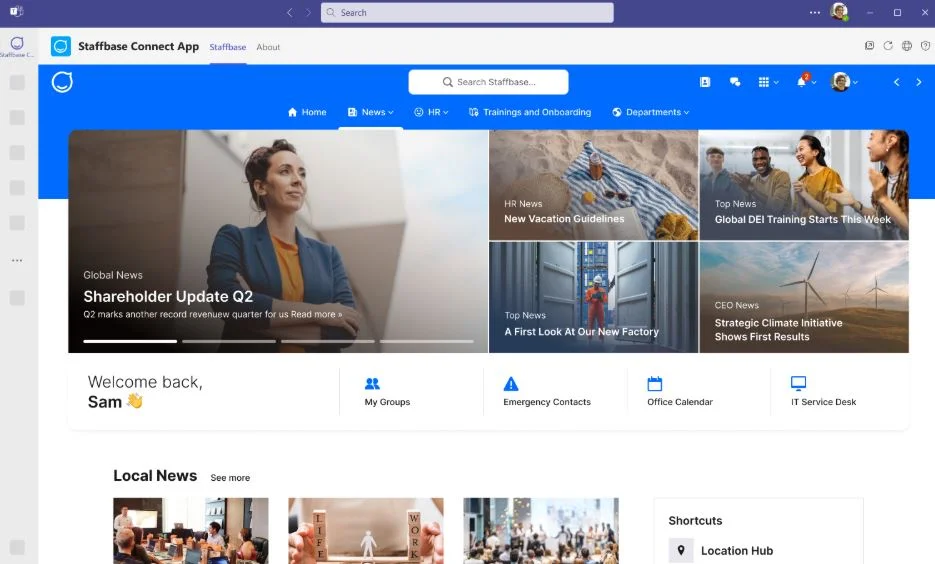
Staffbase focuses on helping organizations reach employees with clear, consistent messaging. It provides tools to publish company news, send targeted updates, and support internal campaigns. A branded app helps teams feel connected to the organization, especially useful for industries with large frontline or dispersed workforces. Staffbase offers ways to segment audiences, measure communication performance, and organize updates with a structured publishing workflow.
Teams can create news posts, newsletters, and multimedia content that engage employees and support long-term communication strategies. Staffbase helps simplify communication through templates and scheduling tools, which make publishing updates faster. Employees can comment and react to posts, which encourages participation. With mobile access and push notifications, important updates reach employees quickly.
Key features of Staffbase
- Branded employee app: Keep teams connected and informed with a central mobile hub.
- Audience targeting: Ensure the right teams receive the right messages.
- Communication analytics: Measure engagement to support strategy and improvement.
Best for: Organizations with large frontline workforces that need a structured, branded communication tool.
3. Blink
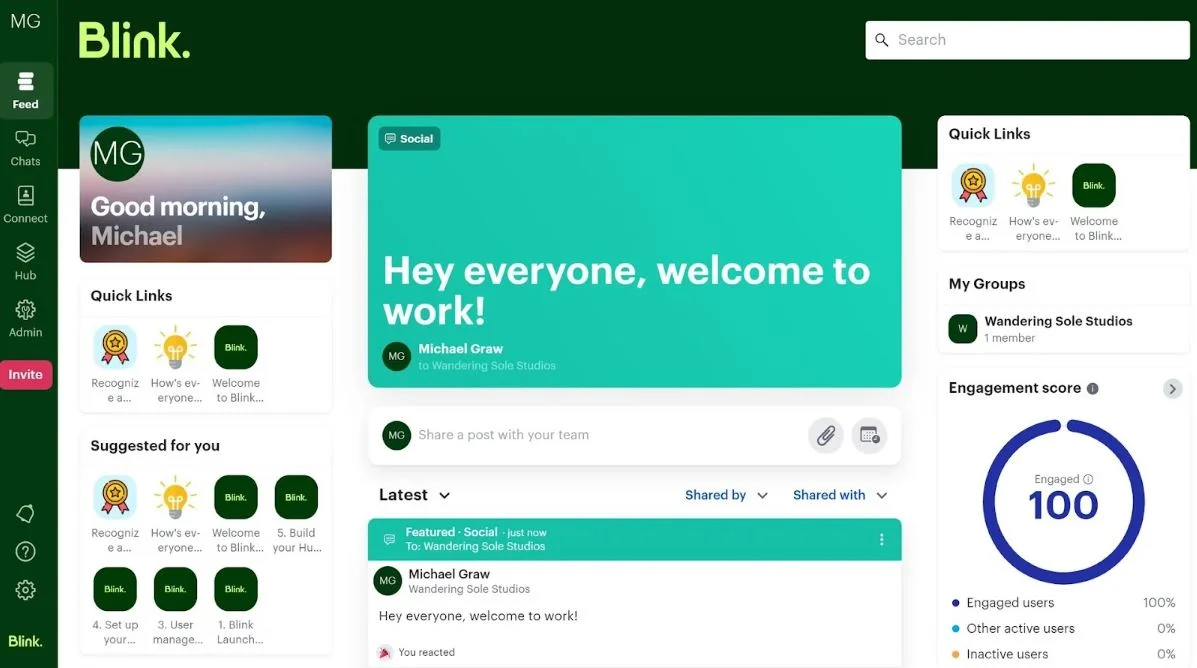
Blink is designed for frontline teams that need simple and fast access to communication and resources. It offers mobile-first communication tools, quick updates, and an interface that helps employees connect without relying on email. Blink centralizes messages, schedules, policies, and forms, helping teams stay informed even when they work away from a desk. With internal chat, posts, and a feed for updates, Blink provides a streamlined experience.
Blink includes a digital employee ID, document access, and forms, helping organizations support frontline workflows. Push notifications ensure people receive important updates right away. With integrations for business systems, employees can access tools they need without switching apps. Blink helps create a communication channel that is immediate, accessible, and simple for every employee.
Key features of Blink
- Mobile-first communication: Deliver updates directly to employees’ phones.
- Unified feed: Collect updates, resources, and messages in one place.
- Document and form access: Support daily frontline tasks more efficiently.
Best for: Organizations with distributed frontline teams that need fast, mobile communication.
4. Simpplr
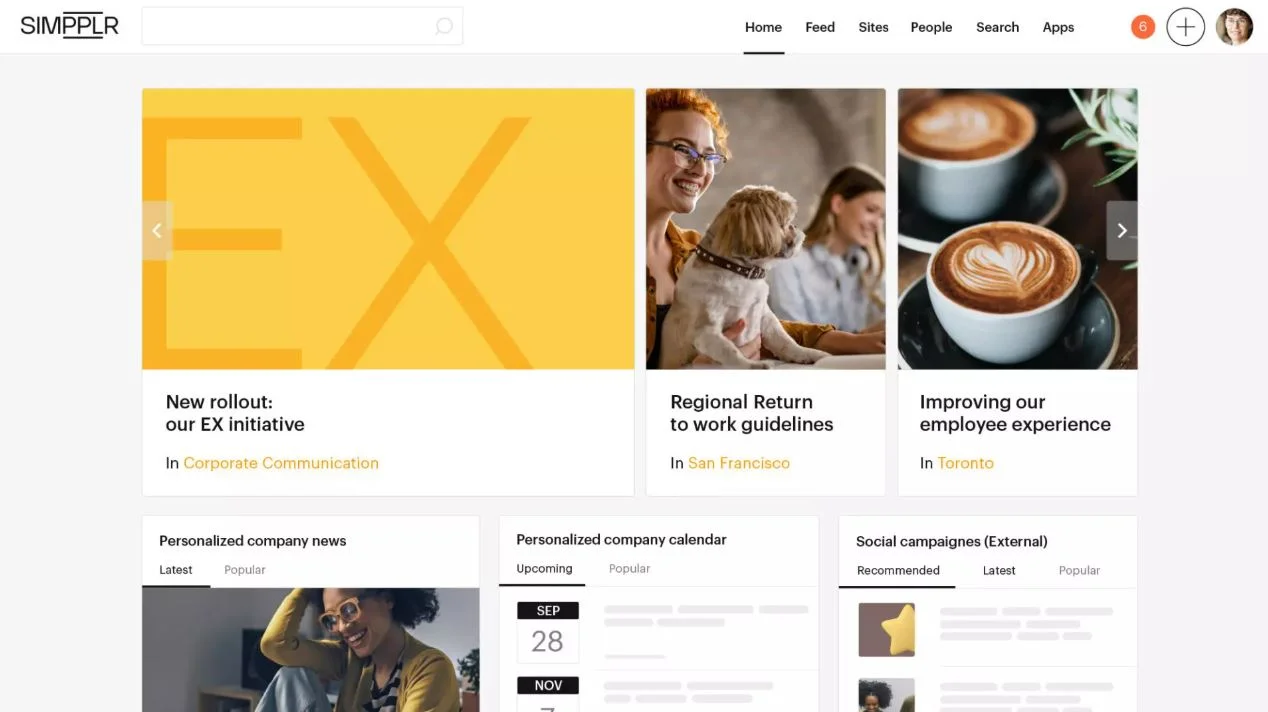
Simpplr is an employee experience platform designed to help organizations communicate with employees through personalized content and structured updates. It offers tools to publish news, organize resources, and support leadership communication. Simpplr uses personalization to help employees receive relevant information rather than an overwhelming stream of updates. With an intuitive layout, it helps employees navigate the platform and find content quickly.
Simpplr includes strong publishing controls, approval workflows, and analytics to support communication teams. Leaders can share video messages, highlight company updates, and maintain a consistent communication strategy. Employees can interact with posts, join communities, and stay engaged with organizational priorities.
Key features of Simpplr
- Personalized content feeds: Deliver updates based on user roles and interests.
- Publishing workflows: Improve consistency and accuracy of internal messages.
- Leadership communication tools: Support authentic and direct updates from executives.
Best for: Organizations wanting structured, personalized communication with strong governance controls.
5. Firstup
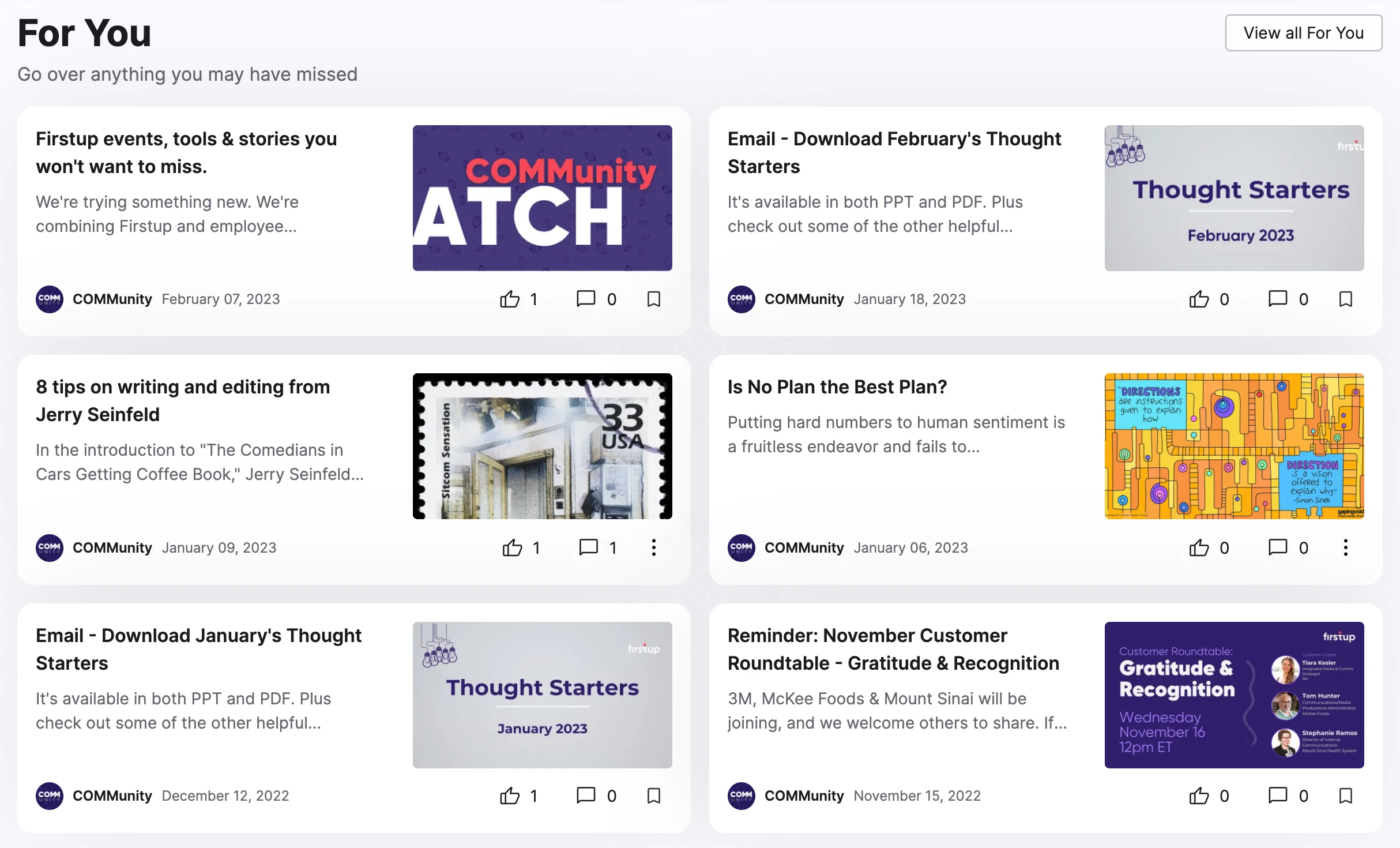
Firstup helps organizations deliver timely messages to every employee through a unified communication platform. It focuses on reaching employees wherever they work, using personalized content streams, mobile notifications, and automated delivery. Firstup supports communication teams with tools to plan, schedule, and optimize internal campaigns. Leaders can use it to share updates, highlight priorities, and reinforce company culture.
Firstup’s platform uses analytics to help organizations understand reach and engagement. It also integrates with HR and business systems to sync employee data, making it easier to target messages. Employees can engage with posts, watch videos, and participate in campaigns. With a mobile app designed for frontline teams, Firstup ensures important information is delivered without relying on email or desktop access.
Key features of Firstup
- Automated message delivery: Send updates at the optimal time for each employee.
- Audience segmentation: Deliver tailored communication to different groups.
- Engagement analytics: Track how messages perform to support planning.
Best for: Organizations managing large-scale communication programs with diverse employee groups.
6. Workvivo
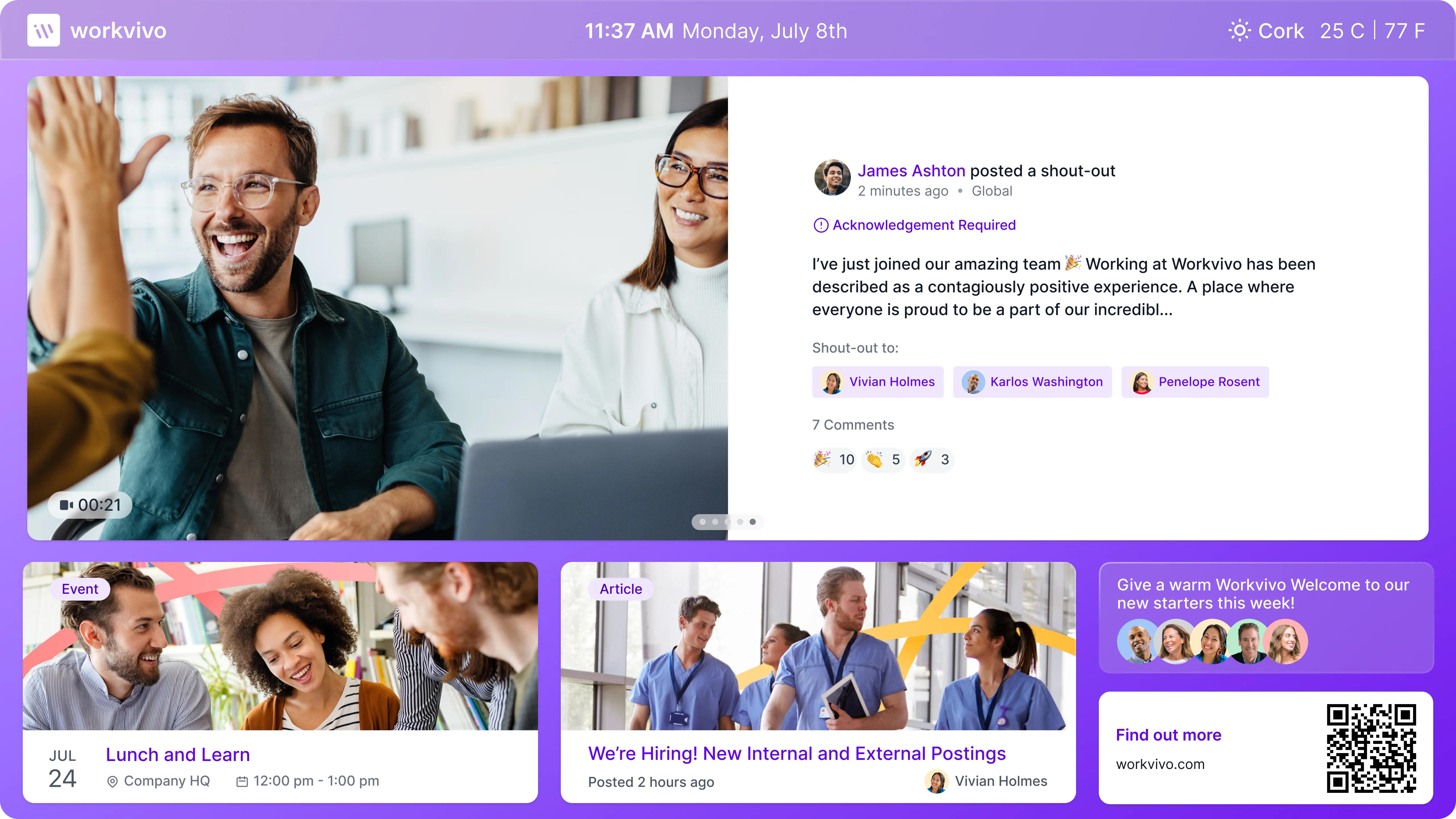
Workvivo is a communication and engagement platform that helps organizations build connection and clarity across teams. It provides a social-style feed where employees can read updates, share posts, and celebrate wins. Workvivo focuses on community and engagement, offering spaces for groups, shout-outs, and recognition. This approach helps strengthen culture while keeping employees informed.
The platform supports top-down communication through announcements and leadership messages. With mobile access, frontline teams stay connected to company updates. Workvivo integrates with business tools to help employees access resources without switching systems. It supports companies seeking a more engaging communication experience with familiar social features.
Key features of Workvivo
- Social-style activity feed: Make communication feel interactive and familiar.
- Recognition tools: Support positive culture through acknowledgments.
- Multi-channel communication: Reach employees through desktop and mobile.
Best for: Organizations seeking an engaging, community-driven communication experience.
7. Beekeeper
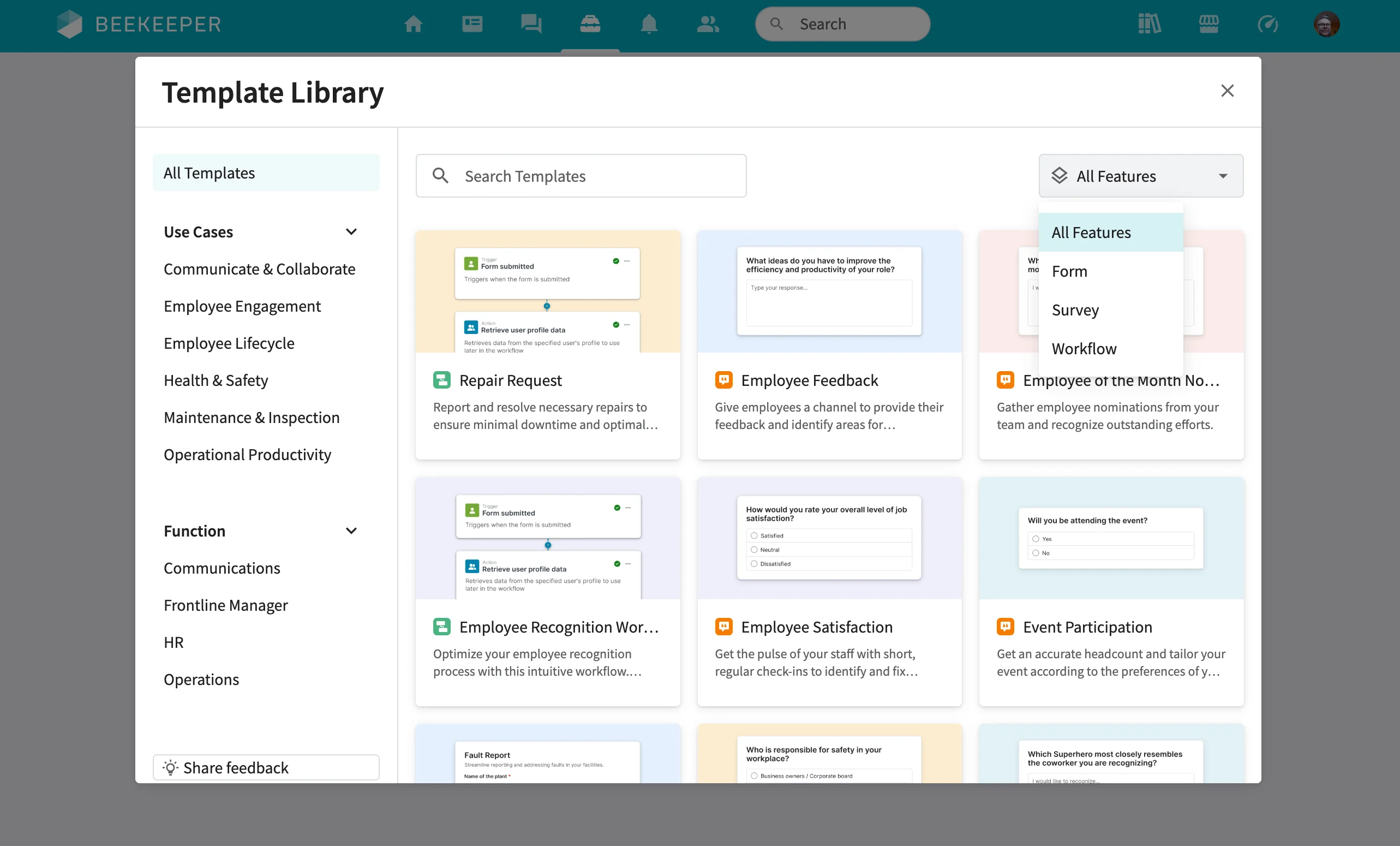
Beekeeper is designed specifically for frontline teams that need mobile-first access to communication and workplace tools. It centralizes updates, chats, shift information, and documents in one app. Beekeeper helps simplify communication for industries like hospitality, retail, and manufacturing, where many employees do not use email. With secure messaging and structured communication channels, it helps maintain clarity throughout the workforce.
Beekeeper includes workflows, forms, and task management, which support frontline operations. Push notifications help ensure critical updates are received quickly. The platform integrates with business systems, making resources more accessible. Beekeeper gives organizations a reliable way to reach all employees, including those who rarely work at a desk.
Key features of Beekeeper
- Mobile-first messaging: Keep frontline teams informed with real-time updates.
- Digital forms and workflows: Support daily processes and reduce manual steps.
- Role-based communication: Deliver tailored updates to different job groups.
Best for: Organizations with frontline workers who need accessible mobile communication.
8. Slack
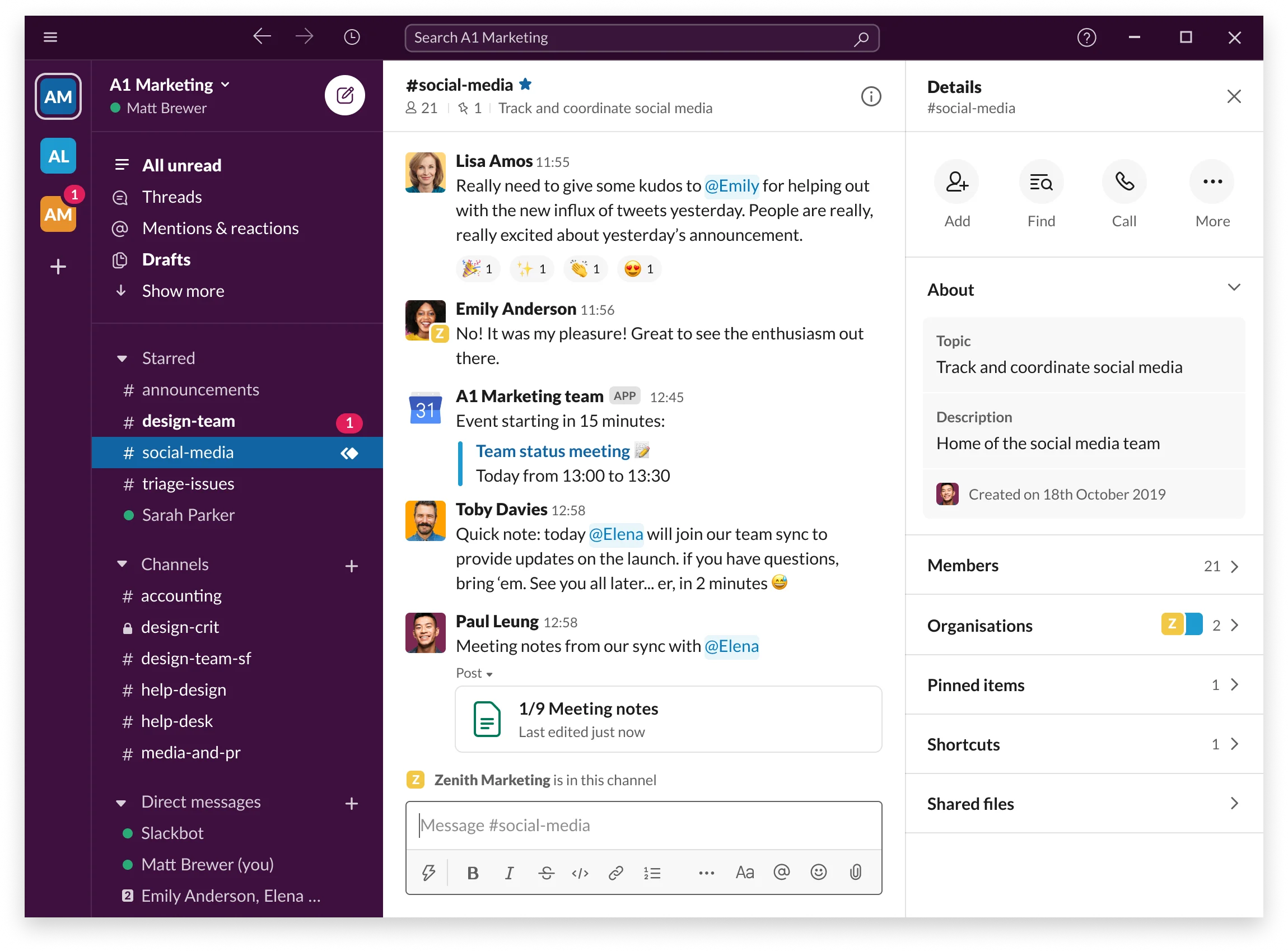
Slack is a messaging platform used by teams to communicate through channels, direct messages, and group conversations. It helps organize communication by topic, project, or department. Employees can send messages, share files, and integrate apps directly into channels to support daily work. Slack reduces email reliance and helps teams collaborate in real time.
Slack includes search capabilities, channel organization, and workflow tools that streamline communication. Employees can use audio and huddle features for quick conversations. With integrations for thousands of apps, Slack brings multiple workflows into one place. It supports teams looking for fast, flexible communication.
Key features of Slack
- Channels for teamwork: Organize communication by themes or projects.
- App integrations: Reduce switching between tools.
- Searchable history: Help employees find past conversations quickly.
Best for: Teams that need real-time messaging and flexible collaboration tools.
9. Igloo Software
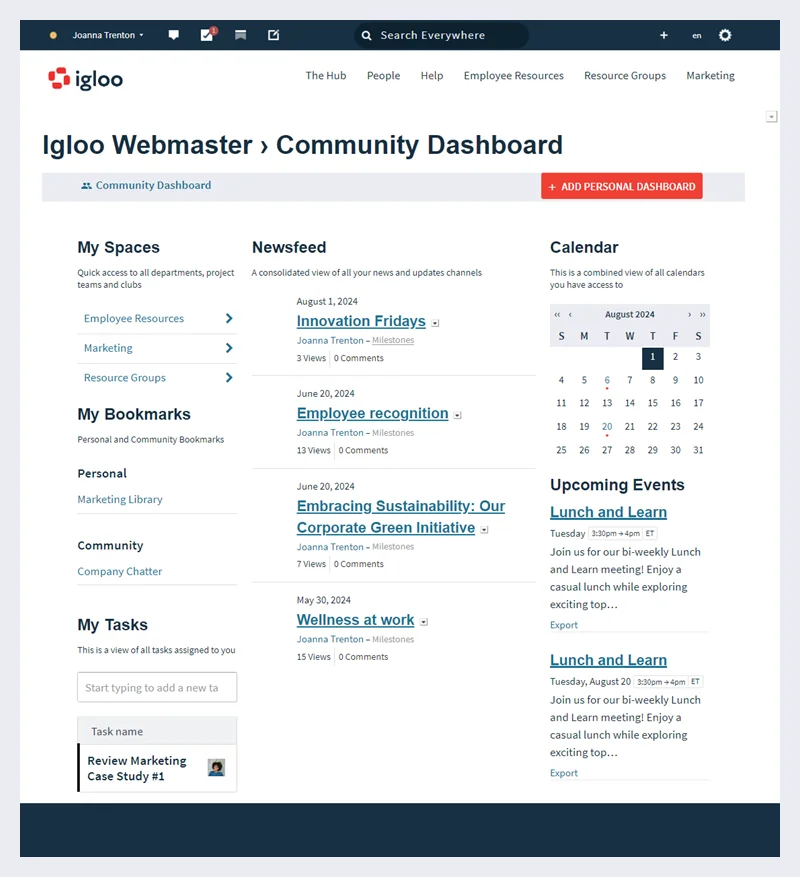
Igloo Software is a digital workplace platform that helps organizations centralize communication, share resources, and support collaboration. It offers structured spaces for teams, departments, and projects, making information easier to organize and maintain. Igloo includes tools for publishing news, storing documents, and hosting discussions. Employees can access policies, updates, and knowledge in one place, which supports clarity across the organization.
The platform is designed to help companies reduce communication silos. With customizable pages and templates, teams can build hubs that reflect their workflows. Igloo supports governance with permissions and moderation tools. Integrations with productivity apps help employees work from a unified environment. It is well suited for organizations that need a structured approach to communication and content management.
Key features of Igloo Software
- Customizable digital hubs: Create tailored spaces for teams and departments.
- News and announcements: Share updates in a consistent and organized format.
- Knowledge and file management: Keep resources centralized and easy to find.
Best for: Organizations wanting a structured digital workplace with organized communication and content.
10. Microsoft Viva Engage
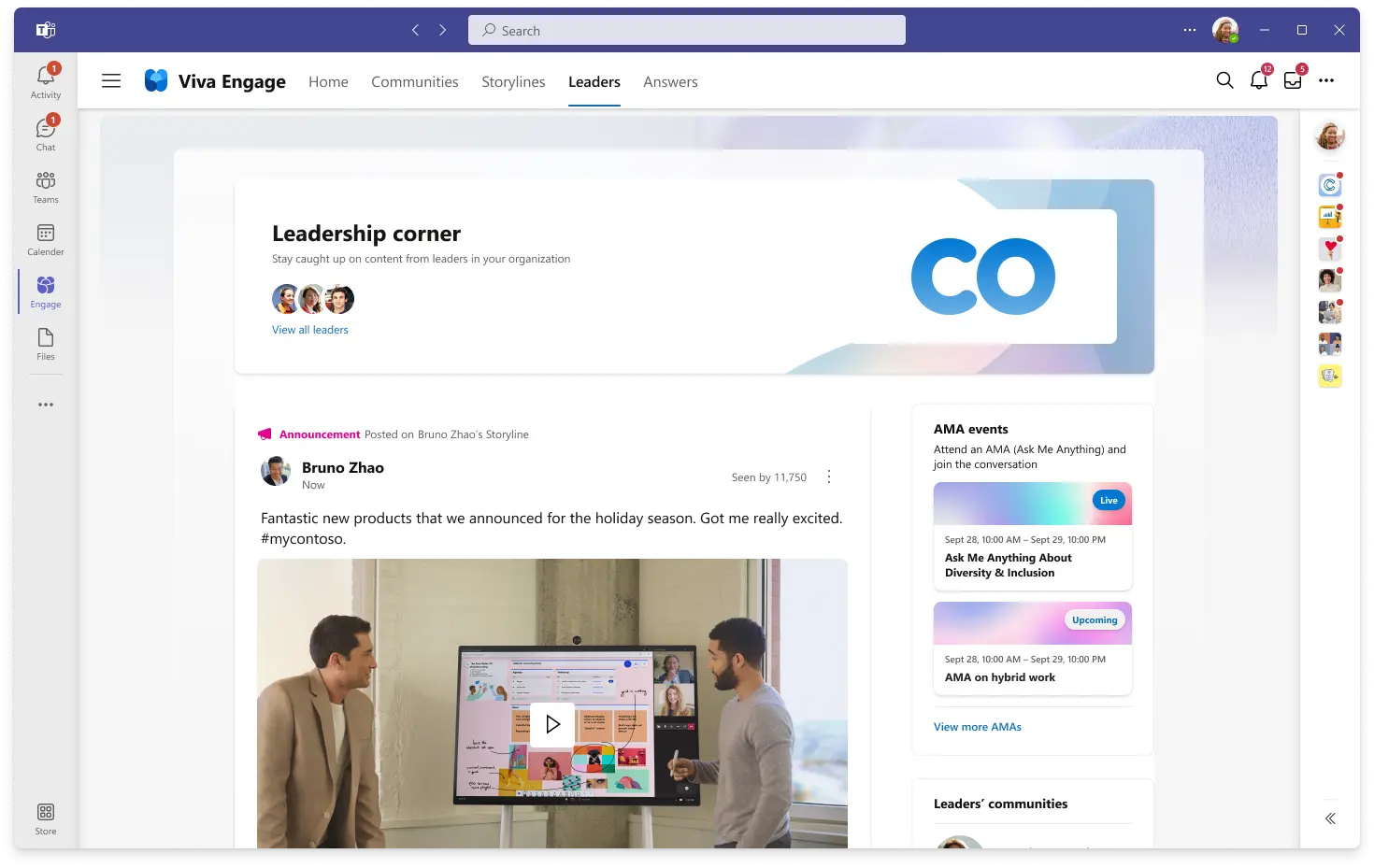
Microsoft Viva Engage provides social communication tools that help employees connect and share updates across an organization. It supports open conversations, questions, and engagement through posts and communities. Teams can use Viva Engage to discuss topics, crowdsource ideas, and share updates in an informal, network-style environment.
The platform integrates with Microsoft 365, making it accessible from tools employees already use. Leaders can share announcements or videos to reach large audiences. With community-driven communication, Viva Engage helps organizations encourage participation and connect employees across different locations or job roles.
Key features of Microsoft Viva Engage
- Community discussions: Support open conversation and knowledge exchange.
- Leadership engagement tools: Share updates and gather feedback from employees.
- Microsoft 365 integration: Connect communication to existing workflows.
Best for: Organizations using Microsoft 365 that want community-style communication across teams.
11. Happeo
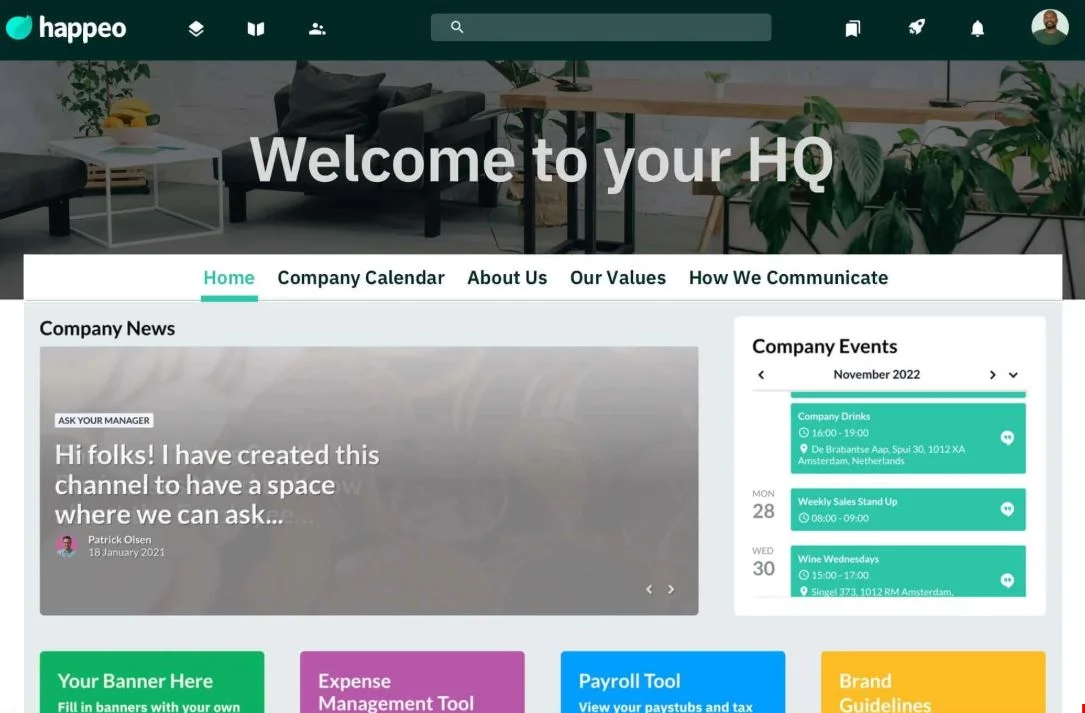
Happeo is an intranet and employee communication platform that helps organizations centralize updates and bring communication into one cohesive environment. It offers channels for team communication, company news publishing, and customizable intranet pages. With strong Google Workspace integration, Happeo connects communication to employees’ daily tools.
The platform encourages communication through posts, commenting, and announcements. It also supports structured content with pages for departments, policies, and onboarding materials. Teams can collaborate through channels while accessing information that helps them work more effectively. Analytics help communication teams see what content resonates.
Key features of Happeo
- Channels for communication: Share updates and connect employees.
- Google Workspace integration: Work within a familiar ecosystem.
- Custom intranet pages: Organize content for easy access and clarity.
Best for: Organizations using Google Workspace that want combined intranet and communication capabilities.
12. Zoho Connect
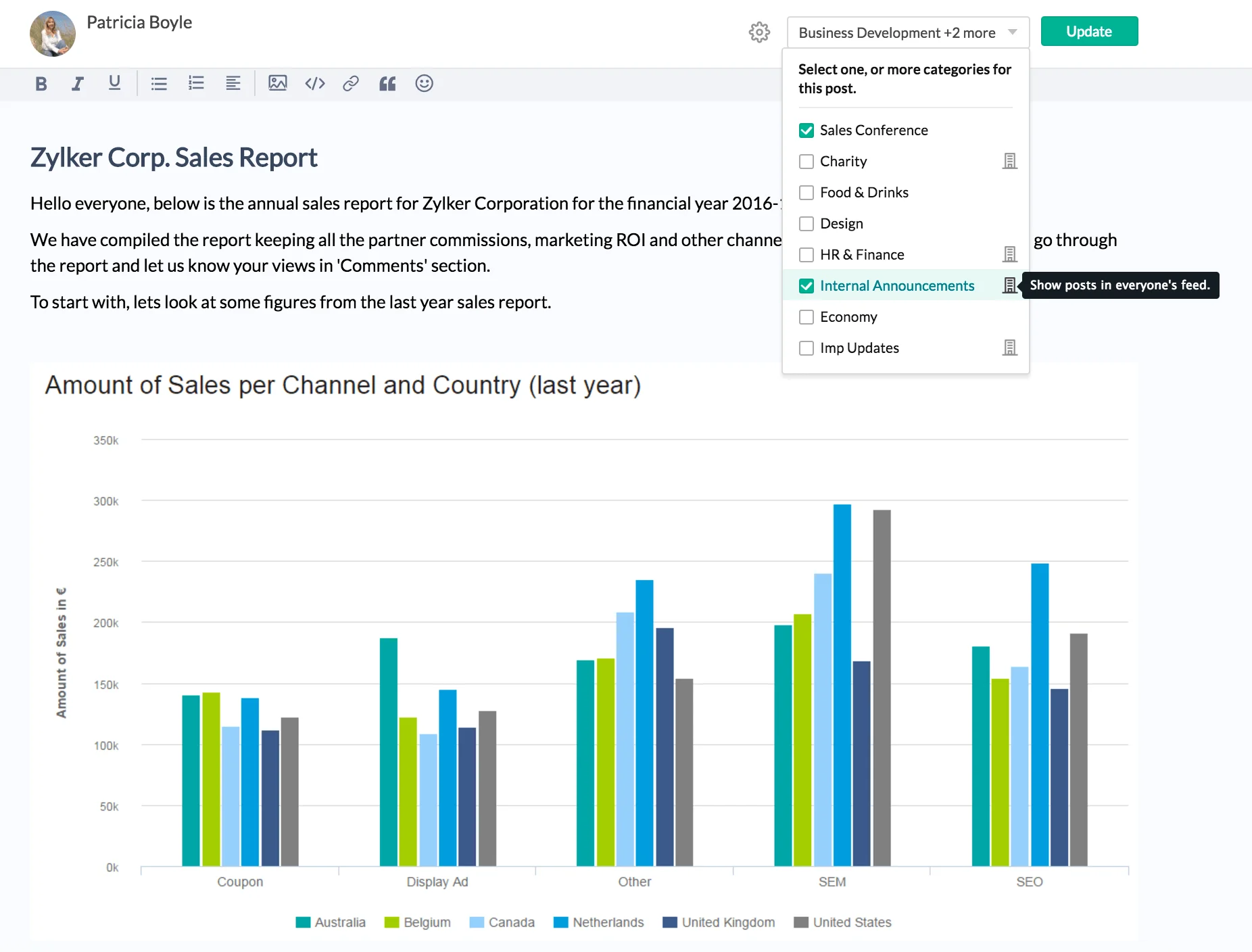
Zoho Connect is a team communication and collaboration platform that supports groups through channels, feeds, and discussion forums. It brings people together in a shared digital space where they can collaborate, share updates, and keep projects moving. Zoho Connect includes tools for posting announcements, creating manuals, and hosting discussions that help unify communication.
The platform offers task management, document sharing, and app integrations to support teamwork. Employees can contribute ideas, ask questions, and stay updated on organizational changes. For organizations seeking a community-style communication platform that combines messaging with collaboration tools, Zoho Connect provides a flexible option.
Key features of Zoho Connect
- Discussion forums: Encourage knowledge sharing and collaboration.
- Team channels: Organize communication around projects or groups.
- Manuals and documents: Store key information in one shared space.
Best for: Organizations using Zoho tools or teams that need combined communication and collaboration.
13. MangoApps
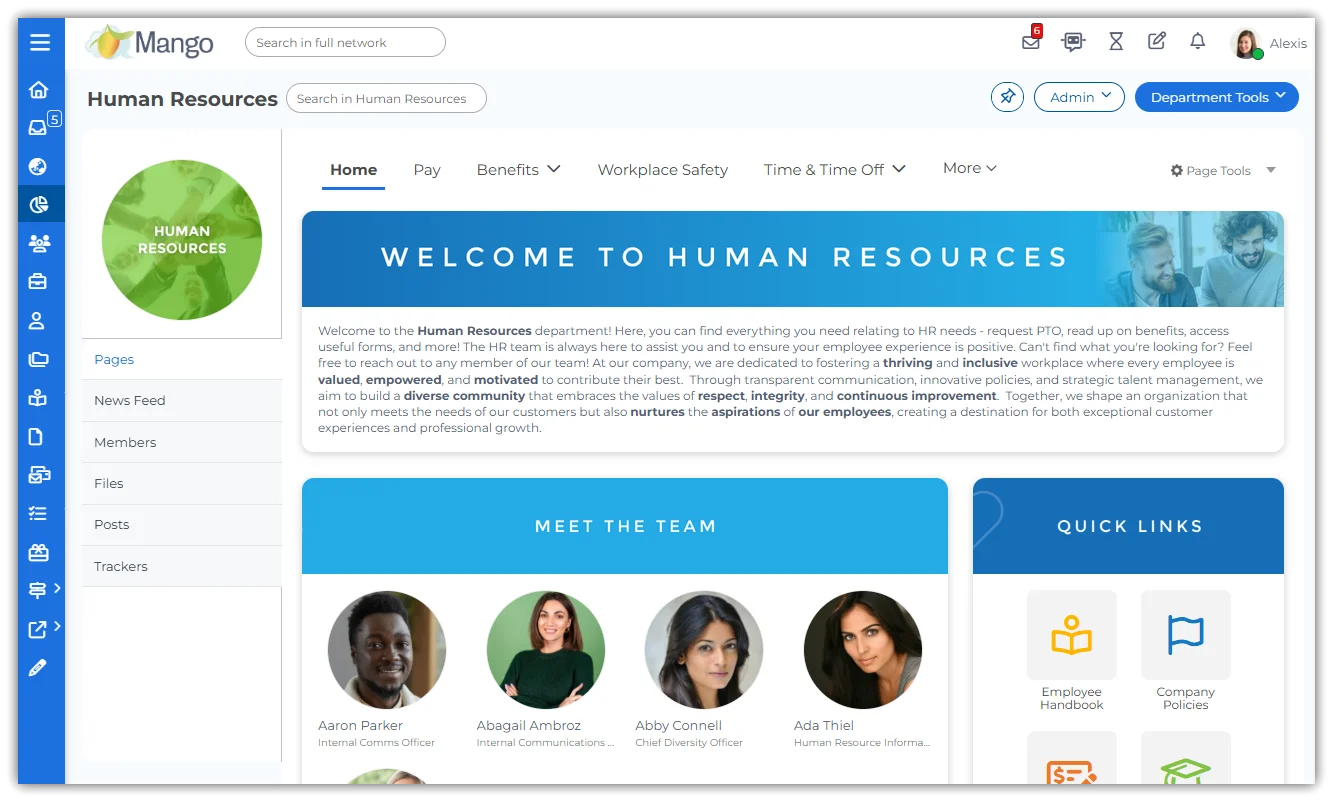
MangoApps combines communication, collaboration, and knowledge sharing into one platform. It helps organizations centralize updates, connect teams, and reduce reliance on separate messaging tools. Employees can read company news, join groups, and collaborate through chat and posts. MangoApps includes customizable spaces for departments, projects, and initiatives, which helps structure communication and keep information organized.
The platform offers document management, forms, and workflows that support daily operations. Mobile access ensures frontline employees stay informed and connected to updates. MangoApps integrates with a variety of business tools, giving employees a unified digital workspace. It is suitable for organizations looking for a flexible and broad platform for staff communication.
Key features of MangoApps
- Groups and communities: Create focused spaces for communication.
- Document and file tools: Keep resources organized and easy to access.
- Mobile communication: Reach employees wherever they work.
Best for: Organizations wanting an all in one communication and collaboration hub.
14. Flock
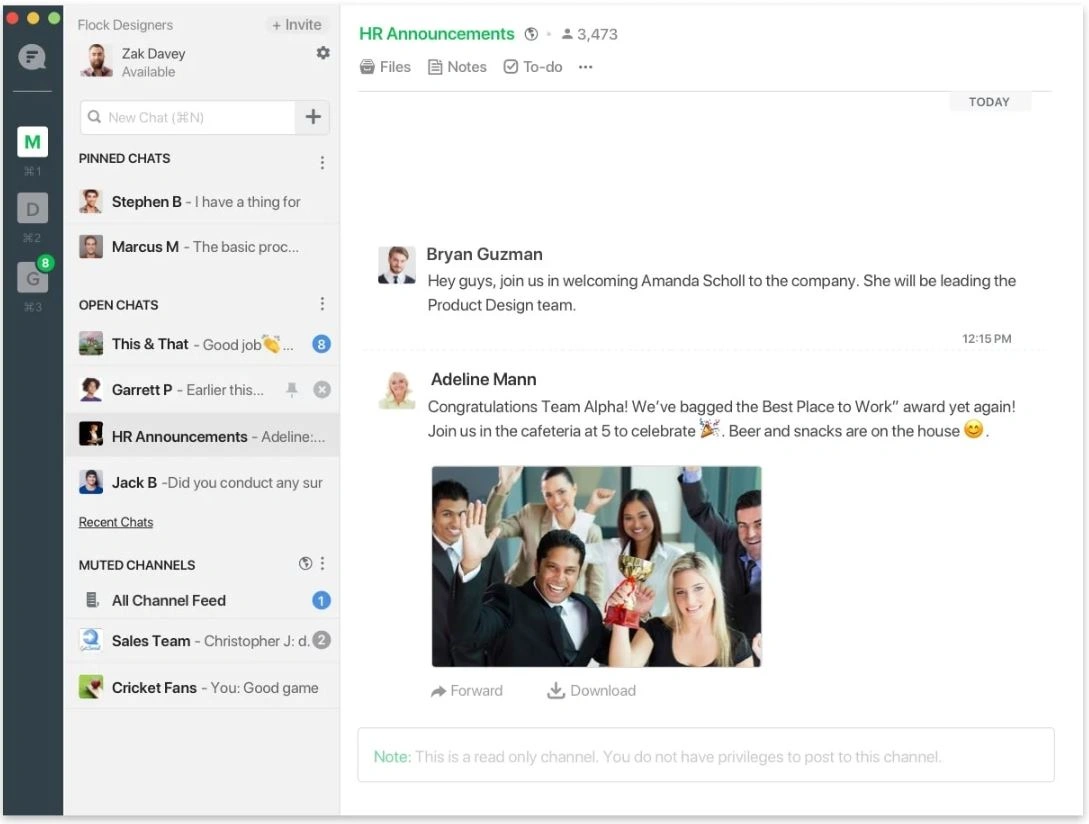
Flock is a team messaging tool that helps employees communicate quickly through channels, direct messages, and group conversations. It simplifies how teams share updates and files. Flock includes features like polls, reminders, and to-do lists to support teamwork. Its clean interface makes it easy for employees to participate in conversations without distraction.
Flock integrates with a variety of productivity tools, helping teams bring workflows into one environment. Search tools help employees quickly find past messages or documents. For organizations seeking a straightforward communication tool, Flock provides a simple and accessible option.
Key features of Flock
- Channel-based messaging: Organize team discussions by topic.
- Integrated productivity tools: Support collaboration with built-in tasks and reminders.
- Searchable conversations: Quickly locate previous messages.
Best for: Small and midsize teams needing a simple messaging platform.
15. Poppulo
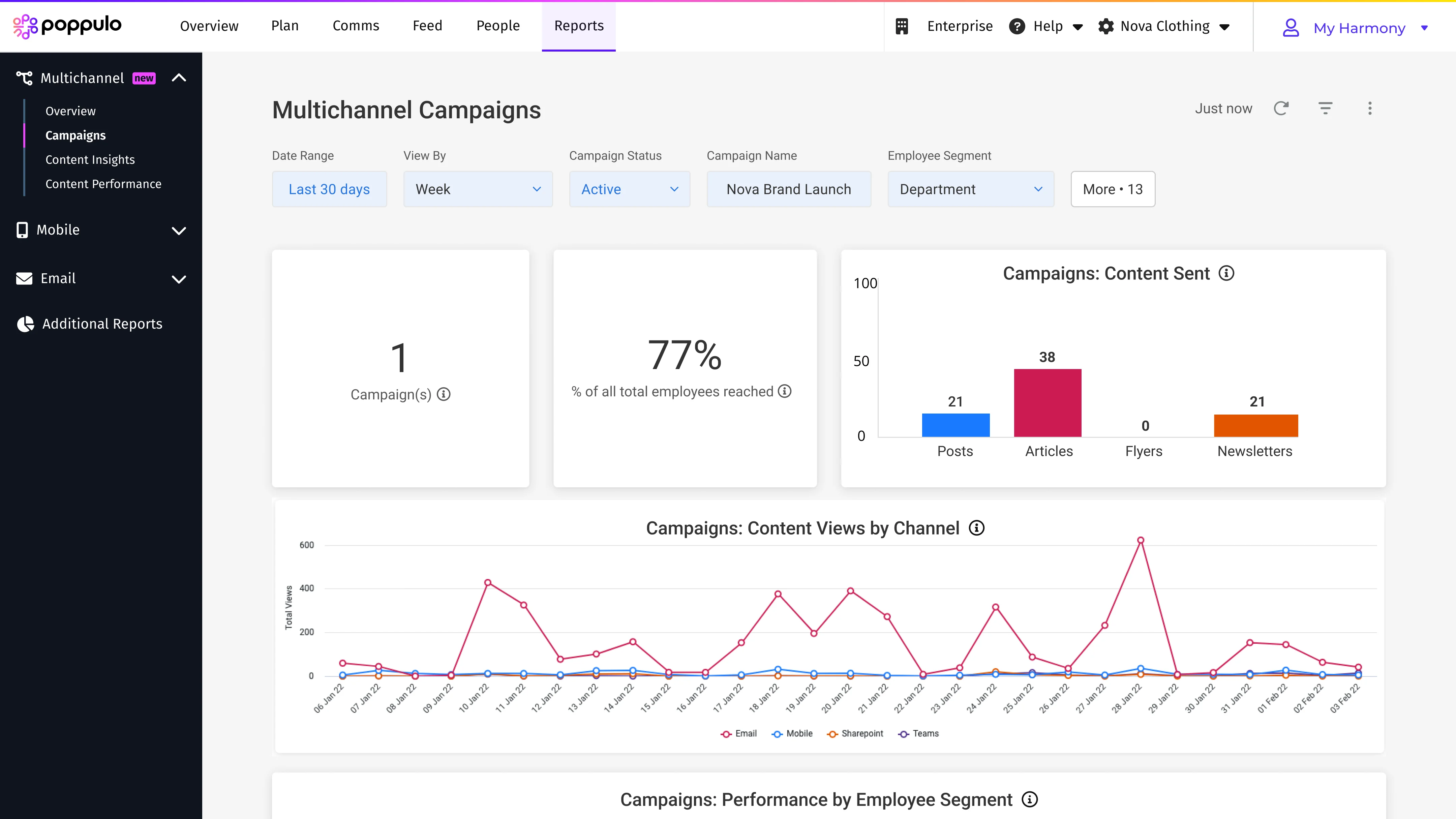
Poppulo focuses on employee communication through email, digital signage, and mobile messaging. It helps organizations reach employees through multiple channels while keeping messaging consistent. Poppulo provides templates and design tools that make communication easy to produce and visually clear. This is helpful for teams that rely heavily on email newsletters or need to display messages in shared spaces.
The platform includes analytics to help communication teams measure the reach and impact of messages. With segmentation options, organizations can deliver targeted updates. Poppulo supports communication strategies that rely on structured campaigns and multi-channel delivery.
Key features of Poppulo
- Multi-channel communication: Deliver messages through email, mobile, and signage.
- Templates and design tools: Create polished updates quickly.
- Message analytics: Understand performance across communication channels.
Best for: Organizations that rely on structured campaigns and multi-channel messaging.
Creating a connected communication experience
Staff communication affects every aspect of work, from productivity to culture to employee confidence. The right platform helps teams stay informed, aligned, and connected, especially when employees work across different locations or schedules. Clear communication strengthens relationships and supports daily operations. When employees know where to find updates and how to stay engaged, organizations benefit from improved coordination and stronger teamwork.
A unified platform brings communication, collaboration, and knowledge together. This is where Axero supports teams with a consistent communication hub that is simple to use and easy to maintain. Ready to support your staff with a platform designed for clarity and connection? Book a demo today and see how Axero can help you build a more connected workplace.


 info@axerosolutions.com
 1-855-AXERO-55