Enterprise communication software supports how employees connect, share updates, and work together across every part of an organization. As teams spread across locations and rely on digital tools to stay informed, companies need a dependable way to centralize communication, strengthen collaboration, and simplify how information flows each day. Many workplaces still rely on a patchwork of apps, which often results in missed messages, duplicated efforts, and employees feeling disconnected from what matters. A unified communication platform solves these challenges by giving people one place to read important updates, share knowledge, and stay aligned with company goals.
Strong communication is essential for keeping teams productive. Employees need a single hub where they can find announcements, ask questions, collaborate on documents, and engage with colleagues, without switching between multiple tools. Leaders also need a reliable way to connect with distributed teams and maintain culture. Enterprise communication software provides this structure. With features like chat, communities, workspaces, and content publishing, it becomes easier for people to participate in conversations, contribute ideas, and support each other’s work.
Top 12 enterprise communication software for 2026
What is enterprise communication software?
Enterprise communication software is a platform that supports messaging, collaboration, content sharing, and company-wide communication across an entire organization. It replaces scattered tools with one centralized space where employees can interact, share updates, and stay informed. These systems usually include real-time chat, video calling, file sharing, community spaces, and integrations with other workplace apps. The aim is to create a consistent experience for all teams, regardless of location or department, so communication becomes organized and easy to manage.
Modern enterprise communication tools help reduce information silos and support employees in completing tasks efficiently. They bring together structured communication, like announcements, with informal interaction, like chat, so teams can stay connected in the flow of work. These platforms also support secure access, user permissions, and governance controls that help organizations manage communication at scale.
What to consider when choosing the right enterprise communication software
Choosing enterprise communication software requires a clear understanding of what your teams need most. Some organizations prioritize real-time messaging, while others need better knowledge sharing or a more structured communication hub. Focus on selecting a tool that aligns with how your employees already work and supports consistent use across all teams.
Collaboration tools
Look for features that help people connect and work together. Real-time chat, shared spaces, and discussion threads keep communication simple and organized.
User-friendly interface
A straightforward interface helps employees adopt the platform quickly. Consistent usage depends on whether people can find what they need without extra training.
Customizability
Communication tools should adapt to your organization’s structure. Flexible templates, branding options, and configurable spaces help you design a communication experience that feels familiar to employees.
Security features
Choose software that protects sensitive communication. Features like encryption, access controls, and security reviews help keep information safe.
Integration capabilities
Your communication hub should connect with tools your teams already use. Integrations reduce context switching and create a more consistent employee experience.
Mobile access
Teams need to stay connected wherever they are. Mobile access ensures frontline workers, remote employees, and on-the-go staff can participate in communication easily.
12 best enterprise communication software
1. Axero
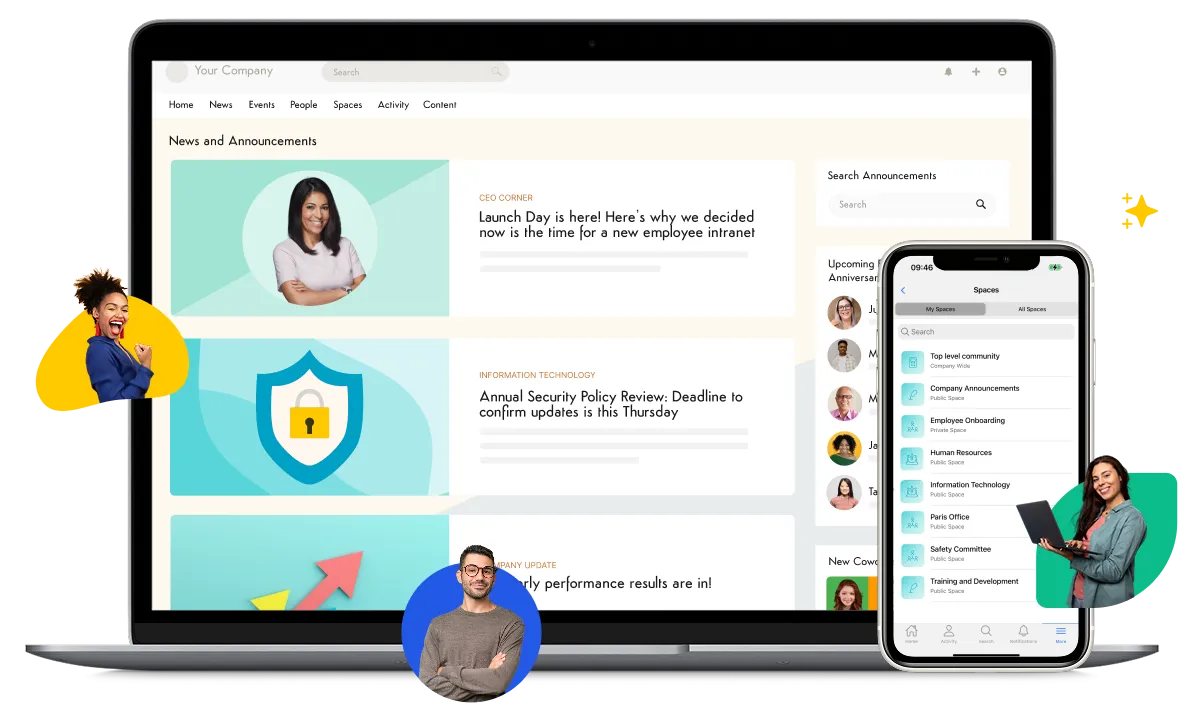
Axero is an enterprise communication platform that brings company news, conversations, documents, and collaboration into one hub. It replaces scattered tools with a single place where employees stay informed and connected. With Axero, teams create structured spaces for departments, projects, and communities. Leaders share announcements that reach everyone. Employees access resources, ask questions, and participate in discussions without switching between apps. Everything lives in a centralized and searchable environment.

Axero supports real-time communication with chat, activity feeds, and commenting. It also supports long-form content, knowledge articles, and document management. This helps teams organize information and communicate in the formats that best support their work. Because Axero is customizable, organizations design a communication experience that aligns with their workflows and brand. Governance options support permission management and ensure communication stays organized. Axero brings communication, knowledge, and collaboration together to support productivity at scale.
Key features of Axero
-
Communication hubs: Centralize company news so employees always know where to find important updates.
-
Team and project spaces: Create dedicated areas for collaboration and maintain structure across the organization.
-
Search and knowledge tools: Help employees find information quickly, which supports faster decision making.
Best for: Organizations that want one communication platform that centralizes company news, collaboration, and knowledge sharing.
2. Microsoft Teams
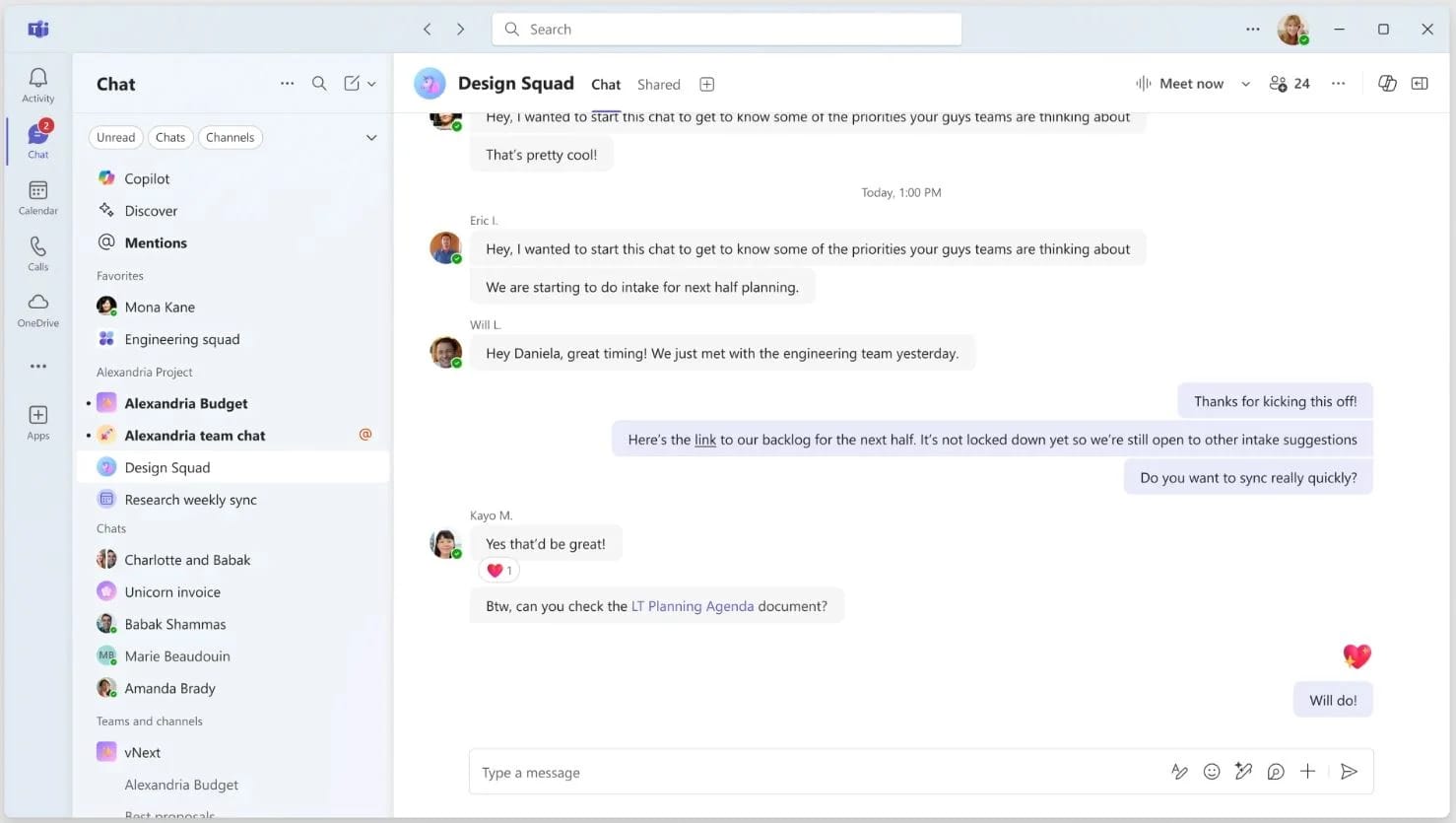
Microsoft Teams is a communication platform that supports messaging, meetings, and file sharing in one interface. Employees use chat for quick conversations, video calls for meetings, and channels for organized collaboration. Teams integrates deeply with other Microsoft tools, which helps employees move between documents and conversations with minimal friction. The platform is especially common among organizations that rely on Microsoft 365 for productivity.
Teams supports structured communication through channels, which organize messages by topic or team. It also supports private chats and group discussions. Employees can share files, co-edit documents, and meet without leaving the app. With calling options and integrations, Teams becomes a communication hub for many workplaces. Its wide adoption contributes to consistent usage across departments.
Key features of Microsoft Teams
-
Chat and channels: Organize discussions by project or team to keep communication clear.
-
Video meetings: Support virtual meetings and help distributed teams stay connected.
-
Co-authoring tools: Allow employees to edit documents together in real time.
Best for: Companies that already use Microsoft 365 and want communication integrated into their existing workflows.
3. Slack
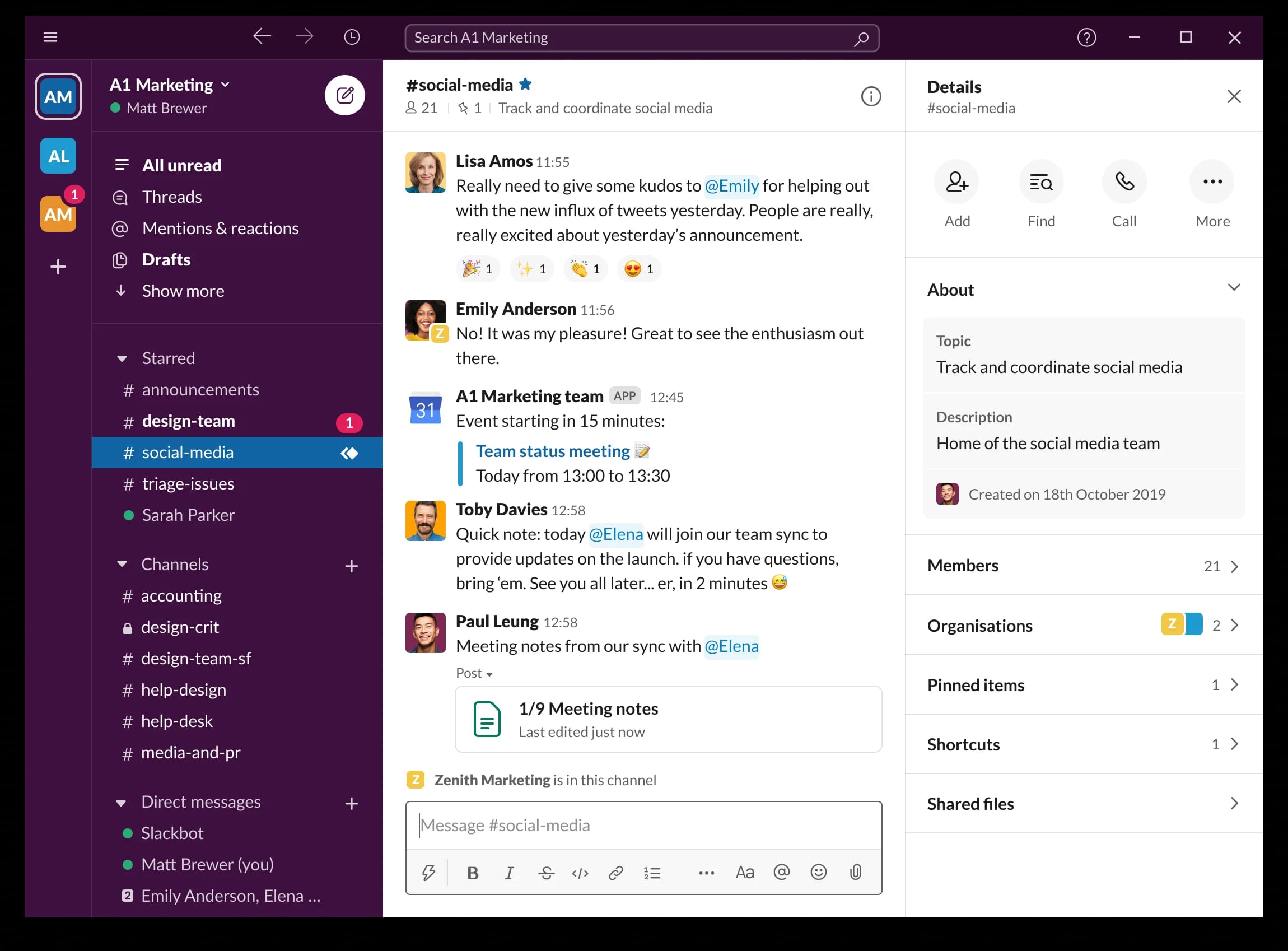
Slack is a messaging platform designed for fast, structured communication across teams. Employees use channels to organize conversations by topic, project, or department. Slack supports direct messages, group chats, and threads that keep discussions organized. The platform focuses on real-time messaging, which helps teams respond quickly and keep work moving.
Slack integrates with a wide range of applications, which brings notifications and workflows into one interface. Employees can search messages, share files, and create dedicated channels for cross functional projects. Its interface is simple and encourages frequent use. Slack helps teams stay connected, especially in fast paced environments where immediate communication matters.
Key features of Slack
-
Channel-based communication: Keep topics organized and reduce message clutter.
-
App integrations: Connect tools to centralize notifications and tasks.
-
Searchable conversation history: Help employees find information quickly.
Best for: Teams that need real-time communication and want a flexible, channel-driven messaging environment.
4. Zoom Team Chat
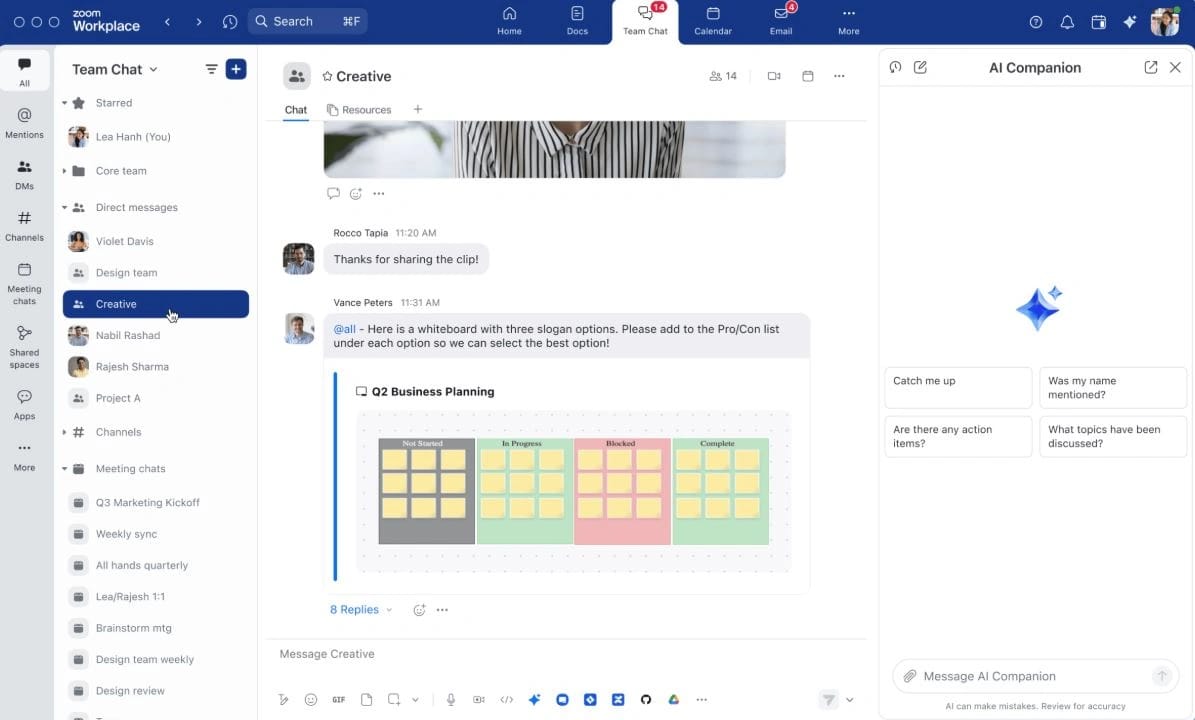
Zoom Team Chat extends Zoom beyond meetings and supports persistent messaging across teams. Employees use chat channels, group conversations, and direct messages to stay connected before, during, and after meetings. It brings communication into the same ecosystem people already use for video conferencing, which reduces the need to manage multiple tools. The platform supports file sharing, message search, and integrations with business apps to streamline workflows.
Zoom Team Chat helps keep communication organized by allowing users to create channels for departments, projects, and company announcements. Messages stay accessible, so employees can revisit discussions at any time. Integration with Zoom meetings means teams can shift from chat to video with one click. This consistency supports adoption across hybrid and distributed teams.
Key features of Zoom Team Chat
-
Unified messaging and meetings: Move between chat and video without switching platforms.
-
Channel organization: Structure conversations to keep communication easy to follow.
-
Search and file sharing: Access documents and past messages quickly.
Best for: Organizations that rely heavily on Zoom for meetings and want messaging integrated into the same platform.
5. Google Workspace
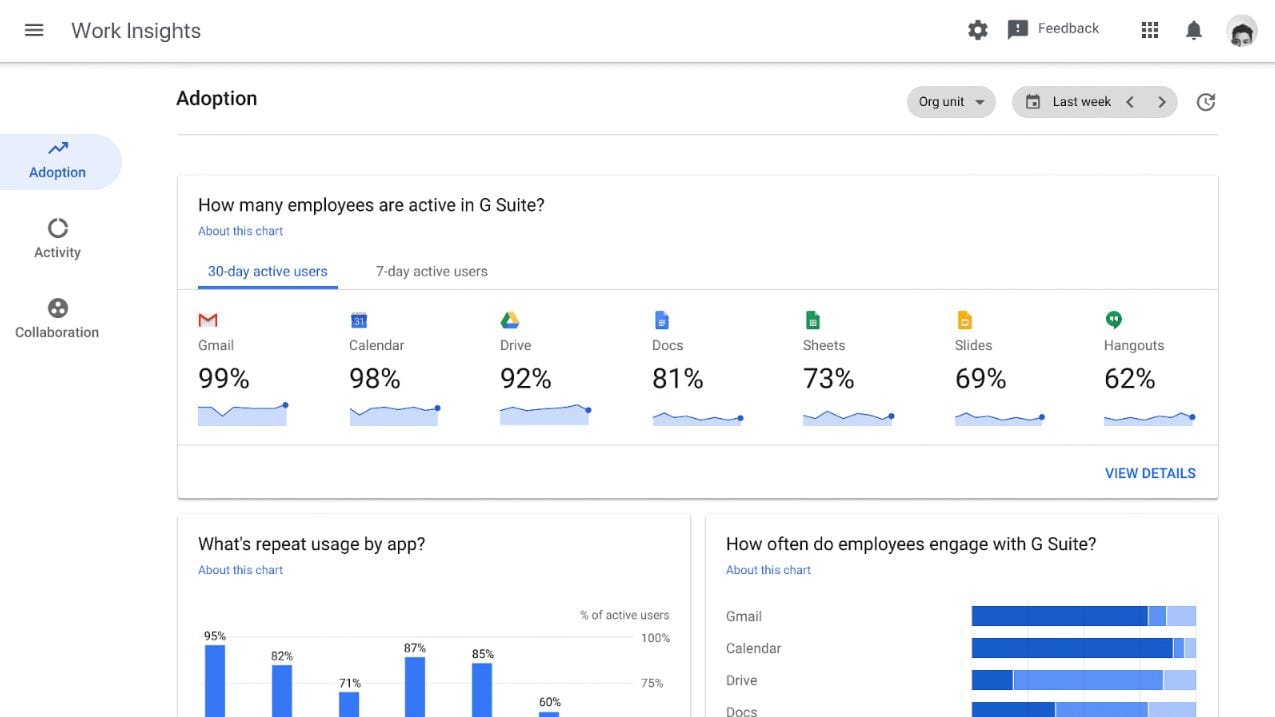
Google Workspace brings communication and collaboration tools into one suite. Gmail, Chat, Meet, Drive, Docs, and Sites work together to support company-wide communication. Teams use Google Chat for messaging, Meet for video calls, and Drive for file sharing. Everything stays connected through a consistent interface that many employees already know, which supports quicker adoption.
Google Workspace helps centralize communication because all tools integrate closely. Employees can co-edit documents, share files, create team spaces, and publish content. Google Chat offers threaded conversations, rooms, and group messaging. For lightweight communication hubs, Google Sites provides a simple way to share company resources. Organizations use Workspace to combine messaging, content, and collaboration in a connected environment.
Key features of Google Workspace
-
Integrated communication tools: Connect email, chat, and video within one suite.
-
Real-time collaboration: Support co-editing across Docs, Sheets, and Slides.
-
Shared drives: Keep files organized and accessible to teams.
Best for: Organizations that prefer a unified productivity suite with communication built into everyday tools.
6. RingCentral
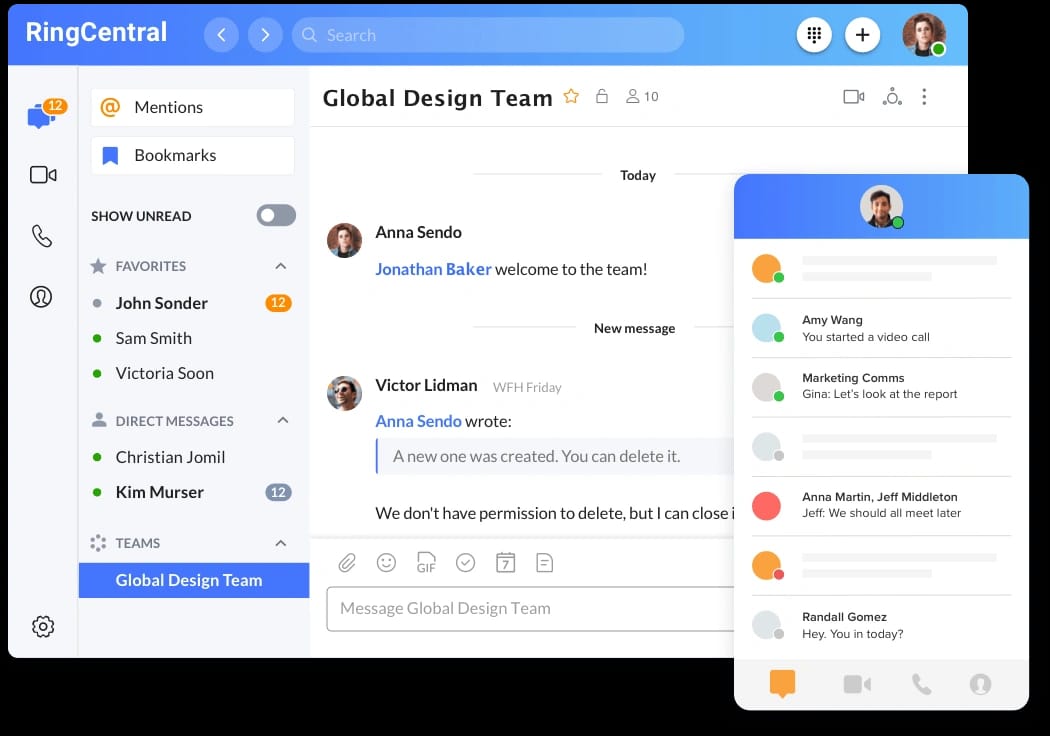
RingCentral is a communication platform that supports messaging, video meetings, and business calling. It combines real-time chat, phone capabilities, and collaboration tools in one place. Employees use channels, team messaging, and file sharing to stay connected. For organizations that still rely on voice communication, RingCentral offers a modern alternative that merges calling with digital communication.
RingCentral helps teams manage conversations across different channels while keeping data organized. The platform integrates with popular work tools and supports mobile access. Companies use RingCentral to reduce the number of separate communication systems they manage. With built-in governance options, administrators maintain control over communication across departments.
Key features of RingCentral
-
Unified communications: Bring messaging, calling, and video into one platform.
-
Team channels: Support structured conversations for projects and departments.
-
Integrations: Connect with tools to simplify workflows and tasks.
Best for: Organizations that want a flexible communication hub with built-in calling and messaging.
7. Workvivo
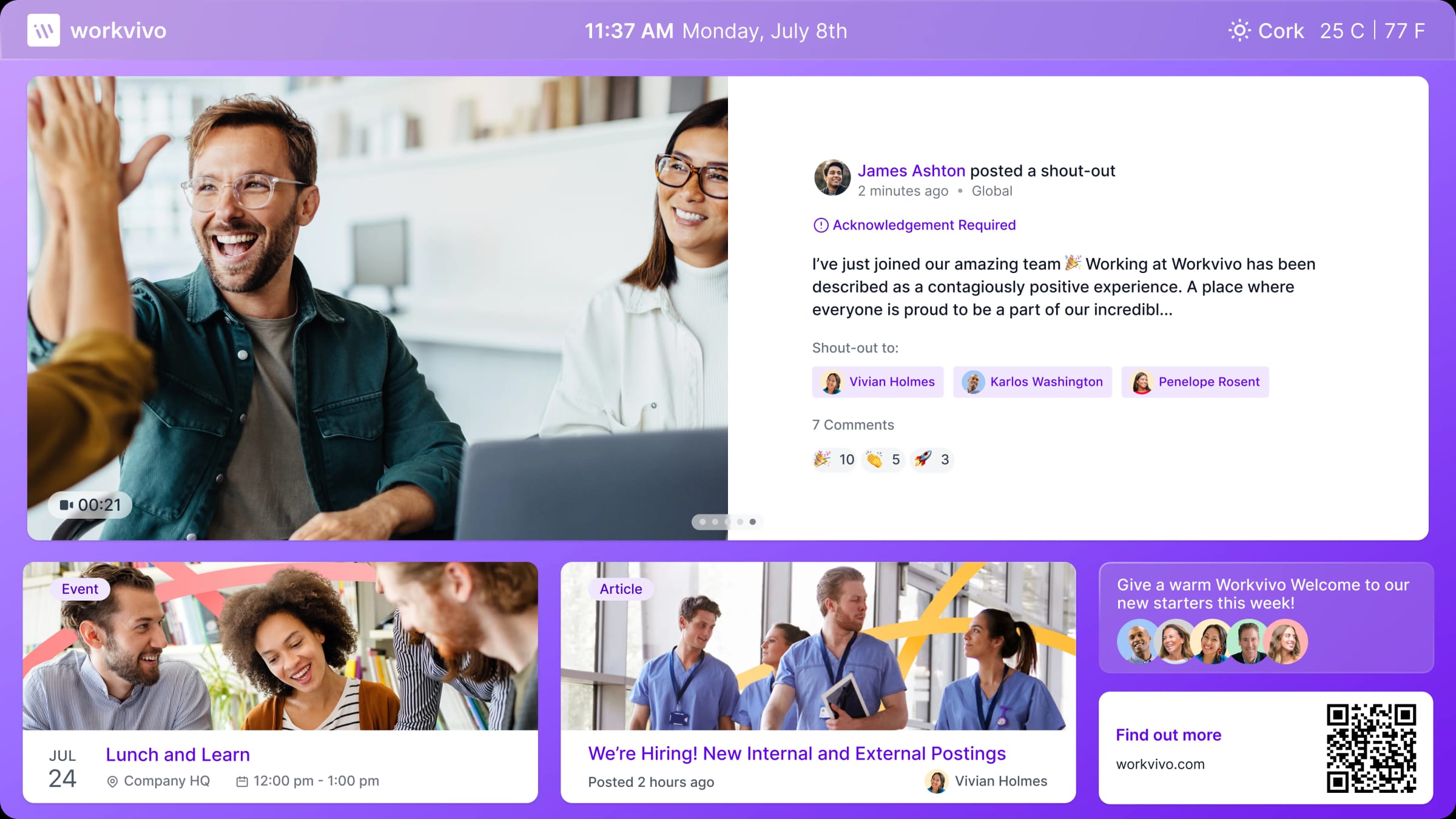
Workvivo is an employee communication platform that focuses on connecting people through community-style features. It blends top-down communication with social interaction, giving employees a place to read announcements, share updates, and participate in conversations. The platform includes activity feeds, shout-outs, spaces for teams, and digital workplace tools that support engagement. Workvivo helps employees feel informed and connected, especially in large organizations with distributed teams.
Leaders use Workvivo to broadcast updates, highlight achievements, and gather feedback. Employees use it to interact with colleagues, access documents, and follow topics relevant to their roles. Its mobile app supports on-the-go workers and frontline employees, helping communication reach everyone. Workvivo integrates with other workplace systems, which helps reduce the number of tools employees need to manage daily communication.
Key features of Workvivo
-
Activity feeds: Share updates and keep employees informed.
-
Community spaces: Support collaboration and conversations across departments.
-
Mobile-first design: Reach frontline teams and remote workers easily.
Best for: Companies that want communication paired with social engagement and community features.
8. Viva Engage
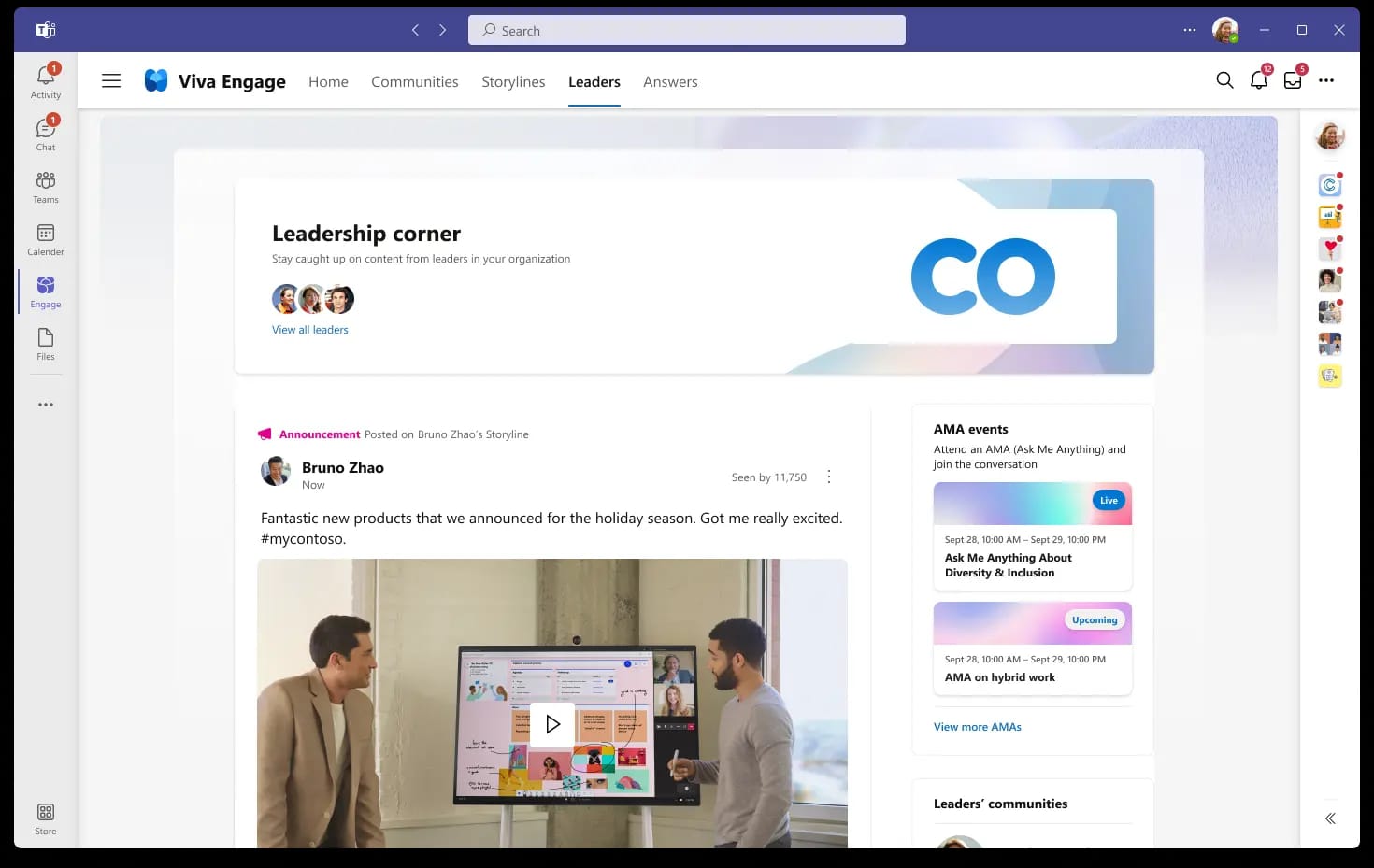
Viva Engage, part of Microsoft’s Viva suite, supports enterprise communication through communities, announcements, and employee engagement tools. It helps employees participate in discussions, follow company news, and connect with colleagues at scale. Viva Engage builds on familiar Microsoft tools, which supports broad adoption among organizations already using Microsoft 365.
The platform offers community spaces where teams share updates and interact. Leaders can publish announcements and collect feedback through posts and conversations. Viva Engage also highlights employee stories and supports campaigns that encourage participation across the organization. For companies focused on culture and connection, it adds a community layer to structured communication workflows.
Key features of Viva Engage
-
Community-driven communication: Create spaces for departments and interest groups.
-
Leadership communication tools: Share announcements and reach employees at scale.
-
Integration with Microsoft 365: Connect conversations with existing workplace tools.
Best for: Organizations using Microsoft 365 that want community engagement alongside communication.
9. Mattermost
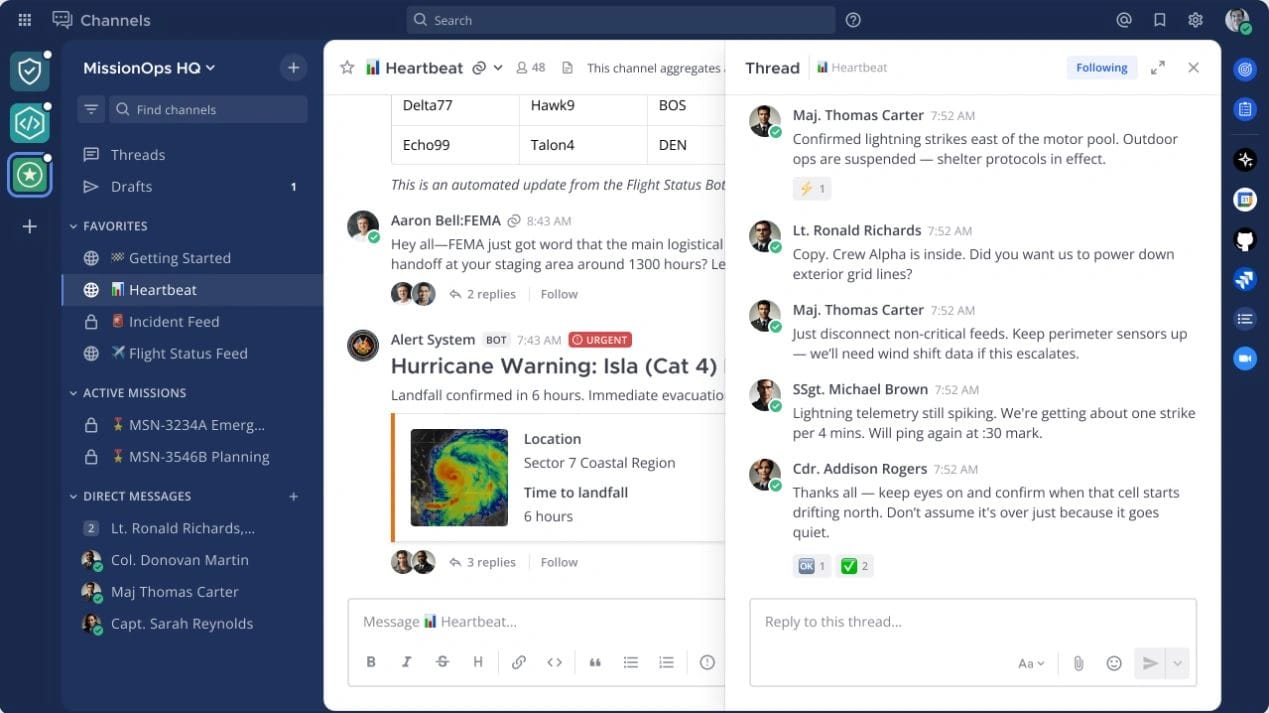
Mattermost is an open source communication platform designed for teams that need secure, self-hosted collaboration. It supports messaging, channels, threads, and project communication in a customizable environment. Companies choose Mattermost for its control over data, flexible deployment options, and ability to tailor the platform to specific workflows.
Employees use channels to organize conversations and keep projects moving. The platform includes file sharing, search, and integrations with development and operations tools. Because it is open source, organizations adapt Mattermost to support unique processes that other platforms may not offer. Its focus on privacy and control makes it attractive to technical teams and industries with strict security requirements.
Key features of Mattermost
-
Self-hosted deployment: Maintain control over data and infrastructure.
-
Channel-based messaging: Organize projects and team discussions.
-
Developer-friendly integrations: Connect with engineering and operations tools.
Best for: Technical teams and organizations that require secure, customizable communication.
10. Flock
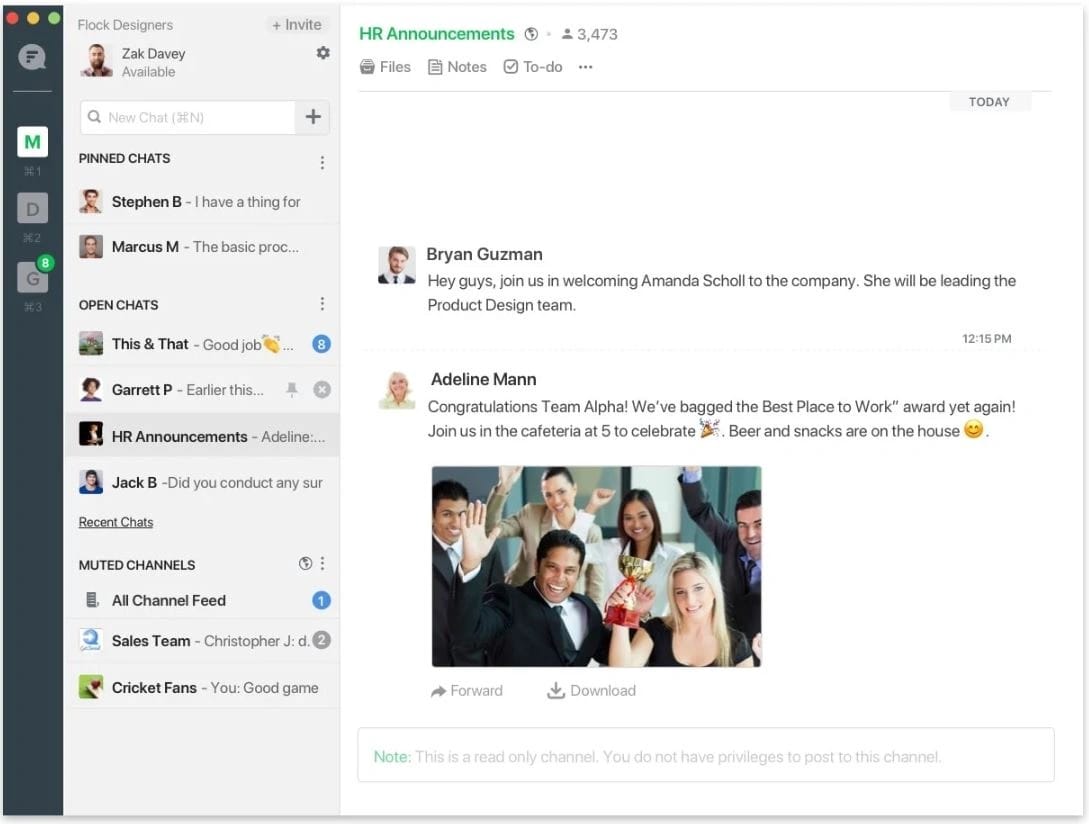
Flock is a communication platform that supports messaging, file sharing, and collaboration in a simple and organized interface. Teams use channels to structure conversations by project or department. Direct messages and group chats support quick communication. Flock also includes tools for creating notes, to-dos, and reminders within conversations, which helps teams track tasks alongside their discussions.
The platform focuses on accessibility, aiming to reduce the learning curve for new users. Employees can share files, search past messages, and integrate other workplace tools to streamline workflows. For smaller teams or those adopting communication software for the first time, Flock offers an easy way to centralize conversations without complexity. Its mobile app supports teams that need to stay connected from anywhere.
Key features of Flock
-
Channels and group messaging: Keep work conversations organized.
-
Notes and to-dos: Track action items within chats so tasks stay visible.
-
Search and file sharing: Provide quick access to past conversations and documents.
Best for: Small to midsize teams that want simple, structured communication without overwhelming features.
11. Spike
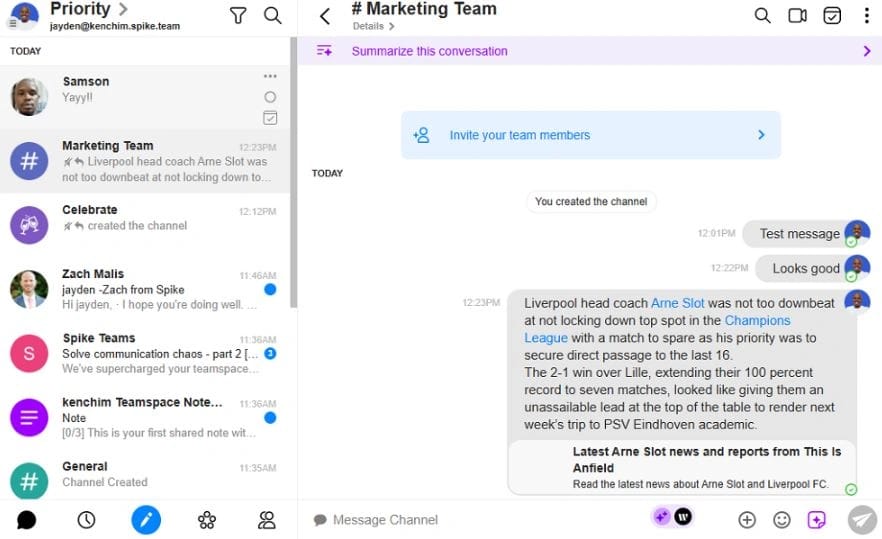
Spike blends email and messaging into a single communication experience. It turns traditional email threads into chat-like conversations, helping teams communicate with less clutter. Employees use group chats, direct messages, and collaborative notes to stay connected. Spike aims to simplify communication by combining inbox management, instant messaging, video meetings, and file sharing in one platform.
The platform supports unified threads that organize messages across teams and projects. It includes built-in tasks, notes, and shared documents to help teams coordinate work. Spike’s design reduces the need to switch between email and chat apps. For teams that rely heavily on email but want faster interaction, Spike offers a hybrid communication model that keeps everything in one place.
Key features of Spike
-
Conversational email: Transform email threads into chat-style exchanges.
-
Collaborative notes and tasks: Support teamwork within the communication space.
-
Unified inbox: Manage personal and team messages from one interface.
Best for: Teams that rely on email but want a more modern, chat-like communication experience.
12. Zoho Cliq
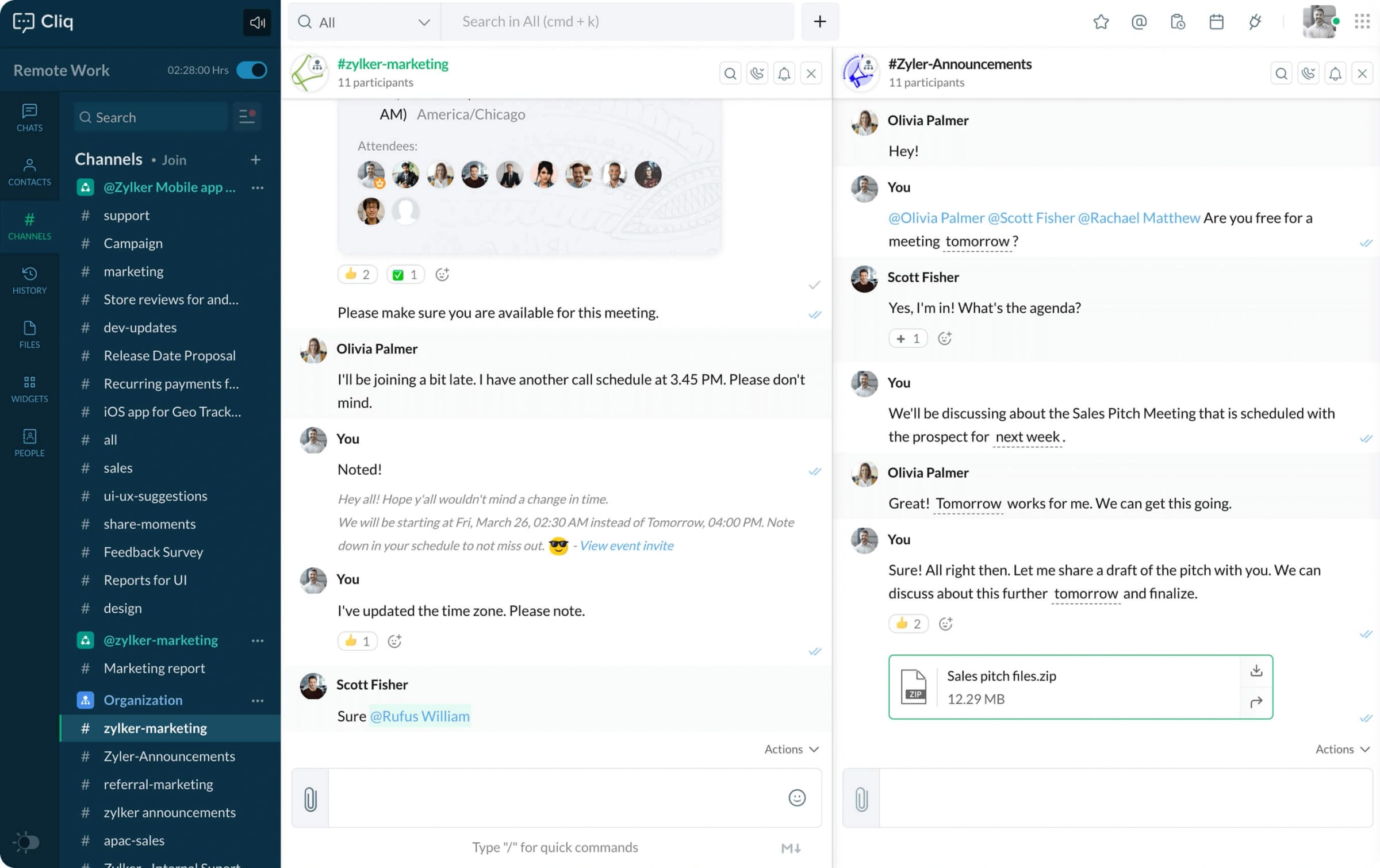
Zoho Cliq is a communication platform that helps teams connect through channels, messaging, and integrations. Employees use chat for quick conversations and organize messages into channels for different teams or projects. Zoho Cliq supports audio and video calls, file sharing, and searchable message history. It integrates with the wider Zoho suite, which helps organizations already using Zoho manage communication within their existing ecosystem.
With customizable workflows and bots, Zoho Cliq automates routine tasks and brings updates from other tools directly into conversations. Its interface is designed to support consistent use across departments. Mobile access helps teams stay connected on the go. Zoho Cliq supports organizations that want flexible communication supported by automation and integrations.
Key features of Zoho Cliq
-
Channel-based communication: Organize conversations to keep information easy to find.
-
Automation and bots: Reduce manual tasks by bringing updates into chat.
-
Zoho ecosystem integration: Connect communication with CRM, projects, and other tools.
Best for: Organizations invested in the Zoho ecosystem that want structured communication with automation options.
Bringing your communication strategy together
Enterprise communication software supports how employees share updates, collaborate, and stay connected to their work. When communication lives in one place, teams spend less time searching for information and more time moving projects forward. A strong platform also supports culture by giving leaders, managers, and employees a consistent space to communicate, recognize achievements, and participate in meaningful conversations. As your organization grows, the right software adapts with you and supports better alignment across all teams.
A unified communication hub allows employees to read announcements, access resources, and collaborate without switching tools. For HR, IT, and people leaders, this creates a more organized and predictable communication experience. For employees, it supports clarity, helps reduce friction, and strengthens the sense of connection across departments. Axero provides a centralized space designed to support communication, collaboration, and knowledge sharing in one place. Ready to bring everything together? Book a demo today and see how Axero can help your teams communicate with confidence.