
Company portal software connects employees to the information, tools, and resources they need to perform at their best. Many organizations rely on these platforms to simplify internal communication, streamline workflows, and create spaces that support productivity. When everything employees need lives in one place, your workplace operates more efficiently and consistently.
Modern organizations expect fast access to data, intuitive communication channels, and systems that reduce friction. The shift toward distributed teams has only amplified this need. A company portal becomes the central hub that keeps everyone aligned, regardless of location. Leaders gain clear visibility into operations. Employees access documents, updates, and tasks without digging through emails or switching between apps. HR and internal comms teams also gain the advantage of a structured, reliable way to reach every employee.
A company portal is more than a homepage. It holds knowledge, policies, conversations, team spaces, recognition, and integrations that support day-to-day work. It allows information to be shared quickly, stored correctly, and accessed securely. With the right system in place, organizations build a workplace where people feel informed, supported, and included in the flow of communication. As needs grow, portals that adapt with your teams provide long-term value.
Top 10 company portal software for 2026
What is company portal software?
Company portal software is a digital platform that centralizes communication, content, and tools employees need. It serves as a single access point for documents, announcements, applications, and team collaboration. Instead of navigating multiple systems, employees log into one platform to find information, connect with colleagues, and complete workflows.
A company portal often includes social features, communication channels, document libraries, search tools, and customizable pages. It may also integrate with existing business apps, allowing employees to move between tasks without switching platforms. The goal is to reduce complexity, maintain structure, and make sure information reaches the right people at the right time.
What to consider when choosing the right company portal software
Choosing a company portal depends on what your employees need and how your organization works. Each tool offers different strengths, so clarity on your priorities makes the process easier.
Ease of use
A simple interface encourages adoption and ensures employees can find what they need quickly. The easier the system is to use, the faster your teams benefit.
Customization
Look for layouts, modules, and templates you can tailor. A customizable portal reflects your culture and aligns with your internal processes.
Communication tools
Features like news feeds, announcements, comments, and targeted messaging help your organization reach people effectively.
Search capabilities
A strong search engine ensures documents, people, and pages are easy to locate. This reduces time wasted looking for information.
Integration options
The portal should connect to your existing systems, including messaging tools, file storage, and HR platforms.
Security
Ensure the platform offers permissions, encryption, and authentication features that protect sensitive information.
10 best company portal software
1. Axero
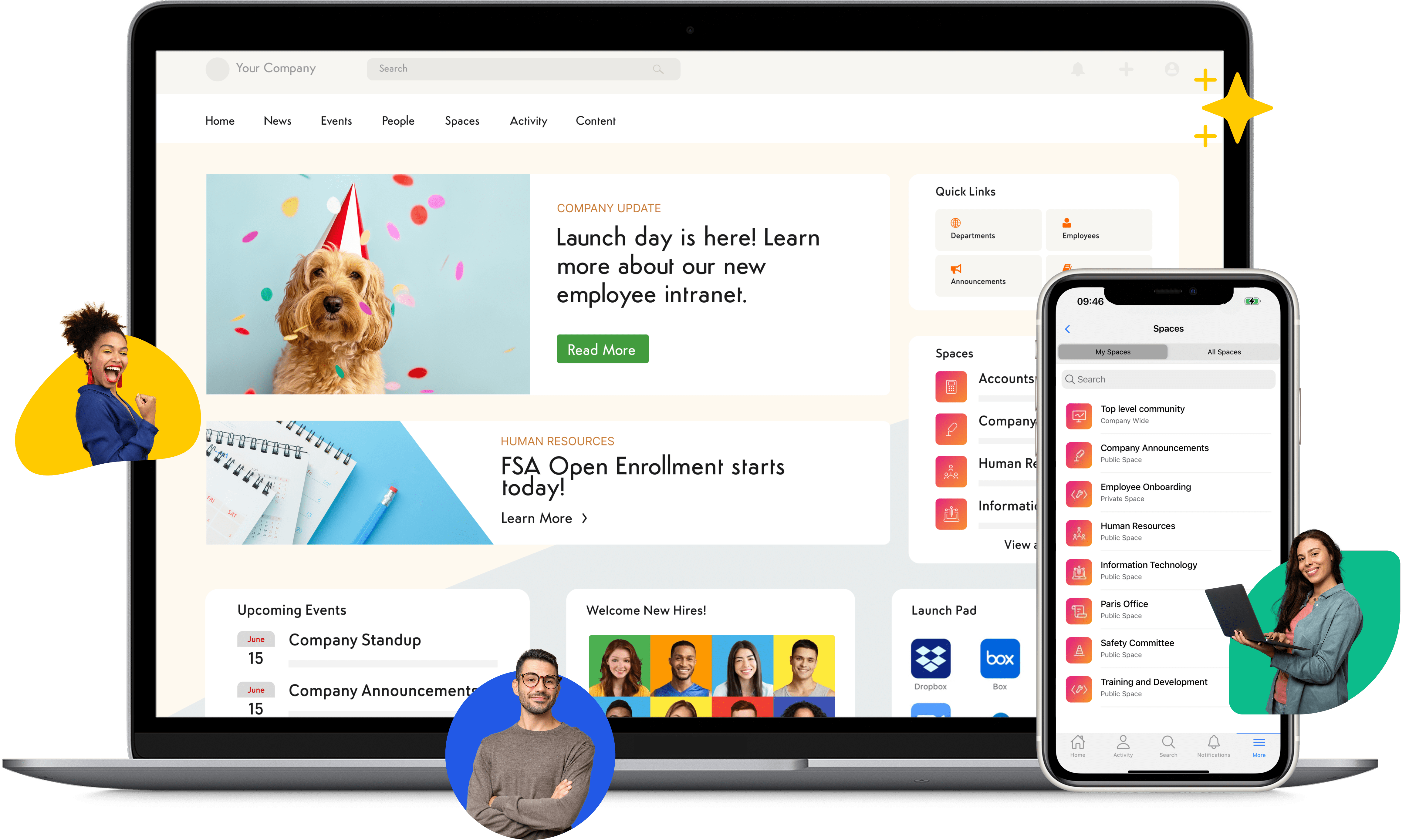
Axero is designed to serve as the central hub for communication, collaboration, and knowledge across your organization. It brings intranet, portal, content management, and social functionality into one platform. Employees can access documents, conversations, applications, and updates without jumping between tools. Everything is structured in a way that supports clarity and consistency.
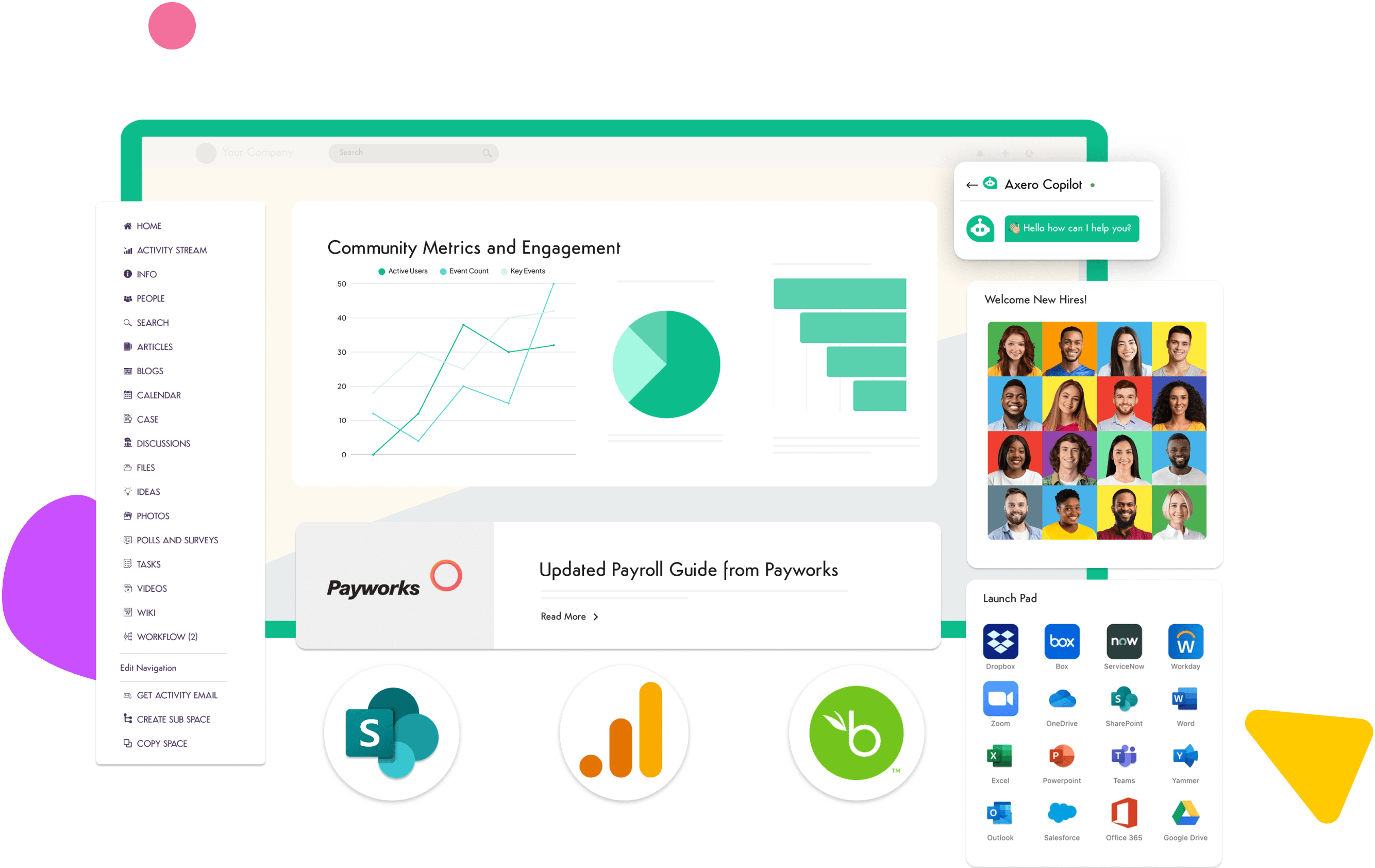
Leaders use Axero to distribute company-wide messaging, create team workspaces, and maintain transparency across departments. HR teams rely on it to publish policies, streamline onboarding, and create an accessible employee experience. The platform includes customizable pages and layouts, allowing organizations to tailor the look and functionality to their needs. With built-in analytics, you gain visibility into how people use the portal, what content matters, and where improvements can be made. Axero supports continuous connection across distributed teams and encourages active participation through social features and recognition tools.
Key features of Axero
- Customizable pages: Build layouts and pages that match your company’s structure and workflows.
- Document management: Store, organize, and share files in structured libraries with permissions.
- Communication tools: Publish targeted announcements that reach employees in the right place.
Best for: Organizations seeking an all-in-one portal with strong communication and knowledge features.

2. SharePoint
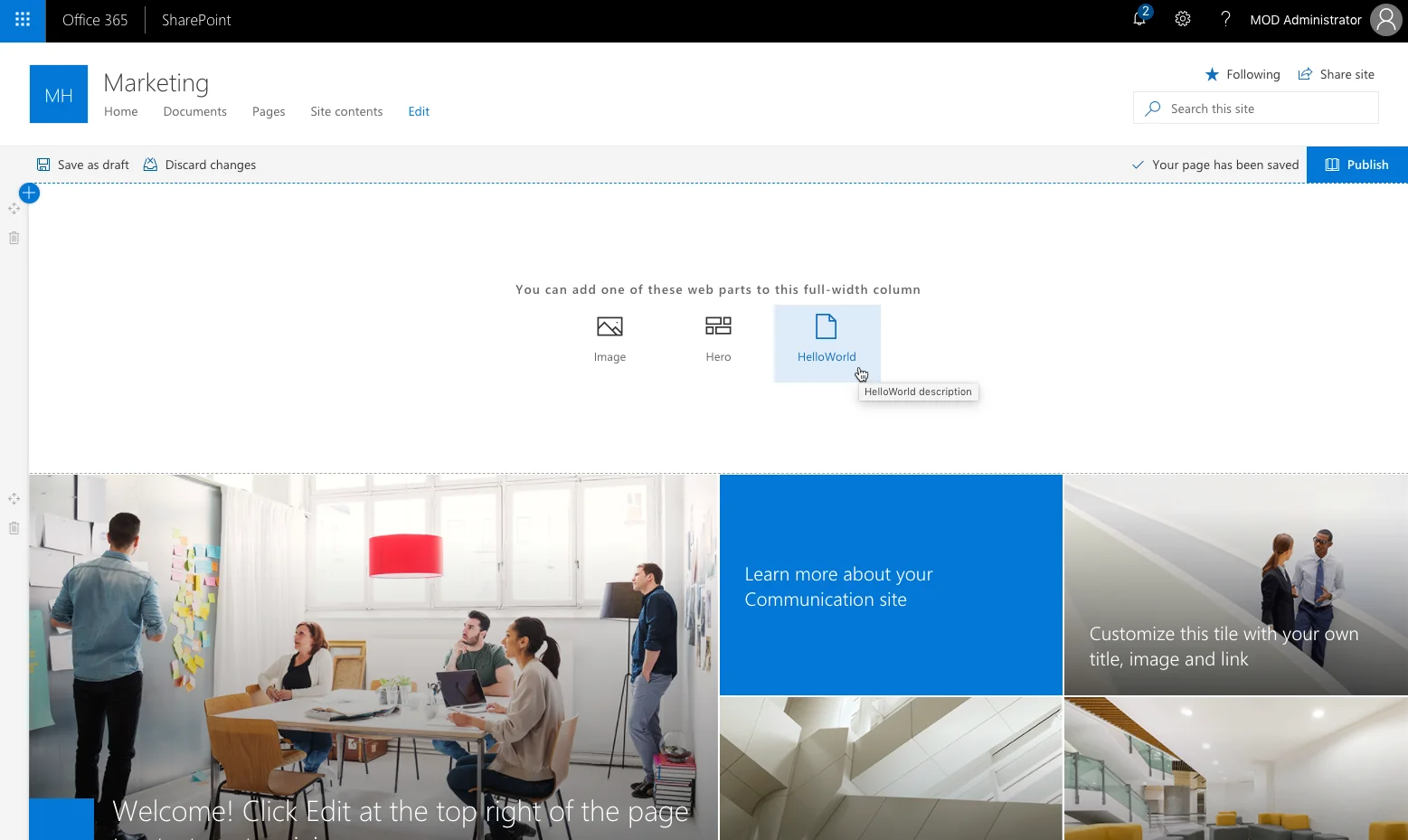
SharePoint is a widely used platform that offers document management, portals, and collaboration tools. It helps organizations structure information through sites, libraries, and lists, giving teams a familiar space to store and retrieve content. Many companies use SharePoint to build internal homepages and team sites tailored to departmental needs. It works well for organizations already invested in Microsoft products, as it integrates with Teams, OneDrive, Outlook, and other Microsoft tools. SharePoint supports workflows that streamline processes, such as approvals or document routing. Its permission structure ensures the right people have access to the right materials. Although customization options are flexible, building complex layouts may require administrative support. For businesses that prefer a platform connected closely to Microsoft 365, SharePoint provides a structured and scalable option.
Key features of SharePoint
- Document libraries: Organize, store, and control files across departments.
- Team sites: Create structured areas for department collaboration.
- Workflow automation: Automate approvals and routine processes.
Best for: Organizations deeply integrated into the Microsoft ecosystem.
3. Simpplr
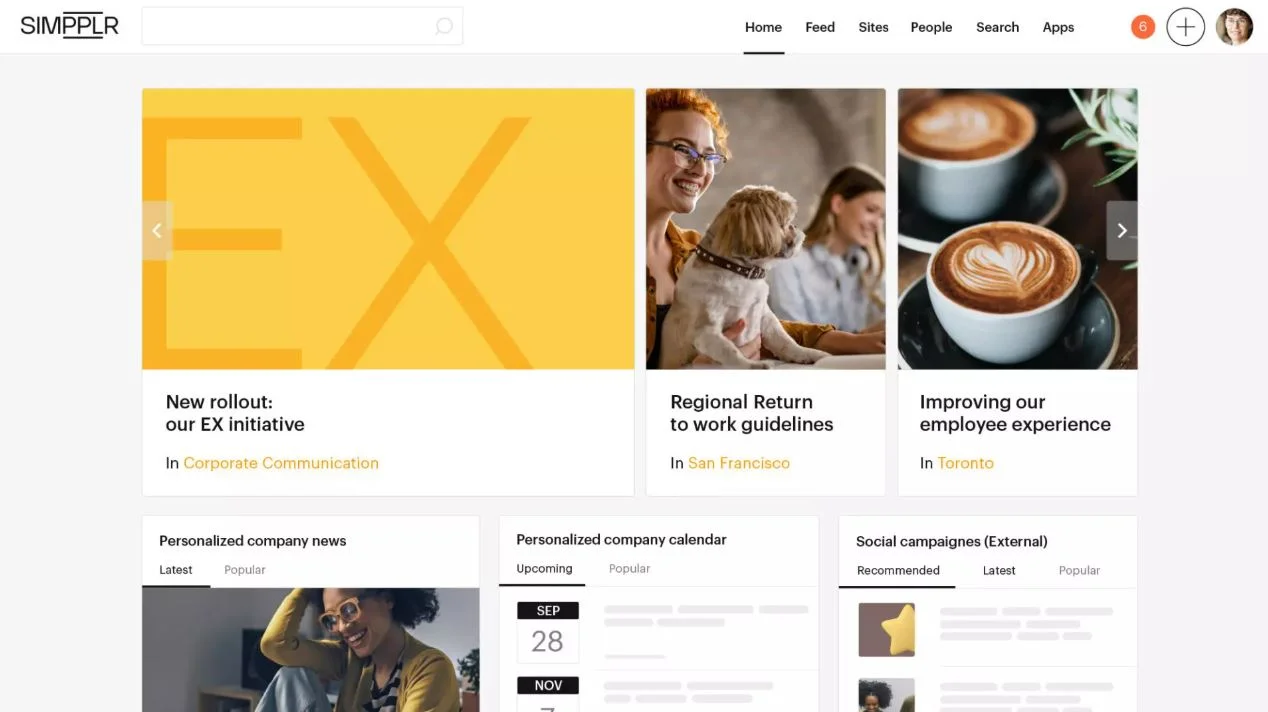
Simpplr focuses on creating a streamlined internal communication experience through a clean and intuitive portal. It emphasizes news delivery, content governance, and employee engagement tools. The platform guides employees to relevant updates through targeted communications and personalized feeds. Simpplr surfaces content based on role, team, and behavior, which helps reduce irrelevant information. It includes strong analytics to help communication teams measure readership and engagement. The platform also supports structured knowledge management through content libraries and policies. Simpplr’s guided setup helps organizations maintain consistency in how information is created and shared. Its design is built for clarity, making it easy for employees to navigate. The platform also offers native integrations that connect the portal with HR systems, identity providers, and select business apps.
Key features of Simpplr
- Personalized news feeds: Deliver updates that match employee roles.
- Content governance tools: Ensure information stays accurate and up to date.
- Employee engagement analytics: Track activity, readership, and trends.
Best for: Teams focused on communication clarity and content governance.
4. Jostle
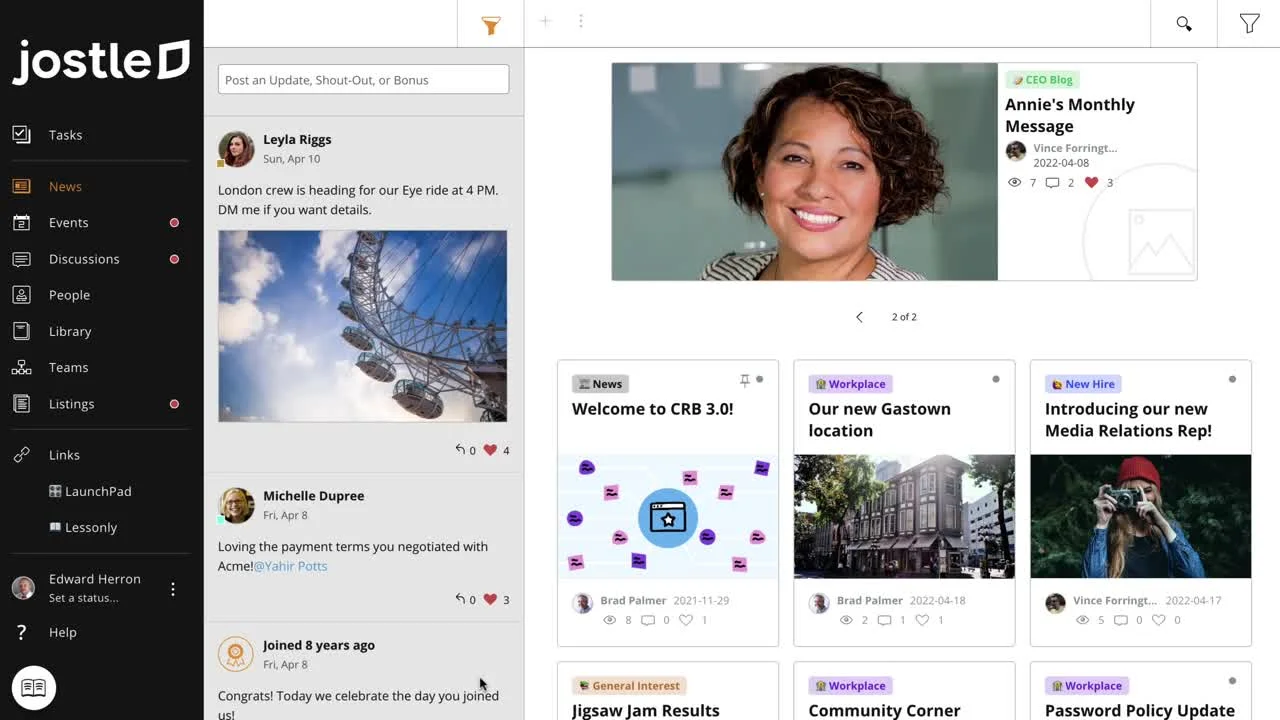
Jostle provides a structured company portal that helps employees stay informed and connected. The platform organizes information into clear sections, making it simple for teams to locate announcements, documents, and updates. It includes communication tools that support news posts, comments, and team interactions. Jostle emphasizes community-building features, such as employee profiles and activity updates. It works well for organizations that want to simplify how people access information without heavy customization. Jostle’s layout reduces clutter and maintains consistent structure across the portal. It includes tools that support onboarding, recognition, and collaboration. With permission controls, leaders can tailor access to the right groups. Jostle’s focus on simplicity makes it a practical solution for companies wanting a straightforward platform for communication and engagement.
Key features of Jostle
- Structured content areas: Keep information organized and easy to find.
- Employee profiles: Support connection and visibility across teams.
- News posts: Communicate updates to specific groups or the entire company.
Best for: Companies wanting a simple, structured portal without complex configuration.
5. Staffbase
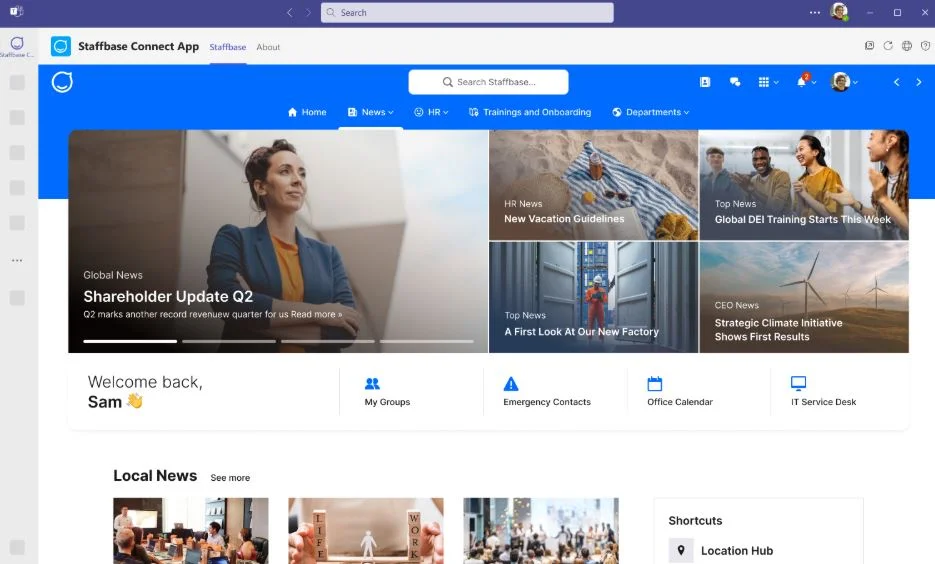
Staffbase offers a communication-focused company portal that helps organizations reach employees across locations and roles. It includes tools for publishing news, creating targeted content, and managing announcements in structured channels. Staffbase supports multilingual communication, making it useful for global teams. The platform provides mobile access that helps frontline and deskless employees stay connected. Leaders can measure communication impact through detailed analytics that track readership, reach, and engagement. Staffbase also offers features for forms, surveys, and employee feedback that help organizations understand sentiment. Its layout is built for clarity, giving employees quick access to updates, documents, and resources. Integrations with HR systems help maintain consistent data across platforms. Staffbase works well for teams that prioritize communication as the core function of their portal.
Key features of Staffbase
- Targeted communication: Deliver messages to groups based on role or location.
- Mobile app: Connect deskless employees to company updates.
- Analytics: Measure engagement and content performance.
Best for: Distributed workforces that rely on clear and targeted communication.
6. MangoApps
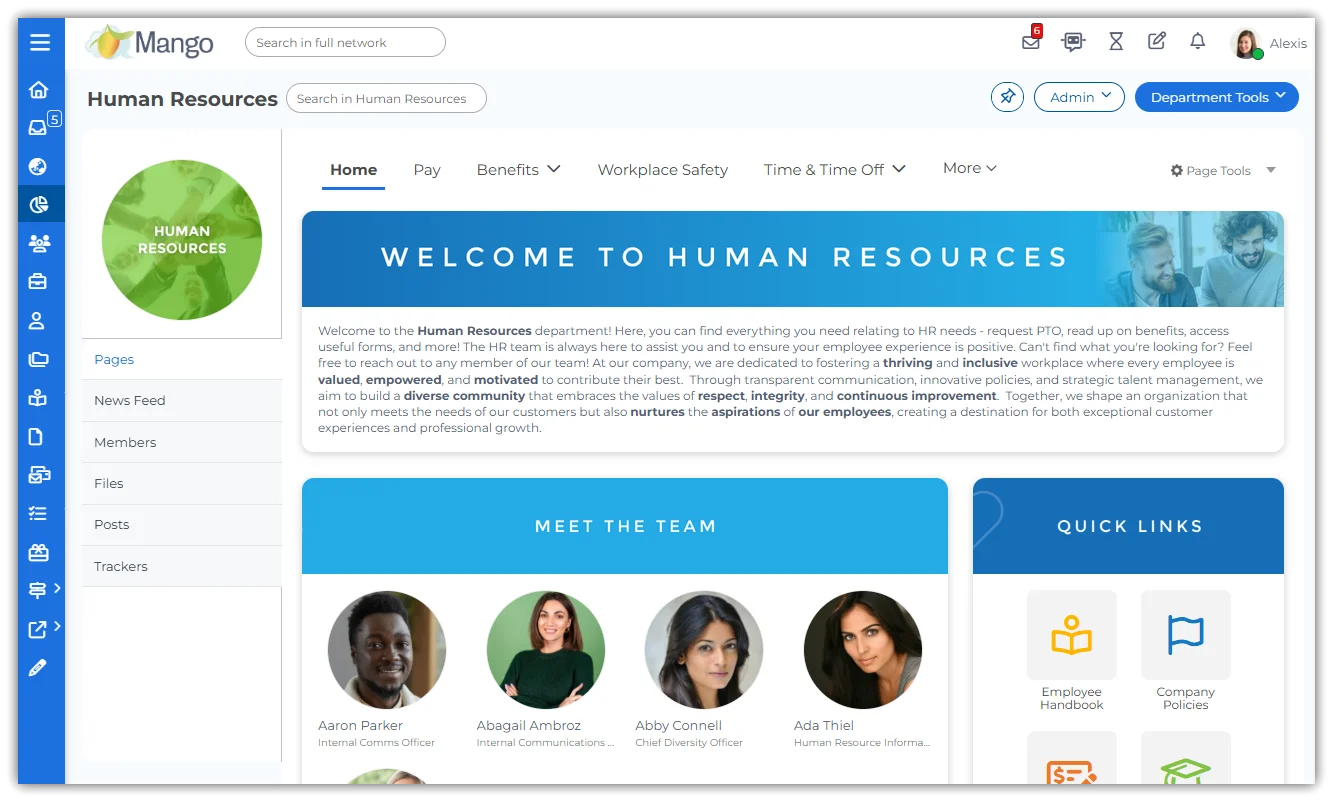
MangoApps combines company portal functionality with social intranet and collaboration features. It offers spaces for teams, documents, messages, and project communication, giving employees a unified experience. The platform includes wikis, dashboards, and libraries that help centralize knowledge. Employees can track tasks, share updates, and access resources from a single interface. MangoApps supports structured communication through news feeds and announcements. It also includes mobile access to keep remote or field teams connected. The platform can integrate with various business tools, which helps reinforce the portal’s role as a central hub. Its modular design allows organizations to enable features based on their needs. MangoApps suits companies looking for a broad toolkit in one platform.
Key features of MangoApps
- Team workspaces: Support collaboration across departments.
- Knowledge wikis: Build structured libraries for information.
- Mobile access: Keep teams connected from any location.
Best for: Organizations looking for a multi-purpose portal with collaboration tools.
7. Unily
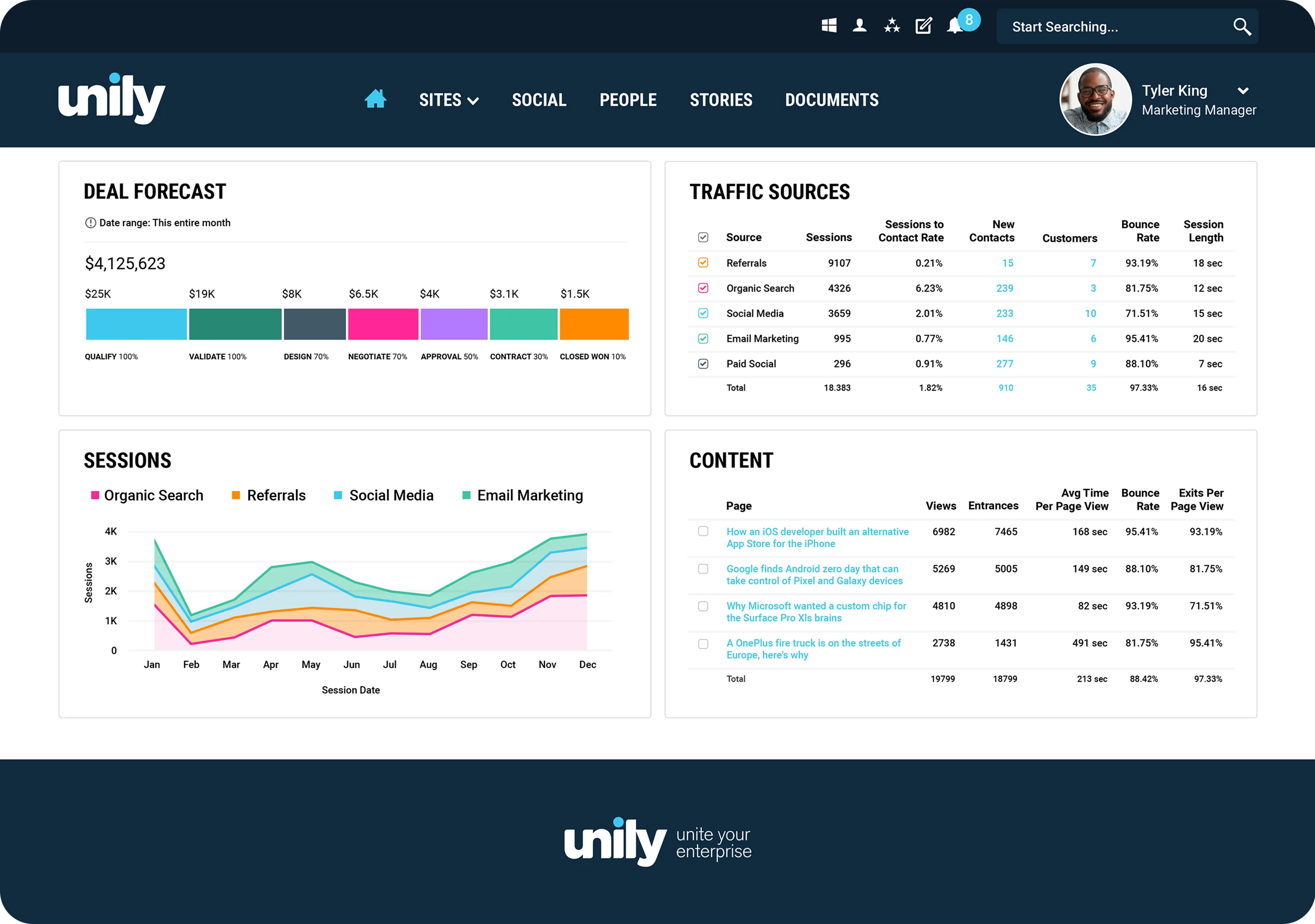
Unily is an employee experience platform that provides a customizable portal for communication, content, and engagement. It includes a robust search engine that helps employees find documents, people, and knowledge quickly. Unily supports targeted news delivery, ensuring updates reach the right groups. Its design system allows organizations to tailor layouts, branding, and navigation. Unily offers analytics that help leaders understand usage patterns and content performance. The platform integrates with many enterprise tools, creating a seamless connection to existing systems. With features such as communities, pages, and document centers, Unily supports both communication and knowledge needs. It is suited for companies that want a visually polished and flexible portal.
Key features of Unily
- Advanced search: Help employees find relevant content quickly.
- Flexible design options: Customize layouts and pages.
- Targeted communications: Ensure updates reach the right employees.
Best for: Enterprises needing a highly customizable and branded portal experience.
8. Happeo
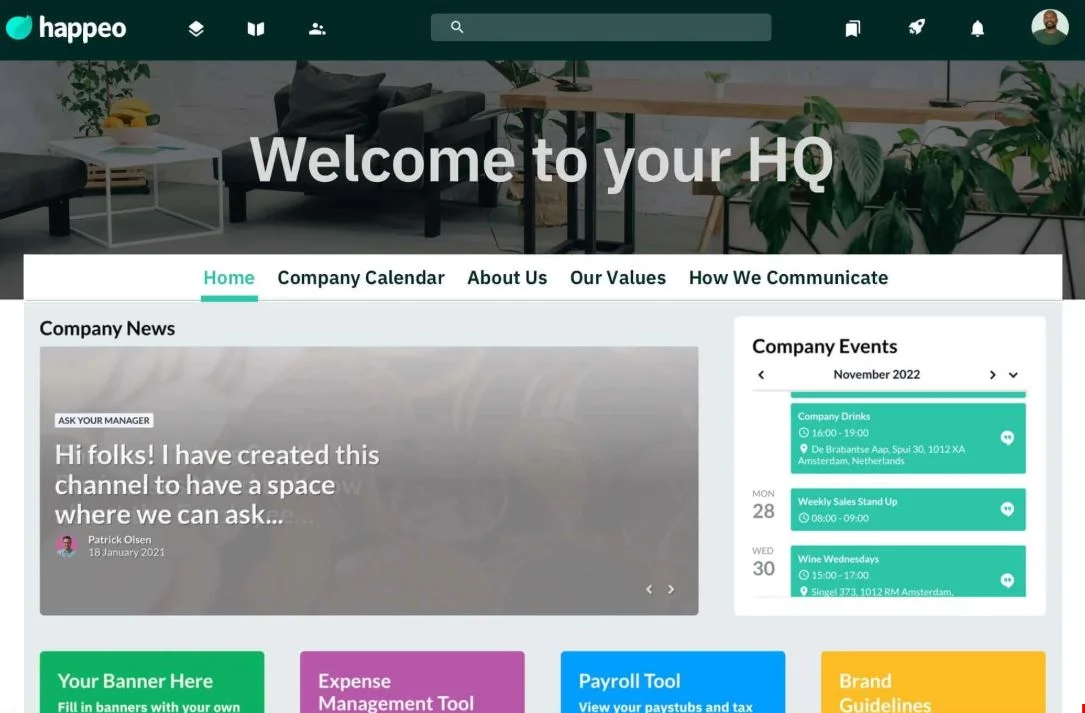
Happeo provides a lightweight, flexible company portal designed to connect employees through pages, channels, and collaborative spaces. It works well for organizations using Google Workspace, as the integration allows employees to access documents and tools directly from the portal. Happeo includes social communication features that encourage interaction across teams. It supports personalized feeds, helping employees stay informed without information overload. Pages can be customized to share policies, onboarding materials, and team resources. Analytics give leaders insight into content performance and portal activity. Happeo’s structure is simple and intuitive, making it a good fit for teams that want a user-friendly experience.
Key features of Happeo
- Google Workspace integration: Access Drive files and apps directly.
- Pages and channels: Build structured areas for information and updates.
- Engagement analytics: Track how employees interact with content.
Best for: Google Workspace users seeking a collaborative portal.
9. LumApps
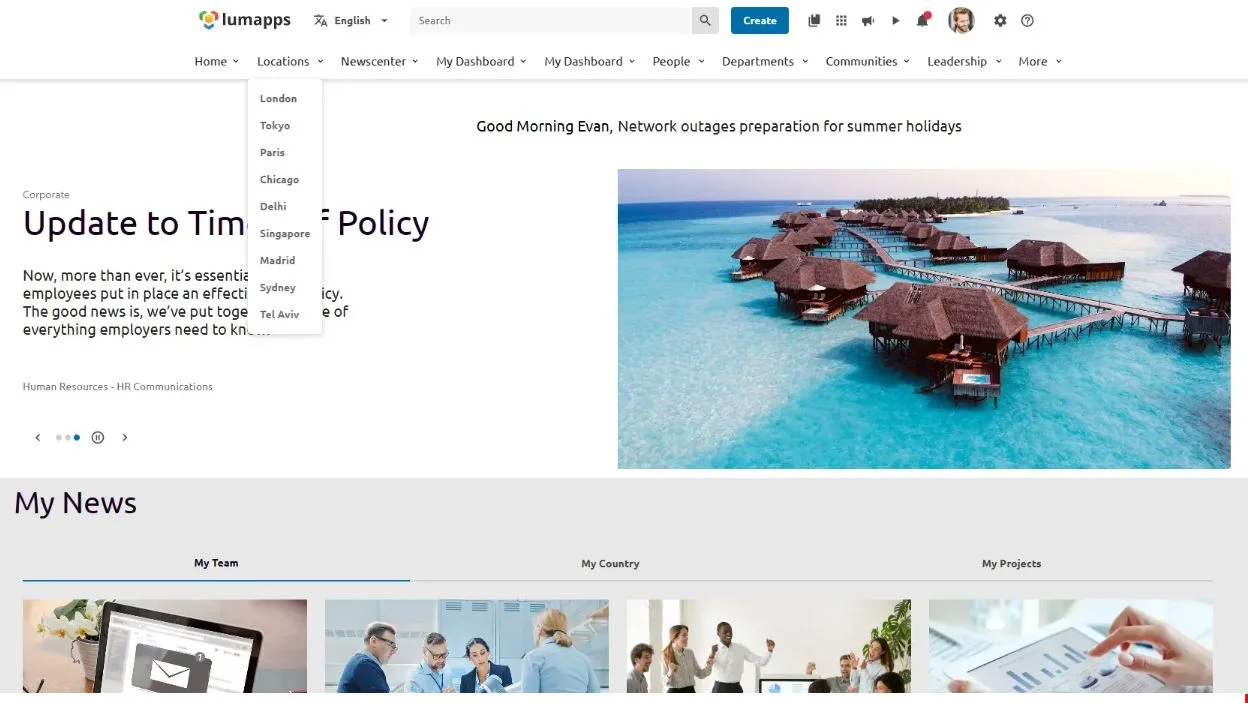
LumApps is a communication and engagement platform built to centralize updates, company resources, and employee services. It provides personalized content feeds based on role, location, and department, helping employees receive information that is most relevant to their day-to-day work. LumApps integrates with Google Workspace and Microsoft 365, allowing employees to access tools directly from the portal. The platform includes features for onboarding, communities, and knowledge sharing, making it useful for HR, IT, and internal communications teams. With strong multilingual support, LumApps is suited for organizations with a global footprint. Its design capabilities allow for branded pages and tailored layouts. Leaders gain visibility into engagement trends through analytics that track readership, behavior, and content effectiveness.
Key features of LumApps
- Personalized feeds: Deliver targeted content to specific groups.
- Integrations: Connect to Microsoft 365 and Google Workspace for seamless workflows.
- Community spaces: Support collaboration and employee engagement.
Best for: Global organizations that need multilingual communication and personalized content delivery.
10. Interact
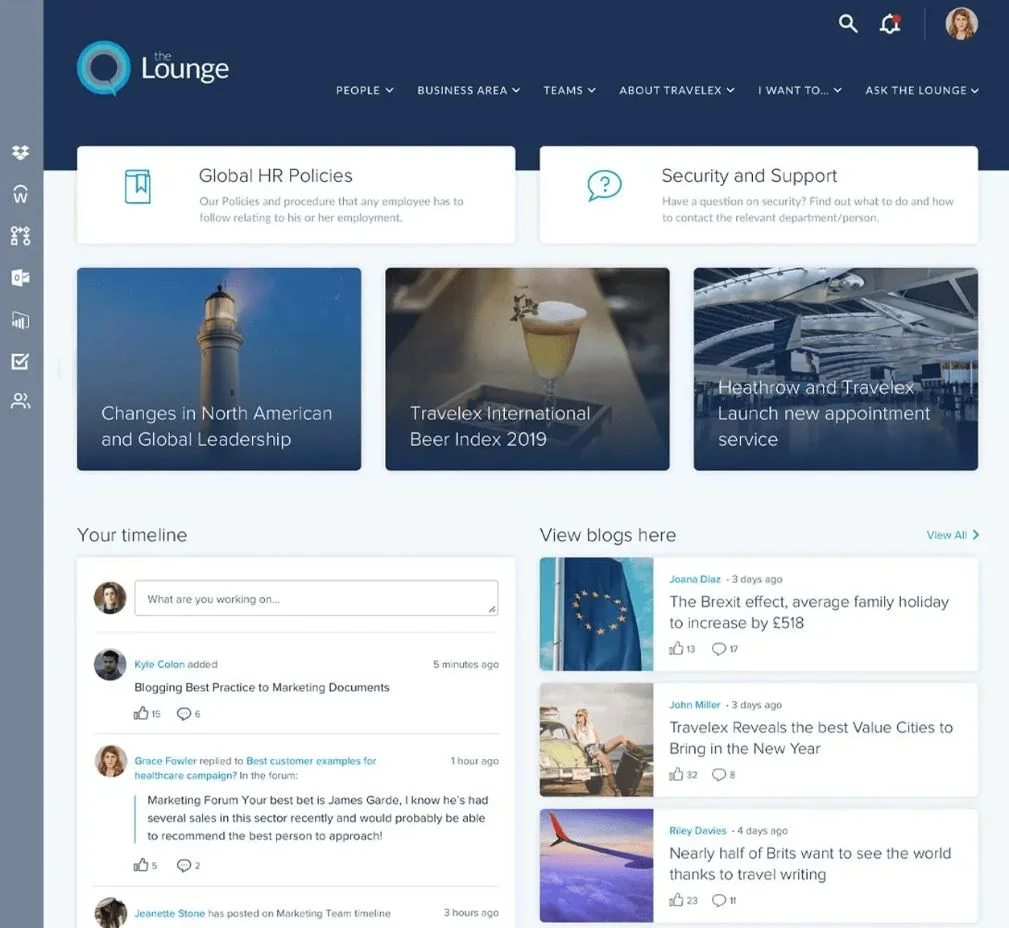
Interact provides a company portal designed to improve communication, collaboration, and information accessibility. The platform uses an intelligent search engine to help employees find documents, pages, and people quickly. It includes communication tools that allow internal comms teams to create targeted updates and measure engagement. Interact supports content governance through workflows, permissions, and structured libraries. Social intranet features, such as commenting and profiles, help teams connect and share insights across departments. The platform also includes analytics that show how employees are using content and which areas require refinement. With customizable templates, Interact allows organizations to tailor pages to their needs without complex configuration. It works well for teams that want a structured platform that balances communication and knowledge management.
Key features of Interact
- Intelligent search: Quickly locate relevant content and people.
- Content governance: Maintain accuracy and structure through workflows.
- Social features: Support interaction and visibility across teams.
Best for: Organizations wanting a structured portal with strong search and governance tools.
Building a stronger workplace with the right company portal
A strong company portal connects your people to the information, tools, and communication channels they rely on every day. It supports clarity, encourages participation, and reduces friction in daily workflows. For HR, IT, and internal communication teams, it creates a consistent structure for publishing content and reaching employees. For leaders, it provides a reliable way to maintain transparency. For employees, it becomes a dependable space to find what they need and stay aligned with the organization’s goals.
As your workplace grows, the right portal adapts with you. It becomes the foundation for communication, culture, and knowledge. When everything is organized and accessible, you spend less time managing information and more time supporting your people.
If you want a platform designed to meet these needs and evolve with your teams, we can help. Book a demo today and explore the difference a centralized, intuitive Axero portal can make.






 info@axerosolutions.com
 1-855-AXERO-55