
Employees depend on clear communication to do their best work. When information moves slowly or gets buried in email threads, teams lose time, focus, and momentum. Workplace communication software brings everything into one place so people can talk, share updates, and collaborate without friction. Modern organizations rely on these tools to keep teams aligned, support remote and hybrid work, and maintain transparency across departments.
Communication platforms now function as centralized hubs. They give employees a single spot to find messages, files, meeting links, and conversations. Leaders can share updates quickly. Teams can respond in real time. Frontline workers can stay connected from any device. When communication is predictable and easy to access, people feel more informed and more connected to their roles.
These tools also help reduce noise. Instead of sending mass emails, you can target messages to a team or project. You can create spaces for collaboration, keep conversations organized, and move work forward without switching between apps. With the right platform, communication supports productivity rather than interrupting it. That’s where workplace communication software makes the difference.
Top 12 workplace communication software for 2026
- Axero
- Slack
- Microsoft Teams
- Google Workspace
- Zoom Team Chat
- RingCentral
- Webex App
- Chanty
- Flock
- Twist
- Mattermost
- Spike
What is workplace communication software?
Workplace communication software helps employees connect with their teams, exchange messages, and collaborate across different locations. These tools bring conversations and shared information into a central platform, so teams stay aligned. They often include real-time chat, channels or groups, file sharing, video meetings, and integrations with everyday apps.
Communication at work isn’t only back-and-forth messaging. It includes updates, announcements, task discussions, and problem solving. A single project can involve multiple people who need the same information. Workplace communication software keeps everything structured and searchable, helping teams stay organized and reducing repetitive conversations.
By giving employees one place to communicate, organizations create consistent experiences for everyone. This supports stronger collaboration, lowers confusion, and increases visibility into ongoing work.
What to consider when choosing the right workplace communication software
Choosing the best communication tool depends on what your employees need day to day. Some teams need instant messaging. Others need strong integration features or organized spaces for discussions. When evaluating options, look at how each tool supports clarity, accessibility, and collaboration.
Ease of use
A simple interface reduces training time and helps employees adopt the platform quickly.
Collaboration spaces
Channels or groups help organize conversations and prevent disconnected threads.
Integrations
Your communication tool should work with your existing systems to centralize updates and reduce switching between apps.
Searchability
A strong search function ensures employees can find past conversations, files, and decisions.
Mobile access
Teams in the field or on the go need reliable communication tools on their mobile devices.
12 best workplace communication software
1. Axero
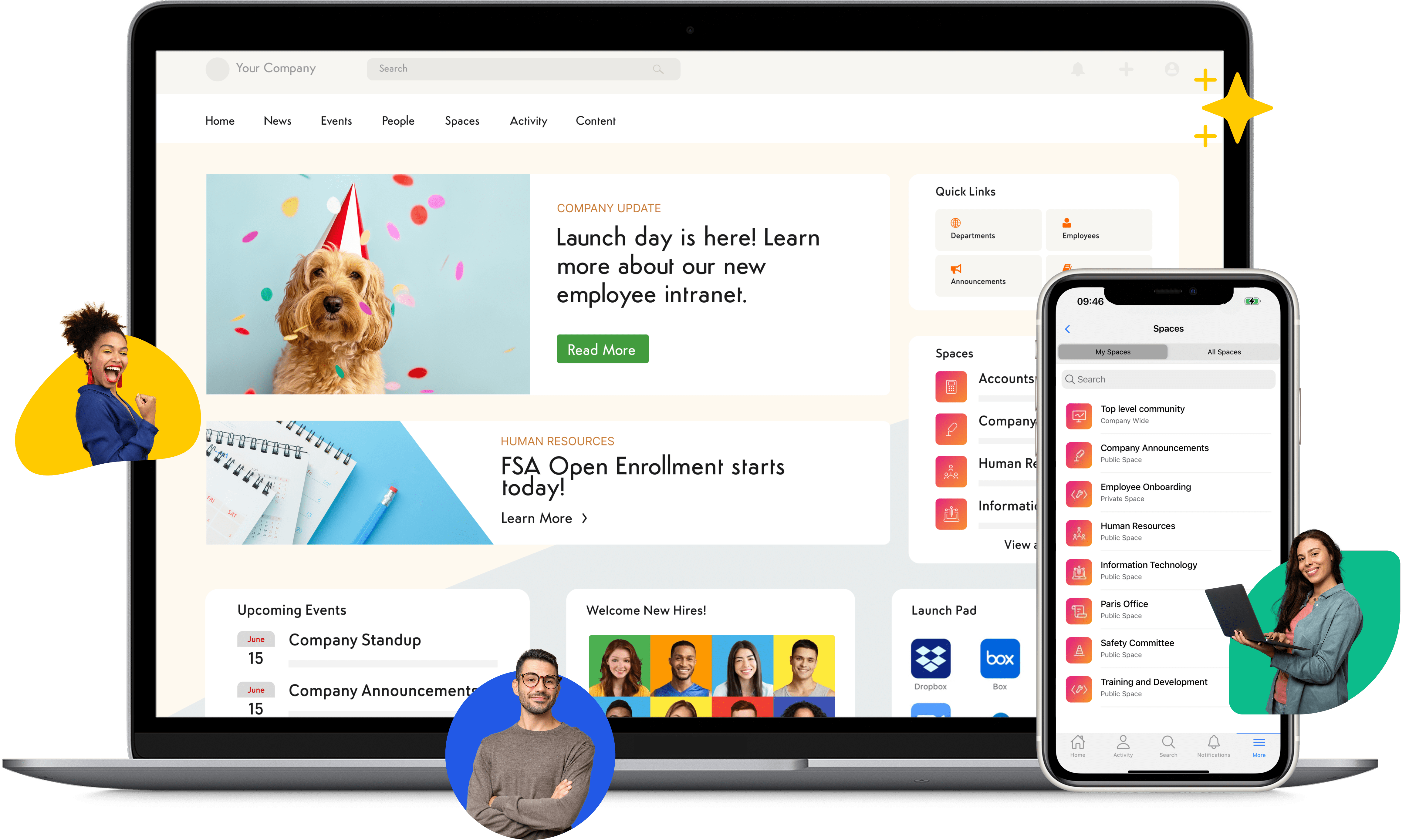
Axero is an all-in-one communication and collaboration platform designed to help organizations give employees a single location for everything related to work. It centralizes conversations, news, files, and team spaces so people always know where to find information. Instead of scattering updates across multiple tools, Axero unifies messaging, announcements, and resources. Employees can chat in real time, join discussions in communities, and access workspaces built for teams and departments. Leaders use Axero to communicate consistently, share updates, and create transparency across the organization.
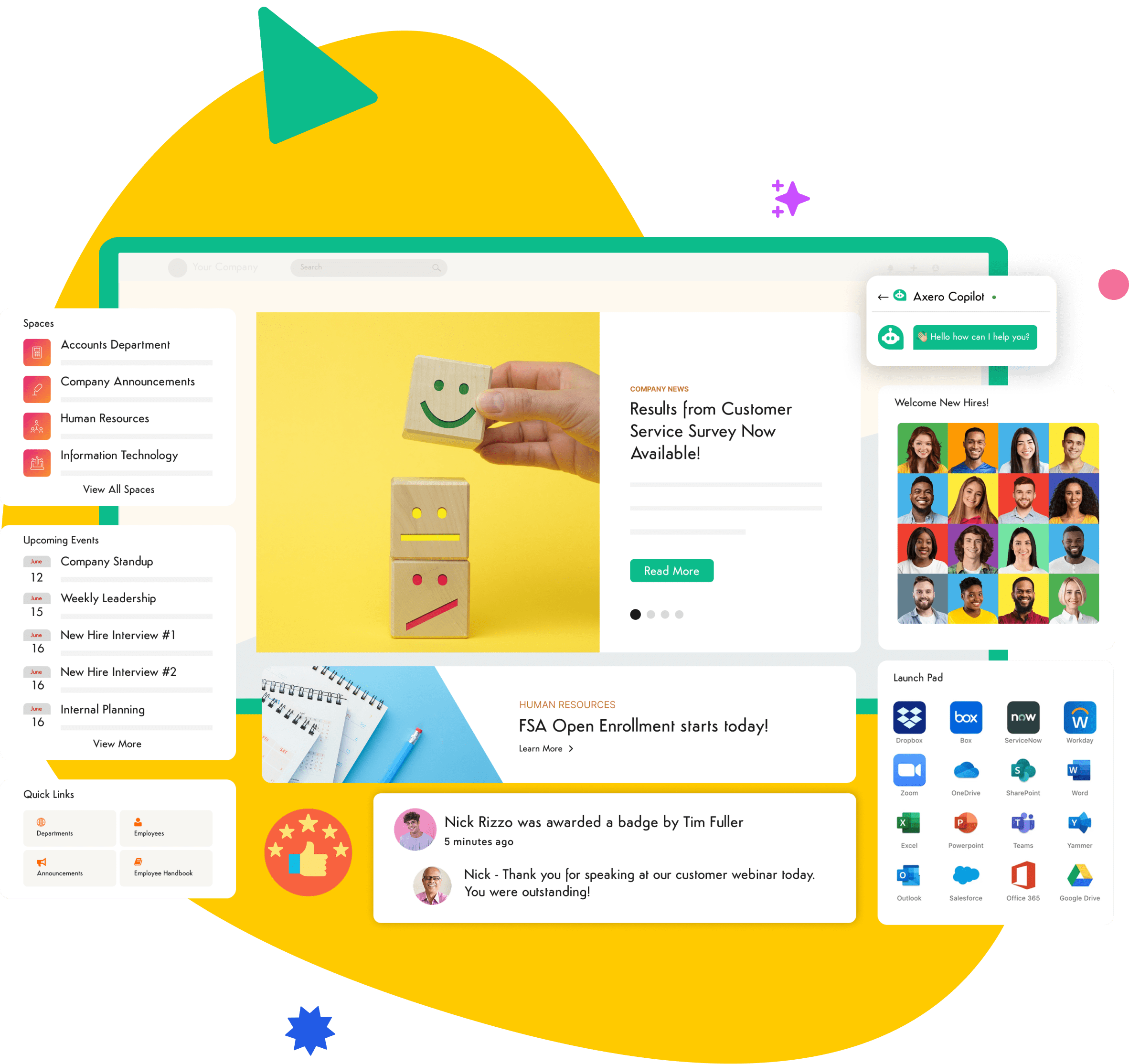
Axero’s communication tools support different communication styles: quick chats, structured discussions, and organization-wide messages. Content is searchable, permissions are easy to manage, and every employee has access to the tools they need. Axero helps reduce noise, remove silos, and support stronger relationships between employees and their teams. Because it includes a full intranet with communication capabilities, organizations can manage communication and knowledge sharing in one platform.
Key Features of Axero
- Real-time chat: Teams communicate quickly and efficiently without relying on email.
- Communities and discussions: Structured spaces keep conversations organized by topics or teams.
- Targeted announcements: Leaders reach the right employees with timely updates.
Best for: Organizations that want an integrated communication and intranet platform.

2. Slack
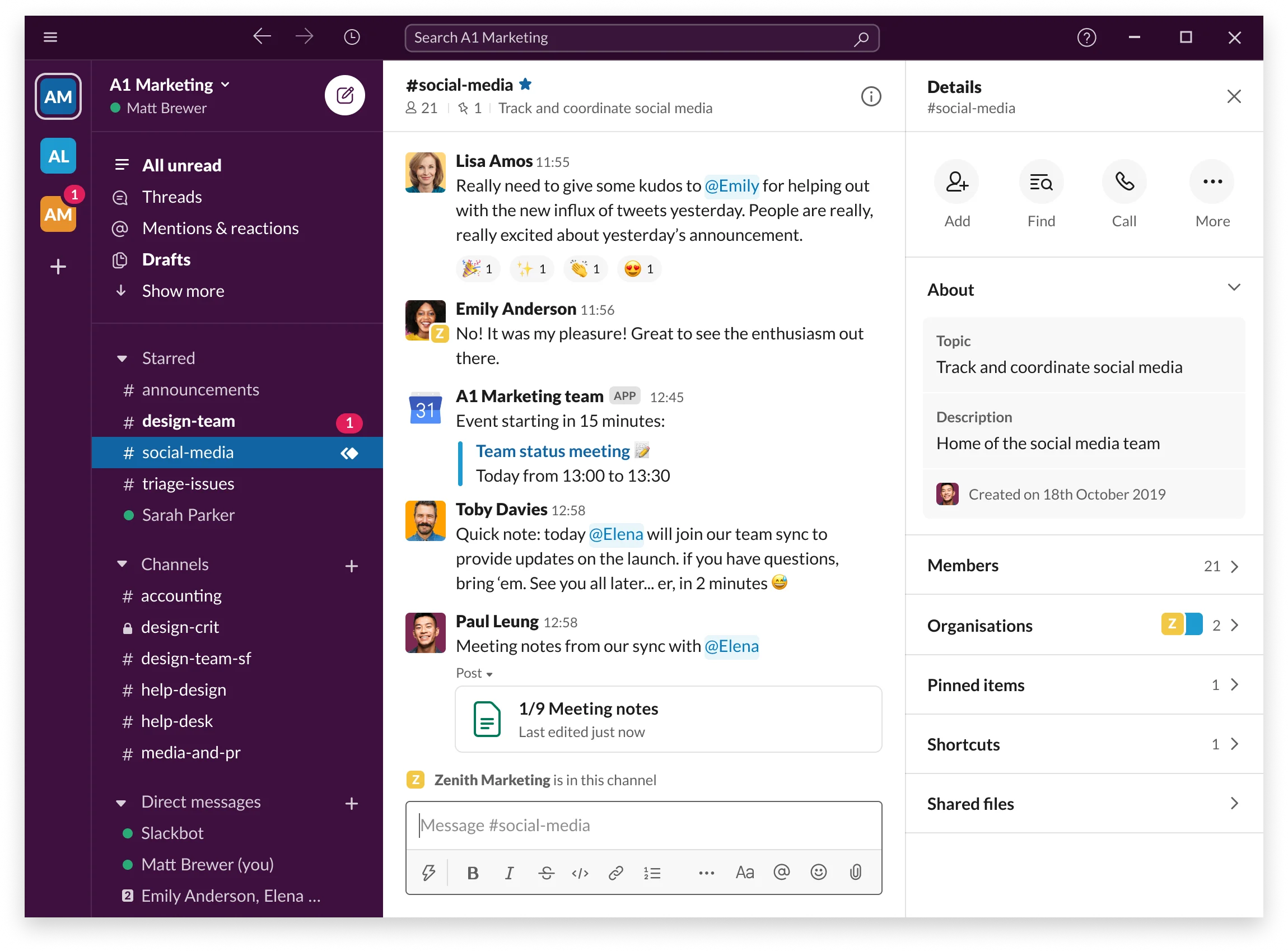
Slack is a team messaging platform built around channels, organized spaces for topics, projects, or departments. It helps employees communicate in real time, share files, and keep conversations organized without using email. Slack’s structure allows teams to move discussions from private messages to shared channels so knowledge stays open and searchable. Employees can review threads, check updates, and collaborate without interrupting each other’s work.
Slack integrates with many tools used across organizations. This allows updates from project management, CRM, and HR systems to appear directly in channels. Teams can automate reminders, receive alerts, or kick off workflows. Slack is accessible from desktop and mobile devices, making it useful for distributed teams and hybrid schedules.
Key Features of Slack
- Channels and threads: Conversations stay organized and easy to follow.
- App integrations: Updates flow from other tools into Slack in real time.
- Searchable history: Teams find past decisions and shared files quickly.
Best for: Teams that need a flexible, chat-centered communication tool.
3. Microsoft Teams
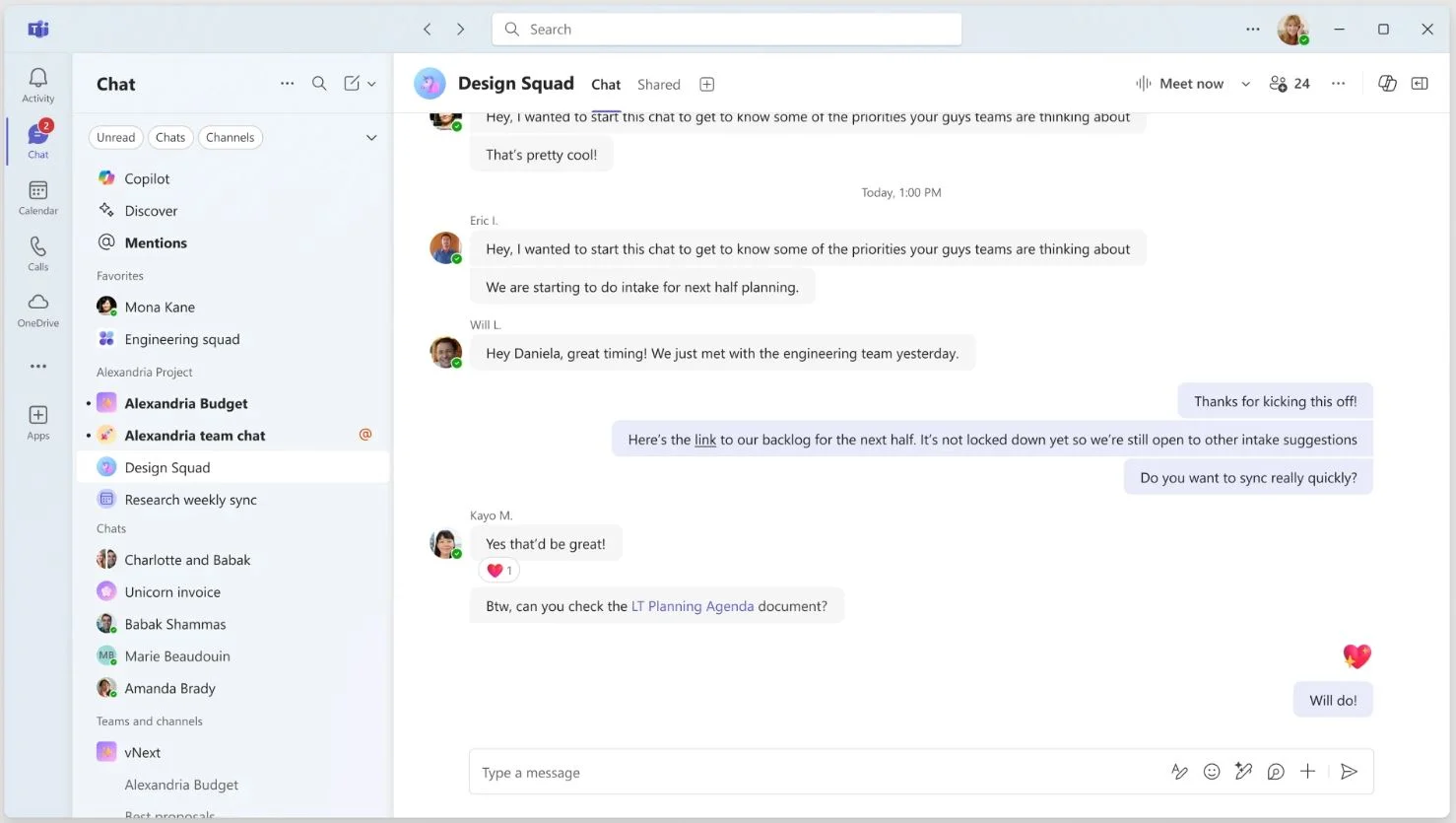
Microsoft Teams brings chat, meetings, and file sharing together in one place. It ties directly into the Microsoft 365 suite, which makes it helpful for organizations that already use Word, Excel, SharePoint, or OneDrive. Employees can message individuals or groups, join video meetings, and collaborate on documents without switching platforms. Teams supports structured collaboration through channels, making it easier to follow discussions and stay updated on ongoing work.
Teams provides secure communication features and centralized administration. Integrations allow organizations to bring additional apps into their workspace. With mobile access, employees can stay connected from anywhere. For organizations that need chat and video meeting capabilities alongside document collaboration, Teams offers an integrated environment.
Key Features of Microsoft Teams
- Chat and video meetings: Employees communicate across different formats as needed.
- Integration with Microsoft 365: Files and documents stay synced and accessible.
- Team channels: Conversations stay organized and easy to revisit.
Best for: Organizations using Microsoft 365 that want integrated messaging and collaboration.
4. Google Workspace
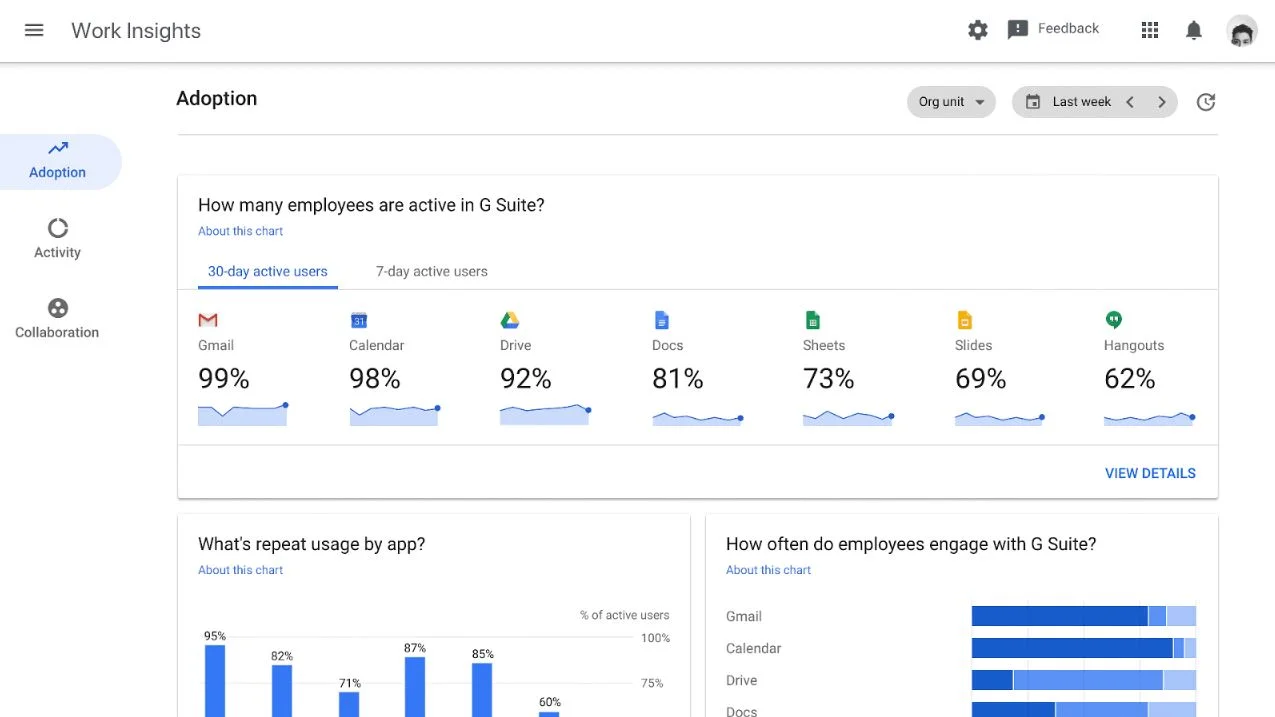
Google Workspace provides communication and productivity tools that help teams stay connected and work together in real time. With Gmail, Chat, Meet, and shared Drives, employees can message one another, meet virtually, and collaborate on documents without leaving the ecosystem. Google Chat supports direct messages and team spaces, keeping conversations focused and organized. Meet provides reliable video meetings that are easy to join from any device.
Because all tools connect to Google Drive, employees always work from the latest version of a document, slide deck, or spreadsheet. This centralization helps teams avoid confusion and eliminates siloed revisions. Mobile apps allow employees to communicate and collaborate from anywhere. Many organizations choose Google Workspace for its simplicity, its browser-based tools, and its flexible environment for different communication needs.
Key Features of Google Workspace
- Google Chat spaces: Organized areas for teams to discuss projects and share files.
- Meet video conferencing: Simple video meetings accessible from any device.
- Real-time document collaboration: Teams edit and comment together without version issues.
Best for: Teams that rely on Google’s productivity tools and want communication built into their daily workflow.
5. Zoom Team Chat
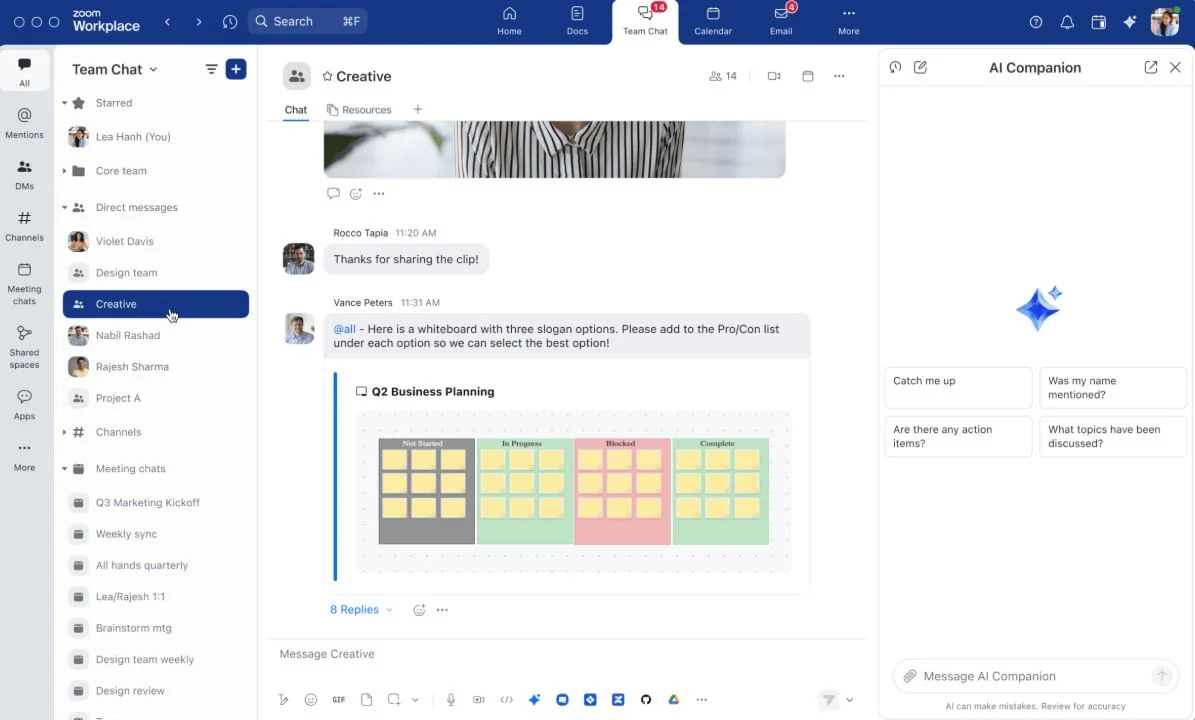
Zoom Team Chat expands Zoom’s meeting platform into a full communication hub. It gives employees a place to chat in real time, create channels for projects or departments, and share files before or after meetings. Messages, chats, and meeting history all live in one environment, which helps employees keep track of discussions connected to their video calls. Zoom Team Chat integrates with Zoom Meetings, so teams can switch from messaging to a meeting when deeper discussion is needed.
Employees can search chat history, set up notifications, and keep their workspace organized. Because many teams already use Zoom for video communication, adding Zoom Team Chat allows them to consolidate communication under one platform. The mobile app offers the same features, giving teams a consistent experience wherever they work.
Key Features of Zoom Team Chat
- Integrated messaging and meetings: Employees move seamlessly from chat to video.
- Channels for teams or projects: Conversations stay organized and easy to manage.
- Searchable chat history: Teams refer back to decisions and updates.
Best for: Organizations already using Zoom that want built-in real-time chat.
6. RingCentral
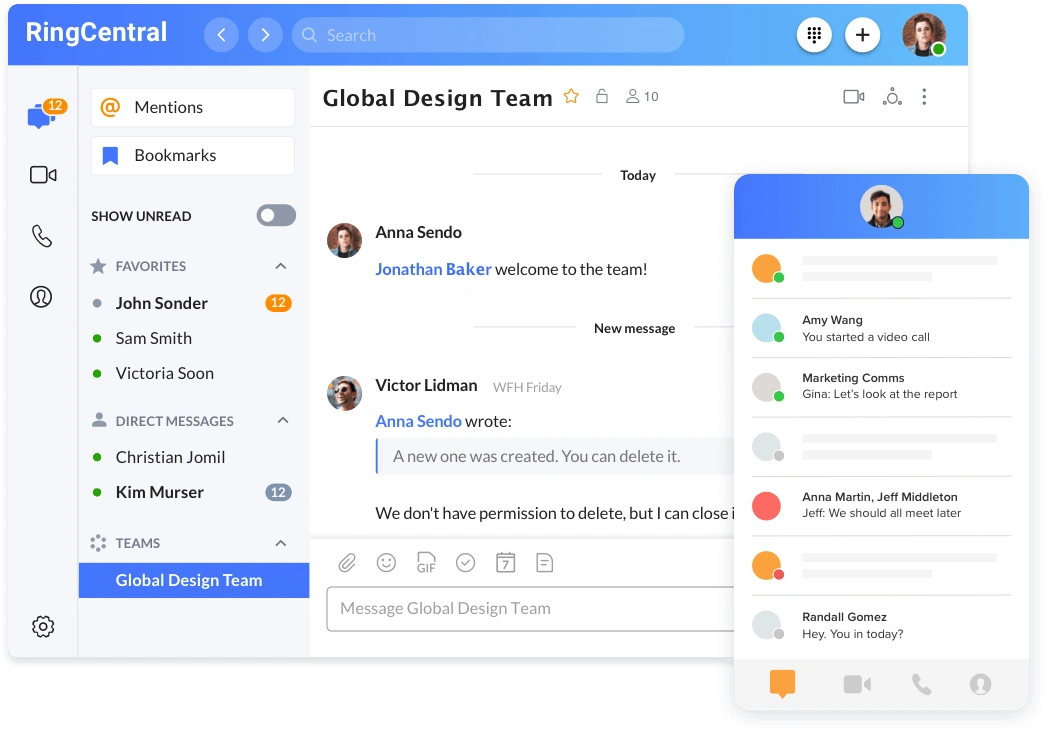
RingCentral offers communication tools that combine messaging, video meetings, and phone capabilities in one platform. Teams can chat in real time, join video calls, and manage calls from a single app. It supports channels for topics and projects, helping teams segment conversations. RingCentral’s messaging features allow employees to share files, tag coworkers, and stay updated.
The platform integrates with a wide range of business tools. Teams can receive alerts, automate workflows, and streamline communication from other systems. Because RingCentral includes voice communication, it is often used by organizations that need a unified communication system in addition to internal messaging. The mobile app makes it easy for distributed and frontline teams to stay connected.
Key Features of RingCentral
- Messaging, video, and phone in one place: Teams access all communication tools in a single app.
- Channels for collaboration: Discussions stay organized by topic or department.
- Integrations: Updates flow from CRM, project management, and other tools.
Best for: Organizations that want a unified communication system with voice, video, and messaging.
7. Webex App
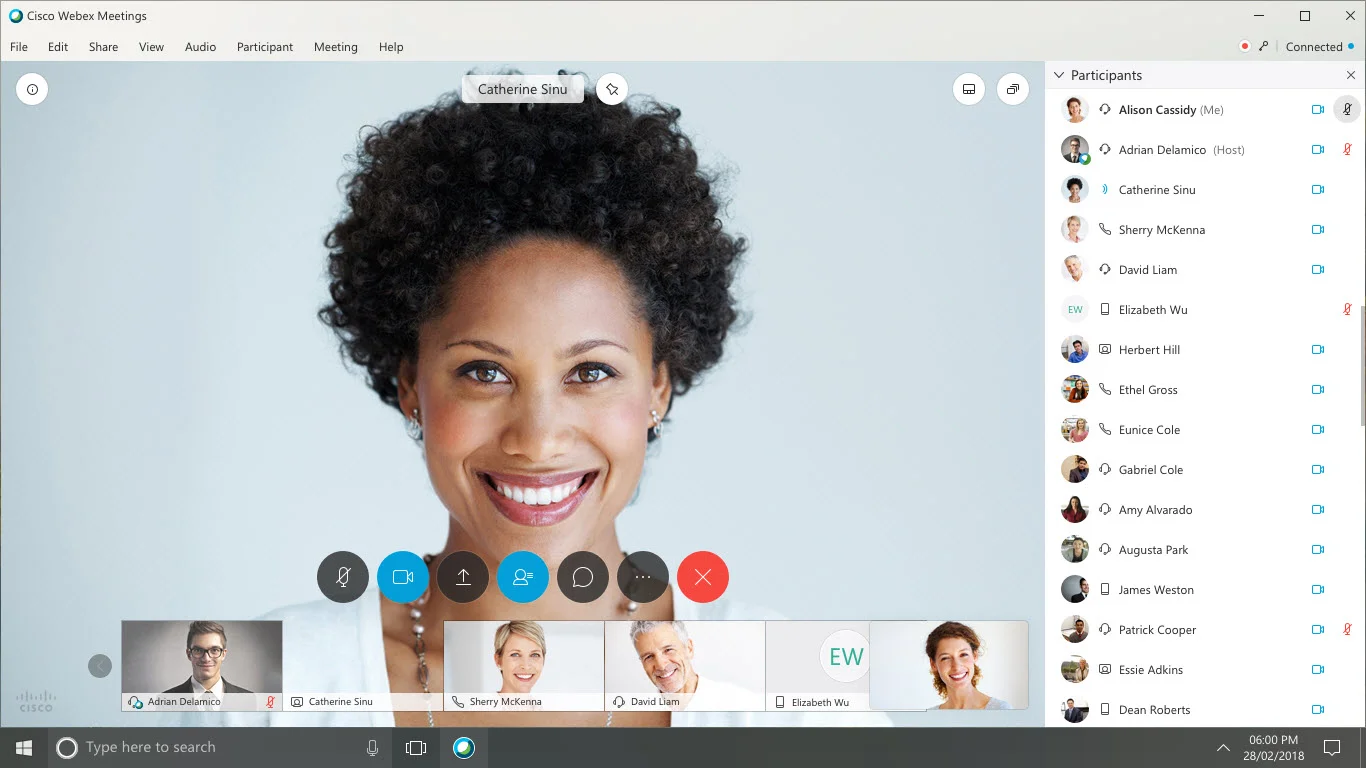
Webex App brings messaging, calling, and video meetings together in a unified workspace. Teams can chat in one-to-one messages or group spaces, share files, and start meetings directly from conversations. The platform focuses on keeping communication secure and consistent, supporting organizations that need reliable tools for distributed teams. Webex App provides strong calling features, making it helpful for companies that need integrated voice communication in addition to messaging.
Employees can switch between devices without losing context, which supports hybrid and on-the-go work. Webex App also integrates with popular tools, allowing teams to receive updates and streamline workflows. With organized spaces and clear communication controls, teams can keep discussions structured and avoid fragmented conversations.
Key Features of Webex App
- Messaging, calling, and meetings: Employees communicate through multiple formats.
- Team spaces: Organized communication areas for projects or departments.
- Cross-device continuity: Employees move between devices without interrupting conversations.
Best for: Organizations that need secure, unified communication across messaging, calling, and meetings.
8. Chanty
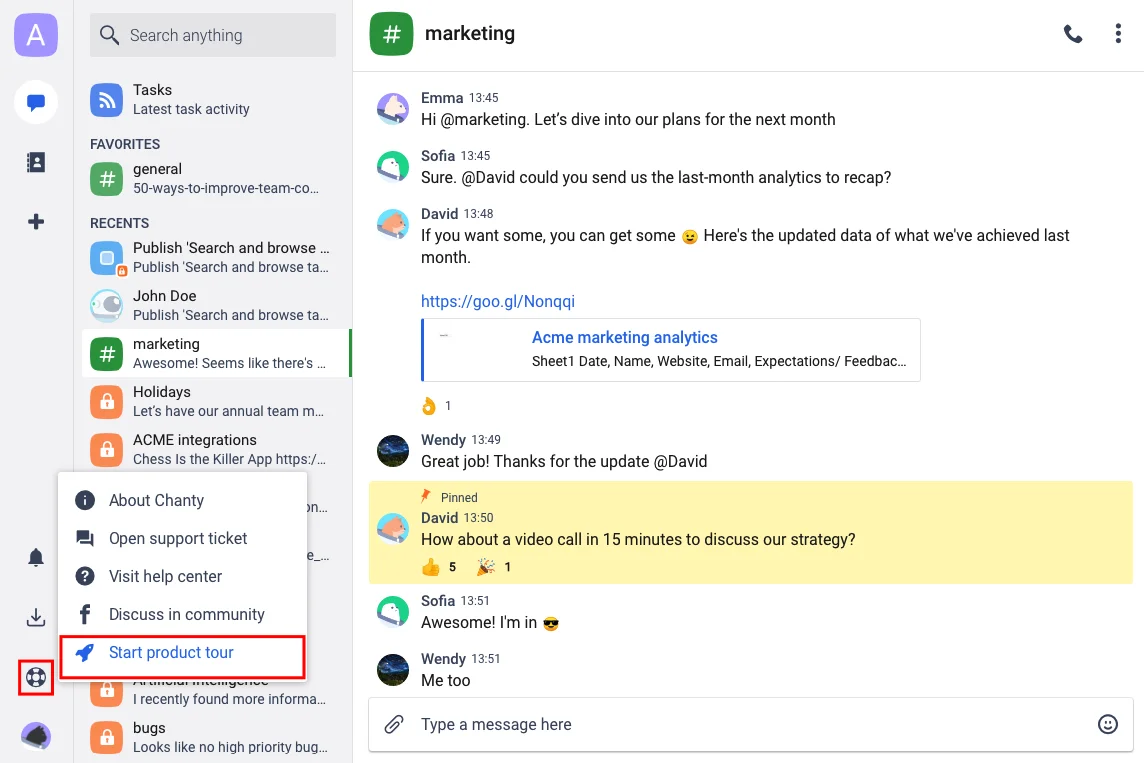
Chanty is a simple communication tool designed to help teams message, share files, and organize tasks in one place. It offers threads to keep conversations clear and reduces noise across group chats. Chanty also includes a built-in task management feature, allowing teams to turn messages into actionable tasks without switching platforms. This makes it particularly useful for smaller teams that want lightweight communication with basic project tracking.
Chanty supports channels for topics and departments, keeping discussions aligned to the right groups. Integrations allow updates from other tools to appear within the platform, helping teams stay aware of ongoing work. Its interface is straightforward, making it accessible for teams that want minimal setup and a short learning curve.
Key Features of Chanty
- Threaded messaging: Discussions stay structured and easy to follow.
- Built-in task management: Teams convert messages into tasks to stay organized.
- Simple, intuitive interface: Employees adopt the tool quickly.
Best for: Small teams that need straightforward communication and light task management.
9. Flock
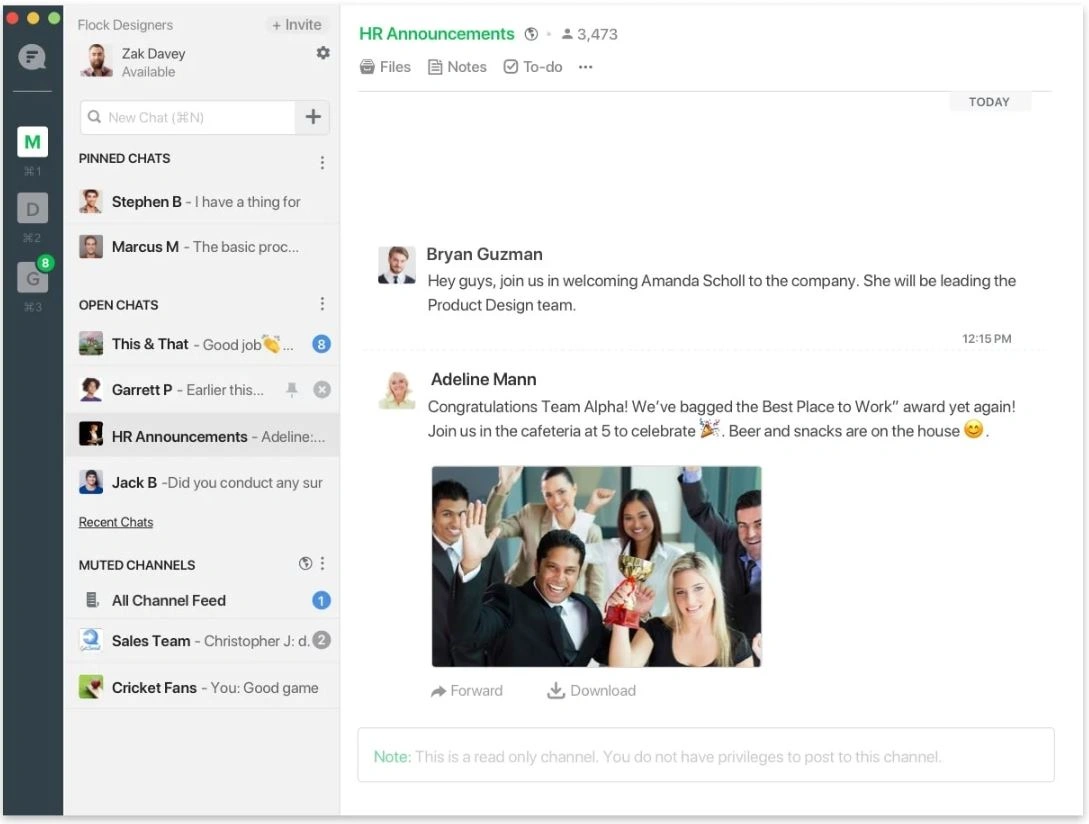
Flock is a communication platform designed to help teams message, meet, and collaborate in one workspace. It supports one-to-one chats, group conversations, and channels for projects or teams. Flock includes built-in productivity tools such as reminders, shared notes, and polls, giving teams ways to organize information directly inside the platform. Its design focuses on reducing email dependence and creating faster communication loops.
Flock integrates with many business tools, allowing updates to appear within channels. Teams can share files, launch video calls, and keep track of tasks within one environment. The platform’s clean interface makes it easy for employees to adopt and navigate. Flock helps teams stay aligned and maintain transparency across discussions.
Key Features of Flock
- Built-in productivity tools: Notes, reminders, and polls support collaboration.
- Channels for structured communication: Teams manage ongoing discussions in organized spaces.
- Easy file sharing and video calls: Communication stays fluid and consistent.
Best for: Teams that want messaging with built-in collaboration tools.
10. Twist
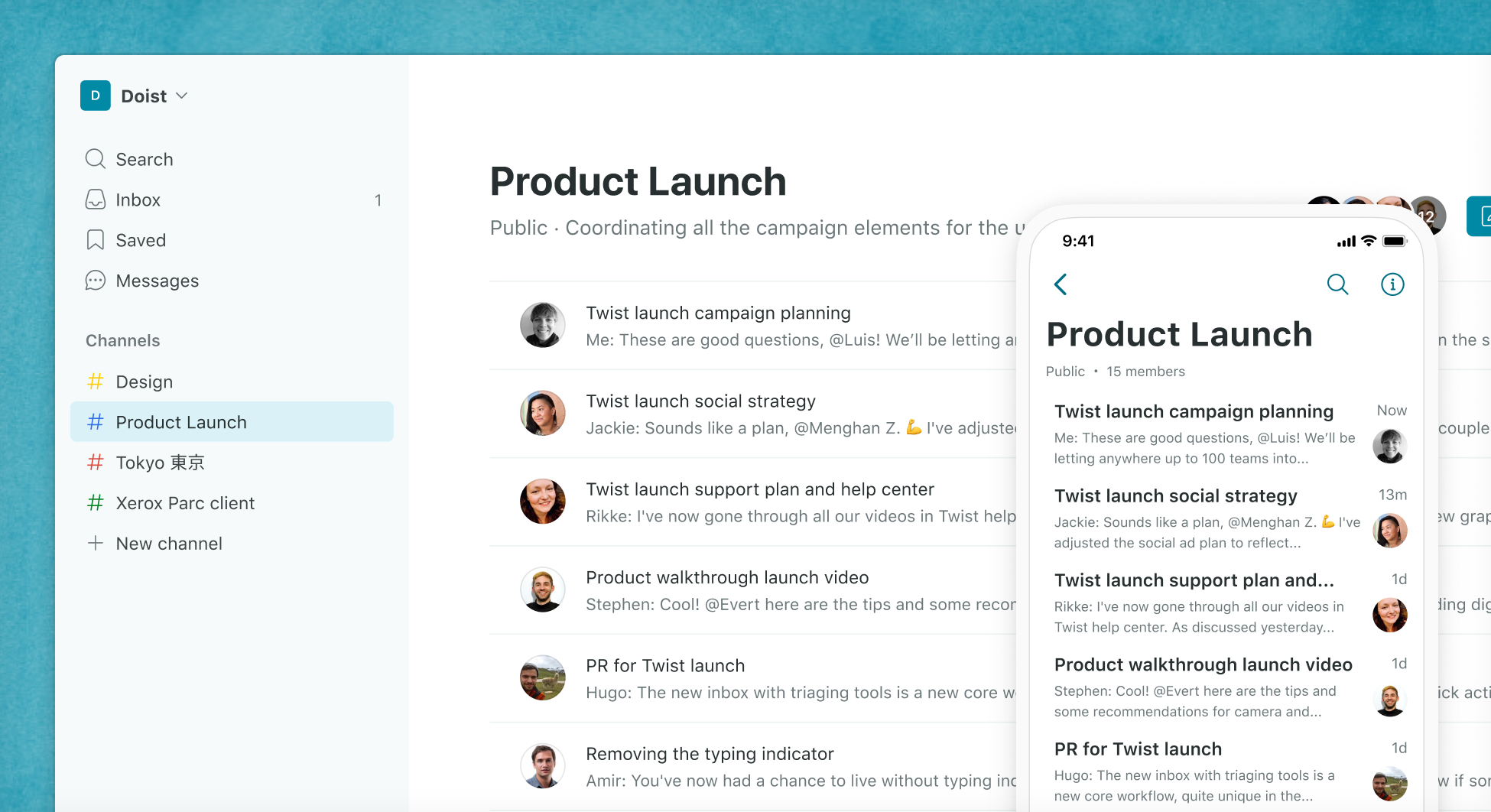
Twist is a communication tool designed to reduce noise and support focused, asynchronous communication. Instead of relying on fast-moving real-time chat, Twist organizes discussions into threads that are easier to follow. This helps teams avoid scattered conversations and ensures everyone can catch up without wading through long chat histories. Twist is especially useful for distributed teams that work across different time zones and do not depend on constant, immediate responses.
The platform separates channels into structured topics, making it easier to store and reference discussions. Teams can share files, comment within threads, and keep all context tied to the right place. Twist’s interface simplifies communication so employees stay organized without being overwhelmed.
Key Features of Twist
- Thread-based communication: Conversations stay focused and easy to revisit.
- Asynchronous messaging: Supports teams working flexible schedules.
- Structured channels: Clear organization prevents scattered updates.
Best for: Distributed teams that prefer structured, asynchronous communication.
11. Mattermost
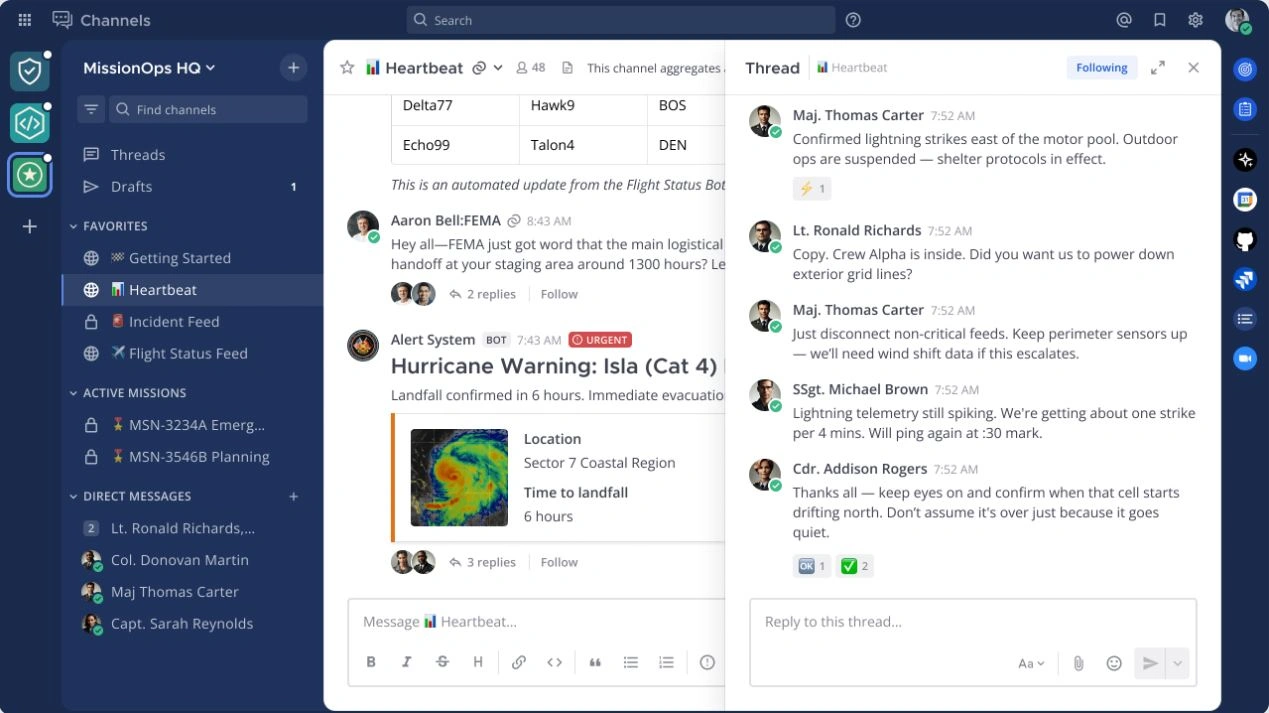
Mattermost is an open-source communication platform designed for organizations that want high control over their data and hosting. It supports real-time messaging, channels, and file sharing. Because it can be deployed on-premises or in a private cloud, Mattermost appeals to teams that operate in strict security environments. Its open-source nature allows customization and integration with internal systems.
Teams use Mattermost to organize conversations by project or department. The platform also offers workflow automation features that help bring updates from development tools, operational systems, or monitoring platforms into channels. This makes it popular among technical teams that need reliable communication aligned to their processes.
Key Features of Mattermost
- Self-hosting options: Organizations maintain full control over data.
- Workflow integrations: Connects with development and operational tools.
- Customizable platform: Teams tailor the environment to fit internal needs.
Best for: Technical teams and organizations that require secure, self-hosted communication.
12. Spike
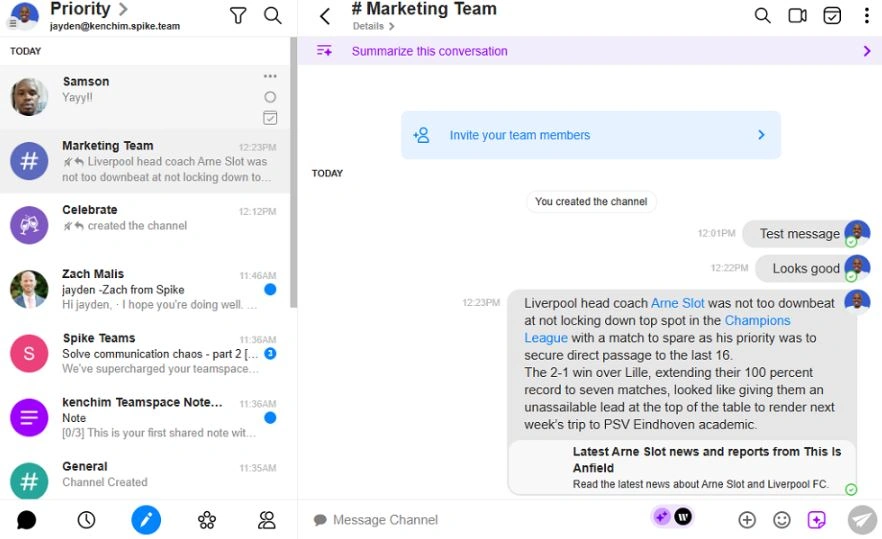
Spike brings email and messaging together in a single interface. It transforms traditional email threads into conversational-style messages, making communication feel faster and more organized. Teams can chat, share files, and collaborate without switching between email and chat apps. Spike includes channels, group conversations, and collaborative notes to centralize communication for teams that still rely heavily on email.
With Spike, teams can manage voice messages, calendars, and tasks in one place. This helps reduce app switching and keeps communication tied to everyday workflows. Its mobile and desktop apps provide a consistent experience so employees can stay connected from anywhere.
Key Features of Spike
- Conversational email: Turns long email threads into clean, chat-like conversations.
- Collaborative notes and tasks: Teams organize information without separate tools.
- Unified messaging: Email, chat, and collaboration live in one platform.
Best for: Teams that rely on email and want a more streamlined communication experience.
Choosing the right communication platform for your workplace
Workplace communication sets the tone for how employees collaborate, problem-solve, and stay connected to their roles. The right software brings clarity, structure, and consistency to every message, from quick updates to organization-wide announcements. When communication works, teams are more engaged, leaders gain better visibility, and people feel supported in their roles.
As your organization grows, so will your communication needs. A platform like Axero gives you a central place to bring conversations, resources, and collaboration together. Ready to see how a unified communication hub can support your employees and simplify daily operations? Book a demo today.









 info@axerosolutions.com
 1-855-AXERO-55