IT operations teams sit at the center of modern workplaces. They keep systems running, protect company data, support employees, and ensure technology scales alongside the business. As organizations adopt more cloud services, devices, and applications, the scope of IT operations continues to expand. Manual processes and disconnected tools no longer keep pace.
Without the right software, IT teams spend their time reacting to issues instead of preventing them. Tickets pile up, documentation becomes outdated, and employees lose trust in internal support. This slows productivity across the business and puts unnecessary pressure on IT staff.
Software for IT operations teams helps centralize service delivery, automate workflows, and create consistency in how issues are handled. From service desks and incident management to documentation and internal knowledge sharing, these platforms give IT teams the structure they need to operate efficiently.
The strongest setups combine operational tooling with a centralized employee-facing hub. When employees know where to submit requests, find answers, and access IT resources, support volume drops and satisfaction improves. Below, we outline what to look for and highlight the best software options supporting modern IT operations teams.
Top 12 software for IT operations teams for 2026
- Axero
- ServiceNow
- Jira Service Management
- ManageEngine ServiceDesk Plus
- Freshworks
- BMC Helix ITSM
- Ivanti Neurons
- SolarWinds Service Desk
- Zendesk
- Atlassian Confluence
- Microsoft SharePoint
- PagerDuty
What is software for IT operations teams?
Software for IT operations teams refers to platforms that support the delivery, maintenance, and optimization of internal technology services. This includes service management, incident response, asset tracking, documentation, and internal support workflows.
These tools help IT teams standardize how requests are handled and issues are resolved. Instead of relying on email or ad hoc messages, IT operations software provides structured ticketing, prioritization, and escalation. This improves response times and accountability.
Beyond service delivery, many platforms also support knowledge management. Documentation, FAQs, and how-to guides reduce repetitive requests and empower employees to solve simple issues themselves. For IT teams, this creates space to focus on higher-impact work.
The most effective solutions integrate with identity management, collaboration tools, and HR systems. When implemented well, software for IT operations becomes a shared system of record that supports both IT staff and the wider organization.
What to consider when choosing the right software for IT operations teams
Choosing the right software starts with understanding how your IT team works and what challenges you need to solve.
Service request and incident management
A strong ticketing system is foundational. Look for tools that support clear categorization, prioritization, and automation to keep requests moving efficiently.
Knowledge base and self-service
Self-service reduces ticket volume. Employees should be able to find answers, guides, and troubleshooting steps without contacting IT.
Automation and workflows
Automation helps IT teams scale. Features like routing rules, approvals, and notifications reduce manual effort and errors.
Integration and extensibility
IT operations software should integrate with identity providers, collaboration tools, and asset management systems to avoid duplication.
Visibility and reporting
Reporting helps teams understand performance and trends. Dashboards and analytics support continuous improvement and capacity planning.
12 best software for IT operations teams
1. Axero
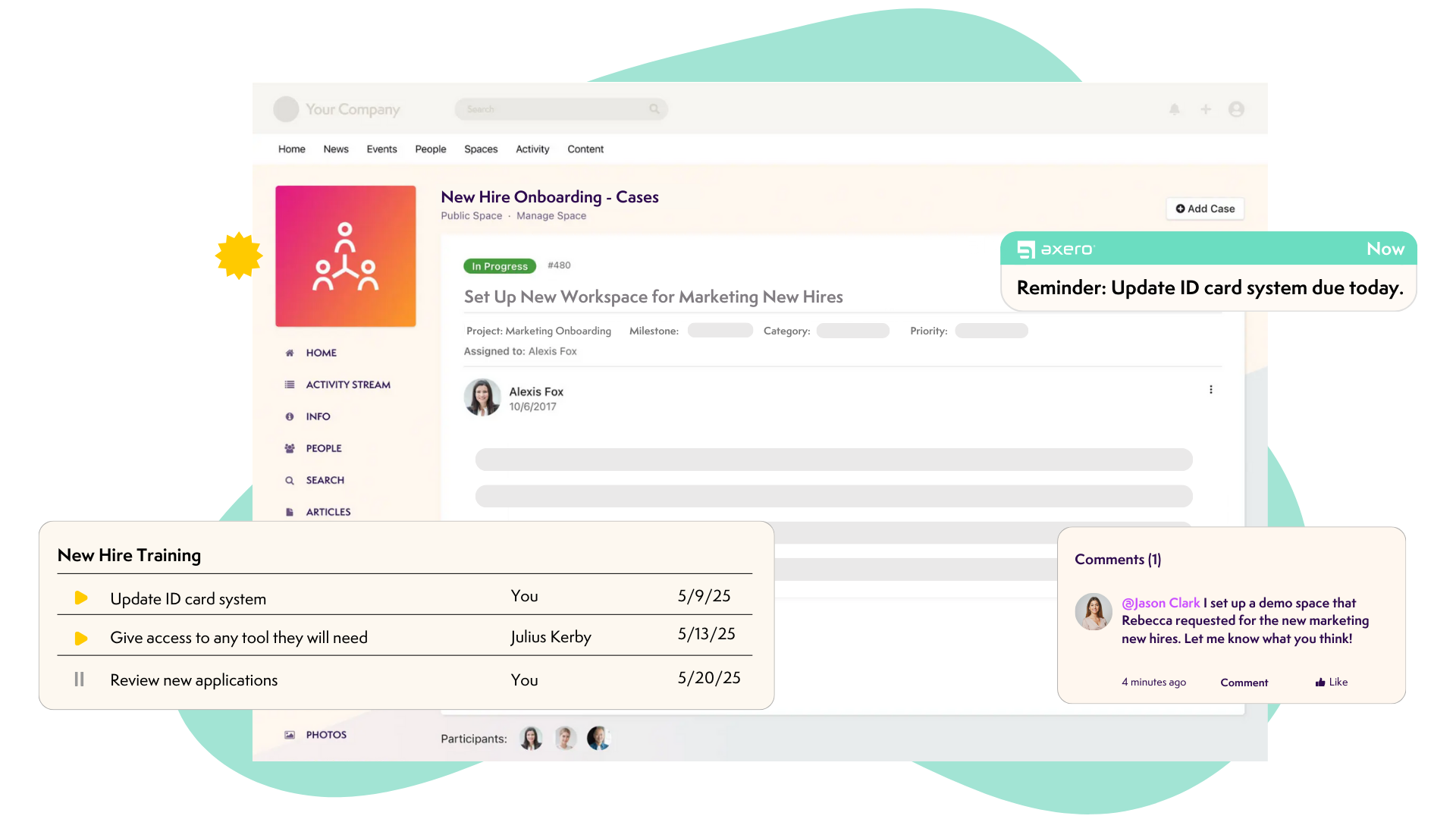
Axero provides a centralized intranet and knowledge management platform that strengthens IT operations by reducing support friction and improving self-service. IT teams use Axero to create a clear, employee-facing hub where documentation, requests, and updates live in one place.
With Axero, IT departments can publish structured knowledge bases, troubleshooting guides, and FAQs that employees can easily search. This significantly reduces repetitive tickets and improves resolution times. Custom forms and workflows allow IT teams to route requests, collect required details, and manage approvals without relying on email.
Axero integrates with existing service management and identity tools, making it a natural layer on top of your IT stack. Permissions and role-based access ensure sensitive information stays secure. Usage analytics give IT leaders visibility into content effectiveness and employee adoption.
Key features of Axero
- Centralized IT knowledge base: Reduces ticket volume through clear, searchable documentation.
- Custom request forms and workflows: Streamlines IT service requests and approvals.
- Secure intranet with integrations: Connects seamlessly with existing IT systems.
Best for: IT teams that want to improve self-service, documentation, and internal support efficiency.

2. ServiceNow
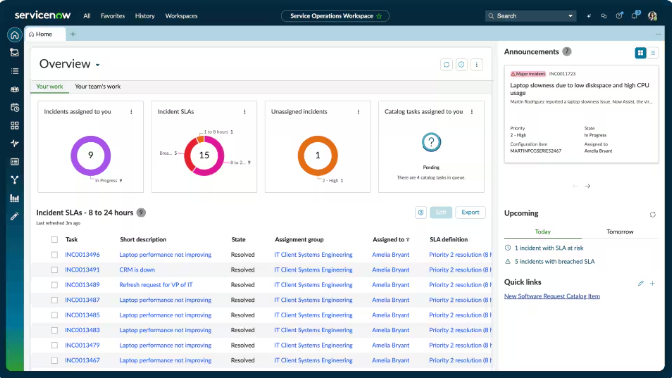
ServiceNow is an enterprise-grade IT service management platform designed to handle complex IT operations at scale. It supports incident, problem, change, and asset management within a highly configurable framework.
IT operations teams rely on ServiceNow to standardize service delivery across large environments. Automation and orchestration features help manage high ticket volumes and complex workflows. Its reporting capabilities support compliance and operational visibility.
ServiceNow’s depth comes with complexity. Implementation and maintenance typically require dedicated resources. Many organizations pair it with an intranet platform to improve the employee-facing experience around documentation and communication.
Key features of ServiceNow
- Comprehensive ITSM modules: Covers incident, change, and asset management.
- Advanced automation: Supports complex workflows and orchestration.
- Enterprise reporting and compliance: Provides deep operational insight.
Best for: Large enterprises with complex IT service management needs.
3. Jira Service Management
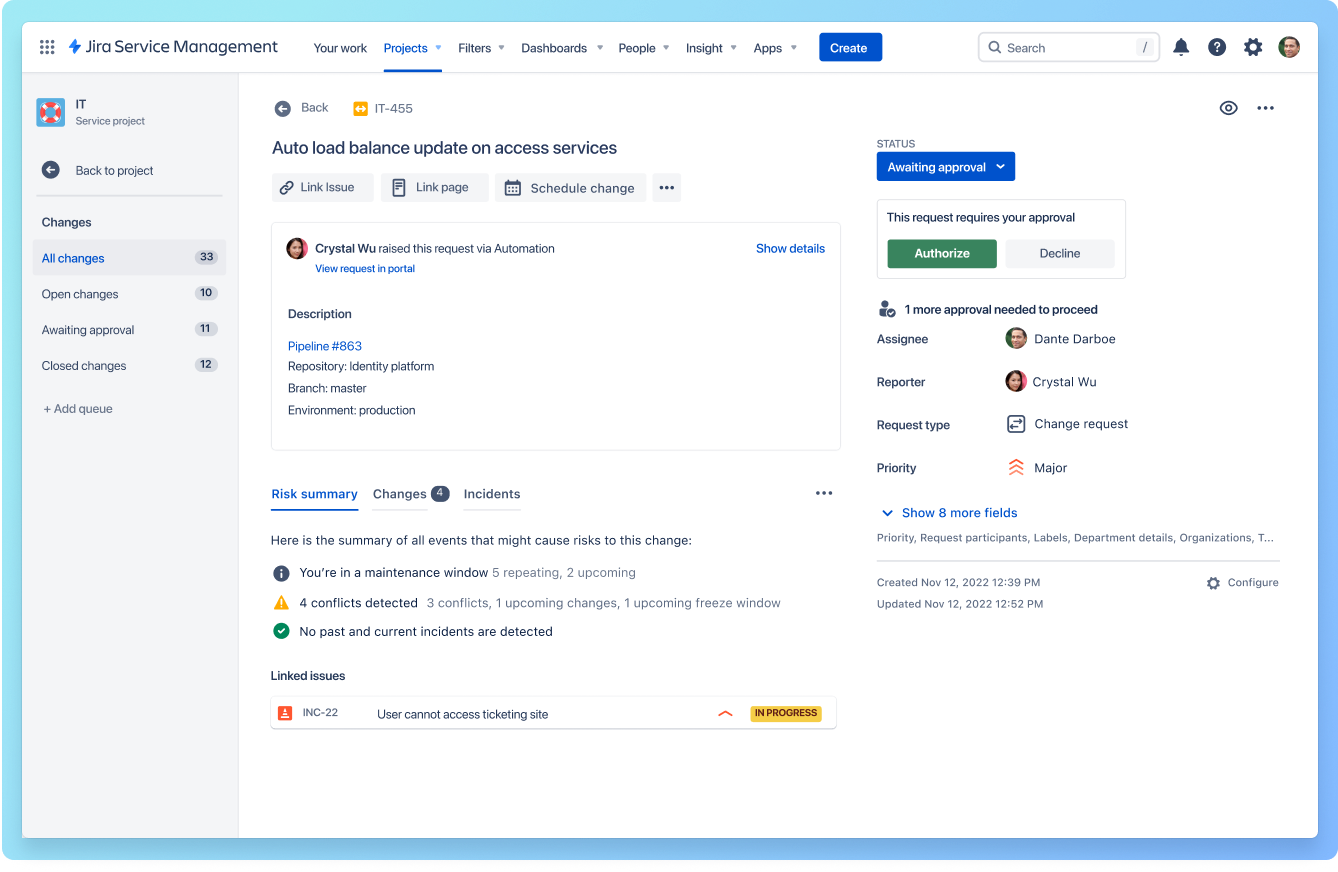
Jira Service Management is a flexible ITSM tool built on the Atlassian ecosystem. It supports incident management, service requests, and change management, especially for teams already using Jira Software.
IT operations teams use Jira Service Management to collaborate closely with development teams. Shared workflows and visibility improve incident resolution and change coordination. Automation rules help route and prioritize requests efficiently.
While powerful for technical teams, Jira Service Management often requires complementary tools for end-user documentation and broader internal communication. Many organizations integrate it with an intranet to improve accessibility for non-technical employees.
Key features of Jira Service Management
- Integrated incident and change management: Aligns IT and development workflows.
- Automation rules: Reduces manual ticket handling.
- Atlassian ecosystem integration: Works seamlessly with Jira and Confluence.
Best for: IT teams closely aligned with development and engineering.
4. ManageEngine ServiceDesk Plus

ManageEngine ServiceDesk Plus is an IT service management solution designed for small to mid-sized organizations. It provides ticketing, asset management, and SLA tracking in a single platform.
IT operations teams use it to gain structure and visibility without enterprise-level complexity. Built-in asset tracking helps manage hardware and software inventories. Reporting tools support performance monitoring and SLA compliance.
ServiceDesk Plus focuses primarily on operational workflows. Organizations often complement it with an intranet platform to provide employees with a centralized space for IT documentation and announcements.
Key features of ManageEngine ServiceDesk Plus
- Ticketing and SLA management: Standardizes IT support processes.
- Asset management: Tracks hardware and software inventories.
- Reporting dashboards: Supports operational visibility.
Best for: Small to mid-sized IT teams seeking structured service management.
5. Freshworks

Freshworks is a cloud-based IT service management platform designed to help IT operations teams modernize service delivery. It supports incident, problem, change, and asset management within a clean, user-friendly interface.
IT teams use Freshworks to streamline ticket handling and improve response times. Automation features route requests, trigger approvals, and notify stakeholders without manual intervention. Its built-in asset management capabilities help teams track hardware and software throughout their lifecycle.
Freshworks emphasizes ease of use, which supports faster adoption across the organization. While it includes a basic knowledge base, many teams pair it with an intranet platform to provide richer documentation and a centralized employee experience.
Key features of Freshservice
- ITSM and ticketing: Manages incidents, problems, and changes in one platform.
- Automation and orchestration: Reduces manual effort through workflow rules.
- Asset management: Tracks devices and software licenses.
Best for: Mid-sized IT teams seeking modern ITSM with quick deployment.
6. BMC Helix ITSM

BMC Helix ITSM is an enterprise IT service management solution built for complex, large-scale environments. It supports incident management, change management, and service request workflows across hybrid infrastructures.
IT operations teams rely on BMC Helix for its scalability and advanced automation capabilities. AI-driven features assist with incident classification and resolution, helping teams manage high volumes efficiently. Its reporting tools support governance and operational oversight.
Due to its complexity, BMC Helix often requires significant configuration and ongoing management. Many organizations integrate it with an intranet platform to improve how employees access IT services and information.
Key features of BMC Helix ITSM
- Enterprise ITSM capabilities: Supports complex service management needs.
- AI-assisted incident management: Improves efficiency at scale.
- Hybrid infrastructure support: Works across on-prem and cloud environments.
Best for: Large enterprises with advanced IT operations requirements.
7. Ivanti Neurons

Ivanti Neurons is an IT operations platform that combines IT service management, asset management, and endpoint intelligence. It is designed to help IT teams automate tasks and improve visibility across devices and services.
IT operations teams use Ivanti Neurons to proactively identify issues and manage endpoints. Automation and self-healing capabilities help reduce downtime and manual intervention. Asset insights support better lifecycle management and compliance.
While powerful operationally, Ivanti Neurons benefits from being paired with an intranet for employee-facing documentation and request guidance. This ensures employees understand how to interact with IT services effectively.
Key features of Ivanti Neurons
- Endpoint and asset intelligence: Provides visibility across devices.
- Automation and self-healing: Reduces manual troubleshooting.
- IT service management modules: Supports structured service delivery.
Best for: IT teams managing large device fleets and endpoints.
8. SolarWinds Service Desk
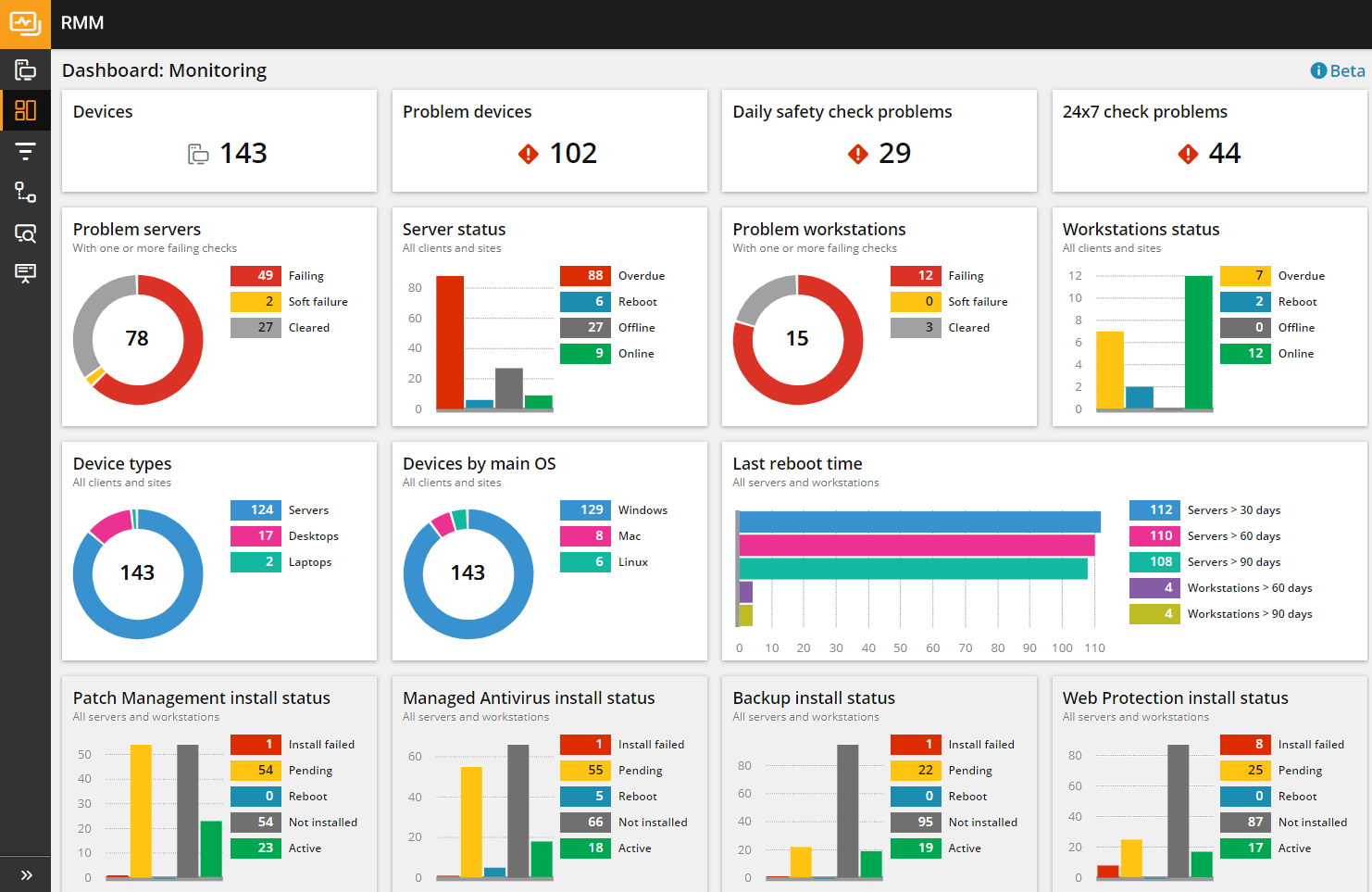
SolarWinds Service Desk is a cloud-based ITSM solution focused on incident management, asset tracking, and service request automation. It is commonly used by mid-sized organizations looking for a balance between functionality and simplicity.
IT teams use SolarWinds Service Desk to centralize ticket handling and improve service consistency. Automation features support request routing and SLA enforcement. Asset management tools help maintain accurate inventories.
SolarWinds Service Desk provides core operational capabilities but limited employee-facing communication tools. Many teams enhance it with an intranet platform to centralize IT documentation and updates.
Key features of SolarWinds Service Desk
- Incident and service request management Centralizes IT support workflows.
- Asset tracking: Manages hardware and software inventories.
- SLA automation: Helps teams meet service targets.
Best for: Mid-sized organizations needing straightforward IT service management.
9. Zendesk

Zendesk is a customer support platform that many IT operations teams also use for internal service delivery. It provides ticketing, automation, and reporting tools that help IT teams manage requests at scale.
IT teams use Zendesk to centralize employee support requests across channels such as email and portals. Automation rules help route tickets, assign ownership, and maintain response standards. Its reporting tools provide insight into ticket volumes and resolution times.
While Zendesk is strong for ticket management, it is not designed for internal knowledge sharing or IT documentation at depth. Organizations often integrate it with an intranet platform to give employees a clear place to find IT resources and guidance.
Key features of Zendesk
- Multi-channel ticketing: Centralizes support requests in one queue.
- Automation and routing: Improves response times and consistency.
- Reporting and analytics: Tracks service performance.
Best for: IT teams that want flexible ticketing across multiple channels.
10. Atlassian Confluence

Atlassian Confluence is a collaboration and documentation platform widely used by technical teams. IT operations teams use it to document processes, systems, and troubleshooting steps.
Confluence supports structured documentation with version control and collaboration features. IT teams rely on it for internal runbooks and technical knowledge. Integration with Jira Service Management supports incident and change workflows.
However, Confluence is primarily designed for technical users. It often lacks the polish and structure needed for broad employee self-service. Many organizations use an intranet platform to present IT knowledge in a more accessible way.
Key features of Atlassian Confluence
- Collaborative documentation: Supports shared editing and version control.
- Integration with Jira: Aligns documentation with ITSM workflows.
- Templates and spaces: Organizes technical knowledge.
Best for: IT teams focused on internal technical documentation.
11. Microsoft SharePoint
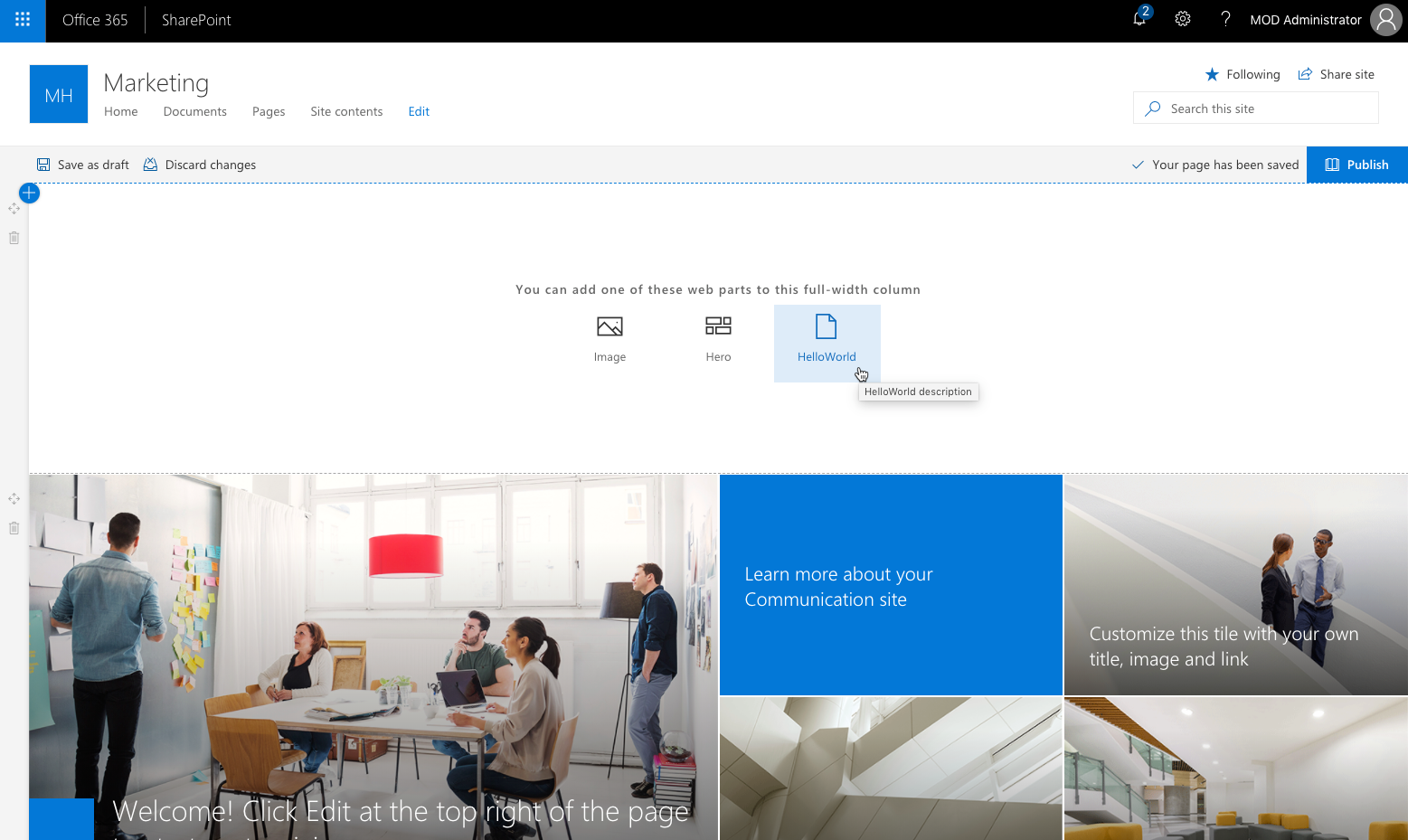
Microsoft SharePoint is a content management and collaboration platform commonly used for internal document storage. IT teams often manage SharePoint as part of the Microsoft 365 ecosystem.
SharePoint supports document libraries, permissions, and basic workflows. IT operations teams use it to store policies, guides, and internal resources. Integration with Microsoft tools makes it familiar to many employees.
SharePoint requires significant configuration to function as a true self-service IT hub. Without structure, content can become fragmented. Organizations often layer an intranet platform on top to improve usability and governance.
Key features of Microsoft SharePoint
- Document management: Centralizes files and permissions.
- Microsoft 365 integration: Works with Teams and Outlook.
- Basic workflows: Supports: simple approvals.
Best for: Organizations standardized on Microsoft 365.
12. PagerDuty

PagerDuty is an incident response and on-call management platform used by IT and engineering teams. It focuses on alerting, escalation, and real-time incident coordination.
IT operations teams use PagerDuty to respond quickly to outages and critical incidents. Automated alerts ensure the right people are notified at the right time. Analytics help teams evaluate response effectiveness and improve reliability.
PagerDuty does not provide service request management or documentation. It works best as part of a broader IT operations stack that includes ITSM and an intranet for employee-facing communication.
Key features of PagerDuty
- Real-time incident alerting: Ensures rapid response to critical issues.
- On-call scheduling: Manages rotations and escalations.
- Incident analytics: Improves operational reliability.
Best for: IT teams managing high-availability systems.
Choosing the right software for IT operations teams
IT operations software should reduce complexity, not add to it. The most effective setups combine strong service management with clear, employee-facing support. When employees know where to go for help and answers, ticket volume drops and satisfaction rises.
Operational tools handle incidents and requests, but they rarely solve discoverability and communication challenges. This is where a centralized intranet becomes essential. It provides IT teams with a consistent place to publish documentation, guide users, and connect services together.
Axero supports IT operations by acting as that central hub. We help IT teams reduce noise, improve self-service, and create structured experiences that scale with the organization. If you want to simplify IT support and improve internal service delivery, book a demo with Axero and see how we can support your IT operations strategy.







 info@axerosolutions.com
 1-855-AXERO-55