
Modern organizations rely on online collaboration tools to keep teams connected, informed, and productive. These platforms give employees one place to communicate, coordinate work, and access information without switching between dozens of apps. As hybrid and distributed work continue to shape how companies operate, choosing the right collaboration software becomes a core part of building a strong employee experience.
Online collaboration tools bring conversations, documents, tasks, and processes together. This helps reduce silos, minimize confusion, and give every team a clear way to share updates and move work forward. The right tool also supports organizational culture by helping employees feel engaged, valued, and connected to their teams, regardless of location.
An integrated platform like intranet plays a significant role in this ecosystem. It centralizes discussions, announcements, resources, and project spaces. It also gives leaders a dedicated space to communicate with clarity and consistency. When everything your people need to work and collaborate lives in one place, teams stay aligned and informed, and work becomes easier to manage. Online collaboration tools help make this possible.
Top 10 online collaboration tools for 2026
What is online collaboration software?
Online collaboration software refers to digital platforms that help employees work together in real time or asynchronously. It typically includes messaging, file sharing, project spaces, document editing, and communication tools that allow teams to stay aligned from anywhere.
These platforms eliminate the need to rely on scattered emails or disconnected systems. Instead, people can communicate, organize tasks, and access shared information in a centralized place. With the right tool, teams maintain visibility into progress, reduce duplicated work, and stay up to date without hunting for information.
Online collaboration software also supports transparency. Leaders can share updates in one central hub. Teams can comment, co-edit documents, assign tasks, and share resources. Frontline teams benefit from mobile access that keeps them connected to workflows and communication, even outside an office.
What to consider when choosing the right online collaboration software
Choosing the right online collaboration software requires understanding what your teams need and how they actually work. The tool should support communication, teamwork, and knowledge sharing, while also fitting into your existing ecosystem. Look for capabilities that reduce friction, simplify daily work, and help employees become more self-sufficient.
Integrated communication tools
Solutions should offer chats, forums, or social features that make it easier to communicate without switching between apps. Integrated communication helps teams stay aligned and reduces message fragmentation.
Document and file management
A strong collaboration tool supports storing, organizing, and co-editing documents. This ensures everyone works from the same source of truth and cuts down on version control issues.
Task and project coordination
Look for tools that help teams assign tasks, track progress, and manage deadlines. This keeps teams accountable and ensures clarity around responsibilities.
Mobile access
Employees need a tool they can access from any device. Mobile-friendly platforms help frontline, remote, and traveling employees stay connected.
Integrations
A tool should align with systems you already use. Integrations reduce tool sprawl and make collaboration easier for everyone.
10 best online collaboration tools
1. Axero
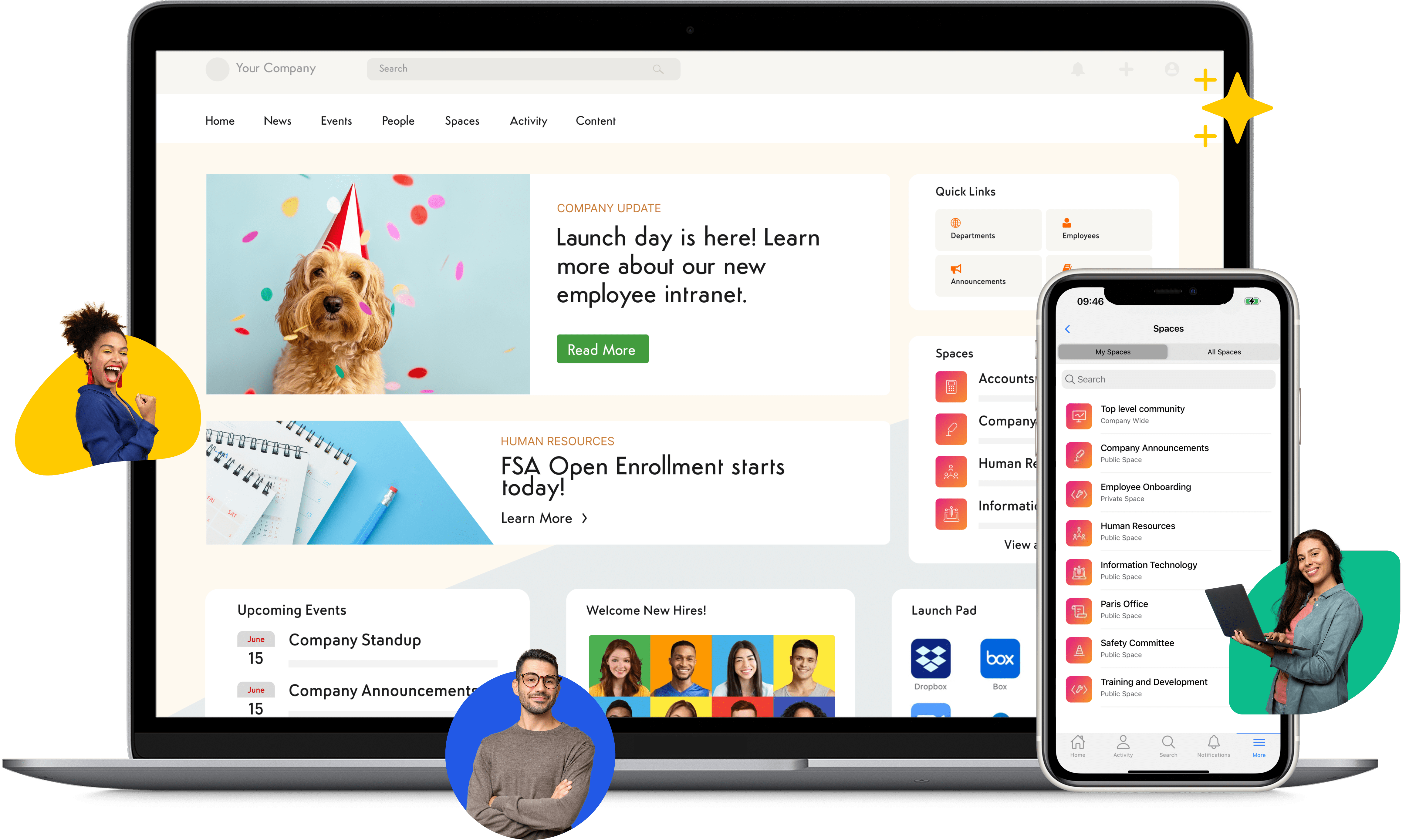
Axero is an all-in-one intranet platform that centralizes communication, collaboration, and knowledge sharing in one place. It gives employees a dedicated space where they can access documents, discussions, project workspaces, announcements, and shared resources without navigating multiple apps. Axero supports real-time and asynchronous communication, making it easier for teams to stay aligned no matter where they are located. With customizable spaces, user-friendly content creation tools, and built-in workflows, organizations can streamline operations and build a consistent communication experience across the company. Leaders gain direct channels to share updates, while teams benefit from clear visibility into tasks, conversations, and shared information.

Axero helps reduce app fatigue by combining communication, collaboration, document management, and social features into a single digital workplace. It also offers mobile access, making it simple for employees to stay connected on the go. Flexible design options ensure the platform reflects your branding, while robust search helps employees find what they need quickly.
Key features of Axero
- Team and project workspaces: Create dedicated spaces for collaboration and centralize documents, discussions, and updates.
- Document management: Store, organize, and manage files with versioning and advanced search.
- Communication tools: Use forums, announcements, chats, and social features to keep teams informed.
Best for: Organizations seeking a centralized digital workplace that supports communication, collaboration, and employee engagement.

2. Asana
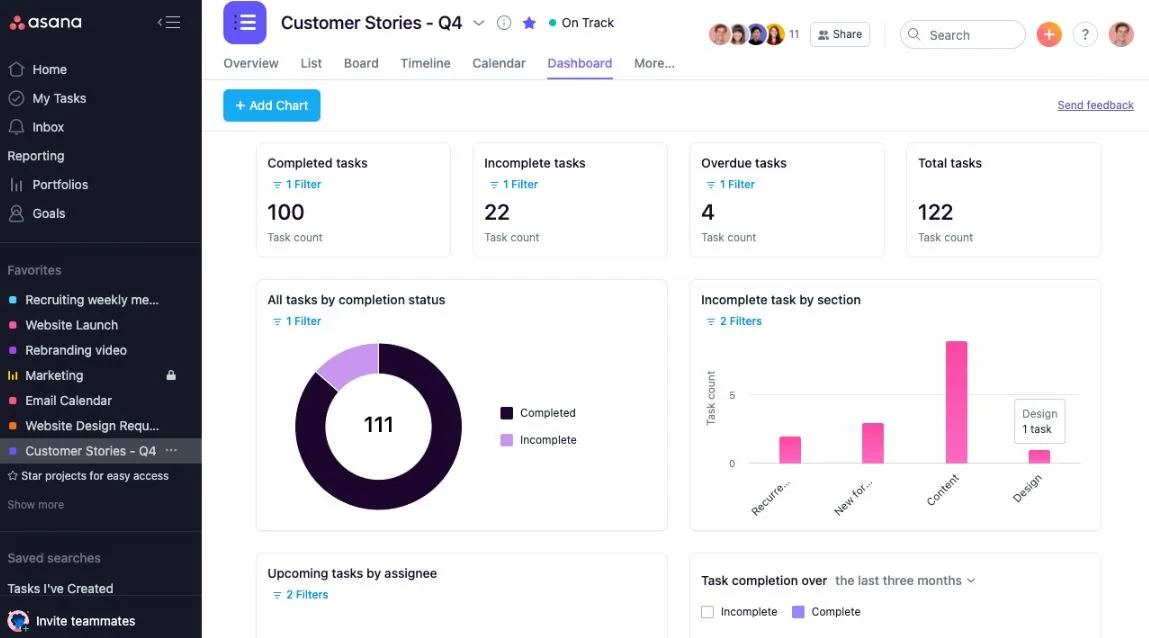
Asana is a project management and collaboration platform built to help teams organize tasks, track progress, and manage workflows in one place. It provides a structured approach to coordinating work, allowing teams to map out projects, assign responsibilities, and set timelines. Asana’s visual layouts, such as boards, lists, and timelines, give teams multiple ways to plan and monitor progress. It’s commonly used across departments like marketing, operations, and product development due to its simple interface and clear workflow structure.
The platform supports collaboration through task comments, file attachments, and shared project views, making it easier for teams to communicate directly within their workspaces. Automations help reduce repetitive work, and integrations allow Asana to fit into your existing stack. While not a full communication or intranet solution, Asana excels at task coordination.
Key features of Asana
- Task management: Assign tasks, add due dates, and track progress across projects.
- Automations: Reduce repetitive work with rules and triggers.
- Multiple project views: Visualize work through lists, boards, and timelines.
Best for: Teams looking for a structured and visual way to manage projects and workflows.
3. ClickUp
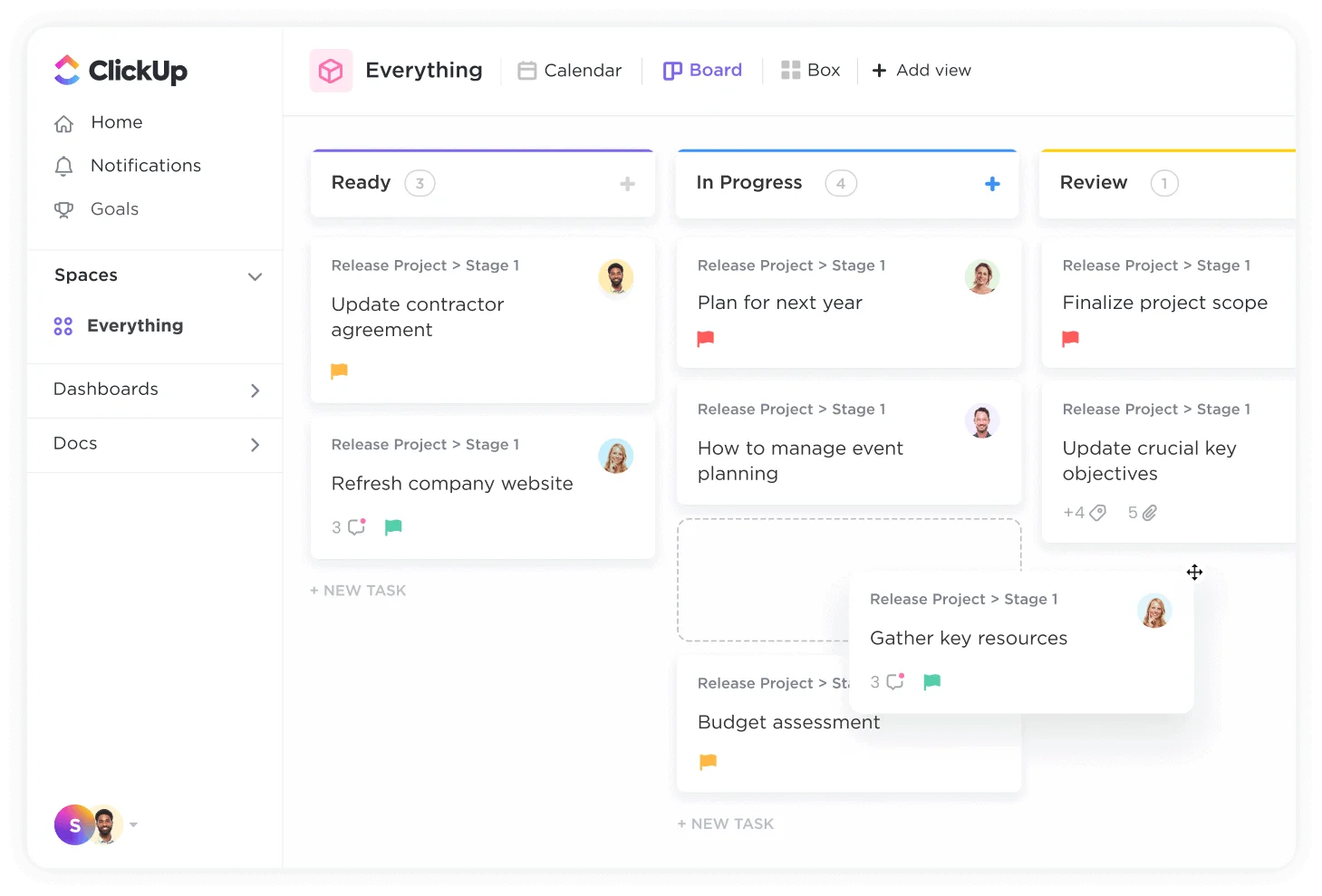
ClickUp is a collaboration and project management platform designed to bring tasks, documents, workflows, and team communication into one system. Its flexibility allows teams to customize almost every aspect of their workspace, from task types to automation rules. ClickUp combines project management with built-in docs, dashboards, whiteboards, and chat features, helping teams keep everything connected.
Teams can use ClickUp to manage complex workflows, plan sprints, document processes, and collaborate through shared views. It is especially useful for organizations that need a customizable system capable of adapting to different departments. With templates, integrations, and automation tools, ClickUp helps teams scale their collaboration processes without switching platforms.
Key features of ClickUp
- Customizable workspaces: Adjust layouts, task types, and workflows to match team processes.
- Built-in docs and whiteboards: Store information and collaborate visually in one platform.
- Dashboards: Track progress and gain visibility into team workload.
Best for: Teams wanting high customization and a single place to manage projects, documents, and collaboration.
4. Microsoft Teams
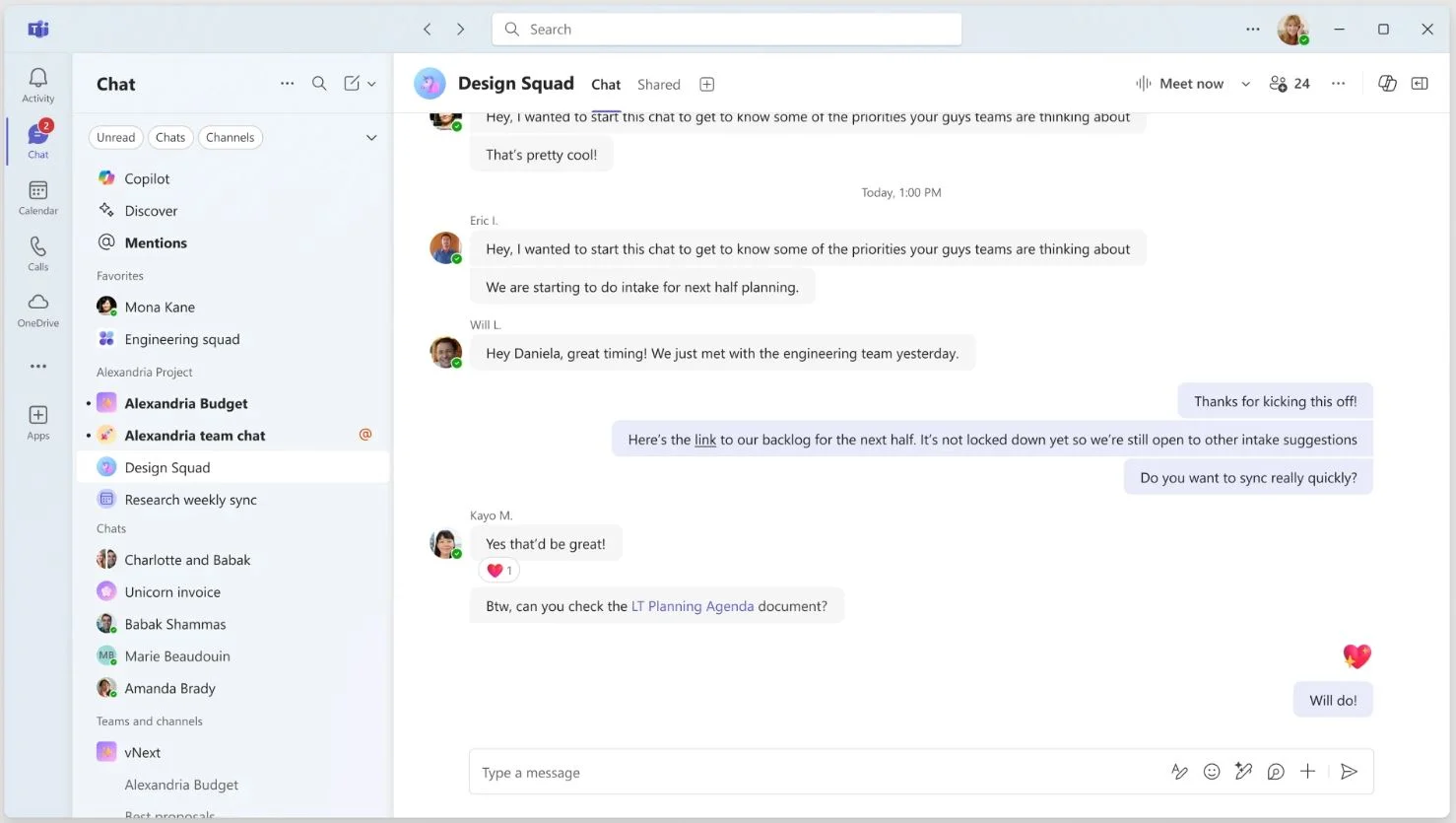
Microsoft Teams is a communication and collaboration platform that brings chat, meetings, calls, and file sharing together. It integrates with Microsoft 365 applications, giving employees a centralized space to coordinate work and access shared documents. Teams supports group chats, channels, and video conferencing, which makes it a common choice for hybrid and remote work environments. Employees can collaborate directly on files stored in SharePoint or OneDrive, keeping everything connected within the Microsoft ecosystem.
Its channel-based structure helps teams organize conversations by topic or project. Built-in apps and integrations extend functionality, enabling organizations to customize their workspace. While Teams focuses heavily on communication, its file-sharing and co-editing capabilities make it a solid tool for supporting collaborative work across departments.
Key features of Microsoft Teams
- Channel-based communication: Organize team discussions by department, project, or topic.
- Integrated file collaboration: Work on documents directly within the platform.
- Video meetings and calls: Keep distributed and hybrid teams connected.
Best for: Organizations already using the Microsoft 365 suite that want communication and collaboration in one unified space.
5. Slack
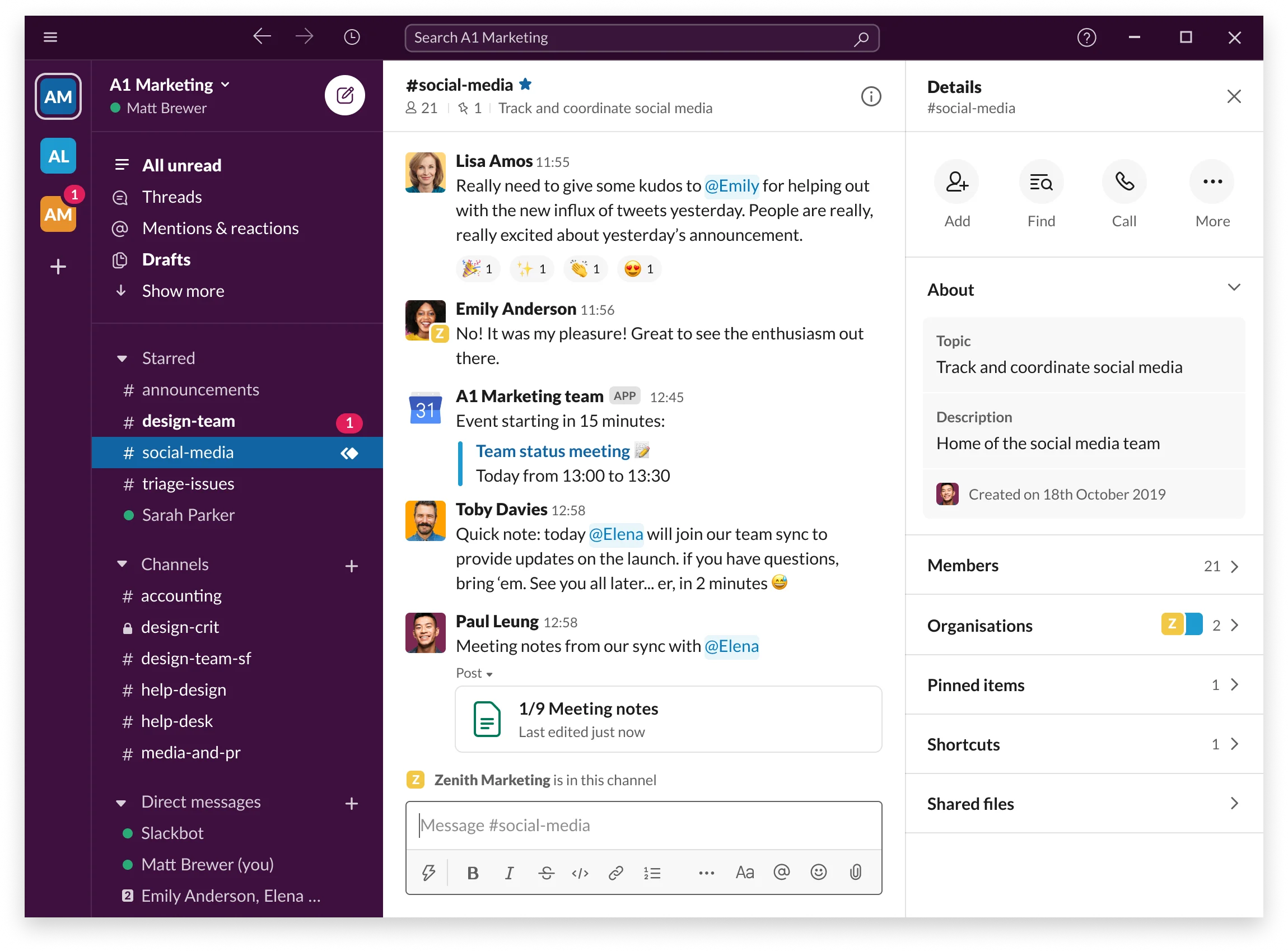
Slack is a messaging-based collaboration tool that organizes conversations into channels, making it easier for teams to stay connected without depending on email. Employees can communicate through threads, direct messages, and group channels to share updates, ask questions, and coordinate tasks. Slack supports file sharing, integrations, and searchable message history, helping teams surface information quickly.
The platform offers thousands of integrations, turning Slack into a central workspace for notifications, workflows, and project updates across your tool stack. Its conversational interface helps teams communicate informally and remain aligned. While Slack is not a full project management solution, it excels as a communication hub where employees can collaborate in real time.
Key features of Slack
- Channel-based messaging: Keep discussions organized and searchable.
- Integrations: Connect with tools across your workflow for alerts and updates.
- File sharing and search: Access shared documents quickly and refer to past conversations.
Best for: Teams that need flexible, real-time messaging to support daily collaboration.
6. Notion
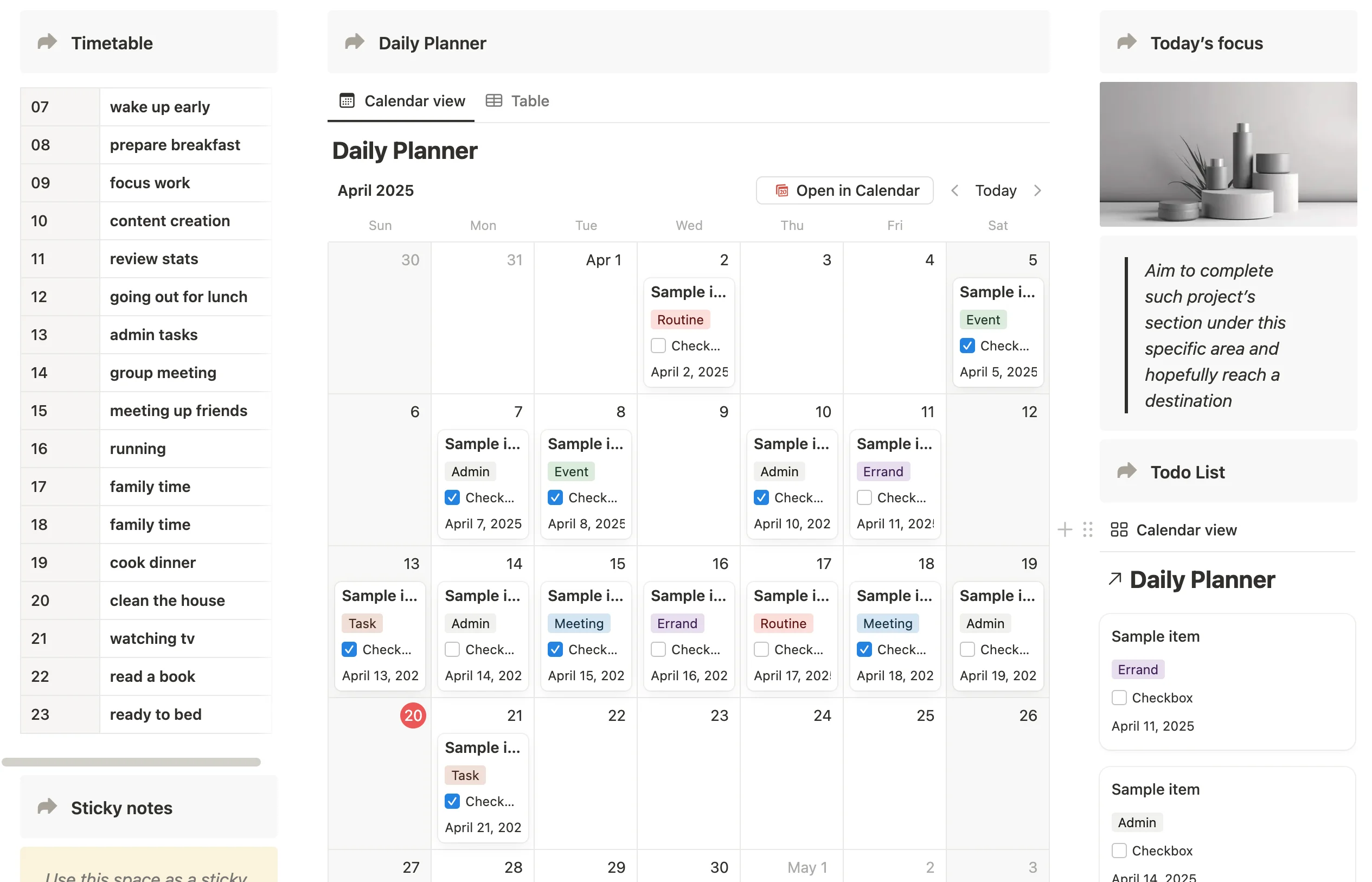
Notion is a workspace that combines documents, wikis, task management, and collaborative editing. It gives teams a flexible environment to create pages, databases, project plans, and knowledge hubs. With a drag-and-drop interface and customizable templates, Notion helps teams shape their spaces around how they work. The platform supports real-time editing and inline comments, making it easy for teams to collaborate on documentation, planning, and process design.
Notion is well suited for teams looking to centralize knowledge and build shared spaces for ongoing collaboration. Databases can be used to manage tasks, track projects, or store resources. While Notion is not a heavy-duty project management tool, its flexibility allows teams to build systems that scale and adapt over time.
Key features of Notion
- Collaborative pages and wikis: Centralize documentation, guides, and team resources.
- Databases and templates: Create structured systems that match your workflows.
- Real-time editing: Work together directly within shared content.
Best for: Teams wanting a highly flexible workspace for documentation, planning, and light project management.
7. Google Workspace
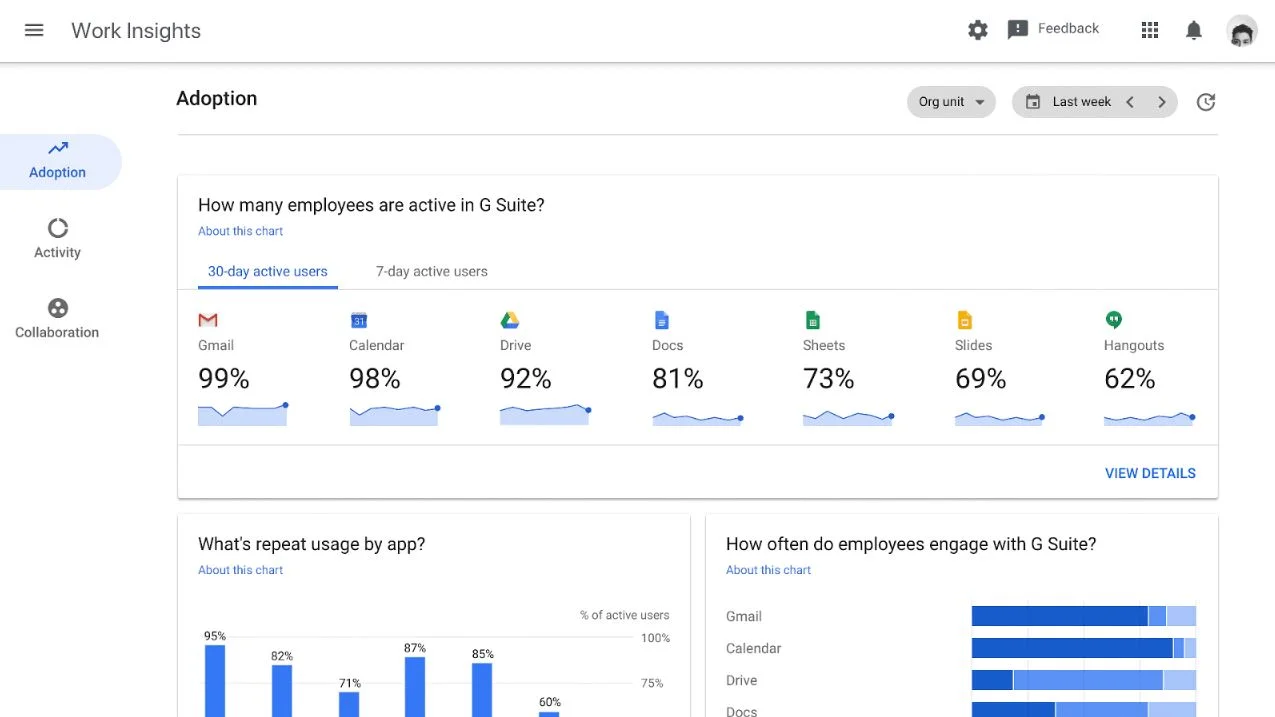
Google Workspace provides cloud-based productivity and collaboration tools, including Gmail, Drive, Docs, Sheets, Slides, Meet, and Chat. These tools help teams work together in real time on documents, share files securely, and communicate across departments. The platform is widely used due to its simplicity, accessibility, and strong collaboration features.
Real-time editing in Docs, Sheets, and Slides enables teams to co-create materials and share feedback instantly. With Drive acting as centralized storage, employees always have access to the latest document versions. Google Workspace supports communication through Meet and Chat, giving teams reliable ways to connect. While not an intranet or full digital workplace, Google Workspace is often a foundational collaboration tool.
Key features of Google Workspace
- Real-time co-editing: Collaborate on files simultaneously from any device.
- Secure cloud storage: Keep documents organized and accessible.
- Communication tools: Connect through Meet and Chat for discussions and updates.
Best for: Organizations seeking simple, cloud-based tools for document collaboration and communication.
8. Monday.com
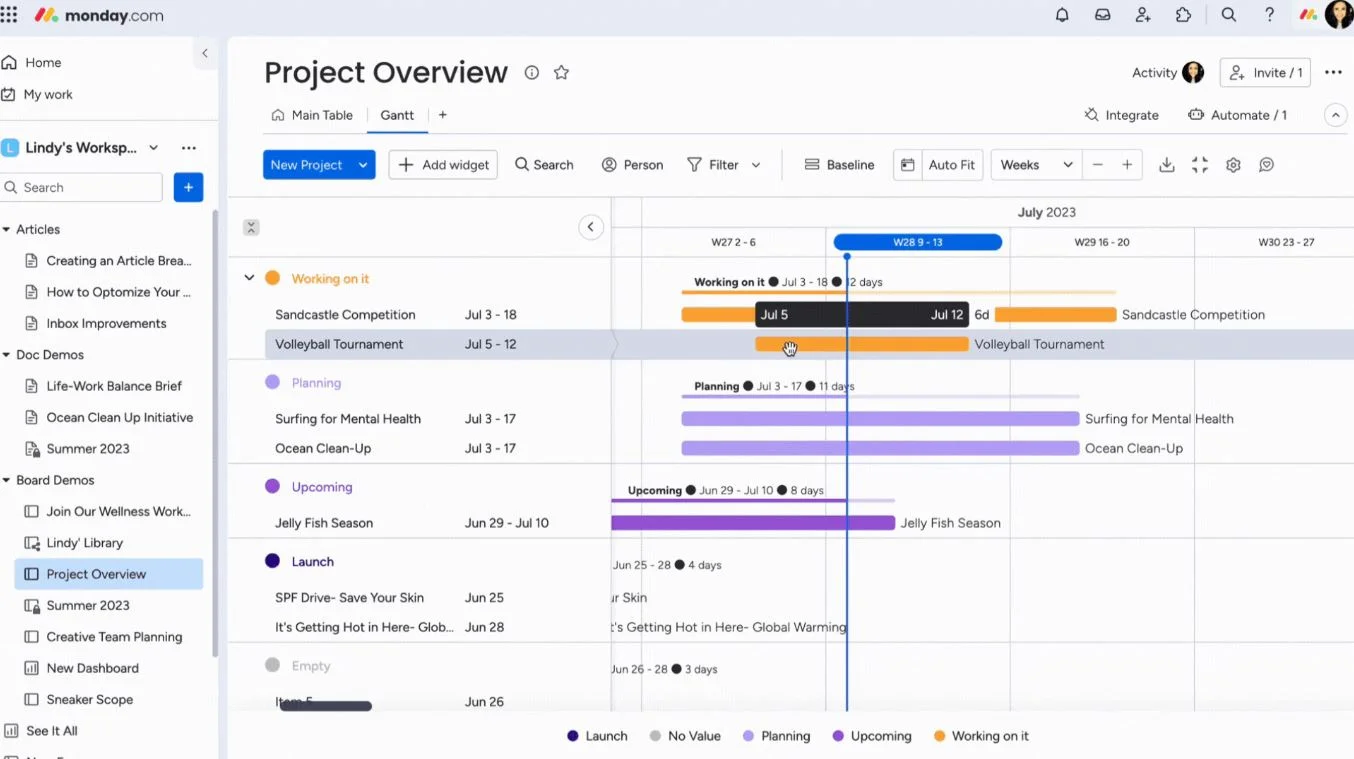
Monday.com is a project and work management platform designed to help teams plan, track, and collaborate on tasks in one structured system. It uses customizable boards, automations, and visual dashboards to give employees clarity into responsibilities, timelines, and progress. Teams can choose from different views such as kanban, calendars, timelines, and tables, which makes it easier to manage different types of projects. The platform is widely used for marketing campaigns, operations, product roadmaps, and cross-functional coordination.
Collaboration is supported through task comments, file uploads, status updates, and shared boards. Automations help reduce manual work by triggering actions such as reminders or status changes. Monday.com integrates with popular tools to keep workflows connected. While it focuses primarily on task and project management, it offers enough flexibility to support broader collaboration needs.
Key features of Monday.com
- Customizable boards: Structure projects based on team needs and workflows.
- Visual dashboards: Monitor progress and workload across teams.
- Automations: Reduce manual steps and streamline coordination.
Best for: Teams needing a structured and visual tool to manage project timelines, tasks, and cross-functional work.
9. Miro
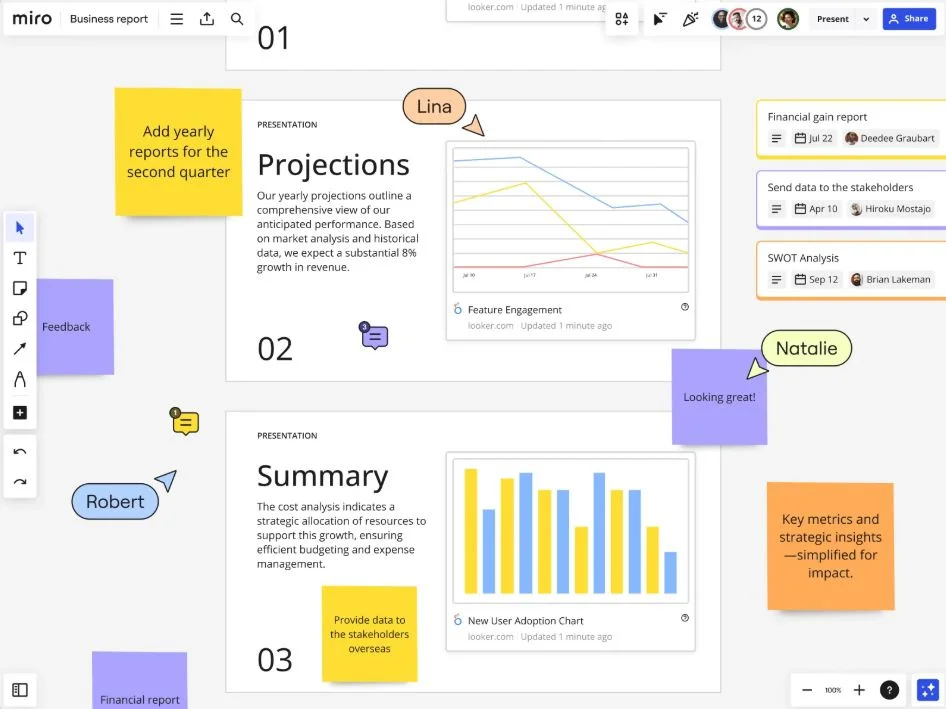
Miro is an online collaborative whiteboard platform created to support brainstorming, planning, and creative teamwork. Its infinite canvas gives teams space to map ideas, create diagrams, plan projects, and design workflows. Miro’s templates help teams start quickly, and real-time collaboration lets multiple people contribute simultaneously. This makes it ideal for workshops, strategy sessions, and creative problem-solving.
The platform integrates with tools like Slack, Asana, and Google Workspace, helping teams move ideas into actionable plans. Commenting, sticky notes, reactions, and voting features make it easier for teams to gather feedback and align on priorities. Miro is especially useful for remote and hybrid teams that need a visual space to think and collaborate together.
Key features of Miro
- Infinite collaborative canvas: Brainstorm, plan, and visualize ideas in one shared space.
- Templates and frameworks: Start projects quickly with guided structures.
- Real-time contributions: Allow teams to co-create during workshops or planning sessions.
Best for: Teams that rely on visual collaboration, brainstorming, or strategic planning.
10. Zoho Workplace
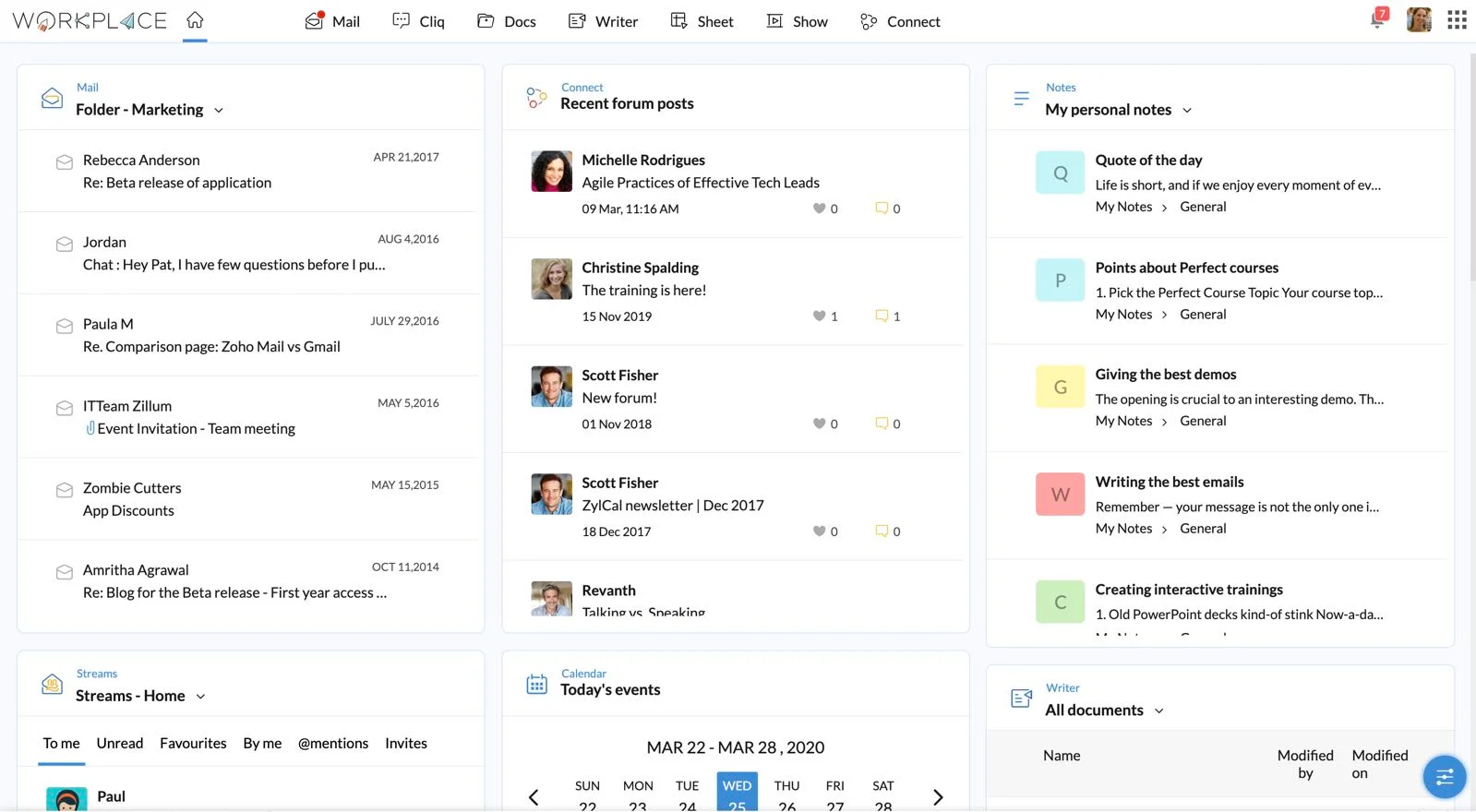
Zoho Workplace is a suite of collaboration and productivity tools designed to help teams communicate, store information, co-edit documents, and manage daily work. It includes email, chat, document editors, spreadsheets, presentations, and secure cloud storage. Zoho also offers tools for communication through Cliq, which supports messaging, channels, and real-time updates. This ecosystem helps organizations centralize collaboration while keeping information secure.
Its document suite allows teams to co-edit files and manage versions, while WorkDrive provides a structured way to organize documents. Zoho Workplace integrates with other Zoho applications, making it attractive for organizations that already use the Zoho ecosystem. It brings together communication, collaboration, and storage without overwhelming users with complexity.
Key features of Zoho Workplace
- Integrated office suite: Co-edit documents, spreadsheets, and presentations.
- Team communication tools: Use channels and messaging to stay connected.
- Secure cloud storage: Organize files with permissions and shared access.
Best for: Organizations wanting an accessible and unified suite for communication, file storage, and document collaboration.
Choosing the right collaboration platform for your team
Online collaboration tools help teams communicate, share information, and coordinate work. The right solution should support daily operations, reduce confusion, and help employees stay connected to your organization. As your company grows or processes evolve, the collaboration platform you choose should scale with you and continue to support how your people work.
A strong digital workplace gives employees clear pathways to communicate, collaborate, and access resources without jumping between systems. This is where a platform like Axero helps. It brings communication, knowledge, and teamwork into one place, making it easier for every employee to stay informed and engaged.
Ready to explore how Axero can support your collaboration strategy? Book a demo today.












 info@axerosolutions.com
 1-855-AXERO-55