
Internal documentation is the backbone of how organizations operate at scale. Policies, processes, technical guides, and institutional knowledge all influence how employees make decisions and complete work. When documentation is clear and accessible, teams move faster and with confidence. When it is scattered or outdated, friction grows.
Many organizations rely on shared drives, static documents, or disconnected tools to manage internal documentation. Over time, these approaches struggle to keep up with change. Ownership fades. Content becomes inconsistent. Employees stop trusting what they find and revert to asking colleagues for answers, which slows work and creates bottlenecks.
Internal documentation software solves this by centralizing information into a structured, searchable system. It gives teams a single source of truth where documentation stays current, governed, and easy to access. Employees spend less time searching and more time executing.
The most effective platforms integrate documentation into daily workflows. They support collaboration, enforce governance, and scale alongside the organization. Choosing the right solution determines whether documentation becomes a trusted asset or an afterthought.
Below, we explore the best internal documentation software options and how they support consistent, accessible knowledge sharing, starting with Axero.
Top 10 internal documentation software for 2026
What is internal documentation software?
Internal documentation software is a digital platform used to create, organize, and maintain information employees need to do their jobs. This includes policies, procedures, technical documentation, onboarding materials, and internal guides.
Unlike static documents, these platforms support version control, ownership, and collaboration. They ensure documentation remains accurate as processes and systems evolve. Employees can search, browse, and rely on content with confidence.
Internal documentation software reduces dependency on individual knowledge holders and improves consistency across teams. When embedded into a broader intranet or digital workplace, documentation becomes part of how work gets done every day.
What to consider when choosing the right internal documentation software
The right platform must balance ease of use with long-term structure and control.
Search and discoverability
Employees should be able to find information quickly and intuitively. Strong search drives adoption.
Governance and ownership
Clear ownership, permissions, and version control keep documentation accurate and trusted.
Ease of contribution
Subject matter experts need simple tools to create and update documentation without friction.
Integration with daily work
Documentation should connect with intranets, collaboration tools, and workflows employees already use.
Scalability and structure
As content grows, the platform should support organization without creating clutter.
10 best internal documentation software
1. Axero
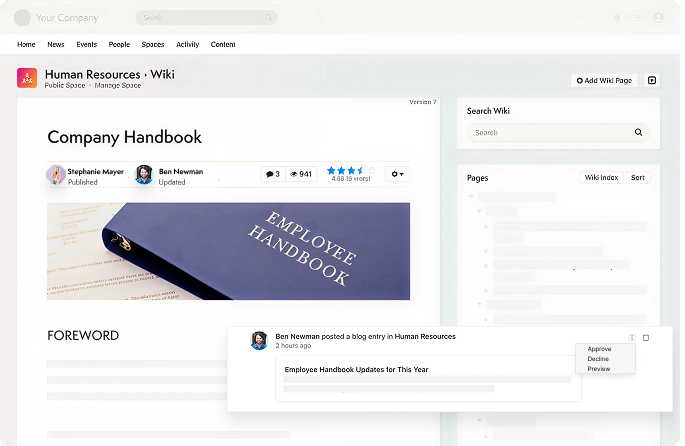
Axero is a modern intranet platform that delivers internal documentation within a centralized, governed digital workplace. It enables organizations to document processes, policies, and technical knowledge in a way employees actually use. Teams can create structured documentation using templates and organized knowledge bases. Powerful search and intuitive navigation help employees find accurate information quickly. Ownership, permissions, and version control ensure content remains reliable over time.
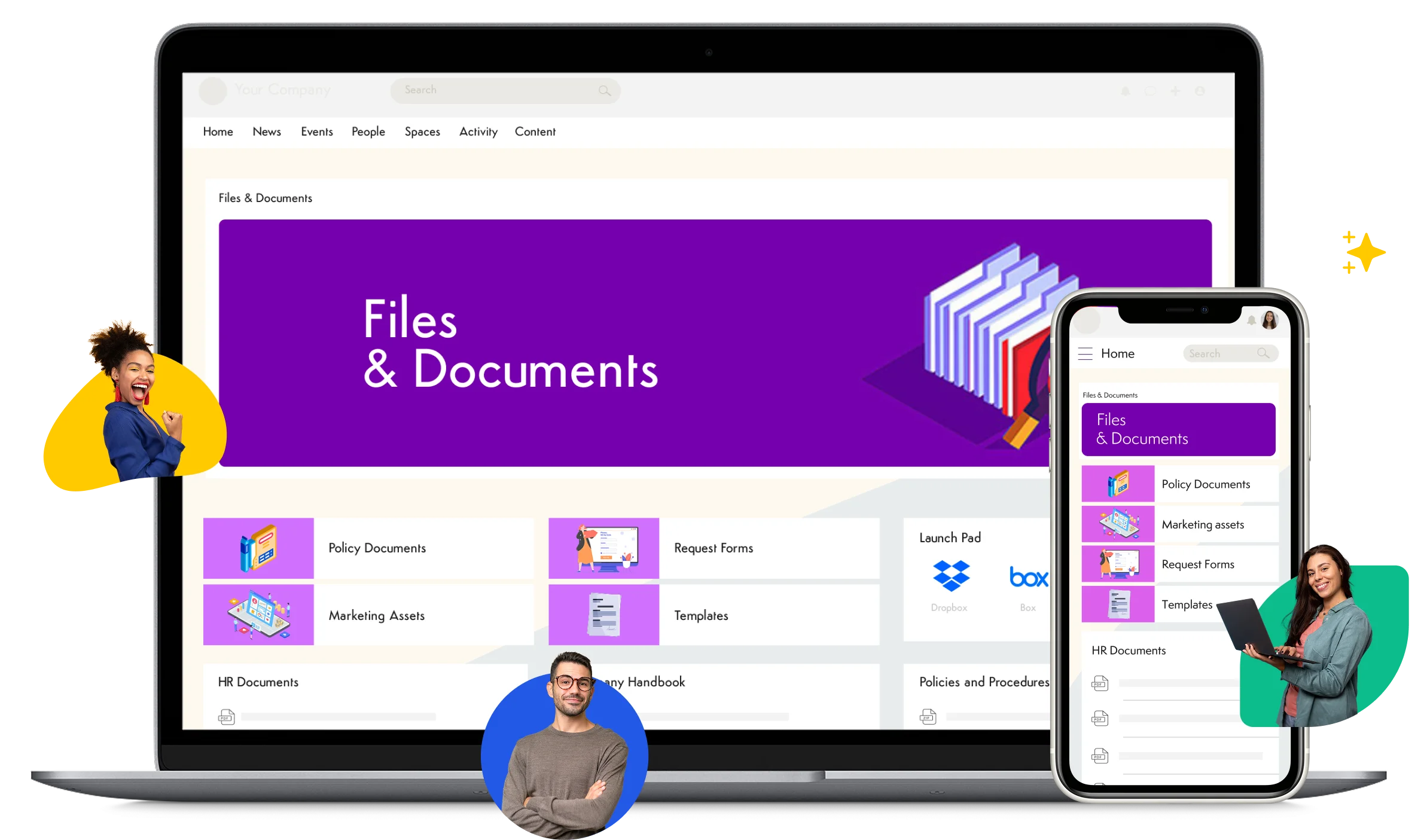
Axero stands out by embedding documentation alongside communication, collaboration, and team resources. This reduces fragmentation and increases adoption across departments, making documentation part of daily work rather than a separate destination.
Key features of Axero
- Centralized documentation hub: Keep all internal documentation in one trusted system.
- Governance and permissions: Maintain accuracy and accountability.
- Advanced search and navigation: Surface relevant content quickly.
Best for: Organizations that want scalable, governed internal documentation within a full intranet.

2. Confluence
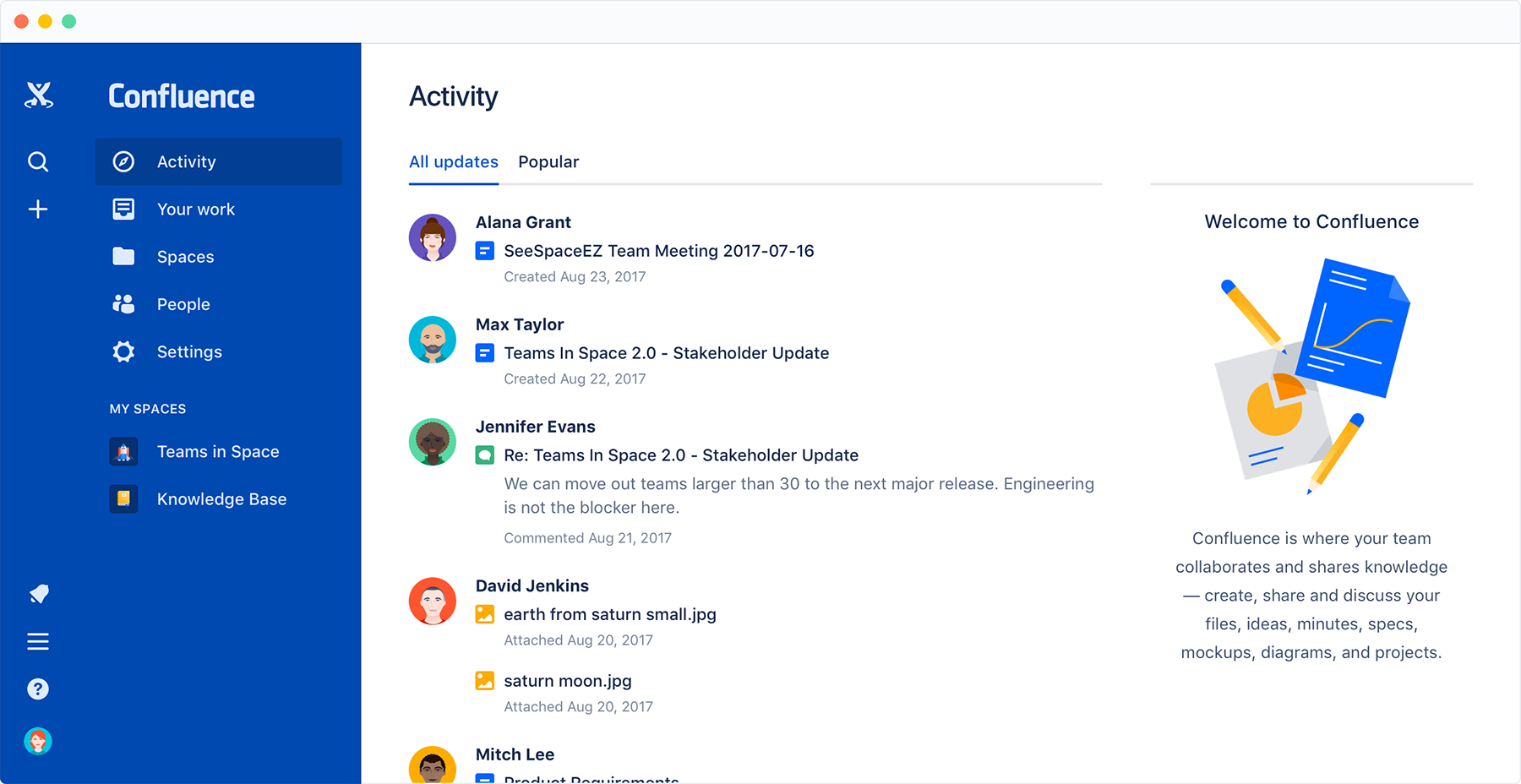
Confluence is a collaborative documentation platform commonly used for internal documentation, especially among technical and product teams. It supports page-based content creation, templates, and real-time collaboration.
Teams can link related pages and track changes through version history. While Confluence enables collaboration, strong governance is required to prevent content sprawl as documentation scales.
Many organizations integrate Confluence with an intranet to improve discoverability and structure.
Key features of Confluence
- Collaborative editing: Create documentation with team input.
- Templates and macros: Standardize documentation formats.
- Version history: Track changes over time.
Best for: Teams that need collaborative internal documentation.
3. Notion
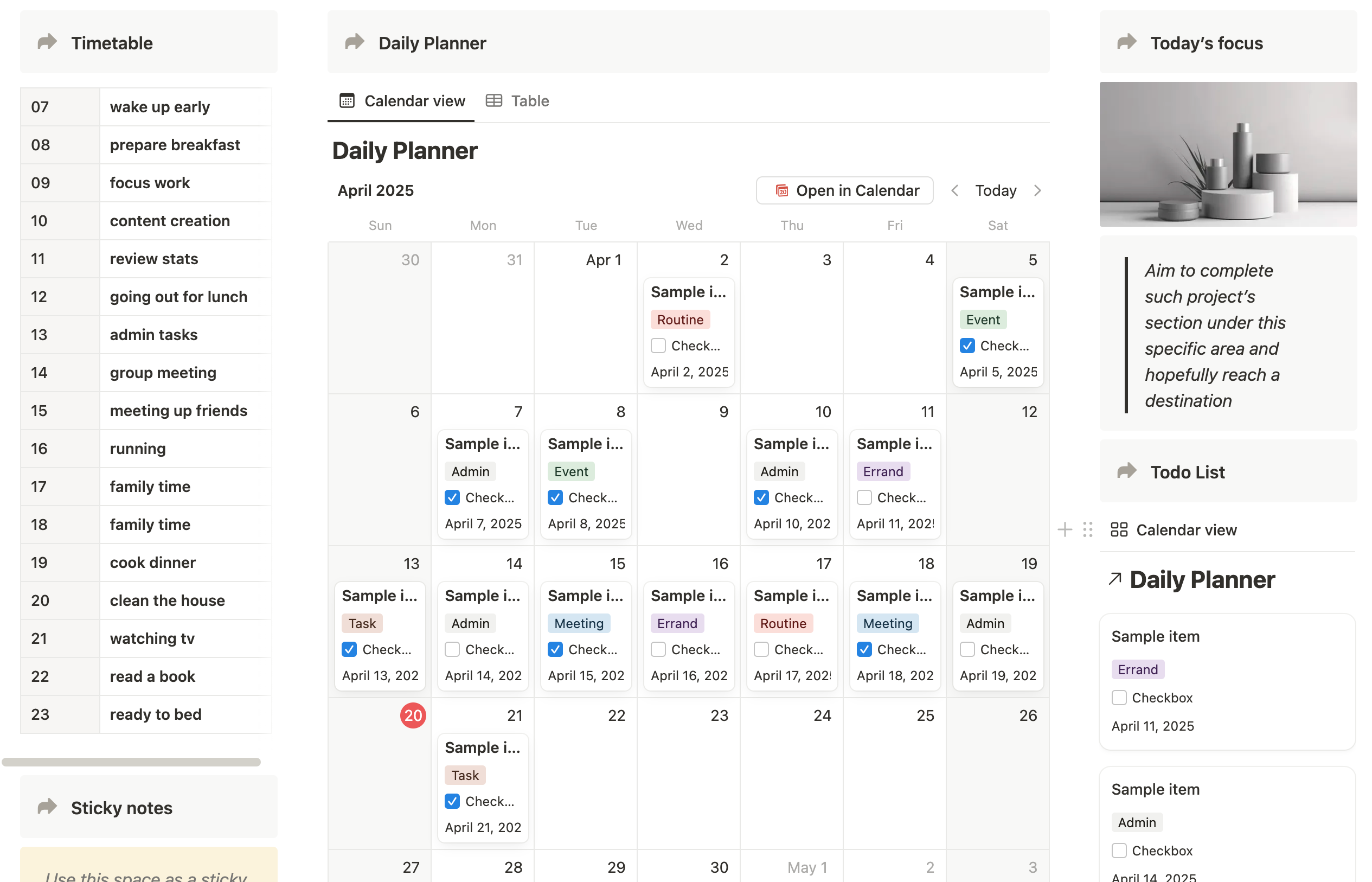
Notion is a flexible workspace often used for internal documentation alongside notes and project tracking. It allows teams to build custom documentation structures using pages and databases.
Its flexibility supports many use cases, but consistency depends on internal standards. Without governance, documentation can become fragmented as usage grows.
Notion works well for teams that value customization and lightweight documentation.
Key features of Notion
- Customizable pages: Tailor documentation to team needs.
- Linked databases: Connect related content.
- Collaborative editing: Support shared knowledge creation.
Best for: Teams that want flexible, customizable documentation.
4. Document360
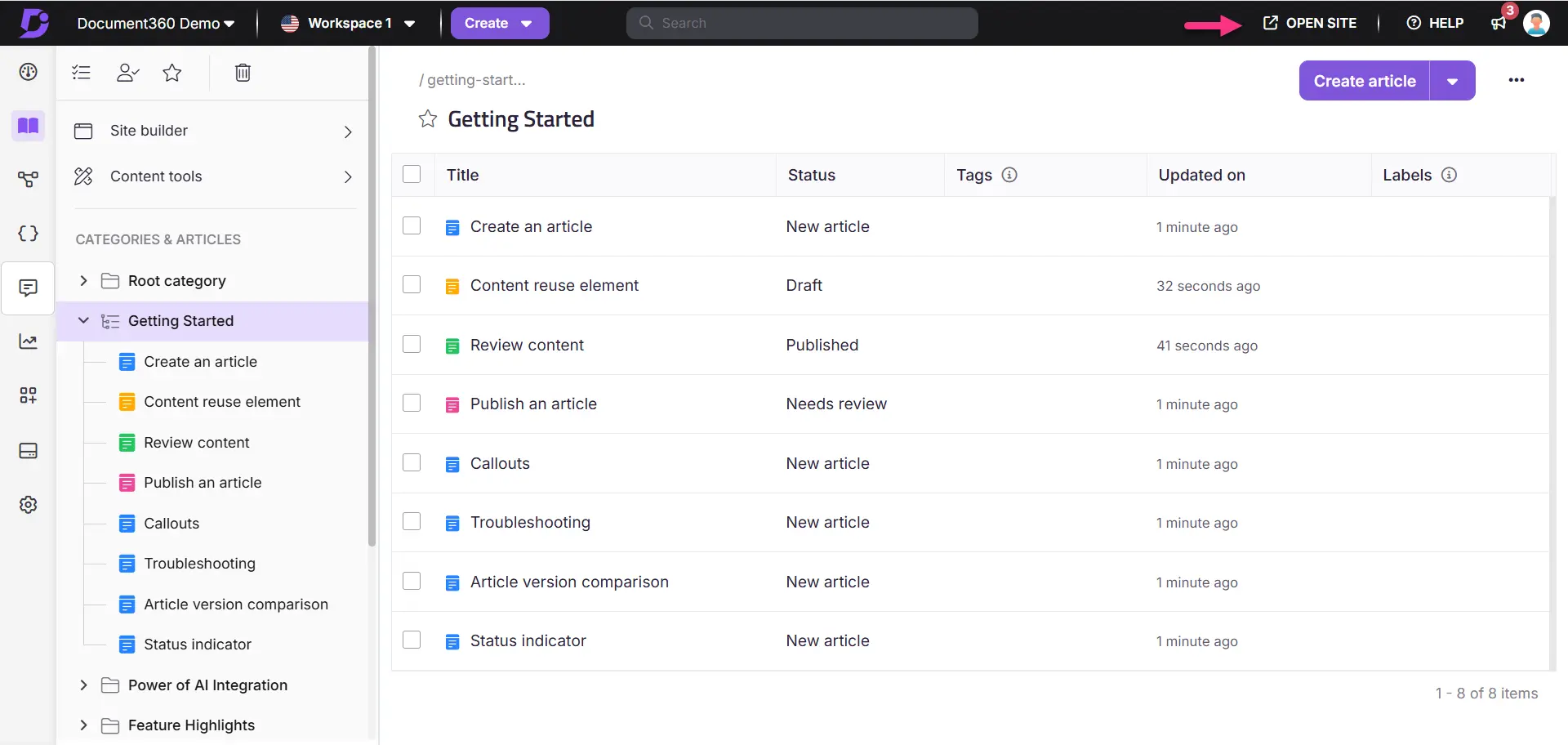
Document360 is a knowledge base platform built for structured internal documentation. It supports clear categorization, version control, and role-based permissions, helping teams maintain consistency as documentation grows.
The platform’s editor encourages standardized documentation, which supports long-term accuracy. Built-in analytics provide visibility into which articles employees use most, helping teams identify gaps and improve content quality.
Document360 works well as a standalone documentation system. Many organizations integrate it into an intranet to increase discoverability and connect documentation with internal communication.
Key features of Document360
- Structured categories: Organize documentation clearly and consistently.
- Versioning and permissions: Maintain control over updates and access.
- Usage analytics: Track engagement and content effectiveness.
Best for: Teams that need structured, governed internal documentation.
5. Guru
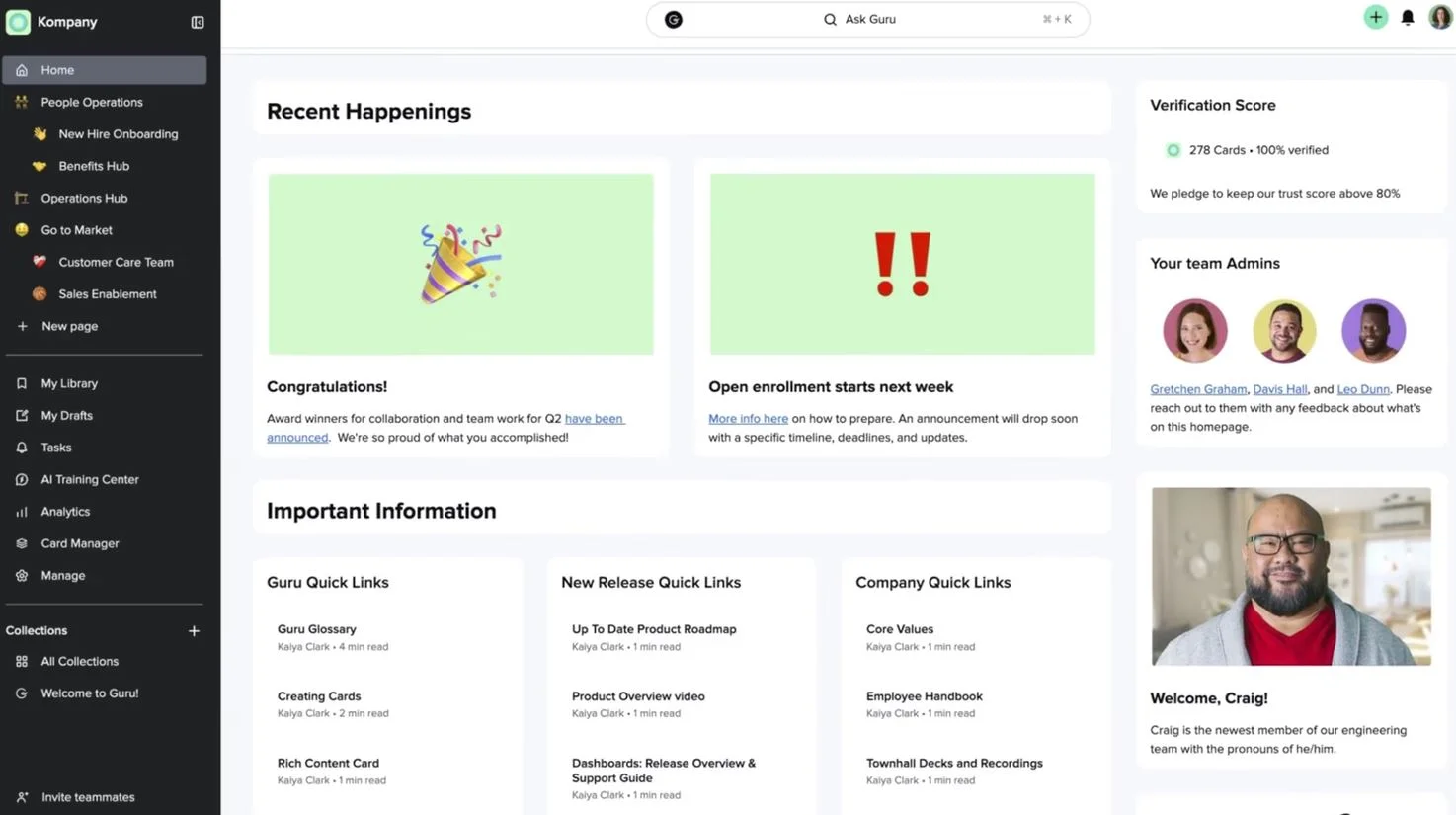
Guru is an internal documentation and knowledge management platform focused on delivering trusted answers in the flow of work. It helps teams capture and verify documentation employees rely on daily.
Content is organized into cards that can be surfaced through browser extensions and integrations with collaboration tools. Verification workflows ensure subject matter experts regularly review and confirm accuracy, building confidence in the documentation.
Guru excels at quick, contextual documentation access. Organizations with broader documentation or communication needs often pair it with a full intranet platform.
Key features of Guru
- Verified documentation cards: Keep content accurate and trusted.
- In-workflow access: Surface documentation where employees work.
- Analytics and insights: Identify usage trends and gaps.
Best for: Teams that need fast access to reliable internal documentation.
6. Slab
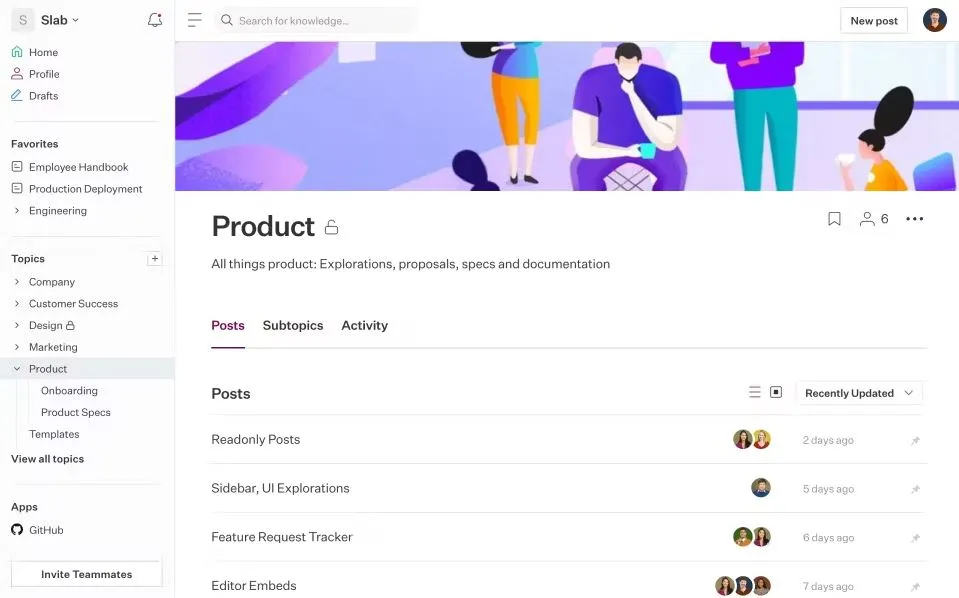
Slab is a modern internal documentation platform focused on simplicity and readability. It enables teams to document processes, policies, and guides in a clean, user-friendly environment.
The platform emphasizes fast authoring and strong search capabilities, helping employees find information quickly. Integrations with common workplace tools support access without leaving daily workflows.
Slab works well for teams that value ease of use. Organizations with complex governance requirements may need additional structure as documentation scales.
Key features of Slab
- Clean writing experience: Encourage consistent documentation.
- Powerful search: Find answers quickly.
- Tool integrations: Connect documentation to daily workflows.
Best for: Teams seeking simple, easy-to-adopt internal documentation.
7. Tettra
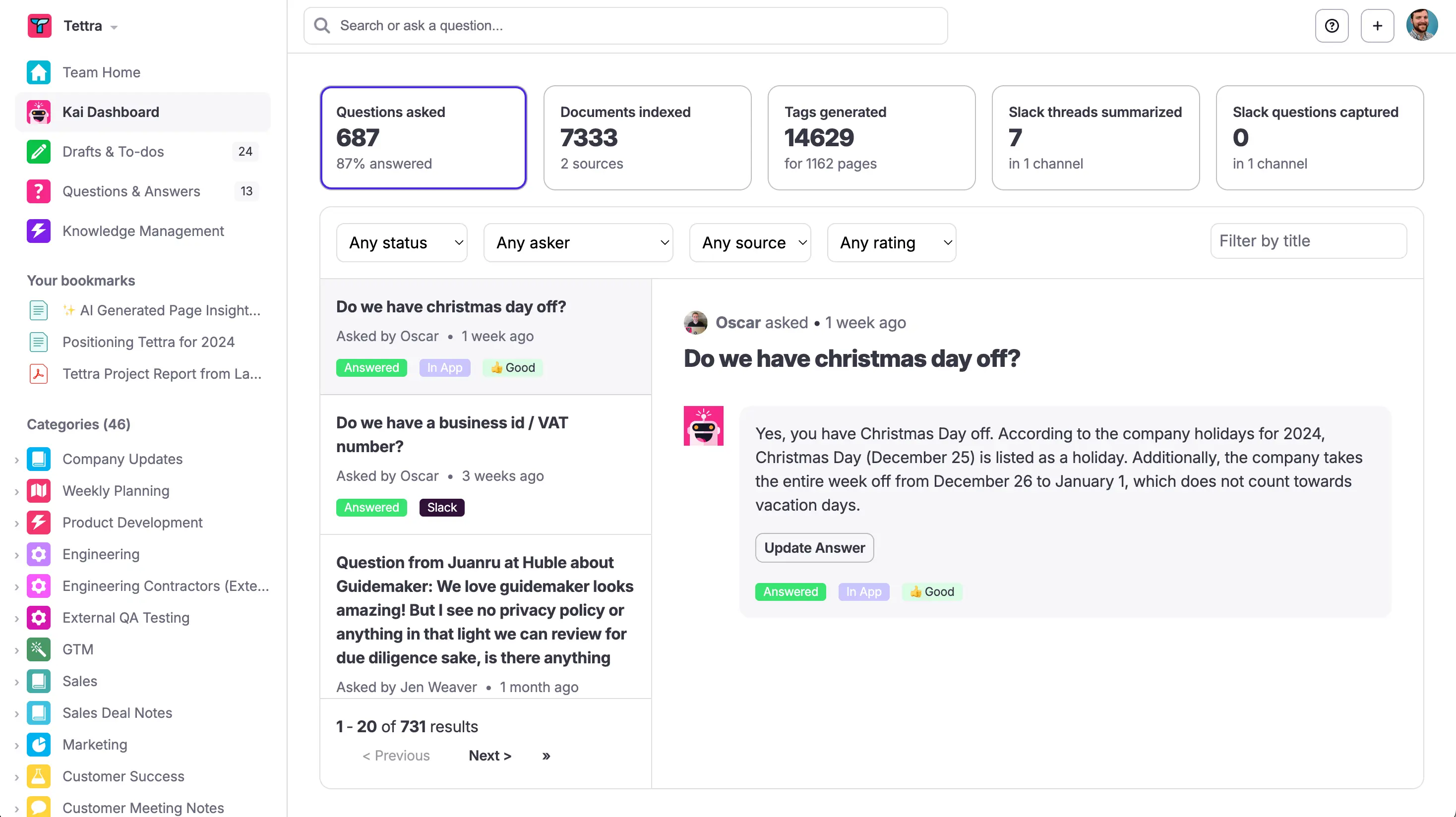
Tettra is an internal documentation platform designed to help teams capture and surface knowledge quickly. It focuses on practical, question-driven documentation that reflects what employees actually need to know in their day-to-day work.
Teams can organize content by topics and owners, making accountability clear. Built-in verification reminders prompt owners to review and update documentation regularly, which helps prevent content from becoming outdated. Tettra also integrates tightly with Slack, allowing employees to search and access documentation without leaving conversations.
Tettra works best for lightweight documentation and FAQs. Organizations with complex documentation structures or long-form content often complement it with a broader intranet platform.
Key features of Tettra
- Question-based documentation: Capture real employee questions and answers.
- Ownership and verification: Keep content accurate over time.
- Slack integration: Access documentation in the flow of work.
Best for: Teams that want fast, practical internal documentation.
8. Nuclino
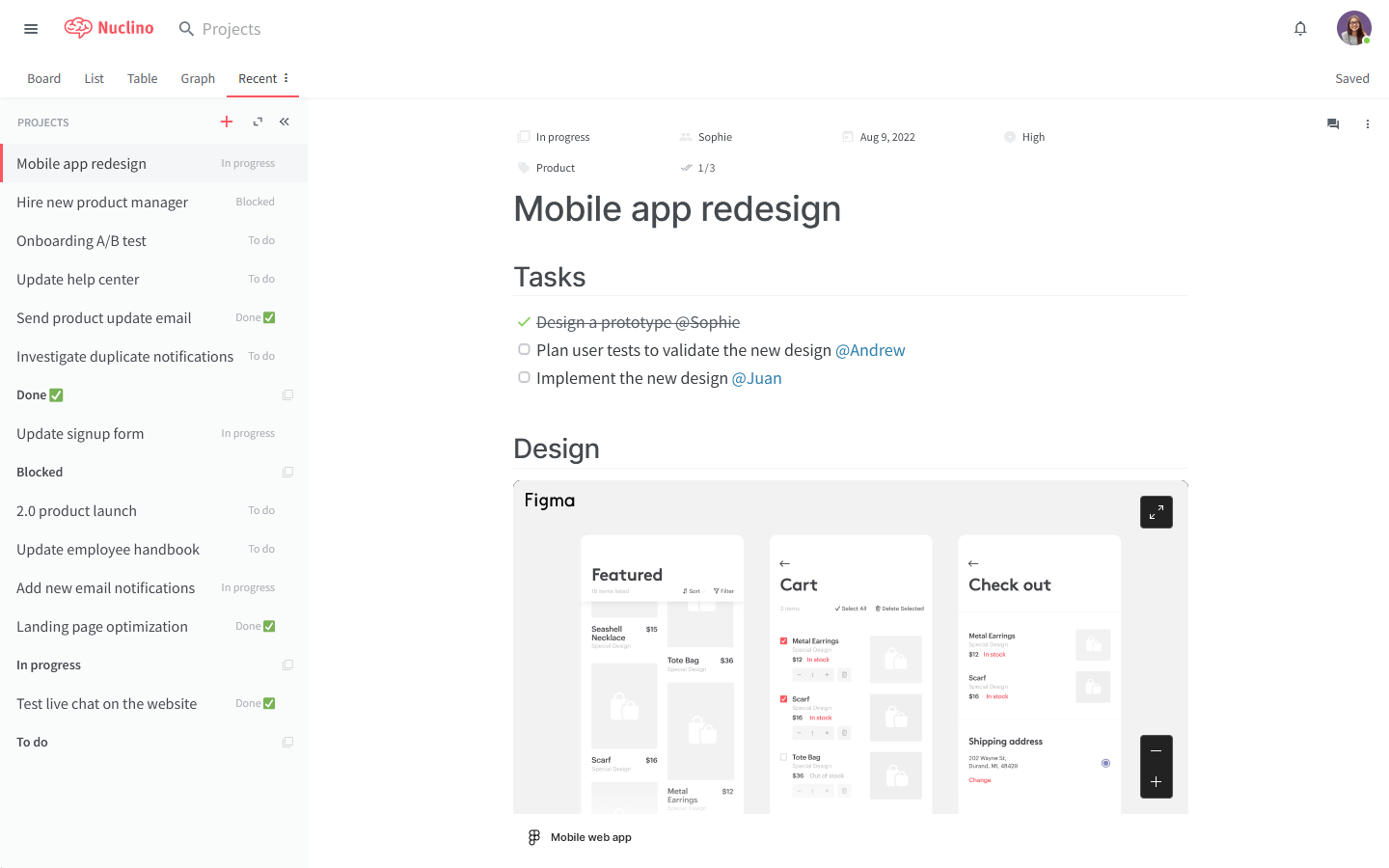
Nuclino is a lightweight internal documentation and collaboration tool built for speed and simplicity. It allows teams to create interconnected pages that form a clean, searchable documentation system.
The platform emphasizes minimal structure, which lowers the barrier to contribution. Visual graphs help teams understand how content connects across topics, supporting intuitive exploration of documentation.
Nuclino is well suited for small to mid-sized teams that value simplicity. As documentation grows, organizations may need additional governance to maintain consistency.
Key features of Nuclino
- Fast editing experience: Document information quickly.
- Interlinked content: Build connected documentation spaces.
- Visual navigation: Explore relationships between topics.
Best for: Teams seeking lightweight, easy-to-use internal documentation.
9. Zendesk Guide
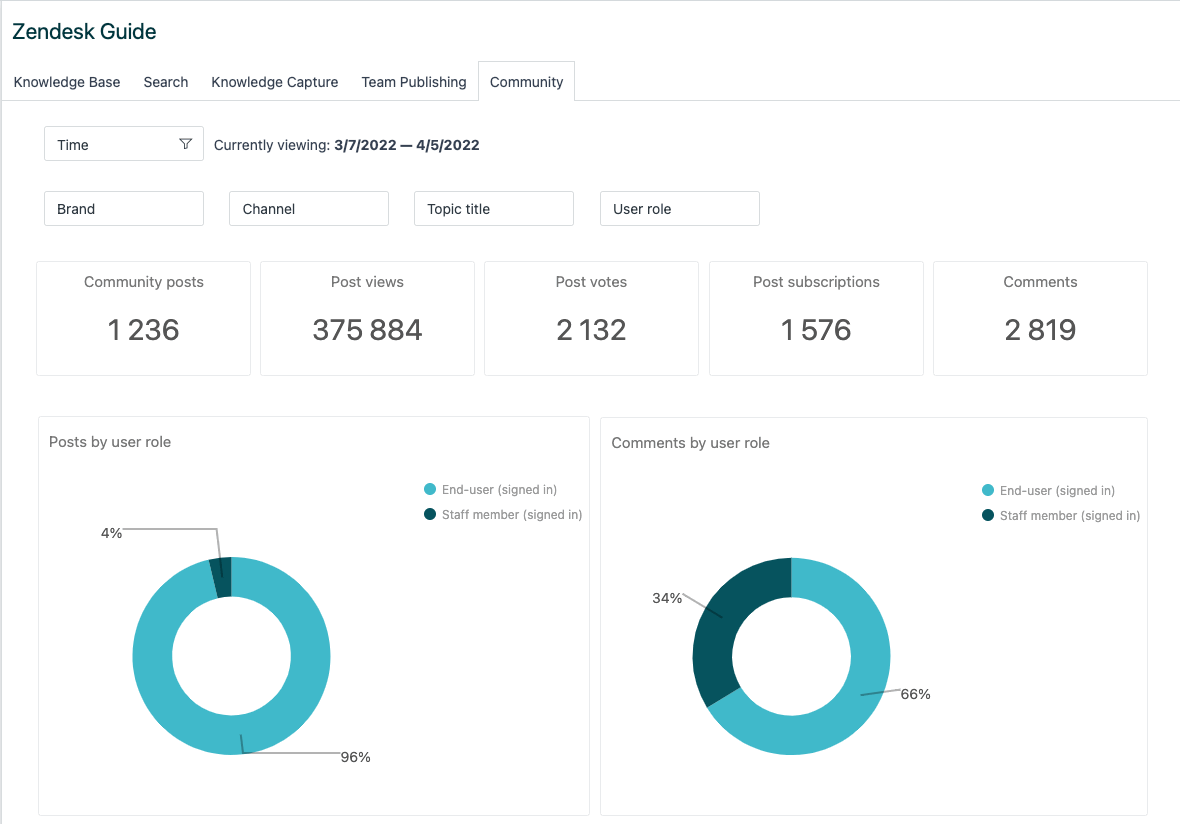
Zendesk Guide is a knowledge base platform often used for internal documentation in support-heavy environments. It enables teams to document internal processes, troubleshooting steps, and FAQs in a structured format.
Content is organized into categories and sections, making it easy to browse and search. Permissions and versioning support controlled updates, while analytics provide insight into which documentation employees use most.
Zendesk Guide works well for teams already using Zendesk products. Many organizations integrate it into an intranet to connect internal documentation with broader communication and collaboration needs.
Key features of Zendesk Guide
- Structured documentation system: Organize content clearly.
- Search and analytics: Understand documentation usage.
- Access controls: Manage editing and visibility.
Best for: Support-driven teams managing internal documentation.
10. Helpjuice
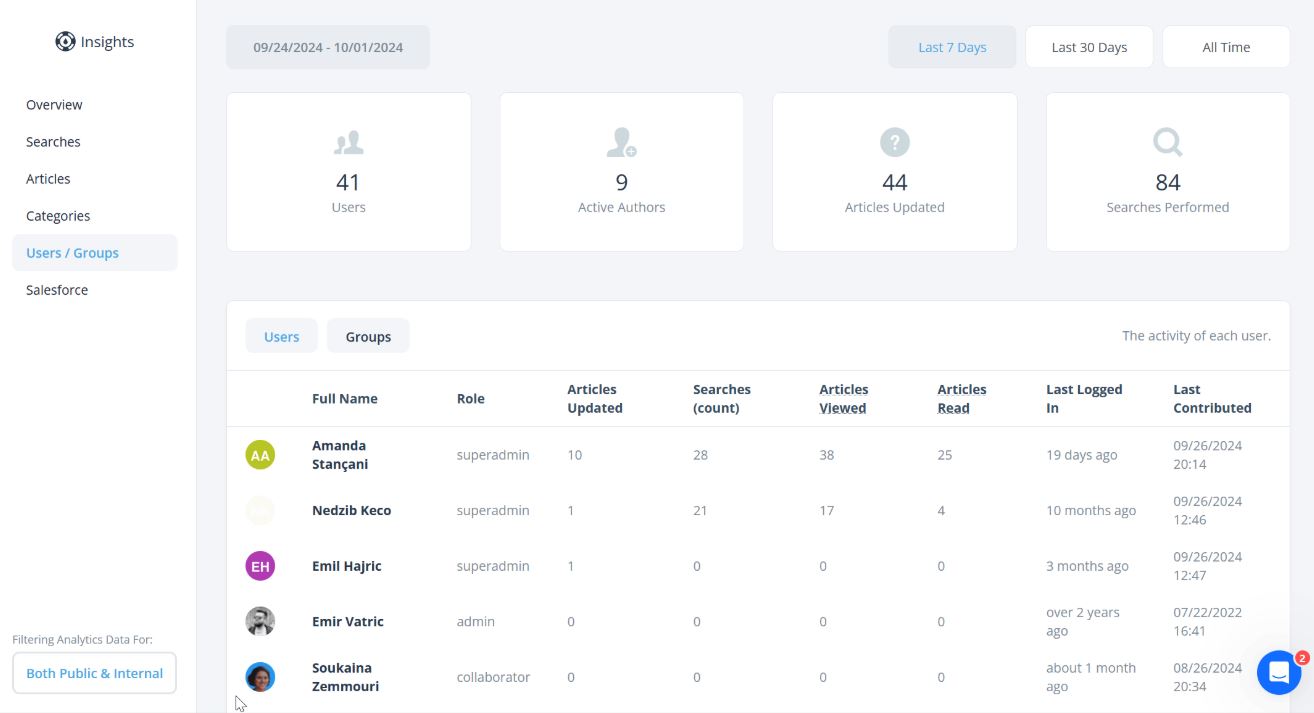
Helpjuice is an internal documentation platform designed to help organizations create clear, structured, and searchable documentation. It is commonly used for internal knowledge bases, technical documentation, and process guides that need consistency and control.
The platform focuses on organization and discoverability. Teams can structure documentation into well-defined categories, manage permissions, and maintain version history to ensure accuracy. Built-in analytics provide insight into which documents employees access most, helping teams identify gaps and improve content quality over time.
Helpjuice works well for organizations that want formal documentation standards without heavy technical setup. Many teams integrate it into an intranet to connect documentation with broader communication and collaboration.
Key features of Helpjuice
- Structured documentation framework: Organize content with clear hierarchies.
- Permissions and version control: Maintain accuracy and accountability.
- Search and analytics: Improve discoverability and track usage.
Best for: Teams that need controlled, searchable internal documentation.
Choosing the right internal documentation software
Internal documentation only delivers value when employees trust it and use it consistently. Platforms that lack structure, ownership, or discoverability quickly lose relevance and adoption.
As organizations scale, documentation requires governance, clarity, and integration into daily work. Clear ownership ensures accountability. Strong search ensures access. Integration ensures documentation supports how teams actually operate.
Axero delivers internal documentation as part of a unified intranet experience. By combining governed documentation with communication, collaboration, and team resources, we help organizations reduce fragmentation and increase adoption. Documentation becomes reliable, accessible, and sustainable.
If you want internal documentation that employees actually rely on, book a demo and see how Axero supports long-term documentation success.














 info@axerosolutions.com
 1-855-AXERO-55