

Every organization runs on integrations, even if it does not call them that. Data moves between HR systems, CRMs, ERPs, document repositories, and collaboration tools every day. When those connections fail or require constant manual effort, productivity drops, errors increase, and teams lose confidence in their systems.
As digital ecosystems grow, integration can no longer rely on one-off scripts or point-to-point connections. Enterprises need a structured way to connect applications, automate workflows, and govern data flows across the business. This becomes even more important as organizations adopt cloud services, support hybrid work, and rely on real-time information to make decisions.
Enterprise integration platforms provide that structure. They help IT teams reduce complexity while giving business teams faster access to the tools and information they need. Instead of managing disconnected systems, organizations can centralize integrations, standardize processes, and scale without rebuilding everything from scratch.
At Axero, we see integration as a people-first capability, not only a technical one. When systems work together, employees spend less time switching tools, searching for information, or fixing errors. The result is better communication, higher adoption of internal platforms, and more consistent business outcomes. Choosing the right enterprise integration platform sets the foundation for all of this.
Top 13 enterprise integration platforms for 2026
- Axero
- MuleSoft Anypoint Platform
- Dell Boomi
- Microsoft Azure Integration Services
- IBM App Connect
- SAP Integration Suite
- Informatica Intelligent Data Management Cloud
- Workato
- SnapLogic
- TIBCO Integration
- Oracle Integration Cloud
- Jitterbit
- Celigo
What are enterprise integration platforms?
Enterprise integration platforms are software solutions that connect different applications, systems, and data sources across an organization. Their purpose is to ensure information flows reliably and securely between tools, regardless of where those tools are hosted or who owns them.
These platforms typically support cloud applications, on-premises systems, APIs, databases, and third-party services. Instead of building custom connections for every system, teams use prebuilt connectors, workflows, and orchestration tools to manage integrations centrally.
A strong enterprise integration platform also supports automation. This allows organizations to trigger actions across systems, synchronize data in real time, and enforce consistent business rules. For example, an employee profile update can automatically reflect across an intranet, HR system, and collaboration tools without manual intervention.
In practice, enterprise integration platforms reduce technical debt, improve data consistency, and give organizations the flexibility to evolve their tech stack over time.
What to consider when choosing the right enterprise integration platforms
Choosing an enterprise integration platform requires balancing technical capability with long-term usability and governance. These are the areas that matter most.
Integration breadth and connectors
Look for platforms that support the systems you already use, including cloud apps, legacy tools, and internal databases. Prebuilt connectors reduce development effort and speed up deployment.
Scalability and performance
Integrations should handle growing data volumes and increased automation without degradation. This is especially important for enterprises with global teams and real-time workflows.
Governance and security
Centralized monitoring, role-based access, and audit trails help maintain control over integrations. Strong security features protect sensitive data as it moves between systems.
Ease of use and maintenance
Low-code or configurable workflows reduce dependency on specialized developers. This makes integrations easier to manage and adapt as business needs change.
Alignment with employee experience
Integrations should ultimately simplify how employees work. Platforms that integrate cleanly with intranets and digital workplaces, like Axero, help ensure integrations support real adoption rather than creating hidden complexity.
13 best enterprise integration platforms
1. Axero
Axero is an intranet and digital workplace platform designed to act as a central hub where enterprise systems come together in a way employees actually use. Rather than positioning integration as a purely technical layer, Axero focuses on connecting systems to improve internal communication, knowledge sharing, and day-to-day productivity.
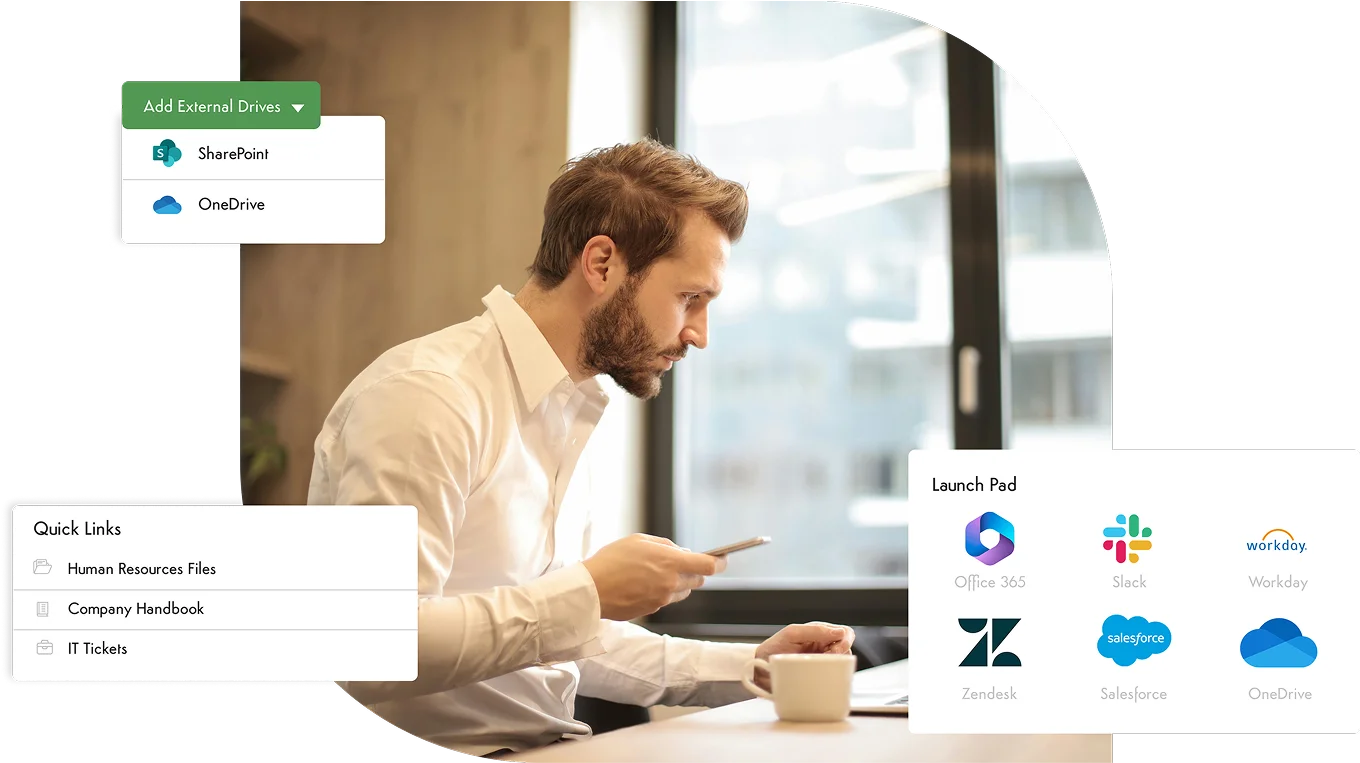
Axero integrates seamlessly with identity providers, HR systems, document management tools, and collaboration platforms. This ensures employee data stays consistent across systems and content surfaces in the right context. Teams can connect external applications through APIs and native integrations, reducing the need for custom development while maintaining flexibility.
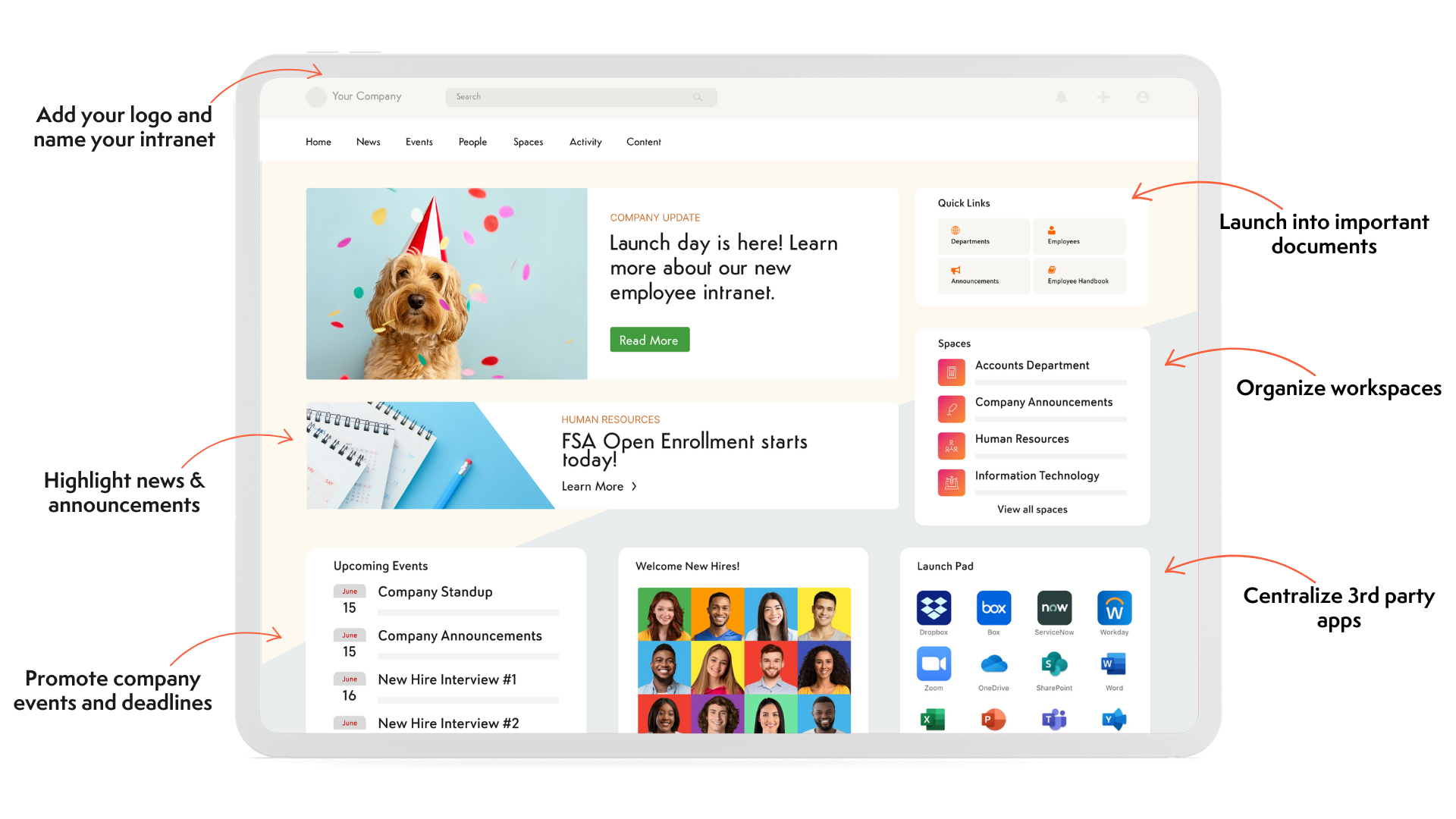
What sets Axero apart is how integrations surface inside the employee experience. Information from integrated systems appears within pages, widgets, and workflows employees already rely on. This reduces tool switching and increases adoption of connected platforms. Administrators maintain centralized governance and permissions, ensuring integrations remain secure and manageable. For organizations looking to align enterprise integration with culture, engagement, and usability, Axero delivers a practical and scalable approach that supports both IT and business goals.
Key features of Axero
- Native integrations and APIs: Connect HR, identity, document, and collaboration systems with minimal configuration.
- Embedded data experiences: Surface integrated content directly within intranet pages and workflows for daily use.
- Centralized governance: Manage permissions, data visibility, and integration health from one admin interface.
Best for: Organizations that want enterprise integrations to directly support employee experience and intranet adoption.

2. MuleSoft Anypoint Platform
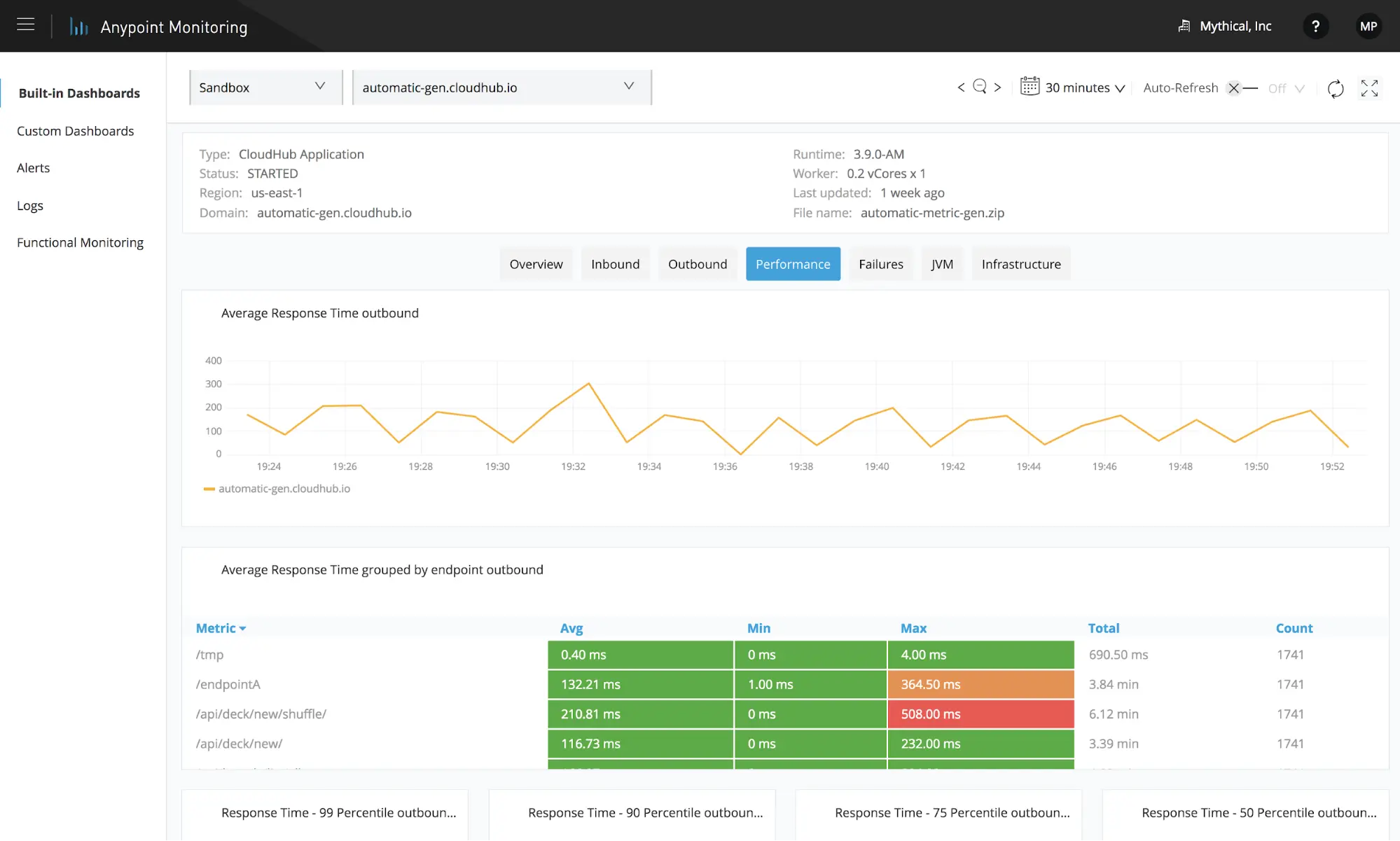
MuleSoft Anypoint Platform is a widely used integration platform that enables enterprises to connect applications, data, and devices through APIs. It supports complex integration architectures and is often used in large-scale environments with diverse systems.
The platform emphasizes API-led connectivity, allowing organizations to design reusable integration components. This approach helps reduce duplication and improves consistency across projects. MuleSoft supports both cloud and on-premises systems, making it suitable for hybrid environments.
Anypoint provides robust tools for monitoring, security, and lifecycle management. These capabilities help enterprises maintain control as integration footprints grow. However, implementation and maintenance typically require experienced technical resources, especially for advanced use cases.
Key features of MuleSoft Anypoint Platform
- API-led connectivity: Build modular integrations that can be reused across teams and projects.
- Hybrid deployment support: Connect cloud and on-premises systems within a single platform.
- Advanced governance tools: Monitor performance, manage security, and enforce standards at scale.
Best for: Large enterprises with complex integration needs and dedicated integration teams.
3. Dell Boomi
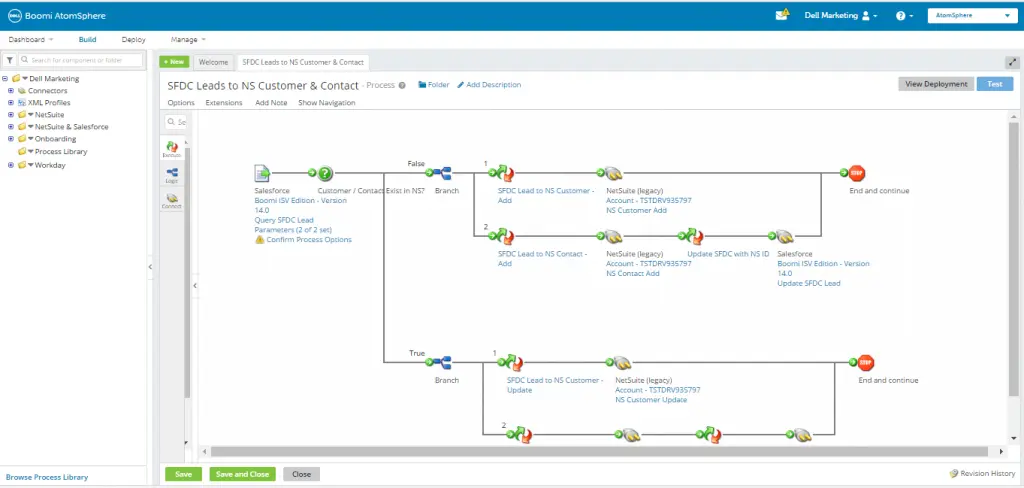
Dell Boomi is a cloud-native integration platform known for its ease of use and broad connector library. It enables organizations to connect applications, data sources, and partners without heavy custom development.
Boomi’s low-code interface allows teams to build integrations quickly while maintaining flexibility for more advanced scenarios. It supports real-time and batch integrations and works well in multi-cloud and hybrid environments.
The platform also includes strong monitoring and management capabilities, helping teams track integration performance and resolve issues proactively. Its balance of usability and power makes it appealing to organizations looking to scale integrations without excessive complexity.
Key features of Dell Boomi
- Low-code integration design: Build and manage integrations with minimal coding effort.
- Extensive connector ecosystem: Connect popular enterprise and cloud applications easily.
- Integration monitoring: Track performance and troubleshoot issues in real time.
Best for: Organizations seeking a balance between ease of use and enterprise-grade integration capabilities.
4. Microsoft Azure Integration Services
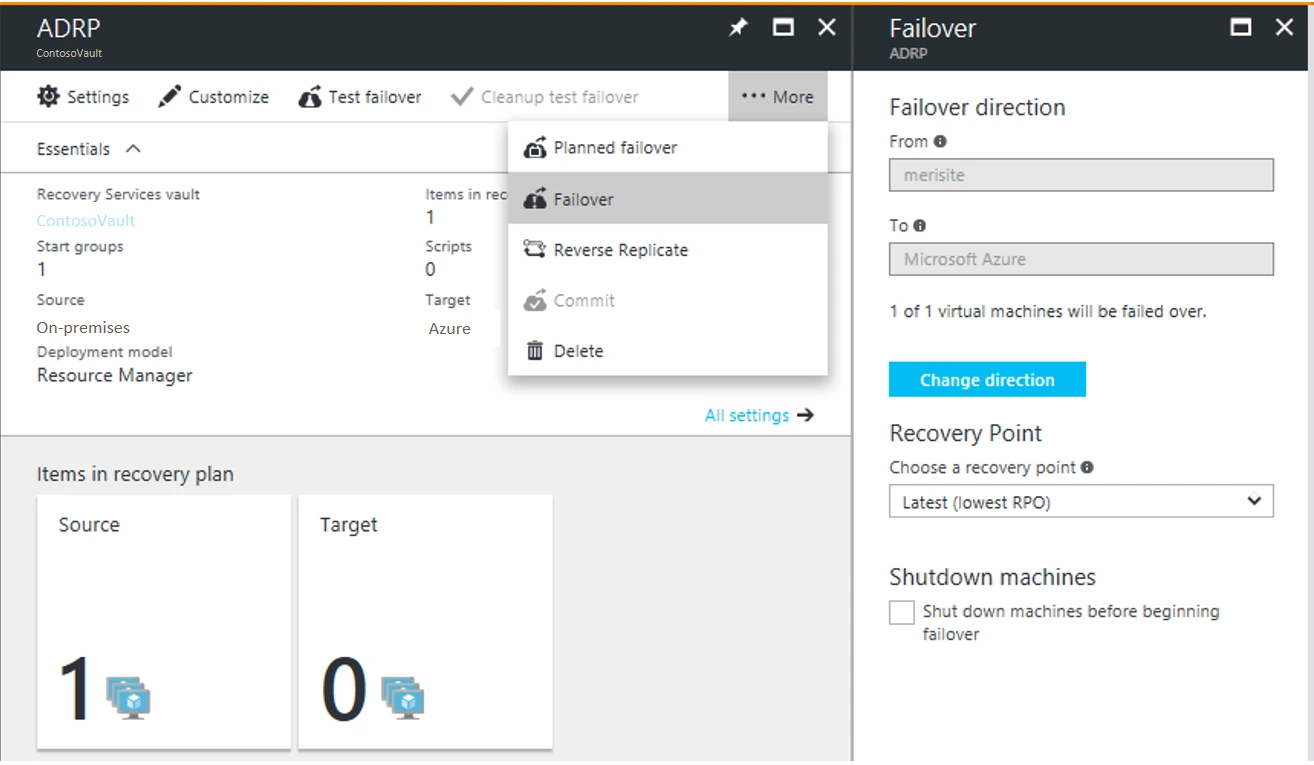
Microsoft Azure Integration Services is a collection of cloud-based tools designed to integrate applications, data, and processes within the Azure ecosystem. It includes Logic Apps, API Management, Service Bus, and other components.
The platform works especially well for organizations already invested in Microsoft technologies. It integrates tightly with Azure services, Microsoft 365, and Dynamics applications, enabling consistent workflows across the stack.
While powerful, Azure Integration Services often requires architectural planning and cloud expertise to use effectively. Teams must also manage multiple services rather than a single unified interface.
Key features of Microsoft Azure Integration Services
- Cloud-native integration tools: Build scalable integrations using Azure-managed services.
- Strong Microsoft ecosystem alignment: Integrate seamlessly with Microsoft 365 and Dynamics.
- Enterprise-grade reliability: Support high availability and secure data movement.
Best for: Enterprises standardized on Microsoft Azure and related services.
5. IBM App Connect
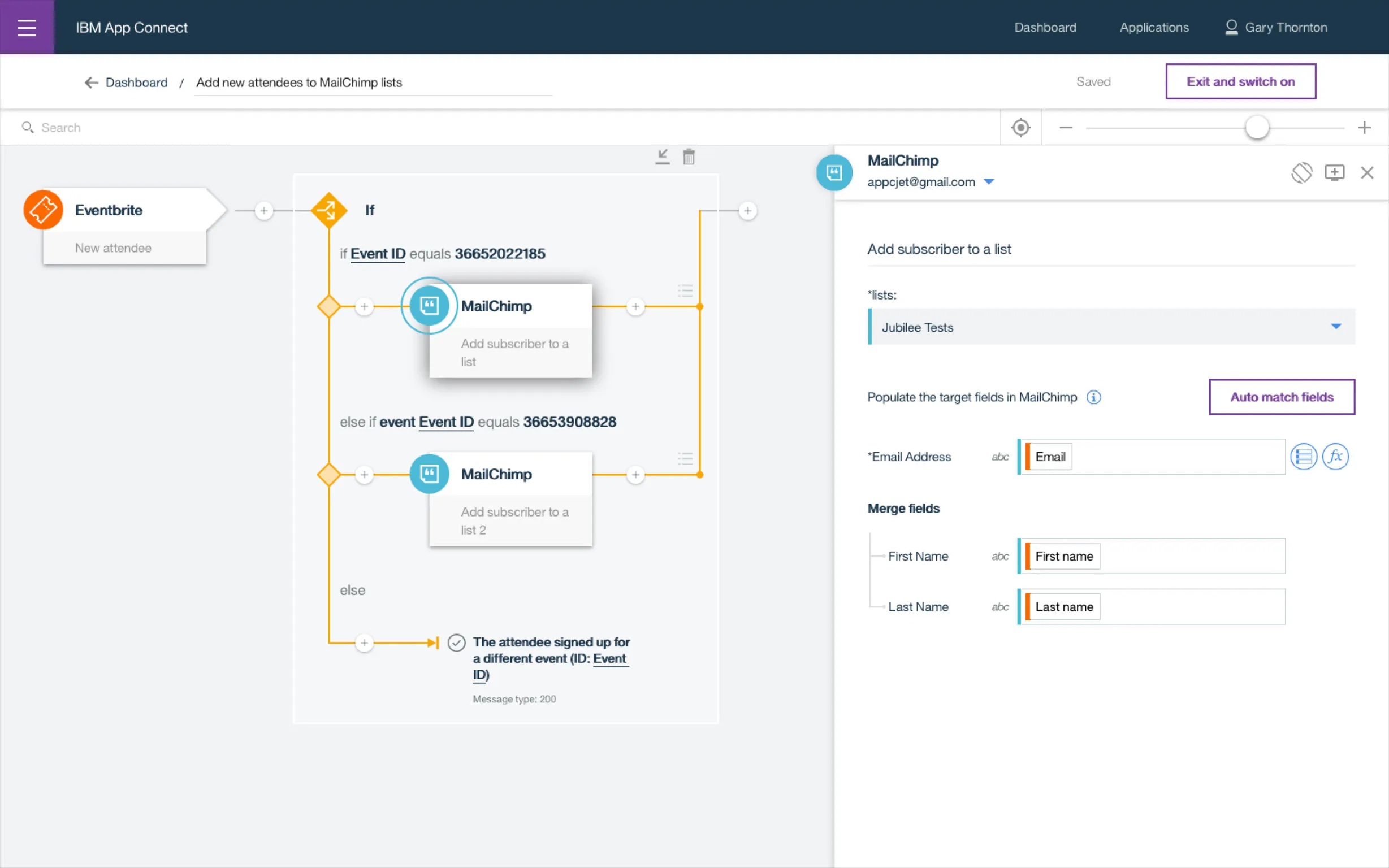
IBM App Connect is an enterprise integration platform designed to connect applications and data across hybrid and multi-cloud environments. It supports a wide range of enterprise systems and is often used by organizations with complex, regulated infrastructures.
The platform provides both low-code tooling and advanced configuration options. This allows teams to build straightforward integrations quickly while still supporting sophisticated data transformation and orchestration requirements. IBM App Connect integrates tightly with other IBM middleware and data services, which can be beneficial for organizations already invested in that ecosystem.
Strong governance, security controls, and monitoring features make it suitable for enterprise-scale deployments. However, implementation and ongoing management often require experienced technical teams.
Key features of IBM App Connect
- Hybrid integration support: Connect cloud and on-premises applications reliably.
- Flexible integration tooling: Combine low-code flows with advanced customization.
- Enterprise governance: Maintain visibility, security, and compliance across integrations.
Best for: Enterprises with complex integration needs and existing IBM technology investments.
6. SAP Integration Suite
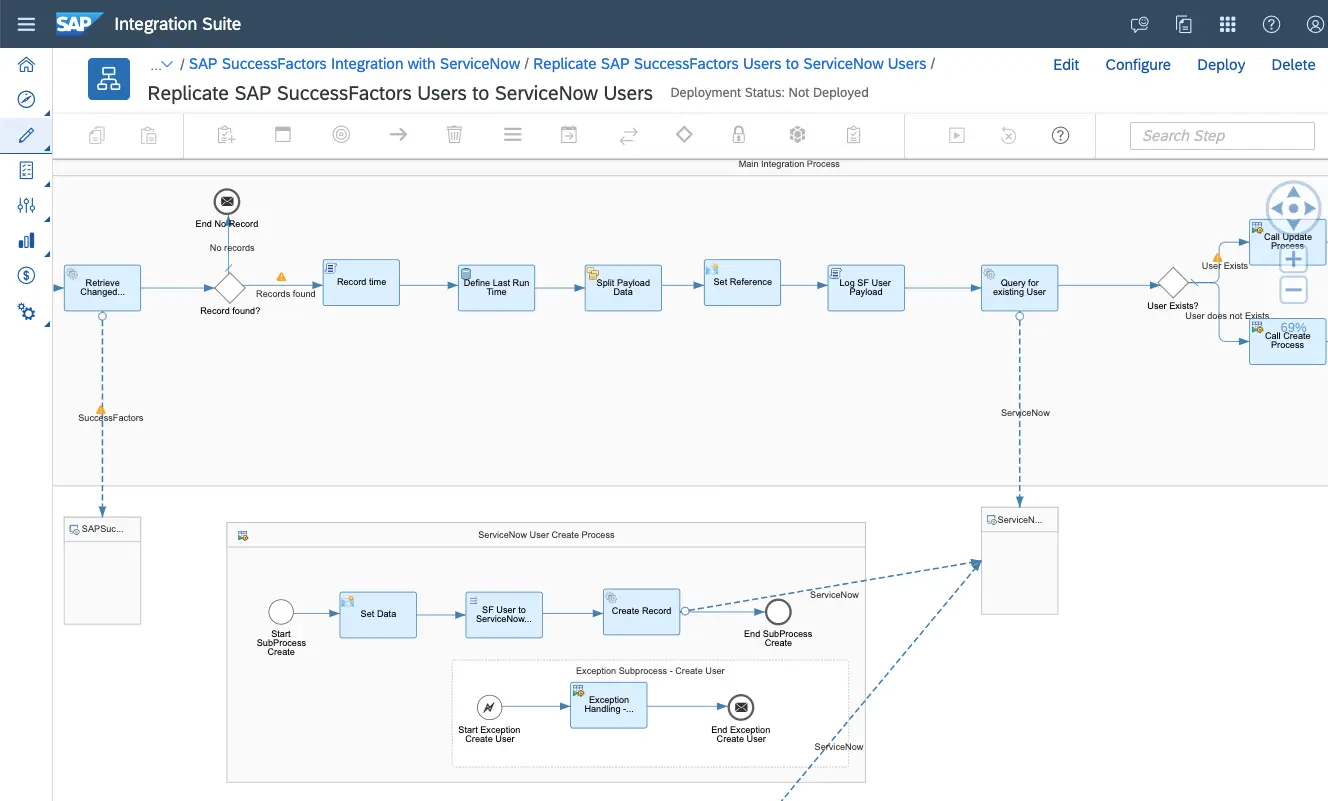
SAP Integration Suite is built to connect SAP and non-SAP applications across cloud and hybrid environments. It is commonly used by organizations running SAP ERP, S/4HANA, or other SAP business systems.
The platform offers prebuilt integration content, APIs, and event-driven capabilities that help standardize data flows across core business processes. SAP Integration Suite also supports B2B integrations, making it useful for partner and supply chain scenarios.
While powerful, the platform delivers the most value when tightly aligned with SAP-centric architectures. Organizations outside that ecosystem may face higher configuration effort.
Key features of SAP Integration Suite
- Prebuilt SAP integrations: Accelerate connectivity with SAP business applications.
- API and event management: Enable real-time, standardized data exchange.
- B2B integration support: Connect partners and external systems securely.
Best for: Organizations with SAP-heavy environments seeking native integration capabilities.
7. Informatica Intelligent Data Management Cloud
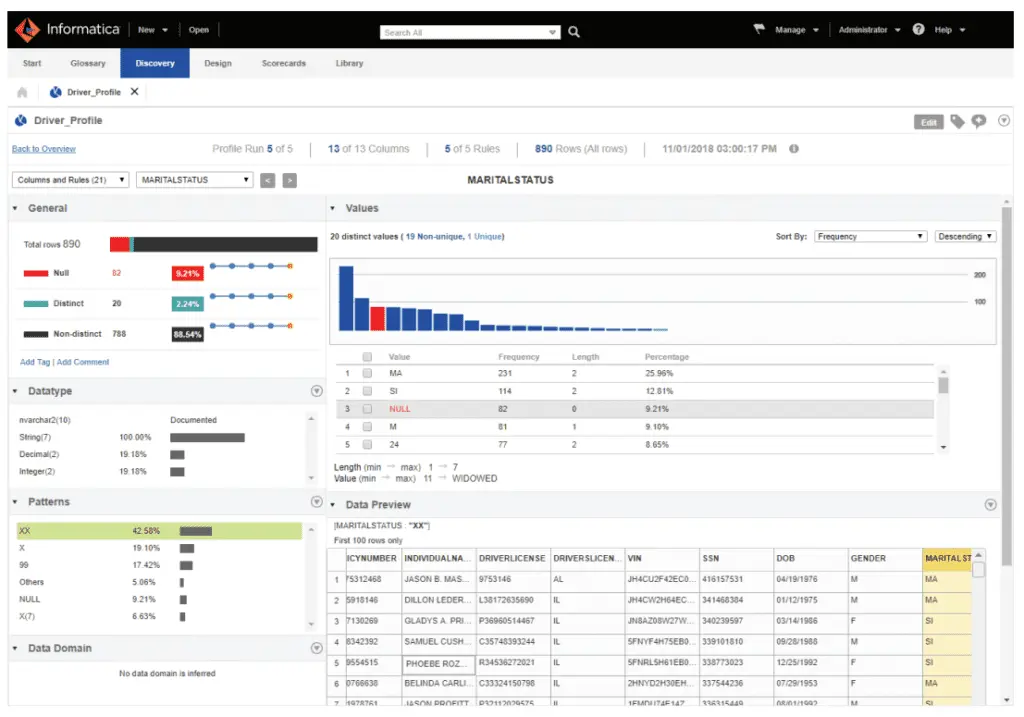
Informatica Intelligent Data Management Cloud focuses on data-centric integration, governance, and quality across enterprise systems. It supports cloud, hybrid, and multi-cloud deployments.
The platform excels at managing complex data pipelines, transformations, and metadata. Organizations use it to ensure data consistency, accuracy, and compliance across analytics, operations, and reporting systems.
Informatica provides extensive automation and monitoring capabilities, but it often requires skilled data and integration specialists to manage effectively.
Key features of Informatica Intelligent Data Management Cloud
- Advanced data integration: Manage complex transformations and pipelines at scale.
- Data governance and quality: Maintain accuracy and compliance across systems.
- Cloud and hybrid support: Integrate data across diverse environments.
Best for: Data-driven enterprises prioritizing governance and advanced data management.
8. Workato
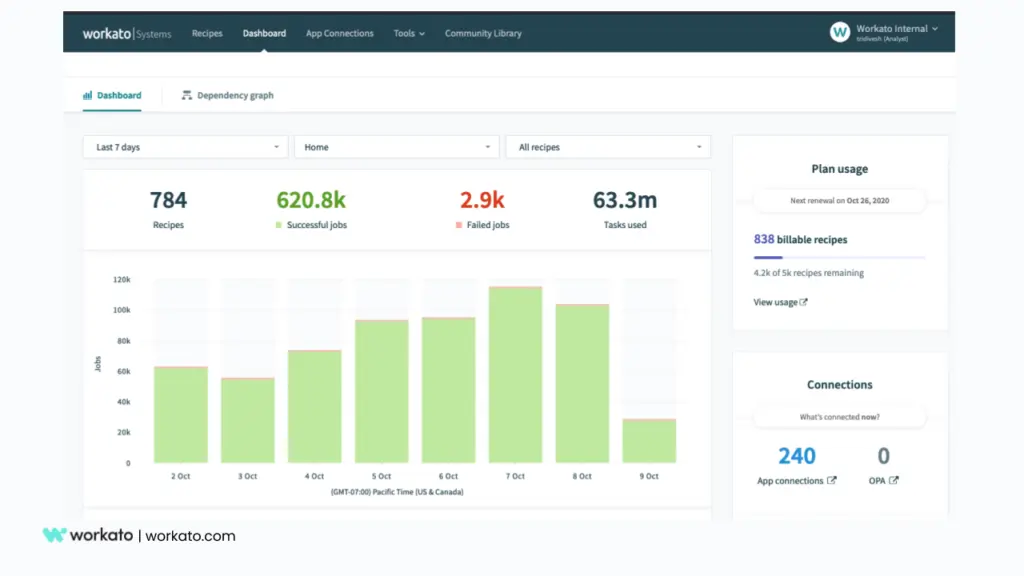
Workato is a low-code automation and integration platform that bridges IT and business teams. It enables users to build integrations and automated workflows using a recipe-based approach.
The platform offers a large library of prebuilt connectors and automation templates. This allows teams to move quickly without deep technical expertise. Workato supports both application integration and business process automation.
While accessible, governance and scaling require clear oversight as adoption grows across departments.
Key features of Workato
- Low-code automation recipes: Build integrations quickly with guided workflows.
- Extensive connector library: Connect popular SaaS and enterprise tools easily.
- Business and IT collaboration: Enable shared ownership of integrations.
Best for: Organizations looking to empower business teams while maintaining centralized integration control.
9. SnapLogic
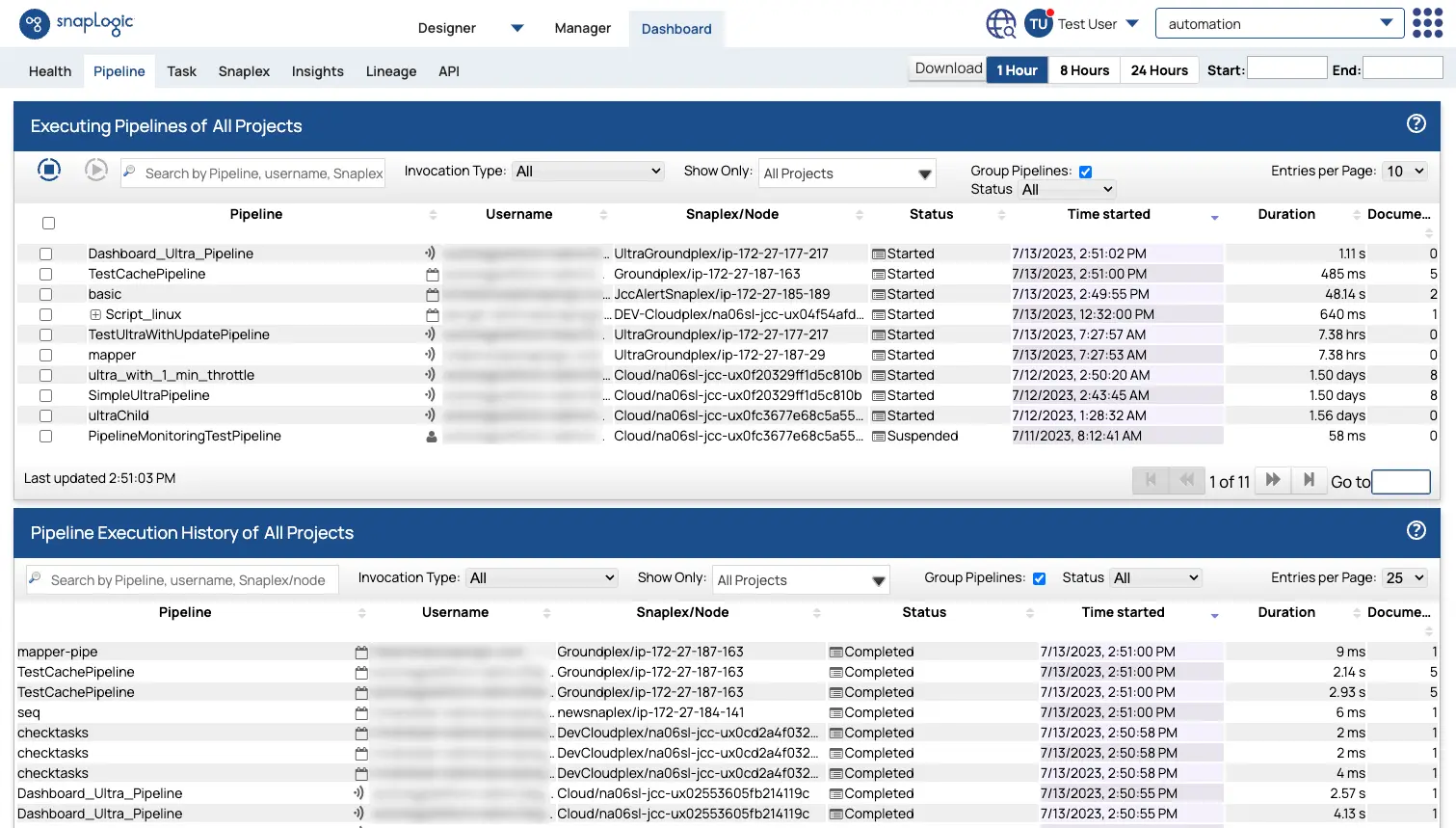
SnapLogic is an integration platform built around a visual, pipeline-based approach to connecting applications and data. It emphasizes speed and scalability, making it suitable for enterprises managing high data volumes and complex integration patterns.
The platform uses prebuilt connectors, called Snaps, to accelerate integration development across cloud and on-premises systems. SnapLogic also incorporates AI-assisted capabilities that help suggest mappings and workflows, reducing manual configuration effort.
SnapLogic supports real-time and batch processing and provides centralized monitoring for operational visibility. While powerful, teams typically need technical expertise to design and maintain more advanced pipelines.
Key features of SnapLogic
- Visual pipeline builder: Design integrations using a drag-and-drop interface.
- AI-assisted integration: Accelerate development with intelligent recommendations.
- Scalable data processing: Handle large data volumes reliably.
Best for: Enterprises handling high-throughput data integrations and complex workflows.
10. TIBCO Integration
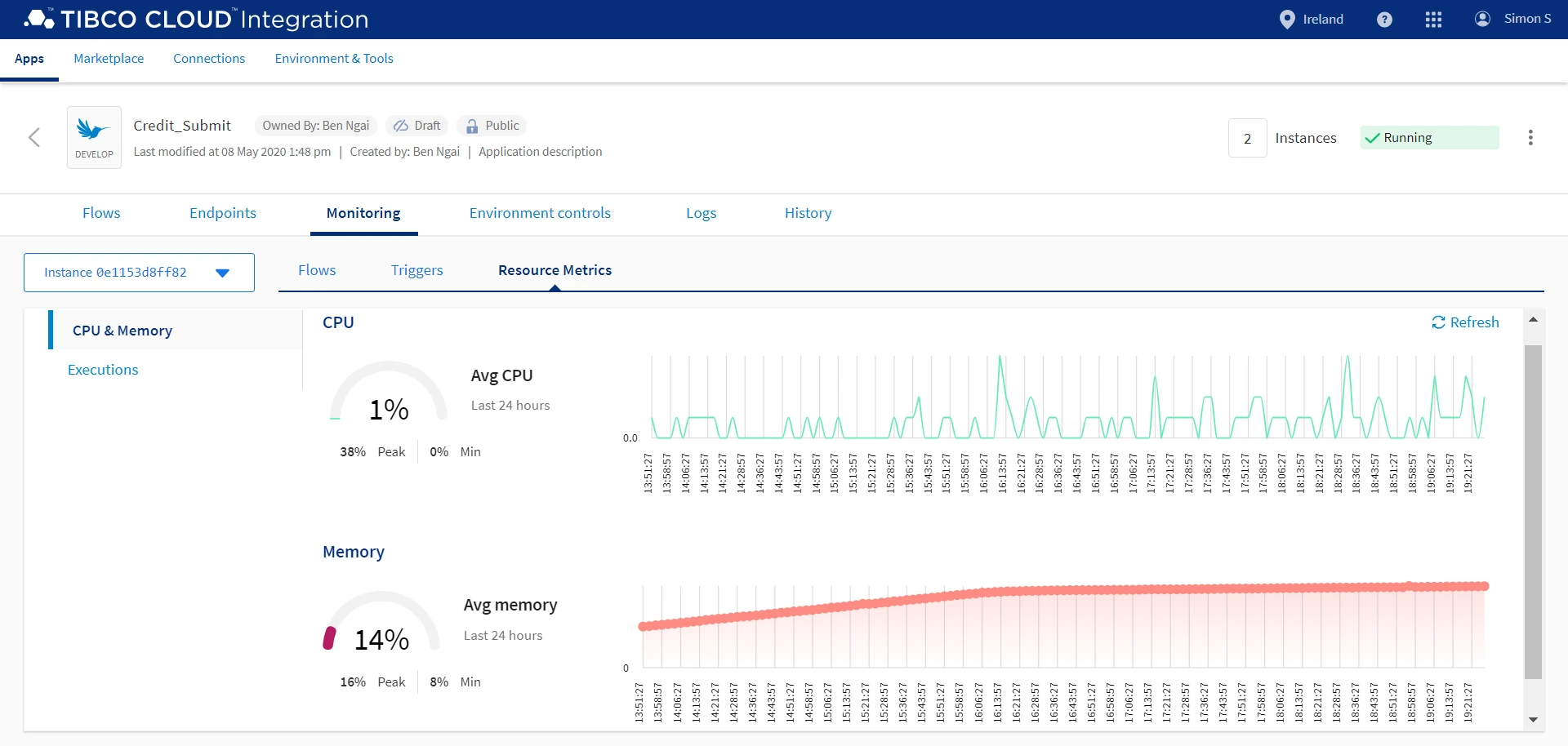
TIBCO Integration provides a comprehensive set of tools for application, data, and event integration. It is often used in environments that require real-time processing and event-driven architectures.
The platform supports microservices, APIs, and messaging, enabling organizations to build responsive and scalable integrations. TIBCO’s strengths lie in handling complex, time-sensitive data flows across distributed systems.
Its broad capabilities can introduce complexity, and successful adoption usually depends on skilled integration teams and clear governance.
Key features of TIBCO Integration
- Event-driven architecture support: Enable real-time data movement and responsiveness.
- API and messaging tools: Build flexible, scalable integration patterns.
- Enterprise monitoring: Maintain visibility across distributed integrations.
Best for: Organizations with real-time integration and event-driven requirements.
11. Oracle Integration Cloud
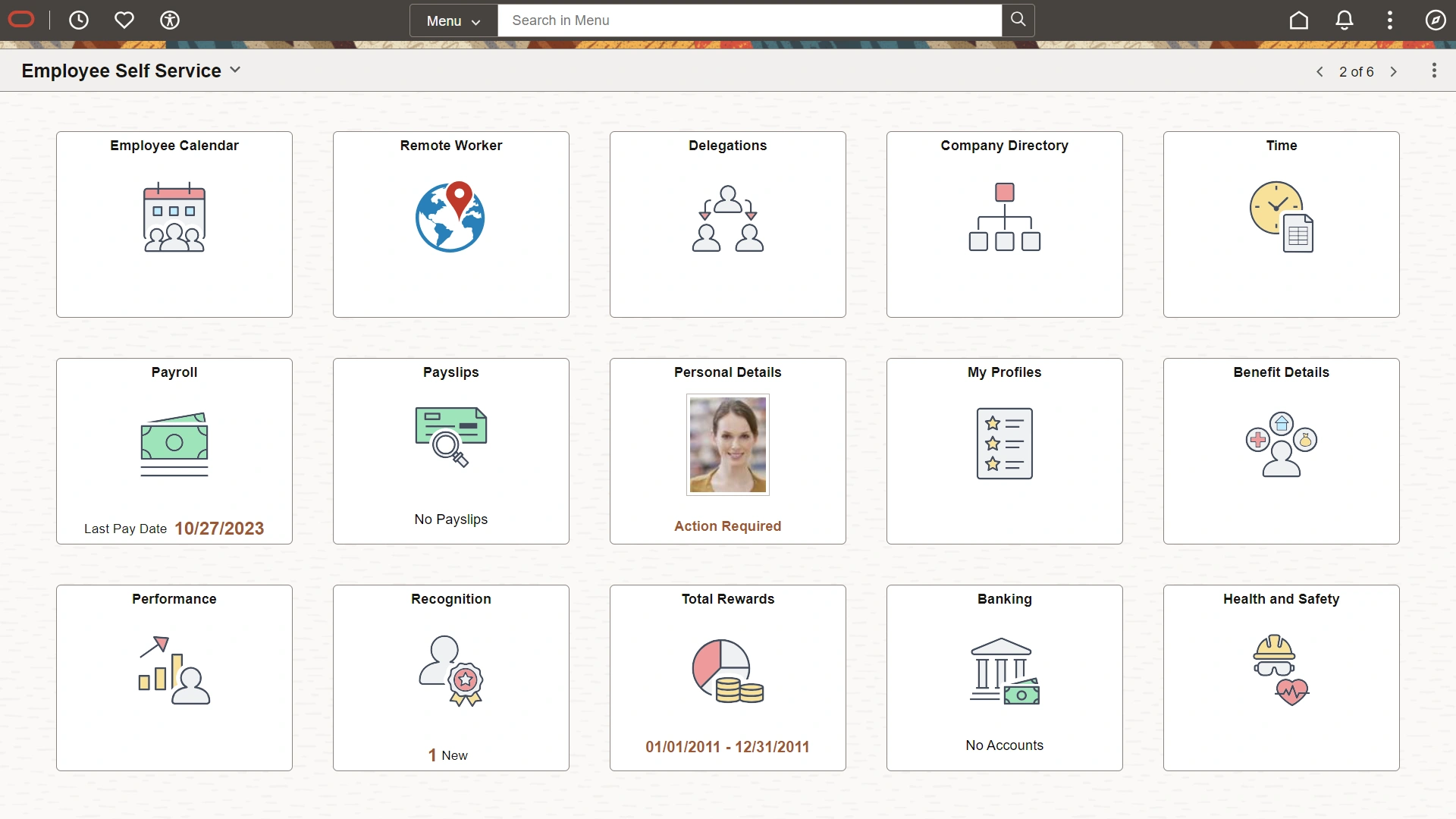
Oracle Integration Cloud is designed to connect Oracle applications and third-party systems through a unified integration platform. It is commonly used by enterprises running Oracle ERP, HCM, or CX solutions.
The platform offers prebuilt adapters, visual integration design, and built-in monitoring. These features help standardize integrations and reduce development time, especially within Oracle-centric environments.
While it supports non-Oracle systems, organizations typically gain the most value when Oracle applications play a central role.
Key features of Oracle Integration Cloud
- Prebuilt Oracle adapters: Simplify integration with Oracle business applications.
- Visual integration design: Build and manage integrations with guided tools.
- Integrated monitoring: Track performance and troubleshoot issues.
Best for: Enterprises standardized on Oracle applications.
12. Jitterbit
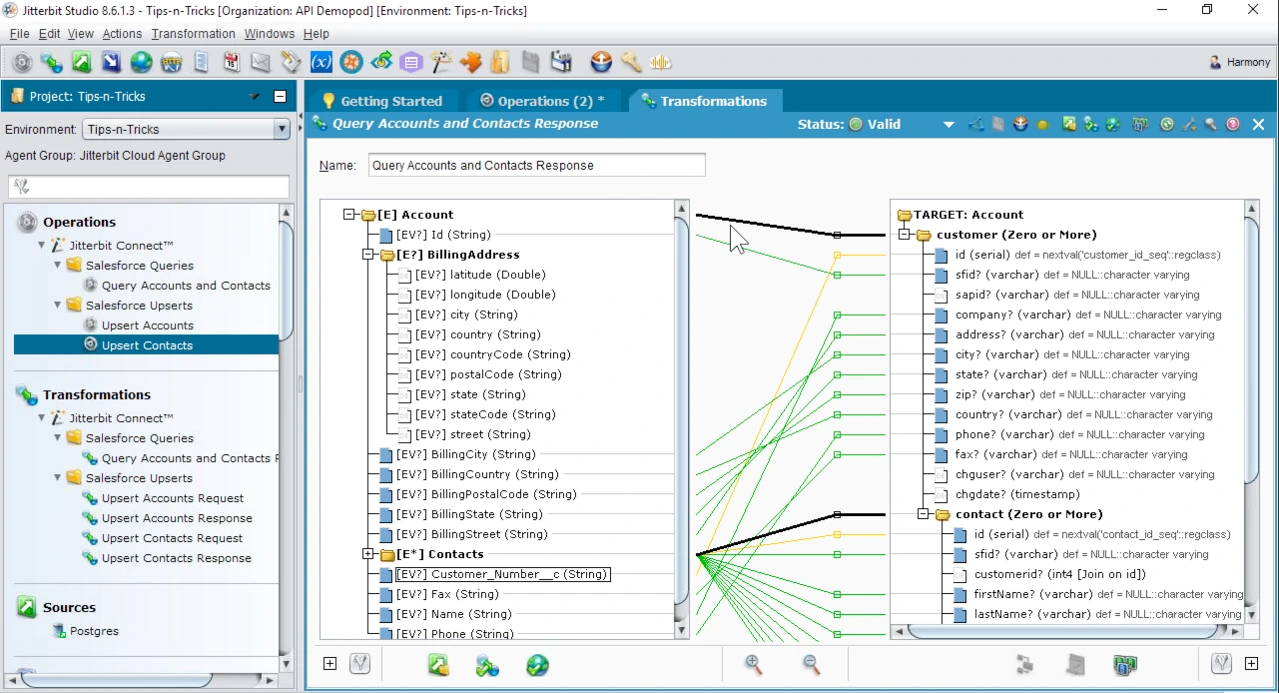
Jitterbit is an integration platform that focuses on rapid deployment and ease of use. It supports application, data, and API integration across cloud and on-premises environments.
The platform provides low-code tools and prebuilt templates that help teams implement integrations quickly. Jitterbit also supports API management, enabling organizations to expose and manage services securely.
Its simplicity makes it attractive for mid-sized enterprises, though very large-scale scenarios may require careful planning.
Key features of Jitterbit
- Low-code integration tools: Accelerate deployment with minimal development effort.
- API management: Publish and manage APIs securely.
- Hybrid integration support: Connect cloud and on-premises systems.
Best for: Organizations seeking fast integration deployment with manageable complexity.
13. Celigo
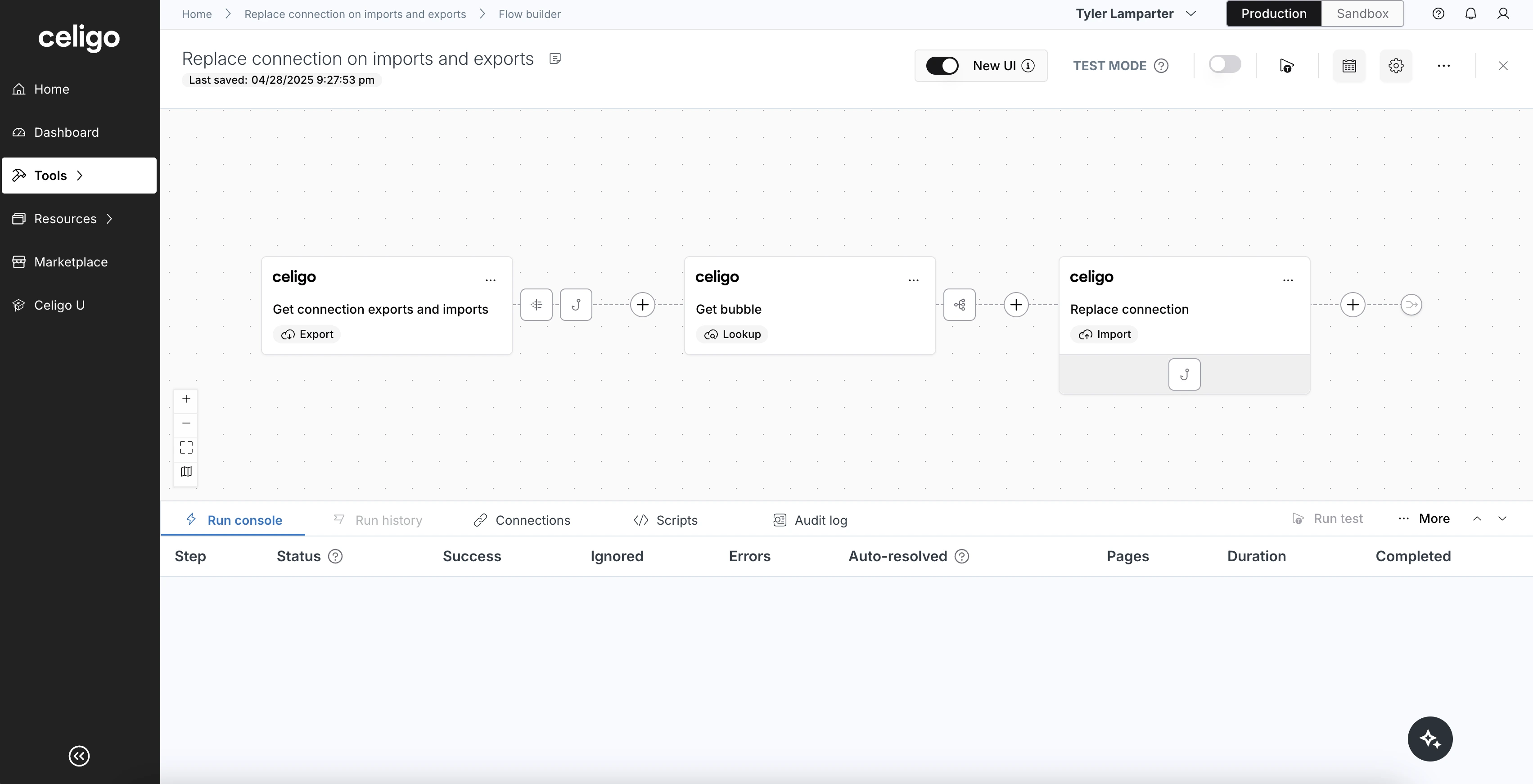
Celigo is an integration platform focused on connecting cloud applications through prebuilt integration apps and automated workflows. It is widely used for SaaS-to-SaaS integrations, particularly in environments with ecommerce, finance, and CRM systems.
The platform emphasizes rapid deployment through reusable integration templates. This allows teams to implement common integration scenarios quickly while maintaining visibility into data flows and errors. Celigo also includes monitoring and alerting features that help teams resolve issues without deep technical troubleshooting.
While highly effective for standardized SaaS integrations, Celigo is less suited for highly customized or legacy-heavy environments.
Key features of Celigo
- Prebuilt integration apps: Deploy common SaaS integrations with minimal setup.
- Automated monitoring and alerts: Detect and resolve integration issues quickly.
- Cloud-first architecture: Support modern, SaaS-driven tech stacks.
Best for: Organizations relying heavily on SaaS applications and standardized integration patterns.
Bringing enterprise integrations together
Enterprise integration platforms play a defining role in how efficiently organizations operate. When systems connect reliably, teams gain faster access to information, processes run with fewer interruptions, and data remains consistent across the business.
However, integration success is not only about technical reach. It depends on how well integrations support the employee experience. Platforms that surface connected data in meaningful, usable ways reduce friction and improve adoption across teams.
Axero approaches enterprise integration from this perspective. By embedding integrations directly into the intranet and digital workplace, we help organizations turn connected systems into everyday tools employees trust and use. IT teams maintain control and governance, while employees benefit from fewer tools and clearer workflows.
If you are evaluating enterprise integration platforms, consider how they align with your broader digital workplace strategy. Book a demo today and see how Axero can help you connect systems around the people who use them.</span









 info@axerosolutions.com
 1-855-AXERO-55