
Office collaboration software brings teams together in one place to communicate, share information, and get work done without friction. Many organizations rely on a mix of disconnected tools, which often results in scattered files, inconsistent communication, and avoidable bottlenecks. As hybrid and distributed work environments become the norm, companies need reliable platforms that centralize conversations, documents, and workflows so teams can operate with clarity.
The right collaboration software provides a shared space where teams can communicate clearly, access knowledge, and coordinate tasks with confidence. Employees stay connected to what matters, leaders gain visibility into progress, and departments operate with fewer silos. Whether you are dealing with document-heavy processes, frequent cross-functional work, or daily peer communication, a well-organized digital workplace supports consistent performance.
Choosing the best solution is not only about improving productivity. These tools shape how people participate in conversations, how knowledge flows across your organization, and how your workplace culture builds over time. Below, we break down what office collaboration software is, what to consider when selecting one, and the top options available today.
Top 12 office collaboration software for 2026
- Axero
- Microsoft Teams
- Google Workspace
- Slack
- Notion
- Asana
- ClickUp
- Confluence
- Zoho Workplace
- Monday.com
- Trello
- ProofHub
What is office collaboration software?
Office collaboration software refers to digital platforms that help employees communicate, coordinate work, and share information in a unified space. These tools support teamwork by centralizing messages, documents, tasks, and resources so teams can stay aligned without switching between disconnected systems.
Collaboration platforms can include real-time chat, document editors, project management capabilities, knowledge hubs, and social features that help people stay connected. Instead of long email threads or files scattered across drives, teams can store everything in one place and work together more efficiently. Modern collaboration tools also support remote and hybrid work by ensuring employees have access to information and colleagues from any device.
A strong collaboration platform does more than provide communication channels. It improves visibility for leaders, encourages knowledge sharing, and brings structure to ongoing work. For many organizations, the right collaboration software becomes the digital backbone that supports day-to-day operations.
What to consider when choosing the right office collaboration software
The best collaboration platform is one that aligns with your team’s everyday needs and integrates smoothly with your current setup. Before choosing a tool, think about the type of work your teams perform, how they share information, and where bottlenecks commonly appear.
Communication features
Look for tools that allow teams to message, comment, and share updates in real time. Threaded conversations and group channels help keep discussions organized and reduce confusion.
Document and file management
A strong collaboration platform should store documents in one place, support version control, and make files easy to find. This minimizes duplicate work and ensures employees always access the latest information.
Task and project coordination
Built-in workflows or project spaces help teams track progress without juggling separate task management tools. Visual boards and assignments keep responsibilities clear.
Integrations
Your collaboration software should work well with existing systems like email, calendars, HR tools, and file storage platforms. This reduces context switching and supports consistent processes.
Ease of use
An intuitive interface helps drive adoption. Employees should be able to learn the platform quickly with minimal training.
Security and access controls
Access permissions, secure data storage, and compliance features protect company information while giving teams the flexibility they need.
Mobile access
Teams increasingly work on the go. A mobile-friendly platform ensures that conversations and tasks continue smoothly no matter the location.
12 best office collaboration software
1. Axero
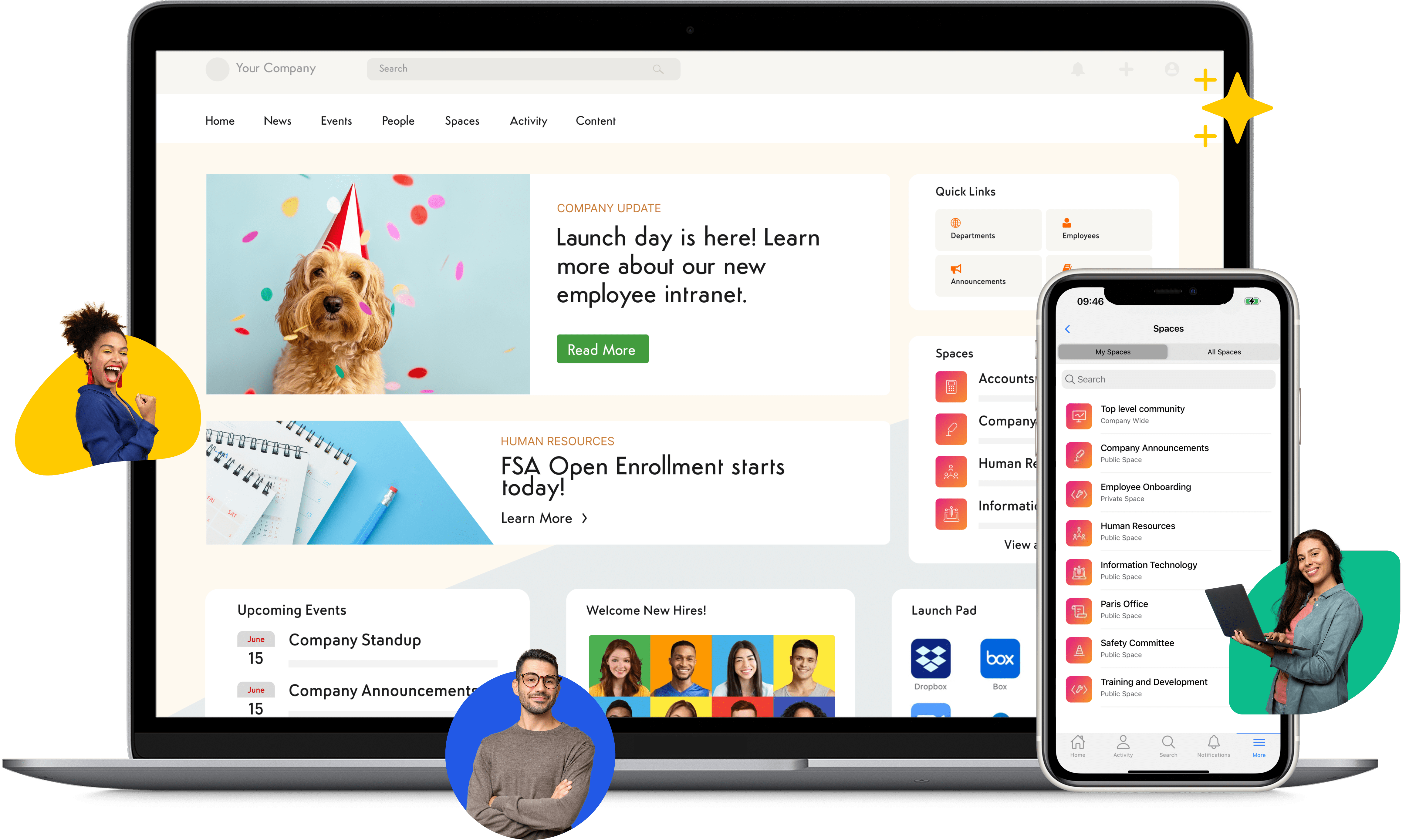
Axero is an all in one intranet and collaboration platform that centralizes communication, knowledge, and teamwork in a single space. It gives employees a hub where they can share updates, coordinate projects, collaborate on documents, and access resources without switching between multiple tools. Teams can create department spaces, publish company news, and use searchable knowledge bases to reduce repeated questions. Leaders gain visibility into ongoing work, and employees benefit from a clear structure that supports productivity.

Axero strengthens collaboration by connecting people to information and each other. Its built-in communication tools replace scattered chats, long email threads, and disconnected apps. Workspaces help teams organize resources, track tasks, and manage files with ease. With robust search, customizable templates, and flexible permissions, organizations can create an experience tailored to how they operate. Axero also integrates with popular tools to streamline workflows and prevent information silos. The platform supports hybrid, remote, and in-office teams with mobile access and intuitive design.
Key features of Axero
- Team workspaces: Provide organized areas for projects and departments to communicate and store important resources.
- Document management: Centralize files, control versions, and reduce duplication for better clarity across teams.
- Built-in communication tools: Keep conversations connected with announcements, forums, chat, and social features.
Best for: Organizations that want a unified intranet and collaboration platform that supports communication, teamwork, and knowledge sharing.

2. Microsoft Teams
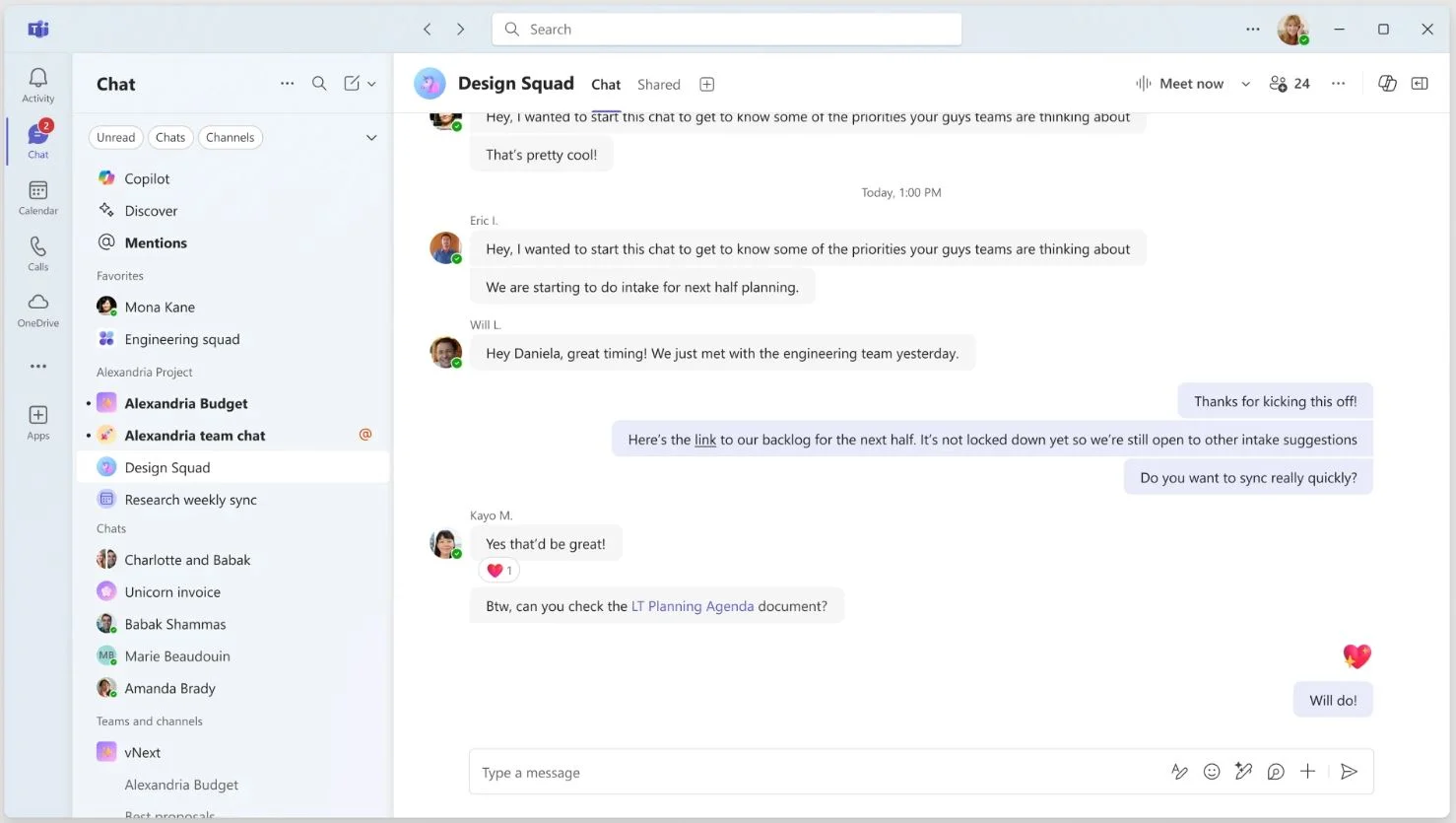
Microsoft Teams is a communication and collaboration tool that helps employees chat, meet, and share documents in a connected workspace. As part of Microsoft 365, it brings together messaging, video meetings, and file storage while integrating with tools like Word, Excel, and SharePoint. Teams offers channels for organized conversations, making it easier to group discussions by topic, department, or project. For companies already using Microsoft applications, Teams provides a familiar and cohesive experience.
Teams supports hybrid communication with video conferencing, screen sharing, and meeting recordings. Real-time chat and group channels allow employees to coordinate tasks and share updates quickly. Its integration with Microsoft’s productivity suite makes document collaboration smooth, as teammates can co-edit files without leaving the app. Teams also includes apps and connectors for extending workflows, which helps organizations build a centralized digital workspace.
Key features of Microsoft Teams
- Team channels: Group conversations around projects or topics to keep communication structured.
- Video meetings: Allow real-time collaboration with screen sharing, chat, and interactive meeting tools.
- Microsoft 365 integrations: Connect seamlessly with Office apps to simplify document-based work.
Best for: Companies that already rely on Microsoft 365 and want a collaboration tool that integrates with their existing ecosystem.
3. Google Workspace
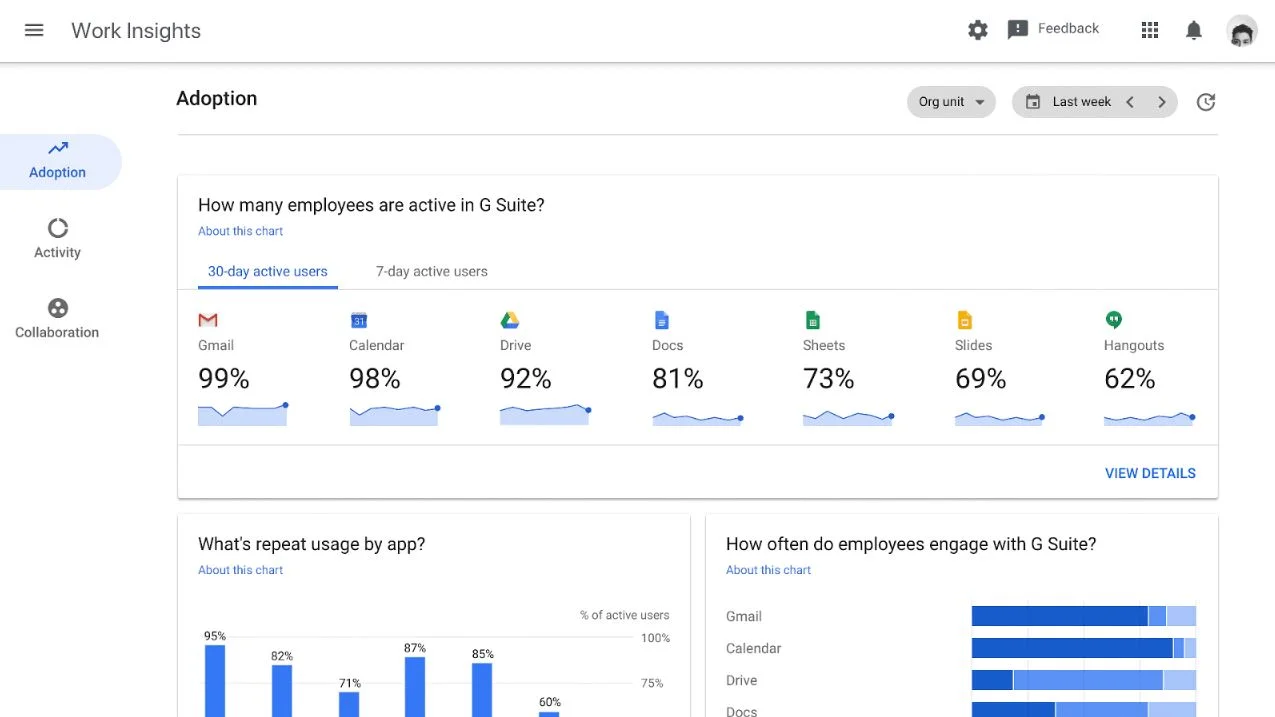
Google Workspace offers a suite of cloud-based tools that support communication, file sharing, and real-time collaboration. With Gmail, Drive, Docs, Sheets, Slides, and Meet, teams can create, edit, and store documents while staying aligned across projects. Google Workspace provides a flexible environment where employees can work together on the same file at the same time, making it a strong option for organizations that prefer lightweight, cloud-native collaboration.
The platform helps teams stay connected through shared calendars, chat, and video calls. Its interface is intuitive, and documents automatically save and sync. Shared drives keep files organized for departments and project groups, while advanced search helps employees find information quickly. Google Workspace supports seamless access from different devices, which helps remote and distributed teams maintain consistent workflows.
Key features of Google Workspace
- Shared drives: Centralize team files to ensure everyone accesses the same materials.
- Real-time co-editing: Allow multiple people to work on documents simultaneously.
- Integrated communication tools: Combine Gmail, Chat, and Meet for connected communication.
Best for: Teams that prefer cloud-native tools and want simple, real-time document collaboration.
4. Slack
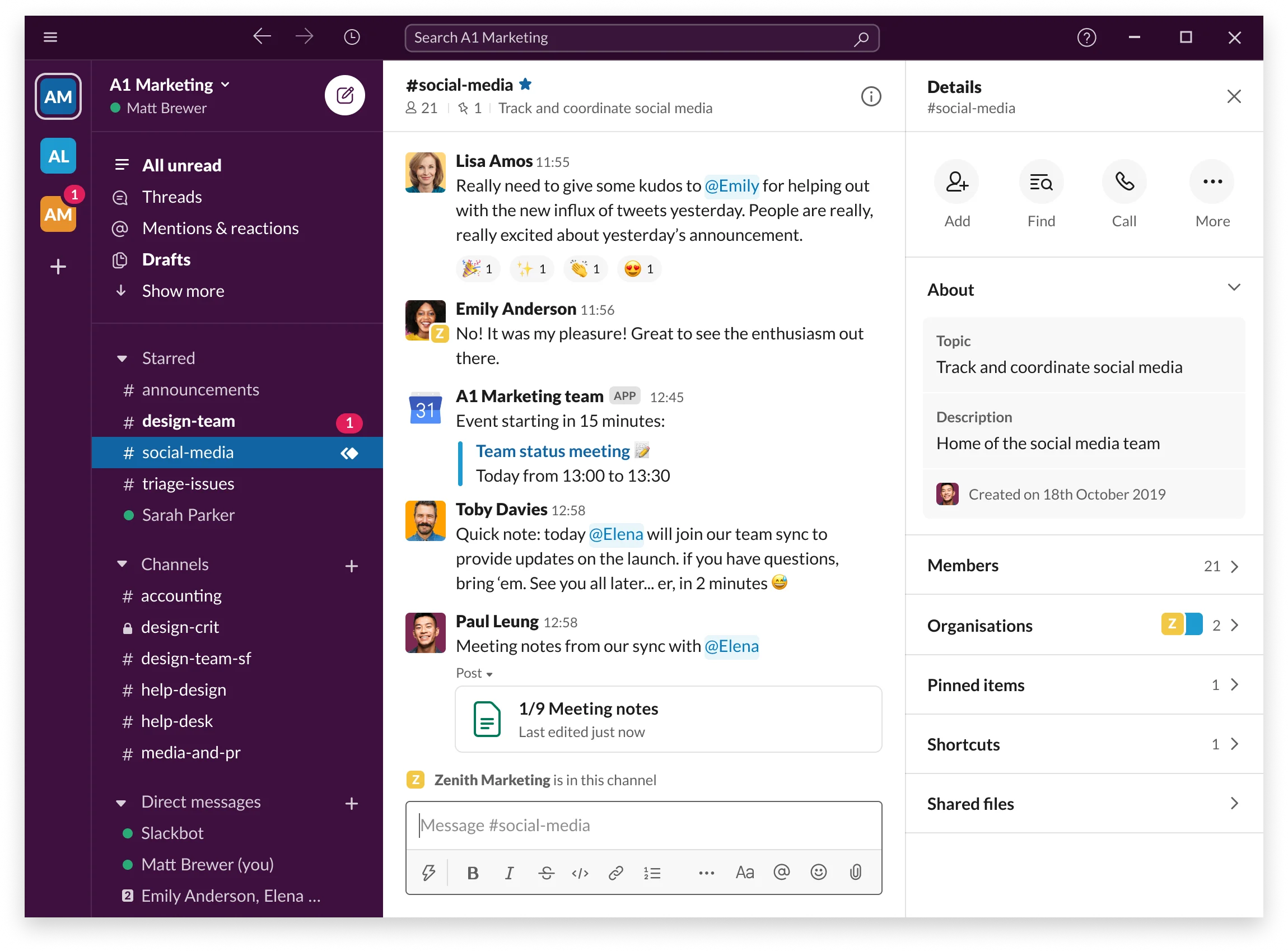
Slack is a messaging-centered collaboration tool that helps teams communicate through channels, direct messages, and integrations with other workplace apps. It replaces fragmented conversations and reduces email clutter by providing a structured space for ongoing communication. Teams can organize channels around projects, topics, or departments, keeping discussions searchable and easy to follow. Slack’s clean interface and fast messaging make it accessible for companies of all sizes.
While Slack excels at communication, it also supports collaboration through file sharing, workflows, and integrations with third-party tools. Its app directory includes thousands of integrations that help teams automate updates, connect data, and streamline tasks. Slack’s search makes it easy to surface old conversations or shared documents, preventing information loss. It is especially effective for distributed teams that rely on real-time messaging.
Key features of Slack
- Topic-based channels: Keep conversations organized for better team clarity.
- Integrations: Connect with tools across project management, file storage, and productivity.
- Searchable history: Allow employees to find past discussions and shared resources quickly.
Best for: Organizations that need fast, organized communication with strong integration options.
5. Notion
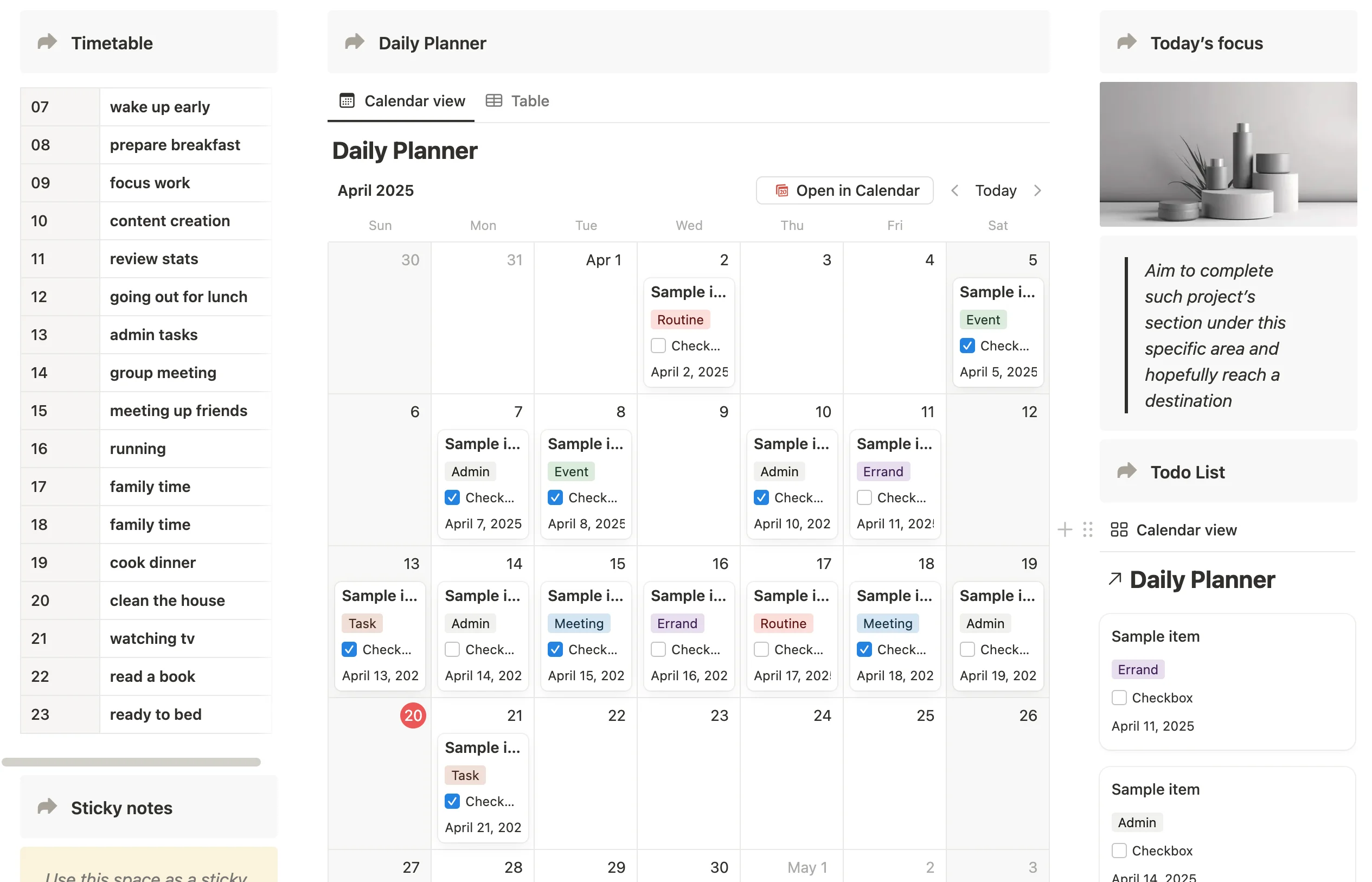
Notion is a flexible workspace that combines notes, documents, databases, and lightweight project management in one platform. Teams can build custom pages to organize information, create shared knowledge hubs, and track tasks in formats like tables, boards, and calendars. Its modular design allows teams to create a structure that fits their workflows rather than adapting processes to the tool. This makes Notion useful for teams that want a customizable environment for documentation and collaboration.
Teams use Notion to centralize meeting notes, project plans, and reference materials so information is easy to access. Collaboration happens in real time, with comments, mentions, and shared spaces to keep everyone up to date. Notion’s templates help teams set up pages quickly, while permissions ensure that sensitive information is only visible to the right people. Because the tool is highly flexible, it can function as a wiki, project tracker, and document hub all at once.
Key features of Notion
- Customizable pages: Build documentation, project plans, and shared resources in one place.
- Databases: Track tasks, assets, or processes using tables, boards, or calendars.
- Real-time collaboration: Comment, edit, and share updates across teams.
Best for: Teams that want a customizable, all in one workspace for documentation and lightweight project coordination.
6. Asana
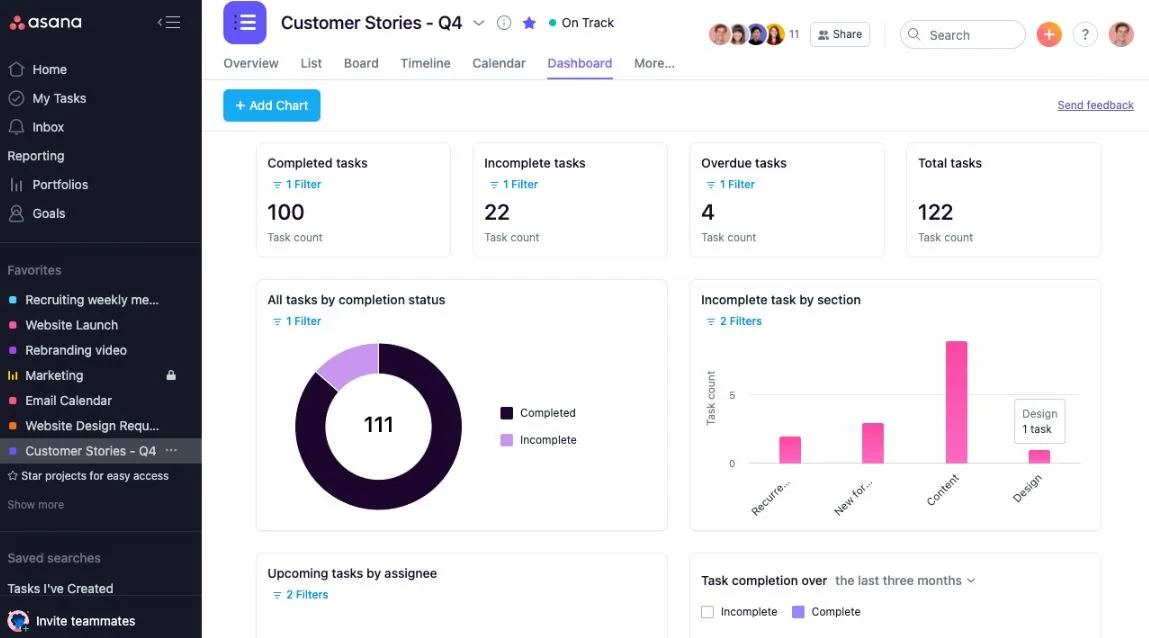
Asana is a project and task management platform that helps teams coordinate work, manage deadlines, and track progress from start to finish. It offers visual project views like lists, boards, and timelines, making it easier for teams to understand responsibilities and keep projects moving. Teams use Asana to assign tasks, share updates, and connect discussions to the work being done. This reduces communication gaps and creates clear accountability.
Asana supports collaboration by centralizing tasks and project resources, including documents, links, and comments. Automated workflows help teams streamline repetitive processes, while status updates keep stakeholders informed. Integrations with tools like Slack, Google Workspace, and Microsoft 365 connect project information to communication channels. Its flexible structure makes Asana suitable for teams of all sizes.
Key features of Asana
- Task management: Assign, track, and organize tasks across teams.
- Visual project views: Use lists, boards, and timelines to plan and monitor work.
- Automation tools: Reduce manual work with custom workflows.
Best for: Teams that need structure for task and project coordination across departments.
7. ClickUp
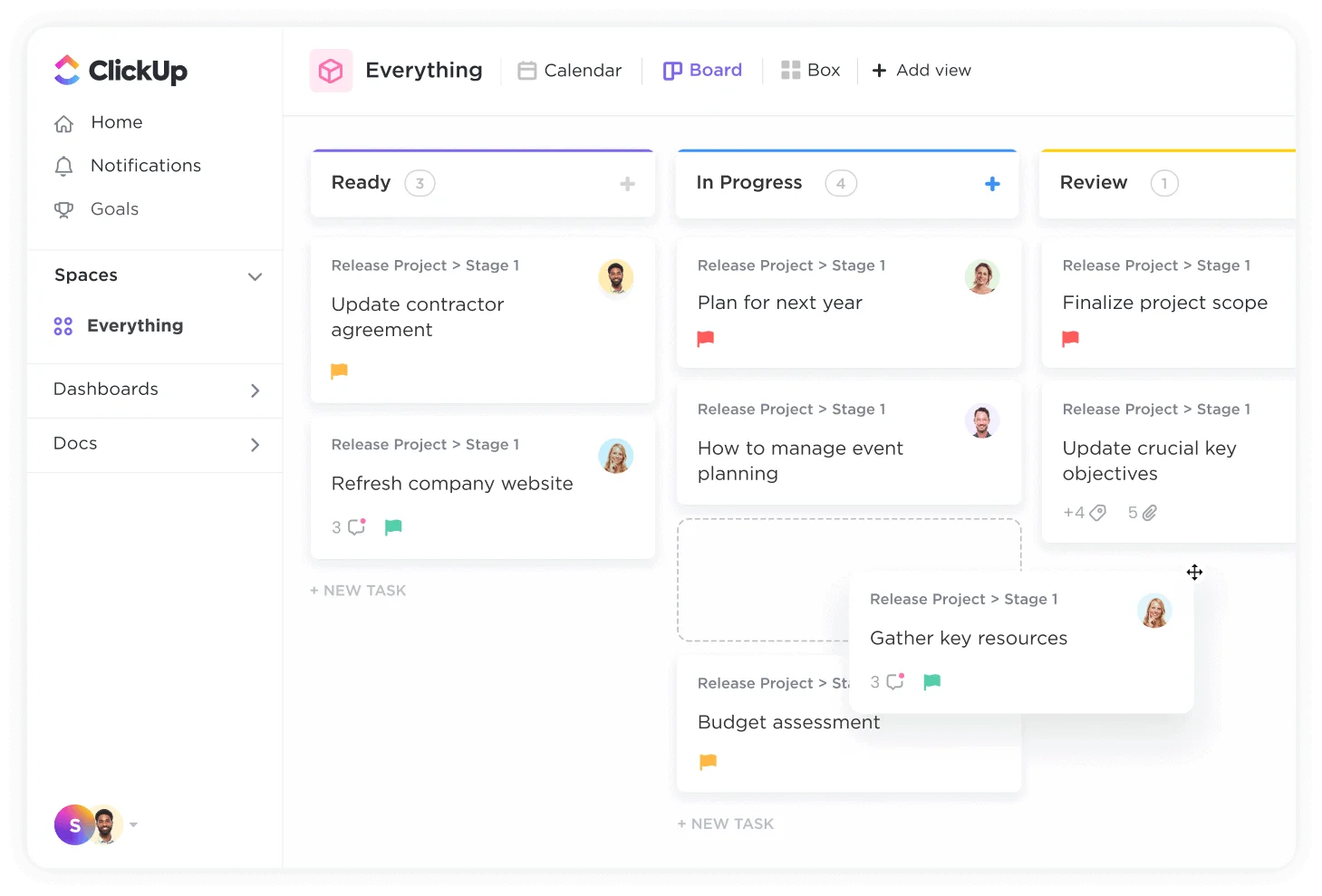
ClickUp is a project management and productivity tool designed to centralize tasks, documents, goals, and communication. It offers a highly configurable environment where teams can organize work using lists, boards, timelines, and dashboards. ClickUp’s flexibility supports many work styles, from simple task lists to complex project setups. Teams commonly use ClickUp to consolidate multiple tools into one workspace, reducing fragmentation.
The platform supports collaboration through real-time editing, comment threads, and shared views that help teams stay aligned. ClickUp Docs serve as a space for documentation and shared resources, while built-in chat and reporting tools support ongoing communication. Automation and integrations extend workflows, helping teams streamline repetitive tasks. Its customization options allow organizations to tailor their workspace to department needs.
Key features of ClickUp
- Customizable views: Switch between lists, boards, calendars, and more.
- ClickUp Docs: Store knowledge and collaborate on content in real time.
- Automation: Optimize workflows and reduce repetitive steps.
Best for: Teams that want a flexible project and knowledge workspace with extensive customization.
8. Confluence
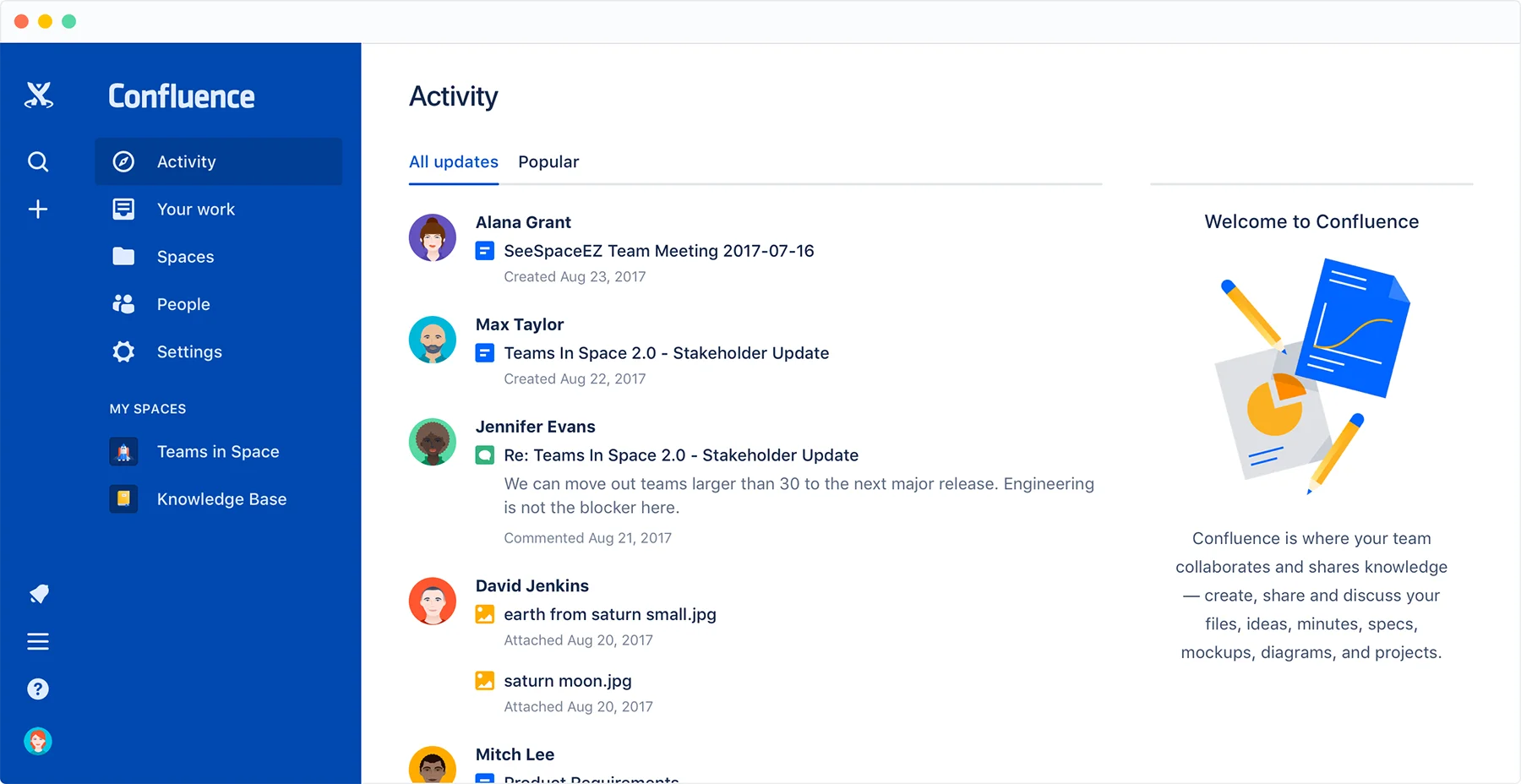
Confluence is a content and knowledge collaboration platform designed to help teams document processes, share information, and work together on structured content. Teams use Confluence to create pages for documentation, meeting notes, project plans, and internal guides. Its hierarchical structure keeps information organized, which is helpful for companies that rely heavily on documentation. Integration with Jira supports seamless collaboration between content and development work.
Confluence promotes collaboration through comments, inline feedback, and shared spaces for departments and projects. Page versioning helps teams track changes and maintain accuracy across documents. Templates allow teams to create consistent documentation quickly. Confluence serves as a central knowledge hub, reducing repeated questions and making information accessible across the organization.
Key features of Confluence
- Team spaces: Organize content by project or department with clear hierarchy.
- Content templates: Create consistent documentation across teams.
- Jira integration: Connect documentation with project and issue tracking.
Best for: Organizations that need a structured knowledge hub for documentation and cross-team collaboration.
9. Zoho Workplace
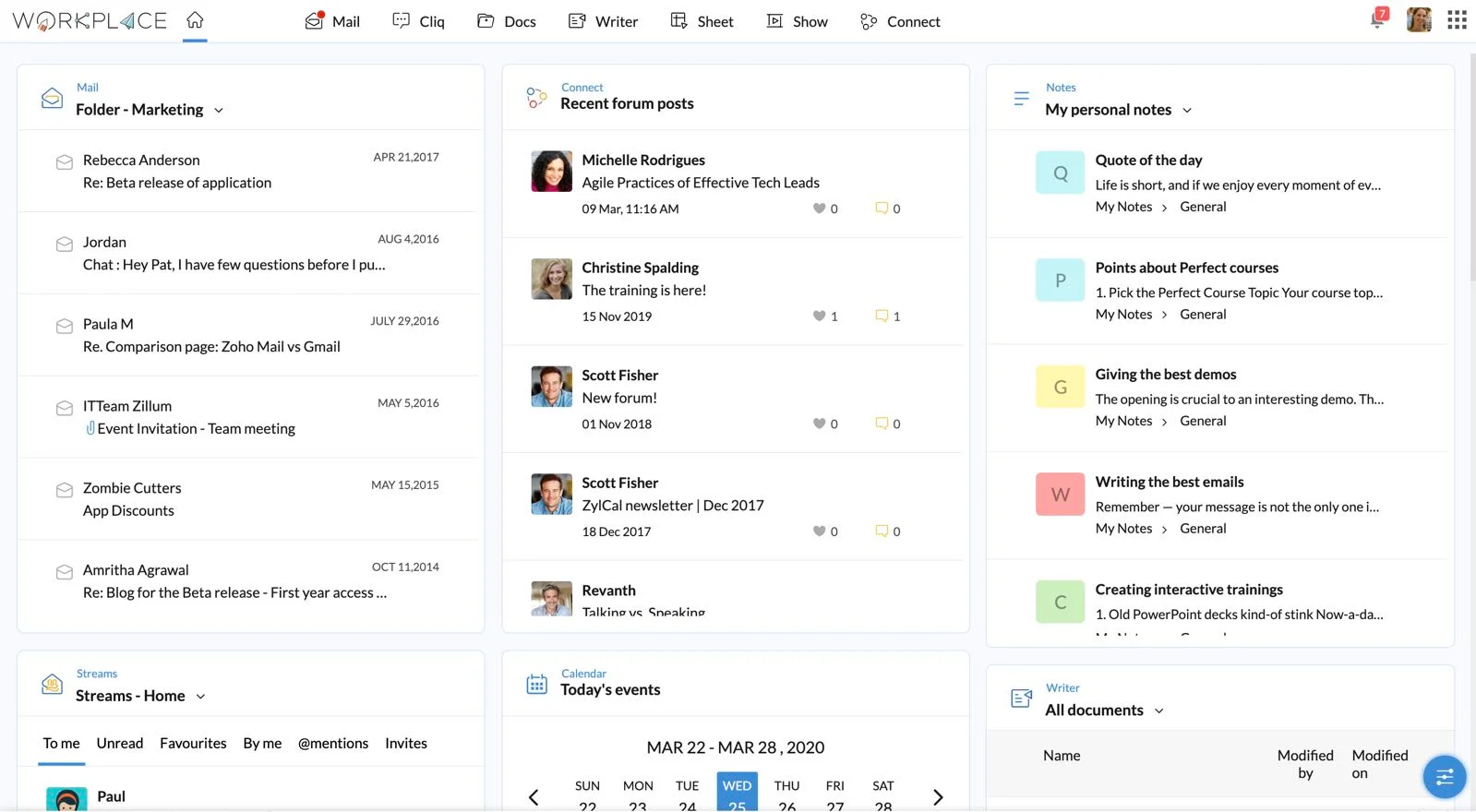
Zoho Workplace is a collection of productivity and communication tools designed to help employees collaborate, share documents, and work together in a connected environment. It includes email, chat, video conferencing, file storage, and document editing tools. Teams can access apps like Zoho Mail, Cliq, WorkDrive, Writer, Sheet, and Show to create content, share updates, and manage files within one ecosystem. This setup helps organizations reduce reliance on disconnected apps.
The platform supports real-time co-editing for documents, spreadsheets, and presentations. Integrated chat and channels allow employees to communicate without switching tools. Zoho Workplace also includes features to help teams organize files by department or project, making content easy to find. Its mobile access ensures employees can stay connected from anywhere. For organizations already using Zoho’s CRM or other business tools, Workplace fits smoothly into their workflows.
Key features of Zoho Workplace
- Real-time document editing: Collaborate on files with version control and comments.
- Integrated communication tools: Use chat, email, and video calls in one ecosystem.
- WorkDrive file management: Store, organize, and share files securely across teams.
Best for: Organizations that want an integrated suite covering communication, file sharing, and productivity tools.
10. Monday.com
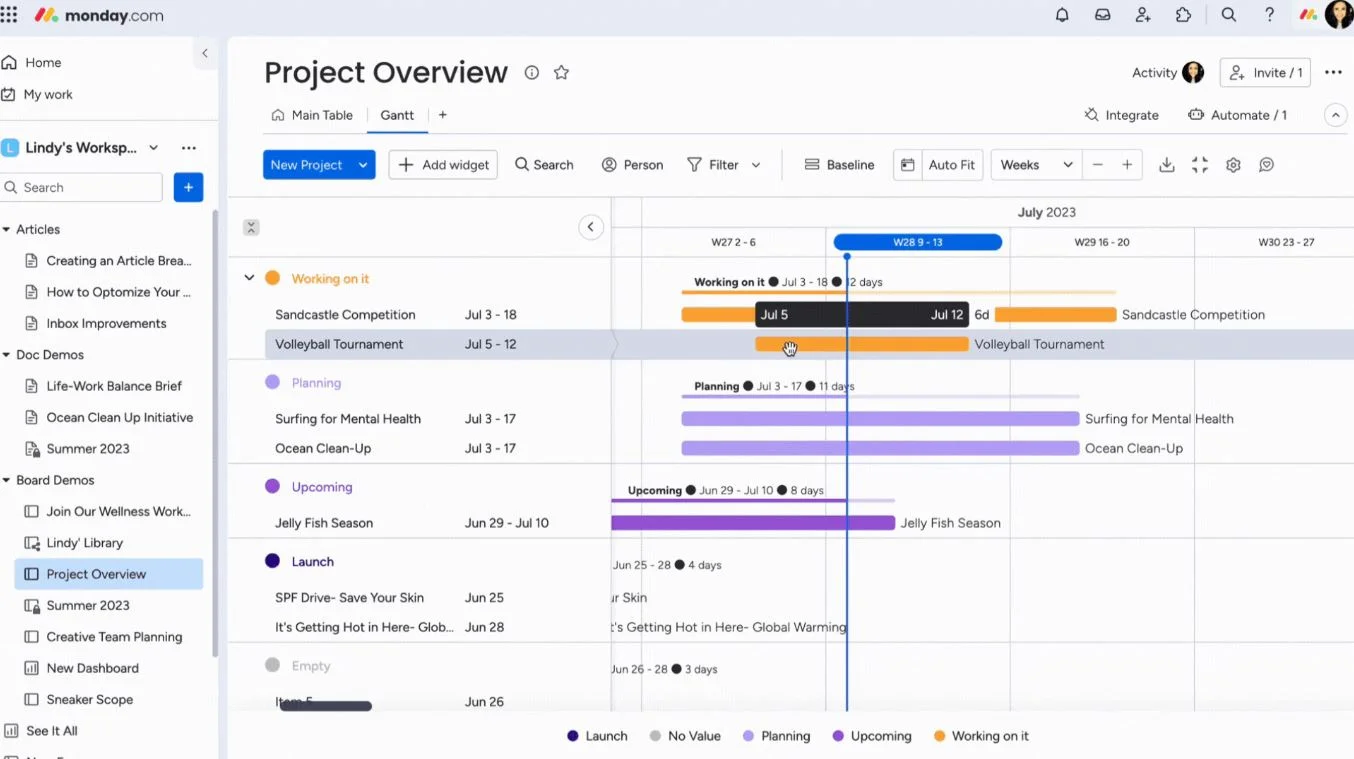
Monday.com is a work management platform that helps teams plan projects, track tasks, and collaborate in a visual environment. It provides customizable boards where teams can map out workflows, assign responsibilities, and follow progress in real time. Employees can switch between views like tables, boards, Gantt charts, and calendars to track work in the format that suits them best.
Teams use Monday.com to centralize project communication, store documents, and automate routine tasks. Integrations connect Monday.com to tools across communication, development, and storage, reducing the need for constant switching. The platform is easy to tailor to workflows across different departments, from operations to HR to marketing. Its dashboards help leaders monitor team performance and upcoming deadlines.
Key features of Monday.com
- Custom boards: Visualize work in tables, boards, or timelines.
- Automations: Streamline repetitive tasks to reduce manual work.
- Dashboards: Provide visibility into performance and workloads.
Best for: Teams that want a flexible visual platform for planning and tracking work across functions.
11. Trello
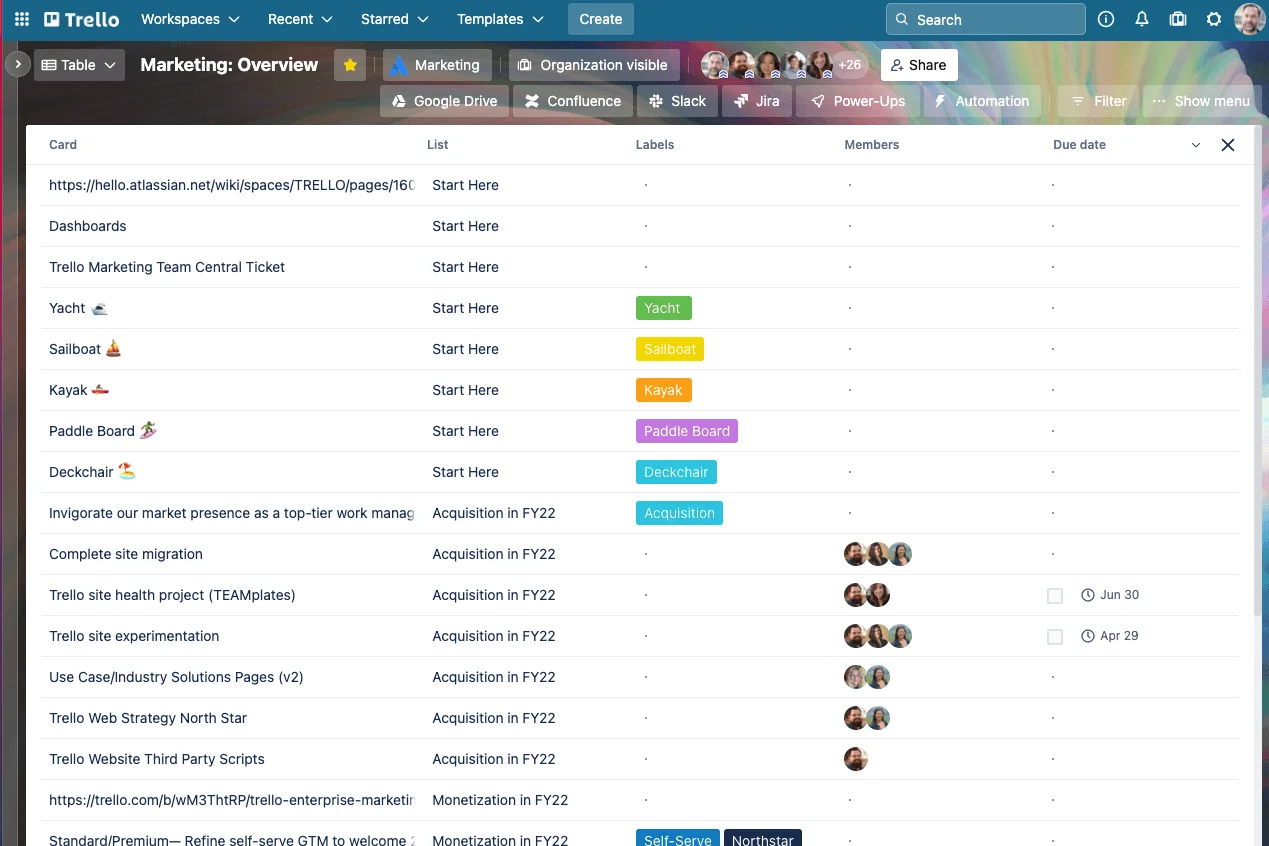
Trello is a simple, card-based tool for organizing tasks, projects, and team collaboration. It uses boards, lists, and cards to help teams visualize work and track progress. This makes Trello especially useful for teams that prefer a lightweight, visual approach to managing tasks and workflows. Its drag-and-drop interface helps employees update work quickly without complex setup.
Teams can collaborate by adding comments, attachments, and due dates to cards. Trello’s power-ups extend functionality through integrations with tools like Slack, Google Drive, and Jira. Shared boards keep teams aligned by making progress visible at a glance. Trello is accessible for smaller teams or departments that need a simple way to structure work without adopting a full project management suite.
Key features of Trello
- Board and card organization: Visualize tasks and move them through stages.
- Power-ups: Extend workflows through integrations and automations.
- Easy collaboration: Comment, attach files, and assign tasks.
Best for: Teams that want a straightforward visual tool for tracking tasks and small projects.
12. ProofHub
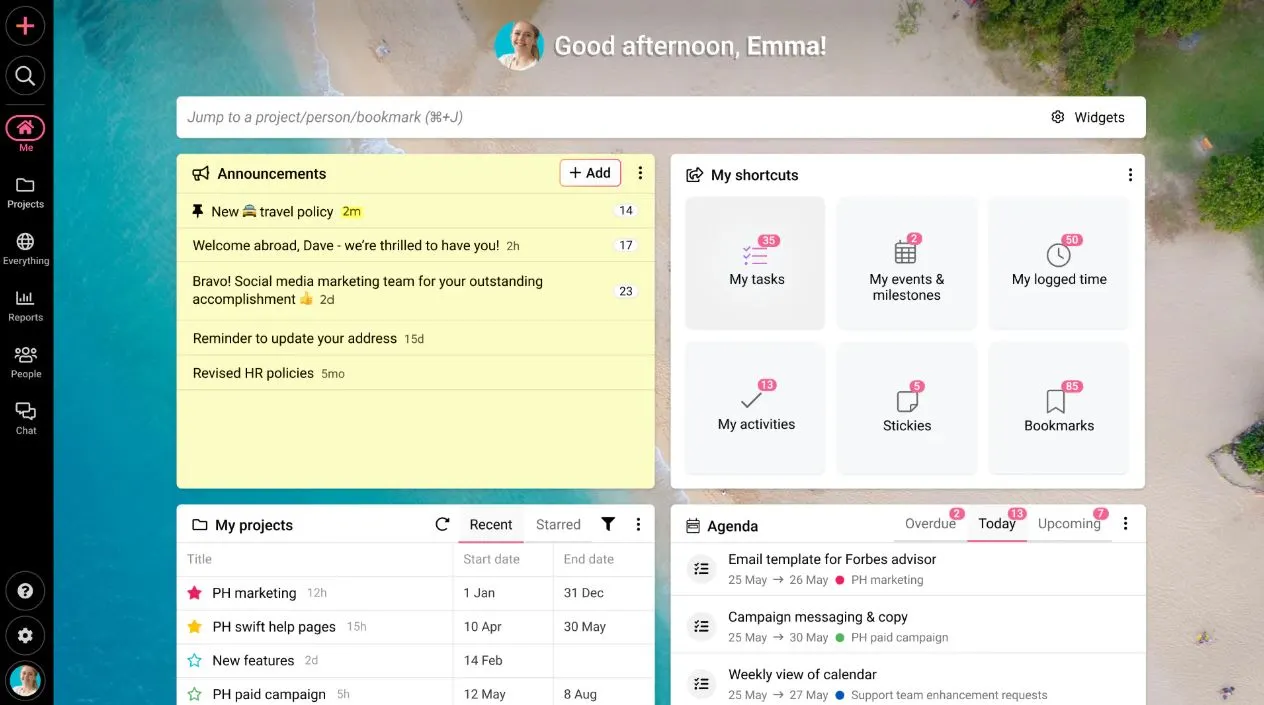
ProofHub is a project management and team collaboration platform designed to centralize communication, tasks, and project resources. It provides tools like discussions, task management, calendars, and file sharing in one interface. ProofHub simplifies collaboration by keeping conversations and project information in context rather than spread across multiple tools.
Teams use ProofHub to assign tasks, share updates, and manage project timelines. Its proofing tools allow employees to review and comment on creative assets, making it helpful for design and marketing teams. Custom workflows let organizations tailor processes to their needs. With roles and permissions, leaders can control access to sensitive information. ProofHub aims to create a workspace where teams stay aligned throughout each project.
Key features of ProofHub
- Task management: Track and organize tasks with custom workflows.
- Online proofing: Review and provide feedback on creative assets.
- Discussions: Keep team conversations connected to specific projects.
Best for: Teams that need project management features with built-in collaboration and proofing tools.
Bringing your collaboration strategy together
Office collaboration software helps employees stay connected, informed, and aligned across every part of the organization. These tools support communication, streamline document sharing, and bring structure to daily work. When teams have a central place to coordinate tasks and access information, they spend less time tracking down updates and more time contributing to meaningful outcomes. Strong collaboration also supports healthy workplace culture by giving employees a clear way to participate and communicate.
As your organization grows, your collaboration needs will grow with it. A flexible platform ensures you can adapt, refine processes, and support the evolving ways your teams work. This makes it important to choose a solution that reflects your workplace priorities and integrates with your core systems. If you want a single, reliable hub for communication, knowledge, and teamwork, Axero brings everything together in one intuitive experience.
Ready to see how you can strengthen collaboration across your organization? Book a demo with Axero today.













 info@axerosolutions.com
 1-855-AXERO-55