
Growing organizations move fast. Teams expand, structures evolve, and communication becomes harder to manage. What once worked through email threads, shared drives, and ad hoc meetings quickly breaks down. Information fragments. Decisions slow. Employees feel disconnected from leadership and from each other.
Internal tools exist to solve these challenges, but growth changes the stakes. As headcount increases, organizations need systems that scale without adding friction. You need clarity without complexity. Flexibility without chaos. Most importantly, you need tools your employees actually use, not platforms that require constant enforcement.
This is where modern internal tools play a defining role. They centralize communication, align teams, and give leaders visibility into what’s happening across the organization. When implemented correctly, they support onboarding, preserve institutional knowledge, and reinforce culture as the organization grows.
However, not all internal tools are built with growth in mind. Some solve a single problem well but create silos. Others offer broad functionality but lack governance, structure, or long-term adaptability. Choosing the wrong tools can slow momentum and introduce unnecessary overhead.
In this guide, we break down the best internal tools for growing organizations. We focus on platforms that help you scale communication, collaboration, and knowledge sharing without losing control. At the center of this approach is Axero, a platform designed to unify internal tools into one structured, scalable digital workplace.
Top 11 internal tools for growing organizations for 2026
- Axero
- Microsoft SharePoint
- Confluence
- Notion
- Slack
- Microsoft Teams
- Google Workspace
- LumApps
- Happeo
- Igloo Software
- Unily
What are internal tools for growing organizations?
Internal tools for growing organizations are platforms that help teams communicate, collaborate, manage knowledge, and stay aligned as the business scales. These tools support daily work while also reinforcing structure, governance, and culture across departments and locations.
Unlike point solutions that address a single task, internal tools often act as shared systems of record. They house company news, policies, documents, team spaces, and employee information. As organizations grow, these tools become the backbone of how information flows and how work gets done.
Growth introduces complexity. New hires need fast onboarding. Leaders need consistent communication. Teams need clarity on ownership and priorities. Internal tools help solve these challenges by creating a centralized environment where people can find what they need without relying on tribal knowledge.
The most effective internal tools balance usability with control. They provide flexibility for teams while giving administrators the ability to manage permissions, structure content, and measure engagement. For growing organizations, this balance is essential to avoid sprawl and confusion.
What to consider when choosing the right internal tools for growing organizations
Growing organizations need tools that support today’s needs while preparing for tomorrow’s scale. Before selecting a platform, you should evaluate how well it aligns with your structure, culture, and long-term goals.
Scalability and flexibility
Your internal tools should grow with your organization. Look for platforms that support increasing users, departments, and content without performance or usability issues. Flexible configuration ensures the tool adapts as your operating model evolves.
Centralization of information
As teams grow, scattered information becomes a liability. A strong internal tool centralizes documents, updates, and resources in one place. This reduces duplication, speeds up decision-making, and creates a reliable source of truth.
Governance and permissions
Growth requires control. You need clear ownership, role-based access, and content governance to maintain consistency and security. Tools with strong permission management help prevent chaos as more people contribute.
User adoption and experience
A tool only works if people use it. Prioritize intuitive interfaces, clear navigation, and minimal training requirements. High adoption ensures internal tools support productivity instead of adding friction.
Integration with your existing stack
Growing organizations rely on multiple systems. Your internal tools should integrate smoothly with email, productivity suites, HR systems, and collaboration tools. This reduces context switching and supports efficient workflows.
11 best internal tools for growing organizations
1. Axero
Axero is an industry-leading intranet and employee experience platform designed specifically to support growing organizations as they scale. It brings internal communication, collaboration, and knowledge management into one structured, secure hub, reducing tool sprawl while improving clarity and alignment.
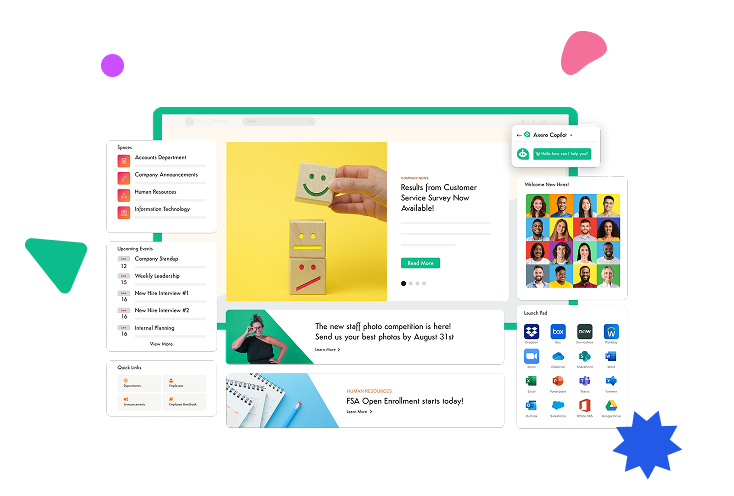
What sets Axero apart is its balance of flexibility and governance. Teams can create workspaces, publish content, and collaborate without IT bottlenecks, while administrators maintain control through permissions, templates, and content oversight. This structure becomes increasingly valuable as headcount grows and information volume increases.
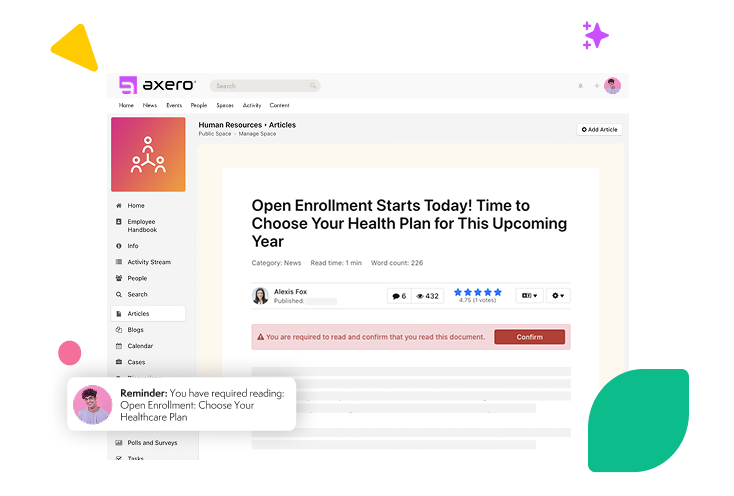
Axero supports company-wide communication through targeted announcements, dynamic pages, and social features that encourage engagement without creating noise. Its robust knowledge management capabilities help preserve institutional knowledge, streamline onboarding, and reduce repetitive questions as teams expand.
With deep integration options and a strong focus on usability, Axero fits naturally into existing workflows while giving leaders visibility into engagement and usage. For growing organizations that need one central platform to support scale, structure, and culture, Axero provides a reliable foundation.
Key features of Axero
- Centralized intranet hub: Consolidates news, documents, resources, and team spaces into one searchable platform.
- Advanced permissions and governance: Maintains structure and security as more users and content are added.
- Knowledge management tools: Preserves institutional knowledge and supports faster onboarding at scale.
Best for: Growing organizations that want a single, structured platform to unify internal tools and support long-term scalability.

2. Microsoft SharePoint
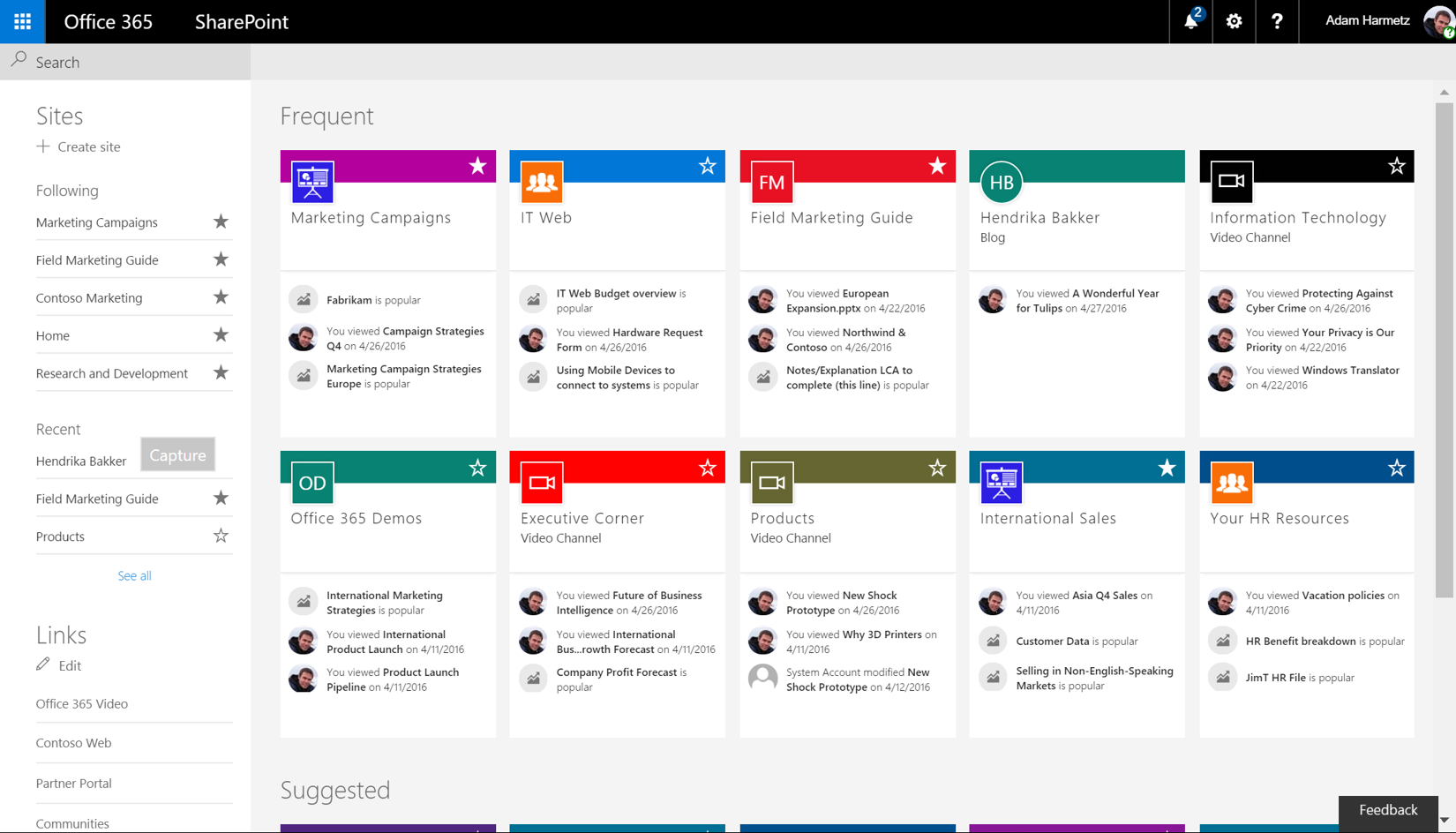
Microsoft SharePoint is a widely adopted platform for document management and internal collaboration, particularly for organizations already using Microsoft 365. It enables teams to create sites, store files, and collaborate on content within a familiar ecosystem.
For growing organizations, SharePoint provides strong version control, access management, and integration with tools like Outlook, Teams, and OneDrive. This makes it effective for managing documents and departmental resources across expanding teams.
However, SharePoint often requires careful configuration and governance to avoid complexity. Without clear structure, content can become difficult to navigate as usage increases. Many organizations rely on IT or external support to maintain consistency and usability at scale.
While SharePoint excels as a content repository and collaboration layer, it may require complementary tools to deliver a complete employee experience. Used thoughtfully, it can support growth, especially for companies deeply invested in Microsoft’s ecosystem.
Key features of Microsoft SharePoint
- Document management and version control: Ensures teams collaborate on the latest files securely.
- Microsoft 365 integration: Connects seamlessly with Outlook, Teams, and OneDrive.
- Custom site creation: Supports department and project-specific spaces.
Best for: Organizations already standardized on Microsoft 365 that need structured document collaboration.
3. Confluence
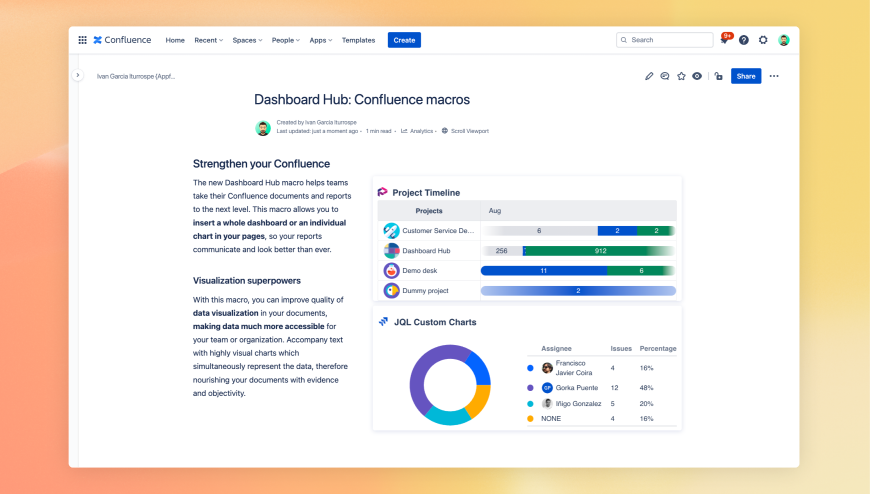
Confluence is a knowledge management and collaboration platform designed to help teams document, share, and organize information. It is commonly used by product, engineering, and operations teams to maintain internal documentation.
For growing organizations, Confluence provides a flexible way to capture processes, meeting notes, and technical knowledge. Its page-based structure and strong search functionality help teams keep information accessible as content grows.
However, Confluence can become fragmented without consistent standards. As more teams contribute, maintaining clarity and organization requires active governance and content ownership. User adoption outside technical teams can also vary.
Confluence works best as part of a broader internal tools ecosystem. When paired with a centralized intranet or communication platform, it can support scalable knowledge sharing without becoming siloed.
Key features of Confluence
- Structured knowledge pages: Supports documentation, wikis, and process libraries.
- Powerful search: Helps teams find information quickly as content grows.
- Collaboration and commenting: Enables teams to contribute and refine content together.
Best for: Teams that need a flexible knowledge base for documentation and internal processes.
4. Notion
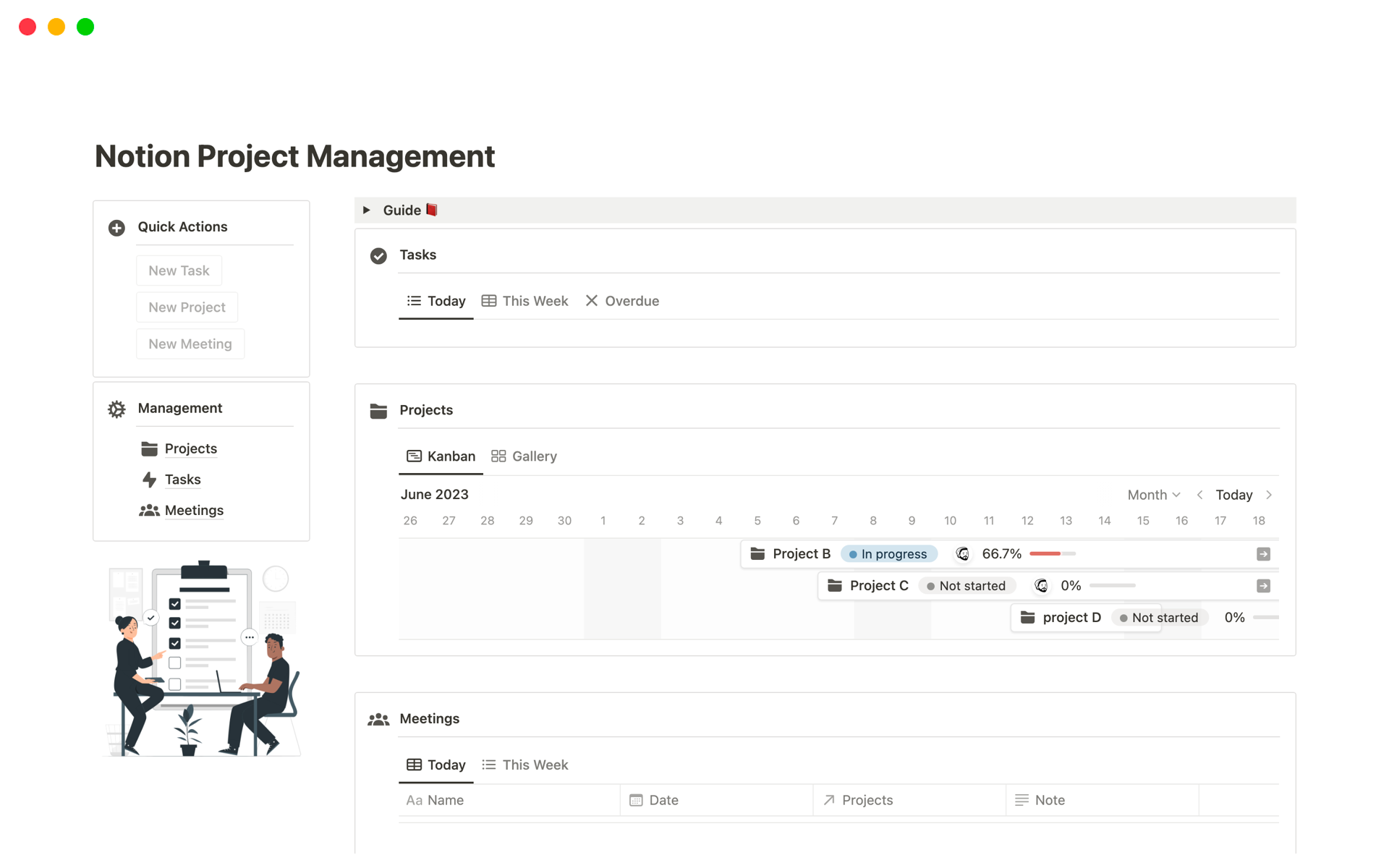
Notion is an all-in-one workspace that combines notes, documents, databases, and lightweight project management. Its flexibility makes it appealing to fast-moving teams and startups during early growth stages.
For growing organizations, Notion allows teams to create custom workflows, internal wikis, and shared resources without heavy setup. Its database-driven approach supports structured content and cross-linking between information.
However, flexibility can become a drawback at scale. Without governance, Notion workspaces can fragment, leading to inconsistent structures and duplicated content. Managing permissions and standardization requires deliberate oversight.
Notion works well for teams that value customization and autonomy, but it often benefits from being complemented by a more formal intranet platform as organizations mature.
Key features of Notion
- Customizable workspaces: Adapts to diverse team needs and workflows.
- Databases and templates: Enables structured content and repeatable processes.
- Cross-team collaboration: Supports shared visibility across projects and teams.
Best for: Fast-growing teams that want flexible internal workspaces with minimal setup.
5. Slack
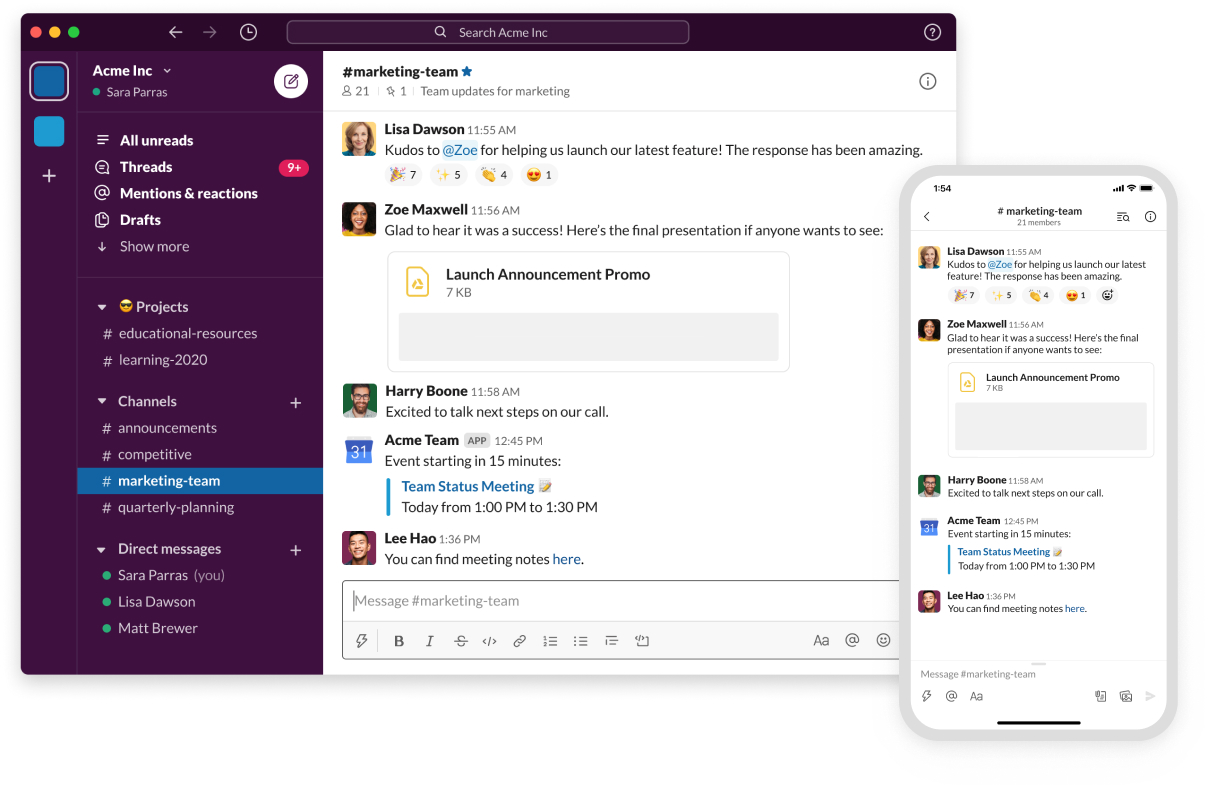
Slack is a real-time messaging platform that helps teams communicate quickly through channels, direct messages, and shared files. It is often one of the first internal tools adopted by growing organizations because of its ease of use and fast setup.
As teams expand, Slack helps reduce internal email and speeds up decision-making. Channels can be organized by team, project, or topic, making conversations easier to follow. Integrations with hundreds of tools also allow notifications and updates to flow into shared spaces.
However, Slack is primarily a communication layer. Information can disappear quickly in fast-moving channels, and important knowledge often becomes difficult to retrieve over time. Without complementary systems, growing organizations may struggle with long-term visibility and documentation.
Slack works best when paired with a centralized platform like an intranet that captures and organizes information beyond day-to-day conversations.
Key features of Slack
- Channel-based messaging: Keeps conversations organized by topic or team.
- Extensive integrations: Connects with project management, HR, and productivity tools.
- Searchable message history: Allows teams to retrieve past discussions.
Best for: Organizations that need fast, informal communication across growing teams.
6. Microsoft Teams

Microsoft Teams combines chat, meetings, file sharing, and collaboration into a single interface within the Microsoft 365 ecosystem. It is widely used by organizations seeking an all-in-one communication tool.
For growing organizations, Teams supports internal meetings, cross-team collaboration, and document sharing without switching platforms. Its tight integration with SharePoint and OneDrive enables structured file management alongside conversations.
As usage grows, Teams can become noisy if not governed carefully. Channels and chats require clear naming conventions and ownership to remain effective. Teams also benefits from being paired with a dedicated intranet for company-wide communication and knowledge sharing.
When aligned with a broader digital workplace strategy, Microsoft Teams supports scalable collaboration while maintaining familiarity for users.
Key features of Microsoft Teams
- Integrated meetings and chat: Supports real-time communication and collaboration.
- Microsoft 365 connectivity: Works seamlessly with SharePoint and OneDrive.
- Channel-based organization: Structures conversations around teams and projects.
Best for: Organizations using Microsoft 365 that want unified communication and collaboration.
7. Google Workspace

Google Workspace provides a suite of cloud-based productivity tools, including Gmail, Drive, Docs, Sheets, Meet, and Sites. It supports collaboration through real-time editing and easy sharing.
For growing organizations, Google Workspace enables teams to work together quickly without complex setup. Shared drives and collaborative documents help maintain momentum as teams expand and work across locations.
However, Google Workspace focuses primarily on productivity, not employee experience. Information can become scattered across drives and folders without a centralized layer to guide employees. Many organizations add an intranet on top to provide structure and context.
Used together with a centralized internal platform, Google Workspace supports efficient collaboration while reducing friction.
Key features of Google Workspace
- Real-time document collaboration: Enables teams to work together simultaneously.
- Cloud-based storage: Supports easy access from anywhere.
- Simple sharing controls: Makes collaboration fast and accessible.
Best for: Organizations that prioritize cloud collaboration and lightweight productivity tools.
8. LumApps
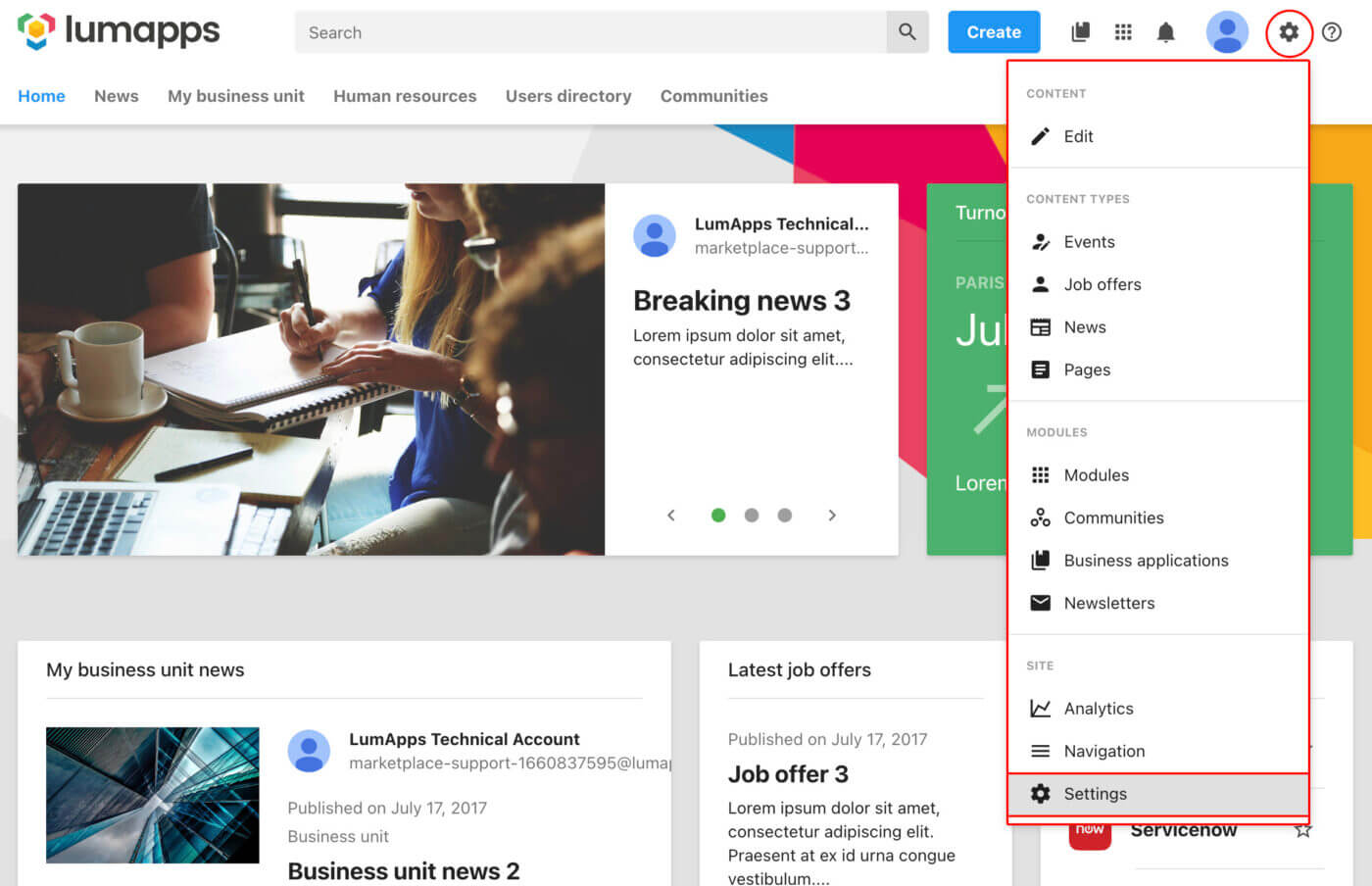
LumApps is an employee experience platform built primarily for organizations using Google Workspace or Microsoft 365. It focuses on internal communication, content delivery, and employee engagement.
For growing organizations, LumApps provides personalized content feeds, targeted communication, and social features that help employees stay informed. Its integration with productivity suites allows it to surface content where employees already work.
However, customization and governance can require ongoing effort as the organization scales. Some teams may find content management complex without dedicated ownership and clear structure.
LumApps is often used as a communication layer rather than a full internal tools hub, making it most effective when part of a broader ecosystem.
Key features of LumApps
- Personalized content delivery: Targets messages based on role or location.
- Integration with productivity suites: Connects with Google Workspace and Microsoft 365.
- Social engagement tools: Encourages interaction and feedback.
Best for: Organizations looking to improve internal communication through personalized content.
9. Happeo

Happeo is an intranet and internal communications platform designed for organizations using Google Workspace. It combines company news, pages, and social features into a single employee-facing hub.
For growing organizations, Happeo helps centralize communication and reduce reliance on email. Teams can publish updates, create knowledge pages, and encourage engagement through comments and reactions. Its Google Workspace integration allows content to connect directly with Drive and Docs.
As organizations scale, content governance becomes increasingly important. Happeo works best when administrators define clear structures for pages and ownership. Without this, content can sprawl and become harder to maintain over time.
Happeo is effective as a communication-focused intranet, particularly for companies committed to the Google ecosystem.
Key features of Happeo
- Company news and pages: Centralizes updates and internal content.
- Google Workspace integration: Connects Drive, Docs, and Calendar.
- Social interaction tools: Encourages engagement and feedback.
Best for: Growing organizations built on Google Workspace that want a modern intranet.
10. Igloo Software
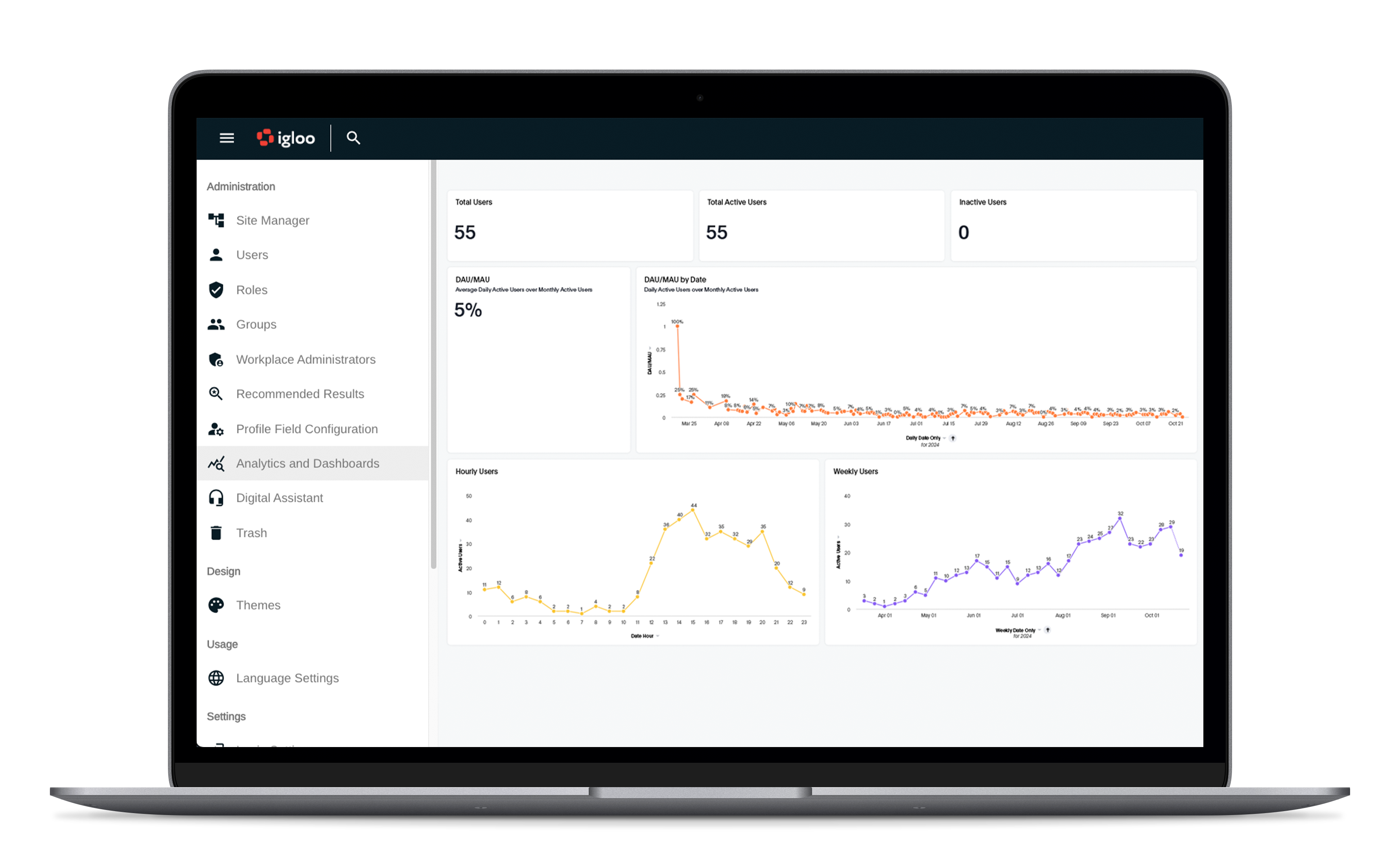
Igloo Software is a digital workplace platform that focuses on internal communication, collaboration, and knowledge sharing. It offers a modular approach that allows organizations to build internal spaces based on their needs.
For growing organizations, Igloo provides flexibility to support departments, projects, and communities. Its page-based content, forums, and file sharing features help teams collaborate and stay informed as the organization expands.
However, customization and long-term maintenance require thoughtful planning. As usage increases, organizations need clear governance to keep content relevant and navigation intuitive.
Igloo can support growth when paired with a clear internal communication strategy and ownership model.
Key features of Igloo Software
- Modular intranet structure: Supports teams, projects, and communities.
- Collaboration spaces: Enables discussions and shared resources.
- Content publishing tools: Supports internal communication and updates.
Best for: Organizations that want a flexible digital workplace with modular components.
11. Unily
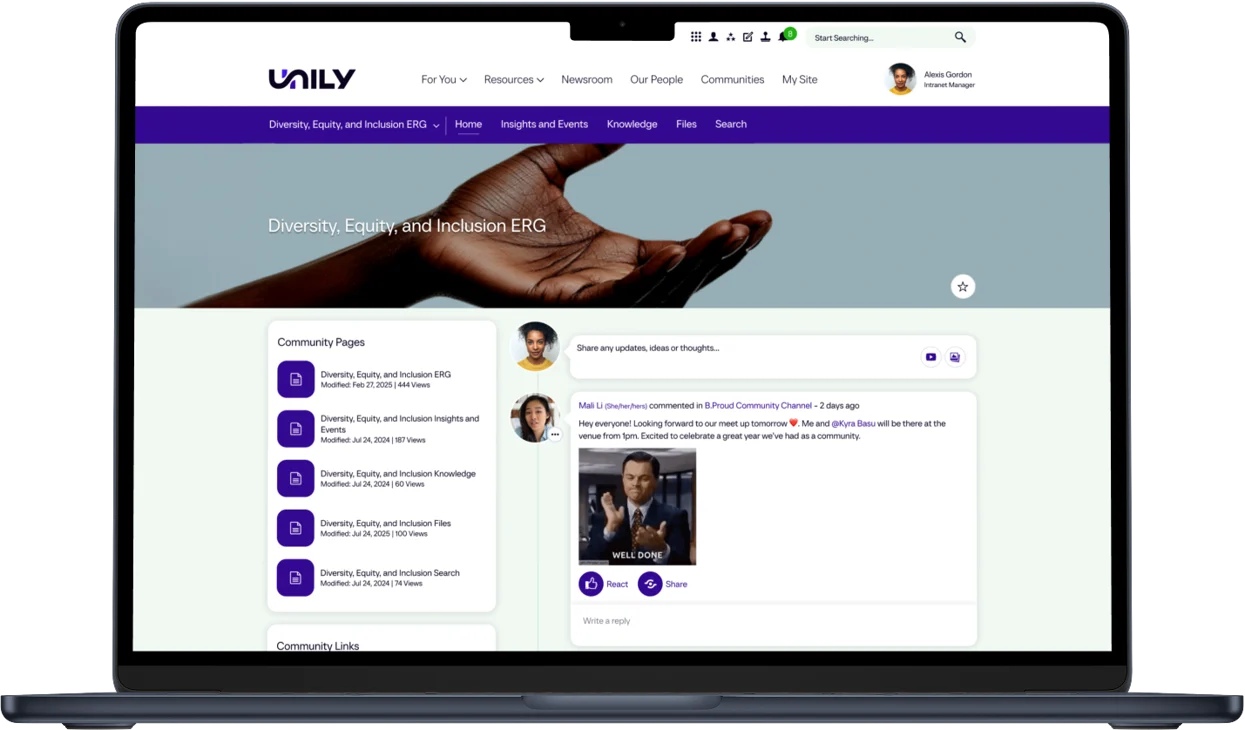
Unily is an enterprise intranet platform designed for large and fast-scaling organizations with complex communication needs. It emphasizes personalization, branding, and global communication.
For growing organizations, Unily offers advanced targeting, multilingual support, and integration with major productivity platforms. These capabilities help maintain alignment across regions and departments as scale increases.
However, Unily typically requires significant investment in setup, customization, and ongoing management. It is best suited for organizations with dedicated resources to manage a complex intranet environment.
Unily delivers strong enterprise capabilities but may be more than some growing organizations require in earlier stages.
Key features of Unily
- Advanced personalization: Delivers targeted content at scale.
- Enterprise integrations: Connects with major productivity platforms.
- Global communication support: Handles multilingual and regional needs.
Best for: Large or rapidly scaling organizations with complex communication requirements.
Choosing the right internal tools for growing organizations
Choosing internal tools is a strategic decision that directly impacts how your organization scales. As teams grow, clarity, consistency, and alignment become harder to maintain without the right systems in place.
While many tools on this list solve individual problems well, growing organizations benefit most from a centralized platform that brings everything together. Communication, knowledge, collaboration, and governance should live in one place, supported by integrations rather than fragmented across tools.
This is where Axero stands out. We help growing organizations create a structured digital workplace that supports scale without sacrificing usability or culture. By unifying internal tools into a single intranet platform, Axero reduces complexity, improves adoption, and gives leaders visibility into how work gets done.
If you are planning for growth and want internal tools that scale with your organization, book a demo with Axero and see how we can support your next stage of growth.







 info@axerosolutions.com
 1-855-AXERO-55