Every organization relies on approvals to keep work moving. Purchase requests, content reviews, policy updates, time-off requests, and vendor onboarding all depend on clear decision paths. When approvals live in inboxes, spreadsheets, or side conversations, delays stack up, accountability fades, and teams lose momentum.
Approval workflow software brings structure to this process. It replaces manual follow-ups with defined steps, automated routing, and clear ownership. Employees know where to submit requests. Approvers see what needs action and by when. Leaders gain visibility into bottlenecks without chasing updates. The result is faster decisions, fewer errors, and better compliance across the organization.
As teams become more distributed and cross-functional, this structure matters even more. Approvals now span departments, time zones, and systems. A strong approval workflow solution ensures work moves forward consistently, even as your organization grows or changes. It also reduces reliance on email and disconnected tools that frustrate employees and slow productivity.
The challenge is choosing software that balances flexibility with control. Some tools focus on task management. Others prioritize process automation. The best platforms combine approvals with centralized knowledge, communication, and governance. This is where an intranet-first approach delivers long-term value. Axero leads in this space by embedding approvals into the broader digital workplace, rather than treating them as isolated processes.
Below, we break down what approval workflow software is, what to look for, and the best platforms available today.
Top 11 approval workflow software for 2026
What is approval workflow software?
Approval workflow software is designed to manage, automate, and track approval-based processes across an organization. It defines how requests move from submission to decision, including who reviews them, in what order, and under which conditions.
Instead of relying on emails or manual handoffs, approval workflows follow predefined rules. A request triggers notifications, routes to the correct approver, and records every action along the way. This creates consistency, transparency, and accountability across recurring processes.
Modern approval workflow tools support conditional logic, parallel approvals, escalation paths, and audit trails. Many also integrate with document management, forms, and collaboration tools, making approvals part of everyday work rather than a separate task.
For employees, this means fewer follow-ups and clearer expectations. For managers, it means faster decisions and better oversight. For the organization, it means reduced risk, stronger compliance, and measurable process improvements.
What to consider when choosing the right approval workflow software
Choosing approval workflow software starts with understanding how approvals actually happen in your organization. Not every team needs the same level of complexity, but every team benefits from clarity and consistency.
Ease of use and adoption
Approval workflows only work if people use them. Look for software with an intuitive interface that makes submitting and approving requests simple. Low adoption leads to shadow processes and defeats the purpose of automation.
Workflow flexibility and logic
Your approval paths should reflect real business rules. The right platform supports conditional routing, multi-step approvals, parallel reviewers, and exceptions without heavy customization or coding.
Centralization and visibility
Approvals should not live in silos. A centralized platform ensures employees know where to submit requests and leaders can track status, history, and bottlenecks in one place.
Integration with daily tools
Approval workflows work best when connected to the tools your teams already use. Integrations with document management, HR systems, finance tools, and collaboration platforms reduce duplication and manual work.
Governance, security, and auditability
Approvals often involve sensitive decisions. Look for role-based permissions, clear audit trails, and governance controls that support compliance and internal policies.
11 best approval workflow software
1. Axero
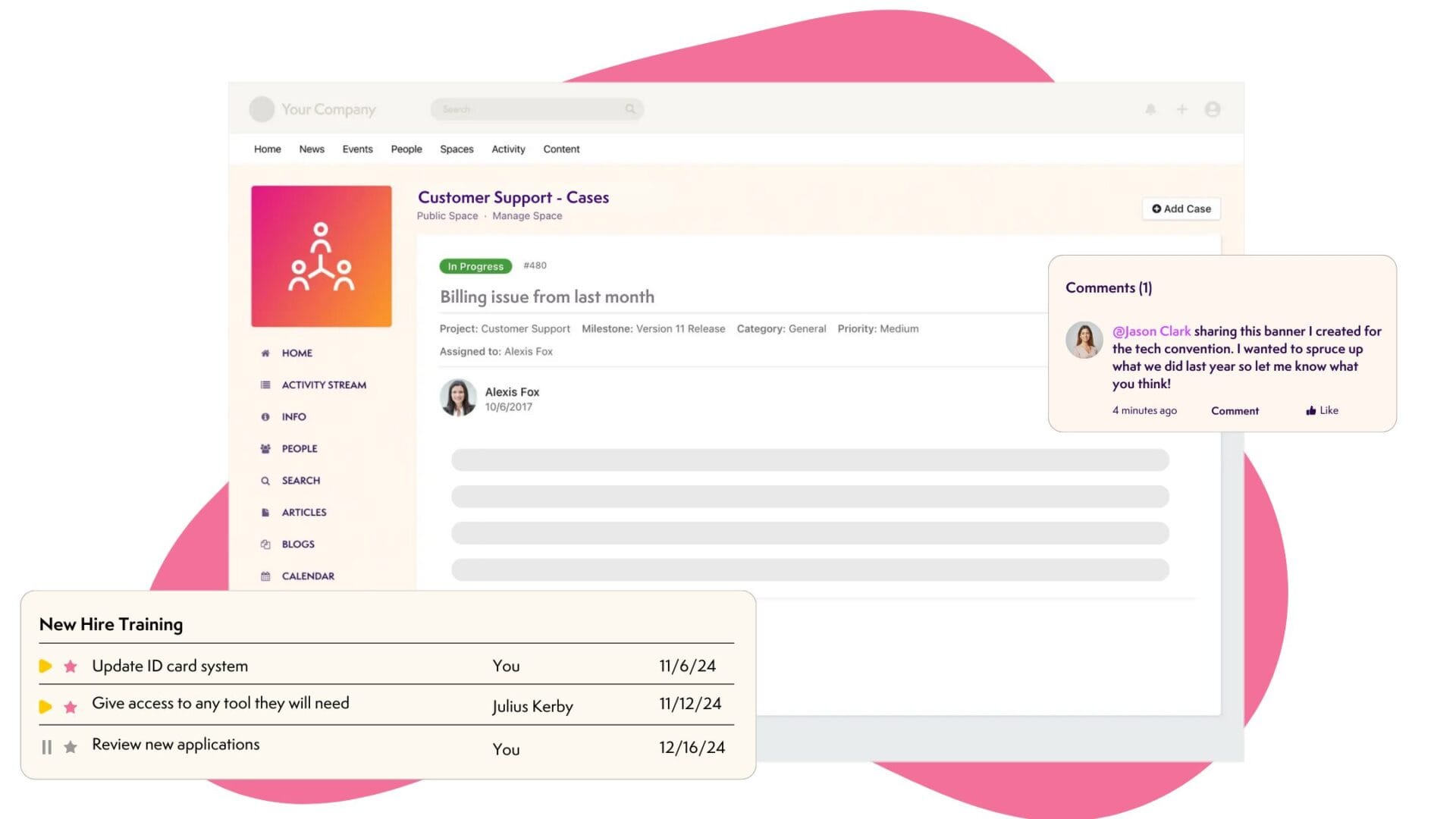
Axero is an intranet platform designed to centralize communication, knowledge, and workflows, including robust approval processes. Unlike standalone workflow tools, Axero embeds approvals directly into the digital workplace, ensuring they align with how employees already work.
With Axero, approvals can be tied to forms, documents, policies, and content updates. Requests follow structured workflows with clear ownership, automated notifications, and full visibility. This reduces delays and eliminates the need for manual follow-ups. Because everything lives in one platform, employees always know where to submit requests and how decisions are made.
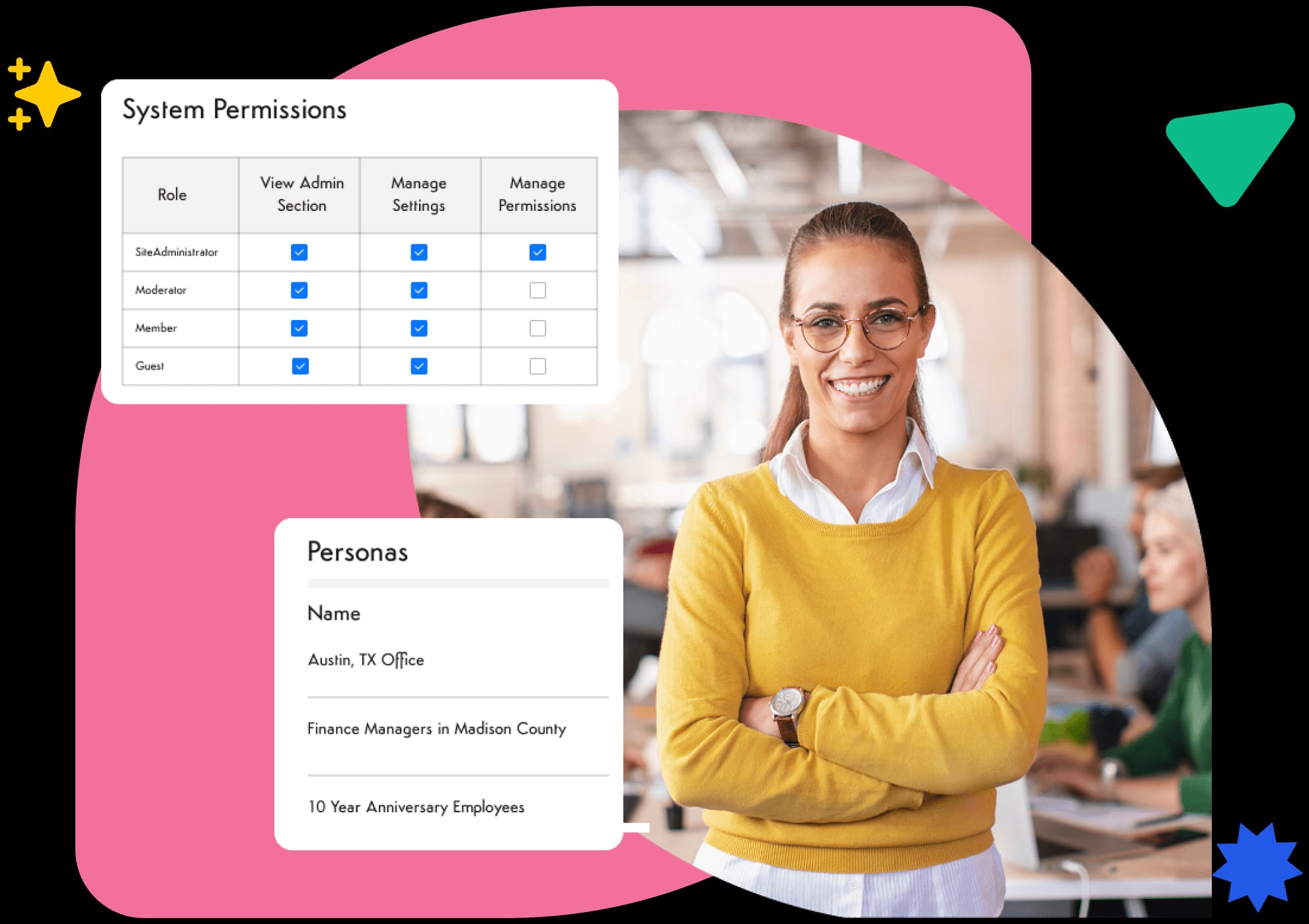
Axero also supports governance at scale. Role-based permissions, version control, and audit trails ensure approvals remain compliant and traceable. Leaders gain insight into workflow performance without relying on external reporting tools. For organizations that want approvals to support broader collaboration and engagement, Axero provides a unified solution rather than another disconnected system.
Key features of Axero
-
Configurable approval workflows: Build structured approval paths for content, requests, and processes without technical overhead.
-
Centralized forms and submissions: Capture requests in one place and route them automatically to the right approvers.
-
Audit trails and governance controls: Maintain visibility, accountability, and compliance across all approval activity.
Best for: Organizations seeking approval workflows embedded into a full intranet and digital workplace.
2. Kissflow
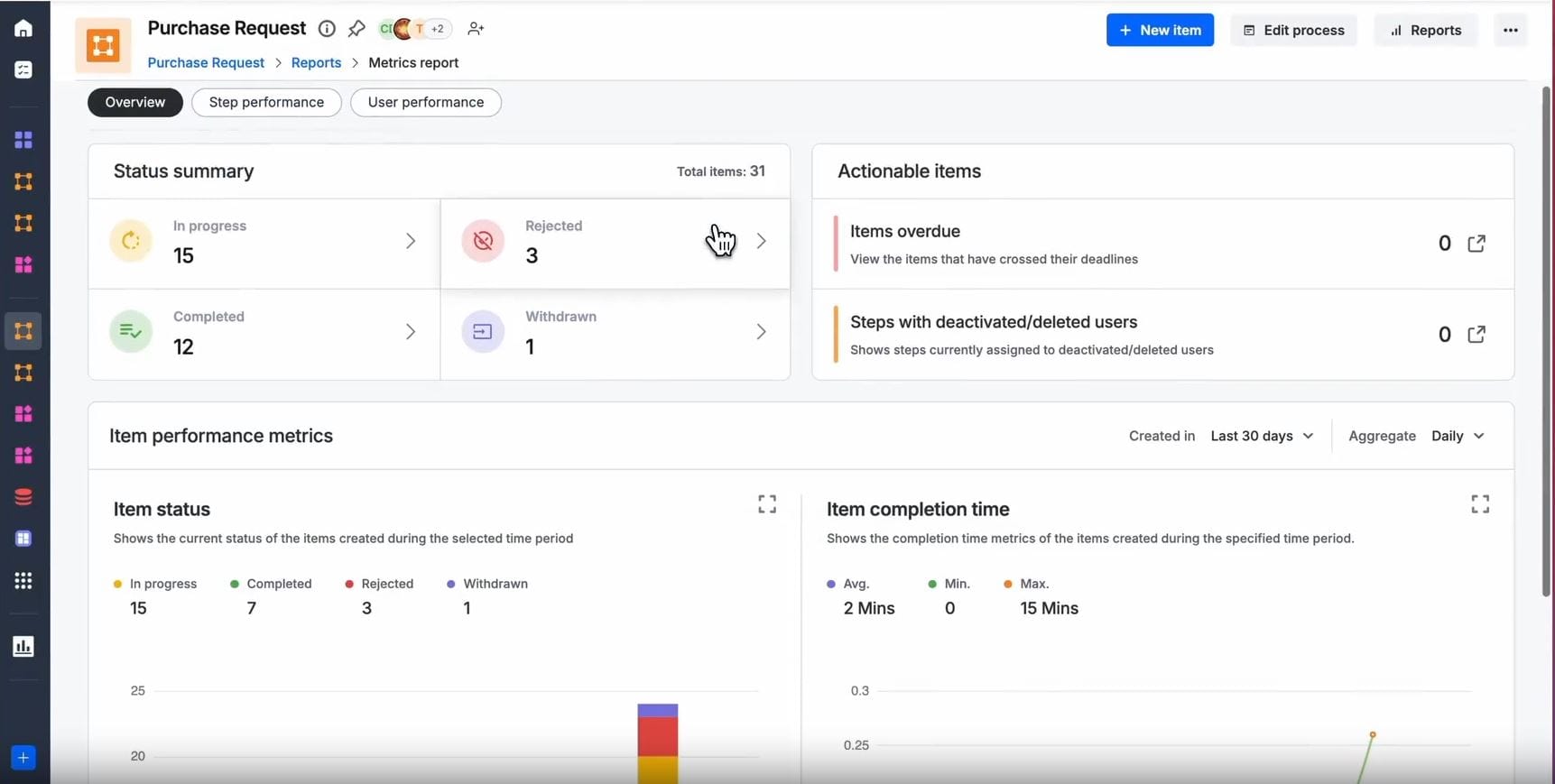
Kissflow is a workflow automation platform focused on simplifying process creation and approvals. It provides visual builders that allow teams to design approval flows without heavy technical effort. This makes it accessible for business users who need quick automation.
Approval workflows in Kissflow support multi-level routing, conditional logic, and SLA tracking. Teams can monitor request status in real time and identify delays through dashboards. Kissflow also integrates with common business tools, helping reduce manual handoffs.
While powerful, Kissflow often functions as a dedicated workflow layer rather than a centralized workplace. Organizations may need to connect it to other systems to achieve full visibility. It works well for teams focused on operational efficiency but less so for those seeking a unified employee experience.
Key features of Kissflow
-
Visual workflow builder: Design approval processes using drag-and-drop tools.
-
SLA tracking and notifications: Keep approvals moving with automated reminders and timelines.
-
Dashboard reporting: Monitor workflow performance and identify bottlenecks.
Best for: Teams that want quick, no-code approval automation for operational processes.
3. Process Street
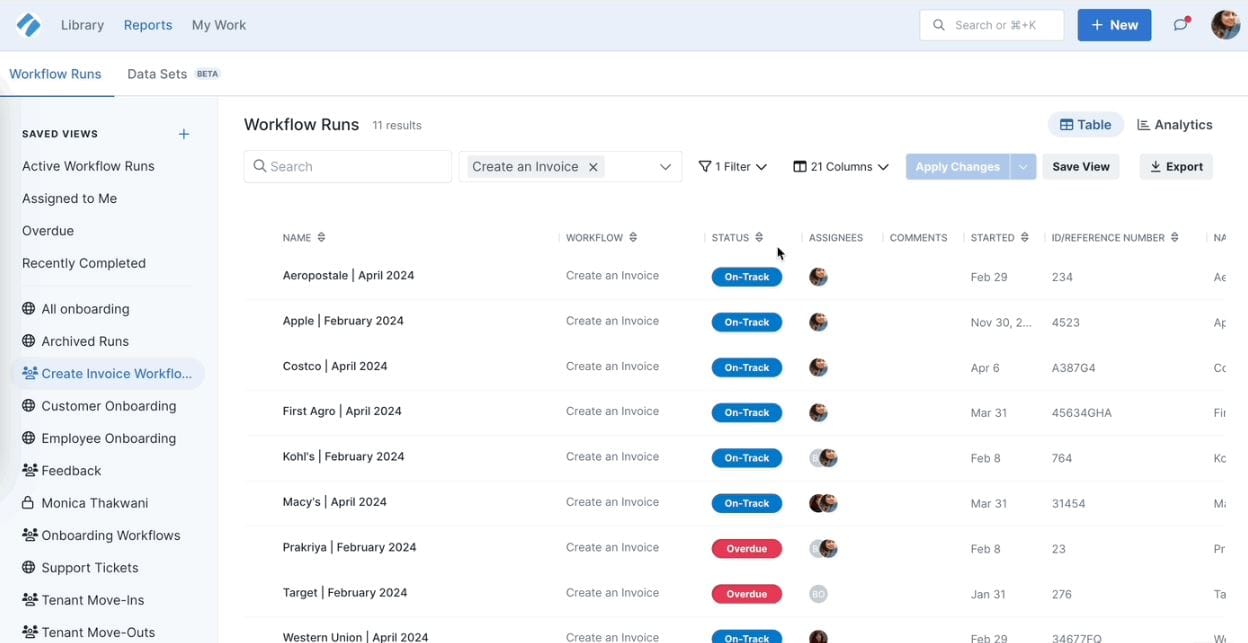
Process Street focuses on checklist-driven workflows with built-in approvals. It helps teams standardize recurring processes while ensuring critical steps receive sign-off at the right time. This approach works well for compliance-driven tasks.
Approvals in Process Street can be embedded directly into process steps. Managers receive notifications when action is required, and all decisions are logged for reference. This creates consistency across teams and reduces reliance on informal approvals.
The platform excels at process documentation and execution but offers limited capabilities beyond workflows. Organizations may need additional tools for broader collaboration, content management, or communication.
Key features of Process Street
-
Approval steps within checklists: Embed approvals directly into documented processes.
-
Automated notifications: Alert approvers at the right moment.
-
Process consistency: Ensure every request follows the same structure.
Best for: Teams focused on standardized, repeatable processes with built-in approvals.
4. Pipefy
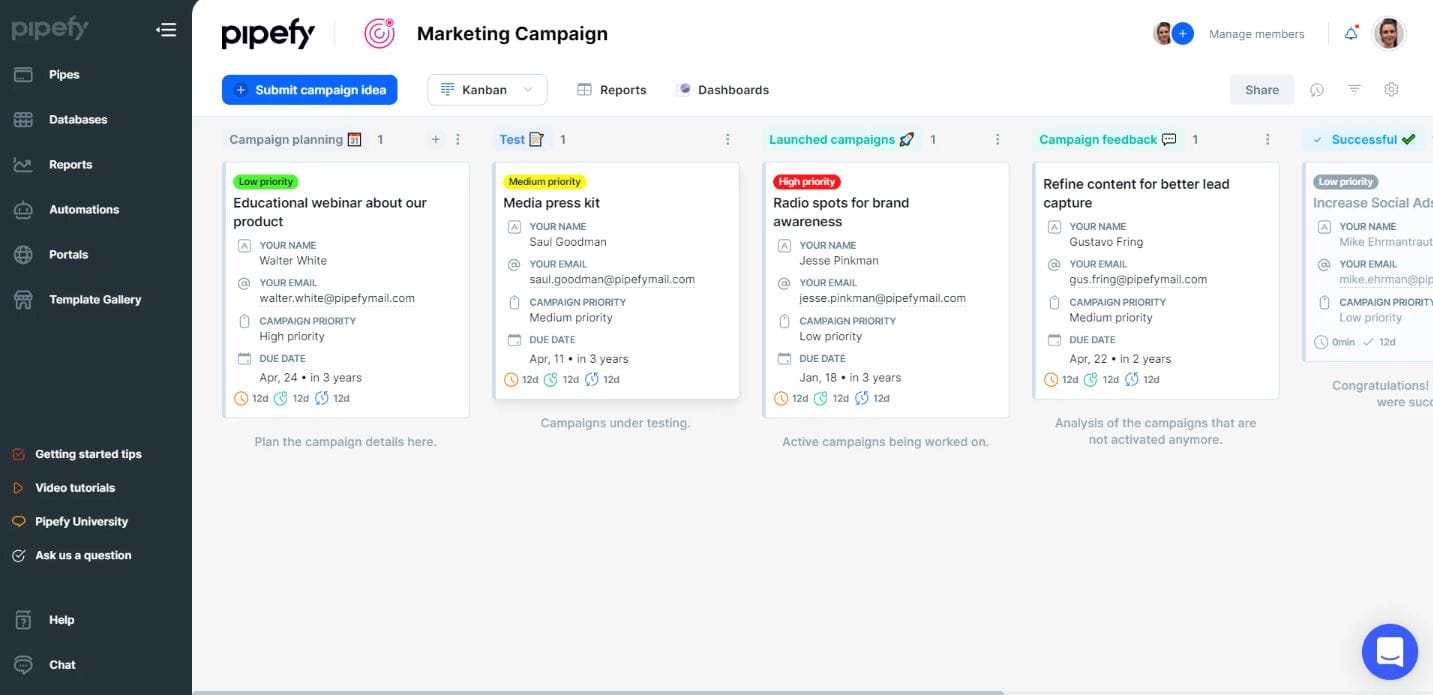
Pipefy is a workflow management platform centered on process pipelines and approvals. It uses visual boards to track requests as they move through defined stages, making approval status easy to understand.
Approval rules in Pipefy can be customized based on fields, roles, and conditions. This flexibility supports complex workflows across departments such as finance, procurement, and HR. Automation features reduce manual updates and help enforce process consistency.
Pipefy works best as a process engine rather than a centralized workplace. While it integrates with other tools, organizations often rely on multiple platforms to cover communication and knowledge sharing.
Key features of Pipefy
-
Visual workflow pipelines: Track approvals through clear, stage-based boards.
-
Conditional approval rules: Route requests dynamically based on data and roles.
-
Automation and integrations: Reduce manual work across connected systems.
Best for: Departments managing structured, data-driven approval processes.
5. Nintex
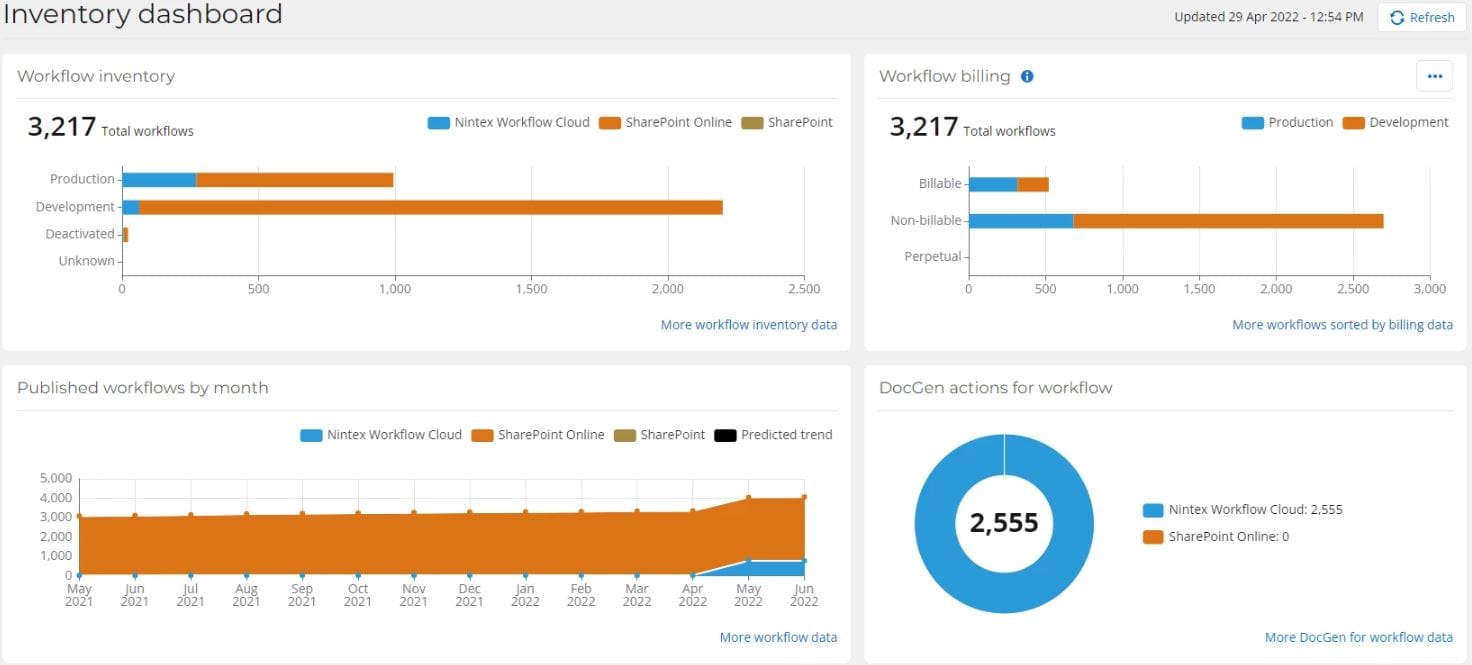
Nintex is a process automation platform known for handling complex approval workflows across enterprise environments. It supports document approvals, form-based requests, and multi-stage workflows that span departments and systems.
Approval workflows in Nintex can include conditional logic, escalations, and parallel reviewers. This makes it suitable for regulated processes where accuracy and traceability matter. Strong reporting tools provide insight into approval times and process efficiency.
Nintex’s depth can introduce complexity. Implementation often requires planning and ongoing administration, especially for larger deployments. It delivers value for organizations that need advanced automation but may feel heavy for teams looking for a simpler, centralized experience.
Key features of Nintex
-
Advanced workflow automation: Support complex, multi-stage approval processes.
-
Forms and document approvals: Capture requests and route them through structured workflows.
-
Process analytics: Track performance and identify inefficiencies.
Best for: Large organizations with complex, compliance-driven approval requirements.
6. Monday.com
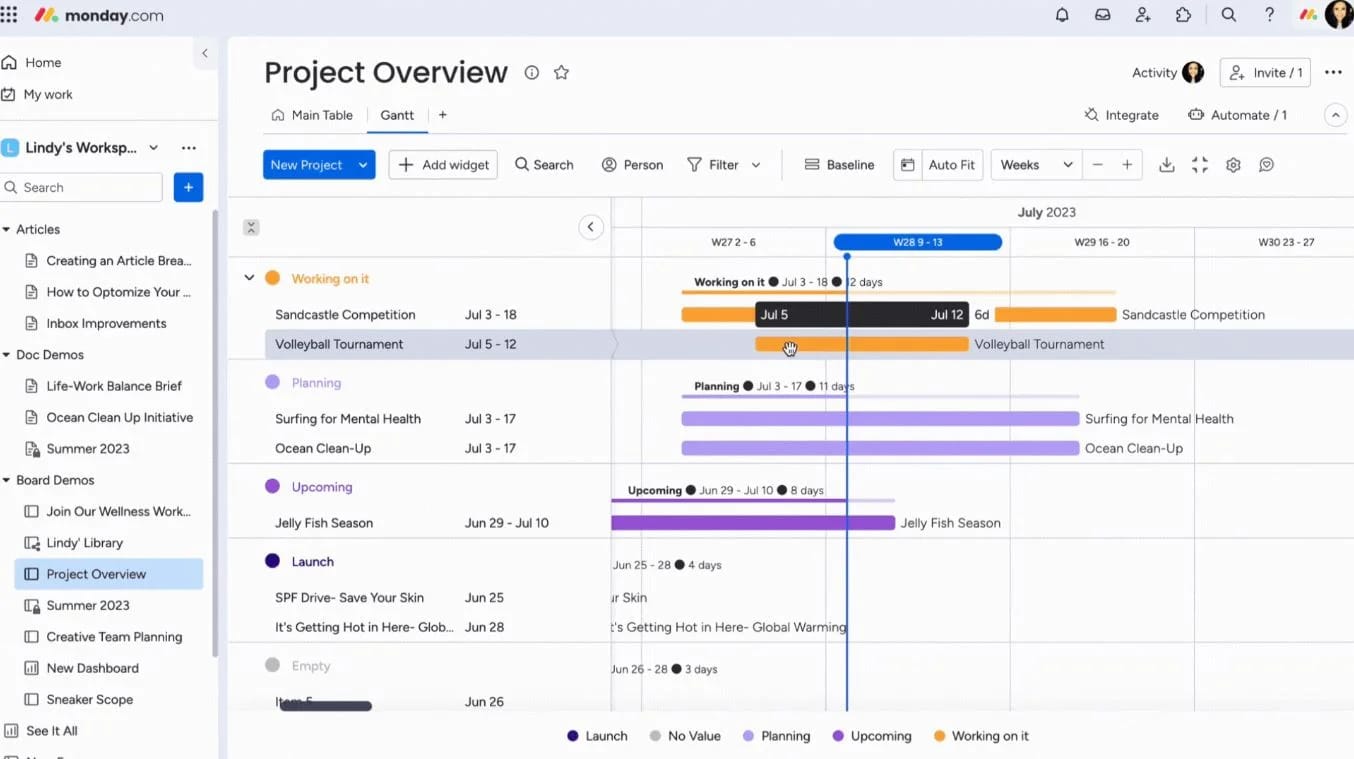
Monday.com is a work management platform that supports approvals as part of task and project workflows. Teams can build approval steps into boards, assign reviewers, and track progress visually.
Approvals work well for project-based scenarios, such as creative reviews or budget sign-offs. Automations notify approvers and update task status once decisions are made. The interface is intuitive and supports fast adoption.
However, Monday.com focuses on task execution rather than governance. Approval workflows often remain tied to individual teams or boards, which can limit organization-wide visibility and consistency.
Key features of Monday.com
-
Approval columns: Capture decisions directly within tasks.
-
Visual boards: Track approval status at a glance.
-
Automations: Trigger updates and notifications automatically.
Best for: Teams managing project-level approvals within collaborative workspaces.
7. Wrike
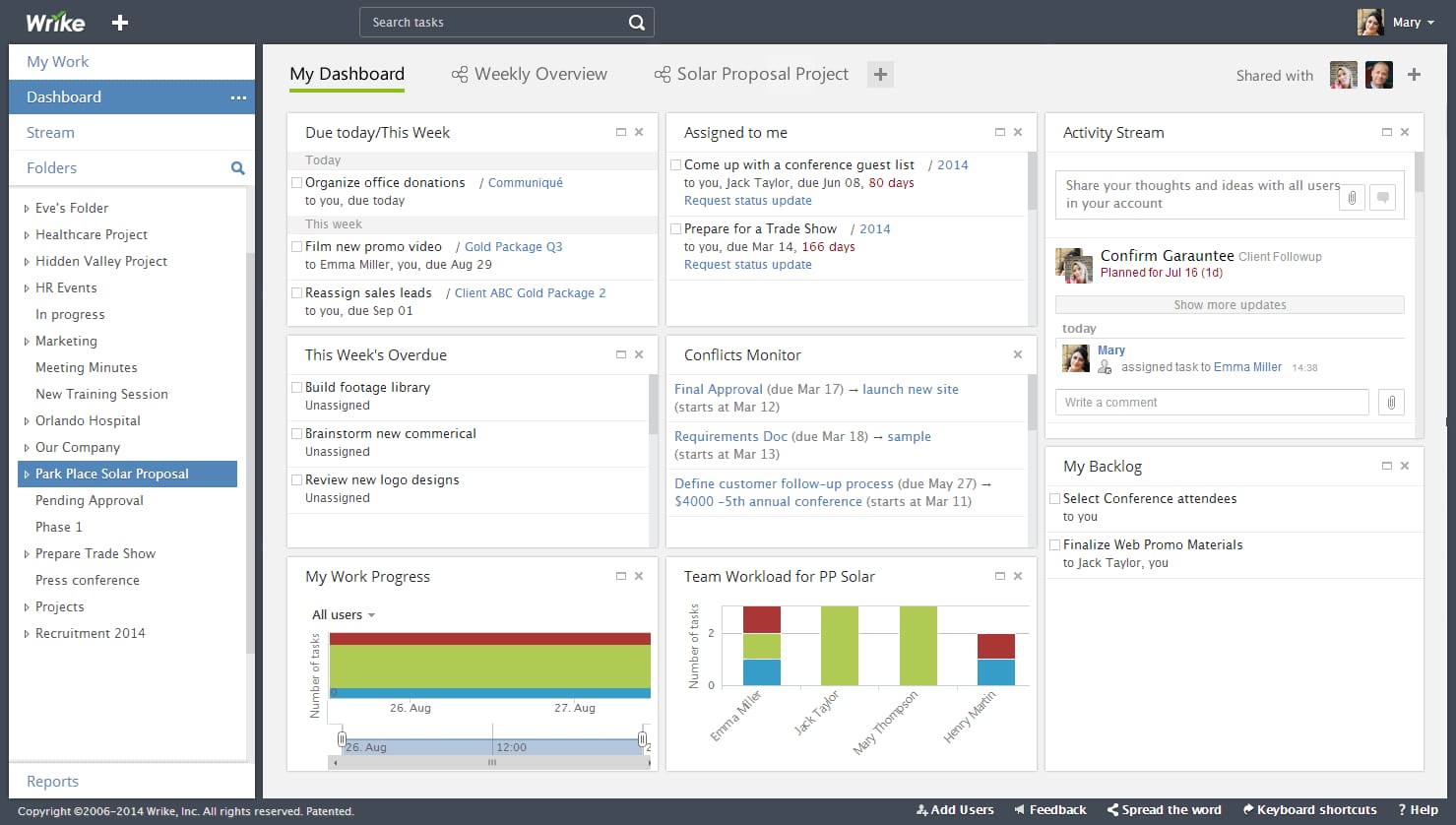
Wrike is a project management platform that includes approval workflows for tasks and assets. It allows teams to request feedback, collect approvals, and move work forward without leaving the platform.
Approvals in Wrike support multiple reviewers and version tracking, which is useful for content-heavy workflows. Notifications keep stakeholders informed, and reporting tools help managers monitor progress.
Wrike works best when approvals revolve around project delivery. It offers limited support for organization-wide request workflows, such as HR or finance approvals, without additional customization.
Key features of Wrike
-
Built-in task approvals: Request and track sign-offs within projects.
-
Version control: Manage feedback on evolving assets.
-
Project reporting: Monitor timelines and approvals together.
Best for: Project teams needing structured reviews and approvals.
8. Asana
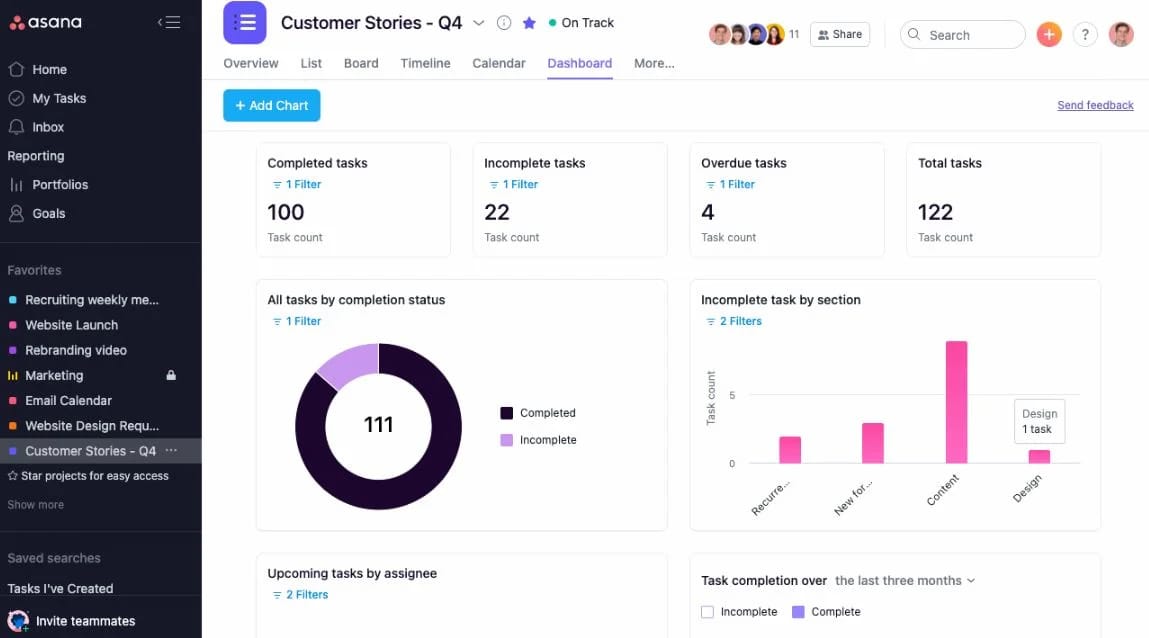
Asana provides lightweight approval features within task workflows. Teams can request approvals as a task type, assign approvers, and track decisions alongside work.
This approach keeps approvals simple and visible. It suits teams that want minimal friction and fast decisions. Automation rules can move tasks forward once approvals are granted.
Asana lacks advanced workflow logic and centralized governance. Approvals work well at the team level but do not scale easily across complex organizational processes.
Key features of Asana
-
Approval task types: Separate decision-making from execution.
-
Automation rules: Advance work after approval.
-
Task visibility: Keep approvals tied to daily work.
Best for: Teams needing simple approvals within task management.
9. Smartsheet
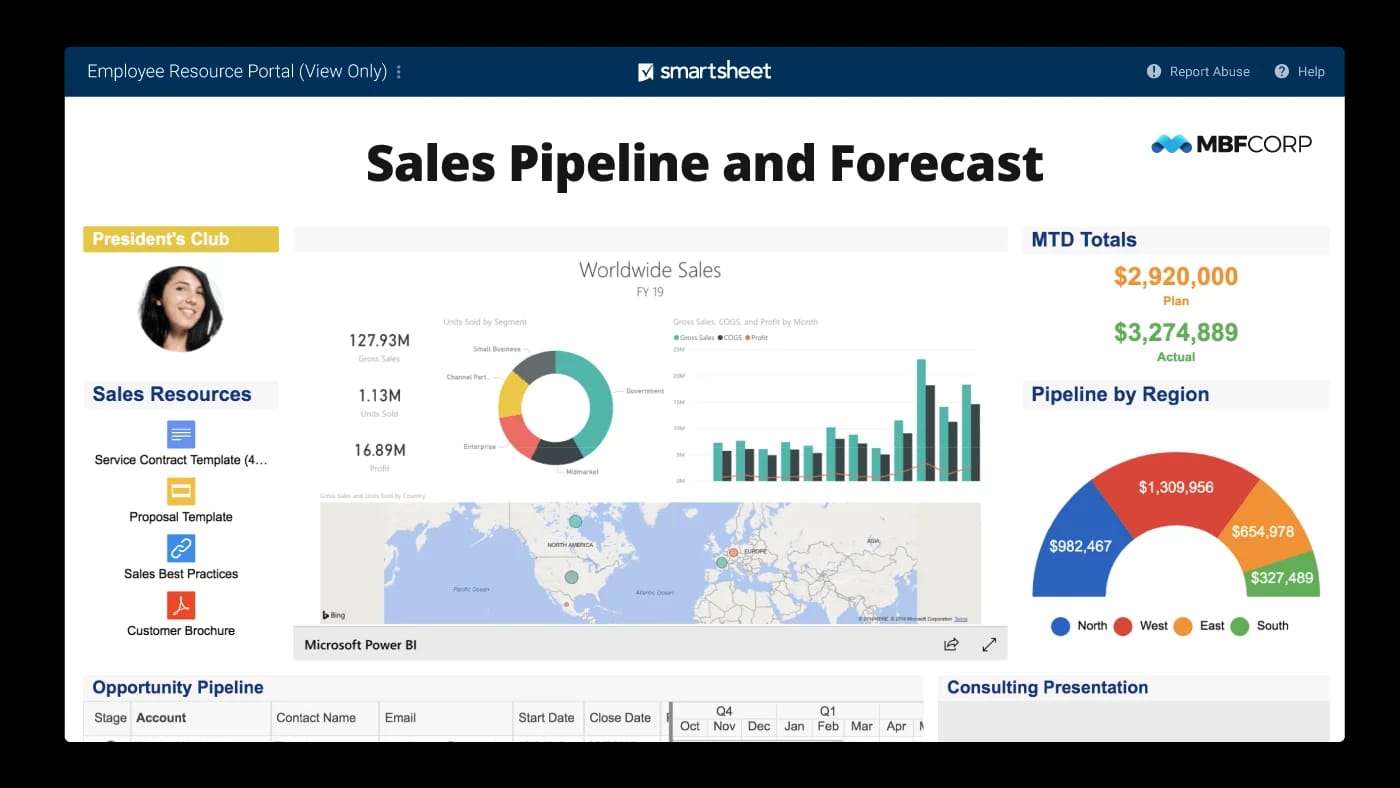
Smartsheet combines spreadsheet-style work management with structured approval workflows. It allows teams to collect requests through forms and route them for approval using automated rules.
Approvals in Smartsheet work well for operational processes such as budget requests, vendor reviews, and resource planning. Conditional logic ensures requests reach the right approvers based on predefined criteria. Dashboards provide visibility into approval status and workload.
While flexible, Smartsheet often requires setup discipline to avoid complexity. Its spreadsheet-like interface may feel familiar to some users but less intuitive for others. It works best when approvals are tied to structured data and reporting.
Key features of Smartsheet
-
Form-based submissions: Capture requests and trigger approvals automatically.
-
Automated approval rules: Route decisions based on conditions.
-
Dashboards and reporting: Track approval progress and trends.
Best for: Enterprises already invested in the ServiceNow ecosystem.
10. Zoho Creator
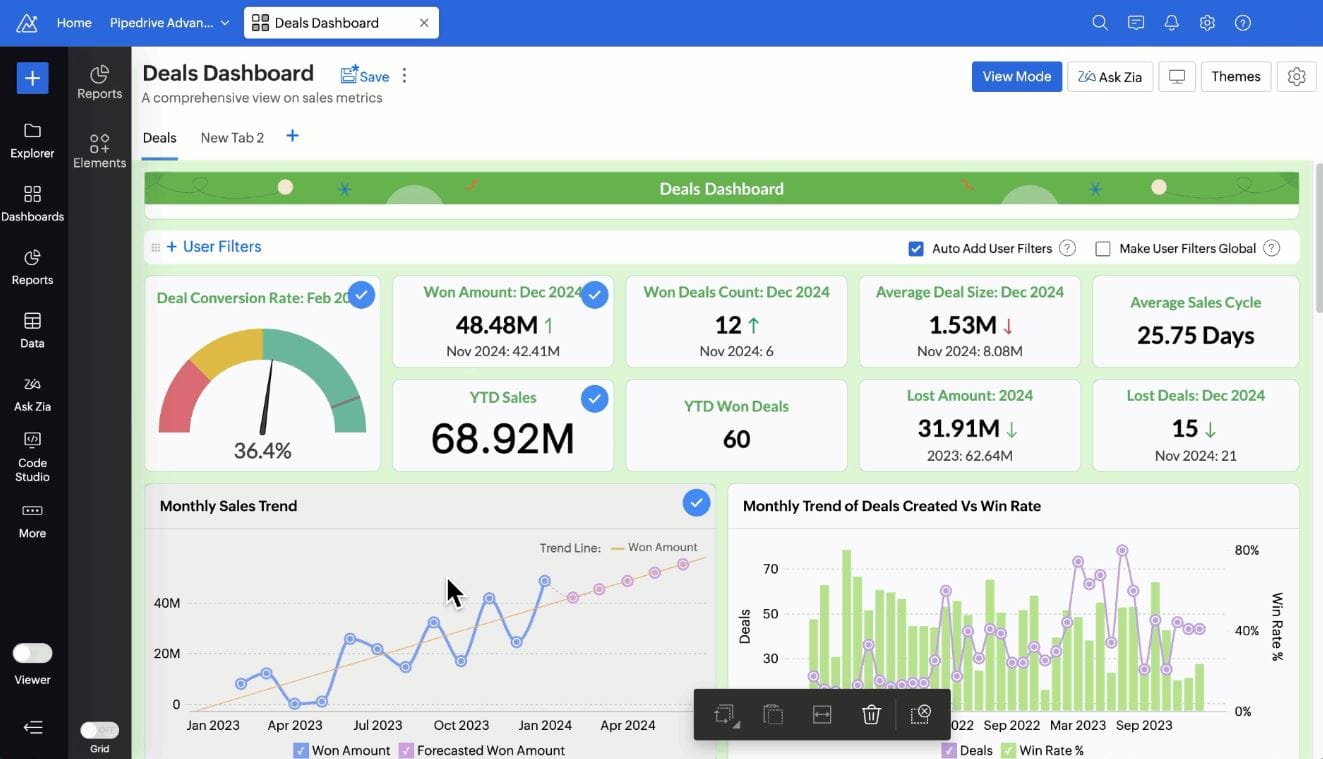
Zoho Creator is a low-code platform for building custom applications, including approval workflows. It enables organizations to design workflows that match specific business requirements.
Approval processes can include multi-level routing, conditional logic, and role-based access. Because it is highly customizable, Zoho Creator supports a wide range of use cases, from HR requests to finance approvals.
This flexibility comes at the cost of setup effort. Teams must invest time in designing and maintaining workflows. Zoho Creator works well for organizations that want tailored solutions but less so for those seeking out-of-the-box intranet functionality.
Key features of Zoho Creator
-
Low-code workflow design: Build custom approval processes.
-
Role-based permissions: Control access and decision rights.
-
Application customization: Adapt workflows to unique needs.
Best for: Organizations needing custom-built approval workflows.
11. ApprovalMax
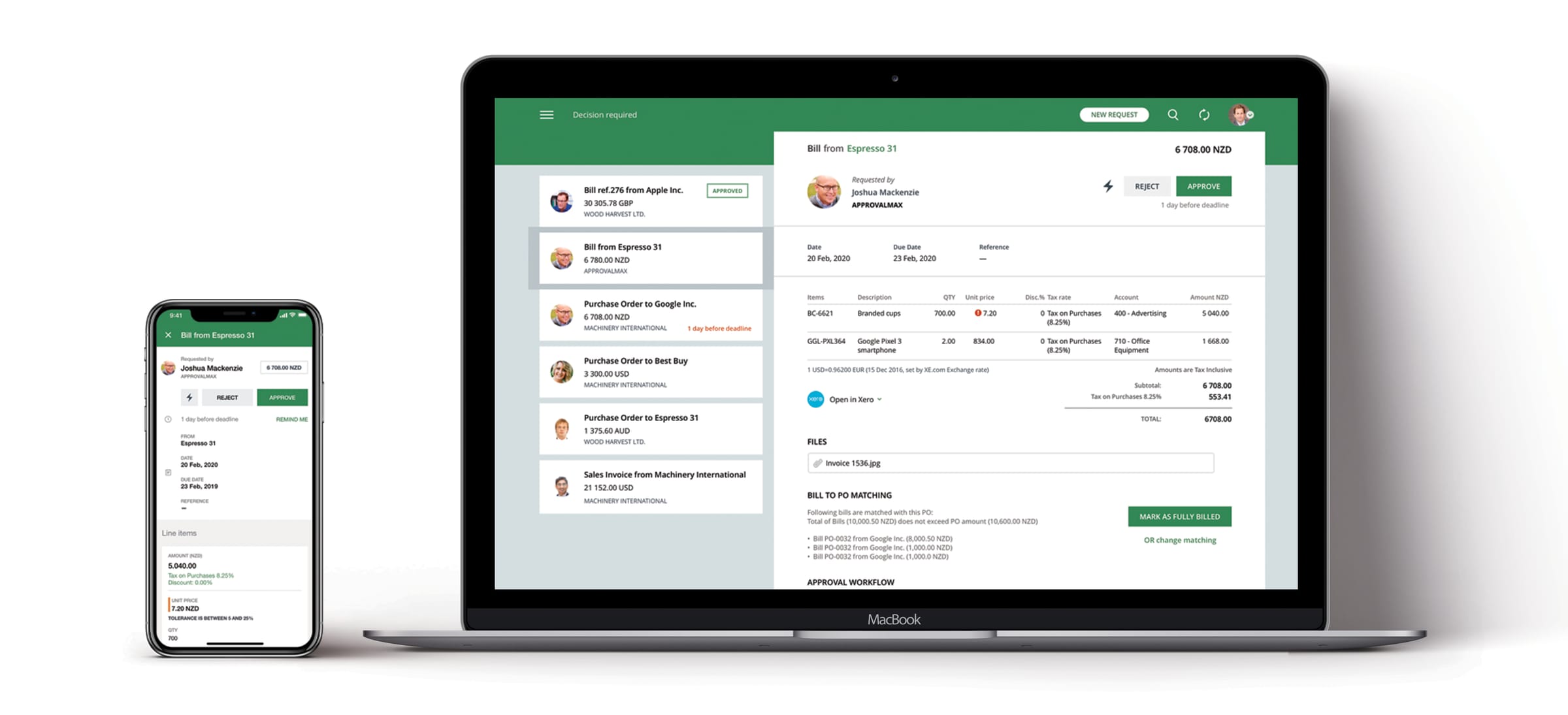
ApprovalMax focuses specifically on financial approvals, such as invoices, purchase orders, and bills. It integrates with accounting systems to automate approval routing and compliance.
Approval workflows in ApprovalMax follow predefined financial controls. Audit trails, approval matrices, and policy enforcement support governance and reduce risk. This specialization makes it effective for finance teams.
However, ApprovalMax is narrow in scope. It does not support broader organizational approvals or collaboration. Teams often pair it with other platforms to cover non-financial workflows.
Key features of ApprovalMax
-
Financial approval matrices: Enforce structured controls.
-
Accounting integrations: Sync approvals with finance systems.
-
Audit-ready tracking: Maintain compliance and visibility.
Best for: Finance teams managing accounting-related approvals.
Bringing approval workflows together
Approval workflow software shapes how decisions flow through your organization. When approvals feel slow or unclear, productivity drops and trust erodes. The right platform creates consistency, transparency, and accountability without adding friction.
Standalone tools can solve individual approval needs, but they often fragment the employee experience. An intranet-first approach keeps approvals connected to communication, knowledge, and daily work. This is where Axero stands apart. By embedding approval workflows into a centralized digital workplace, we help organizations move faster while maintaining governance and clarity.
If you want approval workflows that employees actually use and leaders can trust, it starts with the right foundation. Book a demo today and see how Axero supports structured approvals at scale.