Modern enterprises manage complex portfolios of work across departments, regions, and systems. Projects no longer live in isolationEnterprise-grade. They depend on shared resources, shifting priorities, compliance requirements, and constant communication. When work fragments across disconnected tools, visibility drops, accountability weakens, and teams slow down.
Enterprise work management software solves this by providing a structured, centralized environment where strategy, execution, and collaboration meet. Leaders gain clarity into how work aligns with business goals. Teams gain a single source of truth for tasks, documentation, updates, and ownership. Stakeholders gain confidence that progress is measurable and governed.
As organizations scale, the stakes rise. Manual reporting fails. Email becomes noise. Point solutions create silos. Enterprise-grade platforms must support governance, security, integrations, and flexibility without sacrificing usability. Adoption matters as much as capability. If employees avoid the platform, even the most advanced system delivers limited value.
The right enterprise work management software helps you standardize how work gets done while giving teams autonomy in how they operate day to day. It supports planning, execution, communication, and knowledge sharing in one connected experience. Most importantly, it creates alignment between people and priorities.
Below, we break down what enterprise work management software is, what to consider when choosing a platform, and the best solutions available today, starting with Axero.
Top 10 enterprise work management software 2026
What is enterprise work management software?
Enterprise work management software is a centralized platform designed to plan, coordinate, execute, and track work across large organizations. It connects projects, processes, people, and information into a single system of record.
Unlike basic project management tools, enterprise work management software supports cross-functional work at scale. It accounts for dependencies, governance, compliance, and long-term planning. These platforms help organizations manage portfolios of work rather than isolated tasks.
Core capabilities often include task and project tracking, workflow automation, resource visibility, documentation, and reporting. Many platforms also integrate with existing systems like HR tools, document repositories, and communication platforms to reduce friction.
At its best, enterprise work management software becomes the operational backbone of the organization. It gives leaders insight into progress and risk. It gives employees clarity on priorities and expectations. And it gives the business a consistent way to execute strategy across teams and locations.
What to consider when choosing enterprise work management software
Choosing the right platform requires balancing control with usability. Enterprise needs differ, but several core considerations apply across organizations.
Scalability and governance
The platform should support growth without rework. Look for role-based permissions, structured workflows, and administrative controls that scale across departments and regions.
User adoption and experience
If the interface feels complex, adoption suffers. Prioritize platforms that feel intuitive and flexible for everyday users while still meeting enterprise requirements.
Integration with existing systems
Enterprise work does not live in one tool. Strong integrations with document management, communication, and business systems reduce duplication and manual effort.
Visibility and reporting
Executives and managers need real-time insight. Robust dashboards and reporting help track progress, risks, and alignment to strategic goals.
Knowledge and communication support
Work management depends on shared context. Platforms that combine tasks with knowledge sharing and internal communication reduce silos and keep teams aligned.
10 best enterprise work management software
1. Axero
Axero is an enterprise work management platform built to unify work, communication, and knowledge in one centralized digital workplace. Designed for organizations that need structure without complexity, Axero helps teams manage work while staying aligned and informed.
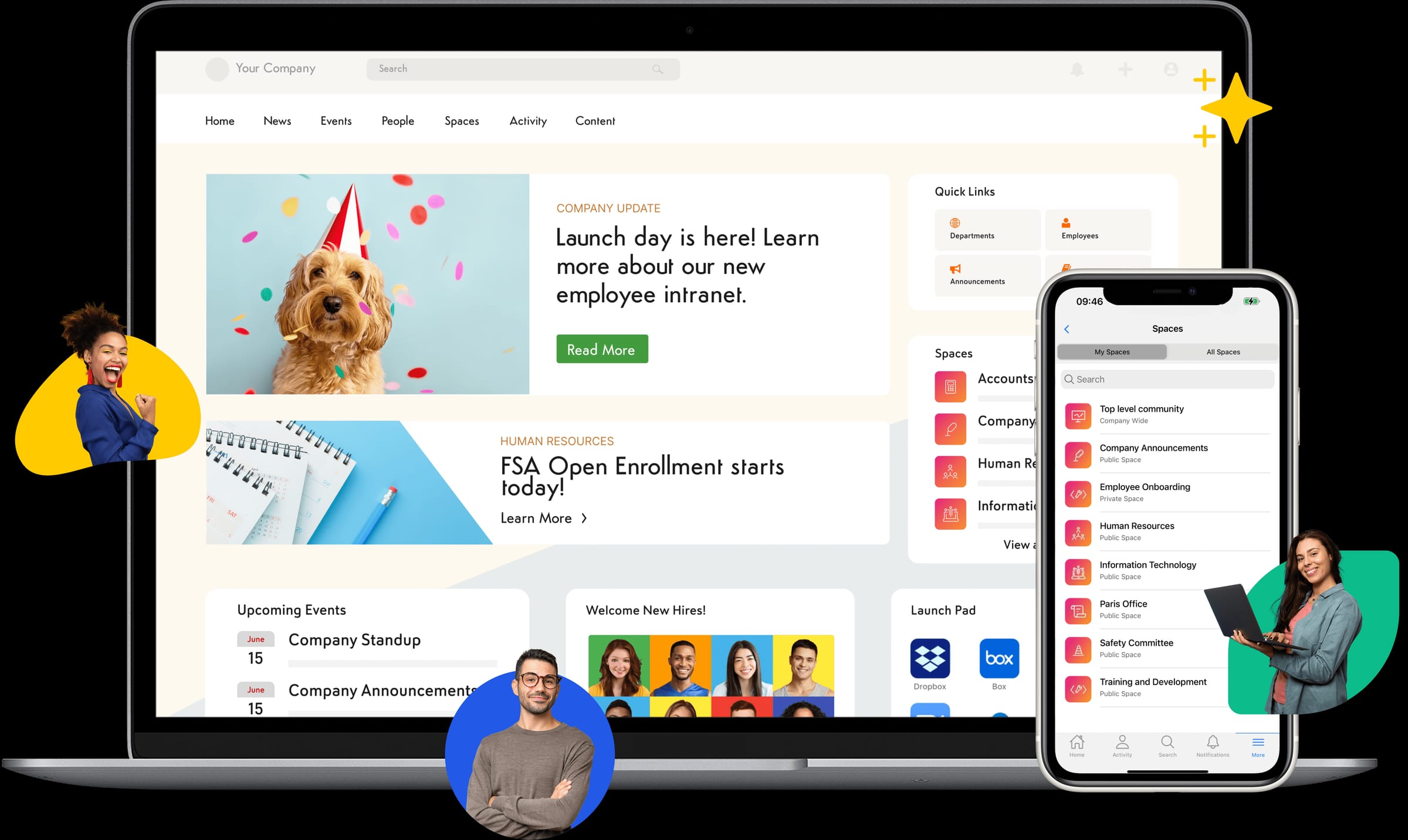
What sets Axero apart is its ability to combine work management with intranet capabilities. Teams can manage projects, workflows, and tasks alongside company news, documentation, and collaboration spaces. This reduces tool sprawl and keeps employees working in one consistent environment. Axero supports enterprise governance through role-based permissions, structured content, and secure access controls. At the same time, its interface remains approachable, which drives adoption across technical and non-technical teams. Leaders gain visibility into progress and engagement without relying on manual reporting.
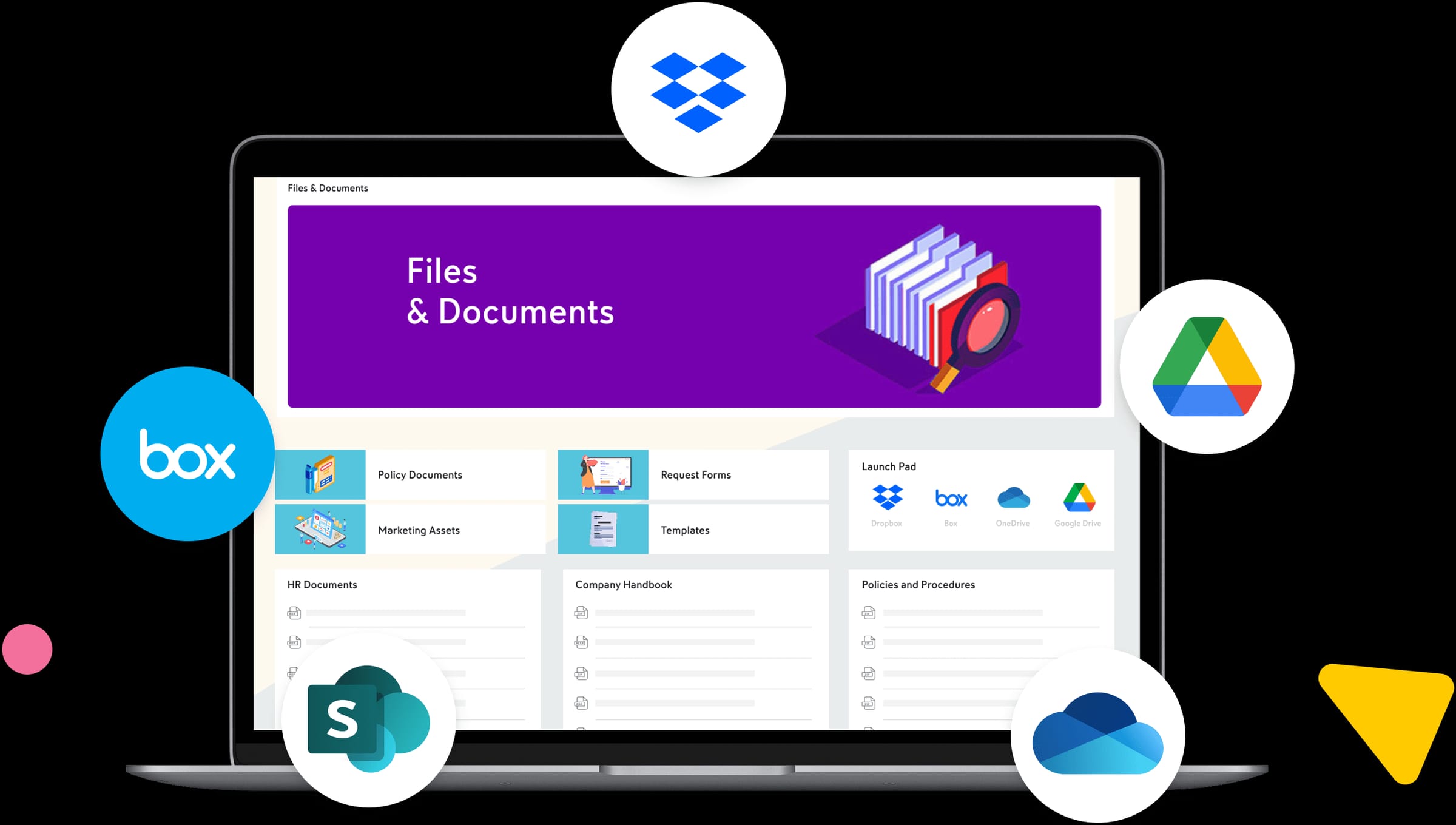
With strong integration capabilities, Axero fits into existing enterprise ecosystems while acting as the central hub for how work gets done. It is especially effective for organizations that want work management tied directly to communication, culture, and knowledge sharing.
Key features of Axero
-
Centralized workspaces: Manage projects, tasks, documents, and updates in one secure environment.
-
Workflow automation: Standardize recurring processes to reduce manual effort and improve consistency.
-
Integrated intranet: Combine work management with internal communication and knowledge sharing.
Best for: Mid-sized to large enterprises seeking a unified platform for work management, communication, and employee engagement.
Axero Intranet Software
See Axero in action
Book a personalized demo and see how Axero's intranet platform connects your entire organization.
Get a demo2. ServiceNow Work Management
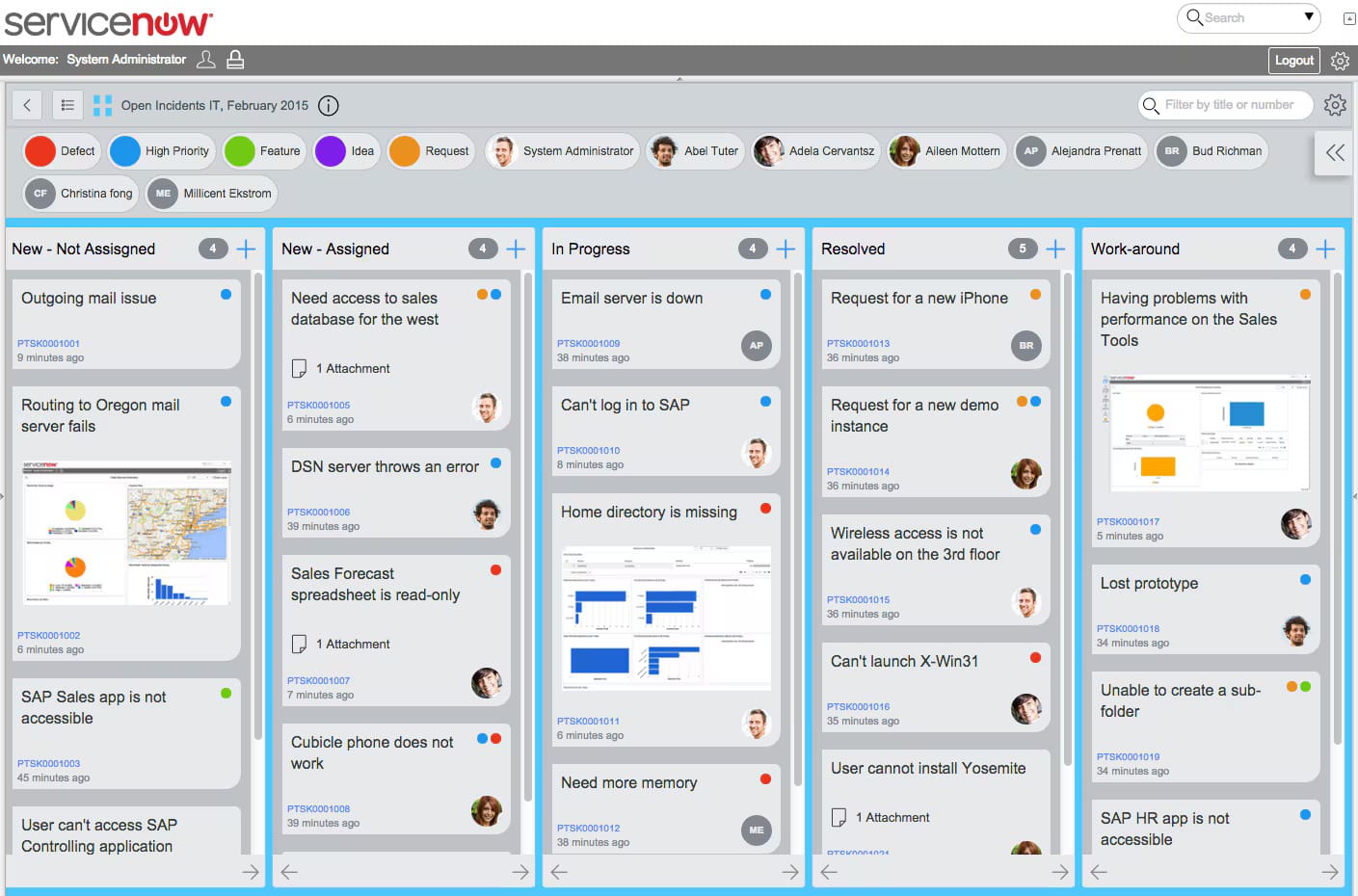
ServiceNow Work Management is designed for large enterprises that require strong process control and operational rigor. It is commonly used in IT, operations, and service-driven environments where structured workflows and compliance matter.
The platform excels at automating complex processes and managing work across departments through standardized workflows. Organizations can model detailed processes, assign ownership, and track progress with high levels of control. This makes ServiceNow a strong option for regulated industries.
However, the platform’s strength in governance can come with a steeper learning curve. Configuration often requires dedicated administrators, and end-user simplicity depends heavily on implementation quality. Adoption typically improves when workflows are tightly aligned to real operational needs.
ServiceNow integrates well with enterprise systems and offers advanced reporting capabilities. For organizations prioritizing operational consistency and process automation over flexibility, it delivers reliable enterprise-scale performance.
Key features of ServiceNow Work Management
-
Process-driven workflows: Automate and enforce standardized enterprise processes.
-
Advanced governance controls: Support compliance, approvals, and audit requirements.
-
Enterprise integrations: Connect work management to IT and business systems.
Best for: Large enterprises with complex, process-heavy operations and strong governance needs.
3. Planview
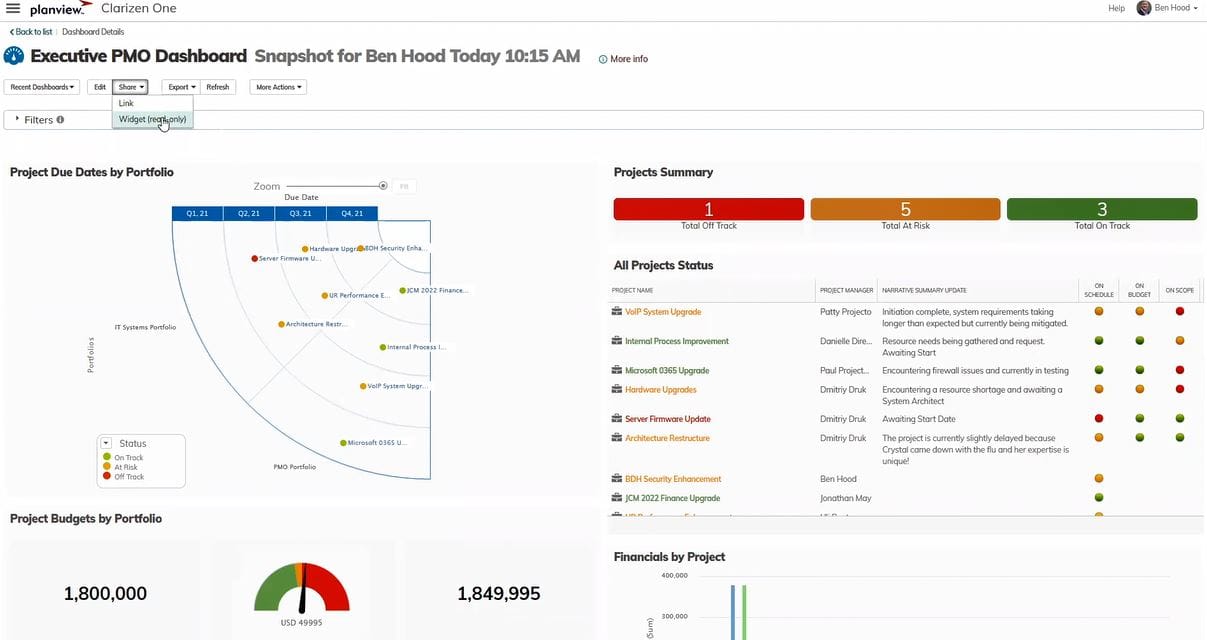
Planview focuses on portfolio and strategic work management for enterprises managing large volumes of initiatives. It helps organizations connect strategy to execution across teams and departments.
The platform is particularly strong in portfolio planning, resource management, and financial tracking. Leaders can evaluate work against strategic priorities, allocate resources effectively, and adjust plans based on real-time data. This makes Planview valuable for organizations managing competing initiatives.
Planview’s depth comes with complexity. Teams often require training to use the platform effectively, and configuration can take time. Adoption improves when the organization has mature project and portfolio management practices in place.
For enterprises that need visibility into how work ladders up to strategy, Planview offers powerful tools. It is less focused on day-to-day collaboration and more on high-level planning and execution alignment.
Key features of Planview
-
Portfolio management: Align initiatives with strategic goals and funding.
-
Resource planning: Balance capacity across teams and projects.
-
Performance reporting: Track progress and outcomes at scale.
Best for: Enterprises focused on strategic planning, portfolio visibility, and resource optimization.
4. Smartsheet
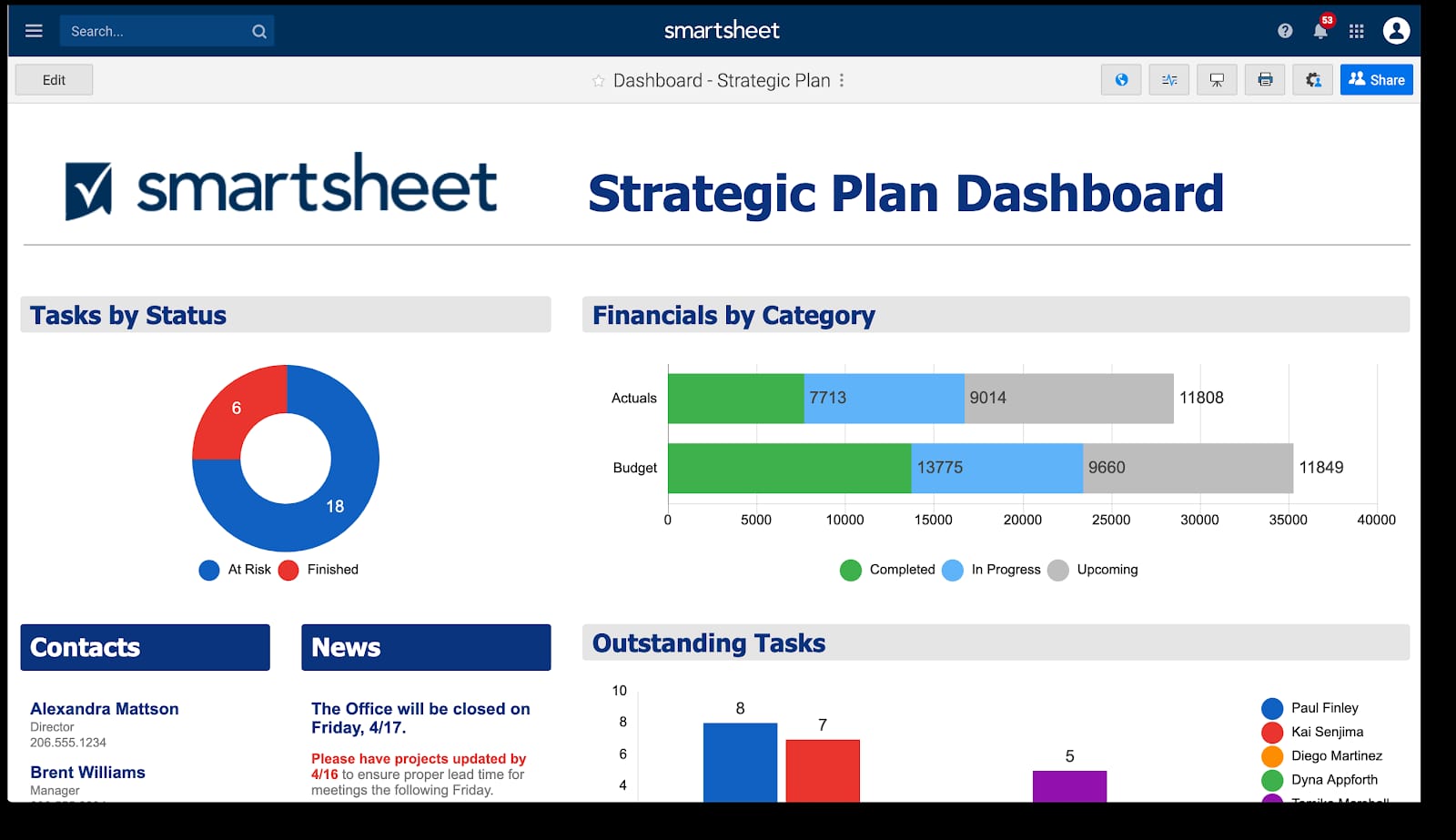
Smartsheet is an enterprise work management platform built around a familiar spreadsheet-style interface. This makes it approachable for teams that want structure without adopting a completely new way of working. Its flexibility allows organizations to manage projects, workflows, and reporting at scale.
The platform supports automation, approvals, and cross-team collaboration through configurable sheets and dashboards. Enterprises often use Smartsheet to standardize reporting while allowing teams to customize how they track work. This balance helps drive adoption across departments.
Smartsheet integrates with many enterprise tools, including document storage and communication platforms. Leadership teams benefit from real-time dashboards that surface progress, risks, and dependencies without manual updates.
While Smartsheet is easy to start with, governance requires thoughtful setup. Without clear standards, work can fragment across sheets. When paired with strong oversight, it becomes a reliable system for managing work across large organizations.
Key features of Smartsheet
-
Spreadsheet-based interface: Familiar structure that reduces training time.
-
Automation and approvals: Streamline recurring processes and handoffs.
-
Executive dashboards: Provide real-time visibility into enterprise work.
Best for: Enterprises seeking flexible work management with fast user adoption.
5. Asana Enterprise
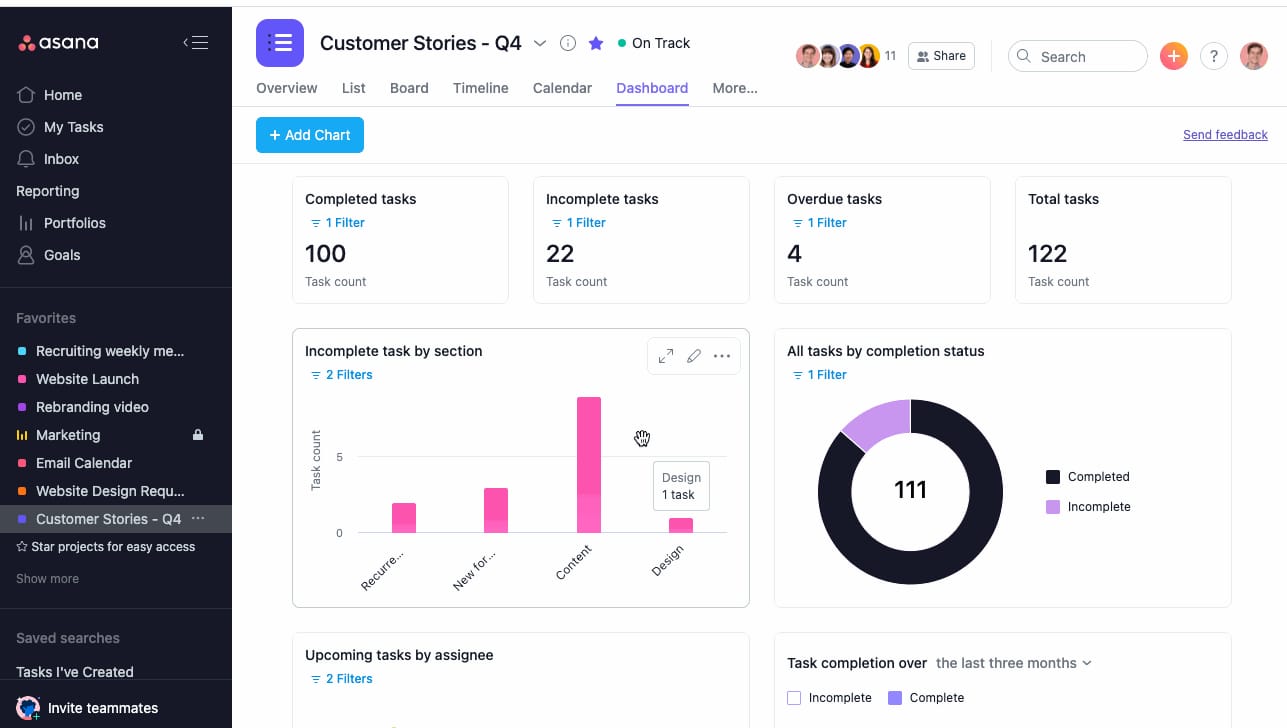
Asana Enterprise builds on Asana’s task-focused foundation to support large organizations managing complex initiatives. It emphasizes clarity, accountability, and visibility across teams and projects.
The platform excels at breaking work into manageable tasks and dependencies. Teams can visualize progress through timelines, boards, and lists, which helps reduce ambiguity around ownership and deadlines. Asana’s interface encourages consistent use, supporting adoption at scale.
Enterprise features include advanced security, administrative controls, and reporting. Organizations can standardize workflows while still allowing teams to operate independently. Integrations with common enterprise tools help reduce context switching.
Asana focuses heavily on execution rather than documentation or knowledge sharing. Many enterprises pair it with a centralized platform, like Axero, to ensure work context and communication live alongside task tracking.
Key features of Asana Enterprise
-
Task and dependency tracking: Keep complex projects organized and on schedule.
-
Enterprise security controls: Support governance and compliance needs.
-
Progress visualization: Share real-time status across teams.
Best for: Enterprises prioritizing task execution and cross-team coordination.
6. Monday.com Enterprise
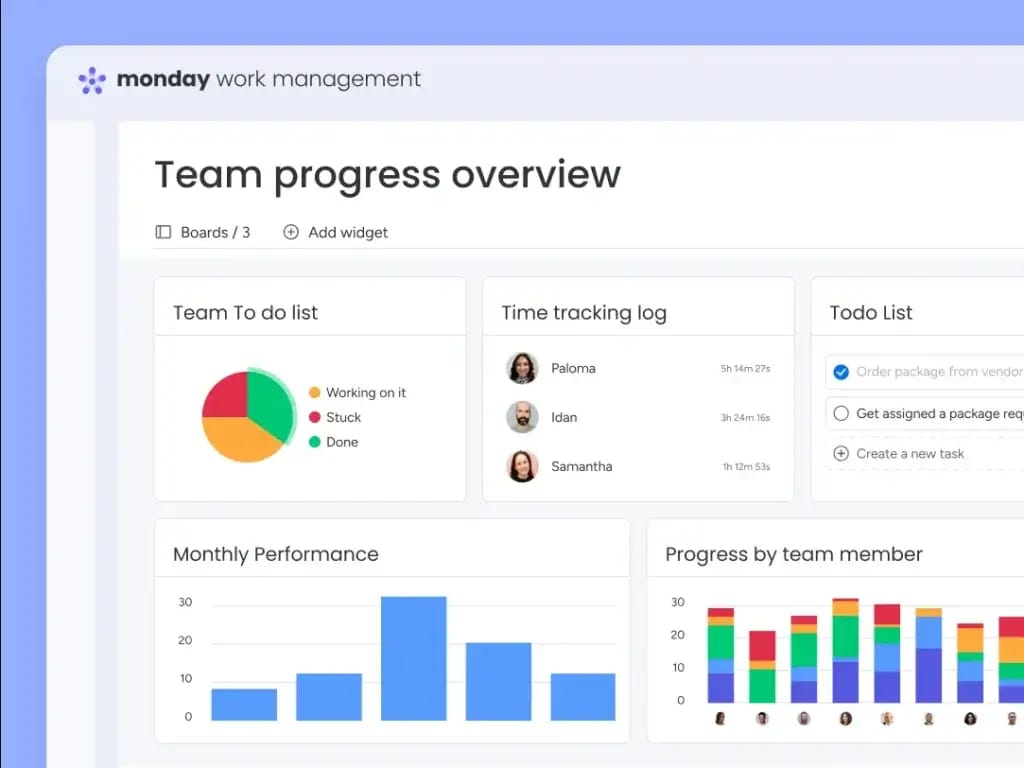
Monday.com Enterprise offers a highly customizable work management platform designed for visibility and collaboration. Its visual approach makes it easy for teams to understand work status at a glance.
The platform allows enterprises to build workflows for projects, operations, and requests using configurable boards. Automation rules reduce manual updates, while dashboards provide aggregated views for leadership. This flexibility supports a wide range of use cases.
Monday.com’s strength lies in customization, but that flexibility can introduce inconsistency if governance is limited. Enterprises benefit most when they define standards for how boards and workflows are used across teams.
While Monday.com supports collaboration well, it often focuses on work tracking rather than broader employee communication or knowledge management. Pairing it with a centralized intranet platform helps maintain alignment and shared context.
Key features of Monday.com Enterprise
-
Customizable workflows: Adapt boards to different enterprise needs.
-
Visual dashboards: Monitor progress and performance in real time.
-
Automation rules: Reduce manual work and status updates.
Best for: Enterprises that value flexibility and visual work management.
7. Wrike Enterprise
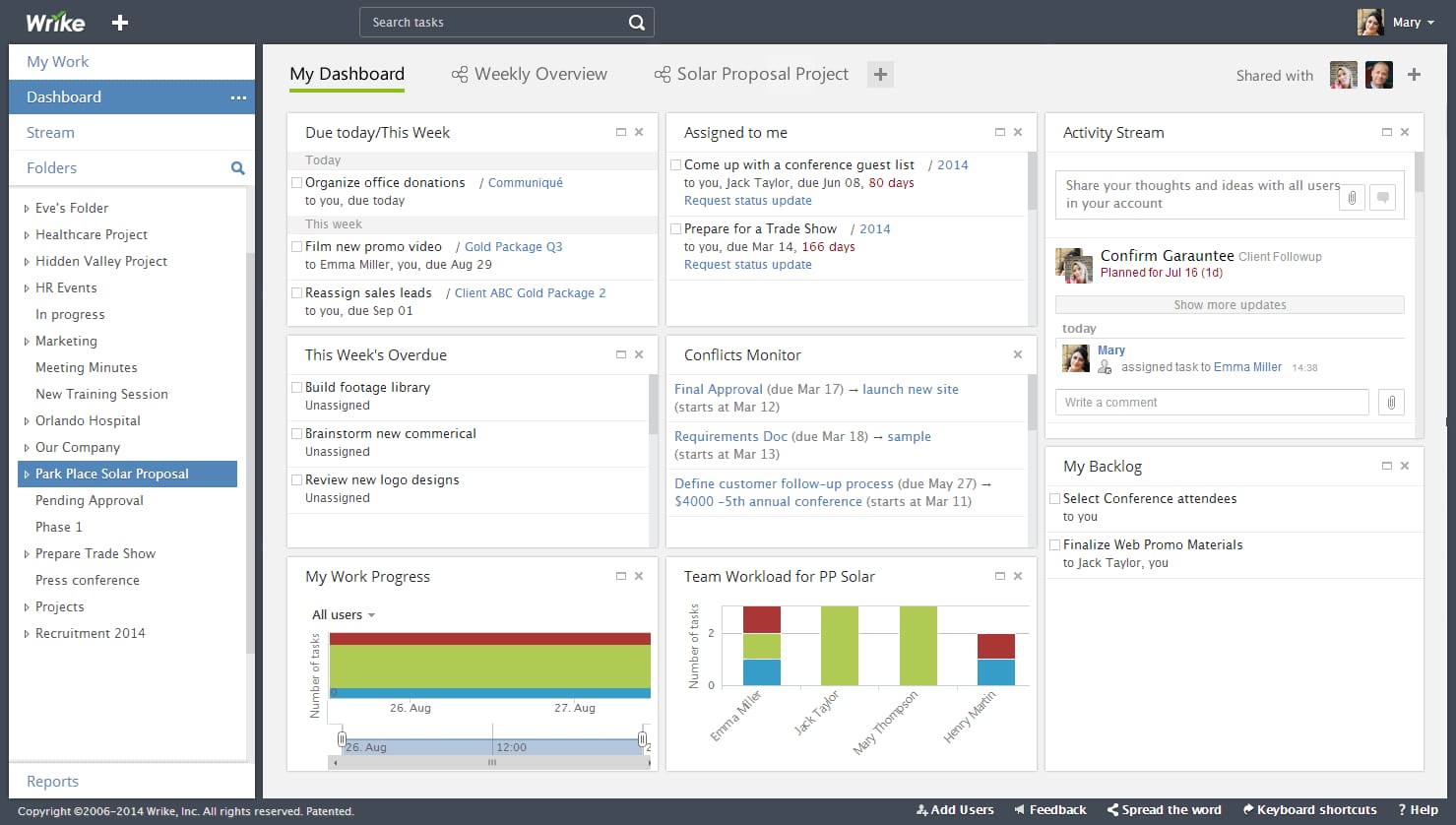
Wrike Enterprise is built for organizations that manage complex projects across multiple teams and stakeholders. It provides structured project tracking while maintaining flexibility for different workflows.
The platform supports detailed task hierarchies, dependencies, and custom workflows. This helps enterprises manage large initiatives without losing visibility into individual responsibilities. Real-time collaboration features allow teams to coordinate updates and approvals directly within work items.
Wrike offers strong reporting and workload management, giving leaders insight into capacity and progress. Enterprise security features support access control and data protection across distributed teams. Integrations with common business tools help connect Wrike to existing workflows.
Wrike focuses primarily on project execution. For organizations that also need centralized communication and knowledge sharing, pairing it with a platform like Axero creates a more complete enterprise work environment.
Key features of Wrike Enterprise
-
Advanced project structuring: Manage complex dependencies and timelines.
-
Workload management: Balance capacity across teams and roles.
-
Enterprise-grade security: Control access and protect sensitive data.
Best for: Enterprises managing large, multi-team projects with detailed dependencies.
8. Workfront
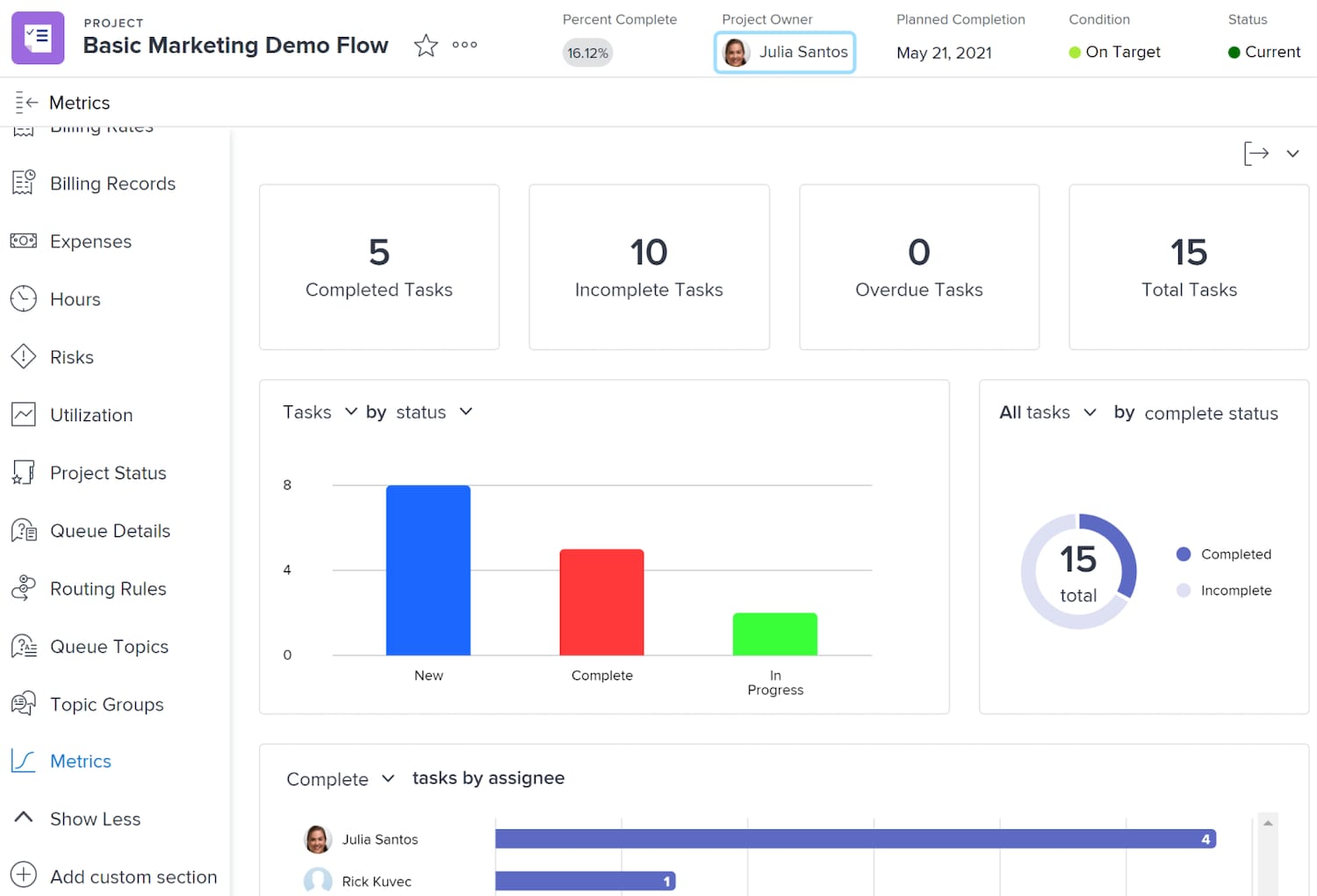
Workfront is an enterprise work management platform commonly used for marketing, creative, and operational teams. It emphasizes standardized processes and visibility across high-volume work.
The platform helps teams intake requests, prioritize work, and track execution through defined workflows. This reduces chaos in fast-paced environments where work arrives from many stakeholders. Approval flows and audit trails support accountability.
Workfront provides robust reporting and analytics, allowing leaders to assess throughput, bottlenecks, and resource utilization. Its structure supports governance but requires clear setup and training to ensure adoption.
Workfront excels in managing operational workloads but often focuses less on broader organizational communication. Enterprises benefit when Workfront operates alongside a centralized hub like Axero to keep people aligned beyond project execution.
Key features of Workfront
-
Request management: Standardize how work enters the system.
-
Approval workflows: Maintain control and accountability.
-
Performance analytics: Measure efficiency and capacity.
Best for: Enterprises with structured, high-volume operational or creative work.
9. Jira Align
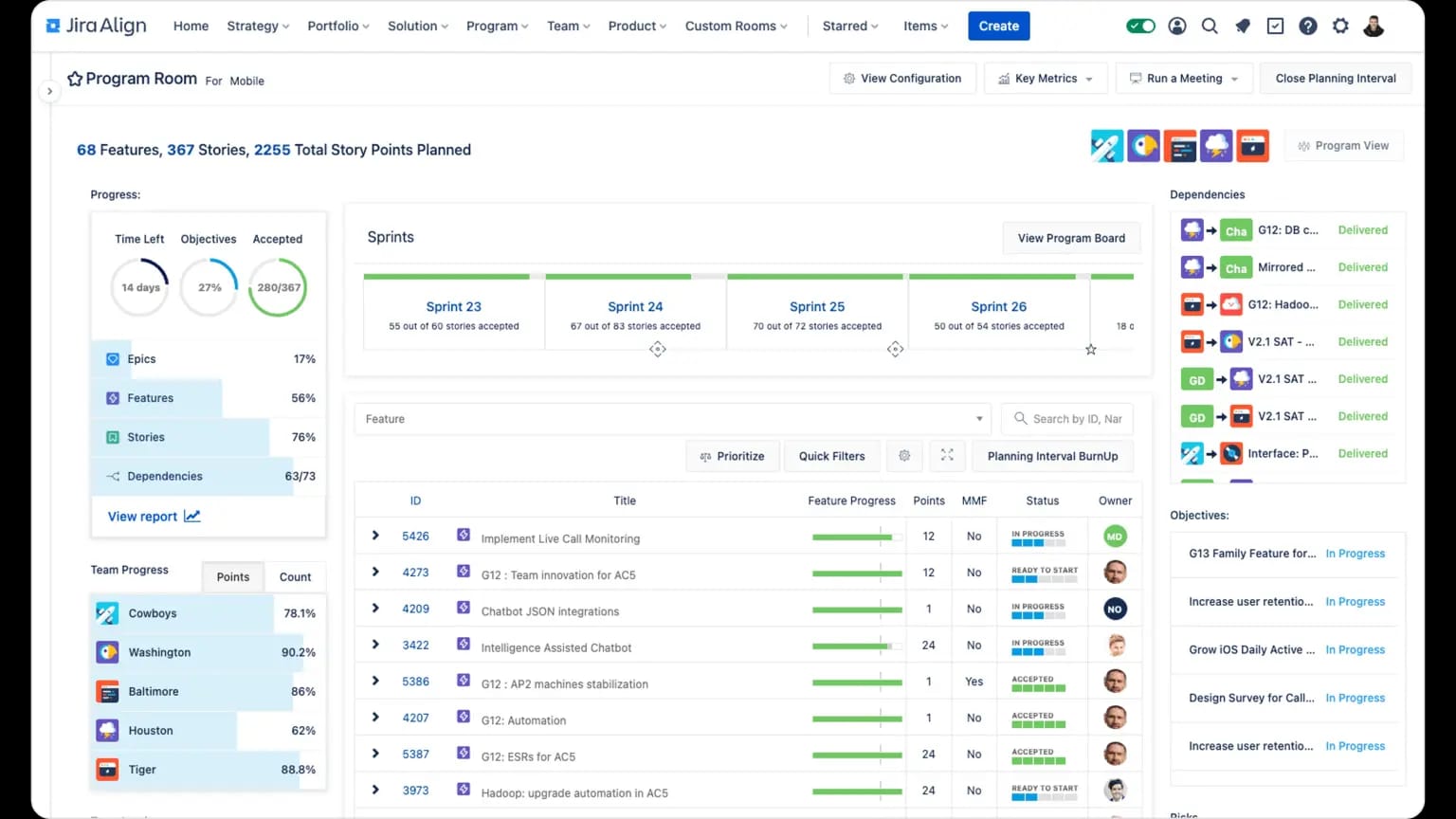
Jira Align is designed to connect enterprise strategy with execution, particularly in organizations practicing agile at scale. It provides visibility into how work supports business objectives.
The platform focuses on aligning teams, programs, and portfolios. Leaders can track progress against strategic goals while teams maintain agility in how they deliver work. This makes Jira Align effective for large, complex organizations.
Jira Align integrates closely with Jira and other agile tools. Its strength lies in planning and alignment rather than day-to-day task collaboration. Adoption often depends on organizational maturity and clear agile practices.
For enterprises seeking transparency between leadership and delivery teams, Jira Align offers strong strategic oversight. It is commonly complemented by platforms that handle communication and knowledge sharing, such as Axero.
Key features of Jira Align
-
Strategy alignment: Connect work to enterprise objectives.
-
Agile portfolio management: Support scaled agile frameworks.
-
Executive visibility: Track outcomes across teams and programs.
Best for: Enterprises practicing agile at scale with strong planning needs.
10. ClickUp Enterprise
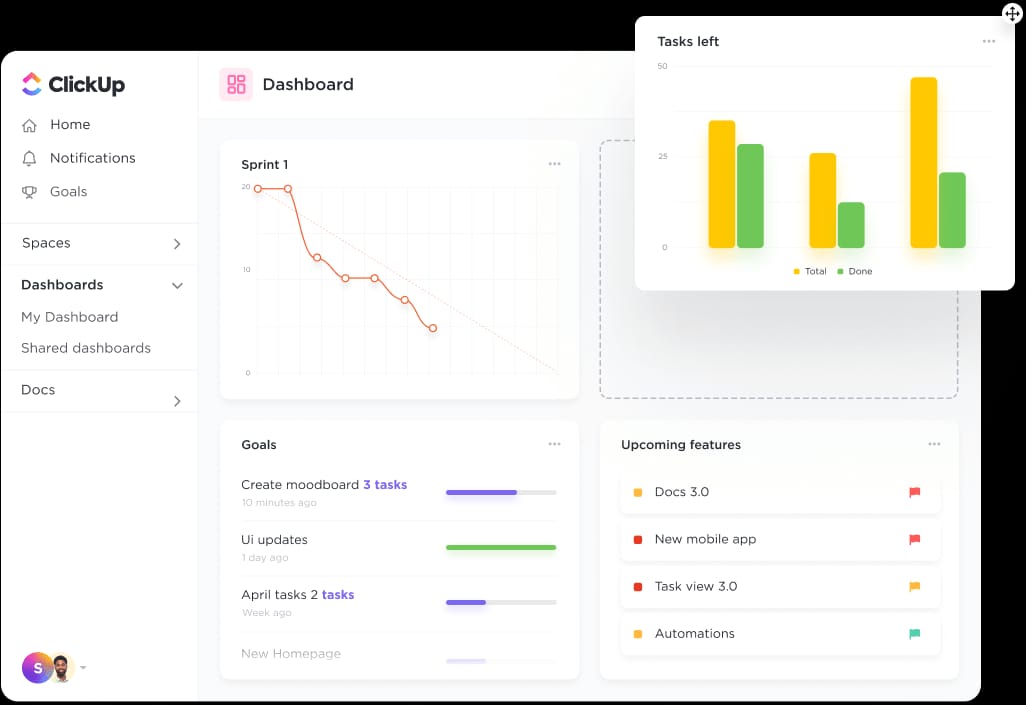
ClickUp Enterprise positions itself as an all-in-one work management platform for large organizations that want flexibility across teams. It combines task management, docs, goals, and dashboards into a single environment.
The platform allows enterprises to configure workflows for different departments while maintaining centralized oversight. Teams can track tasks, set dependencies, and collaborate in real time. Custom views help employees work in ways that suit their roles without losing alignment.
ClickUp’s enterprise tier includes advanced security, permissions, and performance controls. Reporting dashboards give leaders insight into progress and workload distribution. The breadth of features can reduce the need for multiple tools when governance is well defined.
However, ClickUp’s flexibility requires clear standards. Without them, teams may use features inconsistently. Enterprises often pair ClickUp with a centralized intranet like Axero to ensure communication, policies, and knowledge remain structured and accessible.
Key features of ClickUp Enterprise
-
All-in-one workspace: Combine tasks, docs, and goals in one platform.
-
Custom views and workflows: Adapt work management to team needs.
-
Enterprise reporting: Track performance and capacity across teams.
Best for: Enterprises seeking broad functionality with high configurability.
Choosing the right enterprise work management software
Enterprise work management software plays a direct role in how effectively your organization executes strategy. The best platforms provide structure without slowing teams down and visibility without overwhelming users.
As you evaluate options, consider how well each solution balances governance, usability, and integration. Many platforms focus heavily on execution or planning but leave gaps in communication and knowledge sharing. That is where fragmentation often begins.
Axero addresses this challenge by bringing work management into a broader digital workplace. By combining projects, workflows, communication, and knowledge in one platform, we help enterprises reduce tool sprawl and improve alignment across teams.
If your goal is to manage work while keeping employees informed, connected, and engaged, Axero provides a strong foundation that scales with your organization.
Ready to see how Axero can support your enterprise work management strategy? Book a demo today.
Axero Intranet Software
See Axero in action
Book a personalized demo and see how Axero's intranet platform connects your entire organization.
Get a demo