If you are evaluating enterprise file sharing software, you are really answering two questions at once. The first: which dedicated tool fits your security, compliance, and budget requirements? The second, often skipped: whether a standalone file-sharing tool is the right shape of solution at all, or whether file sharing is one piece of a bigger internal communications and knowledge management problem that a connected intranet solves in one place.
This guide covers both. If you need a dedicated file-sharing tool, the comparison below shows how the major options stack up on pricing, security, and independent review scores. If file sharing is one piece of a broader need, like policies employees can actually find, project files that sit next to project conversations, and permissions that follow the org structure, a connected intranet like Axero may replace the standalone tool entirely.
Either way, the stakes are the same: when file sharing breaks down, work slows, version confusion multiplies, and employees stop trusting the tools meant to support them. Enterprise file sharing software exists to prevent that. It gives organizations a centralized, controlled way to store, share, and manage files with governance, permissions, and compliance built in.
The 12 enterprise file sharing platforms in this guide
-
Axero — the intranet alternative, listed first because it’s a different shape of answer rather than a higher-ranked storage tool
Enterprise file sharing software at a glance
Short on time? Start here. To build this comparison, we went through each vendor’s published pricing and plan documentation, checked security and compliance certifications against primary sources like the FedRAMP Marketplace, and read what verified users say on G2. Then we noted where each platform fits best, because none of these twelve wins every scenario. Prices are per user per month on annual billing, verified July 2026; ratings shift as new reviews land, so treat both as a starting point and confirm on the vendor’s site before you commit.
One caveat about the G2 column, since we’d rather flag it than have you discover it: the ratings below come from whichever category each product is reviewed in, and those categories aren’t identical. The dedicated file-sharing tools are rated in Cloud Content Collaboration; Axero’s 4.3 is its Employee Intranet rating, because that’s the category Axero competes in. The numbers are useful as a signal of how each product’s own users rate it — they are not a like-for-like ranking of file-sharing capability, and we’ve listed Axero first because it’s the different-shaped option worth understanding before you read the rest, not because it out-scored the storage vendors at storage.
| Platform | Entry price (annual billing) | Security & compliance | G2 rating | Best for |
|---|---|---|---|---|
| Axero (intranet, not dedicated EFSS) | Custom quote (plans start at $10–15/user/mo) | Role-based permissions, SSO, single-tenant hosting | 4.3/5 (Employee Intranet) | File sharing embedded in a connected intranet |
| Microsoft OneDrive | $7–14/user/mo (Microsoft 365 plans) | Microsoft 365 security and compliance stack | 4.3/5 | Organizations standardized on Microsoft 365 |
| Google Drive (Workspace) | $7–22/user/mo; Enterprise custom | Workspace admin controls and audit logs | 4.6/5 | Cloud-first, real-time collaboration |
| Box | $15–35/user/mo; top tiers custom | FedRAMP High, HIPAA, SOC 1/2/3 | 4.2/5 | Strict compliance and governance |
| Dropbox | Standard $15, Advanced $24; Enterprise custom | ISO 27001, SOC 2, HIPAA BAA | 4.4/5 | Simple, fast team file sharing |
| Egnyte | $22–48/user/mo | SOC 2, ISO 27001; HIPAA/FINRA/CMMC support | 4.4/5 | Hybrid cloud + on-premises governance |
| Progress ShareFile | $16.50–41.67/user/mo | SOC 2 Type II; HIPAA BAA on select plans | 4.2/5 | Secure external/client file exchange |
| OpenText Core Share | Custom pricing, contact vendor | Enterprise content governance in the OpenText Cloud | 4.3/5 | OpenText ECM shops |
| Hightail | $12–36/user/mo | Encrypted transfer; unlimited storage on paid plans | 4.2/5 | Creative teams sending large media files |
| Sync | $6–15/user/mo; Enterprise custom | End-to-end zero-knowledge encryption; SOC 2 data centers | 4.1/5 | Privacy-first storage on a budget |
| Tresorit | ~$19–24/user/mo; Enterprise custom | End-to-end zero-knowledge encryption, ISO 27001:2022 | 4.5/5 | Regulated industries needing E2EE |
| M-Files | Essentials $65/seat/mo; Enterprise custom | Metadata-driven permissions and workflows | 4.4/5 | Structured document management |
What is enterprise file sharing software?
Enterprise file sharing software allows organizations to securely store, manage, and share files across teams, departments, and locations. It replaces scattered file servers, email attachments, and unmanaged cloud drives with a centralized system built for scale and control.
These platforms go beyond basic storage. They include permission management, version control, audit trails, and security features designed to protect sensitive business information. Employees can access files from anywhere while organizations maintain clear ownership and governance.
In an enterprise environment, file sharing must support collaboration without sacrificing oversight. Teams need to co-author documents, comment, and find files quickly. IT and compliance teams need visibility into who accessed what and when.
The most effective enterprise file sharing solutions integrate directly into daily workflows. When file sharing connects with intranets, collaboration tools, and knowledge bases, employees spend less time searching and more time doing meaningful work.
How to evaluate enterprise file sharing software
Choosing the right platform starts with understanding how your teams work and where friction exists today. File sharing should reduce complexity, not introduce new systems employees avoid.
Security and compliance
Enterprise file sharing software must protect sensitive data. Look for role-based permissions, encryption, audit logs, and compliance support for industry standards — SOC 2 and ISO 27001 at minimum, plus HIPAA, FINRA, or FedRAMP where your industry requires them. Strong security builds trust and reduces risk.
Ease of access and adoption
If employees struggle to find or share files, adoption will suffer. A clean interface, intuitive navigation, and fast, accurate search help ensure files get used, not ignored.
Collaboration capabilities
File sharing works best when teams can collaborate directly within documents. Version control, commenting, and real-time editing reduce duplication and confusion.
Integration with your digital workplace
Your file sharing tool should connect with existing systems like intranets, identity providers, and productivity tools. Integration keeps work centralized and reduces context switching.
Total cost at your actual headcount
Published per-user prices assume annual billing almost everywhere — monthly billing typically runs 15–25% higher. Model the real number at your headcount, including minimum-seat requirements and which compliance features are gated to upper tiers.
Scalability and governance
As your organization grows, file sharing needs to scale without losing structure. Look for tools that support clear ownership, lifecycle management, and long-term governance.
Before you shortlist, cross-check vendor claims against independent review data: G2’s Cloud Content Collaboration category ranks these platforms by verified user reviews, and Gartner Peer Insights’ Content Services Platforms market collects enterprise practitioner reviews of the heavier-duty options.
The 12 enterprise file sharing platforms, in detail
1. Axero
Axero takes a different shape than the storage vendors on this list, and that is the point of including it. Axero is an intranet platform with enterprise file sharing embedded in it: files live where work happens, alongside communication, knowledge, and collaboration tools, under one permission model. If your file-sharing problem is really a findability problem (employees can’t locate the current policy, project files live apart from project conversations), a connected digital workplace addresses the cause rather than adding another storage silo.
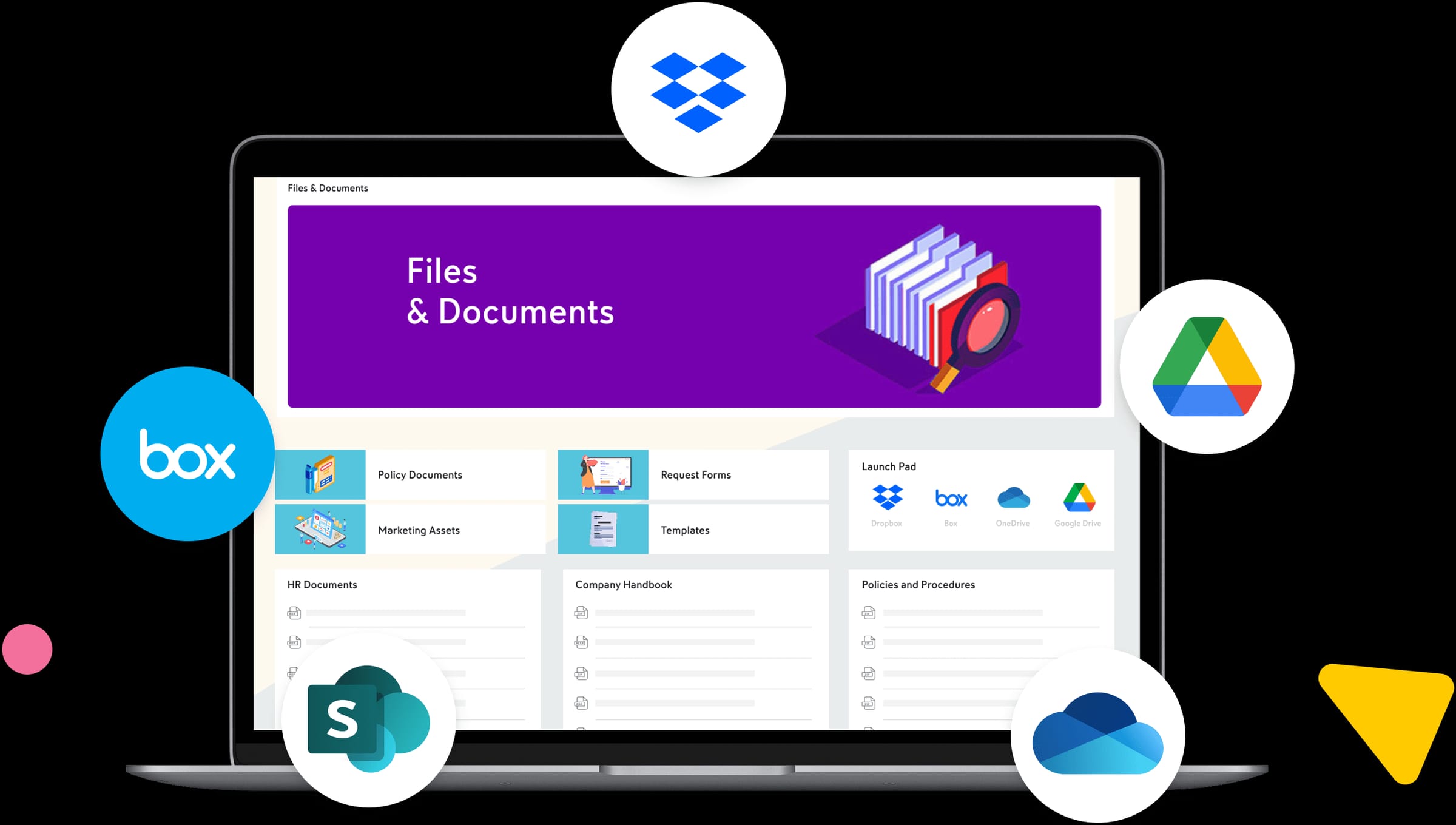
With Axero, file sharing supports structure and context. Teams organize documents within departments, projects, and knowledge bases rather than flat folders. Permissions ensure the right people access the right files without creating silos. Version control and centralized storage reduce duplication and outdated content.
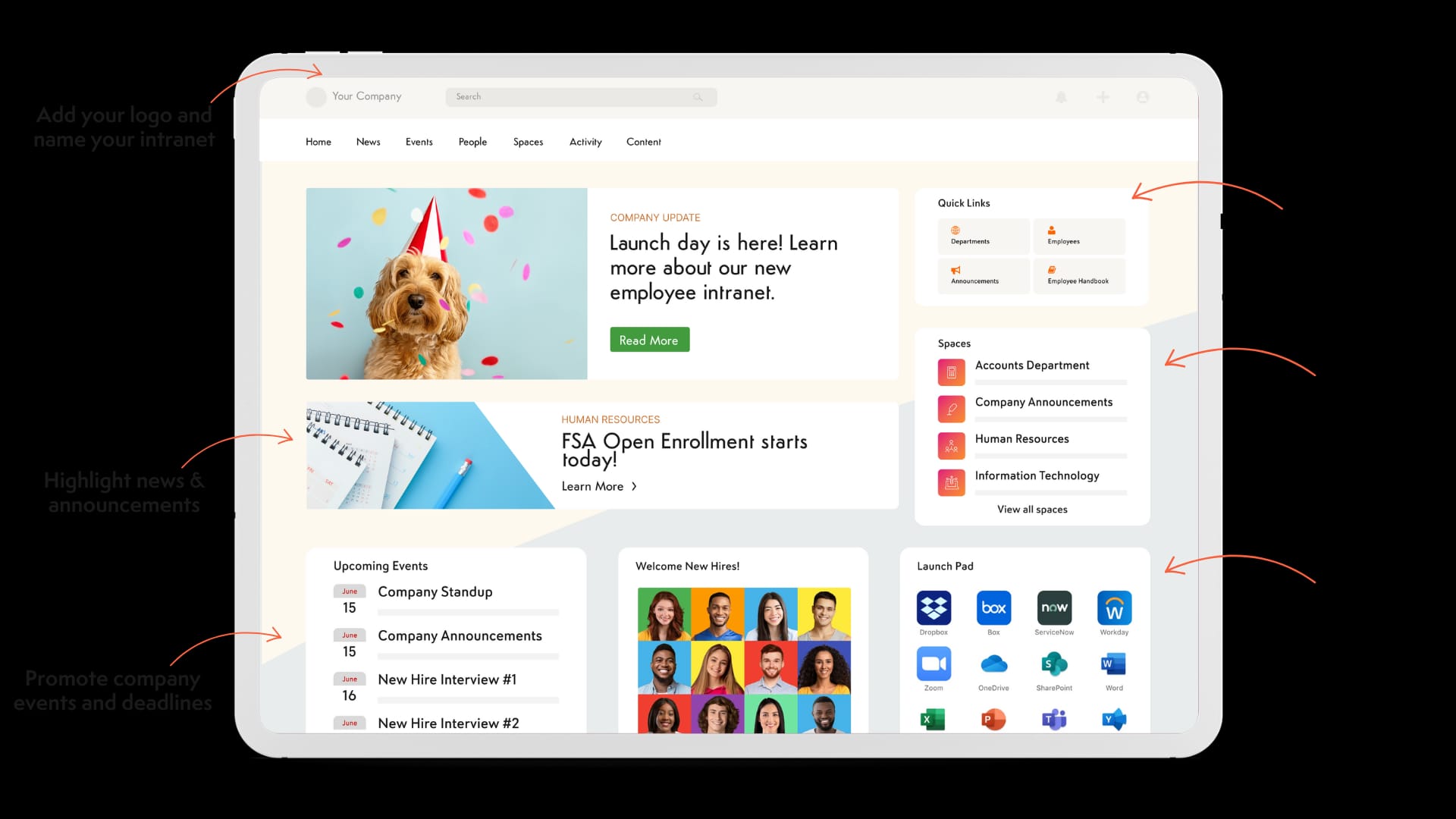
Axero also emphasizes adoption. Employees access files through a familiar intranet experience that encourages daily use. Search spans documents, pages, and people, including full-text search inside file contents, making information easy to locate. Integrations with tools like Microsoft 365 extend file sharing into existing workflows without fragmentation.
-
Pricing: Custom quote; published plans start at $10–15 per user per month depending on tier and headcount.
-
G2 rating: 4.3/5 (about 100 reviews); named a G2 High Performer for Employee Intranet, Summer 2026.
-
Adoption: Supports over 6 million users worldwide, at organizations including Amazon, Toyota, and Johns Hopkins.
Key features of Axero
-
Centralized file management: Store and organize files within a structured intranet that keeps content aligned with teams and processes.
-
Permission-based access: Control who can view, edit, and manage files to support governance and security.
-
Integrated search: Find files quickly alongside intranet content, knowledge articles, and employee profiles.
Best for: Organizations that want enterprise file sharing embedded into a broader digital workplace.
2. Microsoft OneDrive for Business
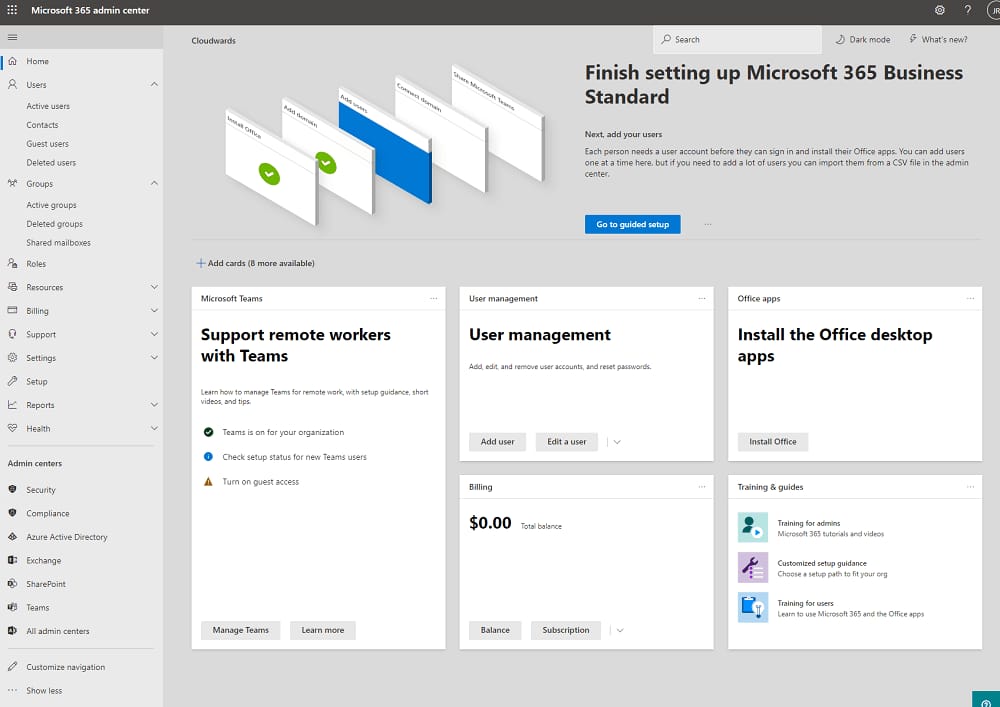
Microsoft OneDrive for Business provides cloud-based file storage and sharing tightly integrated with Microsoft 365. Employees can store files, share links, and collaborate using familiar tools like Word, Excel, and PowerPoint. Note that Microsoft ended new sales of its standalone OneDrive for Business plans in mid-2026; existing subscriptions run through their renewal windows, and new customers get OneDrive as part of a Microsoft 365 subscription.
OneDrive supports real-time co-authoring and version history, making it easy for teams to collaborate on documents. Permissions allow users to control access, and files sync across devices for offline use. Each user gets 1 TB of OneDrive storage on Microsoft 365 Business plans, with individual file uploads up to 250 GB.
However, OneDrive often works best when paired with additional tools for structure and governance. File organization can become fragmented across personal drives and shared folders, which may create challenges at scale without clear policies.
-
Pricing: Included in Microsoft 365: Business Basic at $7 and Business Standard at $14 per user per month on annual billing.
-
G2 rating: 4.3/5 (about 10,000 reviews).
-
Adoption: Microsoft 365 passed 450 million paid commercial seats in early 2026.
Key features of Microsoft OneDrive for Business
-
Microsoft 365 integration: Real-time co-authoring in Word, Excel, and PowerPoint.
-
Cloud synchronization: Access files across devices with offline availability.
-
Sharing controls: Set permissions and expiration dates for shared files.
Best for: Organizations deeply embedded in the Microsoft 365 ecosystem.
3. Google Drive (Google Workspace)
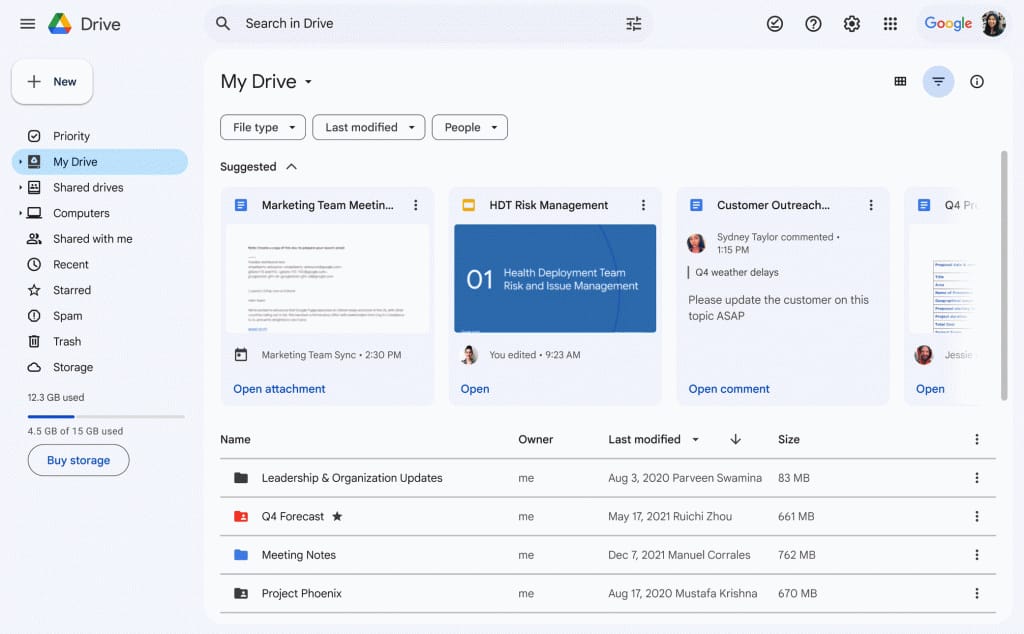
Google Drive offers cloud-based file storage with strong collaboration capabilities. Teams can create, store, and share files while collaborating in real time through Google Docs, Sheets, and Slides. Most businesses get Drive through Google Workspace plans; teams that want Drive without Gmail can buy Google Workspace Enterprise Essentials, sold through Google sales and resellers at a list price around $10 per user per month.
The platform emphasizes simplicity and speed. Sharing files is straightforward, and permissions are easy to manage. Version history tracks changes automatically, which helps teams avoid conflicts and lost work. Individual files can be up to 5 TB, well beyond most competitors’ limits.
Google Drive works well for organizations that prioritize real-time collaboration and cloud-first workflows. That said, Business-tier plans cap at 300 users, and larger enterprises may need additional tools to support advanced governance, structured content management, and long-term information architecture.
-
Pricing: Google Workspace Business Starter at $7, Business Standard at $14, and Business Plus at $22 per user per month on annual billing; Enterprise is custom pricing, contact vendor.
-
G2 rating: 4.6/5 — the top-rated product in G2’s Cloud Content Collaboration category.
-
Adoption: Google Workspace reports more than 3 billion users.
Key features of Google Drive
-
Real-time collaboration: Multiple users can edit documents simultaneously.
-
Automatic versioning: Track changes and restore previous versions easily.
-
Simple sharing: Share files securely with internal and external users.
Best for: Cloud-first organizations that rely on real-time collaboration.
4. Box
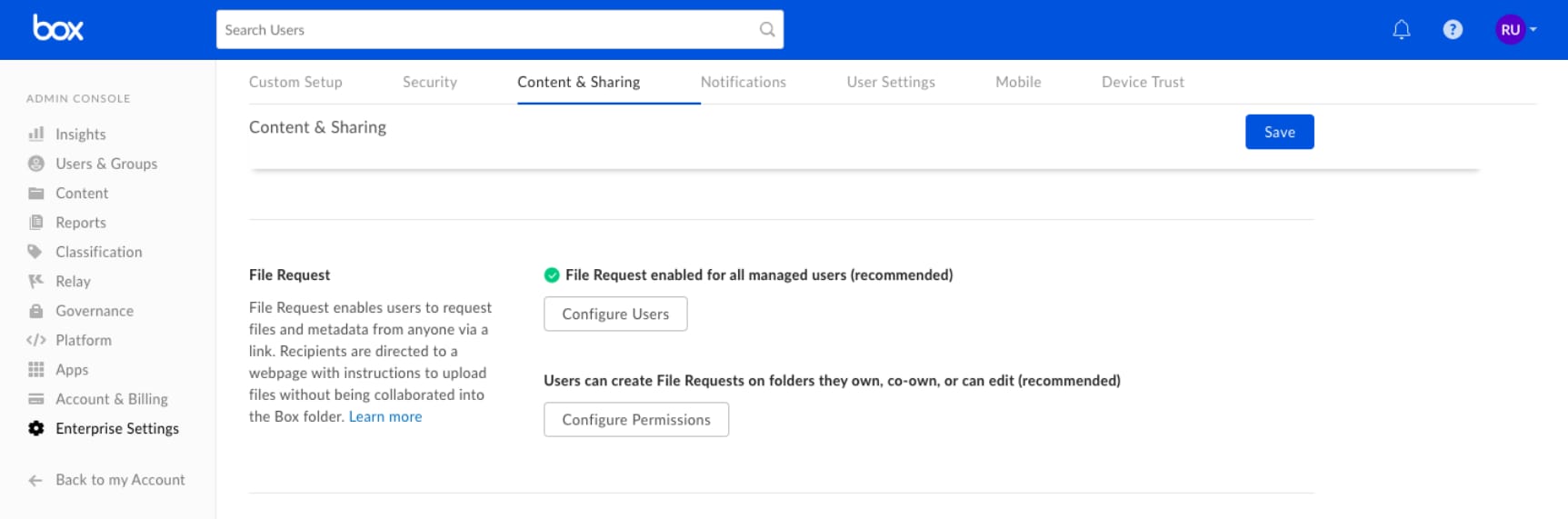
Box is an enterprise content management and file sharing platform designed for organizations with strong security and compliance needs. It provides centralized file storage while supporting collaboration across teams and external partners.
Box emphasizes control. Administrators can apply granular permissions, retention policies, and classification rules to manage sensitive content. Version control and commenting support collaboration without losing oversight. Box also integrates with productivity tools like Microsoft 365 and Google Workspace, allowing users to edit files within familiar environments.
Where Box excels is governance. Box holds FedRAMP High authorization (available on its top enterprise tiers), plus HIPAA and SOC 1/2/3 coverage, which suits regulated industries that need clear audit trails and content lifecycle management. Storage is unlimited from the Business tier up. However, organizations may need additional layers to create a more engaging, employee-facing experience around shared files.
-
Pricing: Business at $15, Business Plus at $25, and Enterprise at $35 per user per month on annual billing (3-user minimum); Enterprise Plus and Enterprise Advanced are custom pricing, contact vendor.
-
G2 rating: 4.2/5 (about 5,200 reviews).
-
Adoption: Over 100,000 businesses, including 68% of the Fortune 500.
Key features of Box
-
Advanced security controls: Apply permissions, classifications, and compliance policies across files.
-
Version management: Track changes and maintain a clear document history.
-
Enterprise integrations: Connect with major productivity and business tools.
Best for: Enterprises with strict compliance and governance requirements.
5. Dropbox
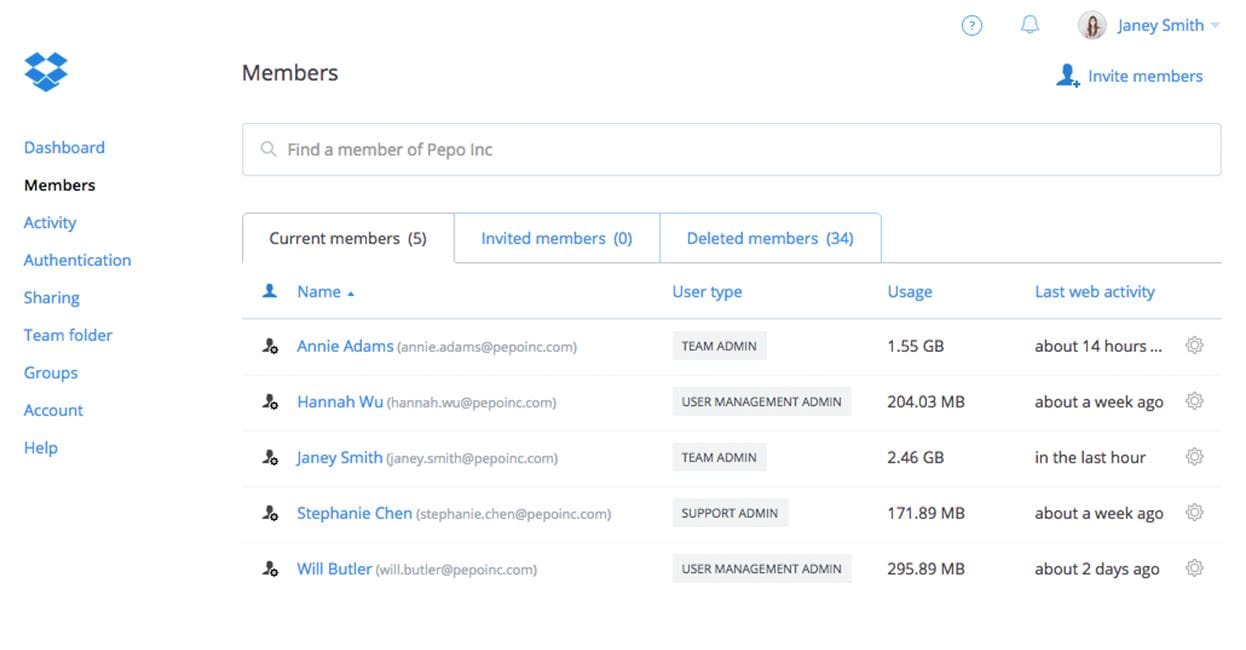
Dropbox for business focuses on simple, fast file sharing with enterprise-grade security layered on top. It allows teams to store files centrally while sharing content internally and externally with minimal friction. Its team plans are now named Standard, Advanced, and Enterprise (the older “Business” plan names are retired).
The platform prioritizes ease of use. Employees can sync files across devices, share links quickly, and collaborate using comments and version history. Dropbox integrates with tools like Microsoft 365, Slack, and Zoom, which helps teams keep file sharing connected to daily work. Compliance coverage includes ISO 27001, SOC 2 Type II, and a self-serve HIPAA business associate agreement.
Dropbox works well for teams that value speed and simplicity. At scale, organizations may need stronger structure and governance to prevent content sprawl across folders and shared links.
-
Pricing: Standard at $15 and Advanced at $24 per user per month on annual billing; Enterprise is custom pricing, contact vendor.
-
G2 rating: 4.4/5 (about 31,000 reviews).
-
Adoption: Over 700 million registered users, roughly 18 million of them paying.
Key features of Dropbox
-
Fast file synchronization: Access files across devices with reliable syncing.
-
Link-based sharing: Share files securely with internal and external users.
-
Integration ecosystem: Connect file sharing to popular collaboration tools.
Best for: Teams that want simple, user-friendly enterprise file sharing.
6. Egnyte
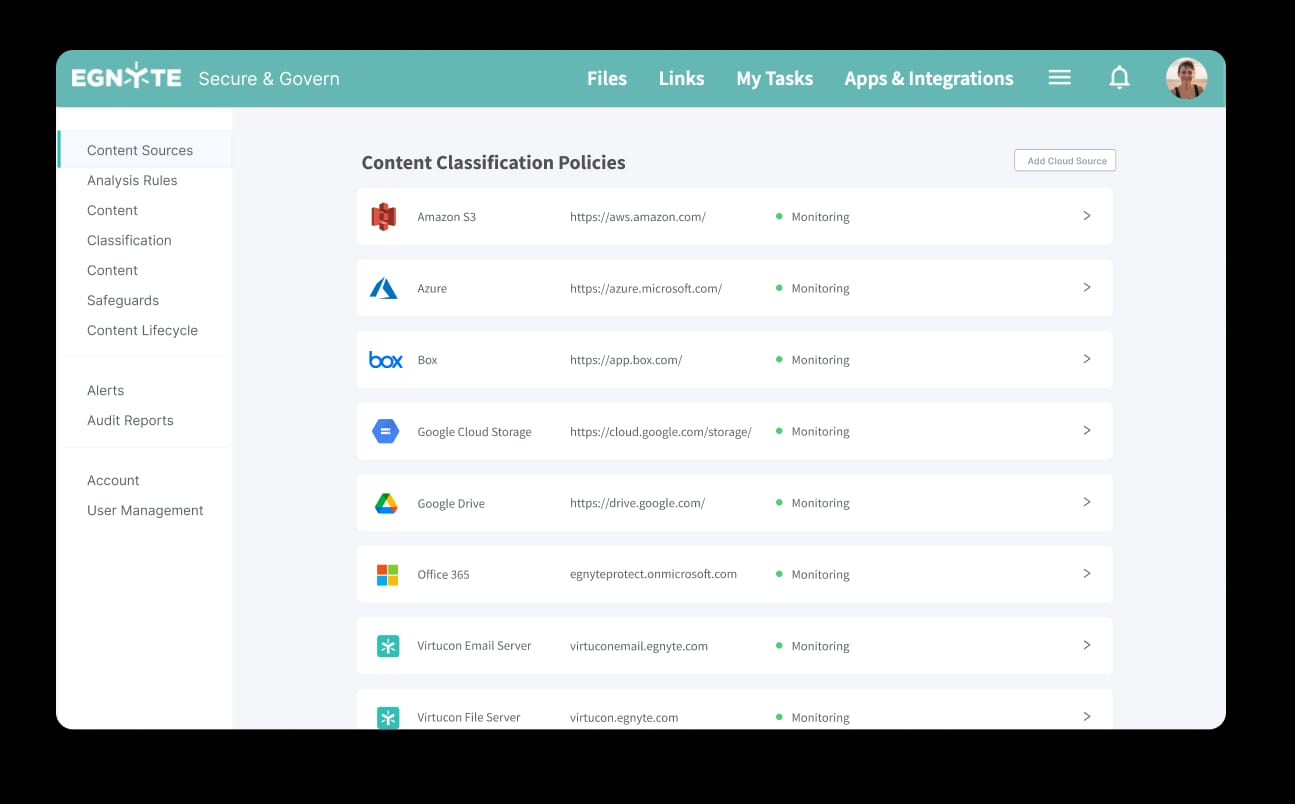
Egnyte combines cloud file sharing with strong data governance and hybrid deployment options. Organizations can store files in the cloud, on-premises, or both, while managing everything through a single platform.
Egnyte supports secure collaboration with version control, permissions, and auditing. Its governance tools help organizations understand where data lives, who accesses it, and how it moves. This visibility supports compliance and risk management across distributed environments. Egnyte holds SOC 2 Type II and ISO 27001 certifications and supports HIPAA, FINRA, GDPR, and CMMC compliance programs.
Egnyte fits organizations with complex infrastructure needs, especially those transitioning from on-premises systems to the cloud. Its strength lies in control and visibility rather than employee-facing engagement.
-
Pricing: Business at $22, Enterprise Lite at $39, and Elite at $48 per user per month on annual billing; Ultimate is custom pricing, contact vendor.
-
G2 rating: 4.4/5 (about 1,100 reviews).
-
Adoption: Trusted by more than 22,000 businesses.
Key features of Egnyte
-
Hybrid deployment: Manage cloud and on-premises files together.
-
Data governance tools: Monitor access, usage, and compliance.
-
Secure collaboration: Share and edit files with controlled permissions.
Best for: Organizations with hybrid infrastructure and strong governance needs.
7. Progress ShareFile
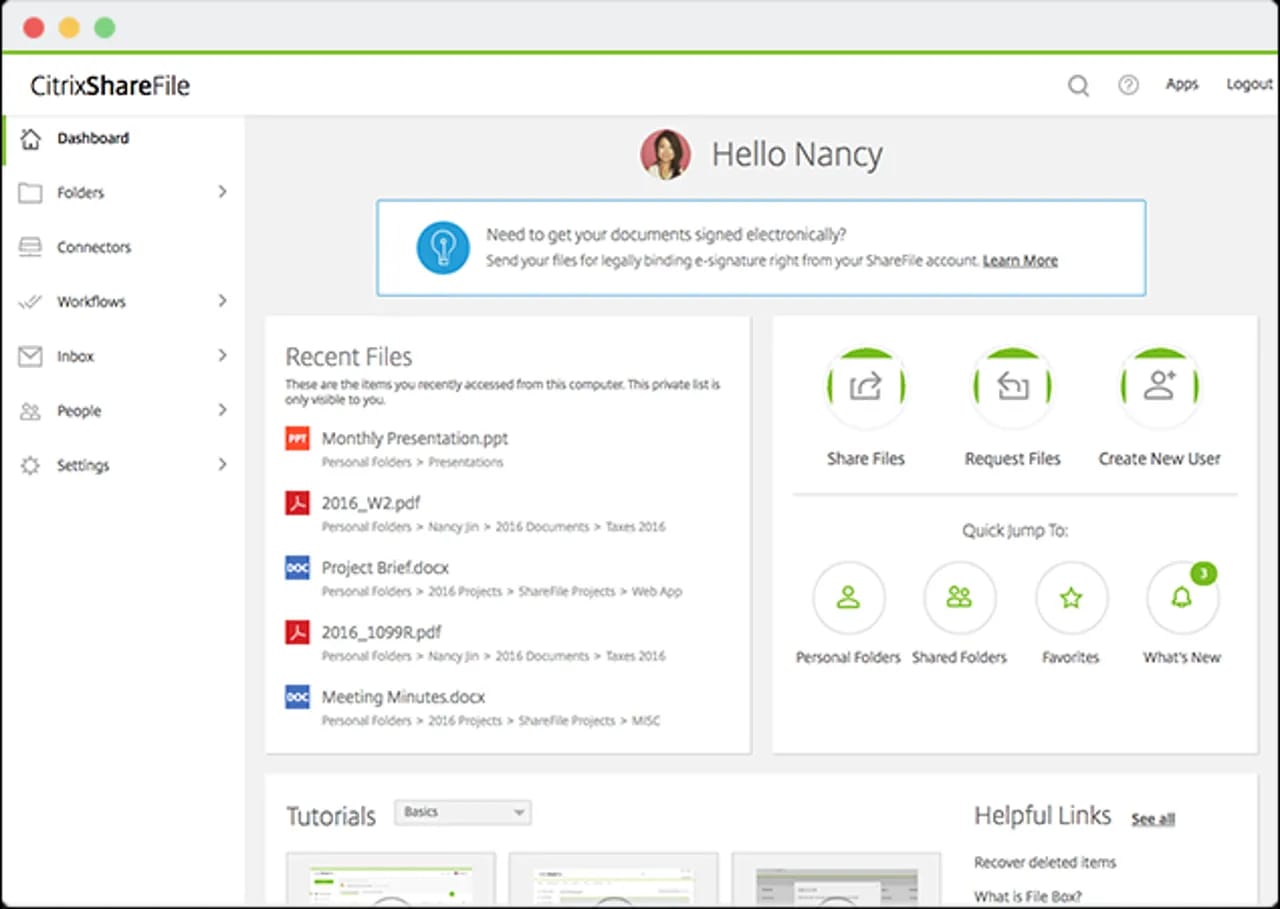
ShareFile — formerly Citrix ShareFile, acquired by Progress Software in October 2024 — is an enterprise file sharing solution built with security and client collaboration in mind. It enables organizations to securely send, receive, and store large files while maintaining clear control over access and compliance.
ShareFile offers encrypted file transfers, role-based permissions, and detailed audit trails, with SOC 2 Type II certification and HIPAA business associate agreements available on select plans. These features make it a strong fit for organizations that regularly share sensitive documents with external parties, such as clients, vendors, or partners. All standard plans include unlimited external client users, and users can request files securely, which streamlines workflows that rely on external input.
While ShareFile supports internal collaboration, it primarily focuses on secure exchange rather than creating a centralized employee content hub. Organizations may need additional tools to provide structure and long-term knowledge management.
-
Pricing: Advanced at $16.50, Premium at $26, and Industry Advantage at $41.67 per user per month on annual billing (3-user minimum).
-
G2 rating: 4.2/5 (about 1,400 reviews).
-
Adoption: More than 86,000 customers at the time of the Progress acquisition.
Key features of Progress ShareFile
-
Secure file transfer: Share large and sensitive files with encryption and access controls.
-
Client collaboration tools: Request and receive files securely from external users.
-
Compliance support: Maintain audit trails and governance for regulated environments.
Best for: Organizations that prioritize secure external file sharing.
8. OpenText Core Share
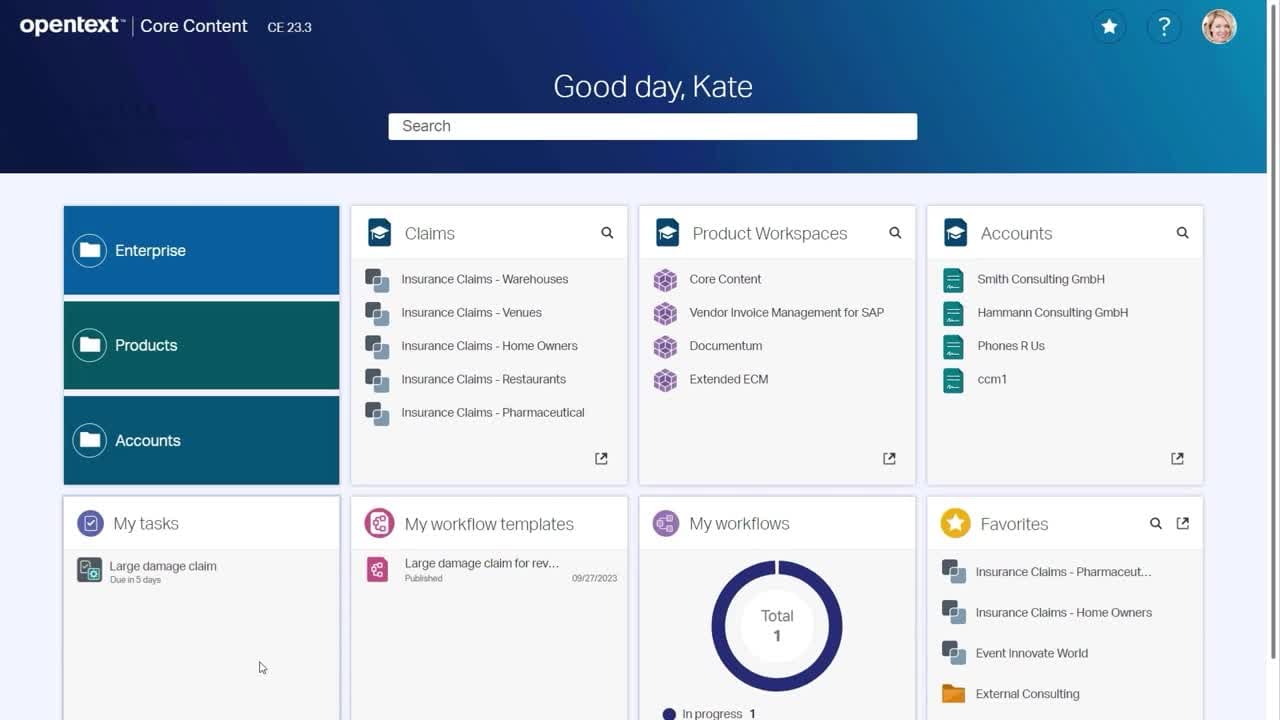
OpenText Core Share provides enterprise-grade file sharing as part of the broader OpenText content services portfolio. It focuses on secure collaboration while supporting compliance and information governance.
The platform allows teams to store, share, and collaborate on files with version control and permission management. Core Share integrates with productivity tools like Microsoft 365, and — its main differentiator — connects to on-premises OpenText Content Suite, Extended ECM, and Documentum systems, so enterprises can extend controlled sharing to external partners without moving content out of their ECM.
OpenText Core Share suits large enterprises that already use OpenText solutions and require consistent governance across content systems. Its strength lies in compliance and content management rather than simplicity or employee engagement.
-
Pricing: Custom pricing, contact vendor — no published per-user price.
-
G2 rating: 4.3/5, though from a small review base (about 28 reviews).
Key features of OpenText Core Share
-
Enterprise security: Apply permissions and policies across shared content.
-
Version control: Maintain accurate document histories.
-
OpenText integration: Align file sharing with broader content services.
Best for: Enterprises using OpenText for content and records management.
9. Hightail
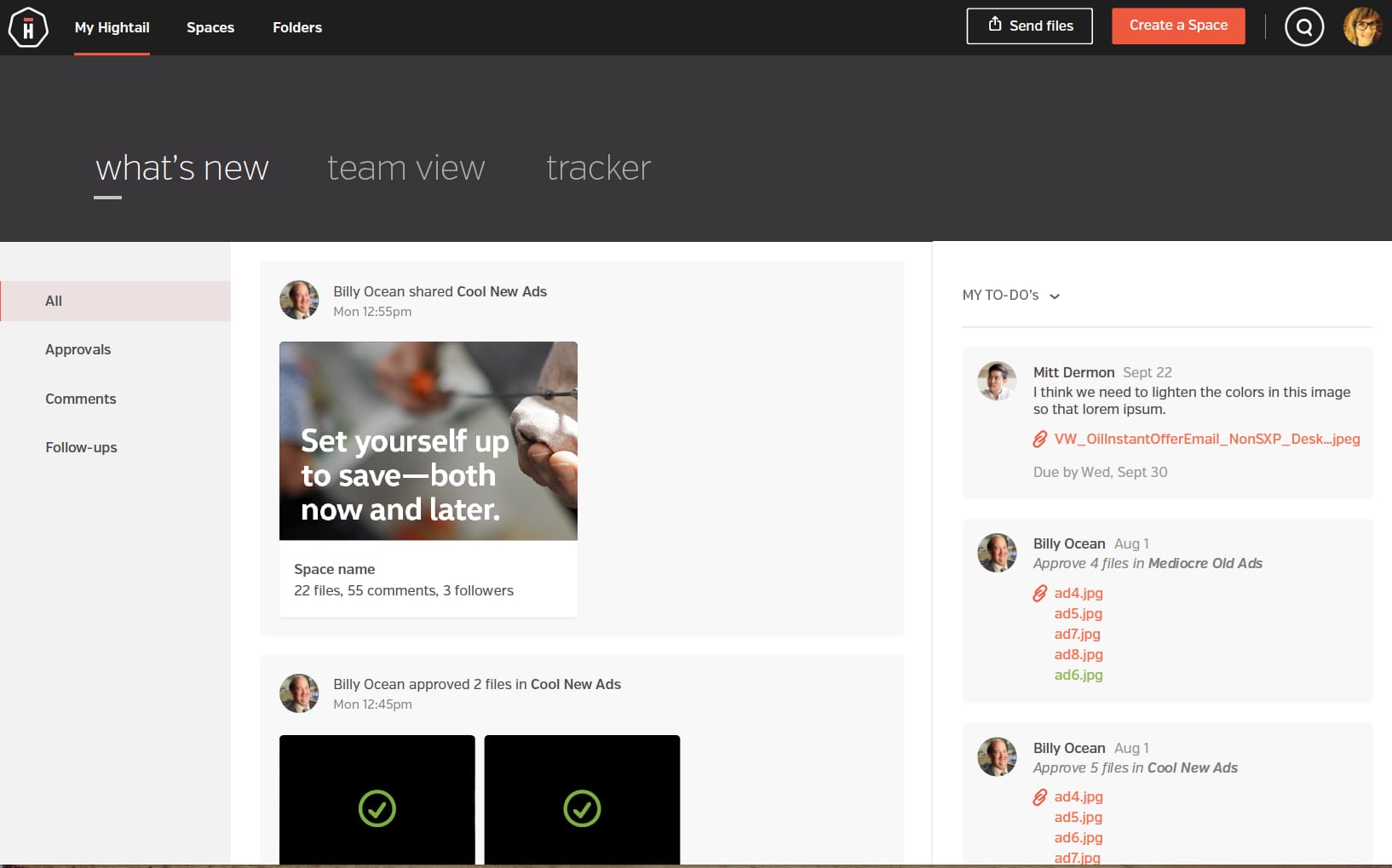
Hightail, owned by OpenText since 2018, focuses on file sharing and collaboration for creative and media-heavy workflows. It allows teams to send large files, collect feedback, and manage approvals in one place.
The platform supports visual collaboration through commenting and version tracking, which helps teams review designs, videos, and other rich media. Paid plans include unlimited storage, and the Business plan supports sending files up to 500 GB, the kind of headroom video and design teams actually need. Secure sharing ensures files reach the right stakeholders without relying on email attachments.
Hightail works well for specific use cases but may not scale as a general enterprise file sharing solution. Organizations often pair it with broader platforms for centralized storage and governance.
-
Pricing: Pro at $12 (individual), Teams at $24, and Business at $36 per user per month on annual billing.
-
G2 rating: 4.2/5, from a small review base (about 60 reviews).
Key features of Hightail
-
Large file sharing: Send and receive media-rich files easily.
-
Visual feedback tools: Comment and collaborate directly on content.
-
Approval workflows: Streamline review and sign-off processes.
Best for: Creative teams that share large media files.
10. Sync
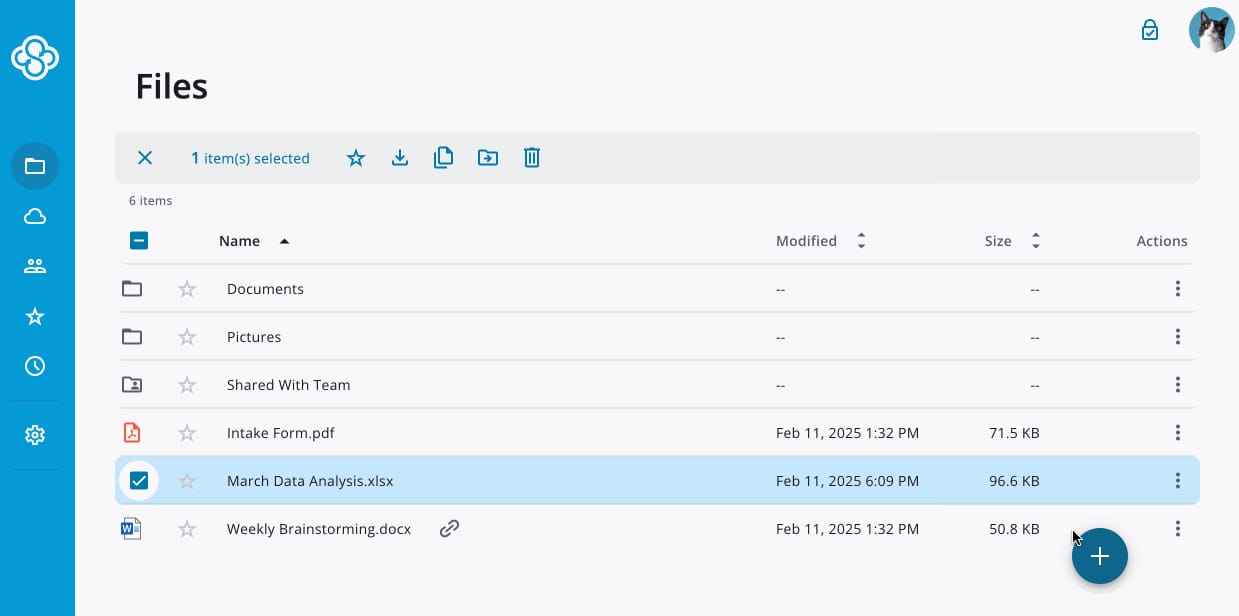
Sync (sync.com) is a privacy-focused enterprise file sharing platform designed for organizations that prioritize data protection. It offers encrypted file storage and sharing with a strong emphasis on confidentiality, at some of the lowest published prices in this guide.
All files stored in Sync are protected with end-to-end, zero-knowledge encryption, which means only authorized users can access content; not even Sync can read it. Permissions, version history, and secure sharing links help teams collaborate while maintaining control over sensitive data. Data sits in SOC 2-certified data centers, with Canadian data residency and support for GDPR, HIPAA, and PIPEDA compliance.
Sync works well for organizations handling confidential information, such as legal or financial documents. Its focus on security may come at the expense of broader collaboration and digital workplace features, and its G2 presence is thinner than the mainstream options.
-
Pricing: Teams plans at $6 (1 TB per user), $9 (2 TB), and $15 (10 TB) per user per month on annual billing, 3-user minimum; Enterprise is custom pricing, contact vendor (100-user minimum).
-
G2 rating: 4.1/5, from a small review base (about 40 reviews).
-
Adoption: Over 2.7 million users.
Key features of Sync
-
End-to-end encryption: Protect files with zero-knowledge security.
-
Secure sharing links: Control access and revoke permissions when needed.
-
Centralized administration: Manage users and policies from one dashboard.
Best for: Organizations with strict privacy and data protection requirements.
11. Tresorit
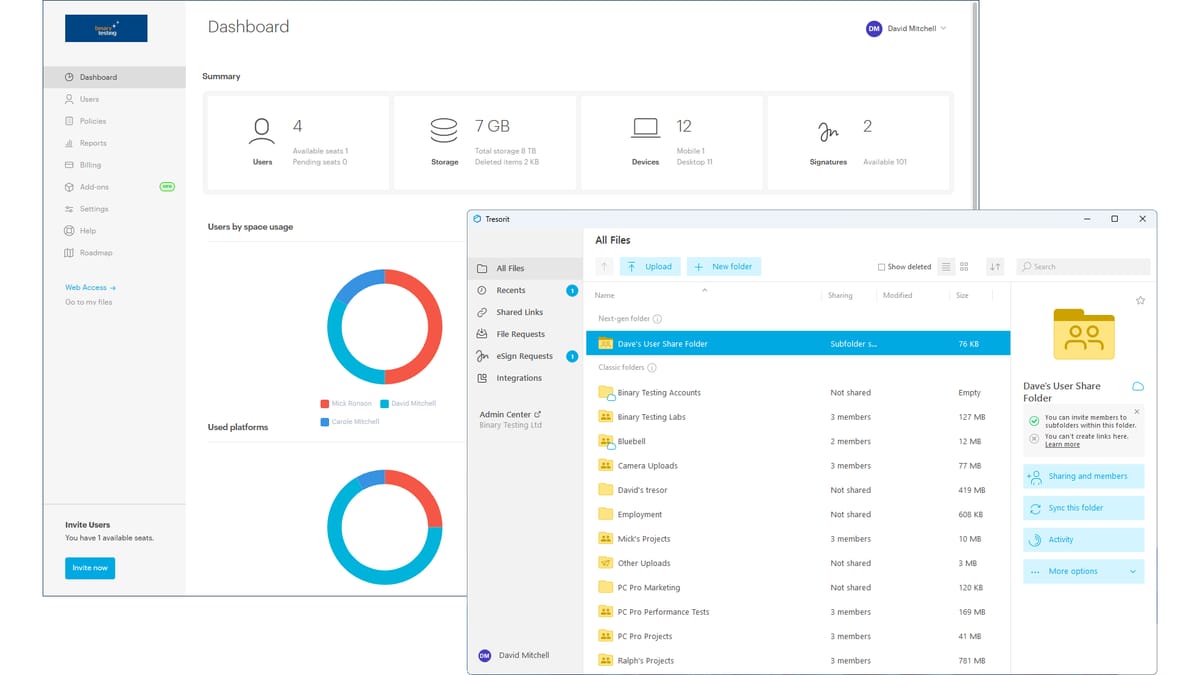
Tresorit is an enterprise file sharing solution built around security and compliance. Majority-owned by Swiss Post since 2021, it provides encrypted cloud storage with granular access controls and detailed audit trails under Swiss jurisdiction.
Tresorit allows teams to collaborate on files while maintaining clear oversight. Files are protected with end-to-end, zero-knowledge encryption — content is encrypted on the device before upload, and passwords never leave it. Permissions define who can view, edit, or share content, and version control ensures document accuracy. The platform is ISO 27001:2022 certified and supports HIPAA (with BAA), GDPR, and CCPA compliance, with configurable per-user data residency.
While Tresorit excels at security, it focuses primarily on file protection rather than broader collaboration or employee engagement. Many organizations use it alongside other platforms to complete their digital workplace strategy.
-
Pricing: Business at about $19 and Business Pro at about $24 per user per month on annual billing (3- and 5-user minimums); Enterprise is custom pricing, contact vendor.
-
G2 rating: 4.5/5 (250+ reviews) — the highest-rated dedicated tool in this guide.
-
Adoption: More than 10,000 organizations.
Key features of Tresorit
-
Encrypted cloud storage: Secure files with end-to-end, zero-knowledge encryption.
-
Granular permissions: Control access at file and folder levels.
-
Audit logging: Track file access and activity for compliance.
Best for: Regulated organizations that require secure cloud file sharing.
12. M-Files
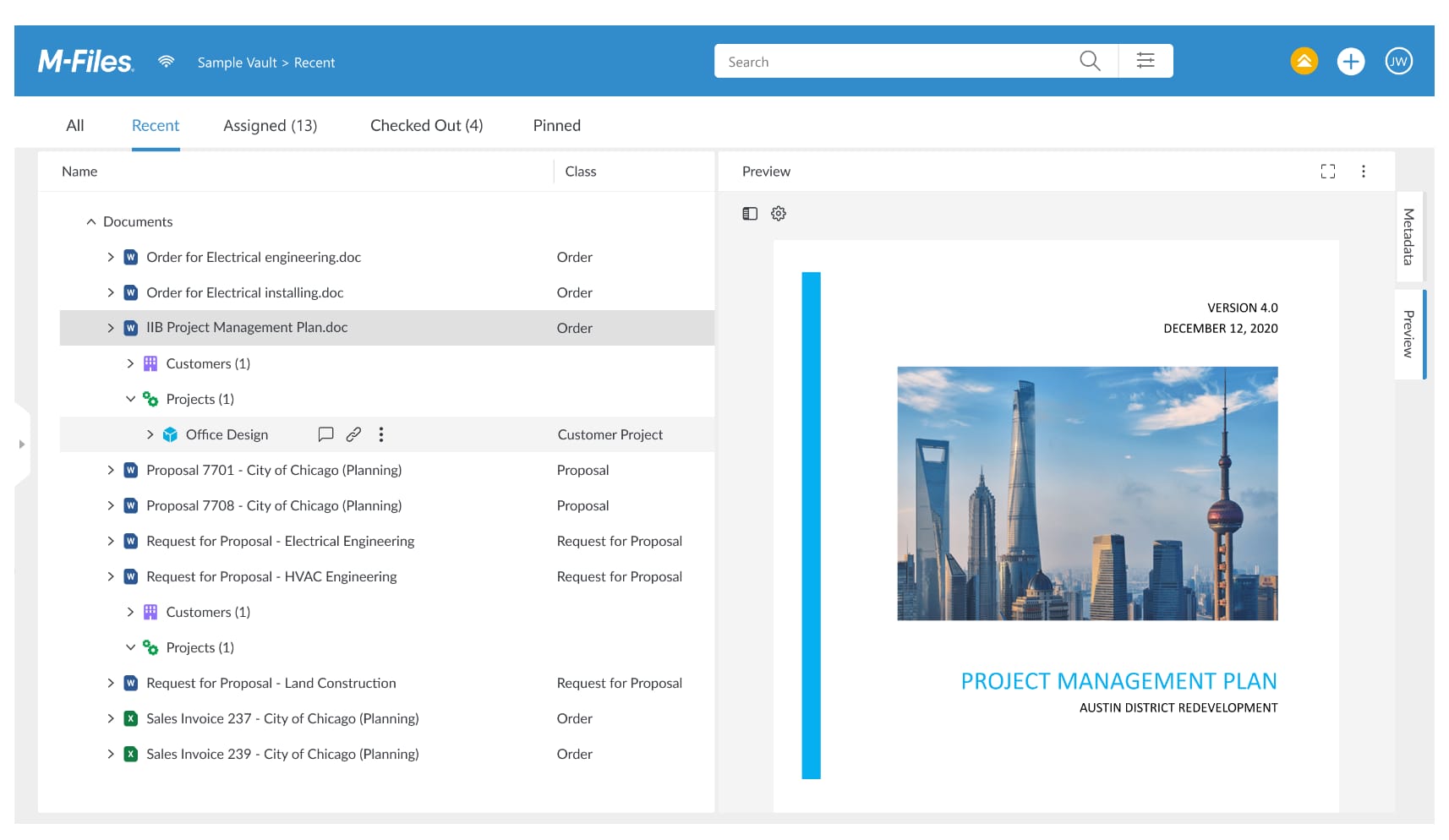
M-Files approaches enterprise file sharing through metadata-driven document management. Instead of relying on folders, it organizes files based on what they are and how they relate to work.
Users can find documents using search and filters rather than navigating folder structures. Version control, permissions, and workflow automation support collaboration while maintaining governance. M-Files integrates with tools like Microsoft 365, which helps embed file access into daily workflows. It was named a Gartner Peer Insights Customers’ Choice for Document Management in 2025.
M-Files suits organizations that need structured document management with strong compliance support. Its approach may require change management to ensure user adoption.
-
Pricing: Essentials at $65 per seat per month; Enterprise is custom pricing, contact vendor.
-
G2 rating: 4.4/5 (about 270 reviews).
-
Adoption: More than 6,000 organizations worldwide.
Key features of M-Files
-
Metadata-driven organization: Find files without relying on folders.
-
Document workflows: Automate approvals and lifecycle management.
-
Enterprise integrations: Connect with Microsoft and business systems.
Best for: Organizations that need structured document management and governance.
Bringing enterprise file sharing into everyday work
Enterprise file sharing works best when it supports how employees actually work. Secure storage alone does not guarantee productivity. Files need context, structure, and visibility to stay useful over time.
Organizations that rely on disconnected tools often struggle with duplication, outdated documents, and low adoption. When file sharing integrates into a centralized digital workplace, employees spend less time searching and more time collaborating with confidence.
Axero brings enterprise file sharing into one connected platform. Files live alongside communication, knowledge, and collaboration, supported by clear governance and intuitive access. This approach helps organizations protect information while making it easy for employees to do their best work.
If you want enterprise file sharing that supports productivity, culture, and long-term scalability, book a demo and see how Axero fits into your digital workplace.
Enterprise file sharing software FAQ
What is the best enterprise file sharing software for compliance-heavy industries?
Box, Egnyte, and Tresorit are the strongest picks for compliance-heavy industries. Box holds FedRAMP High authorization on its top enterprise tiers, plus HIPAA and SOC 1/2/3 coverage; Egnyte supports HIPAA, FINRA, and CMMC compliance with hybrid deployment; and Tresorit adds end-to-end, zero-knowledge encryption with ISO 27001:2022 certification. If regulated documents also need to live inside daily communication and knowledge workflows, an intranet platform like Axero adds permission-controlled sharing where employees already work.
Is OneDrive enough for enterprise file sharing?
OneDrive covers storage, sync, and co-authoring well for organizations already on Microsoft 365, but file organization fragments across personal drives and shared folders at scale, and Microsoft ended new sales of the standalone OneDrive for Business plans in 2026, so new customers get it through Microsoft 365 subscriptions. Most enterprises pair it with clear governance policies or a structured layer, such as an intranet, to keep files findable across the organization.
Can an intranet replace dedicated file-sharing software?
Yes — when file sharing is one piece of a broader internal communications and knowledge management need. A connected intranet stores files alongside the pages, people, and conversations that give them context, under one permission model, so employees find documents where they already work. Organizations whose primary need is high-volume external file transfer or zero-knowledge encryption are still better served by a dedicated tool, often running alongside the intranet.
How much does enterprise file sharing software cost?
Published business-tier pricing in this guide runs from $6 per user per month (Sync Teams) to $48 (Egnyte Elite) on annual billing, with most mainstream options — Microsoft 365, Google Workspace, Box, Dropbox — landing between $7 and $25 per user per month. Several platforms, including OpenText Core Share and most vendors’ top enterprise tiers, use custom pricing, so budget for a quote process on those. Monthly billing typically runs 15–25% higher than the annual rates.
What security features should enterprise file sharing software have?
At minimum: role-based permissions, encryption in transit and at rest, audit logs, single sign-on, and recognized compliance certifications such as SOC 2 or ISO 27001. Regulated industries should also look for HIPAA business associate agreements, data residency controls, and retention policies. Privacy-critical use cases may justify end-to-end, zero-knowledge encryption of the kind Sync and Tresorit provide.
What is the difference between enterprise and consumer file sharing tools?
Governance. Consumer tools move files; enterprise tools add role-based permissions, audit trails, admin controls, compliance certifications, and integration with corporate identity providers so IT keeps visibility into who accessed what and when. Enterprise tools also handle scale — pooled storage, retention policies, and centralized administration across thousands of users.
Do we need separate file sharing software if we already use Microsoft 365 or Google Workspace?
Often no — both suites cover storage, sync, and real-time co-authoring for most teams. The gaps show up in structure and discoverability: files scatter across personal drives, shared folders, and chat threads with no organization-wide way to find them. That is a reason to add a structured layer such as a connected intranet, not necessarily a second storage product.