How We Evaluated These Platforms
We evaluated each platform based on core intranet capabilities, internal communications features, knowledge management, governance, integrations, ease of adoption, customization, implementation support, and fit for different workforce types. No single platform is best for every company, so each review highlights where the platform is strongest, where it may fall short, and which type of organization it fits best.
The criteria we weighted most heavily:
- Core intranet functionality — Does it do the fundamentals reliably: news, pages, search, navigation?
- Internal communications capabilities — Can comms teams publish targeted content without IT involvement?
- Knowledge management / document management — How well does the platform organize, surface, and govern information over time?
- Employee experience and adoption — Will employees actually use it, or will it sit unused within 90 days of launch?
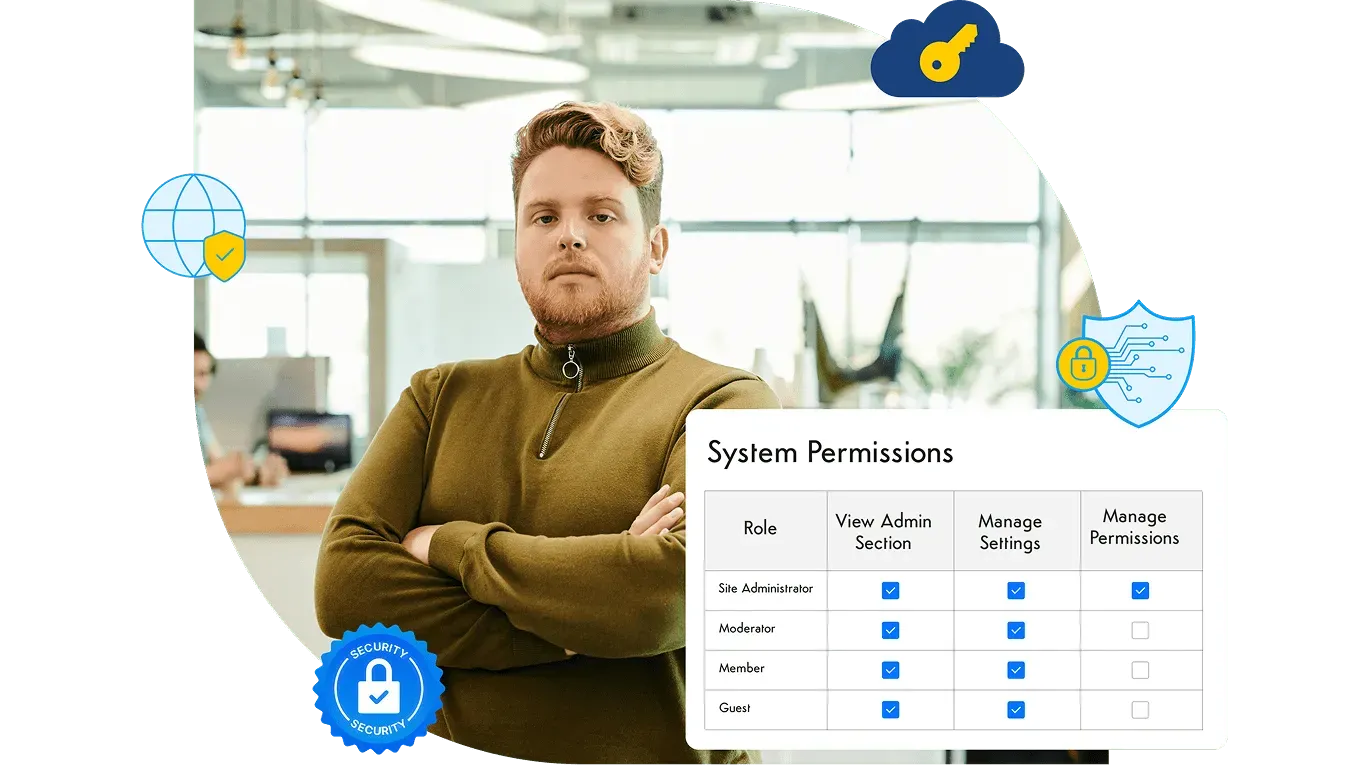
- Governance and permissions — Can admins control who sees what, ensure content remains relevant and accurate, and maintain standards at scale?
- Integrations — Does it connect to the tools already in your stack (Microsoft 365, Google Workspace, SharePoint, and more)? For a sense of what a full catalog looks like, see the intranet integrations Axero supports.
- Customization / flexibility — Can the platform be tailored to different teams, locations, or brand requirements?
- Implementation and support — What does the vendor relationship look like post-launch, not just during onboarding?
- Fit by company size and workforce type — Is this built for a 200-person office team, a 10,000-person frontline workforce, or something in between?
- Ability to consolidate tools — Does it reduce the number of separate subscriptions you’re managing, or add one more?
Comparison Table: Top Intranet Platforms at a Glance
| Platform | Best For | Standout Capability | Watch Out For | G2 Rating |
|---|---|---|---|---|
| Axero Recommended | Tech stack consolidation and customized employee experience | Native LMS, newsletters, forms, recognition, and 500+ REST APIs in one platform | A more strategic setup than plug-and-play | 4.3 / 5 |
| Workvivo | Frontline engagement | Social-media-style feed with high mobile adoption rates | Structured content might be harder to surface in social-first design | 4.8 / 5 |
| Simpplr | AI-driven personalization | Intuitive interface and automated content governance | Limitations with design flexibility | 4.6 / 5 |
| Unily | Complex enterprise environments | Deep third-party integrations and robust broadcast reporting | Deployment is resource-extensive | 4.5 / 5 |
| LumApps | Google Workspace environments | Deep Google integration | Backend administration can be clunky | 4.4 / 5 |
| MangoApps | Project-integrated workspaces | Blends intranet features with task tracking and team messaging | Needs strong admin governance to avoid module clutter | 4.3 / 5 |
| Staffbase | Deskless and frontline workers | Branded mobile app — no corporate email required | Doesn't play well with heavy document management | 4.6 / 5 |
| SharePoint | Microsoft-heavy IT ecosystems | Unmatched document management and compliance controls | Usually requires dedicated IT or external consultants | 4.1 / 5 |
| Haystack | Tech startups and agencies | Fast setup, beautiful UI, excellent employee directory | Lacks enterprise governance and deep integrations | 4.8 / 5 |
| Jostle | SMB culture building | Rigid-but-clean structure that prevents content graveyards | The fixed architecture can feel constraining as companies scale | 4.5 / 5 |
| Happeo | Social intranet for growing teams | Federated search across intranet, Google Drive, and Slack at once | Active participation is required to keep information visible | 4.5 / 5 |
| Interact | Governance-heavy enterprises and regulated industries | Content lifecycle management, compliance workflows, and AI-powered search | Setup requires meaningful admin investment | 4.4 / 5 |
Tech stack consolidation and customized employee experience
Native LMS, newsletters, forms, recognition, and 500+ REST APIs in one platform
A more strategic setup than plug-and-play
4.3 / 5
Frontline engagement
Social-media-style feed with high mobile adoption rates
Structured content might be harder to surface in social-first design
4.8 / 5
AI-driven personalization
Intuitive interface and automated content governance
Limitations with design flexibility
4.6 / 5
Complex enterprise environments
Deep third-party integrations and robust broadcast reporting
Deployment is resource-extensive
4.5 / 5
Google Workspace environments
Deep Google integration
Backend administration can be clunky
4.4 / 5
Project-integrated workspaces
Blends intranet features with task tracking and team messaging
Needs strong admin governance to avoid module clutter
4.3 / 5
Deskless and frontline workers
Branded mobile app — no corporate email required
Doesn't play well with heavy document management
4.6 / 5
Microsoft-heavy IT ecosystems
Unmatched document management and compliance controls
Usually requires dedicated IT or external consultants
4.1 / 5
Tech startups and agencies
Fast setup, beautiful UI, excellent employee directory
Lacks enterprise governance and deep integrations
4.8 / 5
SMB culture building
Rigid-but-clean structure that prevents content graveyards
The fixed architecture can feel constraining as companies scale
4.5 / 5
Social intranet for growing teams
Federated search across intranet, Google Drive, and Slack at once
Active participation is required to keep information visible
4.5 / 5
Governance-heavy enterprises and regulated industries
Content lifecycle management, compliance workflows, and AI-powered search
Setup requires meaningful admin investment
4.4 / 5
Comparison based on publicly available product documentation and user reviews.
Which Intranet Platform Is Best for Which Use Case?
Not sure where to start? Here’s a quick breakdown by use case to help you narrow the field before going deeper:
- Best for customizable intranet + tool consolidation: Axero
- Best for frontline and deskless worker engagement: Workvivo or Staffbase
- Best for Microsoft-heavy organizations: SharePoint
- Best for Google Workspace organizations: LumApps or Happeo
- Best for fast deployment and low IT lift: Simpplr or Haystack
- Best for complex, multi-national enterprise environments: Unily or Interact
- Best for SMB culture with a lean budget: Jostle
- Best for AI-driven content personalization: Simpplr
- Best for organizations with governance and compliance requirements: Interact or SharePoint
Best Intranet Platforms for a Social Intranet (Internal Social Networking)
By the time you’re comparing intranets, social and engagement features are usually near the top of the shortlist. A social intranet is just a modern intranet with its social layer switched on: activity feeds, reactions and comments, employee communities, and recognition living right alongside the news, pages, and search you already expect. It isn’t a separate category of software — it’s what gets people talking to each other instead of only reading top-down announcements. You’ll also see this called an internal social network or an enterprise social network — same idea, different decade.
Why does it matter? It maps straight to one of our evaluation criteria above — employee experience and adoption. Social features are usually what move an intranet from “launched” to “actually used.” They give employees across offices, shifts, and time zones somewhere to connect, and they surface the people behind the work — who knows what, who just joined, who shipped the thing — not just the documents. If adoption and cross-location connection are what you’re trying to fix, these are the platforms in this guide with the strongest social layer:
- Axero — Feeds, comments, recognition, and community Spaces are built into the same intranet that holds your pages, knowledge, and integrated tools, so connection happens where the work already lives instead of in a separate app.
- Workvivo — The most social-first option here, with a consumer-style feed that drives high mobile adoption, especially among frontline teams.
- Happeo — Its Channels make community-style collaboration feel natural while staying tied to structured pages and federated search.
- Staffbase — Brings the social feed to deskless and frontline workers through a branded mobile app, with no corporate email required.
- Jostle — Builds its social side around culture and recognition, keeping the focus on celebrating people rather than piling up content.
New to the term? Our social intranet glossary entry breaks it down.
1. Axero
Best for: Organizations ready to unify their scattered tools for one customizable digital workplace.
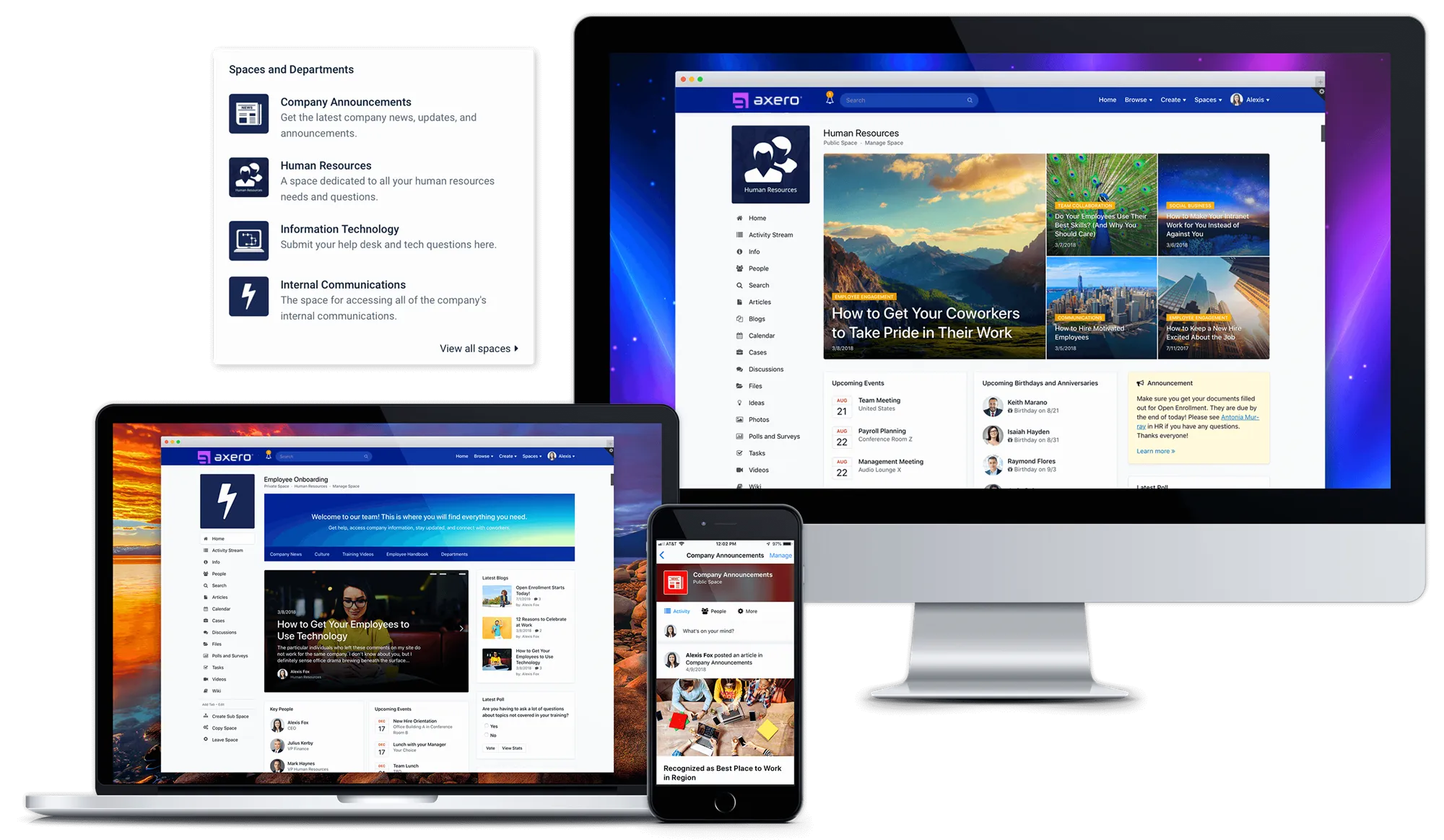
Axero is best suited for organizations that want a customizable intranet platform with strong governance, internal communications, knowledge management, and native modules for consolidating tools like newsletters, LMS, forms, and recognition. That means granular control over who sees what, beautifully tailored experiences for different teams or locations, and built-in tools that replace the one-off subscriptions cluttering your stack. Instead of stitching together a hub from a dozen different vendors, everything lives in one place — a single, unified platform that connects employees to the information and people that matter most to them.
See how Axero’s intranet software for companies handles publishing, knowledge, mobile access, and IT controls.
Key Strengths:
- Native consolidation: replaces separate LMS, newsletter builder, and recognition tools — budget savings that add up fast.
- A no-code page builder for internal comms teams who want full creative control, and open CSS/JS overrides with 500+ REST APIs for teams that want to go deeper.
- Granular role-based permissions and audience targeting.
- Dedicated Customer Success support that stays with you well past launch, not just through implementation.
Considerations:
- The depth of customization means initial setup is more of a strategic implementation than a plug-and-play launch.
- Non-technical admins who skip the drag-and-drop tools and go straight to backend customization may hit a learning curve.
Pricing: Custom, quote-based pricing in four tiers.
G2 Rating: 4.3 / 5
2. Workvivo
Best for: Frontline engagement and fostering a highly social company culture.
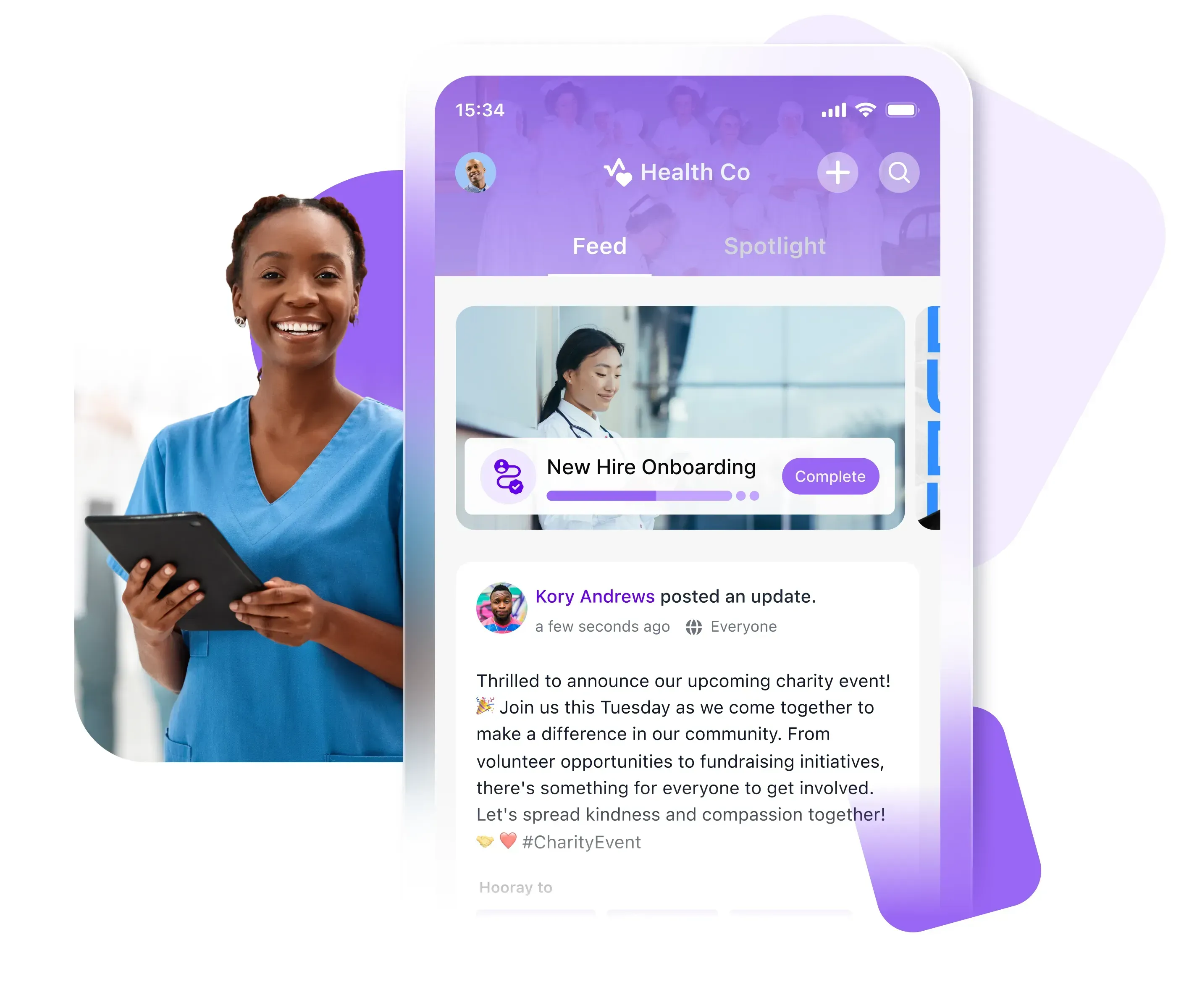
Workvivo (now part of Zoom) is designed to feel familiar from the moment employees open it. It mirrors the experience of modern social media platforms — feeds, reactions, community posts — which is why adoption tends to be high, especially among frontline and deskless workers who live on their phones.
If your biggest internal comms challenge is getting people to actually open the platform, Workvivo’s consumer-grade interface is a legitimate competitive advantage.
Key Strengths:
- High adoption rates due to a familiar, social-media-style interface
- Excellent mobile app optimized for field and frontline teams
- Strong Zoom integration and solid connections to other communication tools
Considerations:
- The social-first design can make it harder to organize and surface structured documentation or static resources.
- Without clear content moderation policies, the main feed can drift away from anything work-related.
Pricing: Custom pricing based on company size.
G2 Rating: 4.8 / 5
3. Simpplr
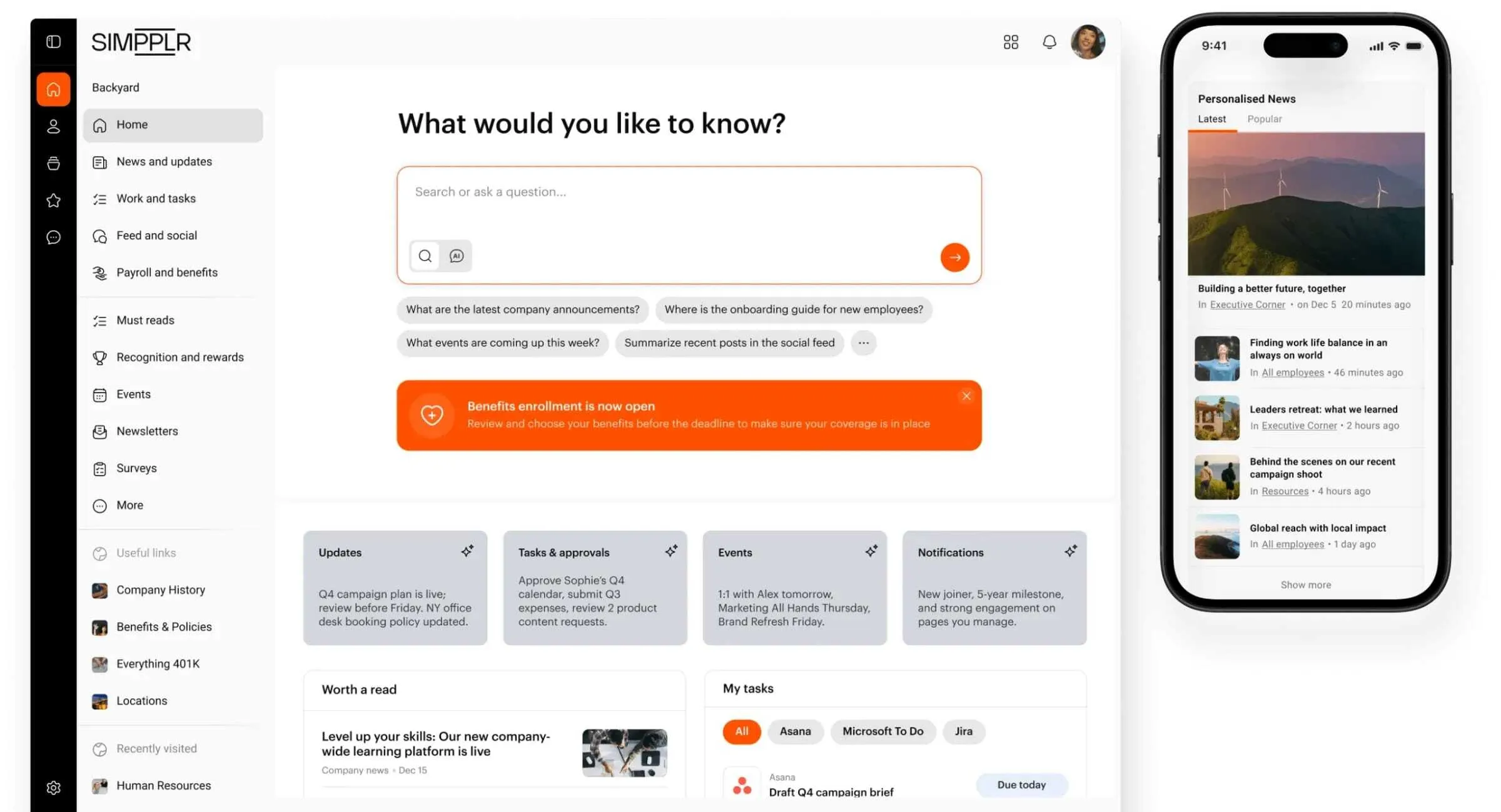
Best for: Fast deployment and AI-driven content personalization.
Simpplr has built a strong reputation for its fast time to value. Clean interface, smart defaults, and AI features that do the maintenance heavy lifting — automatically surfacing relevant content to the right people and flagging outdated articles before they become stale.
It’s a particularly good fit for internal comms teams who want to spend their time on strategy rather than platform management.
Key Strengths:
- Exceptional UI/UX — almost no onboarding required for end-users.
- AI-driven search and automated content lifecycle management.
- Built-in analytics that are easy for non-technical comms teams to actually use.
Considerations:
- Design flexibility and layout customization are more limited compared to open platforms — you get polish, but less control.
- New admins often find content permissions and folder structures a bit confusing at first.
Pricing: Custom pricing based on user count.
G2 Rating: 4.6 / 5
4. Unily
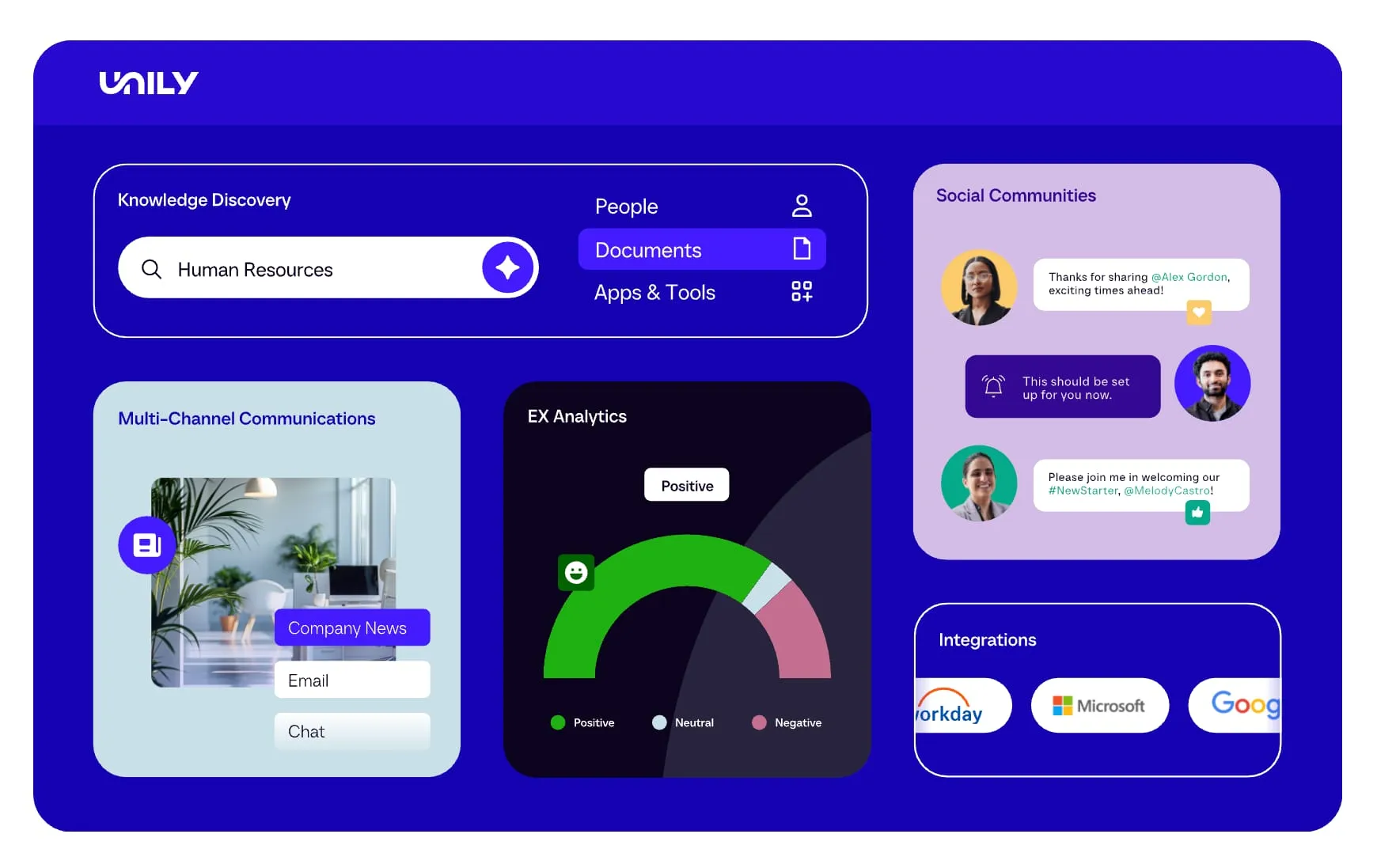
Best for: Large, complex enterprises needing deep third-party integrations.
Unily is enterprise-grade software built for enterprise-scale problems. If your organization needs to pull together data from Microsoft 365, ServiceNow, Workday, and a dozen other tools into one coherent employee experience, Unily is built for exactly that. It’s consistently recognized as a Leader in Gartner and Forrester reports — not without reason.
That said, it’s a serious investment in both time and budget. This isn’t a platform you spin up in a few weeks.
Key Strengths:
- Highly customizable for complex, multi-national enterprise architectures.
- Deep integrations that pull actionable widgets from third-party tools directly into the dashboard.
- Consistently recognized as a Leader in Gartner and Forrester reports.
Considerations:
- Deployment is resource-intensive, and the learning curve is steep. Expect a longer implementation runway than most.
- Search can feel slow with very large datasets, and broadcast reporting lacks some granular user-level detail.
Pricing: Custom enterprise pricing that scales with organizational size and feature requirements.
G2 Rating: 4.5 / 5
5. LumApps
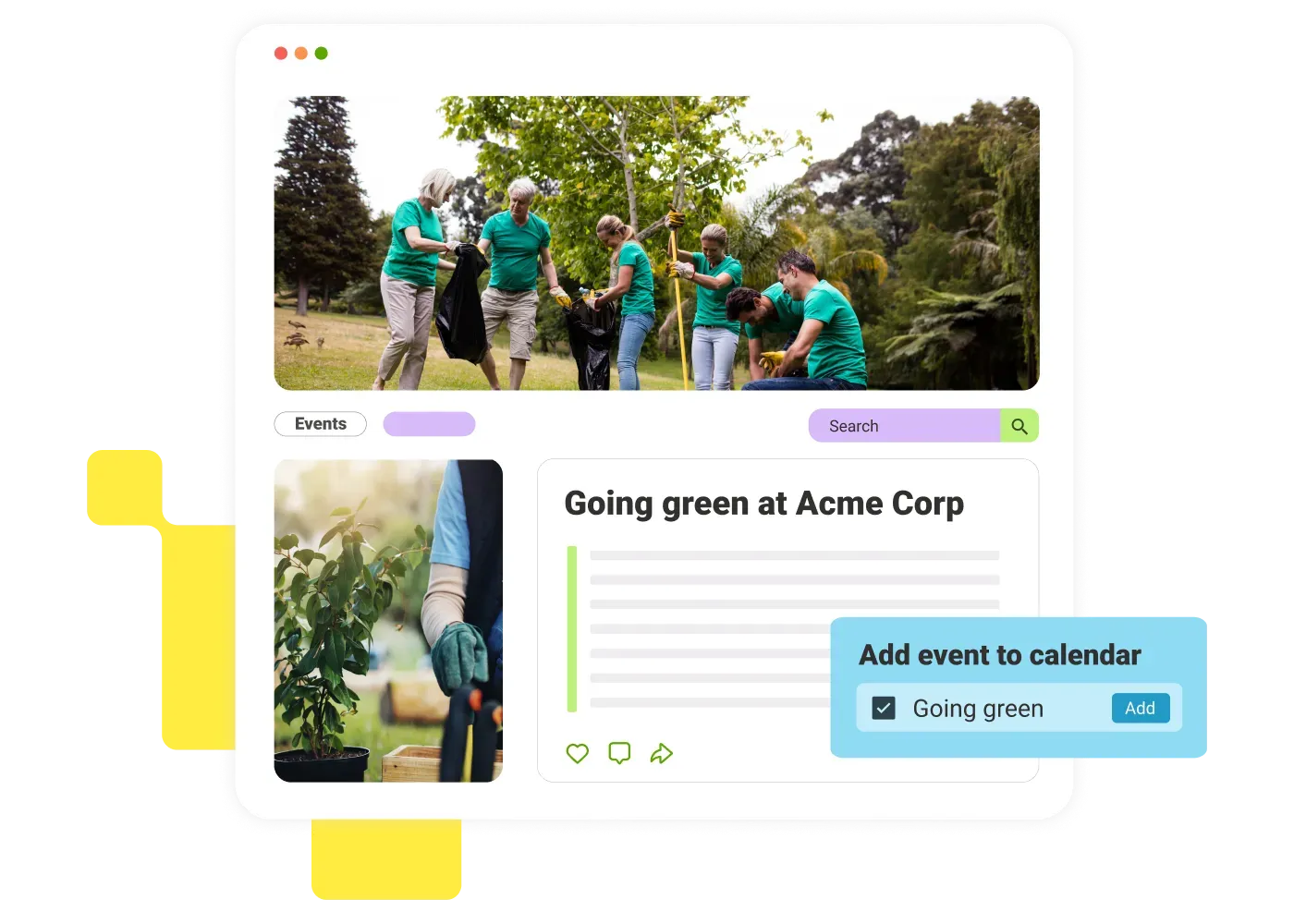
Best for: Organizations deeply embedded in the Google Workspace ecosystem.
If your company runs on Google, LumApps is usually a top contender. It syncs with Google Drive, Calendar, and SSO, and acts as a central hub for corporate news, employee communities, and document management. It’s a particularly strong fit for globally dispersed teams that need solid multi-language support and targeted content delivery.
Key Strengths:
- Tight, seamless integration with Google Drive, Calendar, and Google SSO.
- Strong corporate communications features for top-down news distribution.
- Robust video management capabilities through LumApps Play.
Considerations:
- Backend administration can be clunky, and complex permission setups require a solid grasp of the platform’s architecture.
- Customer support response times can lag during complex technical implementations.
Pricing: Not published publicly; contact LumApps directly for a quote.
G2 Rating: 4.4 / 5
6. MangoApps
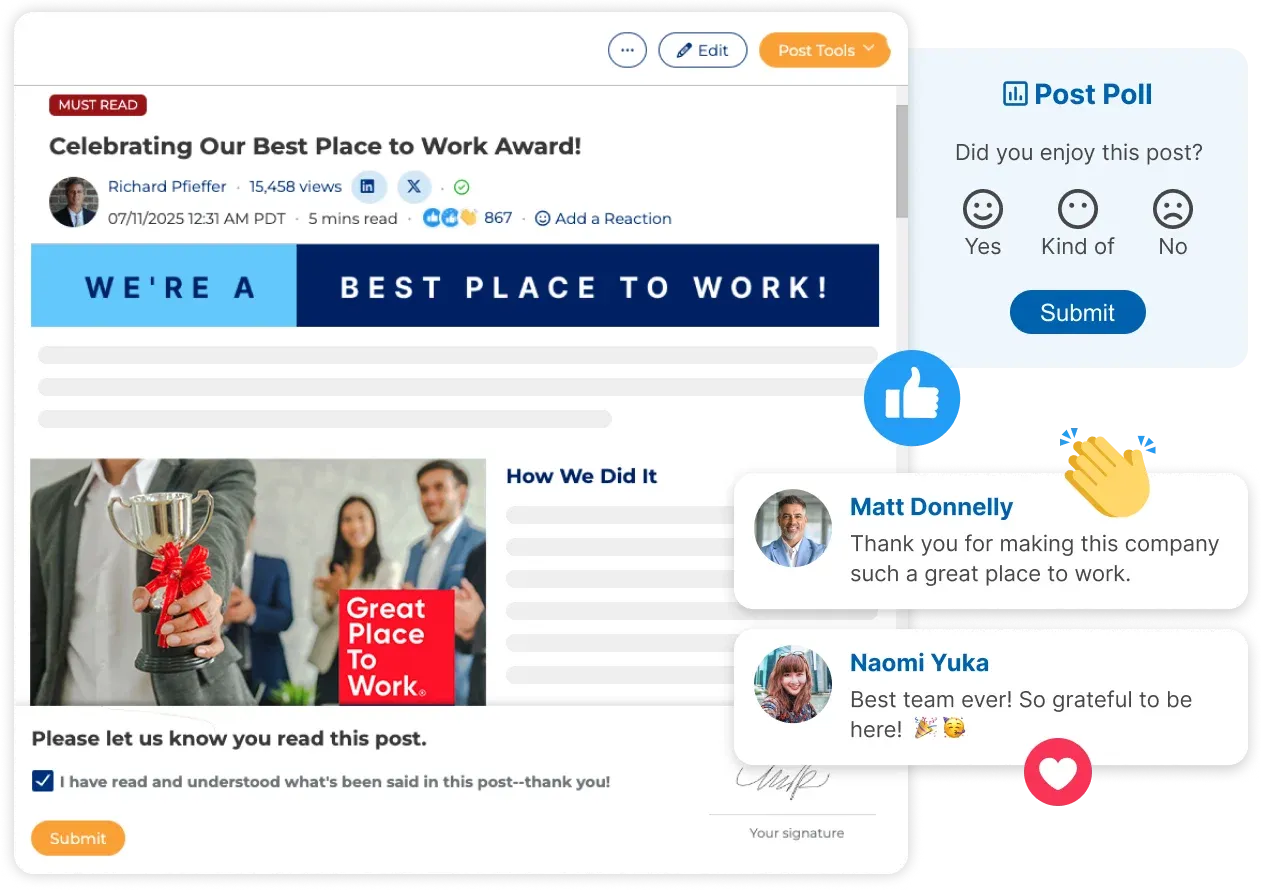
Best for: Companies that want a unified workspace with built-in project management.
MangoApps sits at the intersection of an intranet and a team collaboration tool. Beyond top-down communication, it gives employees workspaces where they can manage tasks, collaborate on files, and message each other. It’s modular enough that organizations can activate only the features they actually need, which keeps things from getting cluttered.
Key Strengths:
- Combines intranet features with task tracking and project management in one place.
- Modular architecture that lets you turn features on or off based on actual needs.
- Strong security and compliance standards for mid-market businesses.
Considerations:
- When too many modules are active, the interface can start to feel overwhelming — good admin governance matters here.
- The mobile experience doesn’t always match the desktop app in terms of functionality.
Pricing: Custom quote based on business needs. Single app option also available.
G2 Rating: 4.3 / 5
7. Staffbase
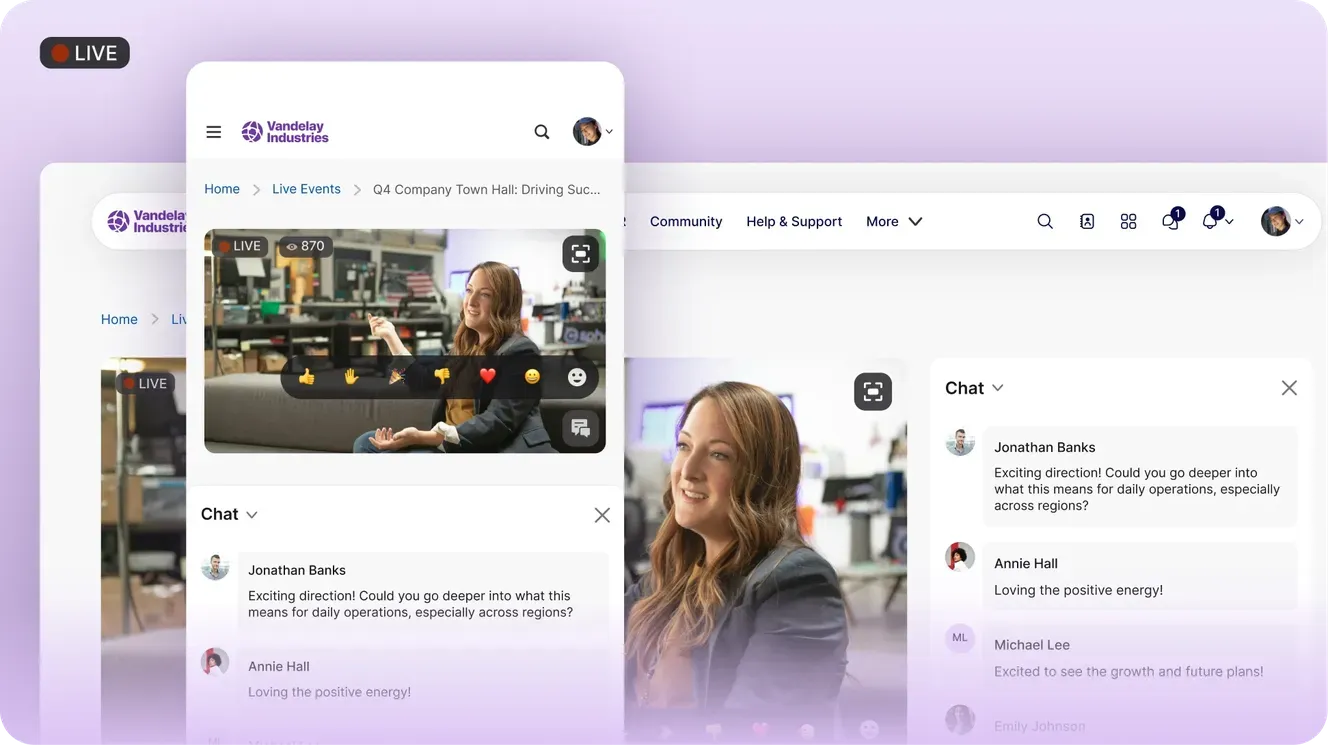
Best for: Mobile-first communication for deskless and frontline workforces.
Staffbase started as an employee app and evolved into one of the most capable internal communications platforms for organizations with large frontline or deskless workforces. Manufacturing, logistics, healthcare — if most of your employees don’t sit at a desk, Staffbase was built with them in mind. Employees can get branded news, shift schedules, and HR resources directly on their phones, and they don’t even need a corporate email address to do it.
Key Strengths:
- Industry-leading mobile app experience designed specifically for frontline workers.
- Strong email newsletter integration and multi-channel communication tools.
- No corporate email address required for access — a huge deal for hourly workforces.
Considerations:
- Not the strongest option for heavy document management or complex collaborative wikis.
- Primarily built for top-down communications rather than cross-team collaboration.
Pricing: Custom pricing.
G2 Rating: 4.6 / 5
8. Microsoft SharePoint
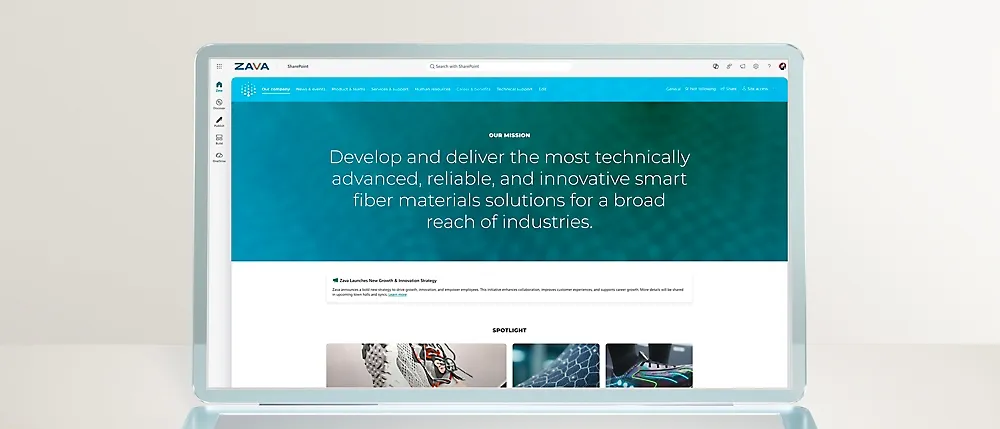
Best for: Organizations already fully committed to Microsoft 365 with dedicated IT resources.
SharePoint is the legacy giant of the intranet world. Because it comes bundled with most Microsoft 365 enterprise licenses, a lot of organizations default to it — and for document management, compliance, and enterprise file storage, it genuinely excels. No other platform on this list matches its depth when it comes to version control, records management, and Microsoft ecosystem integration.
There’s a tradeoff, though. SharePoint is notoriously difficult to brand, configure, and maintain without dedicated IT developers or third-party help. Low user adoption is a common challenge, which is why many organizations eventually look for a SharePoint alternative that’s easier to use and doesn’t require ongoing resources to manage.
Key Strengths:
- Deepest possible integration with Teams, OneDrive, and the broader Microsoft 365 suite.
- Unmatched document workflow, version control, and records management capabilities.
- Included in existing Microsoft 365 Enterprise licensing.
Considerations:
- Configuring, branding, and maintaining SharePoint almost always requires dedicated IT developers or expensive consultants.
- User adoption is a common struggle — the UI can feel sterile, and navigation is complex without significant customization.
Pricing: Included with Microsoft 365 Enterprise plans.
G2 Rating: 4.1 / 5
9. Haystack
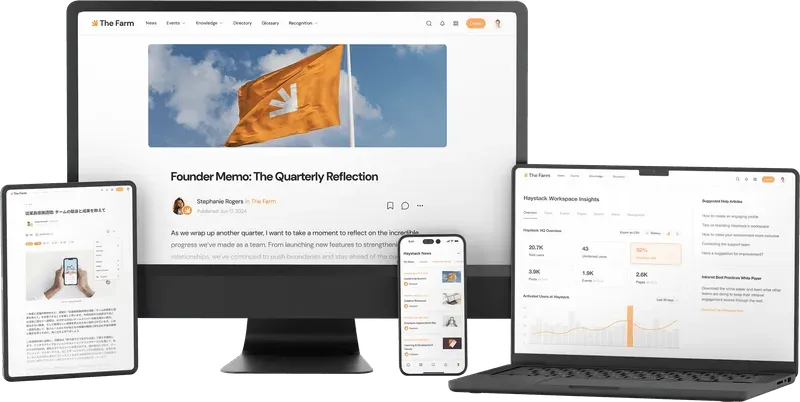
Best for: Modern tech companies and agencies that want a fast, visually polished hub.
Haystack is the intranet for teams that want something beautiful, fast. It prioritizes a sleek user experience, a standout employee directory, and fast time-to-value. For fast-growing startups and mid-market companies that want an out-of-the-box digital workspace without a heavy IT lift, it’s a compelling option.
Key Strengths:
- Fast setup and time-to-value — a true plug-and-play.
- Modern interface that requires no training to navigate.
- Exceptional employee directory and org chart visualizations.
Considerations:
- Lacks the enterprise governance, complex permissions, and deep integrations that regulated industries typically require.
- Not designed to replace heavy document management systems.
Pricing: Custom pricing.
G2 Rating: 4.8 / 5
10. Jostle
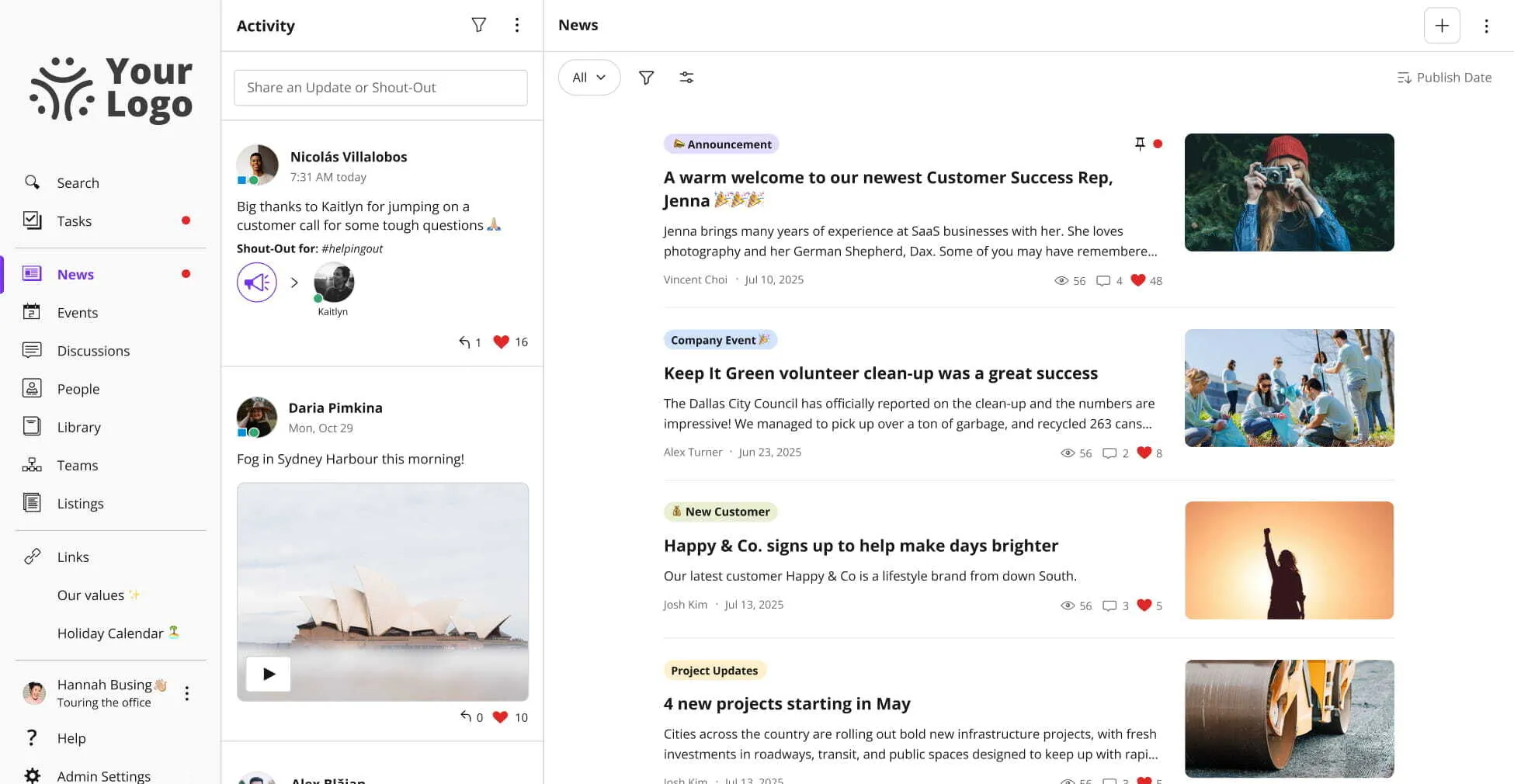
Best for: Small to mid-sized businesses focused on building company culture.
Jostle takes a different approach than most: instead of giving admins endless customization options, it keeps its architecture deliberately rigid. Content lives in pre-built views, such as News, People, Library, Events. That structure might sound limiting, but for smaller organizations, it’s actually a superpower. It keeps the intranet clean, organized, and impossible to turn into a digital junk drawer.
Key Strengths:
- Zero technical setup and immediate out-of-the-box usability.
- Structured architecture prevents the “content graveyard” effect that plagues most intranets over time.
- Strong focus on celebrating employees and reinforcing company culture.
Considerations:
- The rigid structure means almost no ability to customize layouts, heavily brand the platform, or build bespoke department spaces.
- Tends to be outgrown by organizations as they scale past around 1,000 employees.
Pricing: Offers 4 options that range between $2.77–$7.88 per user per month.
G2 Rating: 4.5 / 5
11. Happeo
Best for: Fast-growing companies that want a collaborative, community-driven intranet.
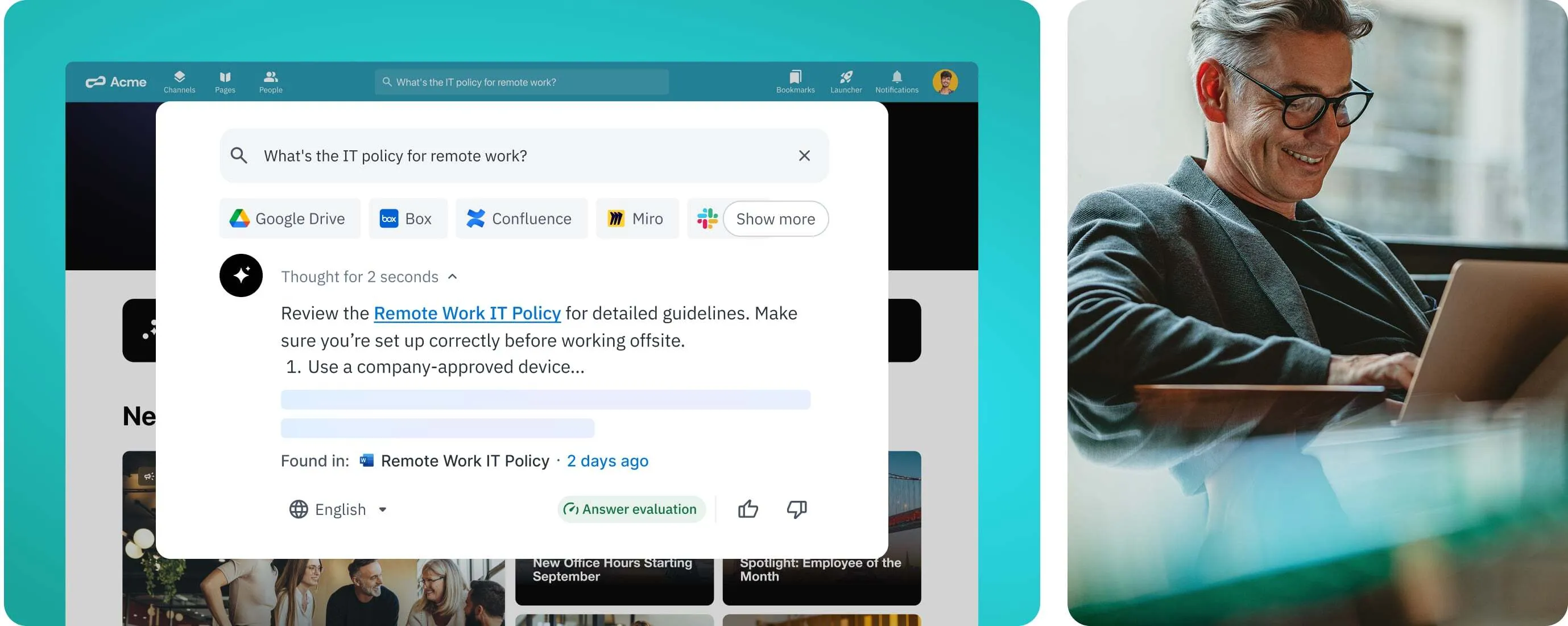
Happeo combines structured knowledge management with the energy of an enterprise social network. Its “Channels” feature makes team collaboration feel natural and engaging, and its federated search is comprehensive — one query pulls results from across the intranet, Google Drive, and Slack at the same time. It’s a favorite for tech-forward companies that want their intranet to feel alive.
Key Strengths:
- Channels make team collaboration feel natural rather than forced.
- Federated search that queries across the intranet, Google Drive, and Slack simultaneously.
- Strong analytics dashboard that measures both content reach and user influence.
Considerations:
- Originally built around Google Workspace — Microsoft support has improved but it’s still not the best fit for purely Microsoft-centric organizations.
- The social nature of the platform means active community management is needed to keep important information visible.
Pricing: Custom quote-based pricing.
G2 Rating: 4.5 / 5
12. Interact
Best for: Governance-heavy enterprises and regulated industries that need structured content management at scale.
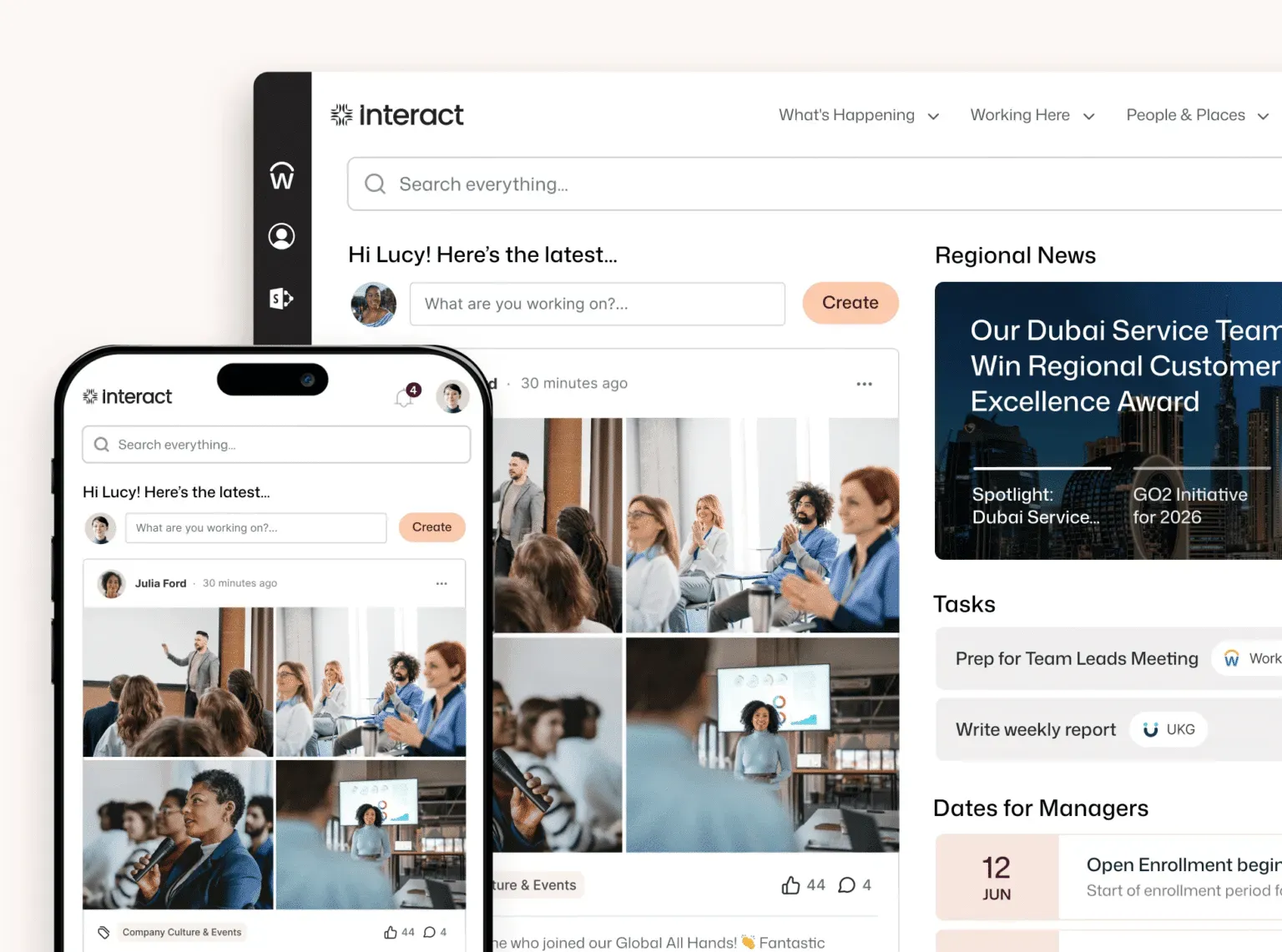
Interact has been building intranet software for over two decades, and it shows in the platform’s depth. Instead of optimizing for fast adoption through social feeds, Interact is built around structured communication, content governance, and compliance workflows — which makes it a strong fit for industries like healthcare and financial services where information accuracy and access control aren’t optional.
Key Strengths:
- Sophisticated content lifecycle management with publishing workflows, approval chains, content expiry, and audit trails built in.
- AI-powered search that understands intent and returns direct answers, reducing time-to-information for employees.
- Multichannel distribution delivers content to the intranet, mobile app, digital signage, email, and Teams without duplication.
- Strong integrations with Microsoft 365, SAP Concur, ServiceNow, Salesforce, Google Workspace, and Workday.
Considerations:
- The platform is built for organizations with complex requirements; reviewers note it requires meaningful involvement to configure and manage well.
- Organizations that primarily need a social-first engagement layer may find the platform’s structured approach less flexible than alternatives.
- Pricing is designed for global enterprises, not priced for small teams.
Pricing: Custom pricing.
G2 Rating: 4.4 / 5
How to Choose the Right Intranet for Your Workforce
Every platform on this list does something well. The real question is: which one is right for how your organization actually works?
The wrong intranet leads to wasted budget and a tool that’s barely used within a year of launch. The right one becomes a competitive advantage where employees can find the right information, stay connected, and get work done.
When you’re in vendor conversations, push on these questions (our intranet software buyer’s guide walks through the full evaluation process, from requirements to demo questions):
- Does this actually consolidate our tools, or are we just adding another app to check? If you’re already paying separately for an LMS, recognition platform, and email newsletter tool, look for platforms like Axero that natively bring those capabilities together.
- Who owns this platform after launch? If internal comms and HR need to file an IT ticket every time they want to update a page, the intranet will stagnate — fast.
- What does implementation actually cost? Don’t just compare license fees. Factor in consultant costs, data migration, and the ongoing overhead of managing integrations between tools.
The best intranet isn’t the one with the longest feature list. It’s the one your employees will actually use, and that your team can manage without needing an engineering degree.
Ready to stop evaluating and start building?
Get a custom demo of Axero and see how we can help you replace scattered tools with a unified digital workplace your whole team will actually use.
Keep exploring
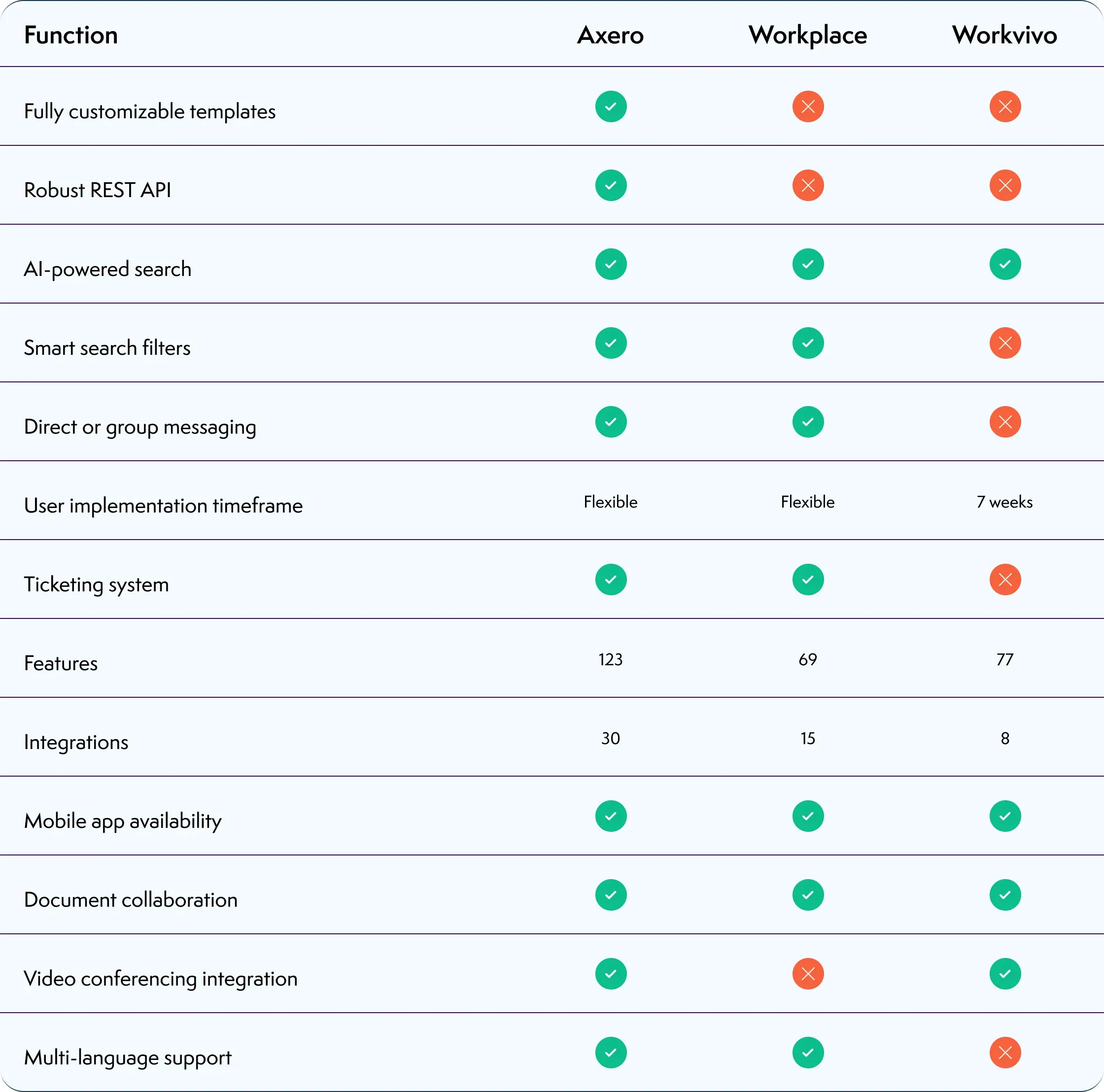
Axero vs SharePoint
See how Axero stacks up against SharePoint for intranet design, internal communications, and day-to-day usability.

Intranet Buyer's Guide
Everything you need to evaluate intranet platforms — feature matrices, scoring rubric, and questions to ask vendors. Free download.
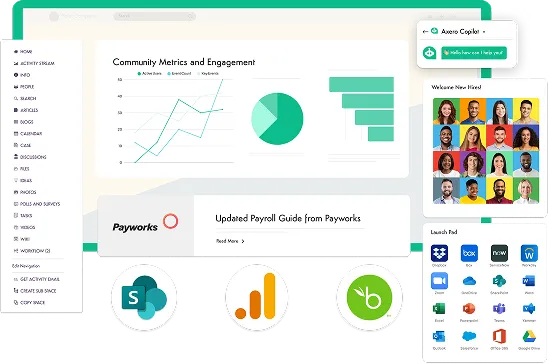
Intranet ROI Calculator
Estimate the time and cost savings an intranet could deliver for your organization — it takes about two minutes.