Every organization relies on internal tools to keep work moving. These tools support daily operations such as approvals, data entry, reporting, onboarding, and internal requests. Traditionally, building them required engineering time, long backlogs, and ongoing maintenance. That approach no longer fits how modern teams operate.
No-code platforms for internal tools change this dynamic. They allow teams outside of IT to build and manage secure, business-ready applications using visual builders and preconfigured components. Operations, HR, finance, and IT teams can respond faster to process gaps without waiting for development cycles to free up.
As internal systems grow more fragmented, the need for a centralized and governed environment becomes clearer. Spreadsheets, email chains, and disconnected tools create risk, slow decision-making, and reduce visibility. A no-code approach helps consolidate workflows, data, and access controls into systems employees can actually use.
However, not all no-code platforms are built for internal use. Some focus on lightweight apps without governance. Others prioritize external products over internal adoption. Choosing the right platform means balancing flexibility with control, usability with security, and speed with long-term scalability.
Before the list, one thing worth saying plainly, because most articles like this one don’t. “No-code platform” has become a label stretched across products that do genuinely different jobs. A dashboard builder aimed at engineers, a spreadsheet-database hybrid, an enterprise application-development suite, and a managed build service are not interchangeable, even when they can all end up solving the same business problem: getting internal tools built without waiting on an engineering backlog that never clears.
We’re one of the products in this list, so let’s be direct about where we sit. Axero has a real self-serve no-code layer — page building, form building, widgets — and for anything beyond that, Axero App Manager is a managed service: our engineers build the app for you. That’s a different model from Retool or Bubble, where the point is that your team learns a builder. Axero is not a like-for-like replacement for those tools, and we’d rather you understand the distinction than discover it on a sales call.
So this guide does two things: it sorts the platforms into the three models they actually belong to, then compares them.
First: three ways to get internal tools built
Almost every option in this space is one of three shapes. Naming them makes the shortlist much easier.
1. Self-serve no-code builders. A business user — someone in Ops, HR, or Finance — builds the tool themselves in a visual editor. No developer required, and no ticket. The trade-off is a ceiling: when the requirement outgrows what the builder covers, you’re stuck or you’re hiring. Glide, Airtable, Zoho Creator, Bubble.
2. Developer-oriented low-code platforms. Far more powerful, connected to real data sources and APIs, capable of serious applications. But the honest version is that these need technical people — to build, and then to keep building. You are shortening the engineering effort, not removing it. Retool, Appsmith, Microsoft Power Apps, Betty Blocks, OutSystems, Mendix.
3. Managed, intranet-native delivery. You describe the requirement; the vendor’s engineers build and maintain the app inside your existing employee platform. Nobody on your team learns a builder and nobody inherits maintenance. The trade-off is that you don’t control the build queue — you’re dependent on a vendor’s delivery, not your own. Axero App Manager.
Notice that these fail in different places. Model 1 fails at complexity. Model 2 fails at capacity — the tools are excellent and your developers are still busy. Model 3 fails at independence. Which failure you can live with usually decides the answer faster than any feature comparison.
Which model fits your situation
| If this is true | Likely model | Why |
|---|---|---|
| A business team needs a form, a tracker, or a simple app, and needs it this month | Self-serve builder | Fastest path, no technical dependency. Accept the ceiling. |
| The tool has to join several systems, transform data, or handle real logic | Developer low-code | These are built for exactly that. Budget the developer time honestly. |
| You have the requirement but no engineering capacity, and won’t have any | Managed delivery | Someone else builds and maintains it. You trade control for it getting done. |
| Employees can never find the internal tools you already have | Intranet-native, any model | Discovery and permissions are the problem, not the builder. |
| The data is sensitive and IT needs to own access centrally | Developer low-code or intranet-native | Both can inherit enterprise identity and permissions. |
| You’re replacing a spreadsheet that one person maintains | Self-serve builder | Don’t over-engineer this. |
One criterion cuts across all three: who maintains it in year two. A tool that works and has no owner becomes a liability, and it’s the single most common way internal-tool projects quietly fail. Ask it before you ask about features.
How we picked and compared these
We selected platforms that are actively marketed for internal business applications, are in current commercial use, and represent all three delivery models rather than just one. For each, we worked from published product documentation, the vendor’s own positioning, and publicly available user reviews.
Two limits worth stating: we have not built the same application on every platform, so nothing here is a hands-on performance benchmark, and this is not a ranked leaderboard — the numbering is for navigation, not merit. Axero appears first because it’s the model most readers won’t have considered, not because it beat the others at a scored comparison. Pricing and packaging change frequently across this category; confirm current details with each vendor.
The 11 platforms in this guide
-
Axero — managed intranet-native delivery, plus a self-serve layer
-
Retool — developer low-code
-
Appsmith — developer low-code, open source
-
Microsoft Power Apps — developer low-code, Microsoft ecosystem
-
Airtable — self-serve, database and interface
-
Glide — self-serve builder
-
Betty Blocks — enterprise low-code
-
OutSystems — enterprise low-code
-
Mendix — enterprise low-code
-
Bubble — self-serve, originally for external apps
-
Zoho Creator — self-serve, Zoho ecosystem
What are no-code platforms for internal tools?
No-code platforms for internal tools are software solutions that let teams build applications without writing code. They use visual editors, drag-and-drop components, and prebuilt logic to create tools such as dashboards, forms, approval workflows, and internal apps.
These platforms focus on internal users rather than customers. That means they prioritize authentication, role-based access, data security, and integrations with existing systems like CRMs, ERPs, and HR platforms. The goal is to support operational efficiency while keeping IT oversight intact.
Internal no-code tools often replace manual processes that live in spreadsheets or email threads. They provide structure, automation, and auditability without adding complexity. When combined with a centralized intranet, they become easier to discover, govern, and scale across the organization.
What to consider when choosing the right no-code platforms for internal tools
Choosing the right platform starts with understanding who will build the tools and who will use them. Internal tools must be easy to create, simple to adopt, and safe to scale. Below are the core areas to evaluate.
Governance and access control
Internal tools handle sensitive data. Look for platforms that support role-based permissions, approval workflows, and clear ownership. This ensures tools remain secure and manageable as usage grows.
Ease of use for non-technical teams
A no-code platform should reduce reliance on developers, not shift complexity elsewhere. Visual builders, reusable components, and clear logic flows help business teams build confidently.
Integration with your existing stack
Internal tools rarely operate alone. Strong integrations with identity providers, data sources, and workplace tools prevent silos and reduce manual work.
Scalability and long-term maintenance
What works for one team often spreads quickly. The platform should support versioning, updates, and reuse without breaking existing processes.
Centralized discovery and adoption
Tools only deliver value when employees can find and trust them. Platforms that work well alongside an intranet help centralize access, documentation, and ownership.
The 11 platforms in detail
1. Axero
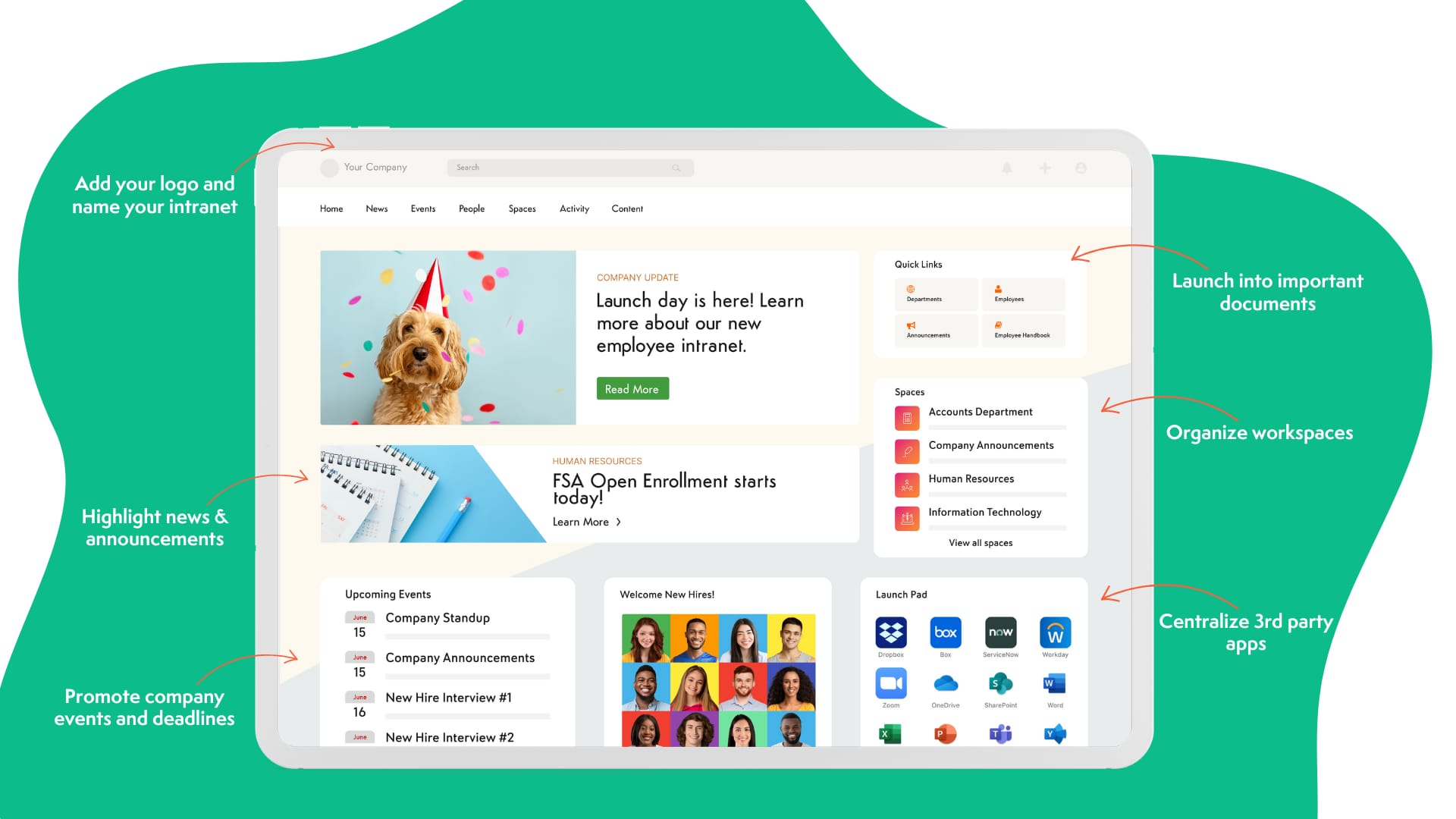
Model: managed intranet-native delivery, with a self-serve no-code layer underneath.
Axero is an intranet platform, not a general-purpose app builder — and it approaches internal tools from a different direction than everything else in this list.
The self-serve layer is genuinely no-code: a drag-and-drop Page Builder for pages, layouts, and dashboards (with CSS and JavaScript overrides when you want them), a Form Builder for requests, intake, and approvals, and pre-built widgets for directories, feeds, and recognition. Comms and HR teams use these without involving IT. This layer competes reasonably with the simpler builders on this list for the jobs it covers.
Beyond that, the model changes. For project trackers, HR portals, or custom dashboards, Axero App Manager pairs an AI build engine with Axero’s own engineers, who build the tool directly on your intranet. This is not a builder your team learns — it’s a managed service. You describe the requirement; we build and maintain the app. It inherits the intranet’s permissions, branding, and single-tenant architecture rather than becoming another ungoverned side tool.
That’s worth weighing honestly against the alternatives. If your goal is an in-house capability — a team that can build and iterate on internal tools independently, on their own schedule — a developer low-code platform like Retool serves that better, and we’d tell you so. Axero suits the opposite situation: you have the requirements and no engineering capacity to spare, you want the result governed and discoverable inside the platform employees already open, and you’d rather not add a build-and-maintain responsibility to a lean IT team. Where Axero is hard to match is that last part — the tool arrives where people already are, under permissions IT already manages, instead of as one more login nobody remembers.
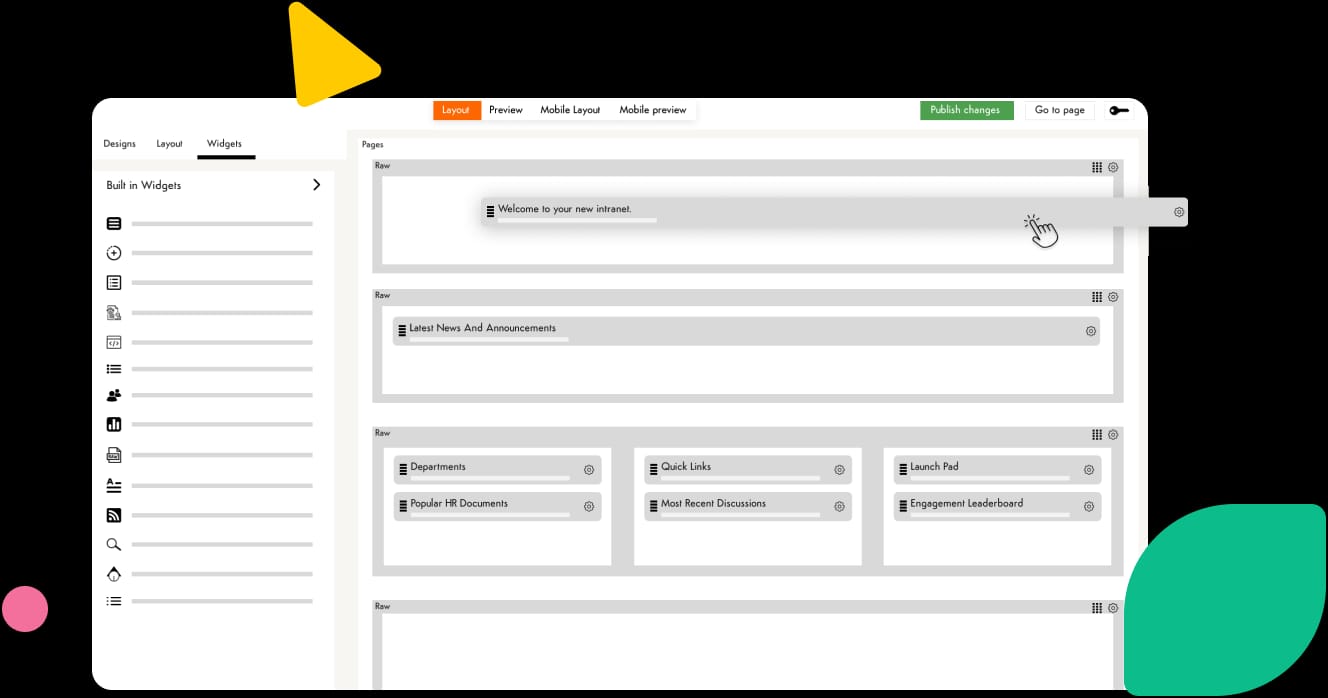
Either way, the result shows up where employees already work — not in another tab they have to remember.
Key features of Axero
-
Page Builder, Form Builder, and widgets: Your team builds pages, dashboards, intake forms, and approval workflows itself — no code required.
-
Axero App Manager: Axero’s engineers use an AI build engine to deliver custom apps — project trackers, HR portals, dashboards — then maintain them for you.
-
Inherited governance: Every tool picks up the intranet’s permissions, branding, and single-tenant architecture automatically.
Best for: Organizations with internal-tool requirements and no engineering capacity to build them, who want the result governed and discoverable inside their employee hub.
Consider something else if: you want your own team to own the building. That’s a self-serve or developer low-code platform, not a managed service.
2. Retool
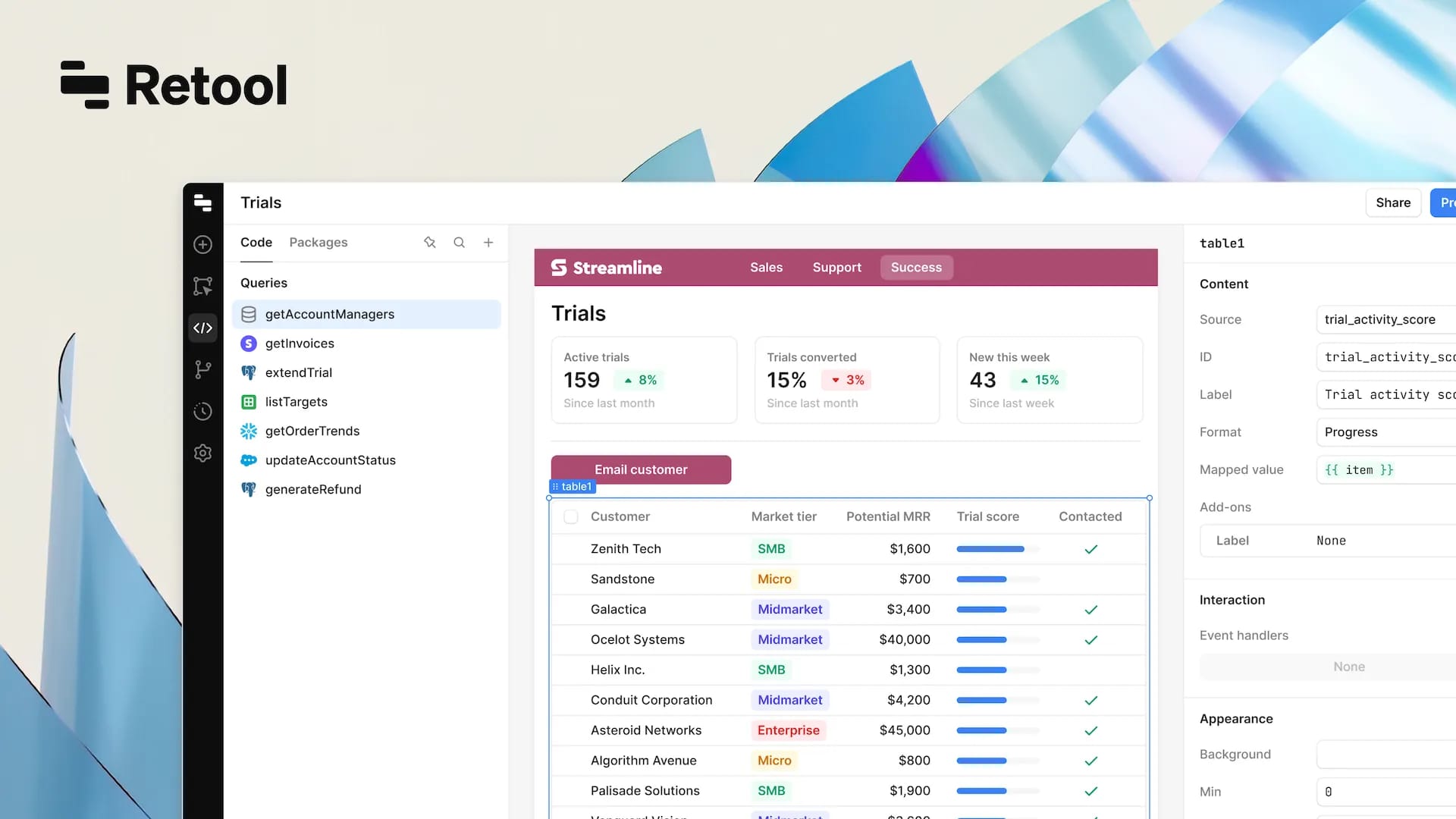
Model: developer low-code. Expect to involve engineering.
Retool is a popular no-code and low-code platform designed for building internal dashboards and data-driven tools. It focuses on speed and flexibility for teams that need custom interfaces connected to live data sources.
Teams use Retool to build admin panels, reporting tools, and operational apps that sit on top of databases and APIs. Its component library supports tables, charts, forms, and controls that update in real time. This makes it a strong option for data-heavy internal use cases.
However, Retool often requires technical setup and ongoing oversight. While non-developers can use it, most organizations rely on IT or engineering teams to manage data connections and permissions. It functions best as a specialized internal tool builder rather than a centralized workplace solution.
Key features of Retool
-
Prebuilt UI components: Quickly assemble dashboards and operational interfaces.
-
Live data integrations: Connect directly to databases and APIs for real-time updates.
-
Flexible logic editor: Configure complex workflows without building from scratch.
Best for: Technical teams building custom, data-driven internal tools.
3. Appsmith
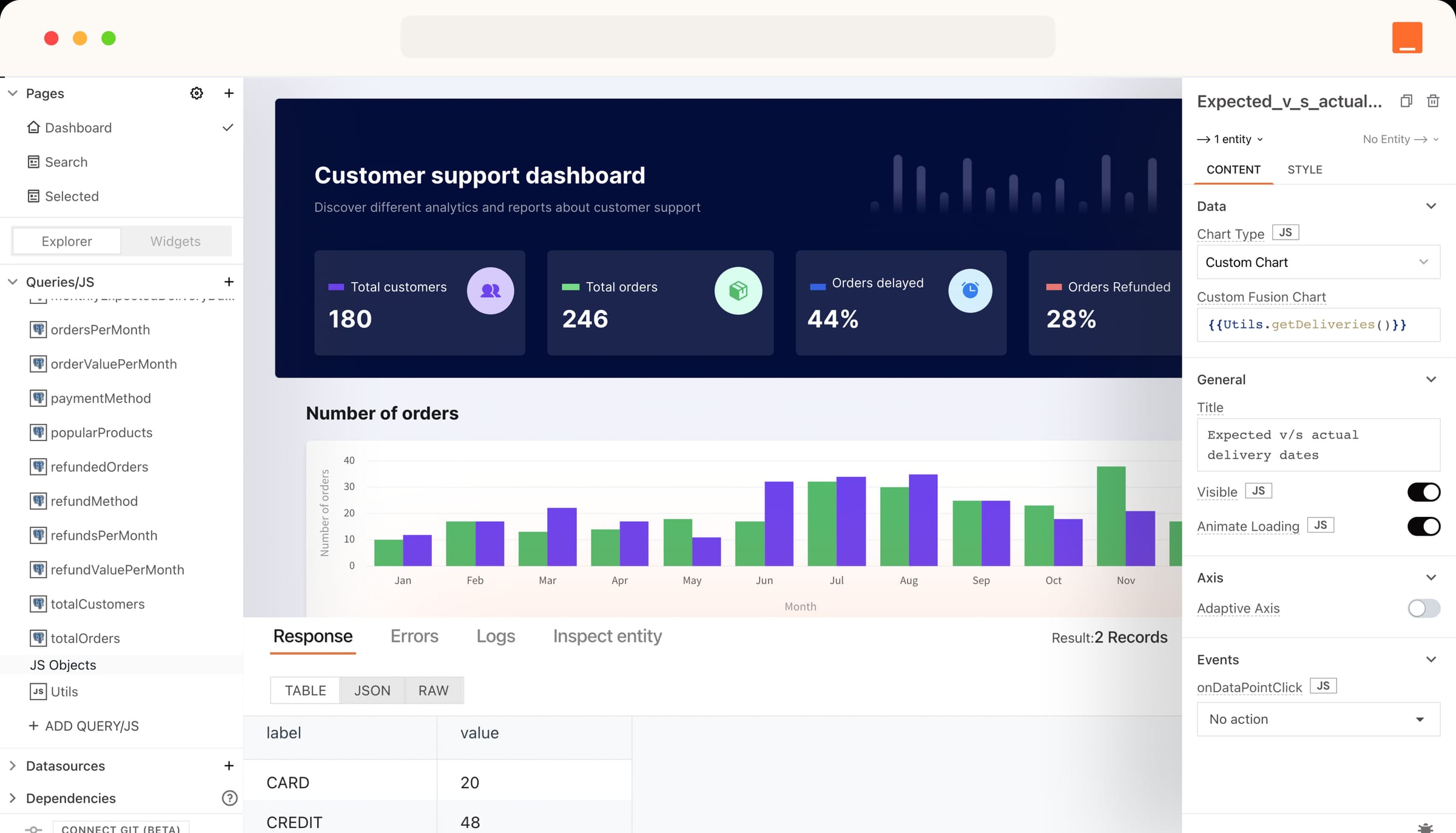
Model: developer low-code, open source. Self-hosting means you own deployment and upkeep.
Appsmith is an open-source no-code platform focused on internal applications. It allows teams to build tools such as CRUD apps, admin panels, and internal dashboards using visual components and data bindings.
Organizations often choose Appsmith for its self-hosting options and customization flexibility. It supports integrations with databases, REST APIs, and authentication systems, making it suitable for internal operational use.
That flexibility comes with added responsibility. Appsmith typically requires technical resources to deploy, secure, and maintain. It works best when paired with strong governance elsewhere, such as an intranet that centralizes access and documentation.
Key features of Appsmith
-
Open-source architecture: Customize and deploy internally as needed.
-
Data source integrations: Connect to databases and APIs securely.
-
Reusable components: Build consistent tools across teams.
Best for: Organizations with technical teams that want control over internal app infrastructure.
4. Microsoft Power Apps
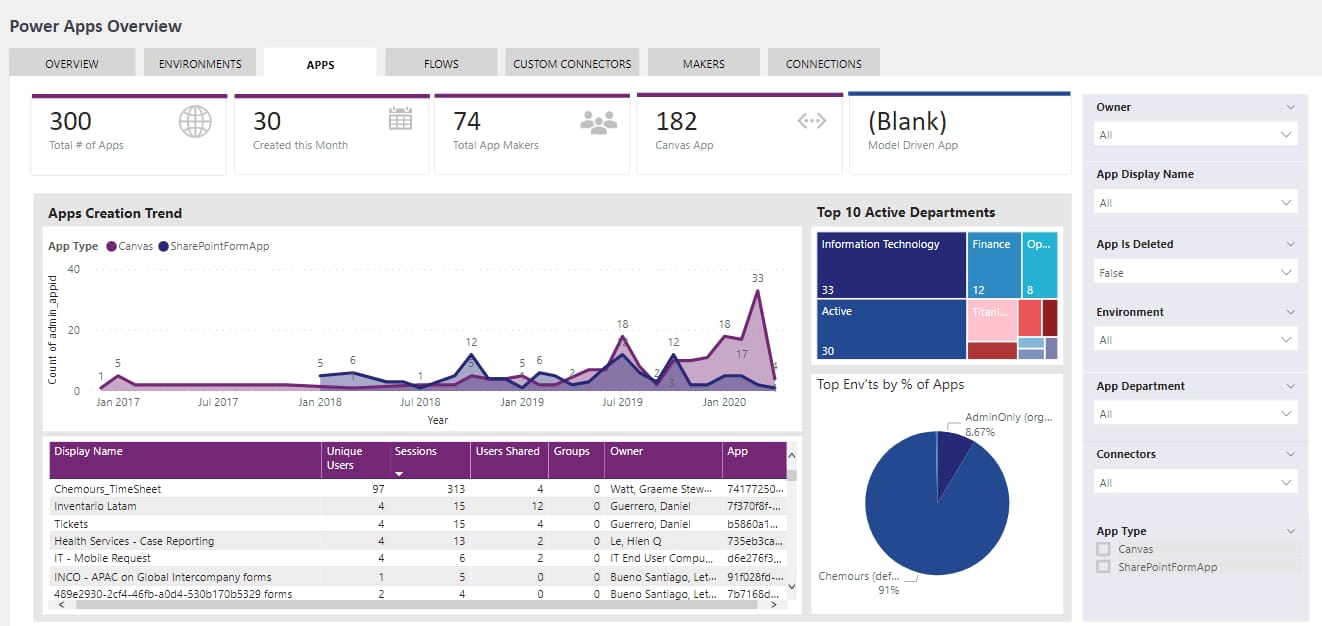
Model: low-code within the Microsoft ecosystem. Marketed as no-code; in practice most non-trivial apps need technical help.
Microsoft Power Apps is a no-code platform within the Microsoft ecosystem that enables teams to build internal applications quickly. It integrates tightly with Microsoft 365, Azure, and Dataverse.
Power Apps is commonly used for forms, approvals, and lightweight internal tools connected to SharePoint or Excel data. For organizations already standardized on Microsoft, it offers familiarity and seamless authentication.
The platform can become complex at scale. Licensing, performance, and governance require careful planning. Many organizations pair Power Apps with a centralized intranet to improve discoverability and user adoption.
Key features of Microsoft Power Apps
-
Microsoft 365 integration: Build tools using existing data and identities.
-
Template-based app creation: Accelerate common internal use cases.
-
Mobile-friendly design: Support frontline and remote employees.
Best for: Microsoft-centric organizations building lightweight internal apps.
5. Airtable
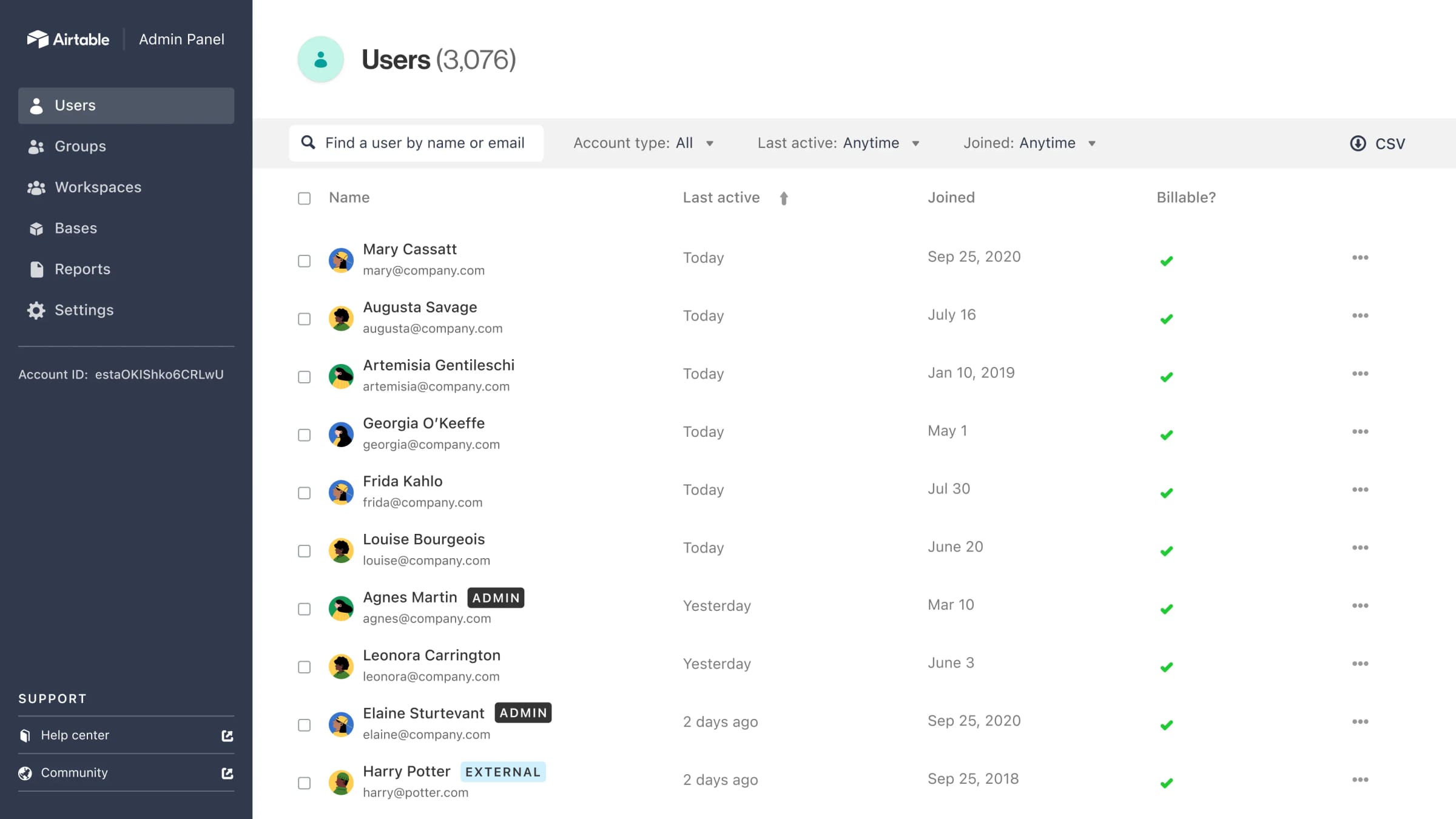
Model: self-serve database and interface builder rather than a general app platform.
Airtable blends spreadsheets with no-code app building, making it a familiar starting point for many teams. It allows users to structure data, create relational tables, and layer on interfaces for internal use cases such as trackers, intake forms, and lightweight dashboards.
Teams often adopt Airtable organically. Operations use it to manage requests. HR teams track onboarding tasks. Marketing teams coordinate campaigns. Its visual interface lowers the barrier to entry and encourages experimentation.
As usage grows, governance becomes more important. Airtable works best when internal tools are documented, standardized, and surfaced through a central hub. Without that structure, teams risk creating disconnected tools that employees struggle to find or trust.
Key features of Airtable
-
Flexible data modeling: Build relational data structures without a database background.
-
Interface designer: Create user-friendly internal views on top of data.
-
Automation rules: Trigger actions and notifications across workflows.
Best for: Teams that want fast, spreadsheet-based internal tools.
6. Glide
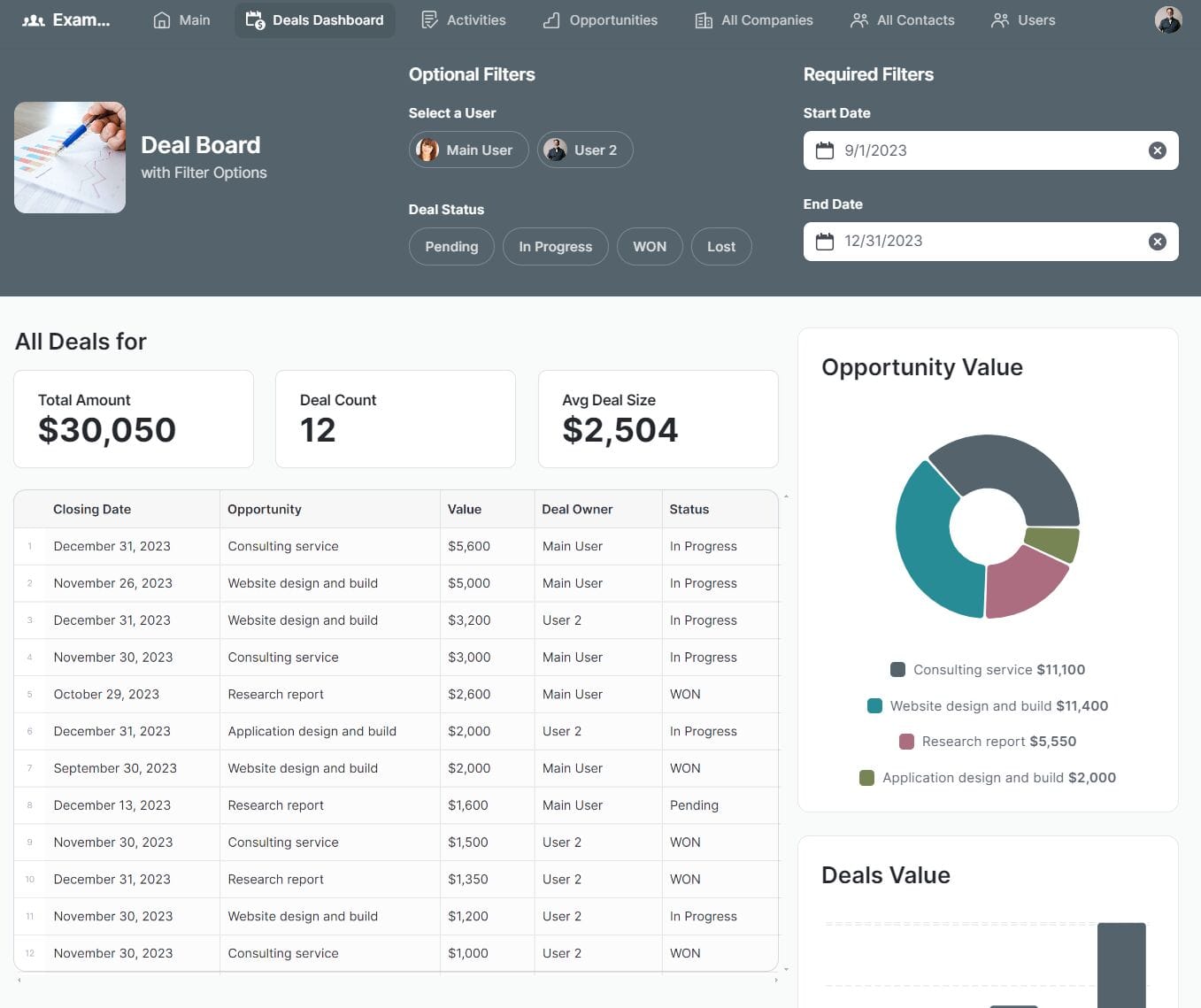
Model: self-serve no-code builder — the most genuinely no-code option on this list.
Glide is a no-code platform focused on building internal apps quickly using data sources like spreadsheets and databases. It emphasizes speed and simplicity, enabling teams to launch tools with minimal setup.
Organizations use Glide for internal directories, checklists, and mobile-friendly apps. Its design-first approach helps teams create tools employees can adopt easily, especially on mobile devices.
Glide is best suited for simpler use cases. As workflows become more complex, teams may need additional governance and integration support. Pairing Glide-built tools with a centralized intranet helps provide context, ownership, and documentation.
Key features of Glide
-
Visual app builder: Create internal apps without technical expertise.
-
Mobile-first design: Support frontline and deskless workers.
-
Data source flexibility: Build on top of existing spreadsheets or databases.
Best for: Teams building simple, mobile-friendly internal tools.
7. Betty Blocks
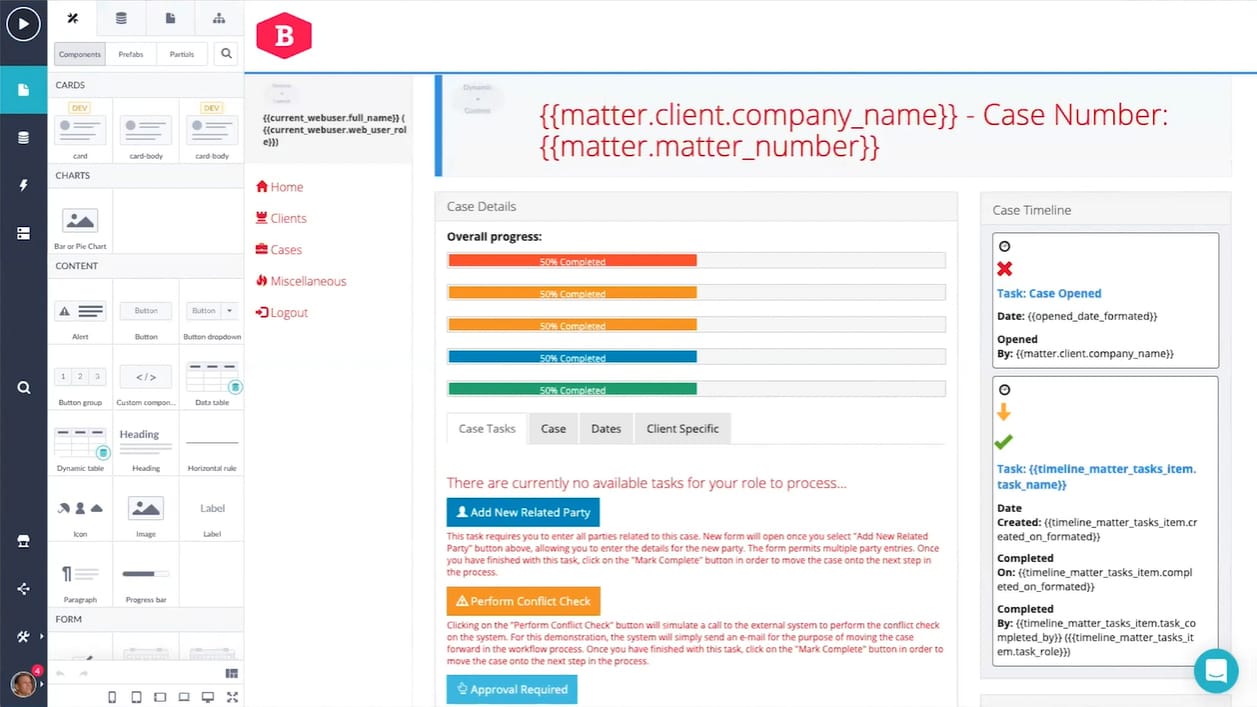
Model: enterprise low-code. Aimed at IT-governed application delivery at scale.
Betty Blocks is an enterprise no-code platform designed for scalable internal applications. It focuses on governance, reuse, and collaboration between business and IT teams.
The platform supports complex workflows and data models, making it suitable for organizations that want no-code development without sacrificing structure. Business users can build tools while IT maintains oversight.
Betty Blocks often requires formal onboarding and planning. It delivers the most value when internal tools are part of a broader digital workplace strategy, supported by clear ownership and centralized access.
Key features of Betty Blocks
-
Enterprise-grade governance: Manage permissions, environments, and reuse.
-
Visual workflow builder: Create structured internal processes.
-
Collaboration controls: Enable business and IT alignment.
Best for: Larger organizations with formal no-code governance needs.
8. OutSystems
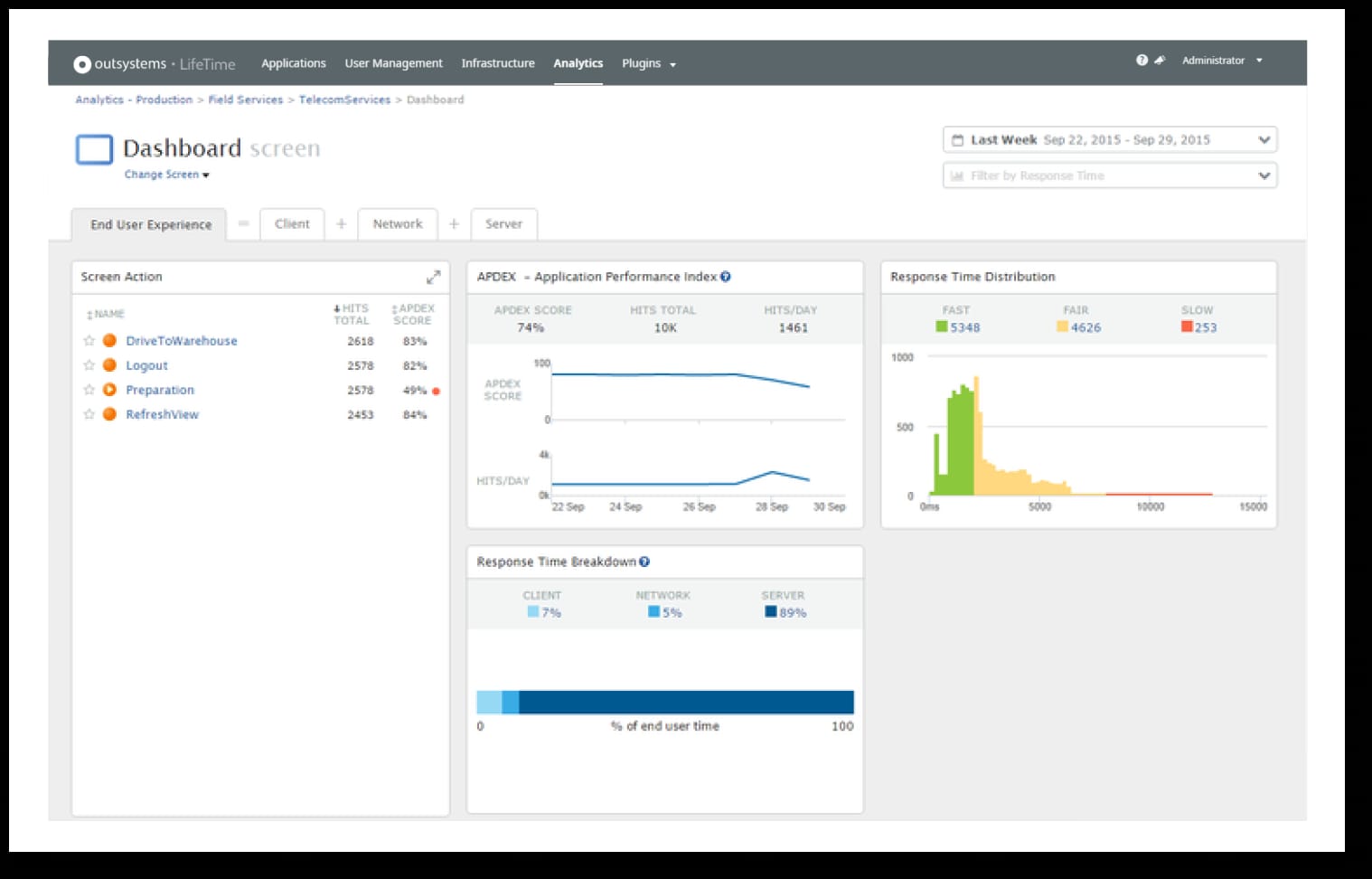
Model: enterprise low-code — explicitly low-code, not no-code. Developer-led.
OutSystems is a low-code platform that supports internal application development at scale. While not strictly no-code, it is often considered for internal tools that require advanced logic and performance.
Organizations use OutSystems to modernize legacy systems and build internal applications with complex requirements. It supports full lifecycle management, testing, and deployment.
Because of its power, OutSystems typically involves IT teams and longer implementation cycles. It pairs best with an intranet that helps employees access and understand the tools built on top of it.
Key features of OutSystems
-
Advanced app modeling Support complex internal applications.
-
Lifecycle management: Govern development and deployment.
-
Enterprise integrations: Connect to core systems securely.
Best for: IT-led teams building sophisticated internal tools.
9. Mendix
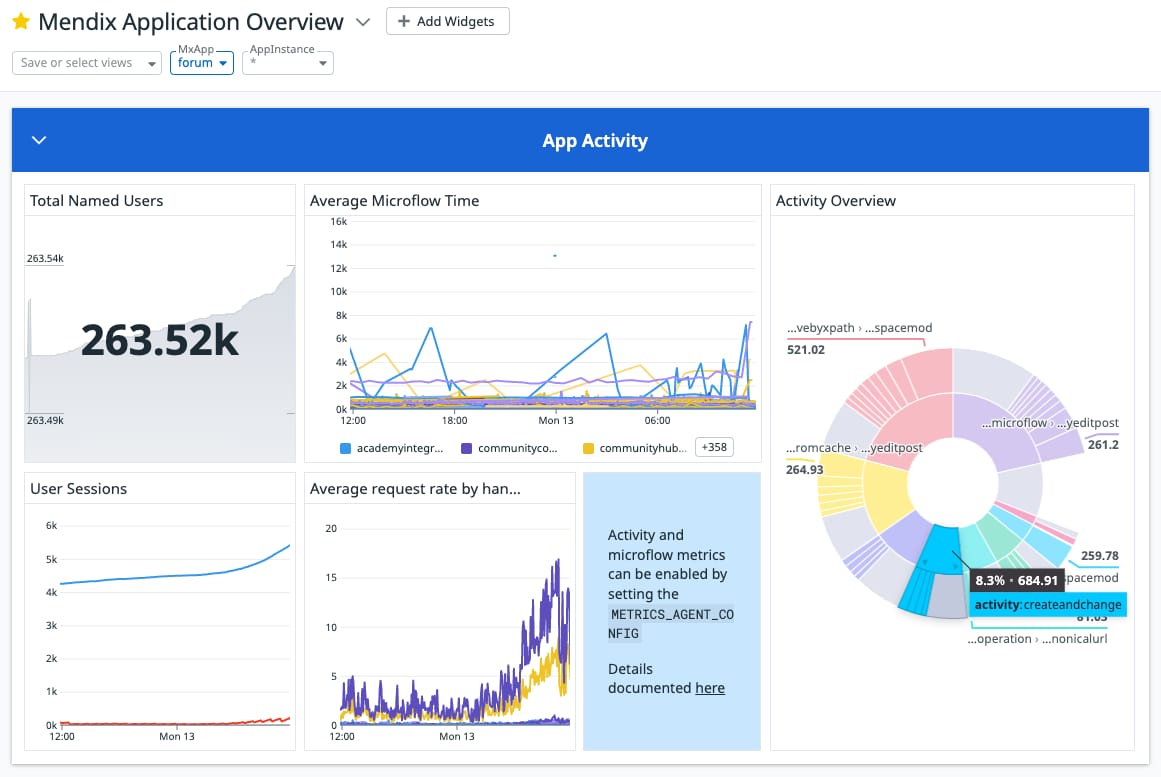
Model: enterprise low-code. Developer-led, built for complex application portfolios.
Mendix is a low-code platform that supports internal application development across departments. It emphasizes collaboration between business users and IT, offering visual modeling tools alongside more advanced capabilities when needed.
Organizations use Mendix to build internal tools that support complex workflows, integrations, and data models. It fits well in environments where internal tools must align closely with enterprise architecture and compliance requirements.
Because of its depth, Mendix requires planning, training, and governance. It works best when internal tools are clearly documented and made accessible through a central employee hub, rather than living as isolated applications.
Key features of Mendix
-
Visual development environment: Build internal tools collaboratively.
-
Enterprise integration support: Connect securely to core systems.
-
Lifecycle governance: Manage changes and deployments reliably.
Best for: Enterprises that need scalable internal tools with IT involvement.
10. Bubble
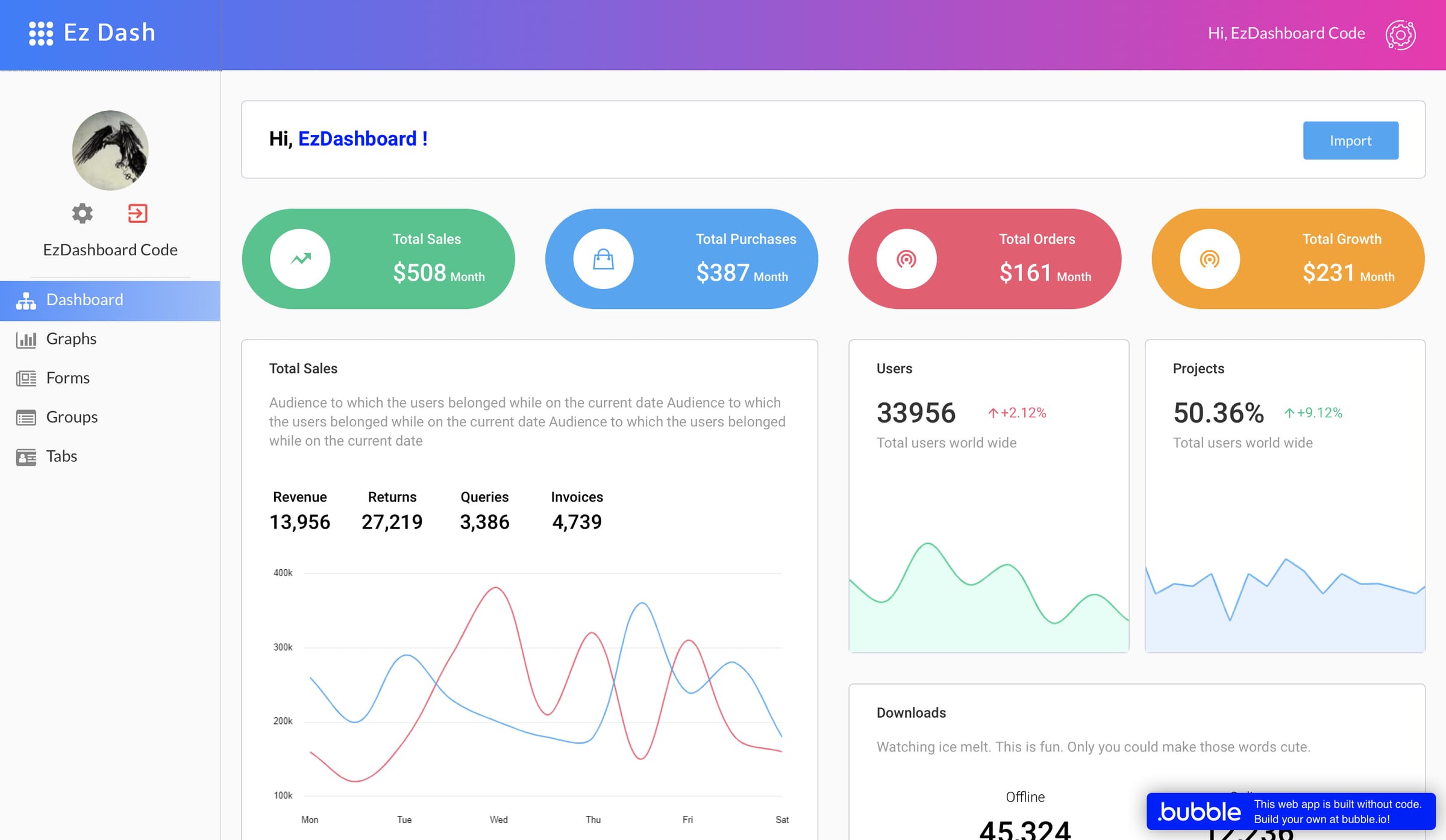
Model: self-serve builder designed originally for external web apps, adapted to internal use.
Bubble is a no-code platform originally designed for external applications, but many teams use it to build internal tools. It provides a visual editor, workflow logic, and database management without code.
Teams often turn to Bubble for custom internal tools that do not fit standard templates. It offers flexibility in design and logic, allowing teams to model unique processes.
That flexibility can increase complexity. Governance, permissions, and internal adoption require careful setup. Bubble-built tools benefit from being surfaced through an intranet where employees can find guidance and ownership information.
Key features of Bubble
-
Visual workflow logic: Model custom internal processes.
-
Built-in database: Store and manage application data.
-
Custom UI controls: Design tailored internal experiences.
Best for: Teams needing highly customized internal tools.
11. Zoho Creator
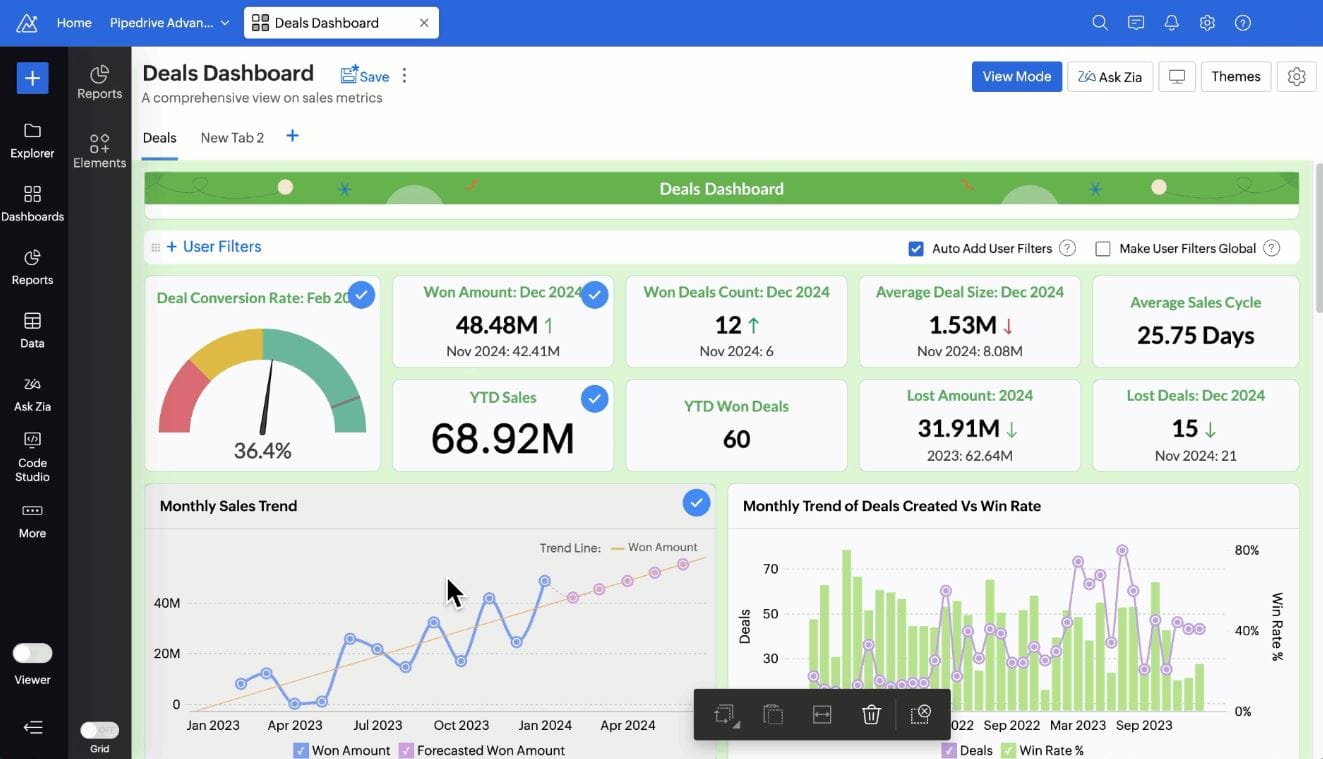
Model: self-serve builder, strongest inside the Zoho ecosystem.
Zoho Creator is a no-code platform that enables teams to build internal applications quickly. It integrates tightly with the Zoho ecosystem, covering CRM, finance, and HR use cases.
Organizations use Zoho Creator for internal forms, approvals, and lightweight apps. Its scripting options allow added flexibility while remaining accessible to non-developers.
Zoho Creator works best when internal tools are standardized and documented. Pairing it with a centralized intranet improves discoverability and helps teams understand how tools fit into broader processes.
Key features of Zoho Creator
-
Rapid app builder: Launch internal tools quickly.
-
Zoho ecosystem integrations: Connect to existing business data.
-
Role-based access controls: Manage internal permissions.
Best for: Teams already using Zoho products.
Making the call
Work through it in this order and the shortlist gets short quickly:
- Who is going to build this? A business user, a developer, or nobody you have. That answer alone eliminates two of the three models.
- Who maintains it next year? If you can’t name the person, pick the option where maintenance isn’t yours.
- How will employees find it? A tool nobody can locate gets rebuilt in a spreadsheet, and you’ve paid twice.
- Then compare products — inside one model, against each other.
Most guides skip straight to step four. That’s how organizations end up with a capable developer platform and no developers available to use it, or four self-serve apps nobody outside the team that built them knows exist.
On step three, we’d argue a genuine point in our favour: discovery and permissions are not a feature you bolt on afterwards. When an internal tool lives inside the intranet employees already open, alongside the documentation explaining it and under access controls IT already manages, adoption stops being a campaign you have to run. That’s true whichever model you choose — it’s just easier when the tool was built there.
If the honest answer to step one is “nobody we have,” that’s the situation Axero App Manager is built for. Book a demo and bring a real requirement — the useful conversation is whether it’s a Page Builder job, an App Manager job, or something you’d genuinely be better off building on one of the other platforms here.