Every organization builds internal applications, even if they don’t call them that. From onboarding workflows and approval forms to internal dashboards and knowledge hubs, teams rely on tools that help them work faster and with less friction. The challenge is that traditional development takes time, budget, and specialized skills that many teams don’t have available.
Low-code platforms change that equation. They allow business teams, IT, and operations to build and iterate on internal applications using visual builders, prebuilt components, and reusable logic. This shortens development cycles, reduces reliance on engineering resources, and helps organizations respond to internal needs without long backlogs.
As internal processes grow more complex, low-code tools also play a larger role in standardization and governance. When paired with a strong intranet or digital workplace, these platforms become part of a broader system that supports communication, collaboration, and operational consistency. Instead of scattered tools and one-off solutions, teams can centralize applications where employees already work.
Below, we break down what low-code platforms are, what to look for when choosing one, and the best options for building internal applications that support productivity and long-term scale.
Top 11 low-code platforms for internal applications for 2026
What is a low-code platform for internal applications?
A low-code platform for internal applications enables teams to design, build, and deploy software with minimal hand-coding. These platforms rely on visual development tools, configurable components, and prebuilt logic to speed up application creation.
For internal use, low-code platforms typically support workflows, forms, dashboards, integrations, and role-based access. This makes them well-suited for HR processes, IT service requests, operations tracking, and departmental tools. Instead of waiting months for custom development, teams can launch functional applications in weeks or even days.
Low-code platforms also reduce the gap between business needs and execution. Non-technical users can participate in building and maintaining applications, while IT retains control over security, data, and governance. When combined with an intranet like Axero, internal applications become easier to discover, use, and manage within a single digital workplace.
What to consider when choosing the right low-code platform for internal applications
Choosing the right platform depends on how your organization builds, deploys, and governs internal tools. These are the areas that matter most.
Ease of use and adoption
Low-code platforms should simplify development, not shift complexity elsewhere. A clean interface, visual builders, and logical workflows help teams build confidently and encourage wider adoption across departments.
Governance and security controls
Internal applications often handle sensitive data. Look for role-based permissions, audit trails, and centralized administration so IT can maintain oversight without slowing teams down.
Integration with existing systems
Internal apps rarely live in isolation. The platform should integrate easily with identity providers, document management tools, HR systems, and collaboration platforms already in use.
Scalability and flexibility
What starts as a small internal tool often grows into a core system. The platform should support increased usage, more complex logic, and evolving requirements over time.
Alignment with your digital workplace
Low-code tools deliver more value when they fit into your broader intranet or employee experience strategy. Centralizing access within a platform like Axero keeps tools visible, usable, and connected to daily work.
11 best low-code platforms for internal applications
1. Axero
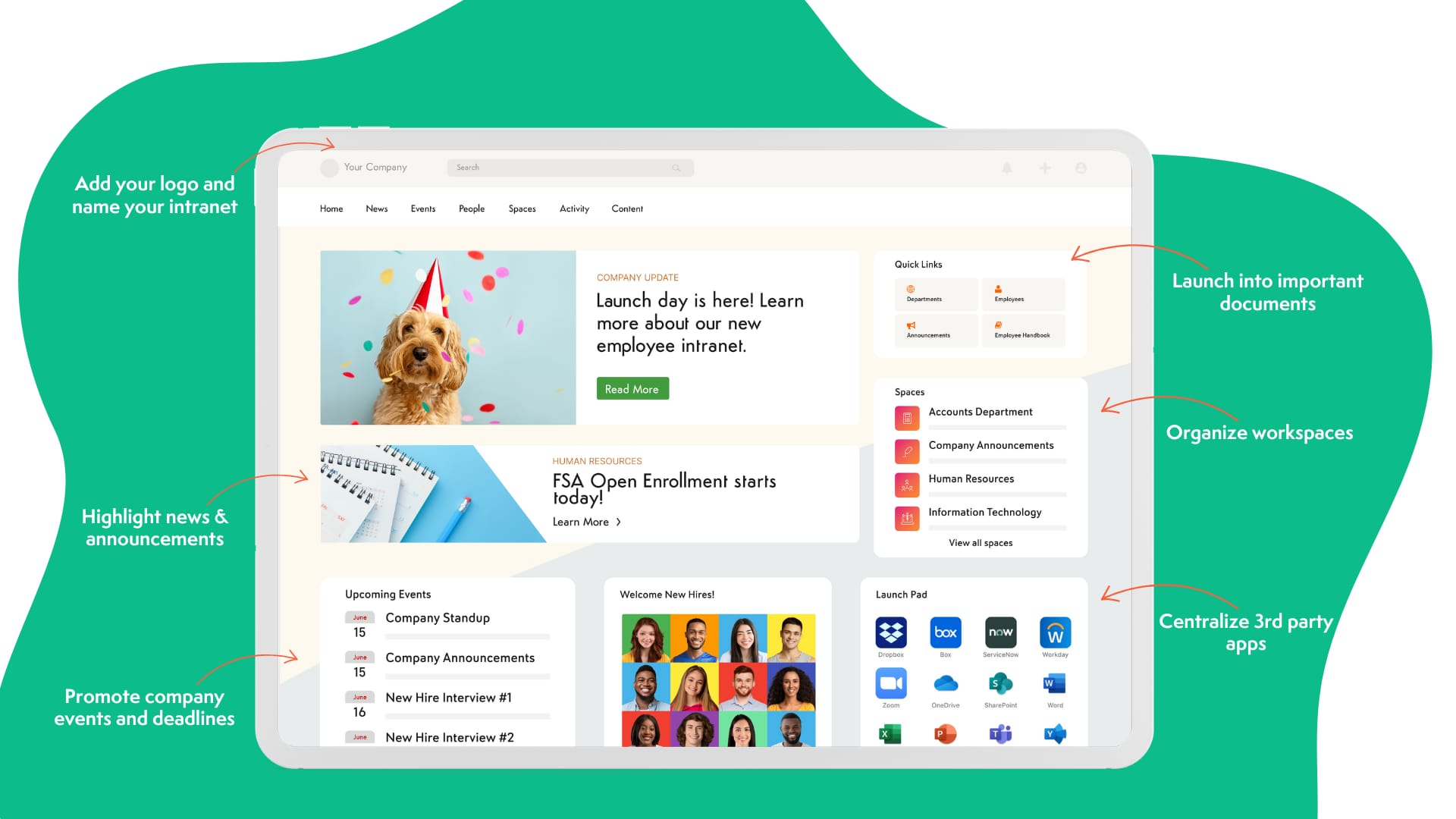
Axero provides a powerful foundation for building and supporting internal applications within a centralized intranet environment. Rather than positioning low-code tools in isolation, Axero focuses on where employees actually work, making internal apps easier to access, govern, and adopt.
With Axero, organizations can create custom forms, workflows, and internal tools that connect directly to company content, user profiles, and business processes. Teams can automate approvals, standardize requests, and manage operational workflows without relying on complex development cycles. Everything lives within a secure, role-based platform designed for internal use.
Axero also excels at governance. Administrators retain control over permissions, content ownership, and integrations, while departments gain the flexibility to build tools that solve real problems. This balance reduces shadow IT and ensures internal applications remain aligned with company standards.
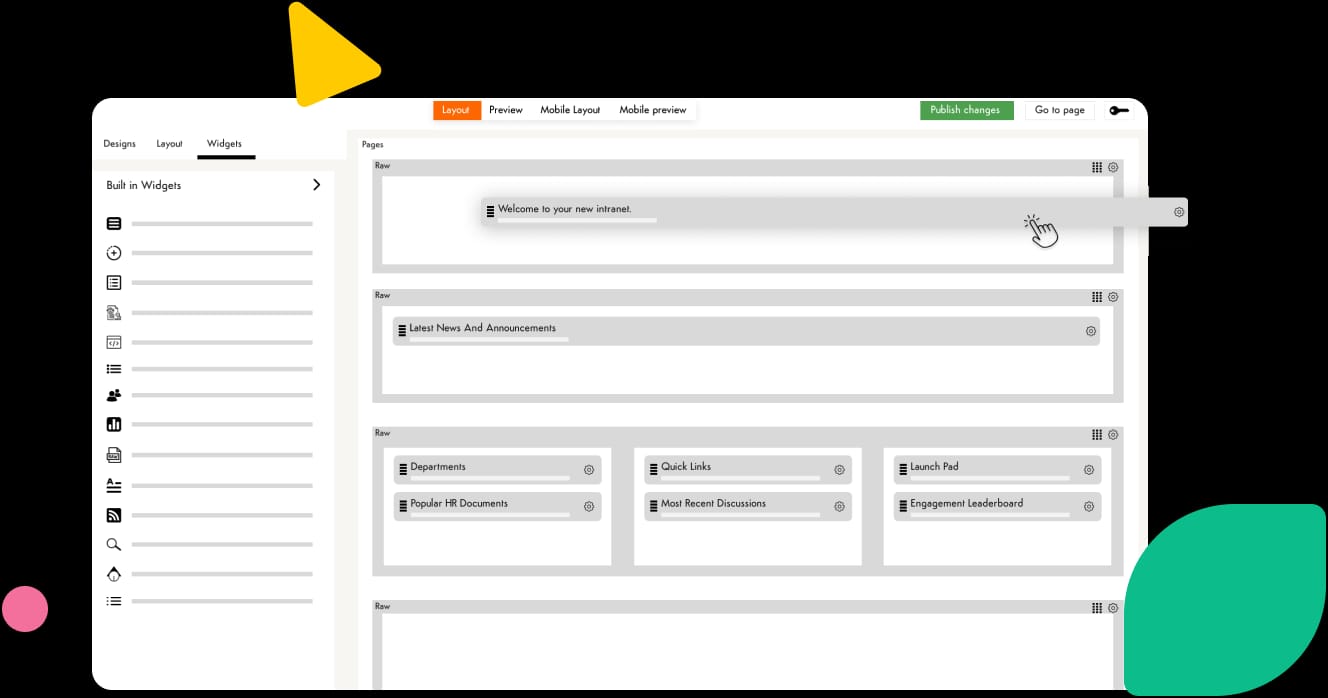
For organizations looking to pair low-code capabilities with a modern intranet, Axero delivers a practical, scalable approach that supports productivity and long-term growth.
Key features of Axero
-
Custom forms and workflows: Build internal tools for requests, approvals, and processes without custom code.
-
Centralized intranet access: Surface internal applications where employees already go for information and collaboration.
-
Role-based governance: Maintain security and oversight while enabling teams to build and manage their own solutions.
Best for: Organizations that want low-code internal applications embedded within a unified intranet and digital workplace.
2. Microsoft Power Apps
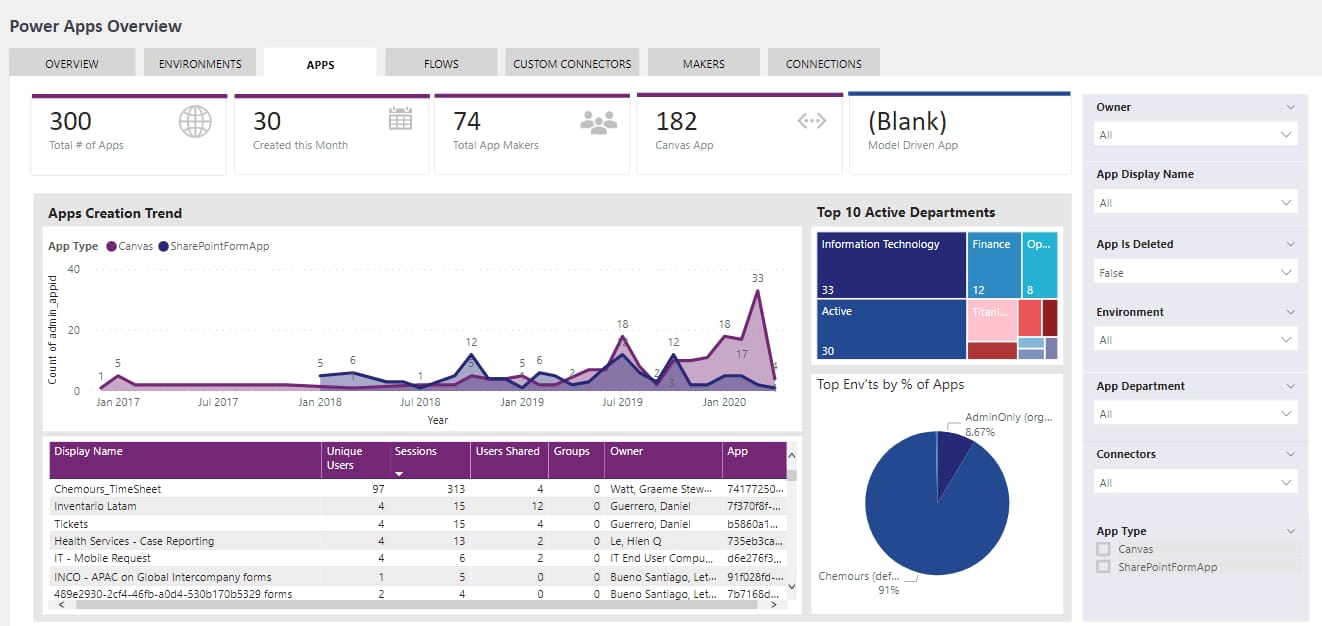
Microsoft Power Apps is a widely adopted low-code platform designed to help organizations build internal applications quickly, especially within the Microsoft ecosystem. It enables teams to create apps using visual tools while connecting directly to Microsoft 365, Dynamics, and Azure services.
Power Apps works well for internal scenarios such as data entry forms, workflow-driven tools, and lightweight operational apps. Its integration with Power Automate allows teams to automate processes across multiple systems, reducing manual effort and improving consistency.
Governance is a strong point for organizations already invested in Microsoft. IT teams can manage environments, permissions, and data policies centrally. However, Power Apps often works best when paired with a clear intranet or internal hub, such as Axero, to make applications easy for employees to find and use.
Key features of Microsoft Power Apps
-
Visual app builder: Create internal applications using drag-and-drop components.
-
Microsoft ecosystem integration: Connect seamlessly with Microsoft 365, Dynamics, and Azure services.
-
Process automation: Combine with Power Automate to streamline internal workflows.
Best for: Organizations heavily invested in Microsoft tools that need fast, form-driven internal applications.
3. OutSystems
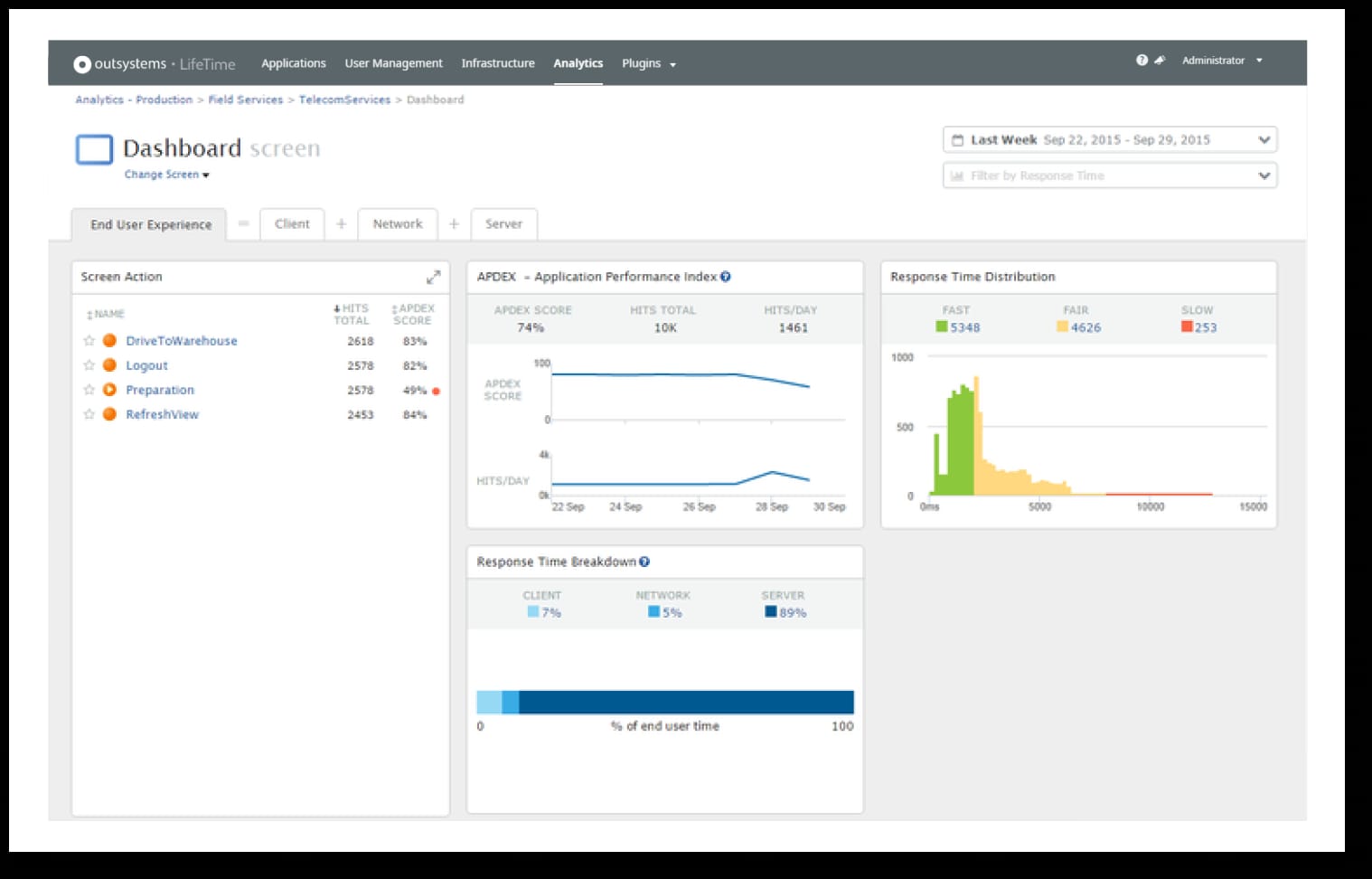
OutSystems is an enterprise-grade low-code platform built for developing complex internal applications at scale. It offers strong capabilities for logic modeling, integrations, and application lifecycle management.
Teams use OutSystems to build more advanced internal tools that go beyond simple forms or dashboards. It supports responsive web and mobile applications, making it suitable for organizations with distributed or frontline teams.
OutSystems places a strong emphasis on performance, security, and extensibility. While it provides significant flexibility, it often requires more technical involvement than lighter low-code platforms. For this reason, it works best when governed by IT and surfaced through a centralized intranet experience.
Key features of OutSystems
-
Advanced logic modeling: Build complex internal workflows and business rules.
-
Enterprise scalability: Support high usage and mission-critical internal applications.
-
Lifecycle management: Control deployments, updates, and versioning centrally.
Best for: Large organizations building complex, enterprise-level internal applications.
4. Mendix
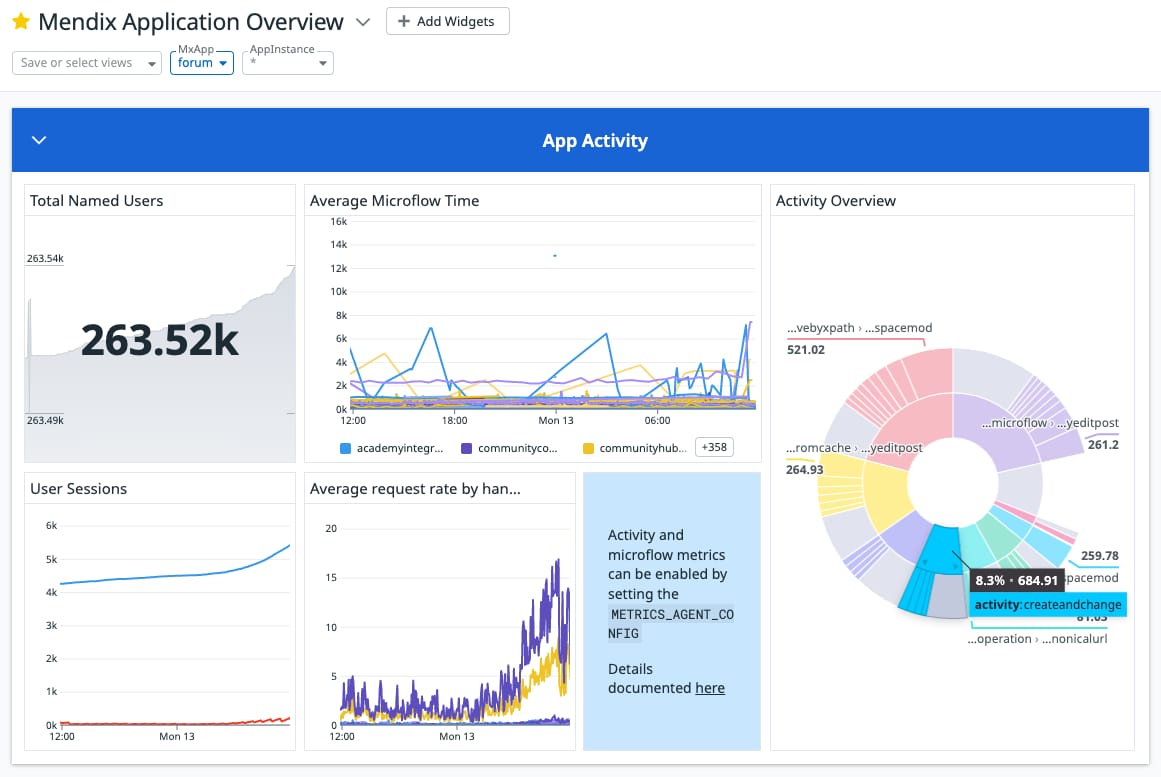
Mendix is a low-code development platform designed to support collaboration between business and IT teams. It enables rapid development of internal applications while maintaining strong governance and scalability.
Mendix supports model-driven development, reusable components, and robust integrations. This makes it suitable for internal systems that evolve over time and require structured development practices. Teams can start small and expand applications as needs grow.
Like other enterprise platforms, Mendix benefits from being paired with a digital workplace solution. When internal apps are accessible through an intranet like Axero, adoption improves and tools remain connected to daily workflows.
Key features of Mendix
-
Model-driven development: Build structured internal applications with reusable logic.
-
Collaboration tools: Enable business and IT teams to work together effectively.
-
Scalable architecture: Support growth from departmental tools to enterprise systems.
Best for: Organizations that want collaborative, governed low-code development for evolving internal applications.
5. Appian
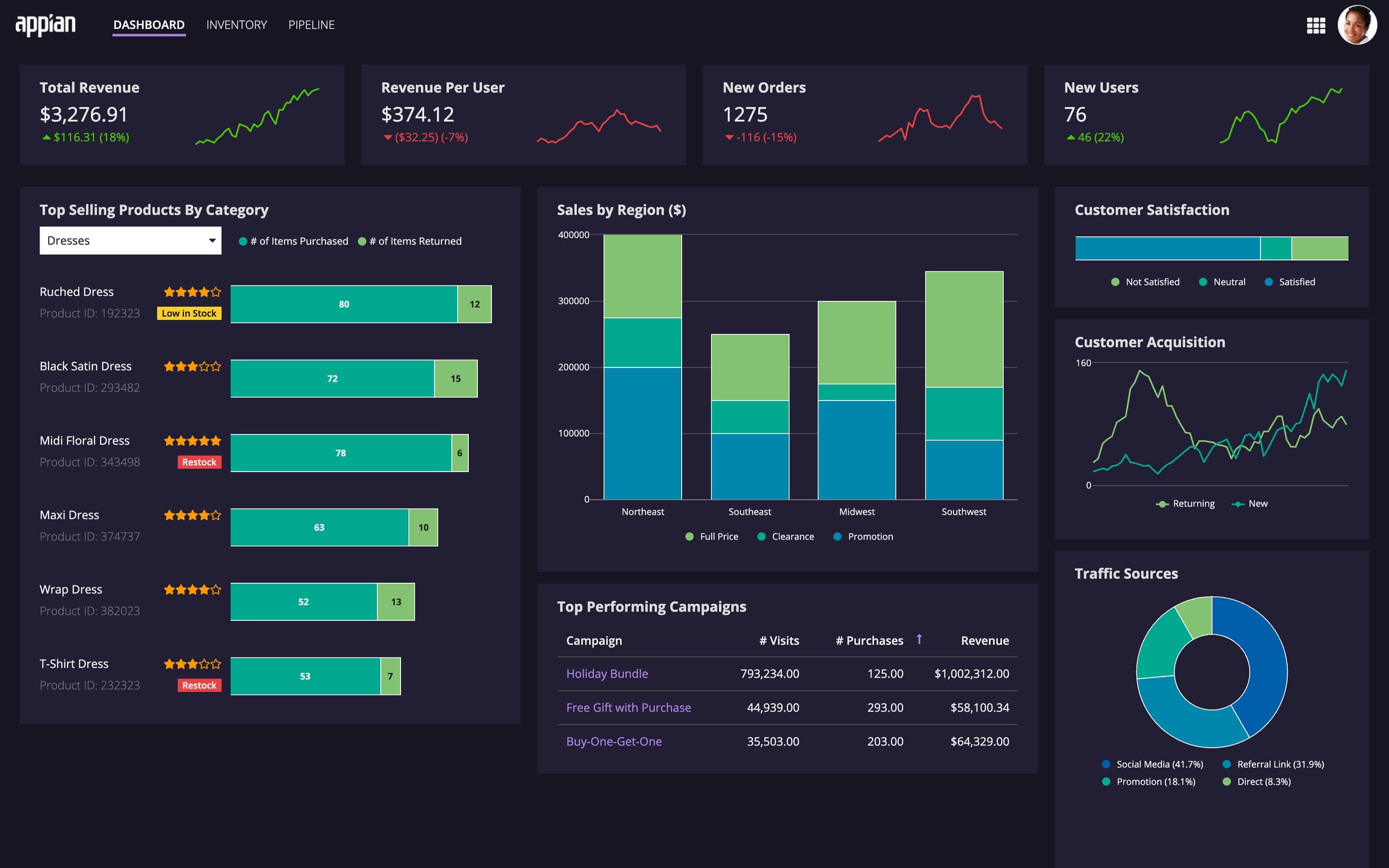
Appian is a low-code automation platform focused on building process-driven internal applications. It combines workflow automation, data management, and application development into a single environment, making it well-suited for structured internal processes.
Organizations often use Appian to support internal use cases such as case management, compliance workflows, procurement requests, and operational tracking. Its visual process modeling helps teams design applications that reflect real business logic while maintaining consistency across departments.
Appian places strong emphasis on governance and security. IT teams can manage access, monitor performance, and enforce standards across all internal applications. While the platform offers significant depth, it typically requires closer collaboration between business teams and IT. Pairing Appian-built tools with an intranet like Axero helps ensure employees can easily access and adopt these applications.
Key features of Appian
-
Process automation: Design structured workflows that mirror internal operations.
-
Unified data management: Connect internal apps to multiple data sources securely.
-
Enterprise governances: Maintain oversight with role-based controls and auditing.
Best for: Organizations that rely on process-heavy internal applications and strong governance.
6. Retool
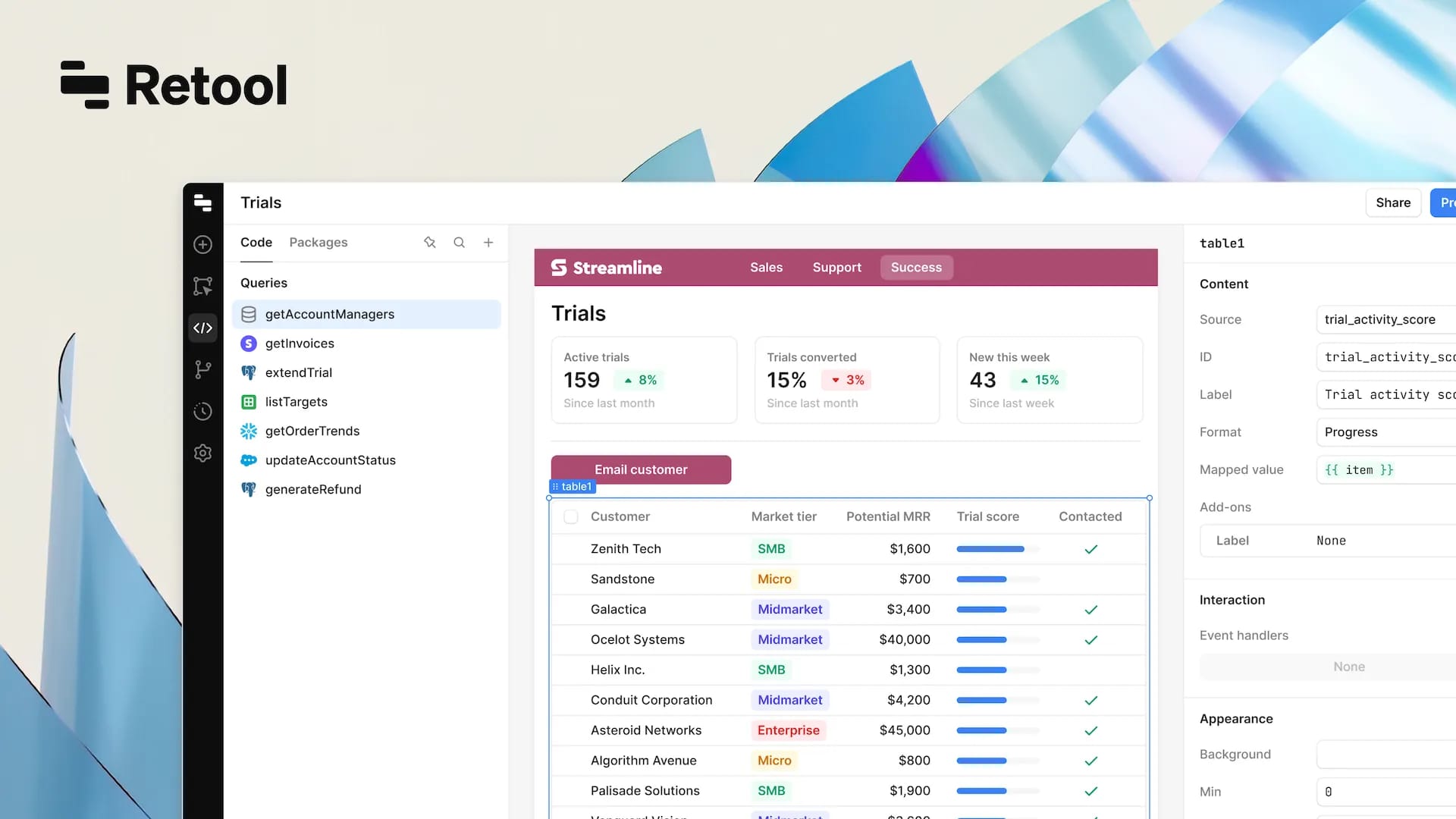
Retool is a low-code platform built specifically for creating internal tools quickly. It focuses on speed and flexibility, allowing teams to build dashboards, admin panels, and operational apps using prebuilt components.
Retool connects easily to databases, APIs, and internal systems, making it a strong option for teams that need data-driven internal applications. Developers and technically inclined users often adopt Retool to replace spreadsheets and manual processes with more reliable tools.
While Retool excels at rapid development, it benefits from a clear access strategy. Surfacing Retool-built apps through a centralized intranet like Axero helps ensure tools remain visible, secure, and aligned with broader digital workplace standards.
Key features of Retool
-
Prebuilt components: Assemble internal tools using ready-made UI elements.
-
Data connectivity: Integrate directly with databases and internal APIs.
-
Fast deployment: Launch internal applications with minimal setup time.
Best for: Teams that need fast, data-centric internal tools with minimal overhead.
7. Quickbase
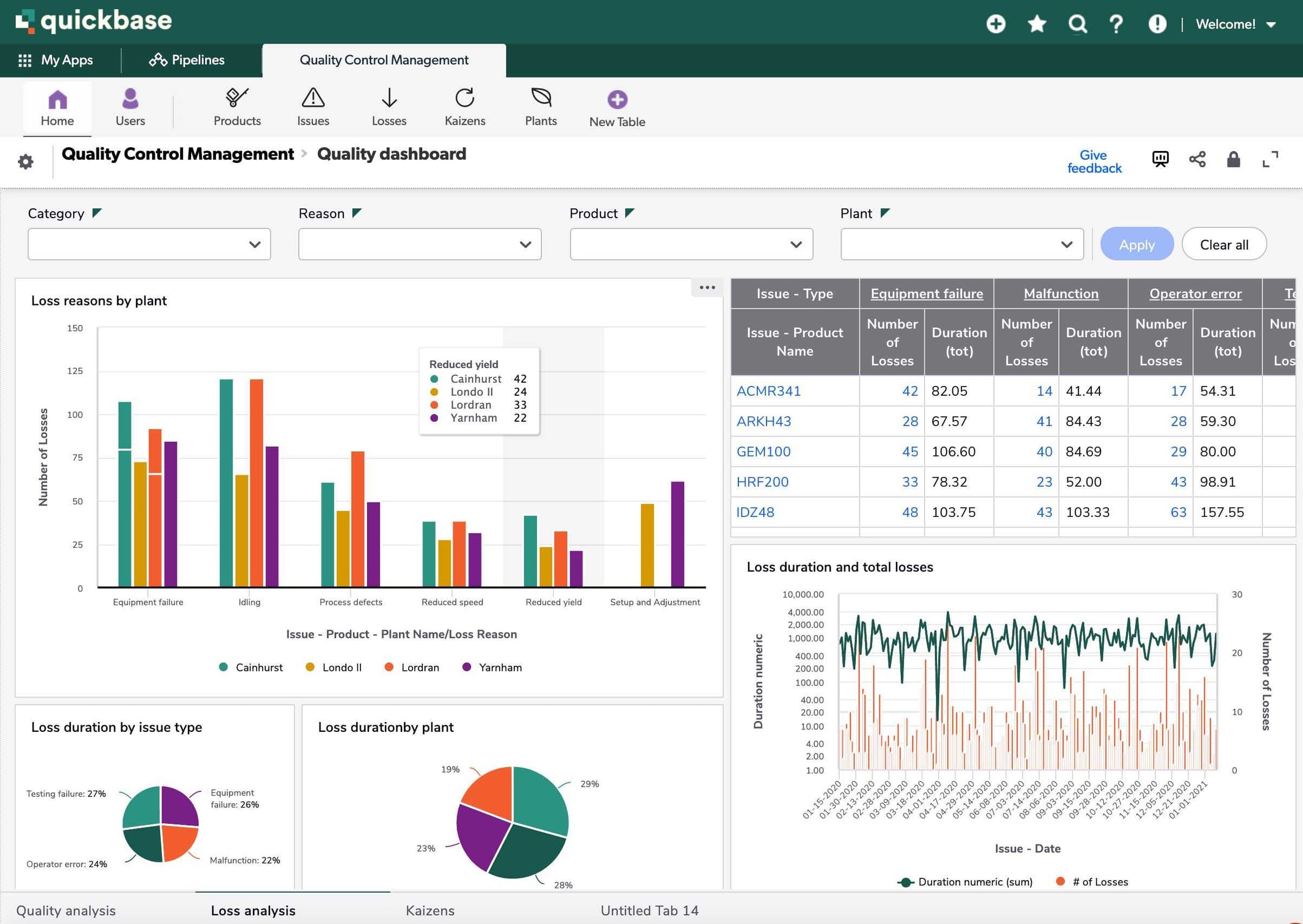
Quickbase is a low-code platform designed to help teams build internal applications that manage data, workflows, and reporting. It focuses on empowering business users to create tools that replace spreadsheets and manual tracking.
Quickbase supports internal use cases such as project tracking, asset management, and operational reporting. Its visual builders and templates make it accessible to non-technical users, while still offering controls for IT oversight.
The platform works best when internal applications are clearly governed and centralized. Integrating access through an intranet like Axero helps reduce fragmentation and encourages consistent usage across teams.
Key features of Quickbase
-
Visual app creation: Build internal tools without traditional development.
-
Workflow automation: Standardize processes and reduce manual work.
-
Reporting and insights: Track performance with built-in dashboards.
Best for: Business teams that want to replace spreadsheets with structured internal applications.
8. Zoho Creator
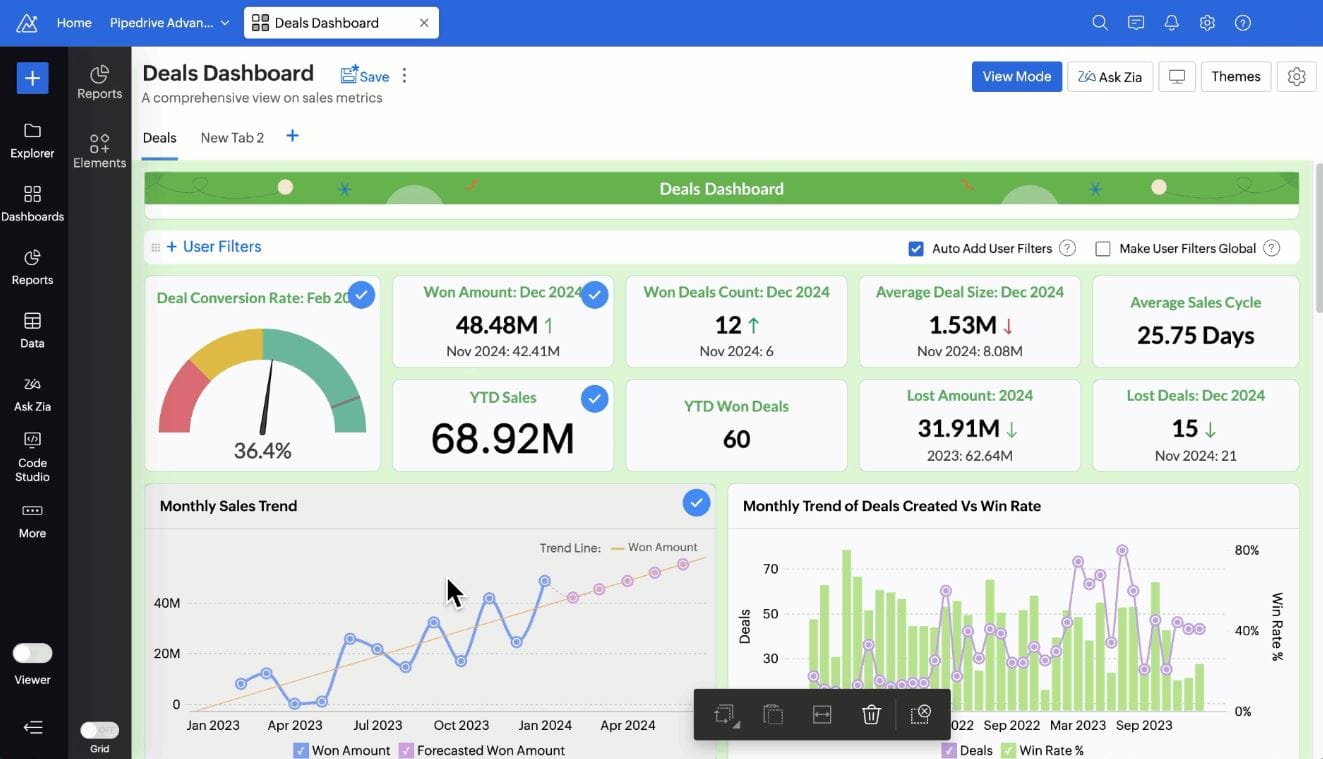
Zoho Creator is a low-code platform that enables organizations to build internal applications quickly using visual development tools. It fits well within the broader Zoho ecosystem but can also integrate with external systems.
Teams use Zoho Creator for internal apps such as request forms, approval workflows, and simple operational tools. Its scripting options allow for added flexibility without requiring full development expertise.
Zoho Creator works best for smaller teams or departments building lightweight internal applications. Centralizing access through an intranet like Axero helps improve discoverability and keeps tools connected to internal communication and knowledge.
Key features of Zoho Creator
-
Drag-and-drop builder: Create internal applications with minimal effort.
-
Workflow rules: Automate approvals and notifications.
-
System integrations: Connect with Zoho apps and third-party tools.
Best for: Teams seeking lightweight, affordable low-code tools for internal use.
9. Betty Blocks
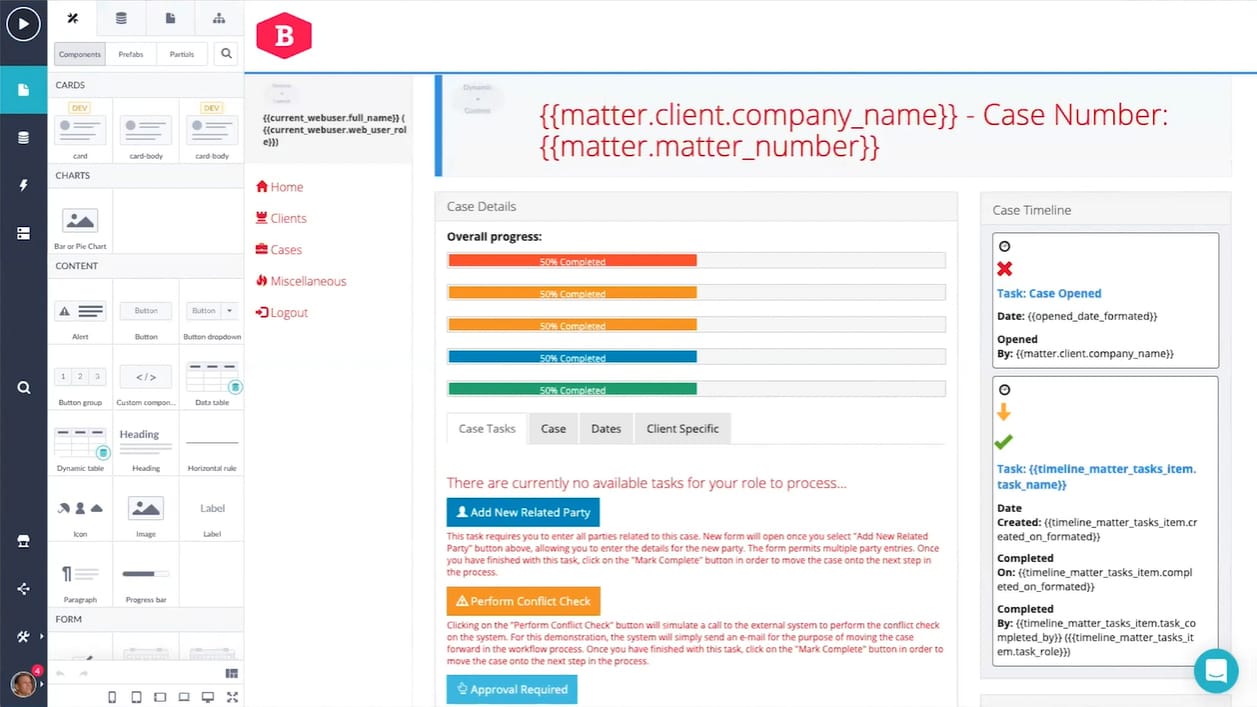
Betty Blocks is a no-code and low-code platform designed to help organizations build internal applications with minimal technical involvement. It emphasizes visual development and reusable building blocks, making it accessible to business teams that need to move quickly.
The platform supports internal use cases such as employee portals, approval workflows, and operational dashboards. Betty Blocks also provides governance features that allow IT to set guardrails while enabling teams to build independently.
For broader adoption, Betty Blocks applications benefit from being surfaced through a centralized digital workplace. Pairing them with an intranet like Axero ensures employees can find and use internal tools alongside company knowledge and communication.
Key features of Betty Blocks
-
Visual development environment: Build internal applications without traditional coding.
-
Reusable components: Standardize internal tools across teams.
-
Governance controls: Maintain oversight while empowering business users.
Best for: Organizations prioritizing business-led internal application development.
10. Creatio
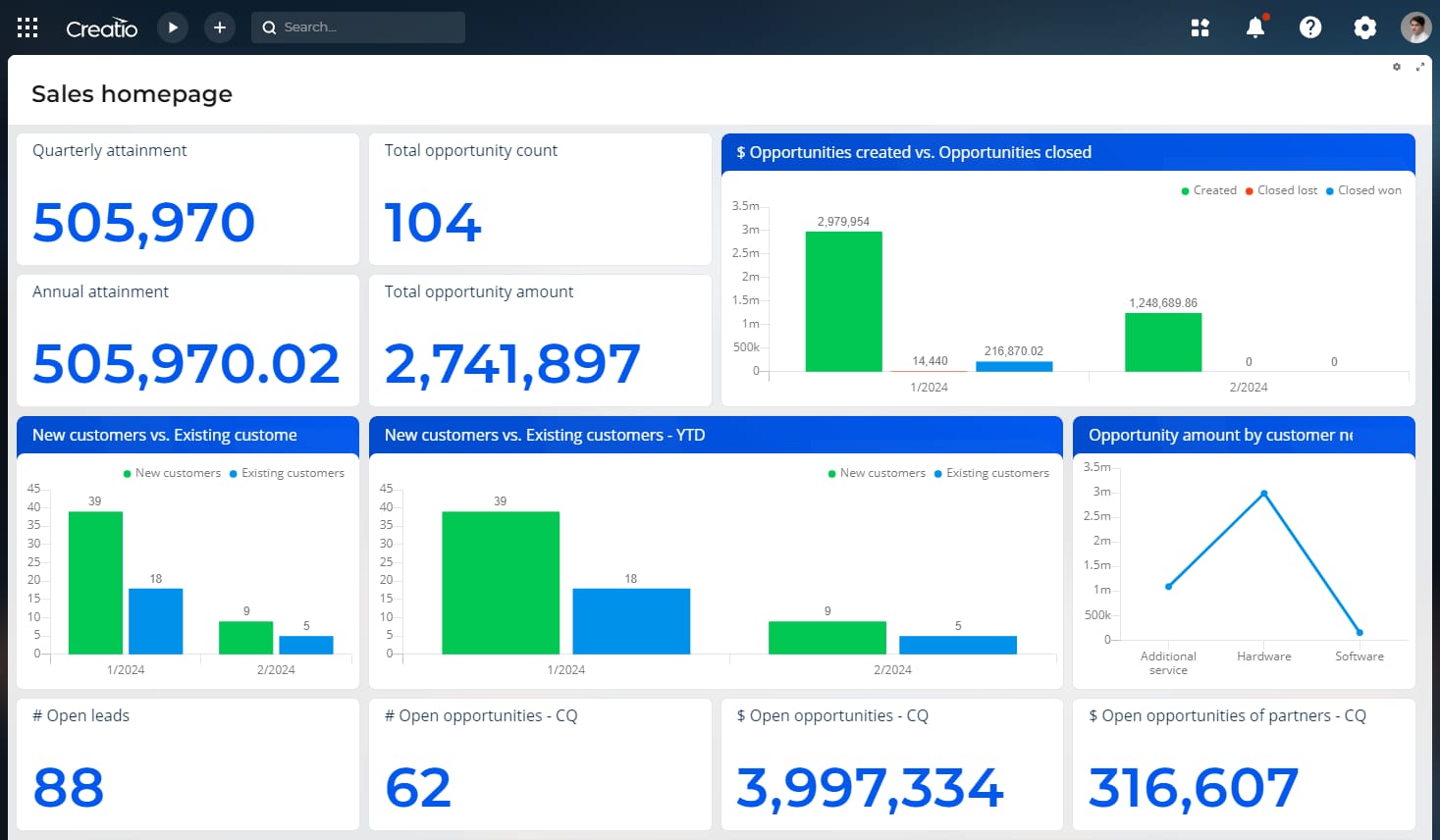
Creatio is a low-code platform with strong capabilities in process automation and CRM-style internal applications. It allows teams to design workflows, manage data, and build applications that support structured internal operations.
Organizations often use Creatio for internal service management, approvals, and cross-department workflows. Its visual process designer helps align applications with real business logic while maintaining consistency.
Creatio works best when internal tools are centralized and governed. Integrating access through an intranet like Axero helps improve visibility and ensures applications support a cohesive digital workplace experience.
Key features of Creatio
-
Process designer: Model and automate internal workflows visually.
-
Data-driven apps: Build internal tools around structured business data.
-
Enterprise controls: Manage roles, permissions, and compliance centrally.
Best for: Teams building process-oriented internal applications with automation needs.
11. Airtable
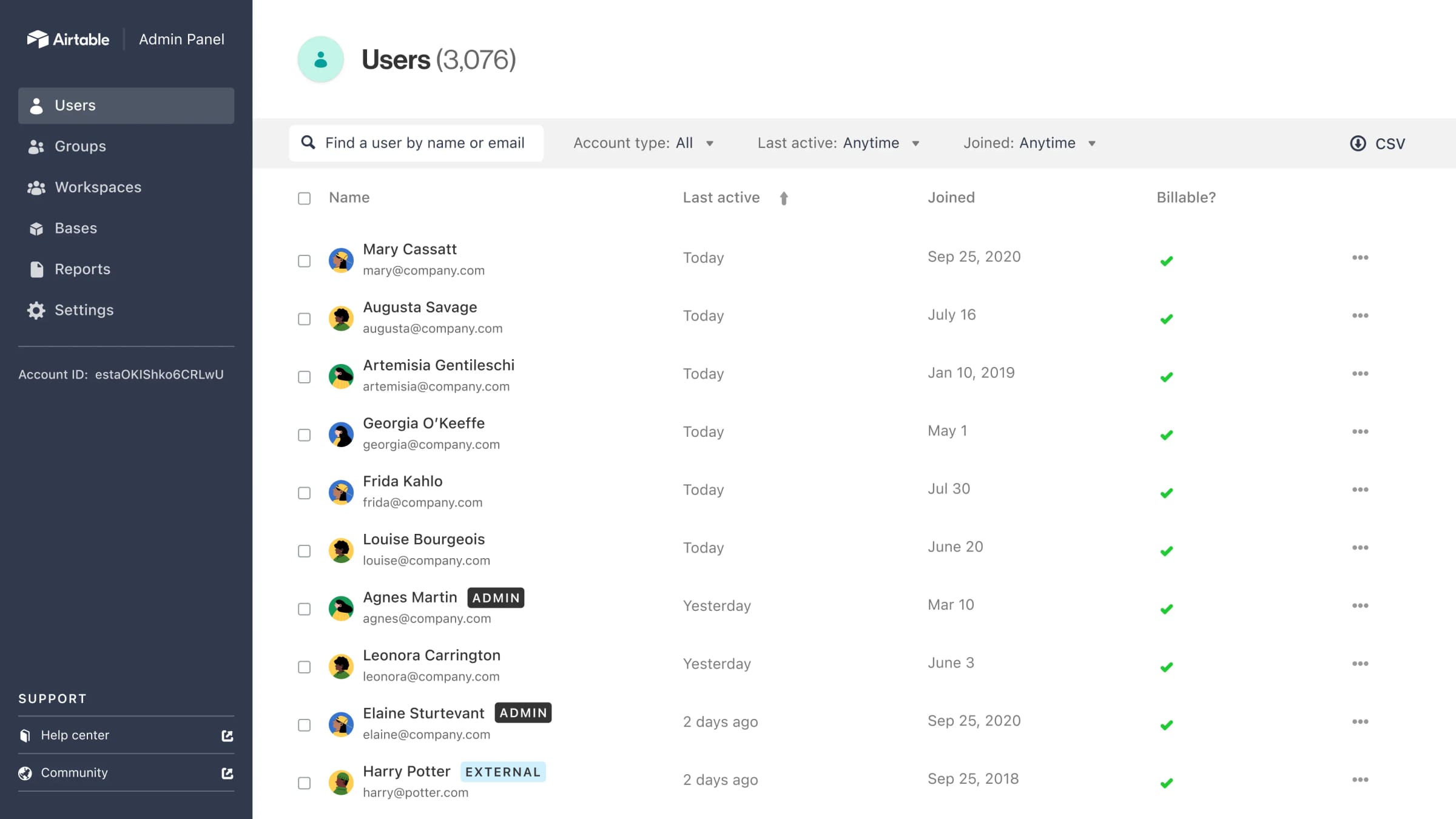
Airtable blends spreadsheet-style simplicity with low-code functionality, making it popular for building lightweight internal applications. Teams can create databases, views, and simple workflows without technical complexity.
Airtable is commonly used for internal tracking tools, content planning, and operational coordination. While it is easy to adopt, it may require additional governance as usage grows.
Surfacing Airtable-based tools through an intranet like Axero helps maintain consistency, visibility, and access control as internal applications multiply across teams.
Key features of Airtable
-
Flexible data models: Create internal tools using customizable tables.
-
Views and automations: Adapt interfaces for different internal roles.
-
Fast setup: Launch internal applications quickly.
Best for: Teams that need simple, flexible internal tools with minimal setup.
Choosing the right low-code platform for internal applications
Low-code platforms help organizations respond faster to internal needs, but the real value comes from how well these tools fit into daily work. The best solutions support governance, scale with your processes, and integrate cleanly with the systems employees already use.
Internal applications should not live in silos. When tools are fragmented, adoption drops and oversight becomes harder. Centralizing access through a modern intranet creates a consistent experience and keeps internal applications connected to communication, knowledge, and culture.
Axero brings these elements together. By combining low-code capabilities with a secure, user-friendly intranet, we help organizations build internal applications that people actually use. If you want to simplify internal processes while keeping control and clarity, book a demo and see how Axero supports smarter internal application development.