Enterprise information systems sit at the center of how modern organizations operate. They bring together data, processes, and people across departments, locations, and roles. Without them, information fragments. Teams waste time searching for answers. Leaders lack visibility. Employees disengage because tools feel disconnected from how work actually gets done.
But “enterprise information system” is a broad category, not a single product. It covers the systems that run your transactions, the systems that route your requests, the systems that store your documents, and the system employees open every day to find people, policies, and updates. Get the relationships between them right and the organization runs on consistent, governed information. Get them wrong and you get silos, duplicated data, and low adoption.
This guide explains what an enterprise information system is, the major types and how they fit together, where an employee-facing intranet fits in the stack, and — since it’s our product — where Axero fits. Along the way we profile the platforms most organizations evaluate for the employee-facing layer specifically.
What is an enterprise information system?
Enterprise information systems are integrated systems that collect, process, store, govern, and distribute information across an organization’s functions and business processes. They include transactional systems of record such as ERP, CRM, HCM/HRIS, and supply-chain platforms, as well as service-management, content, knowledge, analytics, and employee-facing systems.
Unlike single-purpose tools, an enterprise information system connects multiple use cases and keeps data consistent across them. The shared goal across every type is the same: reduce silos and make sure people and processes work from reliable, up-to-date information — whether that’s a financial transaction in an ERP, a customer record in a CRM, a controlled document in a content system, or a policy update on the intranet.
That breadth is why the term gets used loosely. IBM’s documentation, for example, describes ERP and CRM as typical enterprise information systems, while a lot of marketing content narrows “EIS” down to just the intranet or digital workplace. Both the transactional systems and the employee-facing ones belong in the category — they simply do different jobs at different layers.
The major types of enterprise information systems
The clearest way to make sense of the category is by the job each system does. Most enterprise information systems fall into one of five layers.
| Layer | Primary job | Examples |
|---|---|---|
| Systems of record | Authoritative transactions and master data | ERP, CRM, HCM/HRIS, SCM, EHR |
| Systems of service and process | Requests, workflows, and operational service delivery | ITSM, case management, workflow platforms |
| Systems of content and knowledge | Documents, records, governed content, and reusable knowledge | ECM, document management, knowledge bases |
| Systems of engagement | Communication, collaboration, people discovery, and employee access | Intranet, digital workplace, collaboration tools |
| Intelligence and integration | Analytics, identity, search, and the connections between systems | BI, enterprise search, IAM, iPaaS |
A few notes on how to read this:
- The layers aren’t rival products. A finance team needs an ERP and a place employees read policy about expenses. A support org needs a service platform and a knowledge base. Most organizations run systems from several layers at once.
- Individual products can span layers. ServiceNow is primarily a system of service but carries a real knowledge base. SharePoint straddles content and engagement. That overlap is normal — the layer describes the primary job, not an exclusive boundary.
- “System of record” doesn’t mean “most important.” The ERP holds the authoritative transaction, but if employees can’t find the policy that governs it, the record’s accuracy doesn’t help them.
Systems of record
These hold the authoritative version of core business data — the transaction, the customer, the employee, the order. ERP (SAP, Oracle, Microsoft Dynamics, NetSuite) runs finance and operations; CRM (Salesforce, HubSpot, Microsoft Dynamics) runs sales and customer data; HCM/HRIS (Workday, SAP SuccessFactors, BambooHR) runs the workforce; supply-chain platforms run procurement and logistics. In regulated industries, an EHR is the clinical system of record. When accuracy and auditability matter most, they live here.
Systems of service and process
These route work: requests, approvals, tickets, and cases. ITSM platforms like ServiceNow standardize how service gets delivered across IT, HR, and facilities, turning ad-hoc requests into tracked, repeatable workflows.
Systems of content and knowledge
These govern documents and reusable knowledge over their full lifecycle — creation, approval, retention, and disposal. Enterprise content management (OpenText, SharePoint) handles records and compliance; knowledge systems keep answers findable and current.
Systems of engagement
This is the layer employees actually open every day: the intranet or digital workplace where communication, knowledge, people, and links to every other system come together. Its job isn’t to hold the authoritative transaction — it’s to give employees one governed, searchable front door to the information and systems they need. Adoption is the whole point; a system only centralizes information if people use it.
Intelligence and integration
Cutting across all of the above are the systems that connect and interpret: BI and analytics (Power BI, Tableau), enterprise search, identity and access management, and integration platforms (iPaaS) that keep data flowing between layers.
How the systems connect
No single system does all five jobs, so the value is in the connections. Identity (IAM) provisions the same person across every system. Integrations push HR data from the HRIS into the intranet directory, or surface a service request from ServiceNow inside the employee’s homepage. Enterprise search reaches across layers so an employee can find a policy, a file, and a person from one box.
The practical failure mode isn’t a missing system — it’s disconnected systems. When the ERP, the HRIS, the content store, and the intranet don’t talk to each other, employees end up hunting across five logins and trusting whichever copy they found first. A well-designed enterprise information architecture keeps the systems of record authoritative and gives employees a single, governed place to reach them.
Where an intranet fits
Among these layers, the intranet is the system of engagement — the employee-facing front door. It doesn’t replace the ERP, CRM, or HRIS; it makes them usable for everyday work by surfacing the information, people, and links employees need without asking them to log into each system directly.
That’s why the intranet has become the layer most organizations invest in first for the employee experience: it’s where governance meets usability. A strong intranet enforces permissions, ownership, and compliance while staying intuitive enough that people actually return to it. When it works, employees find what they need in one place; when it doesn’t, they fall back to email and shared drives, and the rest of the stack loses its front door.
Where Axero fits
Axero is a modern intranet and employee-facing enterprise information layer. It gives employees a governed front door to internal communication, knowledge, people, policies, collaboration, and connected business systems. It complements rather than replaces ERP, CRM, HRIS/HCM, finance, supply-chain, EHR, and other transactional systems of record.
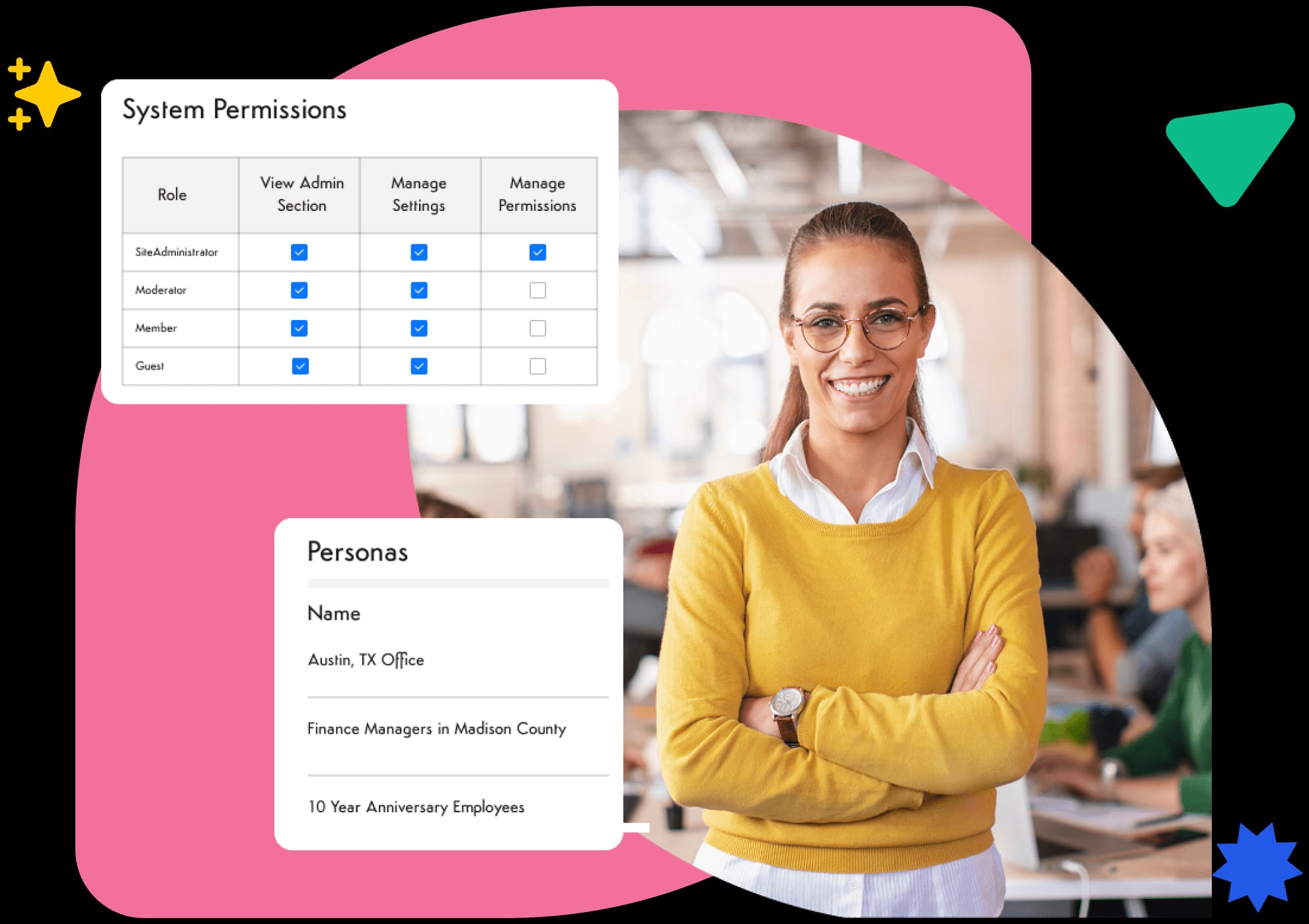
In practice, that means Axero connects to the systems your organization already runs and brings their relevant information to the surface — HR data flows into employee profiles and the org chart, documents and calendars from Microsoft 365 or Google Workspace stay reachable, and a full API links other business systems into the intranet experience. Everything employees need to find, from knowledge management to internal communications, lives in one trusted, governed hub — built so employees actually adopt it, which is where the systems-of-engagement layer succeeds or fails.
How to evaluate the employee-facing layer
Systems of record are usually chosen by the function that owns them — finance picks the ERP, sales picks the CRM. The employee-facing layer is different: it has to work for everyone, so usability and governance carry as much weight as features. When you’re evaluating an intranet or digital workplace, focus on how it supports the people who use it every day.
Centralized information architecture
A strong system centralizes documents, data, and knowledge in a structured way. Clear navigation, metadata, and search let employees find what they need without relying on tribal knowledge.
Usability and adoption
If employees struggle to use the platform, adoption suffers — and in the engagement layer, adoption is the value. Look for intuitive interfaces, customizable dashboards, and minimal training requirements.
Governance and security
The platform must support role-based access, content ownership, and compliance requirements. Strong governance keeps sensitive information protected while still accessible to the right people.
Integration capabilities
Because the intranet’s job is to be the front door to the rest of the stack, integrations matter more here than almost anywhere. It should connect to your systems of record, streamline workflows, and spare employees from platform-switching.
Scalability and flexibility
As your organization evolves, the system should scale with it. Configurable features, modular components, and flexible content structures help avoid costly platform changes later.
Platforms for the employee-facing information layer
The platforms below are the ones organizations most often evaluate for the systems-of-engagement and content layers — the employee-facing intranet, digital workplace, and knowledge platforms, plus a couple of adjacent systems (ServiceNow for service, OpenText for enterprise content) that intranets commonly connect to. This isn’t a cross-layer ranking of every enterprise information system; ERP, CRM, and HR suites, covered as separate layers above, aren’t profiled here because they do a different job.
A note on method: we included a platform only if it centralizes and governs organizational information for employees. For each entry we drew on vendor documentation, verified customer reviews on G2 and Capterra, and our own head-to-head comparison research against the platforms we compete with directly.
Full disclosure: Axero is our product, and it’s listed first. Everything we say about the other platforms — strengths included — reflects what their own customers and documentation report, and we link to detailed side-by-side comparisons wherever we have one so you can check the claims yourself.
Axero
Axero is a modern intranet designed to centralize communication, knowledge, and collaboration in one intuitive platform. Built with usability at its core, Axero focuses on driving adoption across the entire organization while maintaining strong governance and structure. Teams can easily access information, share updates, and collaborate without navigating complex systems.
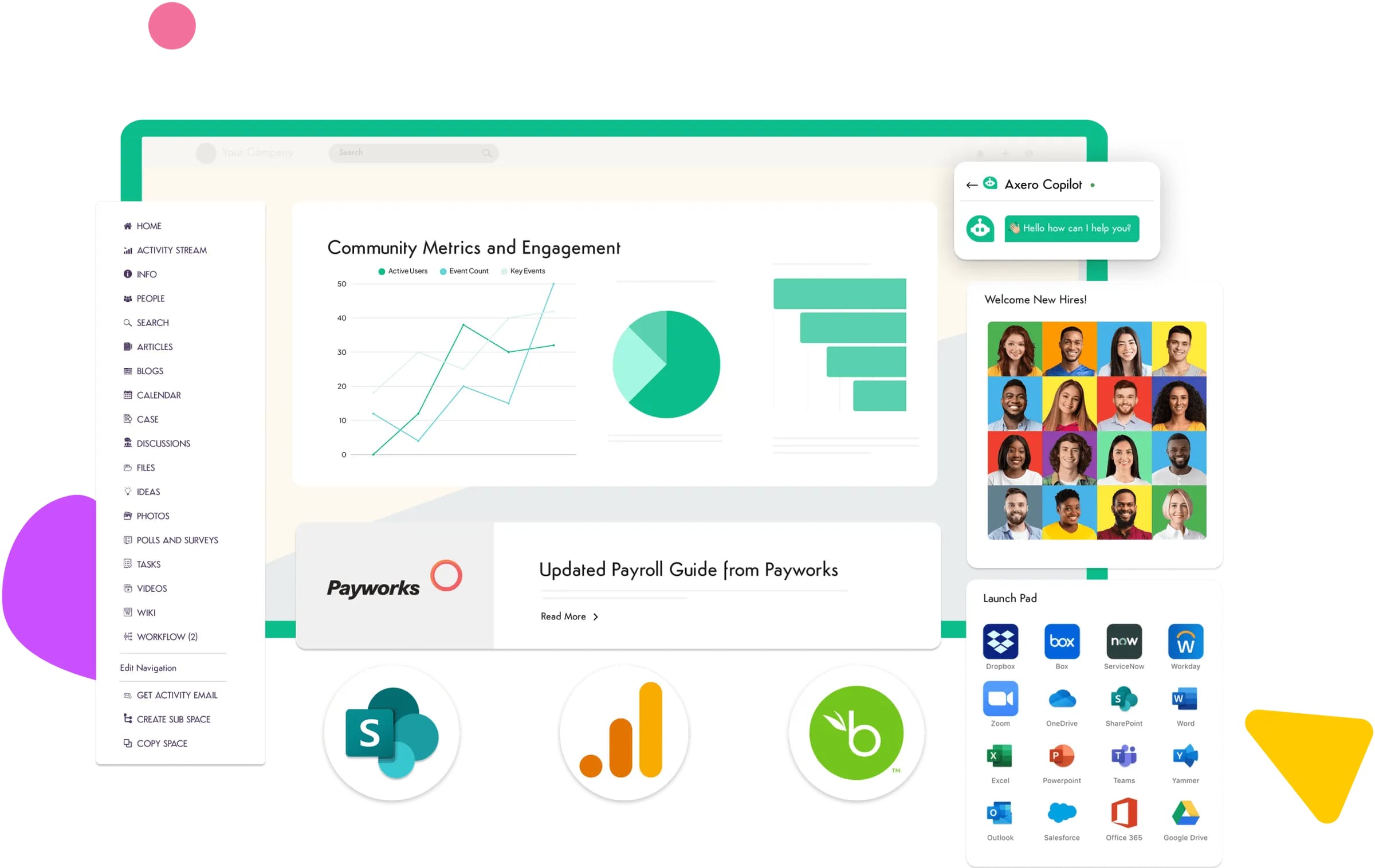
What sets Axero apart is its balance between flexibility and control. Administrators can configure content, permissions, and workflows without heavy technical effort. Employees benefit from a clean interface that feels familiar and easy to navigate. This combination supports consistent usage and long-term engagement.
Axero also integrates with existing enterprise tools, allowing organizations to unify their digital workplace rather than add another disconnected platform. From knowledge management and the employee directory to internal communications, everything lives in one trusted intranet hub.
Key features of Axero
- Centralized knowledge hub: Organizes documents, policies, and resources so employees always know where to look.
- Customizable intranet structure: Adapts to organizational needs without complex development or IT dependency.
- Strong governance controls: Supports permissions, ownership, and compliance while remaining easy to manage.
Best for: Organizations that want a user-friendly, scalable system of engagement employees actually adopt.
Microsoft SharePoint
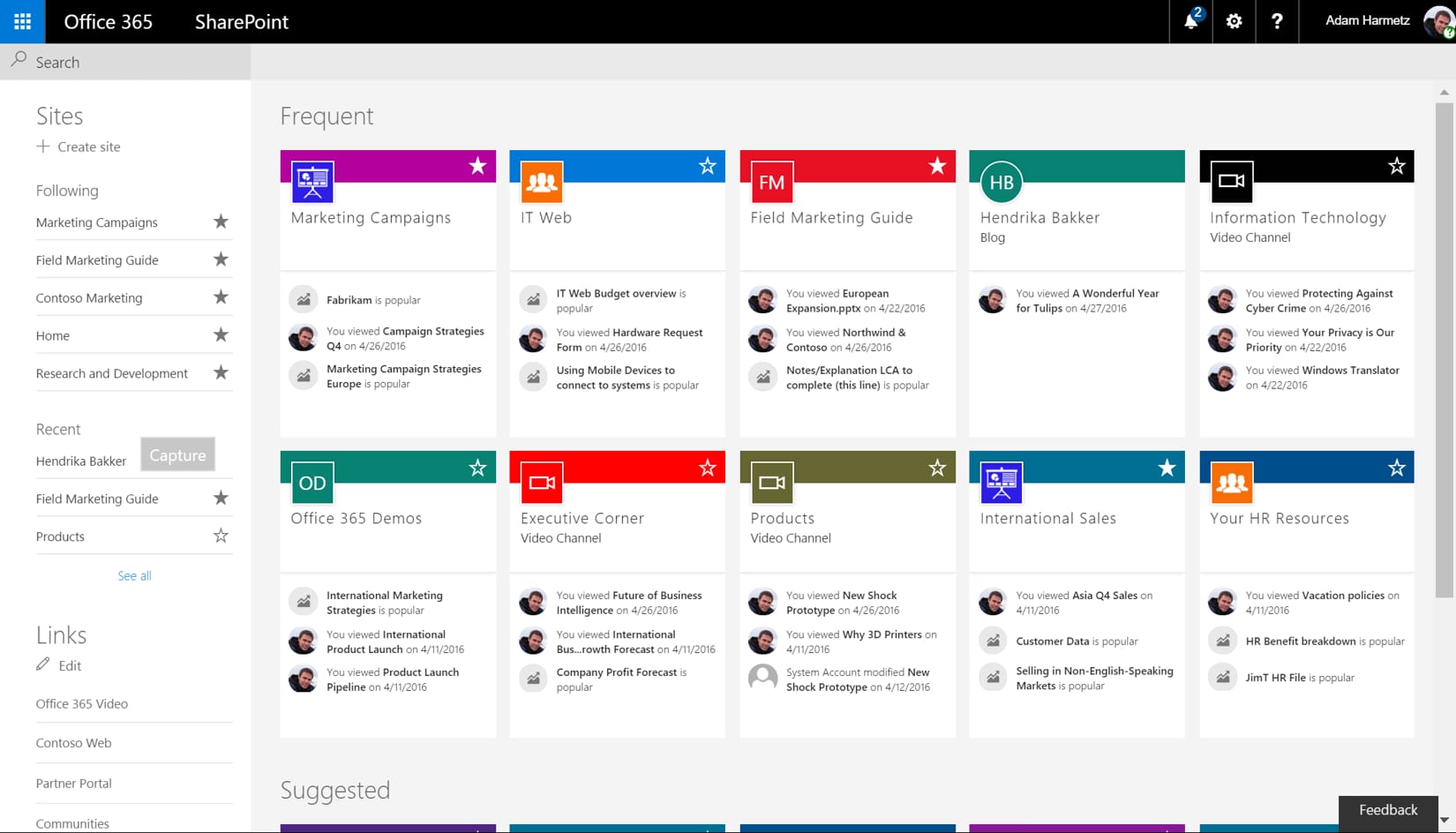
Microsoft SharePoint is a widely used platform that supports document management, collaboration, and content sharing across organizations. As part of the Microsoft ecosystem, it integrates tightly with tools like Teams, OneDrive, and Microsoft 365 applications, making it a common choice for enterprises already invested in Microsoft products.
SharePoint offers robust capabilities for managing large volumes of content and supporting complex permissions. Organizations can create team sites, communication sites, and document libraries tailored to different business functions. Its flexibility allows for extensive customization, though this often requires technical expertise.
While powerful, SharePoint can feel complex for everyday users if not carefully governed. It was built for IT teams more than everyday employees, and it lacks the social and engagement features modern workforces expect. Successful implementations depend on strong information architecture and ongoing management to avoid content sprawl and low adoption — see how Axero compares to SharePoint on exactly these points.
Key features of Microsoft SharePoint
- Advanced document management: Supports versioning, permissions, and collaboration at scale.
- Microsoft 365 integration: Connects seamlessly with Teams, Outlook, and productivity tools.
- Custom site creation: Enables tailored spaces for departments, projects, and initiatives.
Best for: Large enterprises already embedded in the Microsoft ecosystem with strong IT support.
Happeo
Happeo is a social intranet platform with especially strong roots in Google Workspace environments. It centralizes company news, pages, and channels in a clean, modern interface, and its Google-first integrations make it a natural fit for organizations that live in Gmail, Drive, and Google Calendar.
Happeo’s page-based model makes it easy to start publishing quickly, and its channels give teams a familiar, social way to share updates. For small and mid-sized organizations getting off shared drives for the first time, it covers the essentials well.
The page-centric approach cuts both ways: because content is organized by creating pages for everything, managing them at scale can become a real workload, and the platform leans on integrations for capabilities like chat, task tracking, and case management rather than building them in. Organizations that need those tools inside the intranet itself — or heavier customization as they grow — tend to outgrow it; that’s the gap Axero vs. Happeo breaks down in detail.
Key features of Happeo
- Google Workspace integration: Deep, native connections to Gmail, Drive, and Calendar.
- Channels and pages: Social-style updates alongside structured content pages.
- Federated search: Searches intranet content and connected Google files together.
Best for: Google-first organizations that want a clean social intranet for news and knowledge sharing.
Simpplr
Simpplr is an AI-powered employee experience platform built around a newsroom-style intranet. True to its name, it prioritizes simplicity: deployments are fast, the interface is uncluttered, and internal communicators can publish polished content without design help.
For communications teams whose primary need is distributing company news and measuring engagement, Simpplr is a credible, focused choice. Its AI assistant and content recommendations help surface relevant updates to each employee.
The simplicity comes with ceilings. Customization is intentionally limited — what you see is largely what you get — and governance options can feel thin for organizations that need complex, delegated roles and permissions across many departments. Project management and workflow automation aren’t the platform’s focus either, so teams often run additional tools alongside it. The Axero vs. Simpplr comparison covers where each platform fits.
Key features of Simpplr
- Newsroom-style intranet: Polished, communications-led content experience.
- AI-powered personalization: Surfaces relevant content per employee.
- Fast deployment: Launches quickly with minimal configuration overhead.
Best for: Communications-led organizations that value fast launch and simplicity over deep customization.
ServiceNow
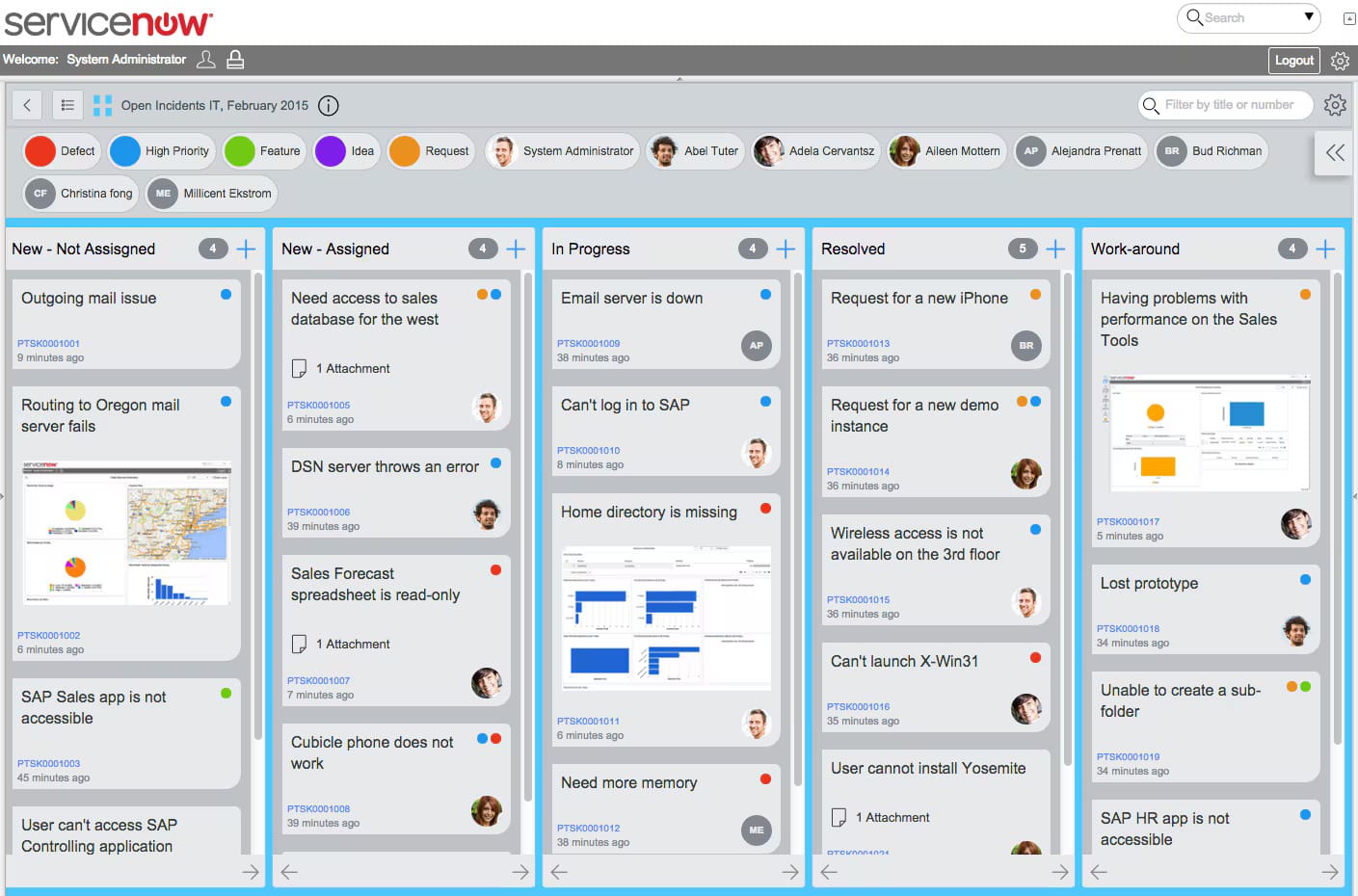
ServiceNow is an enterprise platform known for its strength in workflow automation and service management — primarily a system of service and process. While often associated with IT service management, it also centralizes requests, knowledge, and operational data across the organization, which is why it frequently sits alongside an employee-facing intranet.
ServiceNow excels at standardizing processes. Teams can automate approvals, manage service requests, and track work across departments through a single system of record. Its knowledge management capabilities help ensure consistent answers and reduce repetitive inquiries.
The platform’s complexity can present challenges for usability and adoption. Configuration often requires specialized skills, and employee-facing experiences depend heavily on how well the system is designed and governed. For that reason, organizations often pair ServiceNow’s workflow engine with an employee-facing intranet like Axero, keeping service requests in ServiceNow and everyday communication and knowledge in a platform staff actually open.
Key features of ServiceNow
- Workflow automation: Streamlines requests, approvals, and service processes.
- Enterprise knowledge base: Centralizes support documentation and answers.
- Cross-department visibility: Tracks work and performance across teams.
Best for: Enterprises focused on process standardization and service management at scale.
Workvivo
Workvivo, a Zoom company, is an employee experience platform that leads with communication, engagement, and recognition. Its activity feed feels closer to a consumer social app than a traditional intranet, which makes it genuinely effective at getting employees to read, react to, and engage with company updates.
For organizations whose biggest gap is reach — frontline workforces, distributed teams, low email engagement — Workvivo’s feed, shout-outs, and recognition features deliver visible results quickly.
As a system of engagement, though, it’s an engagement layer more than a system of record: document management, version control, and structured knowledge bases are lighter than the category leaders, so many organizations end up running a second platform alongside it for the “filing cabinet” side of the job. Its packaging also targets organizations of roughly 250 employees and up, which prices out smaller teams. The Axero vs. Workvivo comparison looks at when one platform can do both jobs.
Key features of Workvivo
- Social activity feed: Consumer-style news feed employees actually engage with.
- Recognition and shout-outs: Built-in culture and appreciation features.
- Broadcast reach: Strong mobile experience for frontline and distributed teams.
Best for: Engagement-focused organizations prioritizing communication reach over document and knowledge management.
MangoApps
MangoApps is an all-in-one employee platform that bundles intranet, communication, training, and work management features into a single product. Its breadth is the pitch: rather than integrating separate tools, organizations get news, chat, file sharing, and learning modules under one login.
That breadth makes MangoApps appealing to mid-sized organizations consolidating point solutions, and its frontline-friendly mobile app extends reach beyond desk workers.
In practice, the trade-off is depth and polish. Layout and branding options are relatively rigid, reporting and analytics are limited compared to dedicated platforms — pulling basic adoption and engagement reports can be a struggle — and document management can feel clunky despite the long feature list. Organizations that need fine-grained control over structure, analytics, and governance usually find the ceiling quickly; Axero vs. MangoApps details the differences.
Key features of MangoApps
- All-in-one suite: Intranet, chat, training, and work management in one product.
- Frontline mobile app: Reaches deskless employees alongside office staff.
- Module-based packaging: Turn features on or off per team.
Best for: Mid-sized organizations consolidating multiple point tools into one platform.
Powell
Powell (Powell Intranet) is a digital workplace layer built on top of Microsoft 365 and SharePoint. It gives organizations pre-built templates, governance tooling, and a friendlier design layer over SharePoint’s raw capabilities — a meaningful upgrade for companies committed to the Microsoft stack who find native SharePoint too austere.
Because it rides on SharePoint, Powell inherits Microsoft’s security model and data residency, which simplifies approval for IT teams already governed by Microsoft agreements.
The dependency is also the constraint: Powell requires Microsoft 365 as its foundation, so it’s a non-starter for Google-first organizations, and its customization is ultimately capped by SharePoint’s templates and widget model. Reporting is comparatively shallow, and users report friction when SharePoint platform updates ripple through. If you’re weighing a SharePoint overlay against an independent platform, Axero vs. Powell maps the decision.
Key features of Powell
- SharePoint enhancement layer: Templates and design tooling over Microsoft 365.
- Governance tooling: Site provisioning and lifecycle controls for SharePoint estates.
- Microsoft-native security: Inherits M365 permissions, compliance, and residency.
Best for: Microsoft-committed organizations that want a friendlier intranet layer on SharePoint.
Atlassian Confluence
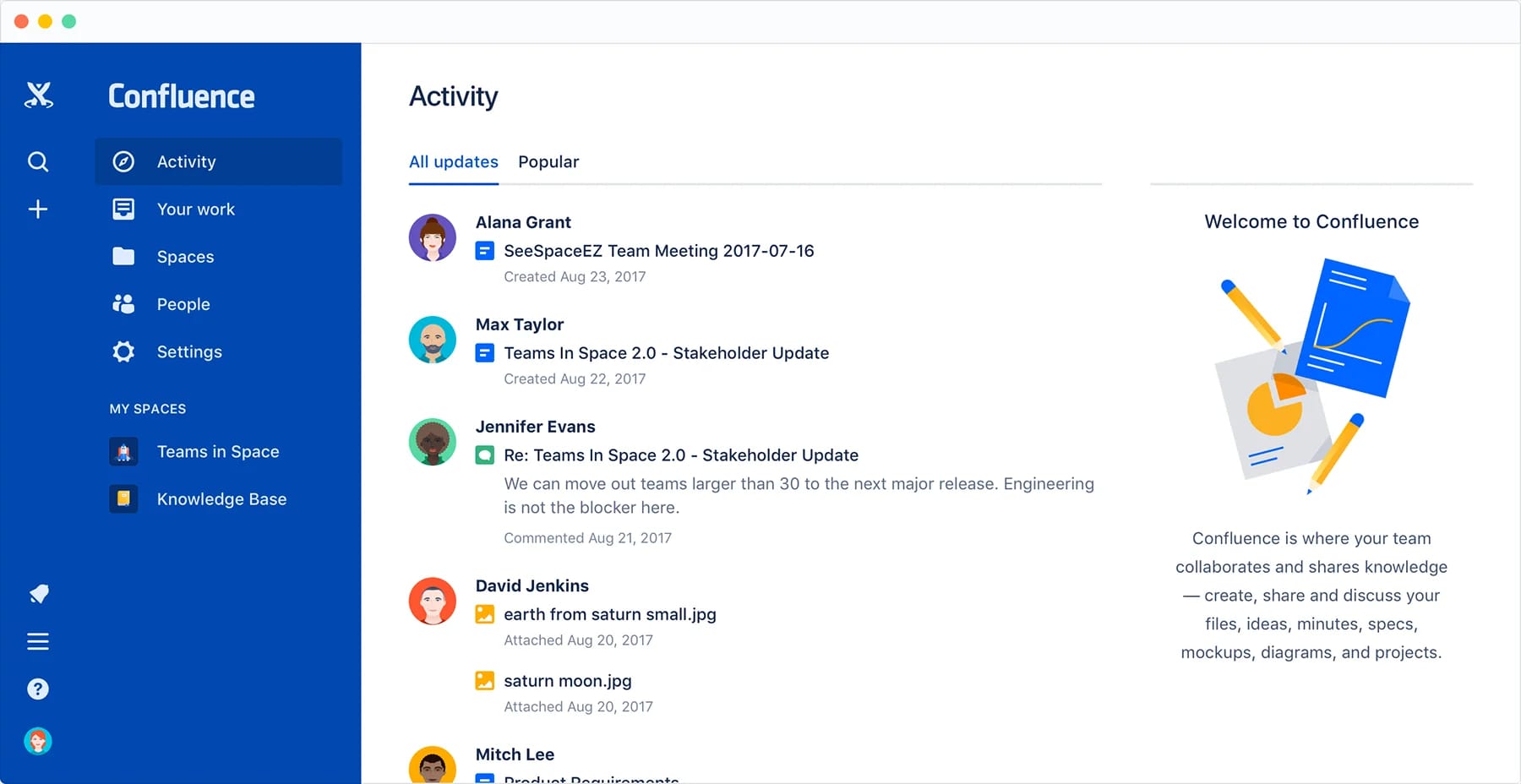
Atlassian Confluence is a collaboration and documentation platform widely used for knowledge sharing — a system of content and knowledge more than a full intranet. As an enterprise information component, it supports teams in creating, organizing, and maintaining internal documentation.
Confluence excels at collaborative content creation. Teams can co-author pages, track changes, and organize information within structured spaces. It integrates well with other Atlassian tools, making it a common choice for technical and product teams.
However, Confluence is not designed to serve as a centralized enterprise hub for all employees. Navigation, governance, and broader communication capabilities can become challenging at scale without additional tooling or strong oversight. Teams often pair Confluence’s technical documentation with an employee-facing intranet like Axero for company-wide communication and knowledge sharing.
Key features of Atlassian Confluence
- Collaborative documentation: Enables real-time content creation and editing.
- Structured knowledge spaces: Organizes information by team or function.
- Atlassian ecosystem integration: Connects with Jira and related tools.
Best for: Teams focused on documentation and technical knowledge sharing.
OpenText Extended ECM
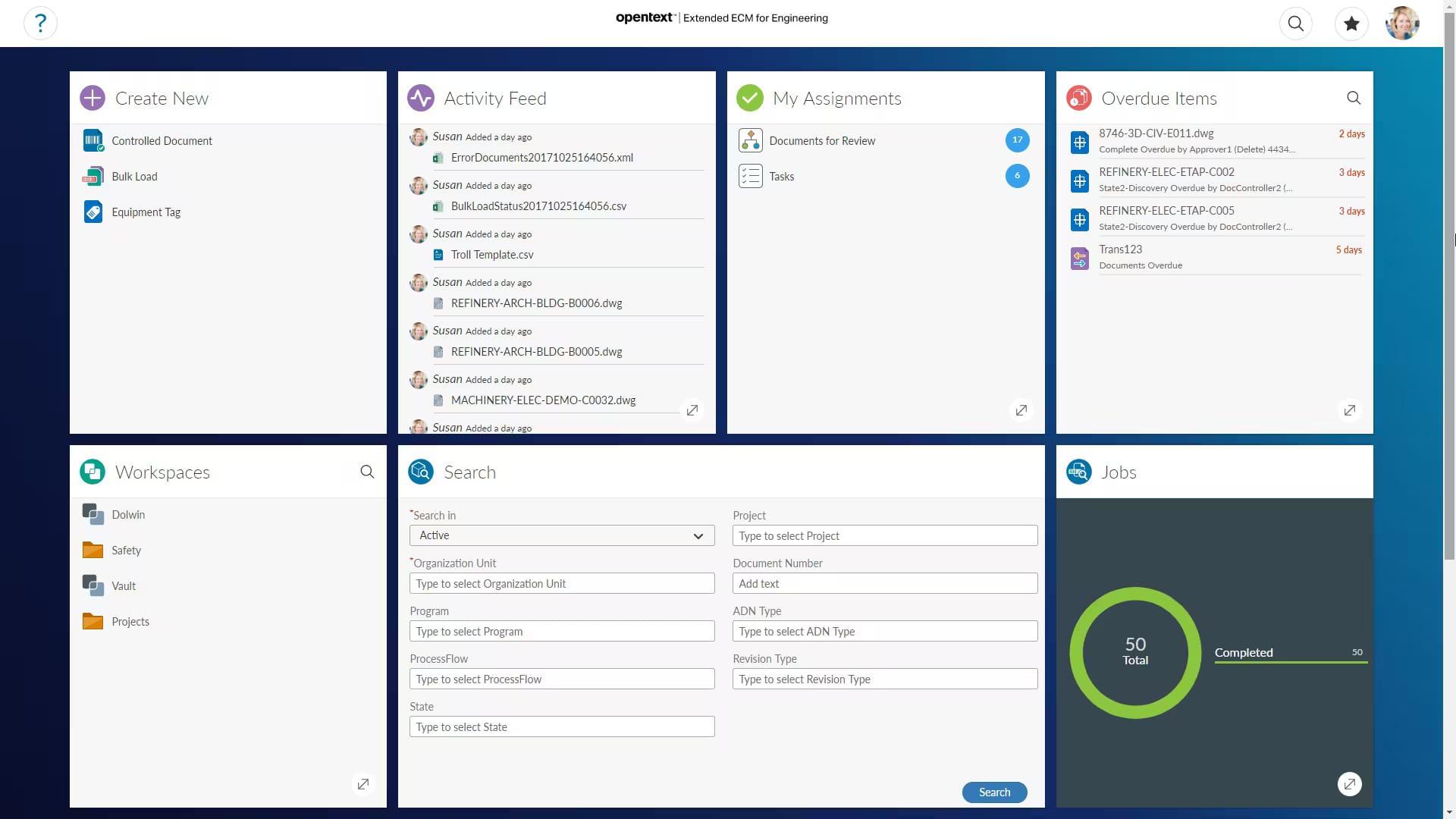
OpenText Extended ECM is an enterprise content management platform designed to control documents, records, and content across complex organizations — the system of content and records in the stack. It focuses on governance, compliance, and structured content lifecycles, making it a strong option for regulated industries.
The platform integrates deeply with systems like SAP and Microsoft, allowing enterprise content to remain connected to business processes. This ensures documents stay aligned with transactions, workflows, and records management requirements. Organizations gain visibility and control over high-risk and high-value information.
However, OpenText Extended ECM often prioritizes control over usability. Implementations can feel heavy for everyday employees, and adoption depends on strong change management and governance. Many organizations complement it with an employee-focused intranet like Axero to support communication and engagement.
Key features of OpenText Extended ECM
- Enterprise content governance: Manages documents, records, and compliance requirements.
- Business system integration: Connects content with SAP and other enterprise platforms.
- Lifecycle management: Controls creation, retention, and disposal of content.
Best for: Regulated enterprises managing complex content and compliance needs.
Liferay DXP
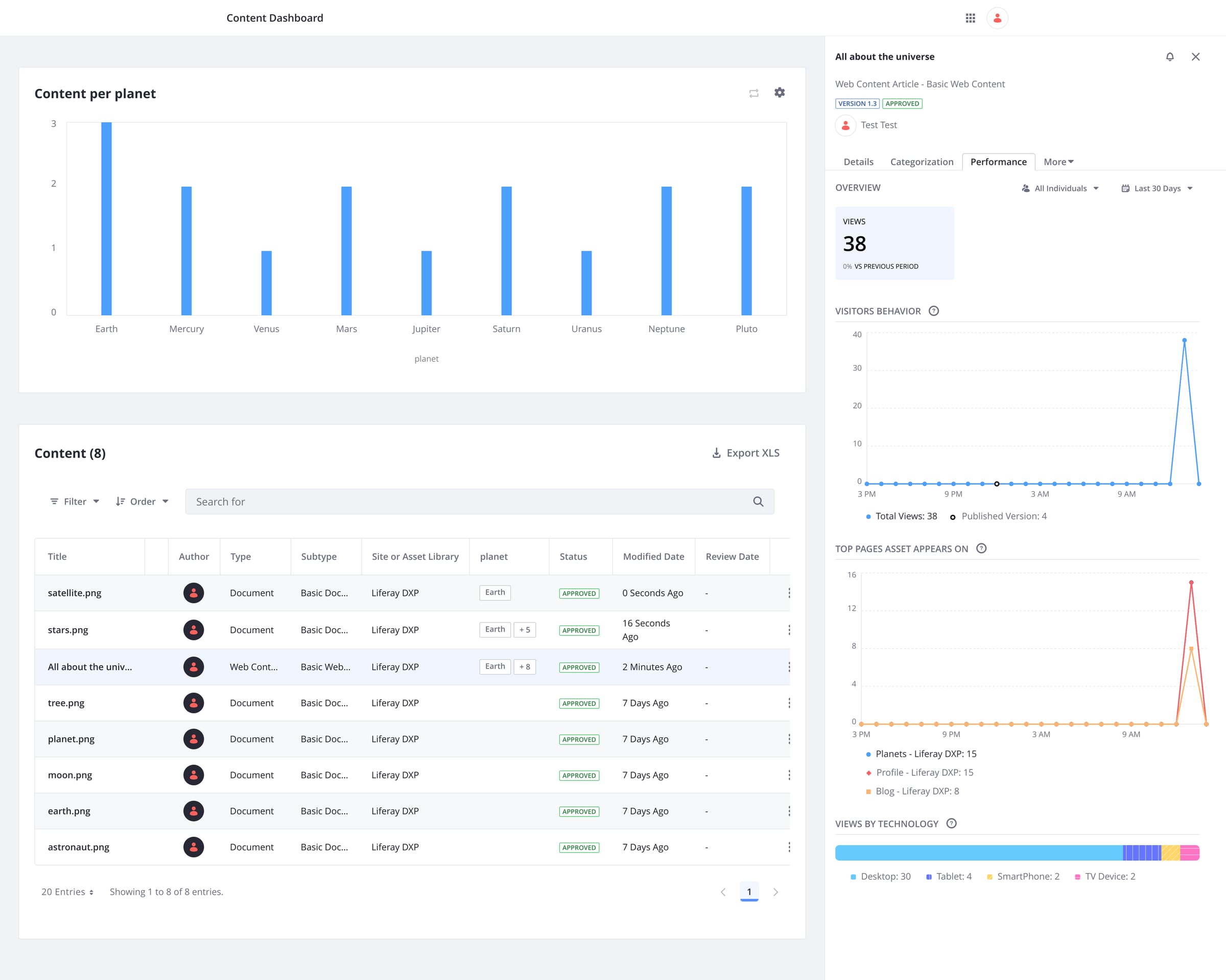
Liferay DXP is a digital experience platform that organizations use to build enterprise portals and information systems. It offers high flexibility and customization, allowing teams to design tailored experiences for employees, partners, or customers.
The platform supports content management, integrations, and role-based personalization. Organizations can create structured portals that surface data from multiple systems, making Liferay suitable for complex use cases that require custom development.
That flexibility comes with trade-offs. Liferay typically requires significant development effort and ongoing technical resources. Without careful design, user experience and adoption can suffer. Many organizations choose platforms like Axero when they need faster deployment and simpler management.
Key features of Liferay DXP
- Custom portal development: Builds tailored enterprise experiences.
- System integrations: Connects multiple data sources and applications.
- Role-based personalization: Delivers content based on user context.
Best for: Organizations with strong development resources and complex customization needs.
Igloo
Igloo is one of the longer-established social intranet platforms, now part of Appspace following its acquisition. It covers the intranet fundamentals — news, team spaces, file sharing, and forums — in a package that many mid-sized organizations have run reliably for years.
Igloo’s space-based structure suits organizations that want departments and teams to own their own areas, and the Appspace pairing adds digital signage and workplace experience capabilities for organizations invested in physical-space communication.
Its weak points show up at scale: search struggles to surface the right content when information is spread across many spaces, navigation can leave users lost, and customization options are comparatively rigid. The Appspace transition also adds roadmap uncertainty that buyers should probe during evaluation. For a side-by-side look at search, customization, and navigation, see Axero vs. Igloo.
Key features of Igloo
- Team and department spaces: Distributed content ownership by group.
- Intranet fundamentals: News, files, forums, and calendars in one place.
- Appspace ecosystem: Pairs with digital signage and workplace tools.
Best for: Mid-sized organizations wanting a conventional social intranet with distributed space ownership.
Frequently asked questions about enterprise information systems
What is an enterprise information system?
An enterprise information system (EIS) is an integrated system that collects, processes, stores, governs, and distributes information across an organization’s functions and business processes. The category spans transactional systems of record like ERP, CRM, and HRIS; service and workflow platforms; content and knowledge systems; analytics; and employee-facing systems of engagement such as an intranet. Together they keep people and processes working from consistent, governed information.
What are examples of enterprise information systems?
Examples span several layers: ERP (SAP, Oracle, Microsoft Dynamics), CRM (Salesforce, HubSpot), HCM/HRIS (Workday, BambooHR), and supply-chain platforms are systems of record; ServiceNow is a service and workflow system; OpenText and SharePoint handle enterprise content; and intranet or digital workplace platforms like Axero, Happeo, and Simpplr are systems of engagement that give employees a governed front door to all of it.
What’s the difference between an enterprise information system and an intranet?
An intranet is one type of enterprise information system — the employee-facing system of engagement. “Enterprise information system” is the broad category covering everything from ERP and CRM to content and analytics platforms, while a modern intranet is the layer employees actually open to find communication, knowledge, people, and links into those other systems.
Is Axero an enterprise information system?
Yes — Axero is the employee-facing layer of the enterprise information stack: a modern intranet that centralizes internal communication, knowledge, people, policies, and collaboration, and connects to the HR, productivity, and business systems you already run. It complements systems of record like ERP, CRM, and HRIS rather than replacing them.
Choosing the right enterprise information system
There’s no single “best” enterprise information system, because the category isn’t one thing. The systems of record, service, content, engagement, and intelligence each do a distinct job, and a healthy organization runs the right ones and connects them well. The mistake to avoid is expecting one layer to do another’s job — asking an intranet to be your system of record, or an ERP to be the place employees go for news and policy.
For the employee-facing layer specifically, focus on how the system supports people, not just processes. Usability, governance, and integration should work together, not compete. A platform employees trust and return to consistently delivers stronger outcomes across the business — and becomes the front door that makes the rest of your stack usable.
This is where Axero fits. We focus on the system of engagement: an intranet that people actually use, that governs information well, and that connects to the systems of record you already run. One platform. Clear structure. Strong governance. Designed around the employee experience.
Book a demo today and see how Axero can support your organization’s information strategy.