What is knowledge management?
Knowledge management (KM) is the practice of capturing, organizing, sharing, and applying an organization’s collective knowledge so the right information reaches the right person at the moment they need it.
That’s the textbook definition. Here’s the practical one: knowledge management is what stands between “Sarah knows how to do that, ask Sarah” and a company where the answer is findable whether or not Sarah is on vacation, in a meeting, or two years into a different job.
Every organization already has knowledge flowing through it — in documents, inboxes, chat threads, and people’s heads. Knowledge management doesn’t create that flow. It makes the flow deliberate, so knowledge stops living in silos and starts working as a shared asset.
In practice, that deliberate flow needs a home, and organizations land in different places. Some use a dedicated documentation platform, some a service-management knowledge base attached to their help desk, some a collaboration suite, some a specialist KM product. For many, it’s an intranet or employee portal — which makes most sense when knowledge needs to sit beside the communications, people, permissions, and daily work it relates to, rather than in a system people visit only when they already know they need it. The software matters, but it comes second; the practice is what makes the software worth having.
Tacit vs. explicit knowledge
Understanding one distinction makes everything else about KM click: not all knowledge is the same kind.
- Explicit knowledge is anything already articulated and recorded — policies, procedures, contracts, reports, product specs, training materials. It’s easy to store and share, as long as someone can find it.
- Tacit knowledge is the know-how people carry around in their heads: how to calm down an unhappy customer, which supplier actually delivers on time, why the team abandoned that process in 2023. It’s the hardest knowledge to capture and the most expensive to lose.
Many organizations do a passable job with explicit knowledge and very little with tacit knowledge. The companies that get real value from KM are the ones that build habits — documentation, onboarding buddies, recorded walkthroughs, Q&A forums — that steadily convert tacit knowledge into explicit, shareable form.
The knowledge management lifecycle
Knowledge management runs as a loop, not a one-time project. The lifecycle has four stages:
- Capture. Get knowledge out of heads, inboxes, and one-off conversations and into a durable form — write the process down, record the demo, save the decision and the reasoning behind it.
- Organize. Structure what you’ve captured so it can be found: categories, tags, ownership, and a predictable home. A thousand documents in an unstructured folder is storage, not knowledge management.
- Share. Distribute knowledge to the people who need it — through search, targeted spaces for teams and departments, announcements, and onboarding paths. Knowledge that’s technically available but practically invisible doesn’t count.
- Apply. Put the knowledge to work in decisions, projects, and daily tasks. Application is also where you learn what’s missing or outdated, which feeds the next capture cycle.
If you can name where each stage happens in your organization today, you have a knowledge management practice. If you can’t, you have knowledge — you just don’t manage it.
Governance keeps knowledge trustworthy
The lifecycle above describes how knowledge moves. Governance is what decides whether anyone believes it when it arrives — and it’s the stage most often skipped, because capture and organize feel productive while governance feels like admin.
Four things carry most of the weight:
- An accountable owner per article, not per library. “The knowledge base is owned by IT” is not ownership. A named person per piece of content is the only thing that reliably gets it updated.
- A review date, set when the content is written. Anything without one silently becomes permanent. Anything past one should be visibly flagged as unreviewed rather than presented as current.
- Permissions that match sensitivity. Over-restricting is as damaging as over-sharing: content nobody can reach gets recreated somewhere worse.
- A retirement path. Archiving and deleting are part of the practice. A knowledge base that only ever grows becomes a search problem, and the second time someone acts on an outdated policy, trust in the whole system goes.
Skip this layer and capture and organize don’t produce a knowledge asset — they produce a bigger pile of content of unknown reliability, which is often harder to work with than no system at all.
Knowledge management vs. a knowledge base or wiki
These terms get used interchangeably, and they shouldn’t be. Knowledge management is the overall discipline; a knowledge base or wiki is a container you might use inside it. A wiki full of stale pages nobody trusts is what happens when a company buys the container and skips the discipline. If you’re weighing which container fits your team, we’ve broken down the difference between a corporate wiki and a knowledge base in its own guide, so we won’t duplicate that here.
Why knowledge management matters
The business case for knowledge management isn’t abstract — it shows up in payroll math.
Start with the search problem. A Gartner survey found that 47% of digital workers struggle to find the information they need to do their jobs, in part because the average desk worker now juggles 11 different applications. Every one of those failed searches is paid time producing nothing.
Then there’s the communication cost. Research from Grammarly and The Harris Poll (2022) estimates that poor communication costs U.S. businesses up to $1.2 trillion a year — roughly $12,506 per employee. That figure covers communication breakdown of every kind, not knowledge management specifically; treat it as the size of the surrounding problem rather than a KM invoice.
And when people leave, knowledge leaves with them. Panopto’s Workplace Knowledge and Productivity Report (2018) found that 42% of the knowledge required for a given role is unique to the person doing it, and that employees already spend just over five hours a week waiting for or recreating knowledge their coworkers have.
Skip knowledge management and the consequences look like this:
- Work gets redone. Teams rebuild spreadsheets, decks, and processes that already exist somewhere they didn’t think to look.
- Answers bottleneck on a few experts. The same senior people answer the same questions on repeat — which caps their output and everyone else’s.
- Departures become small crises. When a ten-year veteran resigns, their successor inherits a job where nearly half the required knowledge just walked out the door.
How knowledge management systems fit in
Process comes first, but nobody runs the capture-organize-share-apply loop on goodwill alone. A knowledge management system (KMS) is the software layer that makes the loop practical: a central place to store and structure knowledge, search that actually finds things, and tools for distributing knowledge to the teams who need it.
The category spans single-purpose tools (a standalone documentation app, a ticketing knowledge base) up to platforms that combine knowledge management with communication and collaboration. Intranet platforms sit at that second end — a knowledge management software layer plus news, spaces, people directories, and search across all of it. AI has raised the ceiling here too: instead of hoping employees search well, an AI assistant can answer questions directly from your company’s own content and point to the source.
If you’re at the comparison stage, we’ve reviewed the best knowledge management software platforms side by side, including where each one fits and falls short.
What AI changes — and what it doesn’t
AI has genuinely moved the retrieval problem. An assistant can answer a plain-language question from your own content, summarize a long policy, and cite where the answer came from — which removes the requirement that employees be good at searching, and that’s a real gain.
What it does not do is fix the source material. An assistant drawing on a knowledge base with three conflicting travel policies will confidently surface one of them. If content is missing, out of date, duplicated, unowned, or permissioned wrongly, AI makes those problems faster to encounter rather than solving them — and a fluent, well-cited wrong answer is more dangerous than an empty search result, because it doesn’t look like a failure.
So the sequence doesn’t change: govern the sources, then add the assistant. The questions worth asking of any AI-assisted KM tool are whether answers are grounded in your content rather than the model’s general training, whether it cites sources you can open and check, and whether it respects the same permissions as the rest of the system. Those three determine whether the layer is trustworthy; the quality of your content determines whether it’s useful.
See knowledge management working in a real intranet
Axero combines a knowledge base, document management, search, and AI assistance in one platform. Watch a demo on your own schedule — no sales call required.
Knowledge management use cases
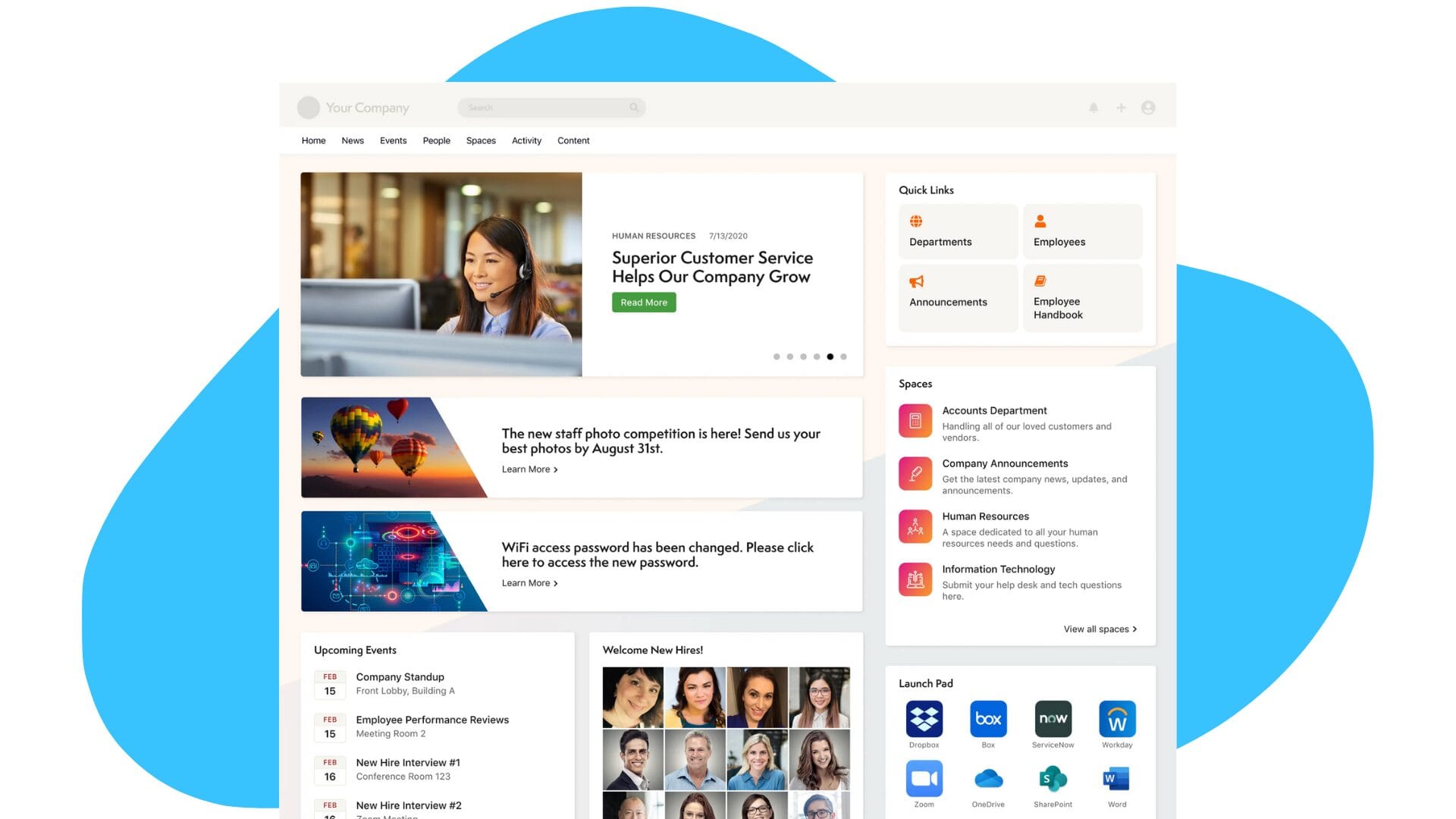
No two workplaces run knowledge management the same way, because no two workplaces create and consume knowledge the same way. Here are four patterns we see across our own customers.
1. Remote and frontline workers
Picture a food company with sales reps constantly on the road servicing regional stores. With most of the team out of the office, frontline workers need immediate, mobile access to critical information — current marketing materials, order status, updated pricing — without waiting for someone at headquarters to answer. A knowledge management system gives reps answers from the field and keeps managers informed enough to support them.
2. Nonprofits and distributed organizations
For nonprofits, knowledge management doubles as community management. Directors, staff, members, and volunteers need a shared place to organize around issues, share news, and coordinate campaigns — whether that’s stimulating conversation around bullying in schools or mobilizing members to write their representatives about a bill. A KMS provides the structure that keeps a distributed mission-driven organization moving in one direction.
3. Document-heavy, regulated workplaces
One of our customers specializes in personal loans: heavy on policies, procedures, and forms, with over a dozen offices across states where the rules differ and change constantly. Instead of blasting every update by email, they centralize policies in their knowledge management system and alert the affected teams when something changes. Everyone works from the current version, and compliance stops depending on who read which email.
4. Franchises and scattered offices
When employees are spread across locations, knowledge sharing has to be deliberate or it doesn’t happen. A knowledge management system brings the collaborative side of an office — quick questions, shared files, visible expertise — to people who never share a hallway, with social tools, people directories, and culture hubs layered on top of the content itself. It’s a big part of how intranet software helps you build a knowledge base that people actually use.
These patterns keep evolving — AI assistants and knowledge discovery are moving fast. For where the practice is heading, see our roundup of knowledge management trends.
Getting started with knowledge management
You don’t need a committee or a six-month plan to start. Pick one high-pain area — onboarding, a support team’s repeat questions, a process only one person knows — and run it through the lifecycle: capture it, give it an organized home, share it with the people who need it, and watch how it gets applied. Then expand from what works.
When you’re ready for the software layer, that’s where we can help. Axero is an intranet platform with knowledge management built into the same place your team already communicates — knowledge base, document management, AI-powered search and assistance, and spaces for every team. If you’d like to see how it would fit your organization, book a demo and we’ll walk you through it.