

Most intranets get a strong launch week. Then usage drifts back to email, shared drives, and the coworker who always seems to know where things are. The software usually isn’t the reason. People stop visiting when the intranet doesn’t help them do their jobs, or when what they find there turns out to be wrong.
What is intranet adoption?
Intranet adoption is the share of employees who use the intranet as a normal part of their work: finding policies, reading company news, locating colleagues, and getting tasks done there instead of through email or a coworker. A well-adopted intranet is the first place people go when they need something.
Adoption is different from engagement. Engagement measures how much people interact with content by commenting, reacting, and posting. Adoption measures whether they rely on the intranet at all. You need adoption first, since few people comment on a site they never open.
Why intranets go unused
- People can’t find things. Two or three searches that return nothing useful, and employees decide it’s faster to ask someone.
- Content is stale or untrustworthy. An outdated benefits page or a policy that contradicts what HR said last month teaches people not to rely on anything there.
- Leaders don’t use it. If executives still send every announcement by email, employees learn that the intranet is optional.
- There’s no daily reason to visit. An intranet that only holds the handbook and a holiday calendar gets opened a few times a year.
- Getting in takes effort. A separate password, a VPN, or a site that doesn’t work on a phone is enough to lose the people who were on the fence.
Who owns intranet adoption
Adoption stalls when everyone assumes someone else is responsible for it. In most organizations the work splits across three teams, and it helps to write the split down along with the wider intranet team roles.
IT owns access and reliability: single sign-on, user provisioning, mobile access, integrations with the tools people already use, and search configuration. IT should watch login failures, how long pages take to load, and which connected systems people search for but can’t reach. If employees can’t get in or can’t find files that live in another system, nothing the other teams do will fix adoption.
Internal communications owns the reason to come back. That means the homepage, company news, a publishing calendar, and the habit of sending people to the intranet instead of repeating the content in email. Comms should watch which announcements get read, which channels people still prefer, and whether leaders are posting. They’re also usually best placed to coach content owners on writing pages people can scan quickly.
HR owns the moments when every employee needs the intranet: onboarding, benefits enrollment, policy changes, and recognition. HR should watch whether new hires use the intranet during their first weeks and whether policy questions to HR drop after a page goes live. Building onboarding around the intranet is one of the most reliable ways to make it a habit, because new employees have no older habit to unlearn.
Intranet adoption strategies by phase
Most adoption work happens before anyone logs in. After launch, it becomes a steady routine of fixing what employees run into.
Before launch
1. Assign a named owner and a review date to every page
People trust content when they can see who keeps it current. Ownership also gives you someone to call when a page is wrong.
- Put an owner’s name on every section, not a team alias.
- Set review dates by content type: quarterly for policies, yearly for reference pages, and so on.
- Send owners automatic reminders when a review is due.
2. Don’t launch until the intranet is ready
First impressions stick. If employees log in on day one and find empty sections or broken links, many won’t come back to check whether things improved.
- List the 20 to 30 things employees ask for most often and make sure each one is on the intranet and correct.
- Run a pilot with one or two departments and fix what they trip over.
- Set a launch date based on content readiness, not on the date the license started.
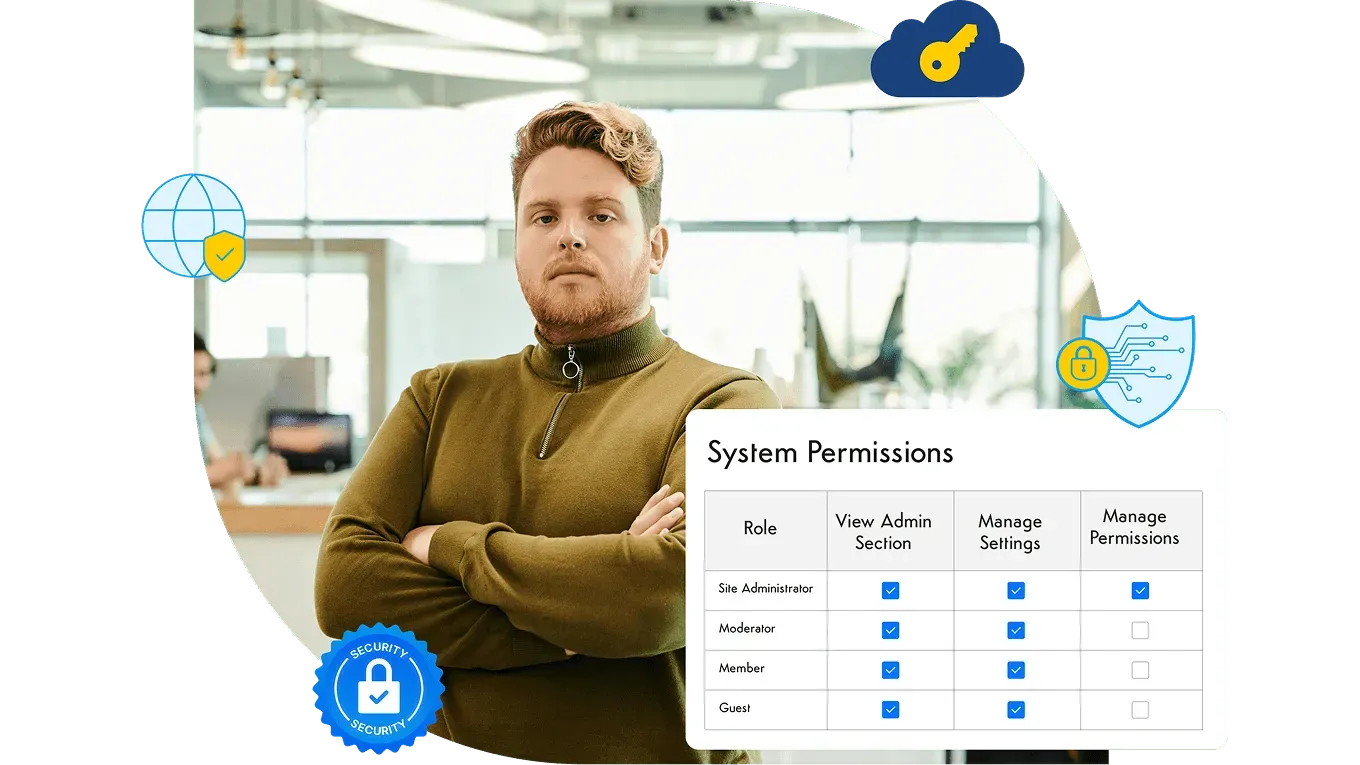
3. Set up permissions and audience targeting
Employees ignore an intranet full of news meant for other departments. Targeting content by audience keeps each person’s view relevant without hiding anything they need.
- Organize spaces around teams, locations, and projects, and give each group its own area.
- Target announcements by department, location, or role so people see what applies to them.
- Keep company-wide content in one predictable place so targeting doesn’t fragment it.
4. Remove login friction with single sign-on
Every extra login step costs users, especially people who only check the intranet occasionally.
- Connect the intranet to your identity provider so employees sign in with the account they already use.
- Provision and deactivate accounts automatically from the directory so the people list stays accurate.
- Test sign-in from home networks and phones, not just from inside the office.
5. Recruit intranet ambassadors
In every department, a few people pick up new tools faster than everyone else. Give them a role and they’ll answer questions you’d otherwise field one at a time.
- Ask managers to nominate one ambassador per team or location.
- Give ambassadors early access, a channel to report issues, and a short list of things to show their colleagues.
- Thank them publicly when the intranet launches.
Launch
6. Get leaders posting from day one
Employees take their cue from leadership. If the CEO’s update lives on the intranet, people go there to read it.
- Publish executive updates on the intranet and link to them from email instead of pasting the full text.
- Ask leaders to reply to comments, even briefly.
- Have each department head post at least once in the first month.
7. Move one daily task onto the intranet
An intranet becomes a habit when it’s where something routine gets done. Pick a task people do every week and make the intranet the only place to do it.
- Good candidates are time-off requests, IT and facilities requests, the employee directory, the lunch menu, or shift schedules.
- Retire the old version of the task (the shared spreadsheet, the email alias) once the intranet version works.
- Announce the change with a direct link, not general instructions.
8. Offer self-paced training in short pieces
People learn at different speeds, and a two-hour session at launch overloads most of them. Short, task-based training respects their time and gives you something to point to later.
- Record two-to-three-minute walkthroughs for the five most common tasks.
- Keep a “start here” page on the intranet with those videos and a contact for questions.
- Use ambassadors for one-on-one help with people who need it. Our post on intranet training covers this in more detail.
9. Make the intranet work for employees without desks
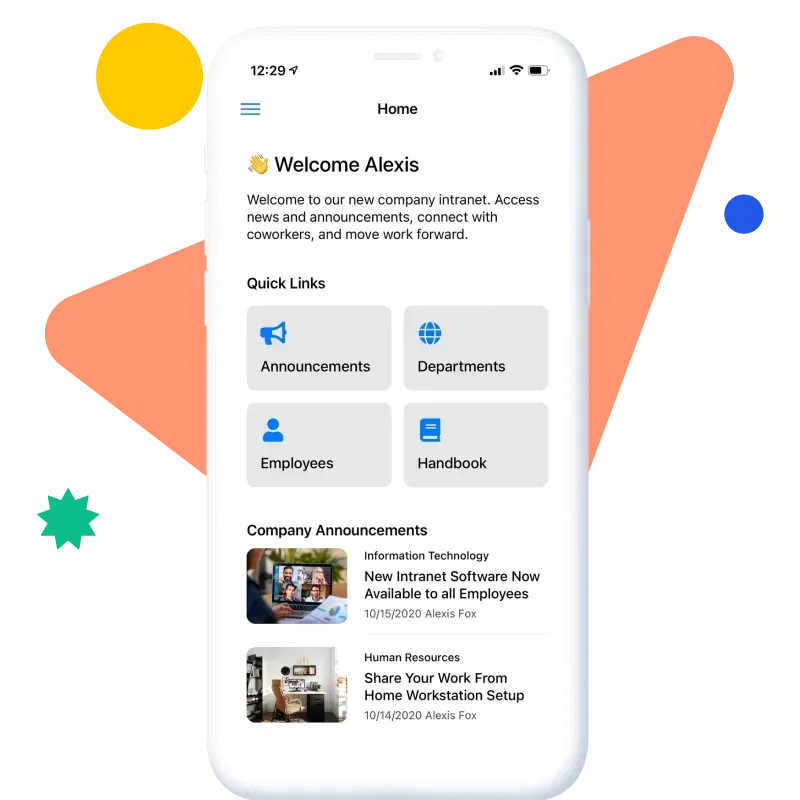
Frontline, field, and shift workers are often the people most cut off from company information, and they won’t see a desktop intranet.
- Offer a mobile intranet app with push notifications for urgent news.
- Check that the pages deskless employees need (schedules, safety notices, pay and benefits) read well on a phone.
- Make sign-in on shared or personal devices as simple as your security policy allows.
The first 90 days
10. Tune search based on what people search for
Search logs show you what people need, in their own words. Early on, a few fixes can change how much employees trust the intranet.
- Review the most common searches every week during the first month.
- Add synonyms for internal terms and acronyms, and pin the right page to the top for frequent queries.
- When people search for something that doesn’t exist, write it. Good intranet search software helps, but the content still has to be there. Our guide to intranet search best practices covers tuning in more detail.
11. Collect feedback and fix problems quickly
Early users are deciding whether the intranet is worth their time. When they see a complaint get fixed within days, they keep coming back.
- Add a visible feedback link on every page.
- Hold short check-ins with ambassadors every two weeks.
- Post a “what we fixed” update so people see that feedback leads somewhere.
12. Use analytics to find gaps, not to celebrate totals
A company-wide visit count can look healthy while whole departments never log in. Break the numbers down and act on what you find.
- Compare active users by department, location, and role.
- Look for pages people visit and leave immediately, then rewrite or restructure them.
- Remove sections nobody uses, which makes the rest easier to navigate.
Ongoing
13. Enforce an archive policy so stale pages disappear
Old pages crowd search results and erode trust. An archive policy keeps the intranet small enough to stay accurate.
- Archive pages that miss two review cycles in a row unless the owner confirms they’re current.
- Keep archived content searchable for admins but out of everyday results.
- Report archive numbers to department heads so ownership stays visible.
14. Recognize the people who keep the intranet useful
Content owners and active contributors do work that’s easy to overlook. Public thanks keeps them at it and shows everyone else what good looks like.
- Use employee recognition features to call out helpful posts and well-maintained pages.
- Mention top contributors in company updates.
- Include intranet contributions in the feedback managers give their teams.
15. Revisit the plan every quarter
Organizations change. New teams, tools, and policies all shift what employees need from the intranet.
- Review analytics, search logs, and feedback together each quarter.
- Update the list of top tasks and check that each one is still easy to do.
- Refresh the homepage layout when what people use it for changes.

Planning your intranet launch?
Our free ebook, How to Launch Your Intranet, covers the planning, content prep, and rollout steps that decide whether employees keep coming back after the first week.
Intranet adoption is a governance outcome
Employees use an intranet they trust, and trust comes from governance. When every page has an owner, outdated content gets archived, permissions are set correctly, and search returns the current version, people learn that the answer on the intranet is the right one. Without that, even a well-promoted launch fades within months.
That’s why the strongest adoption programs spend less on promotion and more on the rules that keep content accurate. If you’re setting those rules up, our page on intranet governance covers ownership models, review cycles, and permissions in more depth. For the launch side, see how to launch an intranet.
How to measure intranet adoption
Measure different things at different stages. Early on you want to know whether people can get in. Later you want to know whether the intranet has become the place work happens.
| Phase | What to measure | What it tells you |
|---|---|---|
| Launch | Share of employees who signed in at least once, broken down by department and location | Whether access works and the launch reached everyone |
| First 90 days | Return visits per user, most-used pages, top search queries and whether people clicked a result | Whether the intranet is turning into a habit and whether people find what they look for |
| First 90 days | Feedback volume and time to fix reported issues | Whether early users believe their input matters |
| Ongoing | Active users as a share of employees, by team | Which groups rely on the intranet and which have drifted away |
| Ongoing | Pages past their review date, archived pages, contributors per month | Whether content is staying current and ownership is working |
| Ongoing | Questions to HR and IT on topics the intranet already covers | Whether people trust the intranet enough to look there first |
Look at trends over time rather than a single snapshot, and compare teams with each other more than with any outside benchmark.
Re-launching an intranet that failed
A second launch is harder than the first, because employees remember the last one. Find out why it failed before changing anything. Ask a few people from each department what they use instead and why. The answer is usually stale content, poor search, or a login that was too much trouble.
Then fix the causes before you announce anything: archive or rewrite outdated pages, assign owners, sort out sign-in, and make sure search returns the current version. Relaunch with a small set of tasks that clearly work, and say plainly what’s different this time.
For many organizations the failed intranet is a SharePoint site that grew without a plan. Moving to a platform built as an intranet can be part of the fix, as long as the governance work comes along with the content. Our comparison explains when it makes sense to replace a SharePoint intranet and what to plan for if you do.
Where Axero fits
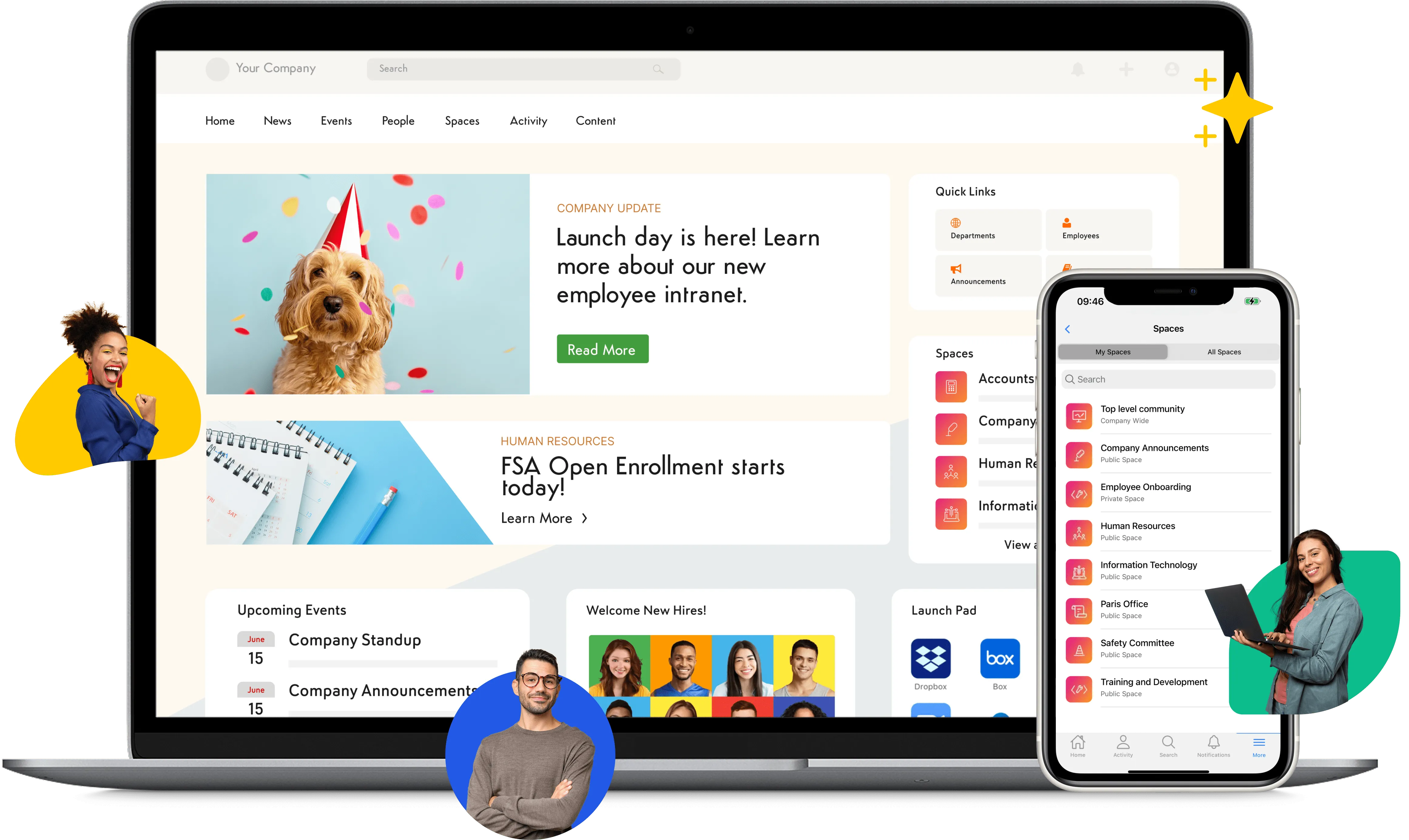
Organization size. Axero Go is built for teams under 500 people, with flat monthly pricing: Essentials covers up to 100 people and Growth up to 500. Axero Premium and Enterprise are for organizations of 500 or more and are set up with Axero’s team.
Permissions and sign-in. Permissions follow roles, so access can match department, location, and job, and single sign-on with providers like Entra ID and Okta removes the extra login (included on Growth, Premium, and Enterprise). See security and compliance for the full details.
Distributed and frontline employees. Axero has native iOS and Android apps with push notifications, a mobile employee directory, and navigation based on each person’s role and permissions. The mobile app is included on Premium and Enterprise and available as an add-on for Axero Go, and Enterprise customers can get a white-labeled app under their own brand.
Hosting. Cloud plans are hosted and maintained by Axero. Self-hosting on your own servers is available on the Enterprise plan.
For a fuller look at the platform, see Axero intranet software.
Frequently asked questions
How long does intranet adoption take?
It varies with company size, how much content is ready at launch, and whether the intranet replaces something people already use. Most teams can tell within the first few months whether usage is becoming a habit or fading after the launch announcement. Treat adoption as ongoing work rather than a project with an end date, because content goes stale and new hires arrive every week.
What is the most important factor in intranet adoption?
Trust in the content. If employees find an out-of-date policy or a dead link two or three times, they stop checking the intranet and go back to asking colleagues. Named content owners, review dates, and an archive policy do more for long-term adoption than any launch campaign.
How do you measure intranet adoption?
Track active users as a share of employees, return visits, which pages and tools people use, search queries and whether people click a result, and how many people contribute content. Break the numbers down by department and location, since a healthy company-wide average can hide teams that never logged in.
What is the difference between intranet adoption and engagement?
Adoption means people use the intranet to get work done: finding a policy, booking time off, looking up a colleague. Engagement means people interact with what’s there by commenting, reacting, or posting. An intranet can be well adopted with modest engagement, but engagement rarely lasts on an intranet nobody relies on for daily work.
How do you get employees to use a new intranet?
Give them a reason to visit every day. Move at least one routine task onto the intranet, make sure the content they need is there and current on day one, remove login friction with single sign-on, and have leaders post there instead of sending the same news by email. Then fix what people complain about quickly, so early users see that feedback leads somewhere.