
Organize tasks into lists
Quickly organize your tasks by creating lists, keeping similar tasks grouped together.
Task Management Software
Keep track of what's due, when it's due, and who's responsible for getting it done. The task manager is great for scheduling project phases, due dates, and deliverables.
Trusted by














Overview
Task management software is commonly used by businesses and individuals to manage to-do lists of things they need to get done in order to reach a planned goal or desired outcome.
Quickly organize your tasks by creating lists, keeping similar tasks grouped together.
Drag-and-drop tasks to order them in the sequence they need to be done, then check them off as you complete them.
Use the filter options to hide and show your lists, see completed tasks, and display them by the space they are located in.
Everyone gets their own personal task manager and each space has one too — individual and team work covered.
Input tasks, assign them a status, set the priority, and categorize them into groups for logical organization.
Since tasks are managed in an open collaboration platform, it provides social responsibility to keep everyone on track.
Quickly organize your tasks by creating lists, keeping similar tasks grouped together. Drag-and-drop tasks to order them in the sequence they need to be done, then check them off as you complete them. Use the filter options to hide and show your lists, see the tasks you've completed in the past, and display them by the space they are located in. Everyone gets their own personal task manager and each space has one too.
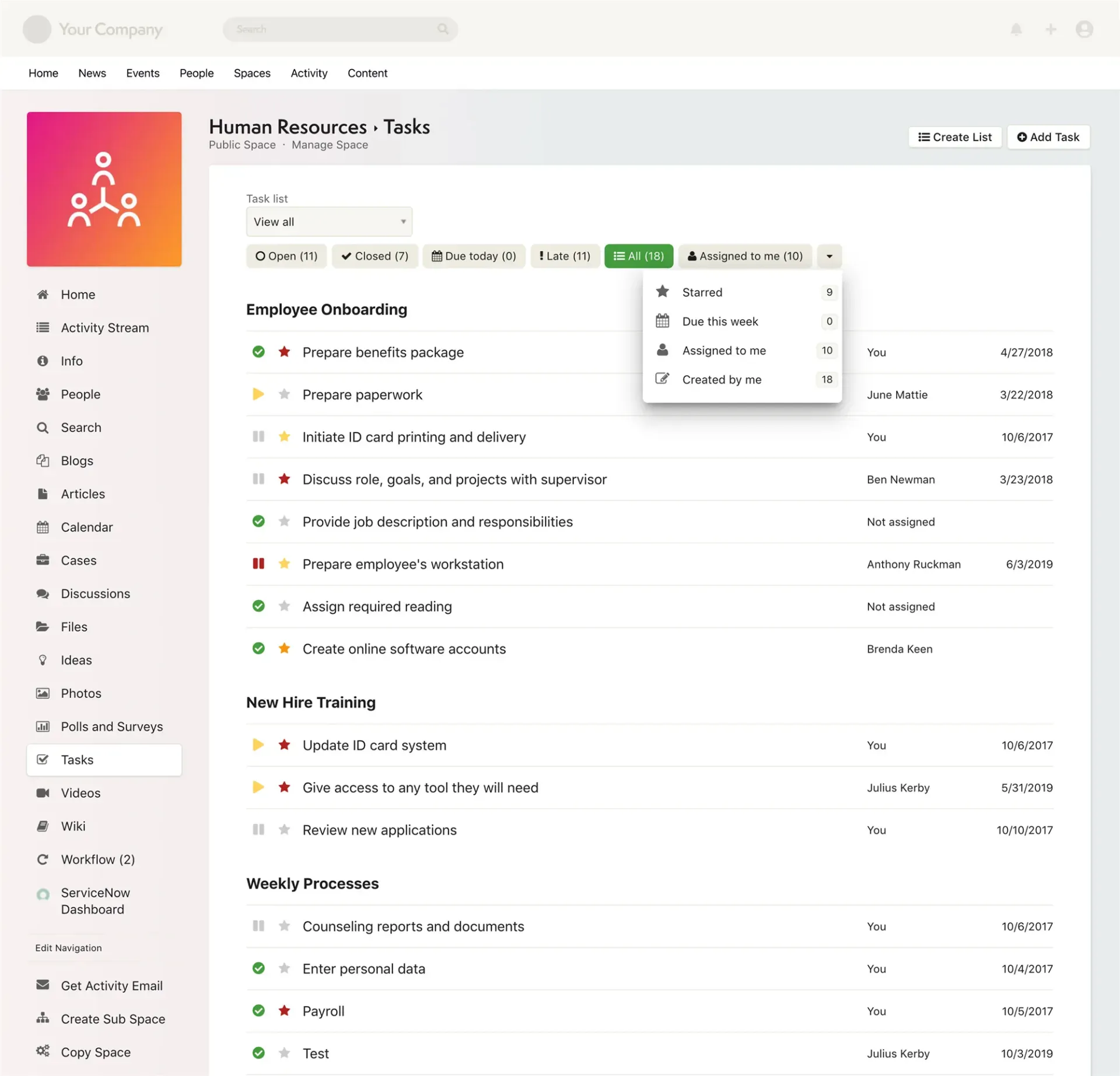
Instead of having employees write tasks down on paper, businesses save time and money by providing their workers an easy-to-use personal and group task management software application where they can organize their work. This not only helps for the organization of important information, but since these tasks are managed in an open collaboration platform, it provides a social responsibility to the person or team that is responsible for completing them.
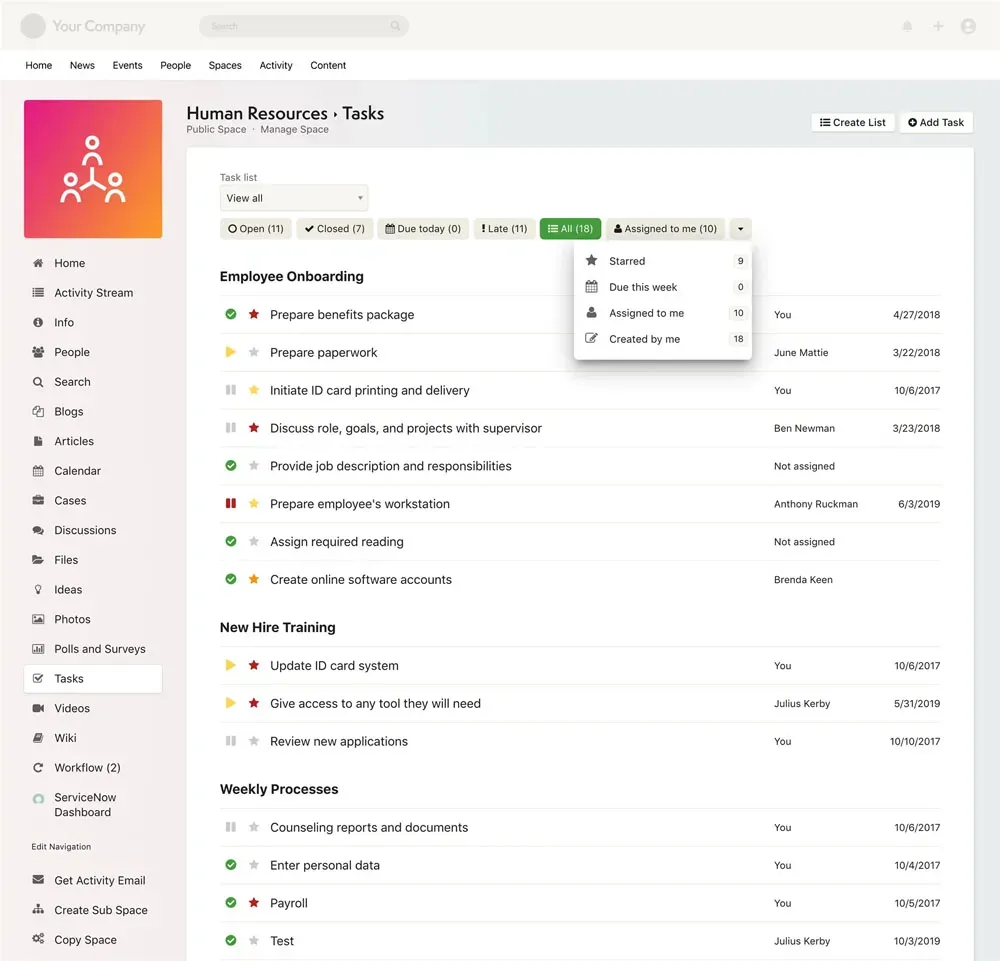
The Axero task manager includes easy-to-use features to help you input tasks, assign them a status, set the priority, categorize them into groups, drag-and-drop to order them into a logical timeline, and then check them off as you complete them. Being able to filter tasks to hide or show your lists allows you to see which tasks have been completed, which are still pending, and where the tasks are located within the system.
“It has been perfect to understand and navigate—very user-friendly. The staff are responsive and always willing to help find a solution.”
Camryn R.
POET
“Axero is incredibly easy to use and the Axero team is SUPER helpful on all ends. I feel so supported by the software AND the team.”
Liz K.
Content & Business Process Manager, PSG
“Axero has been a great platform to learn and use. It is user-friendly and easy to navigate. The support team has also been great and extremely helpful.”
Jamie E.
Millennium