
Public spaces
Anyone in the company can find and join. Use for knowledge bases, communities of practice, and company-wide FAQs — anything everyone should be able to search and contribute to.
Spaces
A space is a dedicated hub that holds a group's content, people, tasks, and conversations together — with the exact permissions you set. Spin one up in minutes for a department, a project, or an outside partner, and give everyone involved a single place to work.
Trusted by














The problem
Today, one project's work is spread across a Dropbox link, a buried email thread, a wiki nobody updates, and five chat channels. Every department has quietly built its own filing system, so no one can say for sure where the current version lives — or who's allowed to see it. What's missing is a single place that holds a team's files, people, tasks, and decisions together, with the right people in and everyone else out.
Spaces are Axero's online workspaces: a self-contained hub where one group of people keeps its content, tasks, and conversations together, with its own apps and its own permissions.
Set one up for a department, a project, a campaign, or an outside partner. Each space comes loaded with the apps that group needs — articles, files, tasks, discussions, a wiki, a calendar, and more — plus its own members and access rules. Turn on what fits and ignore the rest.
Spaces are the organizing unit of the whole intranet — the platform behind every department hub, HR portal, and knowledge base.
Space types
A space is more than a folder or a page. Pick the model that fits the group — and mix them across your intranet.
Anyone in the company can find and join. Use for knowledge bases, communities of practice, and company-wide FAQs — anything everyone should be able to search and contribute to.
Unlisted and invite-only. Use for sensitive work — leadership planning, a confidential task force, or HR matters like reviews and investigations.
One space, layered access. Everyone can reach the HR space, but only HR sees compensation data. Open the common areas and lock the sensitive ones with permissions.
Give HR, Marketing, Sales, IT, and Finance each a durable home for policies, resources, and day-to-day work — so “where does this live?” has one answer per team.
Bring customers, partners, or vendors into a private space of their own — shared documents and conversations, without giving them the run of your intranet.
Inside a space
Turn on what fits, ignore the rest. A space isn't a folder — it's a working environment with its own content, tools, and people.
A branded homepage for the space that puts the group's most important updates, links, and resources one click away.
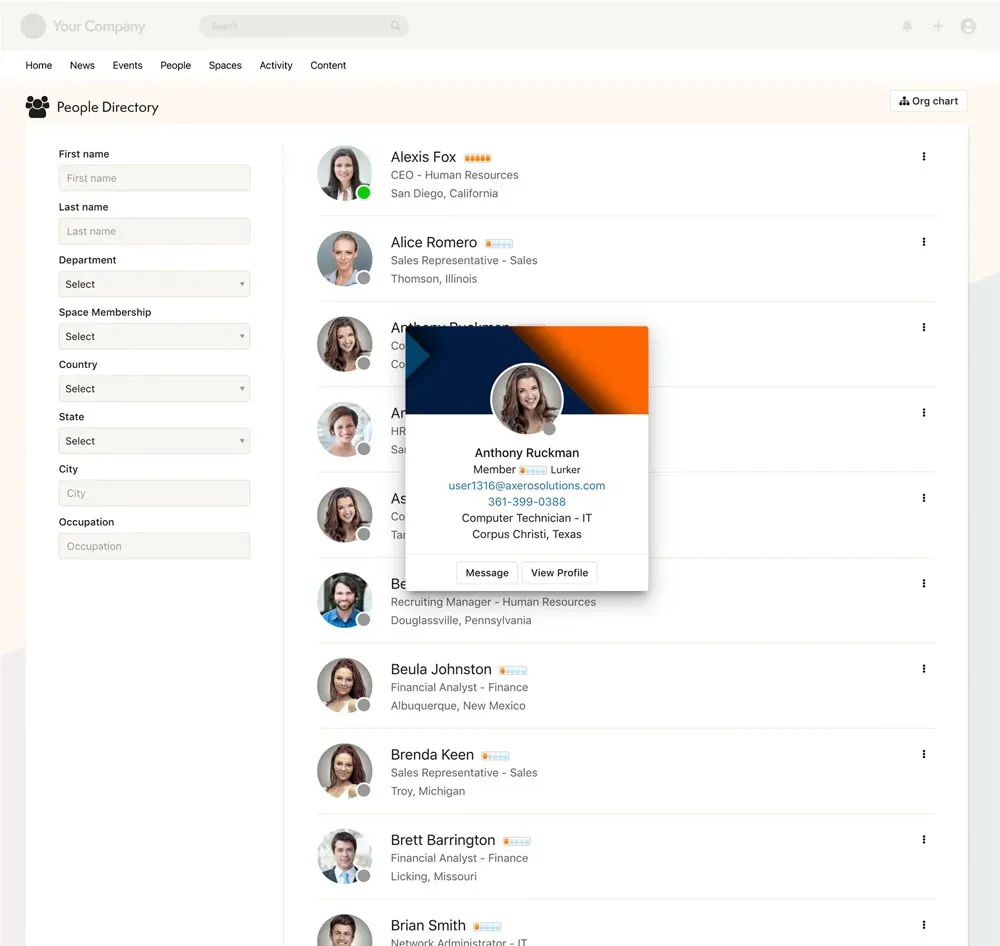
See who belongs to the space and connect with them by name, title, or department.
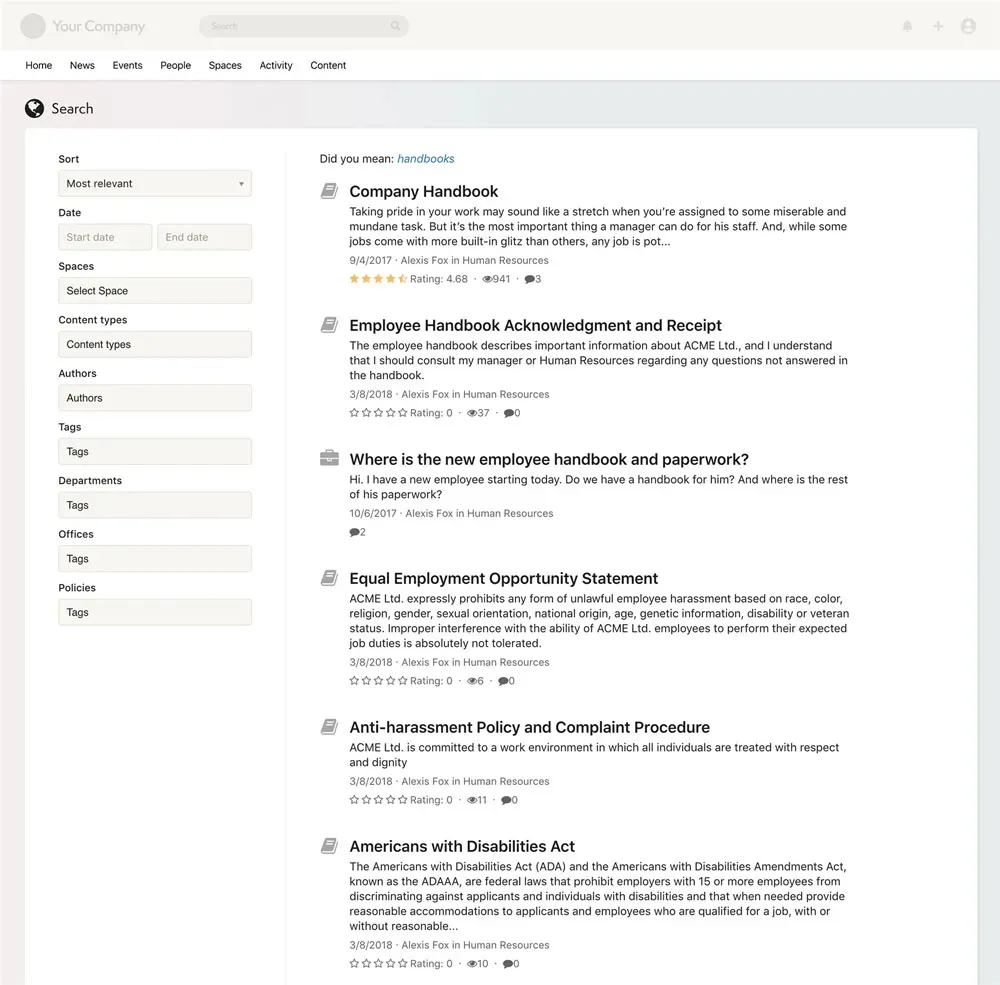
Find the right article, file, or discussion across the space in seconds — with control over what gets indexed.
Publish news, announcements, and formal information for the group — great for anything that needs to be read, not debated.
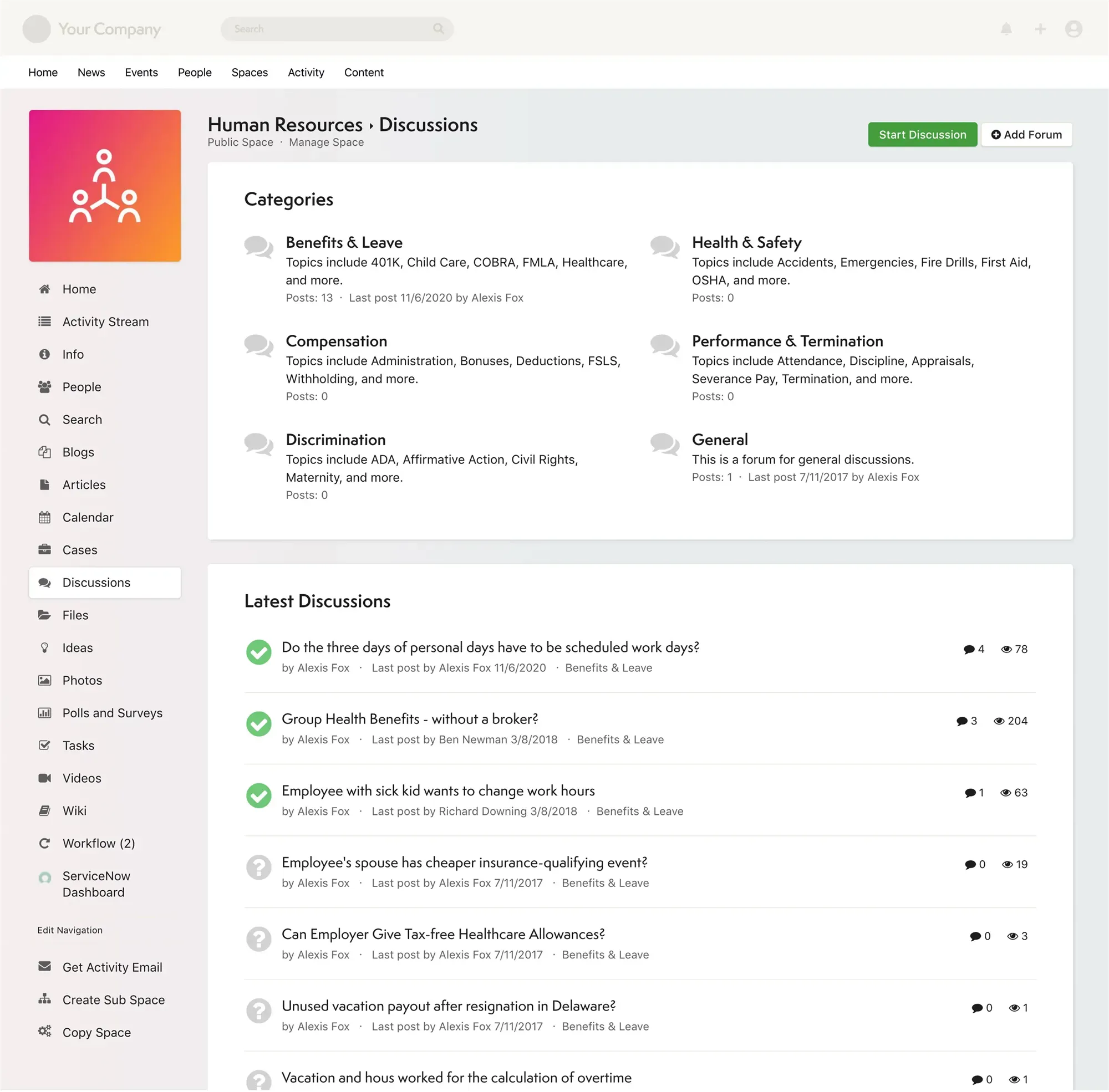
Give the team a place to think out loud, share updates, and start conversations in their own voice.
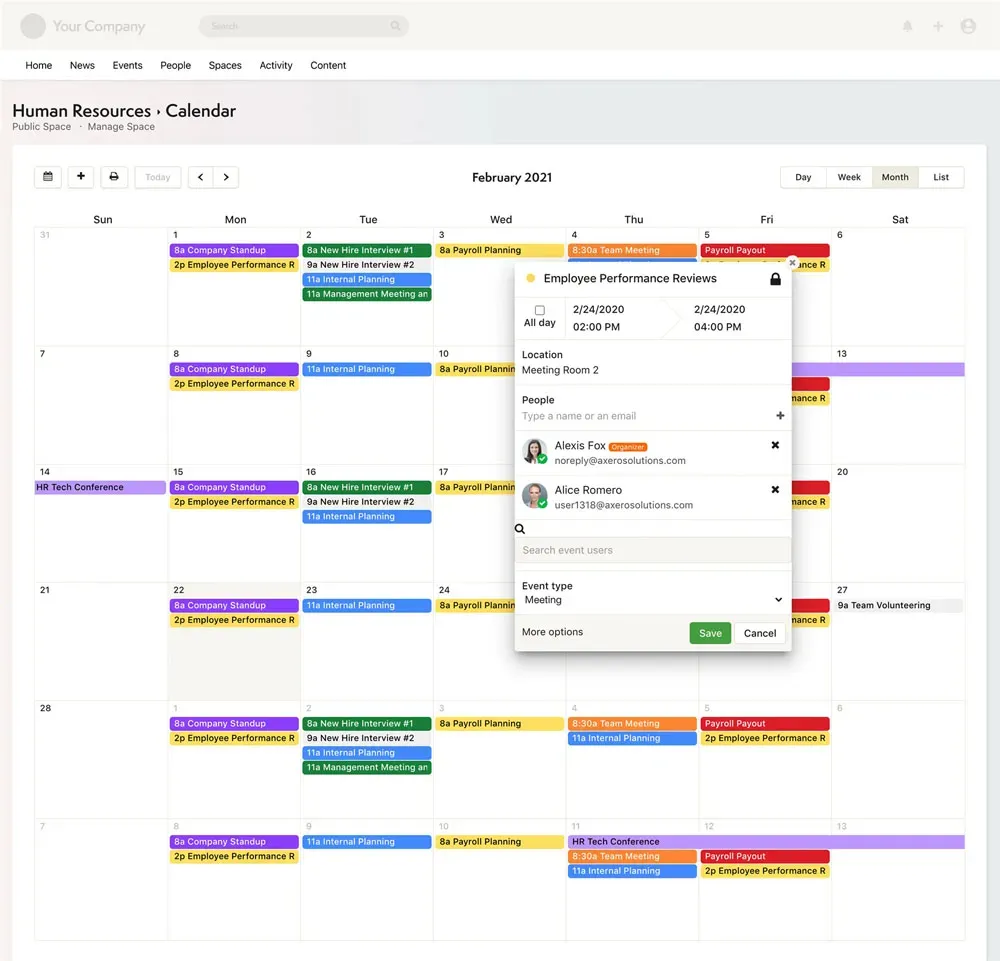
Track meetings, deadlines, and events in a shared calendar that syncs with Microsoft and Google.
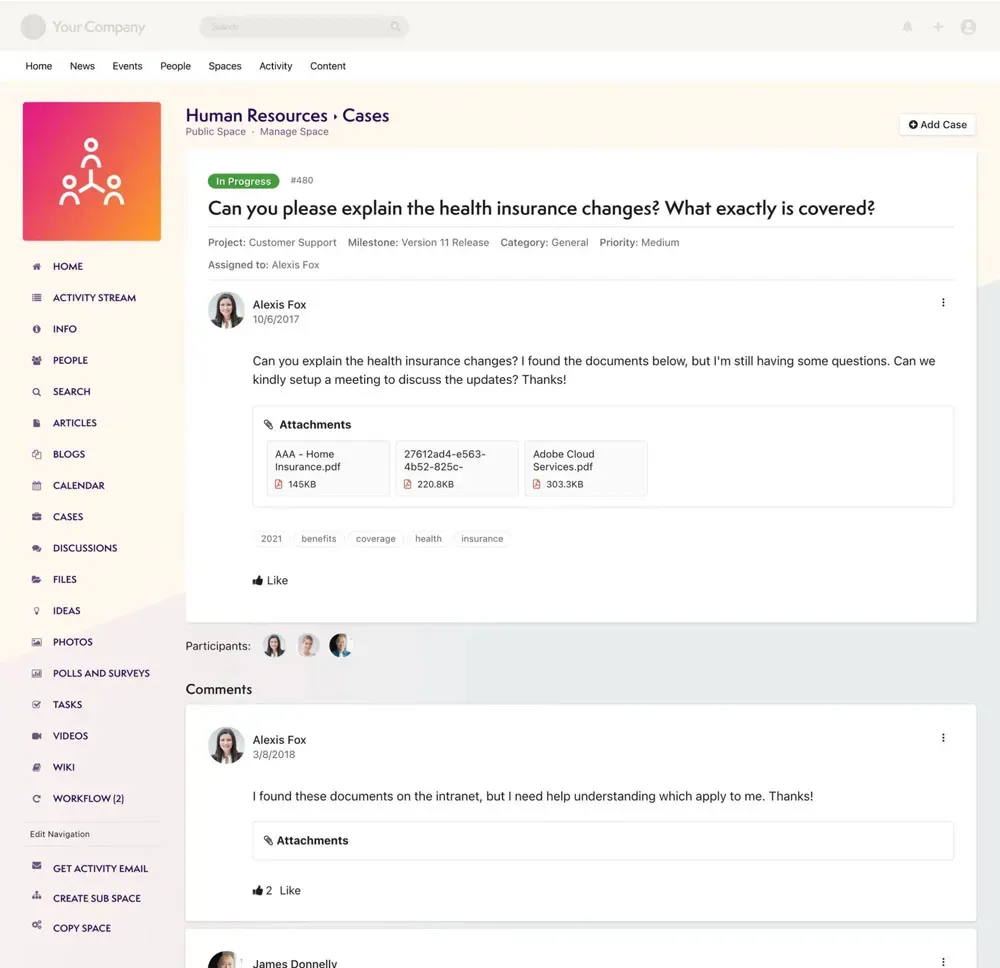
Log and track requests and issues so nothing gets lost between the people who raise it and the people who resolve it.
Ask questions and crowdsource answers from the group — a searchable record instead of a lost chat thread.
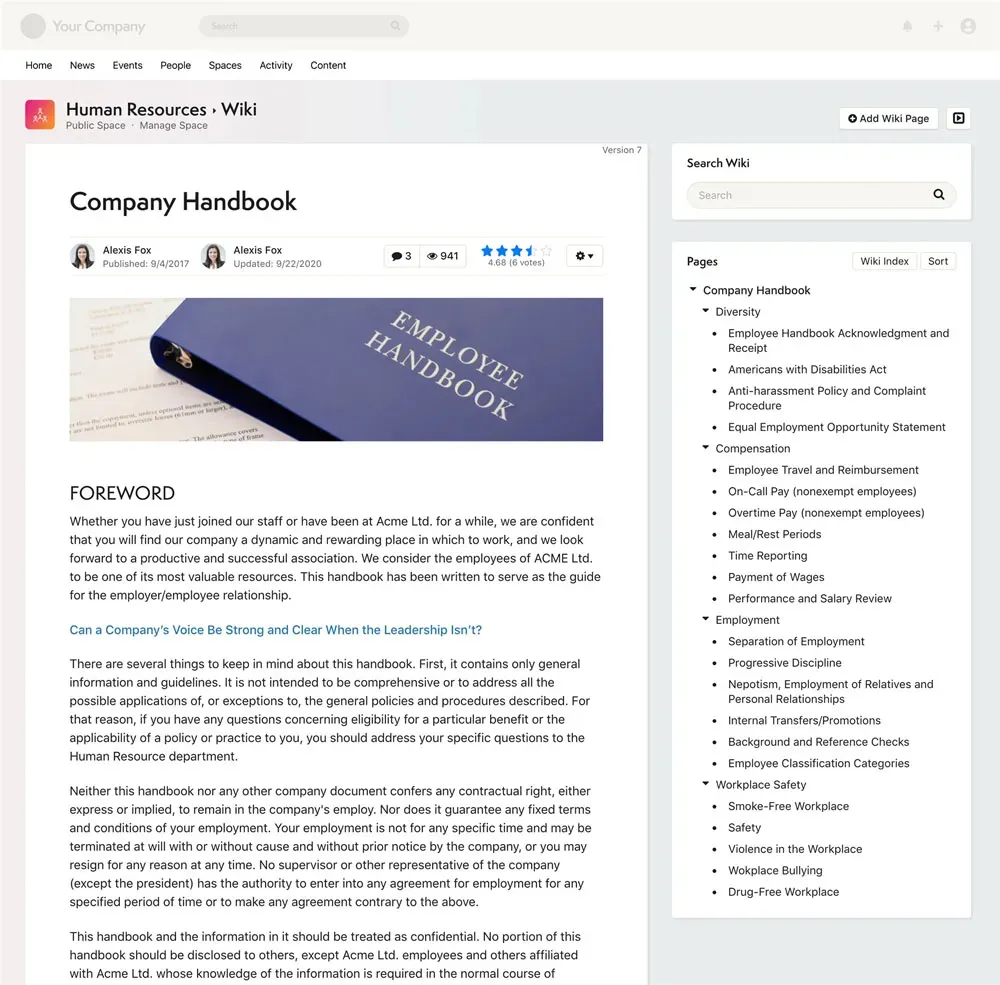
Store, version, comment on, and share documents right where the work happens — not in a separate drive.
Collect suggestions from the group and let people vote the best ones up, so good ideas surface on their own.
Upload and share albums, and drop images into any content across the space.
Take the pulse with a quick poll, or gather detail with a full survey — no separate tool required.
Assign work, set due dates, and see who owns what — so project to-dos stay with the project.
Upload, tag, and share videos so recordings, walkthroughs, and training live alongside everything else.
See it in action
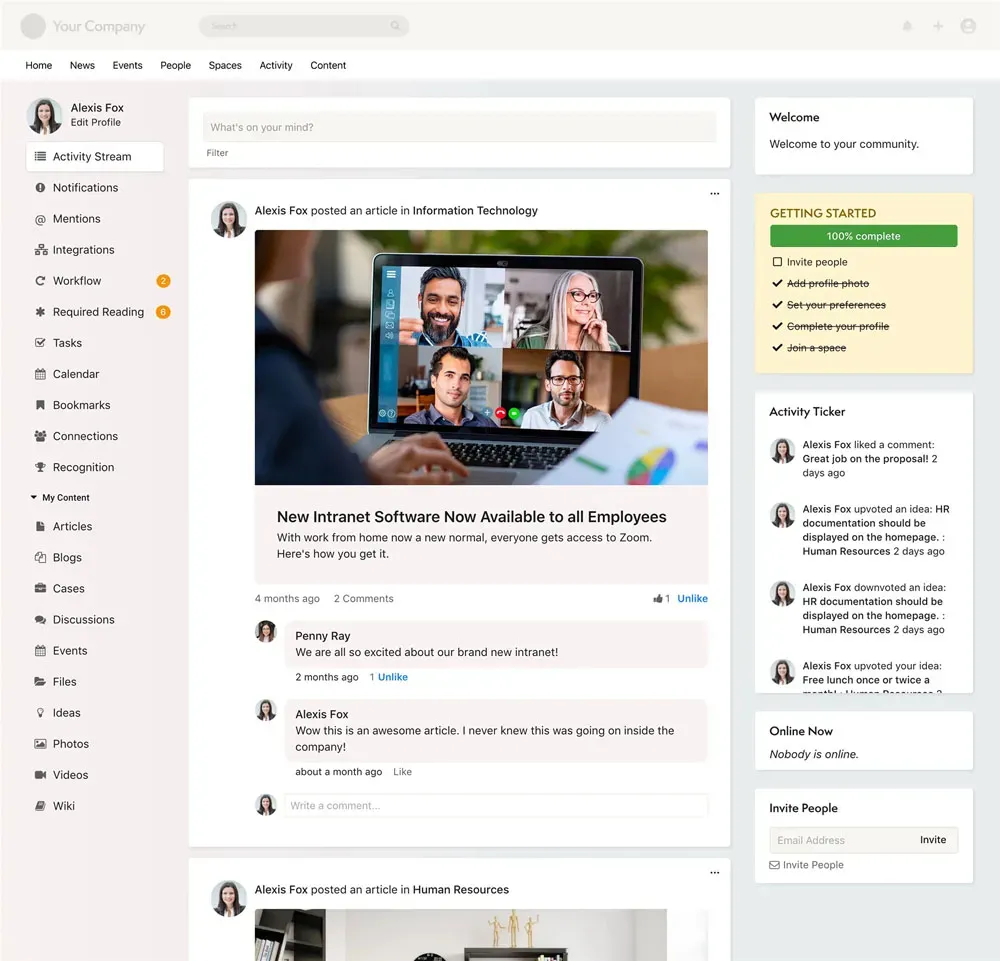
Same space, different apps — here's what a team actually sees day to day.
Roles, permissions & governance
Every space has an owner who controls membership, roles, and workflows, so access maps to real responsibilities instead of one flat setting. This is the part IT signs off on.
Owners add and remove members, assign roles, and hand off moderation — so a department can run its own space without filing a ticket with IT.
Grant access section by section. Open the parts of a space everyone should see and restrict the rest by role, so one space can serve a wide audience and still hold confidential content.
Make a space public so people can find and join it, or private so it stays unlisted and invite-only — and change the boundary as the work changes.
Get up and running quickly with Axero's dedicated implementation team. From setup to launch to adoption, we guide you every step of the way — without the months-long consulting engagement.
See implementation planConnect Axero to the tools your teams already use — Microsoft 365, Google Workspace, Salesforce, Slack, and hundreds more. Over 500 REST API endpoints make custom integrations straightforward.
See all integrationsBook a demo and we'll stand up a space the way one of your teams actually works — apps, members, and permissions included.