













Axero Solutions

Content management

Intranet content management software

Document management, polls, wikis and more. Built to meet the needs of today's business, you get everything you need to manage your business, work together and get real results.

Intranet content management software showing articles, wikis and document management

Trusted by

AmazonToyotaJohns HopkinsBenjamin MooreWileyCognexEdwards LifesciencesSchneider ElectricBuseyCredit AgricolePLACEStanfordArco ConstructionSeneca College

Content creation

Everything your team needs to create, share, and collaborate

Publish, share and collaborate like never before with modern, easy-to-use intranet content management tools. Make better decisions thanks to centralized knowledge. And empower employees by giving them the information they need in the format they want.

Articles.

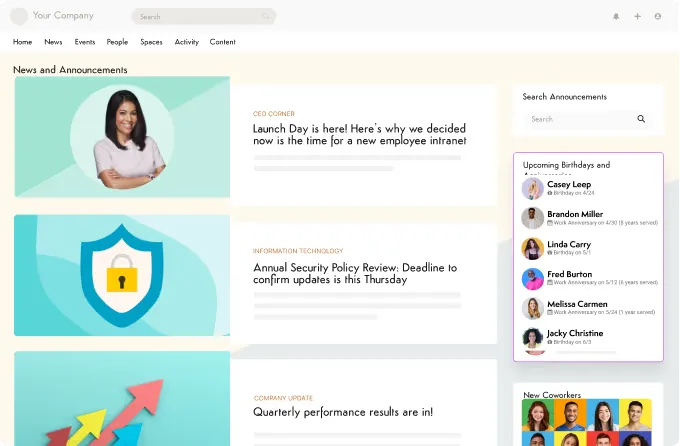
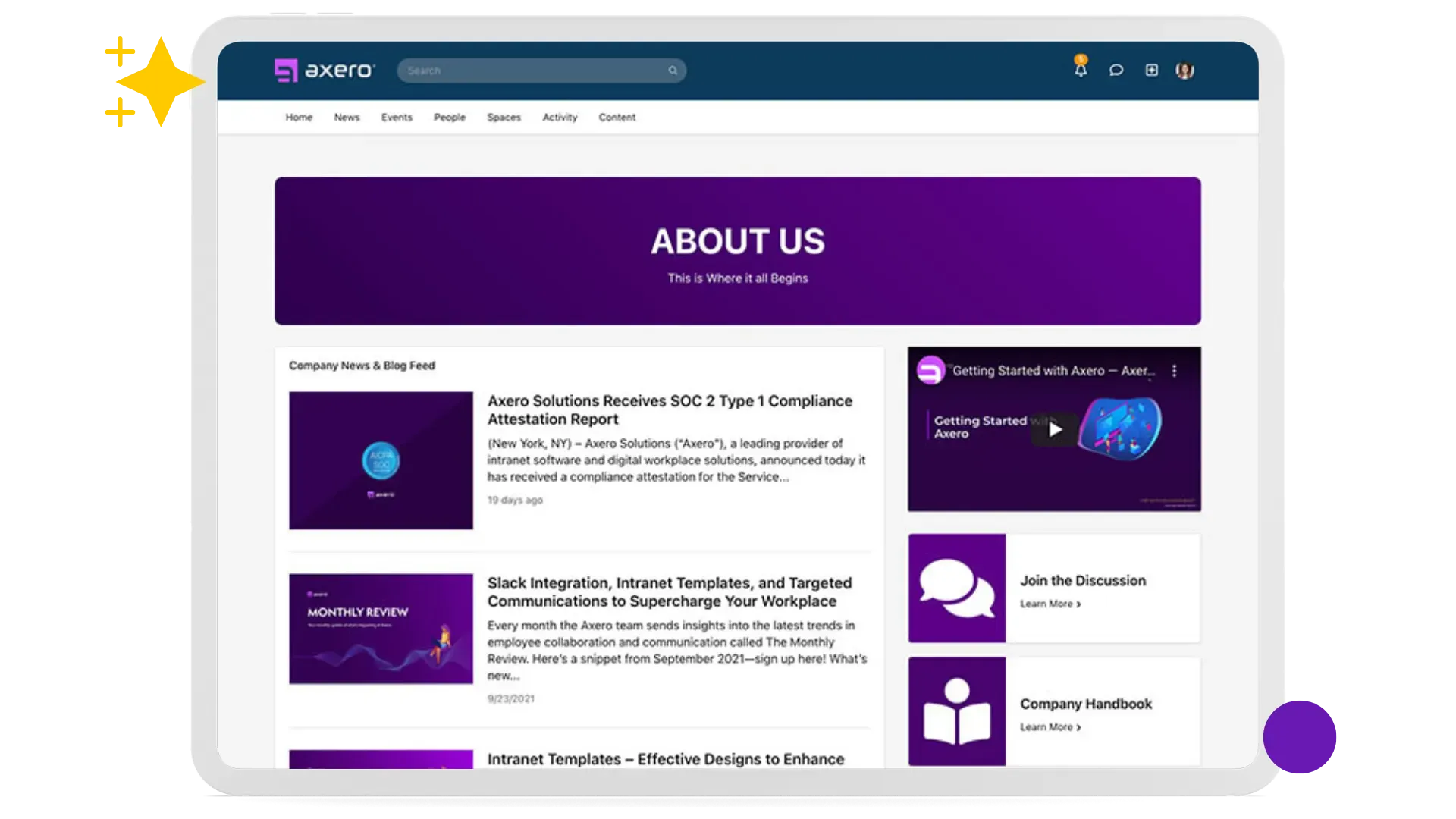
Make a big deal of your latest and greatest. Keep everyone inside and outside your community up-to-date with articles — great for sharing news, press releases, and knowledge base how-to's. Create your own categories, add tags to make them easy to find, set permissions, and share the information you need people to know. Boost engagement with built-in social tools, including commenting, like and follow buttons, and rating controls.

Articles listing page showing content with categories and engagement

Blogs.

Get your organization talking and sharing with your own enterprise-level blogging platform. Use them internally to increase communication and encourage the sharing of ideas, opinions and news. Open them up to the public for sales and marketing. There's a robust approvals workflow built-in, so you can be sure nothing gets out that doesn't fit your brand.

Blog listing page with posts and categories

File and Document Management.

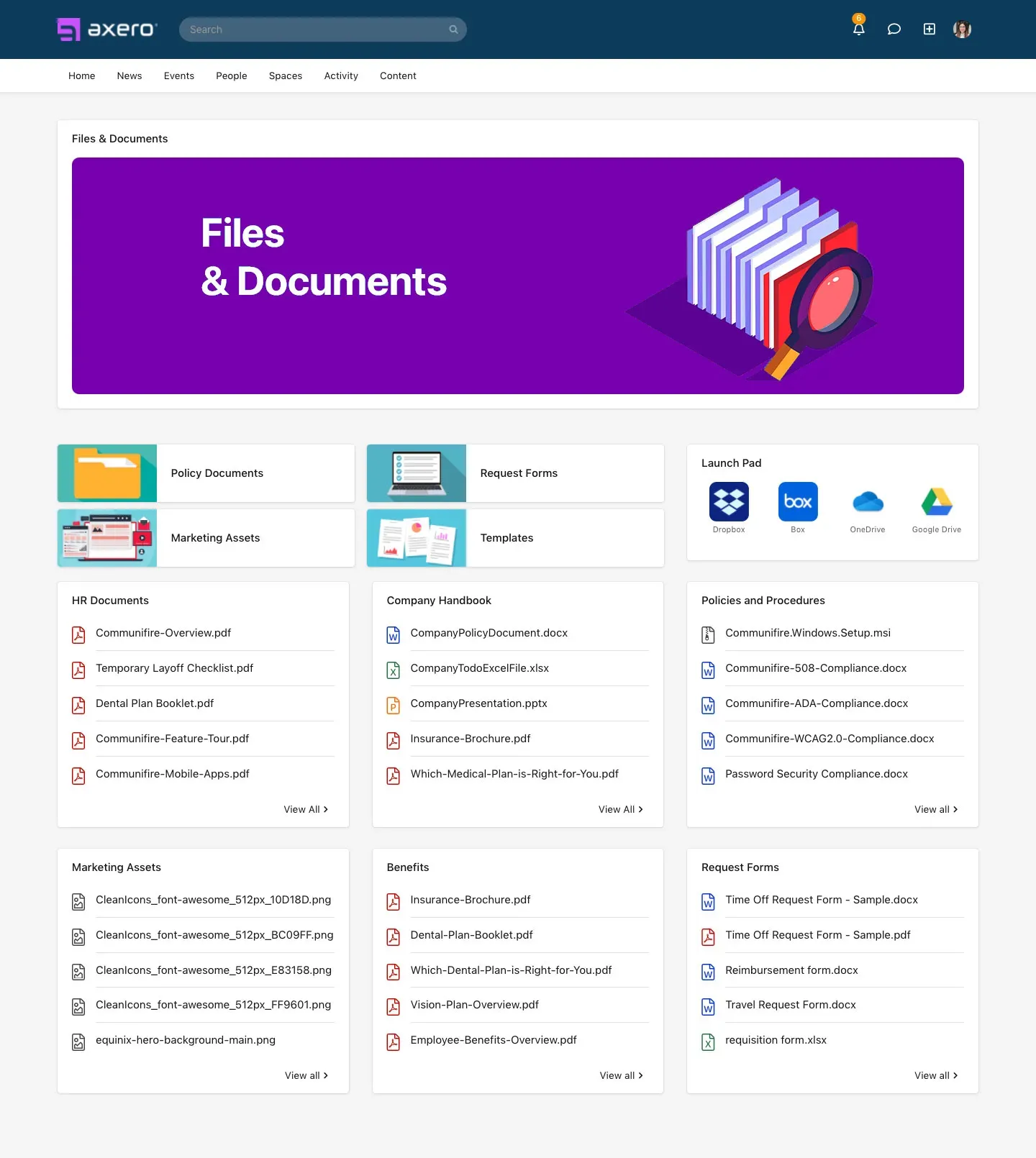
Sharing and storage made smart. Don't just store files — make them an interactive tool through collaboration, comments, and ratings. Upload and share documents using drag-and-drop from your desktop, or use the built-in content browsers. View the upload history of each file and roll back to previous versions. Set fine-grained permissions on individual folders — choose who can view, upload, edit, and delete.

File manager showing documents with version history

Wikis.

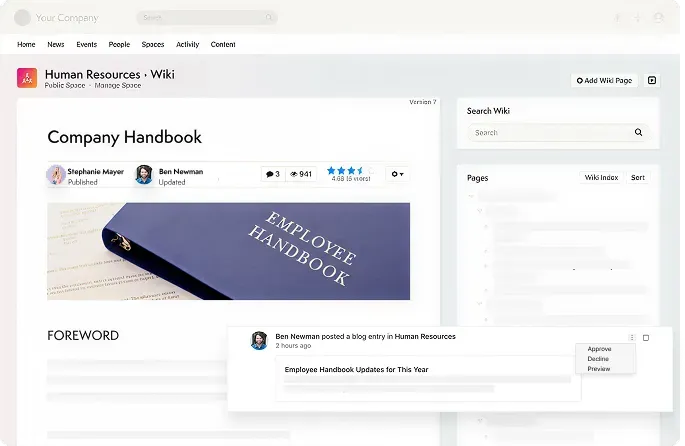
Help your people share their knowledge, skills, and best practices in your own collaborative workspace. Collaborate, share ideas, plan projects, create a knowledge base, and much more. Attach files and embed videos and photos. Every edit creates a new version — so you can always view history, compare versions, and roll back. Your wiki is fully searchable and can be exported as a PDF.

Wiki page showing collaborative documentation

Pages.

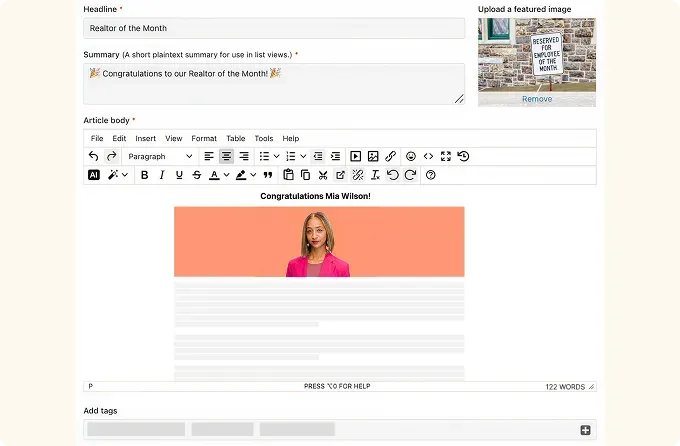
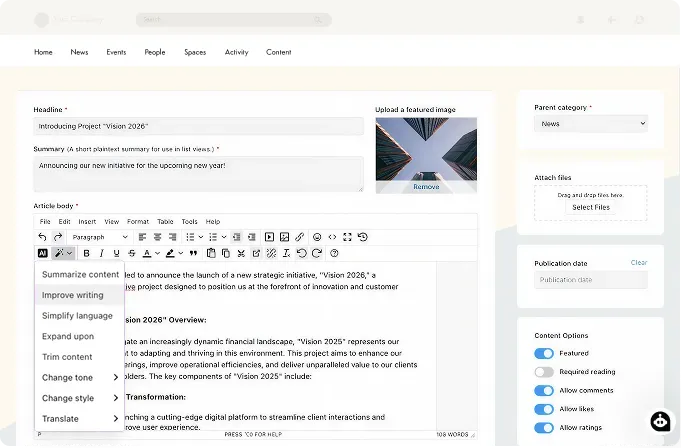
Create your own content pages for your community or specific groups. As simple or elaborate as you need — from indexes of information to whole web pages with images, photos, and videos. Code your own layouts using HTML and CSS or simply use the WYSIWYG editor. Embed anything: 3rd party maps, HubSpot CTAs, Google Spreadsheets, MailChimp forms, SlideShare presentations, and much more.

CMS page editor with drag-and-drop builder

Media & discovery

Rich media, events, and search

Everything your team needs to share, find, and stay connected.

Events.

Publish and track RSVPs for meetings, webcasts, and conferences. Showcase your service by providing a helpful list of local places for each event. Upload photos and videos to document your event. Powerful search lets you filter on tags, keywords, categories, location, and date.
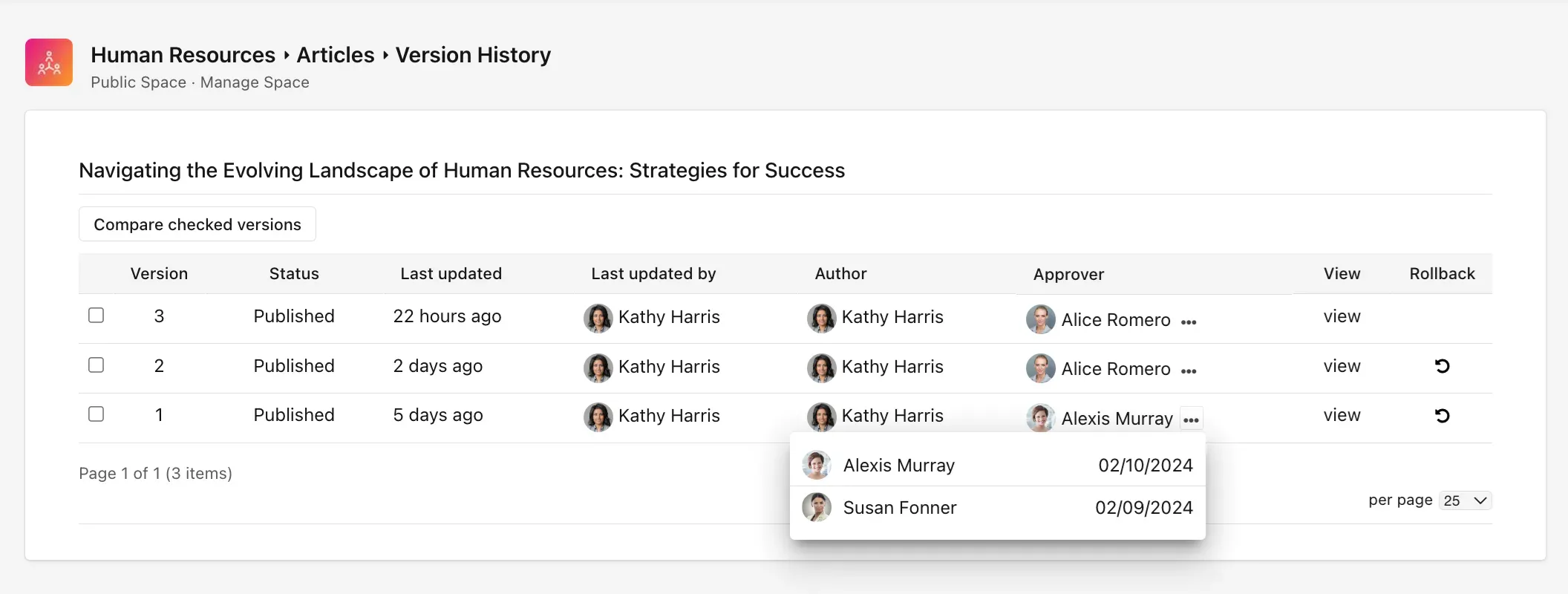

Photo Sharing and Albums.

A picture says a thousand words. Upload and share photos into albums. Insert them into blog posts, articles, or wikis directly from your computer. Create stock photo albums so everyone has access to dress up their posts. Upload as many as you want — tag them, like them, rate them, and collect comments.

Video Sharing.

Harness the power of video for your business. Upload, tag, and share your own videos while still keeping your YouTube account. Organize by category, tag for searching, and add metadata. Share videos from YouTube and Vimeo with a simple paste into status updates. Embed in blogs, wikis, and discussions.

Polls and Surveys.

Ask quick questions about any topic — just type your question, provide options, and invite your team to reply. Real-time bar charts let you take the pulse of your team fast. Gain more in-depth knowledge with multiple-question surveys. Drag-and-drop questions in any order. View results in beautiful visual charts.

Smart Search.

Everything is just a click away. The search remembers everything so you don't have to. It's super smart — knows what you're allowed to find and helps you find it instantly. Automatically indexes all content you publish, including PDFs and Office documents. Filter by space, content type, and tags. Powered by the Lucene full-text search toolkit.

Design & publishing

Build, customize, and control

Give your employees a home base they'll actually want to use.

Homepage.

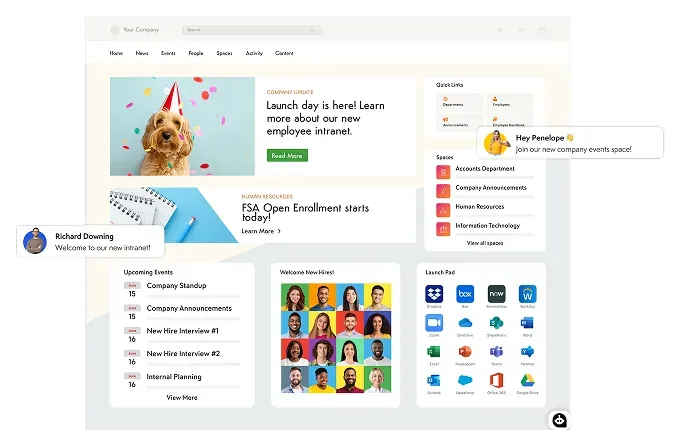
Imagine that your employees actually find value in visiting your intranet homepage. Stock it with information automatically from different departments and spaces. Provide access to useful links, resources, and other systems. Highlight featured content and bring the best to the surface. Create secondary homepages and customize them however you want.

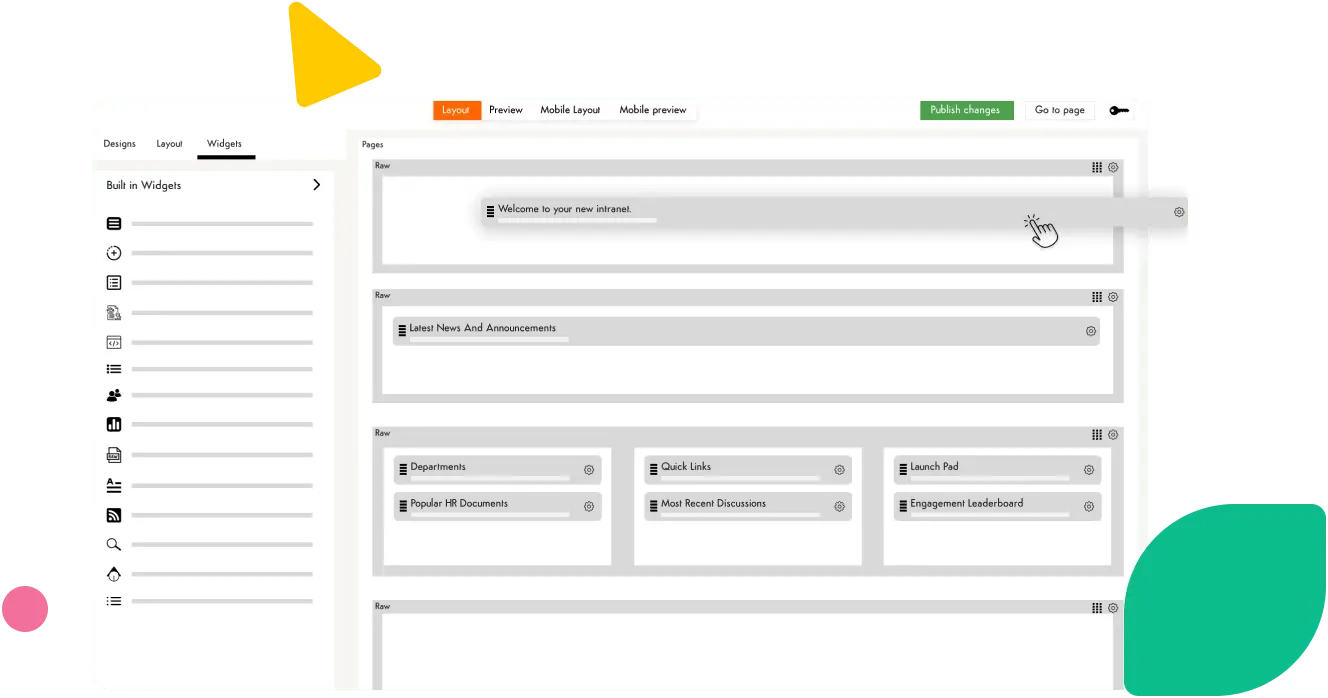
Drag-and-Drop Page Builder.

The Page Builder is a drag-and-drop interface to create page layouts in Axero. Simplifies designing your Homepage, Space pages, and CMS pages. Create responsive, column-based layouts that adapt to all mobile devices. The builder transforms elements into visual building blocks — anyone can understand and edit without touching a single line of code.

Gamification: Reward Participation.

The most popular forums and social networks on the planet reward people for participating. Do the same for your team – and see contributions skyrocket. Tailor your rewards easily. Give points for answering a support question and Y points for writing a wiki entry. Show a leaderboard on your homepage to publicly reward engagement. And offer additional incentives for people that reach a top level of contribution.

Approval Workflows.

Set up a sequence of approvals or workflows that content must pass through before it's visible. Empower an employee to write the corporate blog, but have it checked over by someone in a particular role before making it public. Or allow anyone to create a space, but have it go through an approval process before it goes live.

Moderation.

Axero offers several dynamic tools to help you stay in control and manage activity in your community. Profanity Filters — set up filters to automatically replace inappropriate text with your own clean version. Flag content and comments for action and follow-up by an administrator. Comment Moderation — turn it on so comments aren't published until someone approves them.

Engagement signals

Surface the best, spark the conversation

Turn passive readers into active contributors.

Rating Controls.

Cut through the clutter and let people vote on the best content. Axero provides an intuitive and easy-to-use interface to rate content. This allows the best content to stand out, making it easy to find valuable resources, information, and knowledge.

Best Content.

Leverage the crowd. Surface the latest, the best, the most popular, or most discussed content to the top. Browse different content types by Most Recent, Most Viewed, Highest Rated, and Most Commented — so your team always finds what's worth reading.

Comments.

You can comment on just about everything, from blog posts and wikis to status updates, videos, and even other comments. Open up discussions and make content more engaging, improve documents, and converse with anyone about anything.

Like Buttons.

Everyone loves a thumbs up. They're just about everywhere you'd expect them to be. They allow you to give positive feedback to others about content and conversations they created. When someone likes something, the owner of the content or comment will be notified. It also shows up in the Activity Ticker, providing yet another way for you to discover trending content and popular conversations.

Tags and #hashtags.

Add a layer of context to your content. All of the content in Axero — from blogs and wikis to photos and discussions — can be tagged with keywords. You can also add tags to comments and wall posts using the #hashtag. Use the powerful custom Tag Manager to organize content your way.

Product gallery

Intranet Homepage
Gamification Software
Content Moderation
Workflows
Rating Controls
Sort Best Content
Commenting Software
Like Buttons
Tags and hashtags

Your intranet should help support your company's growth, not slow it down.