What counts as an internal communication tool?
Any software that moves information to employees or between them qualifies. That covers a wide range, from a company-wide town hall stream to a two-line chat message. The useful distinction is the job a tool does, and there are three:
- Broadcast. One sender, many readers: leadership updates, policy changes, benefits deadlines, safety alerts. The message needs to reach specific people and stay accurate after it’s sent.
- Conversation. Many-to-many exchange: a project channel, a comment thread, a quick question to a colleague. Speed matters more than permanence.
- Reference. Information people come back to: the PTO policy, the brand kit, the onboarding checklist. Findability and version control matter most.
Most communication problems come from a tool doing a job it wasn’t built for. A policy announced in chat is a broadcast living in a conversation tool, which is why nobody can find it three weeks later. According to Gallup, only 13% of employees strongly agree the leadership of their organization communicates effectively. In our view, a stack where each tool is doing the wrong job is a big part of that gap.
Types of internal communication tools
Most organizations need something from each of these eight categories. The question is which job each one owns, and whether the tools share a common source or compete with each other.
1. Intranet and employee portal
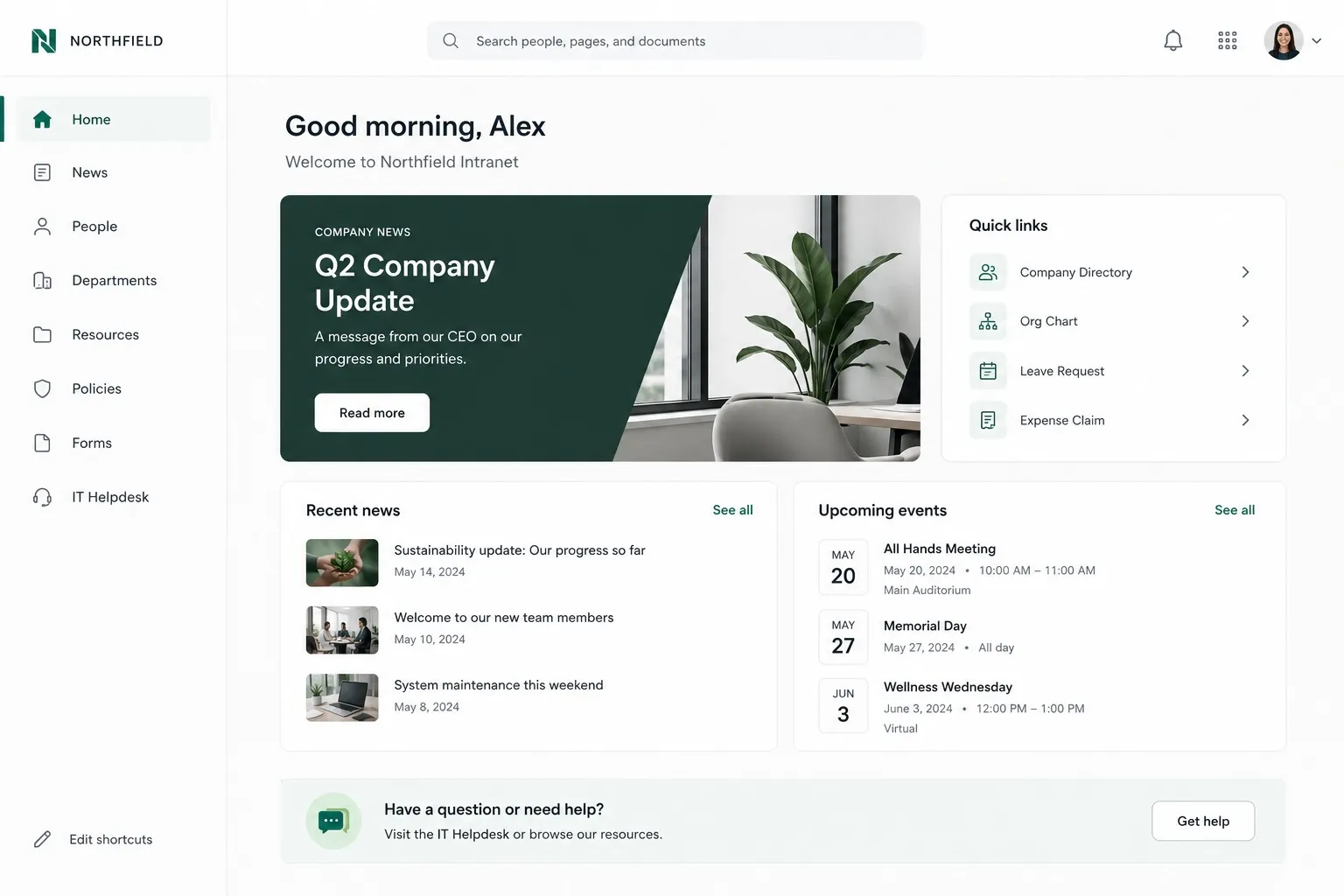
What it’s for: the official home for company news, announcements, policies, departmental spaces, and the employee directory. It’s the one tool built to handle broadcast and reference at the same time.
When to use it: any message that needs to stay findable, be targeted to a specific audience, or be tracked. That includes policy updates, org announcements, HR resources, and anything a new hire should be able to find on day one.
Examples: dedicated intranet platforms such as Axero, and portals assembled on SharePoint or Google Sites.
Where it falls short: older intranets were built on the assumption that employees would visit on their own. Few do. An intranet that can’t push content out through notifications, email, mobile, and chat ends up as a filing cabinet.
How it connects: the intranet becomes the source every other channel points back to. A single announcement can go out as a mobile push, appear in the next email digest, post to a team channel, and sit pinned on the homepage, all from one published item. For a deeper look at the broadcast side, see how Axero’s internal communications software handles targeting and read receipts.
2. Email and employee newsletters
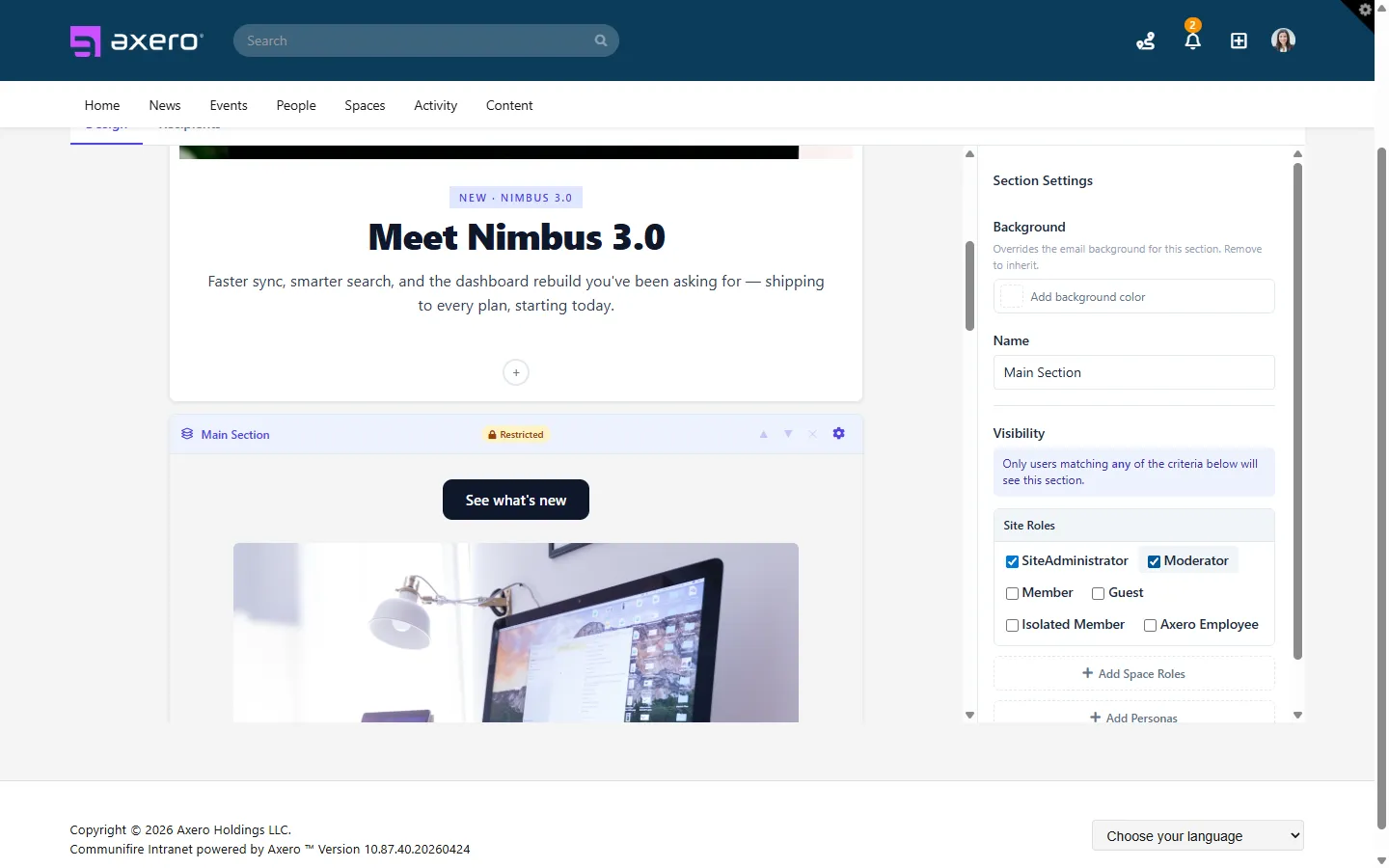
What it’s for: reaching every employee with a company address, in a channel they already check daily. Newsletters bundle several updates into one scheduled send.
When to use it: weekly or monthly roundups, leadership notes, and reminders that point back to content hosted somewhere permanent.
Examples: Outlook and Gmail for one-off sends, plus newsletter builders designed for internal audiences.
Where it falls short: inboxes are crowded, segmentation is usually limited to distribution lists, and once an email is sent the content is effectively lost. You also can’t edit a sent email when a detail changes.
How it connects: the strongest pattern is to treat email as delivery, not storage. Publish on the intranet, then send a newsletter or digest that links back to it. Look for a platform that can build newsletters from intranet content and send daily or weekly digests summarizing activity in the spaces each employee follows.
3. Team chat and instant messaging
What it’s for: fast, informal conversation inside teams and projects.
When to use it: quick questions, coordination during the workday, and project channels where the discussion itself is the point.
Examples: Slack, Microsoft Teams, Google Chat.
Where it falls short: chat is built for the moment. Messages scroll out of view, important updates get buried under replies, and there’s no reliable way to know who read what. Chat is also a poor place for anything that needs an owner and a review date. (More on why Slack and Teams aren’t intranets.)
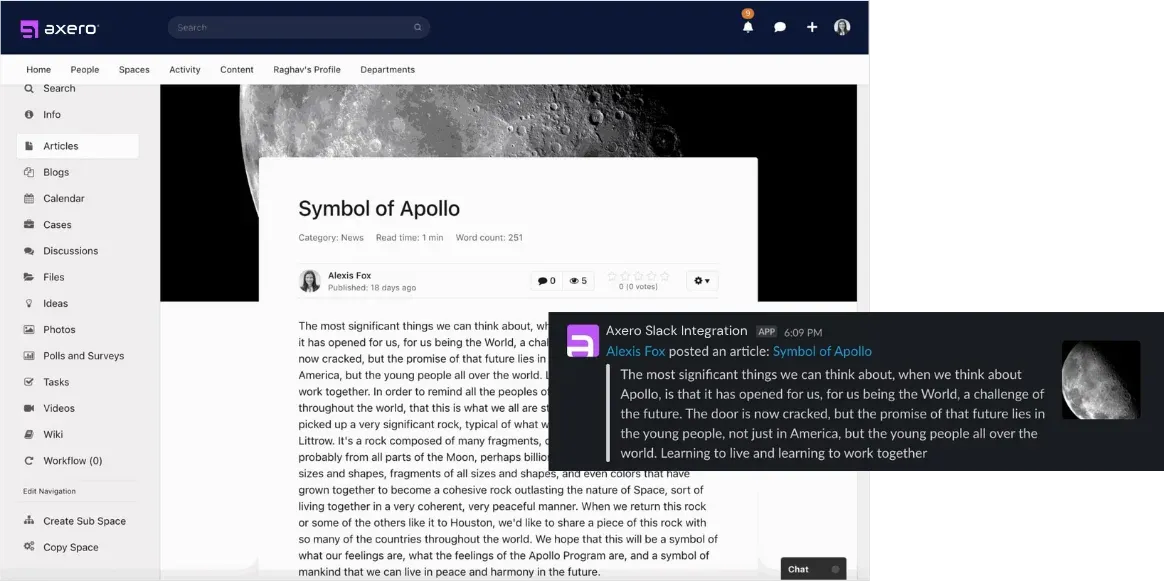
How it connects: let chat carry the alert while the intranet holds the content. Axero’s Slack integration posts announcements, new blog posts, and required reading notices into the matching channels, and the Microsoft Teams integration lets employees open Axero inside Teams and start a chat from any employee profile.
4. Collaboration and project tools
What it’s for: planning work, assigning tasks, and tracking progress.
When to use it: project status, deliverables, and team-level coordination.
Examples: Asana, Jira, Trello, Monday.com, and shared document editors like Microsoft 365 and Google Workspace.
Where it falls short: these tools answer “what are we doing,” not “why.” Strategic context, like a reorg or a new company priority, rarely lands inside a task board, and people outside the project can’t see it.
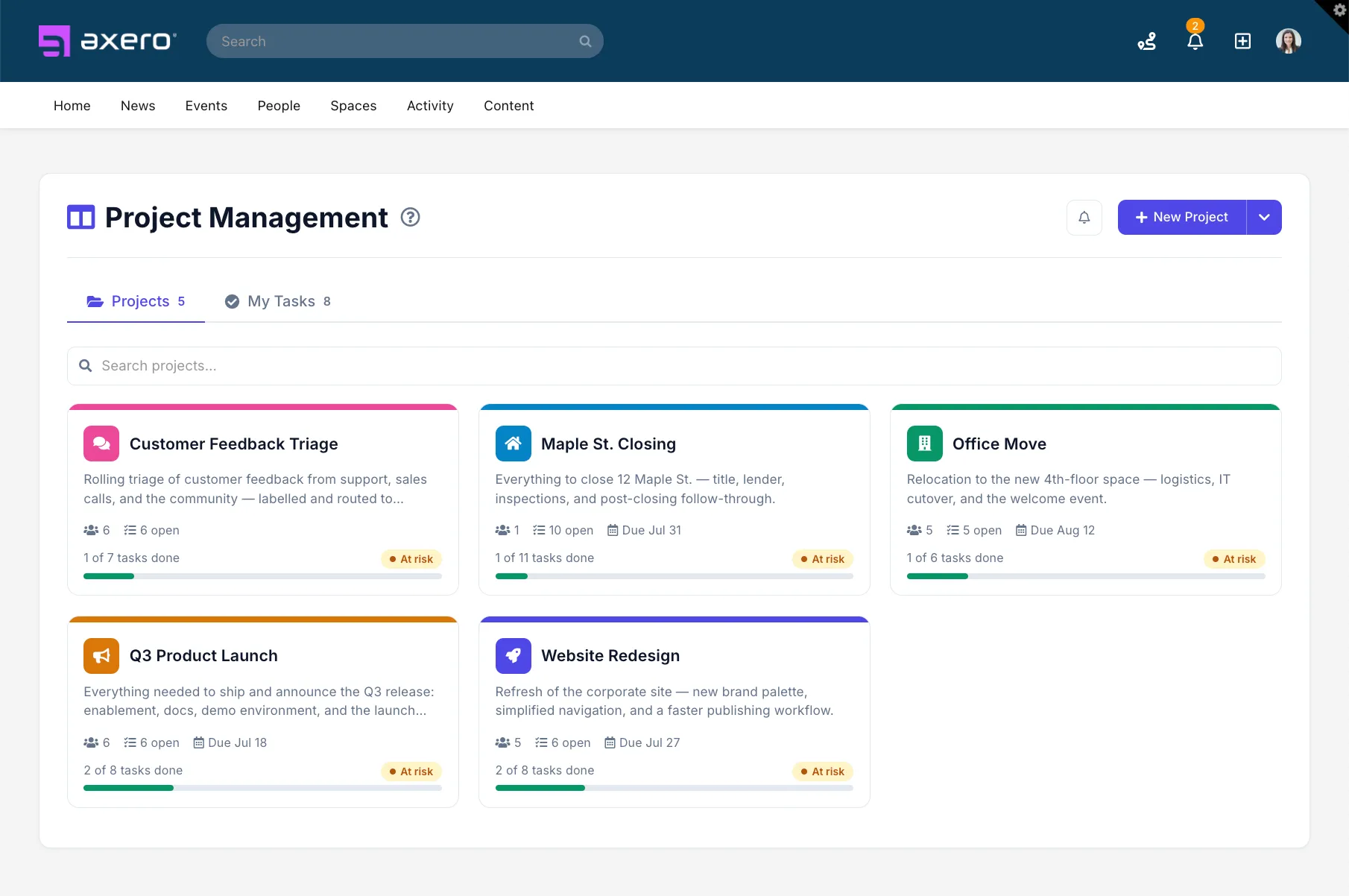
How it connects: link project spaces to the relevant intranet space so the announcement explaining a change and the work that follows it are one click apart. Embedded documents and integrations with Microsoft 365, Google Workspace, and SharePoint keep files in the systems teams already use.
5. Video, meetings, and virtual events
What it’s for: live and recorded messages where tone and presence matter: town halls, all-hands, CEO updates, training sessions.
When to use it: big announcements, change moments, and anything that benefits from a human face.
Examples: Zoom, Microsoft Teams meetings and town halls, Google Meet, and video hosting platforms.
Where it falls short: live attendance drops off across time zones and shifts, and recordings end up scattered across personal drives.
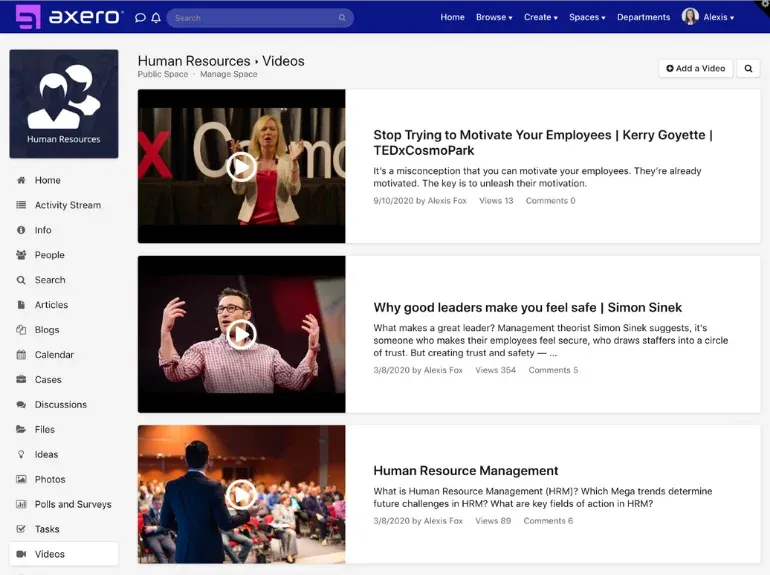
How it connects: host the recording, slides, and a written summary in one intranet post, then open the comments for follow-up questions. Employees who missed the live session get the full context in one place, and the Q&A stays visible for everyone.
6. Surveys, polls, and feedback tools
What it’s for: hearing from employees rather than talking at them. Pulse surveys, quick polls, engagement surveys, and anonymous feedback.
When to use it: checking whether a message landed, measuring sentiment during change, and collecting input before a decision.
Examples: Microsoft Forms, Google Forms, dedicated engagement survey platforms, and polls built into an intranet.
Where it falls short: standalone survey tools create yet another login and another results dashboard, and response rates fall when employees don’t see anything change afterward.
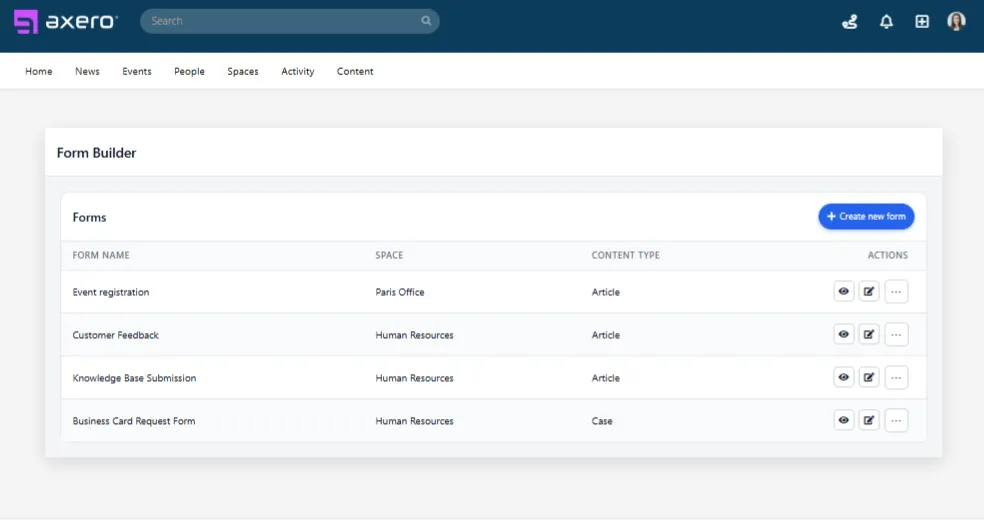
How it connects: running polls and surveys inside the intranet puts them next to the content they ask about, and results can be shared back in the same place. That closes the loop employees usually complain about.
7. Mobile apps and SMS for deskless employees
What it’s for: reaching employees who don’t sit at a computer: retail associates, field technicians, drivers, nurses, plant workers.
When to use it: shift updates, safety notices, schedule changes, and urgent alerts. For deskless teams, these are often the only channels that work.
Examples: employee mobile apps, branded intranet apps, and SMS alerting services.
Where it falls short: a mobile app that duplicates content from somewhere else drifts out of date quickly. SMS is immediate but has no room for detail.
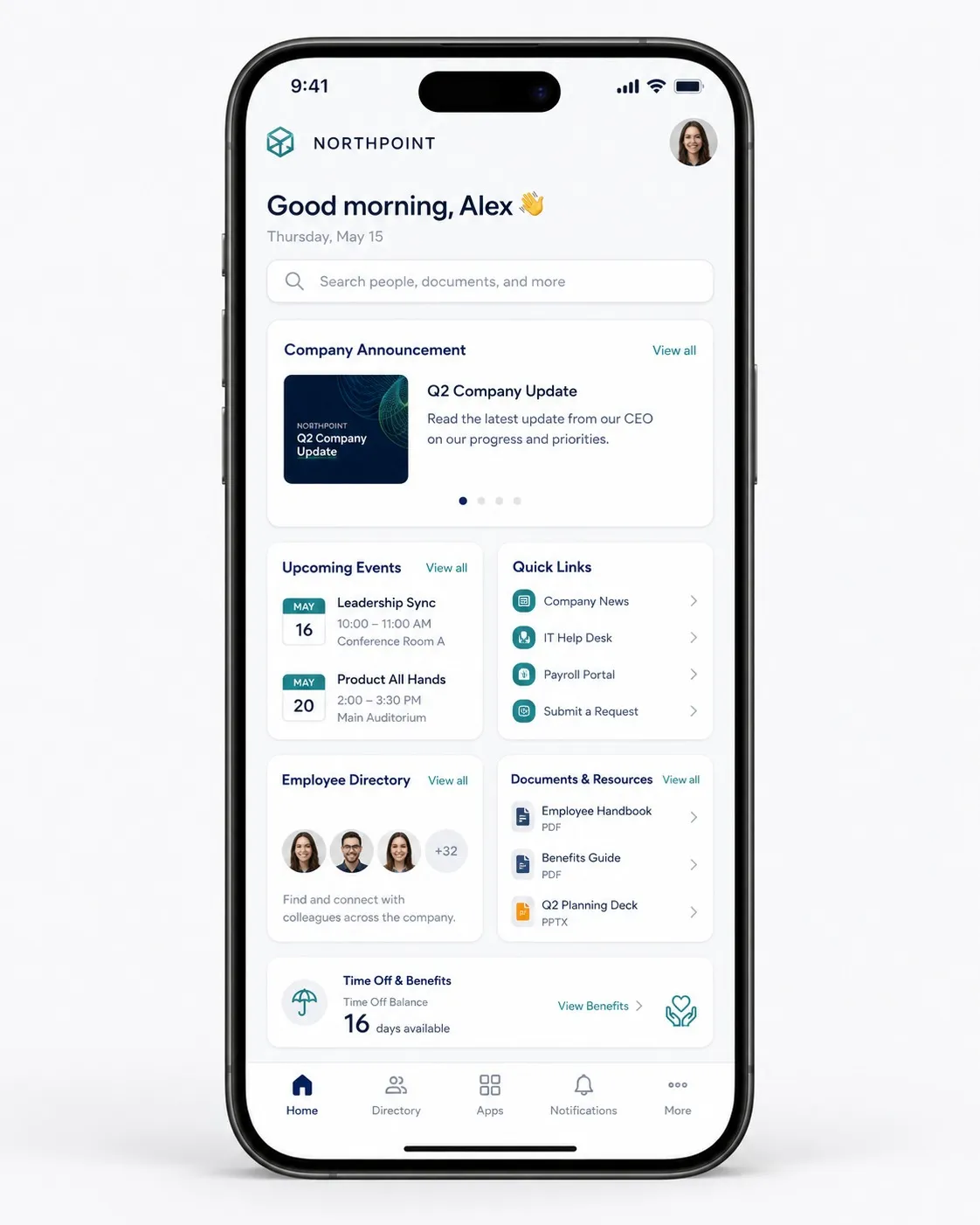
How it connects: the mobile app should be the same intranet in a phone-sized view, with push notifications for new content. Axero’s mobile intranet app gives employees notifications, announcements, spaces, and the directory, and the Twilio integration sends SMS alerts to employees who may not have reliable internet access.
8. Knowledge bases and wikis
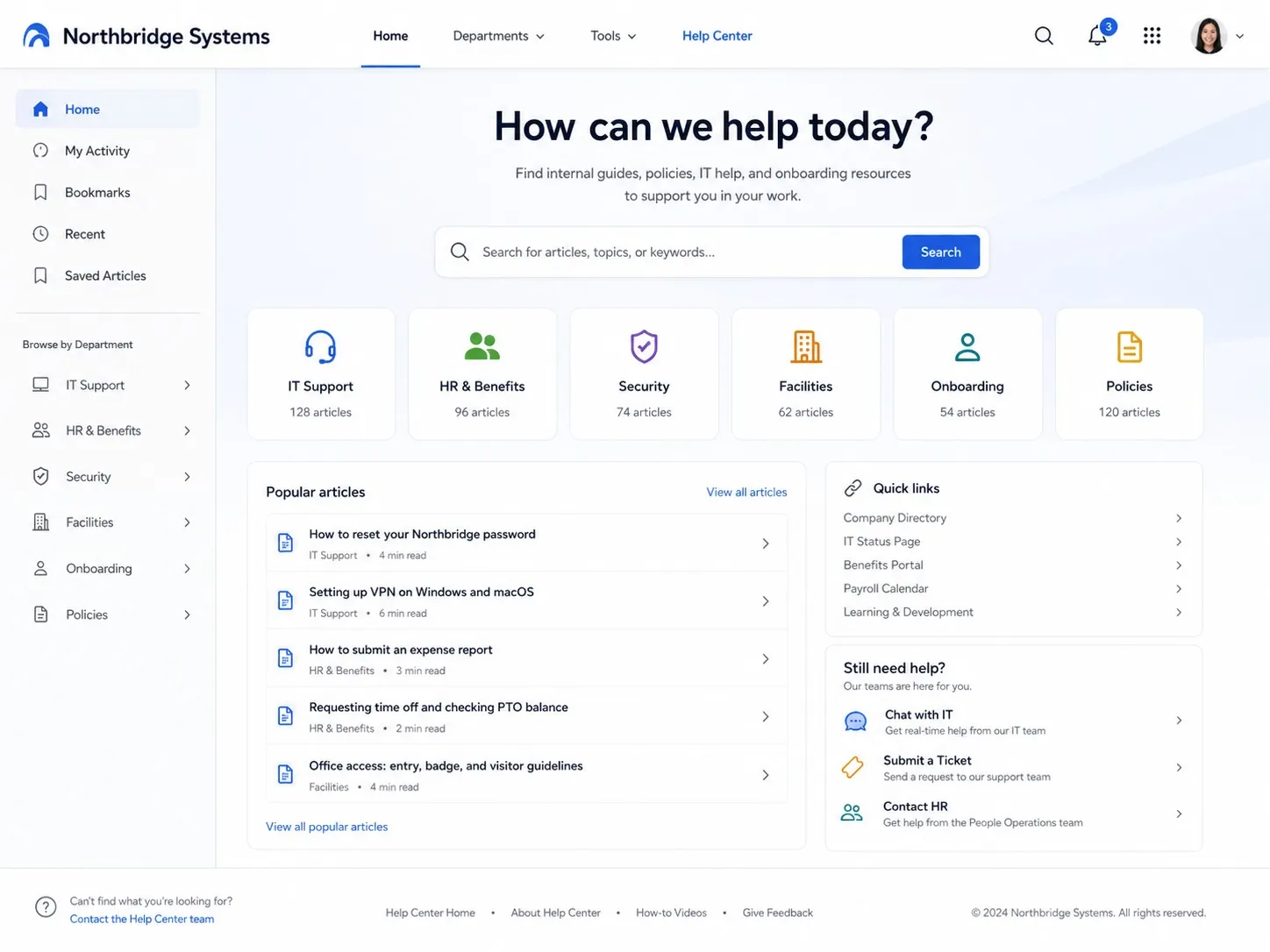
What it’s for: reference content that people come back to: policies, procedures, how-to guides, onboarding material.
When to use it: anything employees will need more than once, or anything HR, IT, or Operations gets asked about repeatedly.
Examples: Confluence, Notion, SharePoint document libraries, and knowledge bases built into an intranet.
Where it falls short: without owners and review dates, wikis go stale, and a separate knowledge tool splits search between two systems.
How it connects: a knowledge base that lives inside the intranet shares its permissions and search, so an announcement about a policy change can link straight to the updated policy, and both show up in the same search results.
How internal communication tools fit together as a stack
The right combination depends mostly on headcount, how many locations you have, and how much of the workforce sits at a desk. A company of 150 in one office can run on email and chat for a long time. A company of 3,000 across 40 branches can’t.
| Company size | Core tools | What usually breaks first | Where the intranet fits |
|---|---|---|---|
| Under 200 employees | Email, one chat tool, video meetings, shared drive | Policies scattered across drives and inboxes; no single place for new hires | Optional early on. Becomes worthwhile when onboarding and policy questions start eating HR time |
| 200 to 2,000 employees | Email and newsletters, chat, video, project tools, a survey tool | Company announcements lost in chat; departments build their own sites; no read tracking | Usually the point where an intranet pays off: one home for news, policies, and department spaces, with targeting by location or team |
| 2,000+ employees or many locations | All of the above plus mobile, SMS alerting, and HRIS integration | Messages reach headquarters but not branches or shifts; governance and permissions become a real risk | Central hub with audience targeting, required reading, analytics, and integrations that feed chat, email, and mobile |
Two patterns hold at every size. First, decide which tool owns each job: broadcast, conversation, and reference. Second, keep one system as the official source so that every other channel points back to the same version of the message.
Are your messages reaching the people who need them?
Our free ebook, Internal Communications: Master the Game, covers the whys and hows of improving internal communication, with tips your team can put to work right away.
Can an intranet push content, or do employees have to go looking?
A common criticism of intranets is that they’re a destination: useful if people visit, invisible if they don’t. That was a fair description of intranets built fifteen years ago. A modern intranet works in both directions. It keeps the official version of every message, and it delivers that message to wherever employees already are.
The push channels to look for:
- Notifications. In-app notifications when new content is published in a space someone follows, or when content is assigned to them.
- Mobile push. Alerts on the phone for employees who rarely open a laptop.
- Email digests. Daily or weekly summaries of activity in the spaces each person follows, so updates arrive in the inbox without a separate send.
- Newsletters. Scheduled roundups built from intranet content and targeted to specific audiences.
- Chat notifications. New announcements posted automatically into the matching Slack or Teams channel.
- SMS alerts. Urgent messages sent by text for staff without company email.
- Broadcasts and pinned content. A ticker or banner for time-sensitive notices, plus pinned posts that stay at the top of the homepage until they expire.
Axero supports each of these, along with Required Reading, which asks employees to acknowledge a document and records who has. That’s the difference between hoping a policy update landed and being able to show an auditor who confirmed it.
What to look for when comparing internal communication tools
Feature lists all start to look alike after the third demo. What separates tools is whether they reach the people you need, prove the message landed, and stay manageable for a small comms team. Each criterion comes with a question worth asking in a live demo.
Audience reach
Can the tool reach every employee group you have, including contractors, part-time staff, and people without a company email address? Map your workforce first: desk-based, hybrid, field, shift-based, and any regions with language needs.
Ask: “Show us how an employee without a corporate email account logs in and receives an announcement.”
Deskless and mobile access
If a meaningful share of your workforce is deskless, mobile access is a requirement rather than a bonus. Look at what an employee can actually do on the phone: read announcements, get notifications, find a colleague in the directory, submit a form.
Ask: “What can a frontline employee do on the mobile app without ever touching a desktop?”
Targeting and personalization
Blanket announcements train employees to ignore announcements. Look for targeting by department, location, role, or any attribute synced from your HRIS or directory, and check whether targeting applies to the homepage, notifications, and email at the same time.
Ask: “Send this update only to employees in two specific locations, and show us what everyone else sees.”
Analytics and proof of reach
Open rates alone won’t tell you whether a message worked. Useful reporting includes views by audience, acknowledgment rates on required content, search terms that return nothing, and trends over time. Our guide to intranet analytics covers which metrics are worth tracking.
Ask: “After a policy update, how do we see which departments haven’t acknowledged it yet?”
Integrations
A tool that doesn’t connect to your identity provider, HRIS, file storage, and chat will create more work than it removes. Check SSO support (Okta, Microsoft Entra ID, SAML 2.0), directory sync, and whether there’s a documented API for anything not covered out of the box.
Ask: “Which of our current systems connect natively, and what would we need the API for?”
Governance and permissions
Someone has to own each piece of content, approve what goes live, and retire what’s outdated. Look for role-based permissions, approval workflows, expiration dates, and version history. For regulated industries, add audit trails and acknowledgment records. Our intranet governance page goes deeper on how these controls work together.
Ask: “Who can publish to the whole company, and how do we stop an outdated policy from staying live?”
Admin effort
Every tool needs someone to run it. Estimate how many hours a week your comms team and IT will spend on publishing, permissions, user management, and troubleshooting. A tool that requires a developer for layout changes will slow every campaign.
Ask: “Can a communicator with no coding skills build and publish a new department page today?”
Security and hosting
IT will decide whether a tool makes the shortlist based on encryption, compliance documentation, and hosting options. Some organizations need a self-hosted deployment for regulatory or data residency reasons. Review each vendor’s security documentation directly, and ask for audit reports rather than relying on a features page.
Ask: “Where is our data stored, how is it encrypted, and can you provide your compliance documentation?”
A simple scoring grid
Score each shortlisted tool from 1 to 5 on each criterion, and weight the criteria based on your workforce. A company with 60% deskless staff should weight mobile access and SMS far more heavily than a fully remote software company.
| Criterion | Weight (example) | Tool A | Tool B | Tool C |
|---|---|---|---|---|
| Audience reach | 20% | |||
| Deskless and mobile access | 15% | |||
| Targeting | 15% | |||
| Analytics | 10% | |||
| Integrations | 15% | |||
| Governance and permissions | 10% | |||
| Admin effort | 10% | |||
| Security and hosting | 5% |
How to run the evaluation
Internal communication tools touch every employee, so the evaluation works best as a joint project between Communications, HR, and IT. Communications knows the audiences and messages. IT owns identity, security, and integrations. HR owns much of the reference content and the onboarding experience.
A practical sequence:
- Audit what you have. List every tool currently used to communicate with employees, who owns it, and what it’s used for. Most teams find overlap and at least one channel nobody is sure still works.
- Assign jobs. Decide which tool owns broadcast, conversation, and reference, and write it down. This becomes your channel guide for managers.
- Pick two or three real scenarios. Examples: an urgent safety notice to one site, a new policy that needs acknowledgment, a CEO town hall for three time zones. Ask each vendor to demo exactly those.
- Set measurable goals before signing. For example: cut company-wide emails in half, reach 90% acknowledgment on required policies within a week, or reduce repeat HR questions. Our internal communication strategy guide covers how to set these up.
- Plan the rollout, not only the purchase. Ask who will help migrate content, map permissions, and train publishers. Implementation support is often what separates a tool people use from one they abandon after launch.
Ready to look at specific products? Our vendor-by-vendor breakdown covers 13 options across categories, from intranets to employee apps and messaging tools.
Where Axero fits
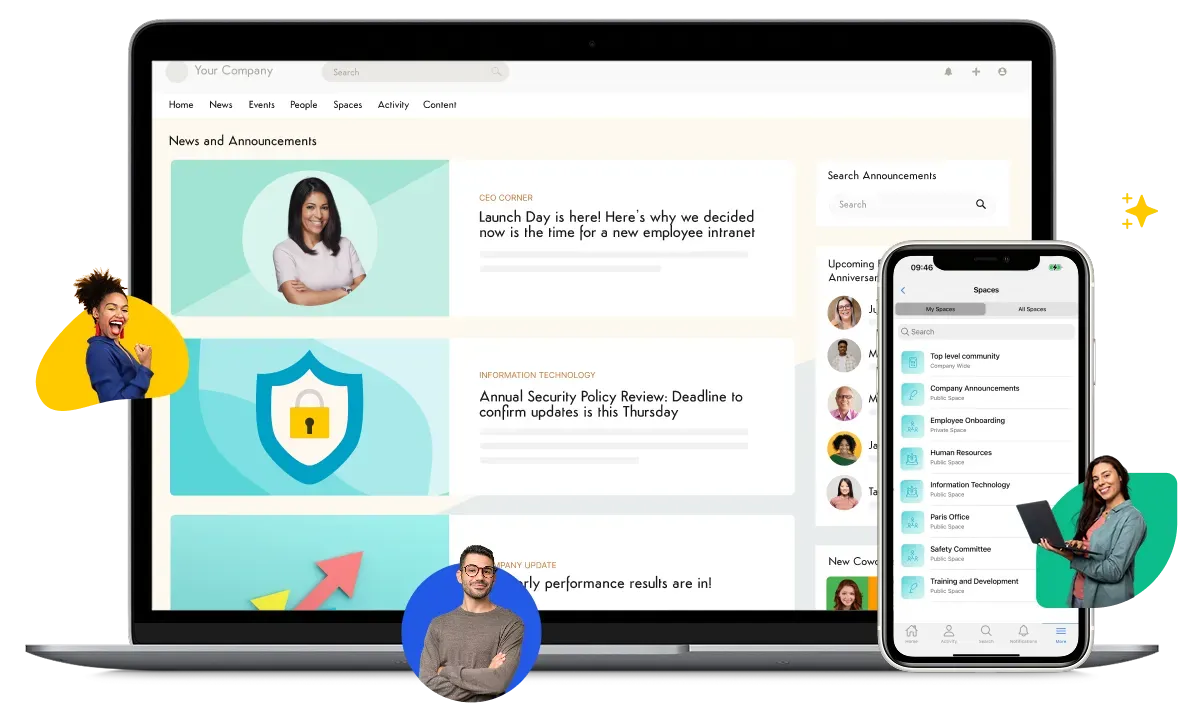
Axero is an intranet built to be the hub described above. Communications teams publish once and reach employees through the homepage, targeted notifications, mobile push, email digests, newsletters, Slack channels, and SMS. IT gets SSO, granular permissions, single-tenant hosting, and a self-hosted option for organizations that can’t use shared cloud infrastructure. Every Axero site is customized to the organization’s brand and structure, and the customer success team works with each customer through implementation and after launch.
It won’t replace your chat tool or your video platform, and it isn’t meant to. It gives those tools a single, governed source to point back to. To see how the pieces work together, explore Axero’s employee communications platform.