Axero Solutions

Employee Portal Software

One front door for every employee

Give every employee one personalized place to find what they need — company news, the people directory, HR answers, tasks, and the apps they open daily. Axero employee portal software is the front door to your wider intranet platform, built to simplify everyday work and lift the employee experience.
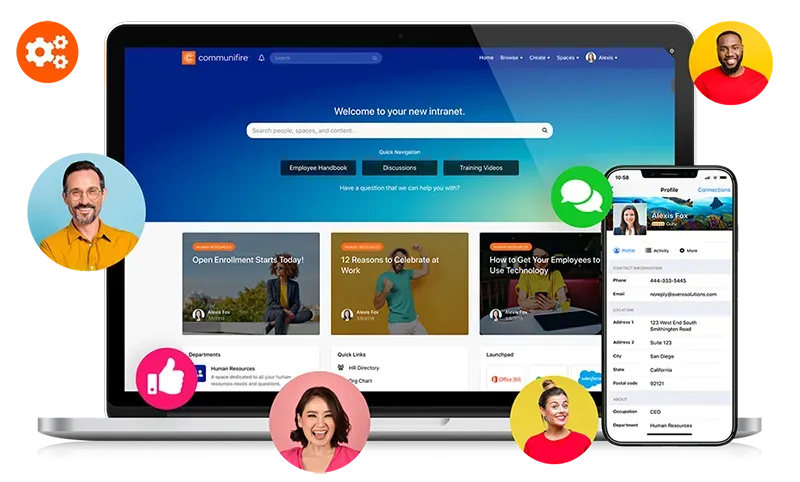
Laptop and phone showing vibrant employee portal intranet with profiles and announcements.

Trusted by

AmazonToyotaJohns HopkinsBenjamin MooreWileyCognexEdwards LifesciencesCredit Agricole

Top-rated employee portal software

G2 High Performer Winter 2026 badge
G2 Momentum Leader Spring 2026 badge
G2 High Performer Summer 2026 — Employee Intranet badge
G2 High Performer Enterprise Summer 2026 — Employee Communications badge
G2 Highest User Adoption Enterprise Summer 2026 — Employee Communications badge

What is an employee portal?

The end of the daily scavenger hunt

An employee portal is the single, personalized place your team signs in to get work done — company news, HR answers, documents, people, and the apps they use daily, all in one home. Without one, employees lose hours hunting across email, chat, shared drives, and a dozen logins; HR answers the same questions on repeat; and frontline staff get left out of the loop entirely.

Axero pulls it all into a portal employees actually want to open — personalized to each role, searchable in seconds, and reaching everyone from headquarters to the field. With Axero, the employee portal is the personalized front door to your intranet software platform — bringing policies and documents, integrated apps, mobile access, and enterprise security & compliance together behind a single sign-on.
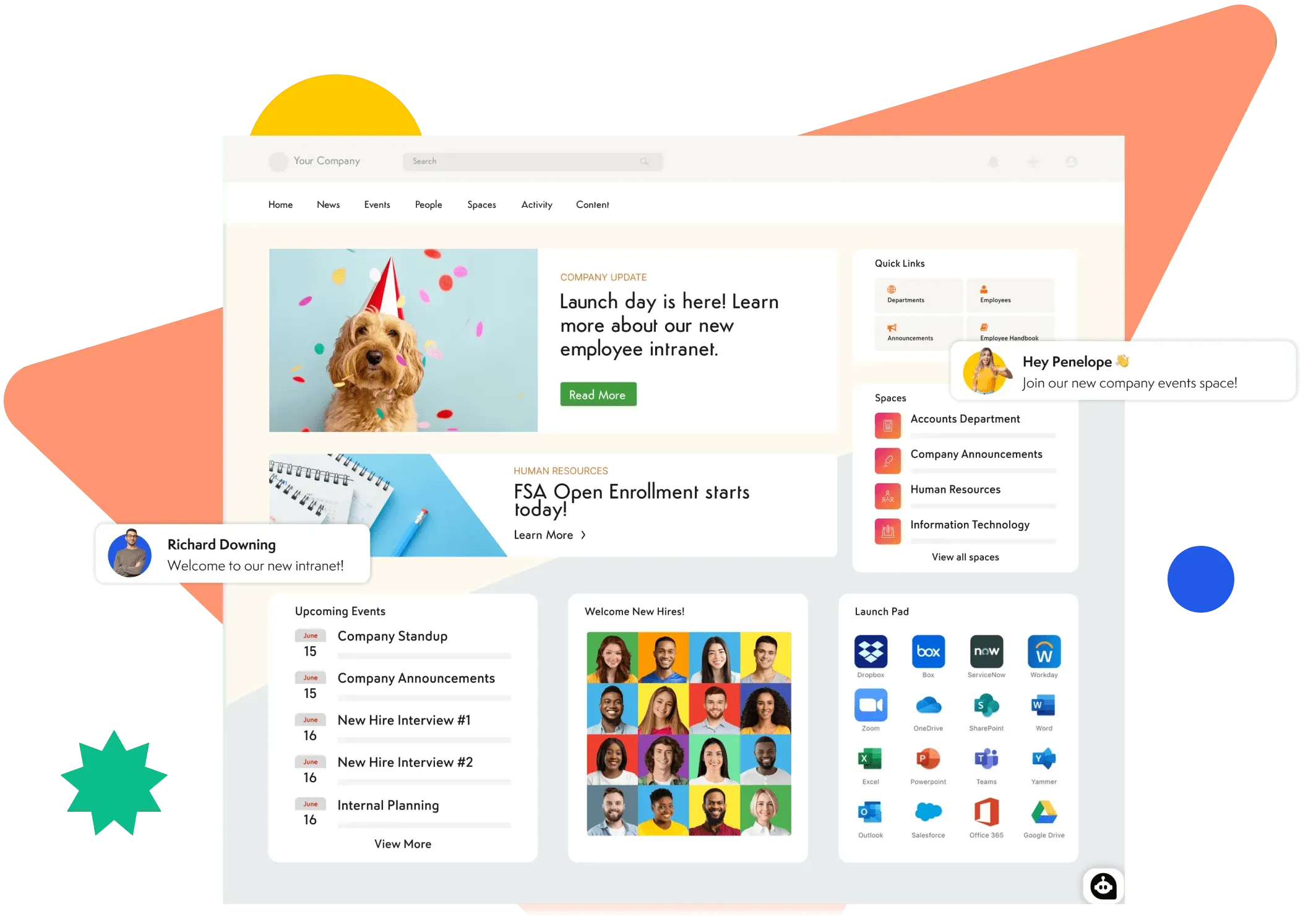
Axero employee portal homepage with company news, quick links, spaces, upcoming events, new-hire welcomes, and a launch pad of connected apps.

The access layer

Employee portal features your team actually needs

These are the everyday jobs people open the portal to do — each one fast, findable, and personalized to whoever's signing in.

One personalized place to start the day

Every employee signs in to a home that already knows their role, team, and location — so the news, tasks, and answers that matter to them are right there, not scattered across a dozen tools and logins.

  • Company news & announcements

    Targeted updates reach the right people the moment they log in.

  • Employee self-service

    One place to find policies, forms, and company documents without emailing anyone.
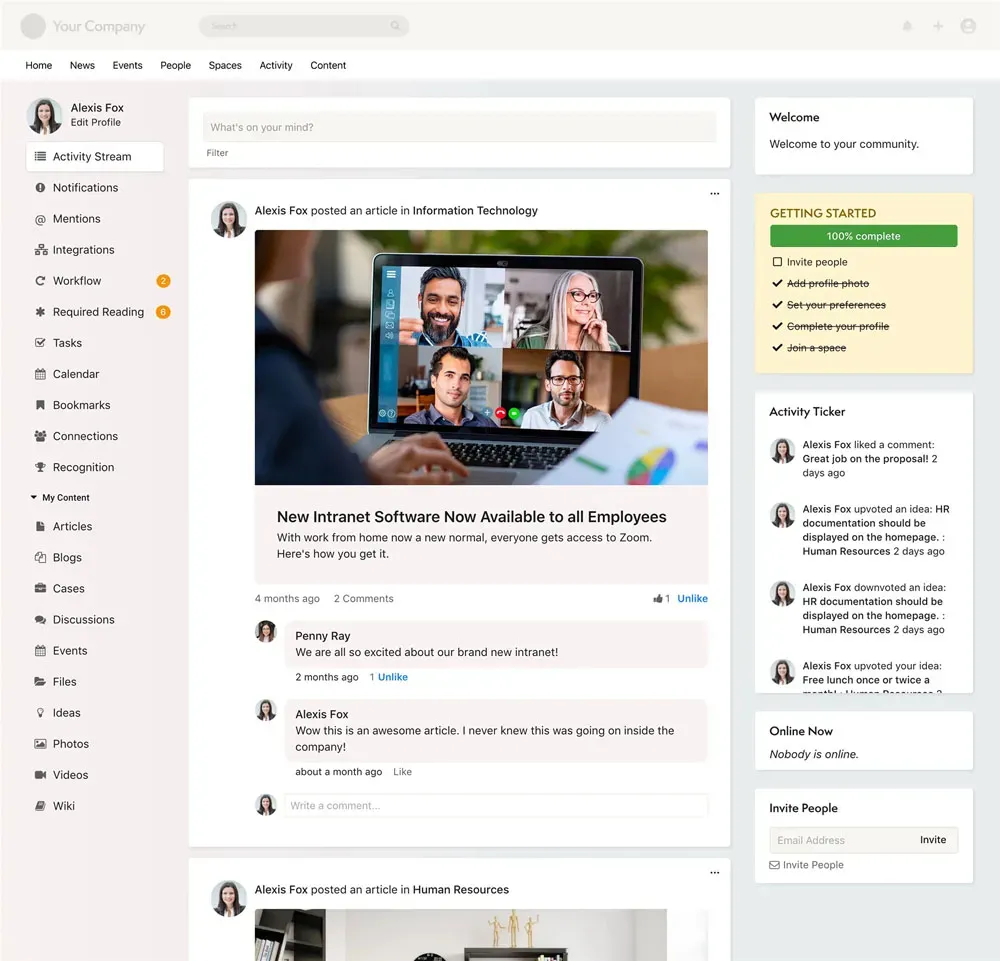
Activity stream showing targeted company news and announcements on the Axero employee portal.

Every HR answer in one place

Give employees one HR space they know to check first — so the same questions stop landing in HR's inbox. Benefits, payroll, time off, and the latest policies and forms all live in one searchable home that stays current.

  • HR answers without the ticket

    Benefits, payroll, and time-off questions answered by self-service.

  • Policies & forms, always current

    The latest handbook, policies, and forms in one versioned HR space.
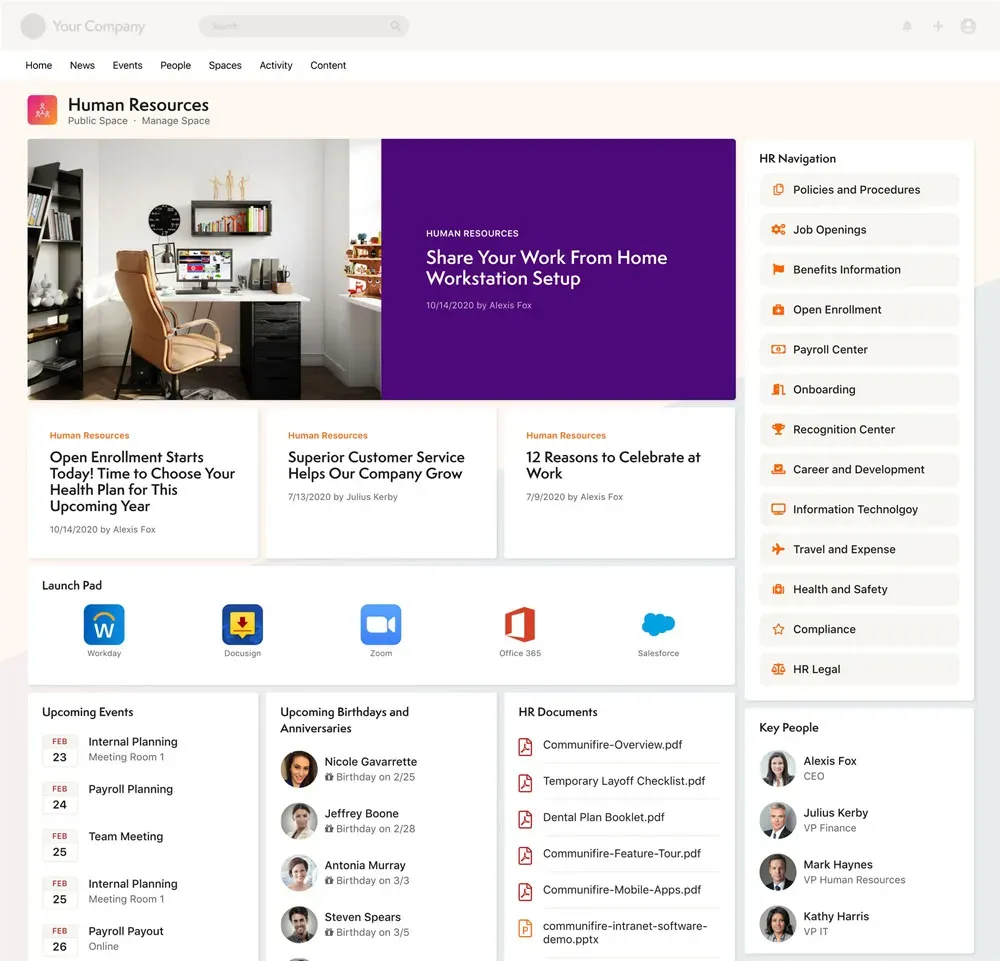
HR space in the Axero employee portal with benefits, policies, and forms.

Find any person in seconds

A living employee directory of everyone in the company — search by name, team, skill, or location, see how teams connect, and reach the right colleague without asking around.

  • People directory

    Search anyone by name, team, skill, or location.

  • Org chart & reporting lines

    See how teams connect and exactly who to reach.
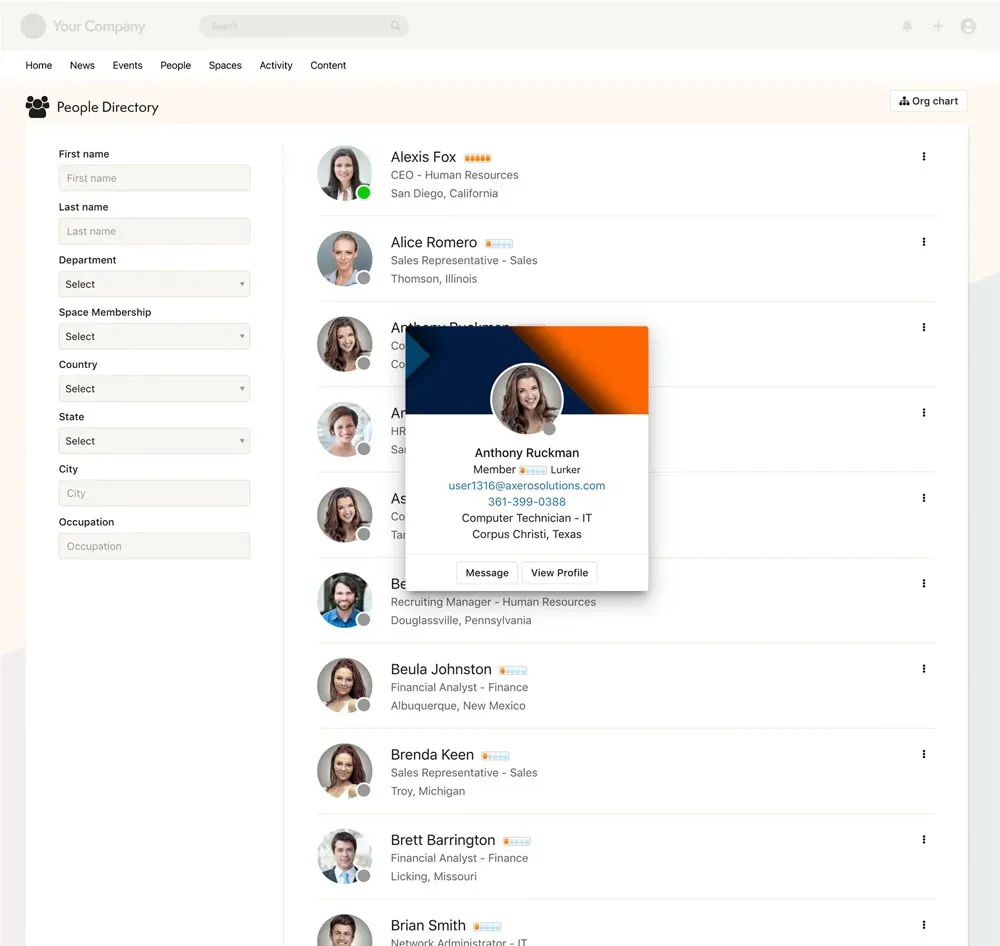
People directory in the Axero employee portal showing employee profiles.

Get everyday work done in one place

Beyond reading, the portal is where work happens — the tasks people own and the apps they open all day, gathered behind a single login instead of a browser full of tabs.

  • Tasks & approvals

    Personal to-dos, requests, and sign-offs surface where people already are.

  • Your apps, one click away

    Quick-launch tiles to the tools your team uses every day.
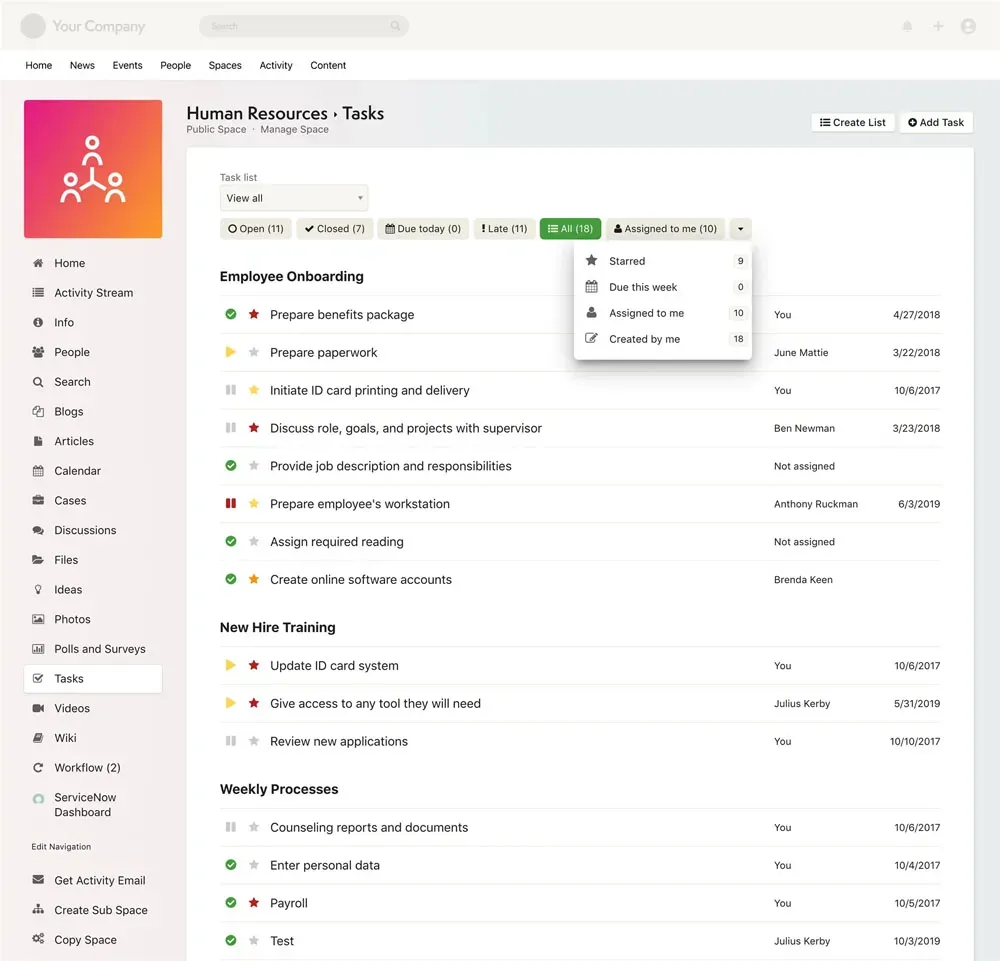
Task management and approvals in the Axero employee portal.

One secure login, on any device

Reaching everyone — including frontline and deskless staff — is the whole point. A single sign-on opens everything, on whatever device each person actually uses.

  • Single sign-on (SSO)

    One secure login to the portal and every connected app.

  • Mobile access for everyone

    The same portal in your pocket on native iOS and Android apps.
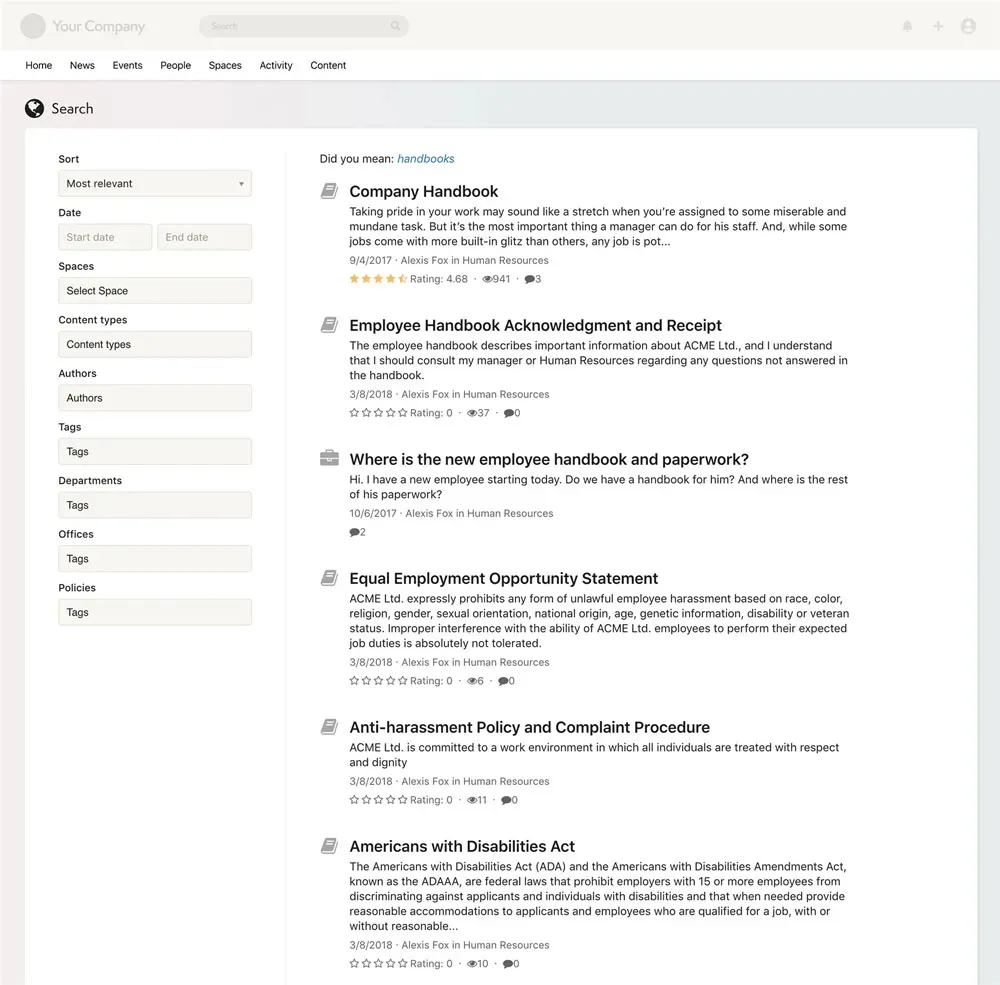
Search and knowledge tools in the Axero employee portal.

See Axero's employee portal in action

Take a quick tour of Axero and see how an employee portal pulls news, people, documents, and tasks into one place your team will open every day.

Why teams choose Axero for employee portals

Everything your team needs, in one place

High-impact communications

Reach every employee with targeted communications that ensure the right messages get seen.

Knowledge discovery

Put the content that matters right at your team members' fingertips — instantly findable and always up to date.

Collaboration for everyone

Give every team a digital workspace for projects, discussions, and shared files.

Engagement hub

Create a dynamic employee hub with news, announcements, recognition, and more.

Cultivate workplace culture

Build feature-rich sites with blogs, recognition programs, and interest groups.

Mobile & deskless access

The same great tools on every device — work from anywhere with native iOS and Android apps.

Powerful integrations

Connect Axero to the tools your team already uses — SSO, Active Directory, Azure, Okta, and more. One portal, all your apps.

Your whole portal, in everyone's pocket

Frontline crews, store teams, and people on the road don't sit at a desk — so the portal goes where they do. The Axero mobile app puts announcements, the directory, documents, and tasks one tap away on iOS and Android.

Push notifications make sure time-sensitive updates actually land, and a phone login means new hires are in from day one — no laptop required.
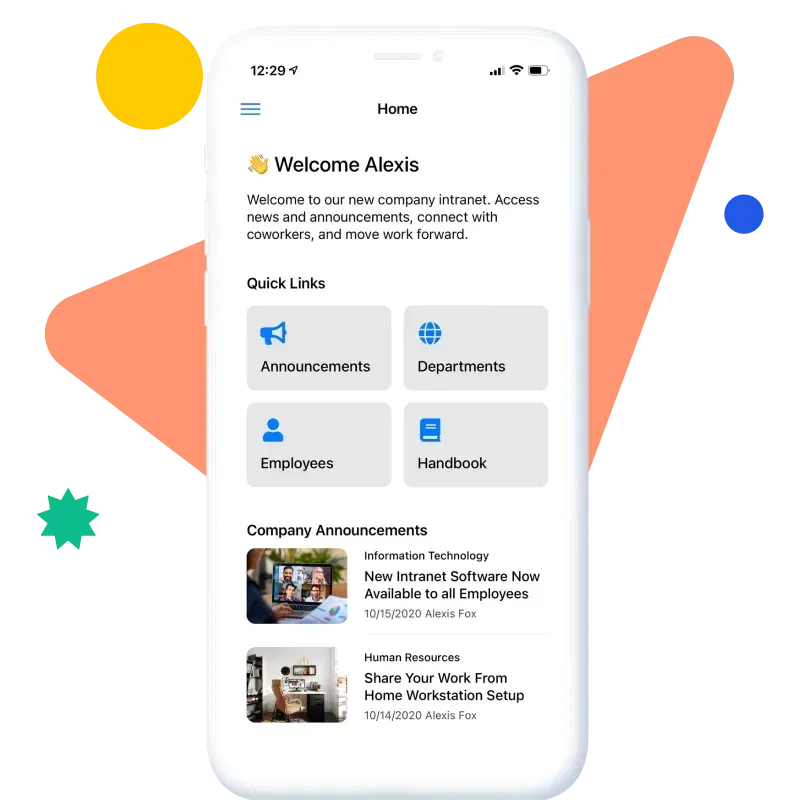
  • Native iOS and Android apps, free with an active license
  • Push notifications for must-read announcements
  • Single sign-on from any device
Explore the mobile app
Axero mobile app home screen with quick links and announcements.

Works with your stack

Connect your employee portal to the tools your team already uses every day.

Single sign-on, directory sync, file storage, chat, and video — Axero plugs into the apps your employees already open so the portal becomes the place that ties them together.

Microsoft Teams
Slack
Zoom
Google Workspace
Microsoft 365
SharePoint
Microsoft Teams
Slack
Zoom
Google Workspace
Microsoft 365
SharePoint
Google Drive
OneDrive
Dropbox
Box
Okta
Azure AD
Google Drive
OneDrive
Dropbox
Box
Okta
Azure AD

What our customers say

“Axero is being used for our entire community of 1500 plus. Pros: Flexibility and ease of use. Support. Support. Support. Did I say excellent support?”

Art A.
Art A.
FDN Practitioner/ IT Support, Detecting Health, LLC
“The best information sharing and collaboration solution. Highly customizable, well-thought-out, and deployment of new features is second to none. The support is amazing.”

Matt R.
Matt R.
Chief Operating Officer, Clear Lake Bank & Trust
“The level of customization is impressive! Intuitive design makes the software easy to use. It opened our eyes to the resources we have available to engage our people.”

Bryna B.
Bryna B.
VP of Corporate Communications, Ohio Valley Bank

Frequently asked questions about employee portal software

What is employee portal software?
Employee portal software gives every employee one personalized, self-service place to get what they need from the company — news and announcements, the people directory, HR and IT answers, documents, tasks, and quick links to the apps they use most. Instead of hunting across email, chat, and a dozen logins, your team has a single front door that knows who they are and surfaces what's relevant to their role and location.
What's the difference between an employee portal and an intranet?
They overlap, and the line is blurry on purpose. Think of the employee portal as the personalized front door — the one place each person lands to find their tasks, requests, and the information that applies to them. An intranet is the broader home behind that door: company-wide communications, knowledge bases, team spaces, and culture. Axero gives you both in one platform, so you can start with the portal experience and grow into a full intranet platform without switching tools.
How much does employee portal software cost?
Pricing flexes with your team size and how you want to deploy — in our cloud or on your own infrastructure. Cloud plans are priced per employee; on-premise uses a separate licensing model. The fastest way to get a real number is to tell us your headcount, deployment preference, and any compliance needs: check the pricing page or book a quick demo.
Can the employee portal reach deskless and frontline staff?
Yes — and that's often the whole point. Frontline and deskless employees get the same portal through the native iOS and Android apps, so a store associate or field tech sees the announcements, schedules, and documents meant for them. Reaching everyone, not just people at a desk, is what turns a portal into a real lift for the employee experience.
What if we need help?
All Axero plans include top-level support, free upgrades, and access to our customer community. We also offer Service Level Agreements (SLAs) for customers who need advanced support. Every Axero employee is part of the customer support team — if you're not successful, we're not successful.
Do we get assistance with implementation and onboarding?
Of course. We offer Launch Packages that work with your team to develop an implementation strategy, walk you through the platform, provide technical guidance, and help you use Axero's features to accomplish your goals.
Can we host on-premise, or will you host Axero for us?
We'll host and run your intranet on our servers — no hardware or software management on your end. Each customer gets their own secure, single-tenant installation in our cloud. Prefer more control? You can also deploy Axero on your own infrastructure for ultimate flexibility, deeper customization, and stronger security.
Can every department have its own space in the employee portal?
Yes. Axero makes it easy for individual departments, administrative units, or sites to manage their own content. Set up a Space for each department where they can collaborate, share files, and keep track of their own schedules. The interface is intuitive — your team members can step right in without missing a beat.
Can we use a mobile iPhone or Android app?
Absolutely. Axero apps are designed for native integration with Android and iOS. Smartphone and tablet users get a streamlined interface for accessing your intranet. Customers with an active license can download the apps free from the iTunes App Store or Google Play.
What about security and compliance features?
Your security is our priority. We understand that security is an extremely important aspect of your business. It's very important to ours, too. Each Axero customer gets their own independent database — completely separate from every other customer's data. We use state-of-the-art application security, SSL/TLS encryption, daily incremental backups, and hardened operating systems. We're SSAE 16 (SOC 1, SOC 2 Type II) compliant with AES-256 FIPS 140-2 encryption, intrusion detection monitoring, and disaster recovery plans. Want the full picture? See how we protect your data on our technology and security page.
Do you support single sign-on (SSO)?
Yes. Integrate SSO across your business applications to simplify access for employees — about 85% of our customers do it. We support Active Directory, ADFS, Azure, SAML, and third-party providers like Okta and OneLogin, as well as social logins. 3rd parties: Onelogin, Okta, Etc. Social logins: Google, Facebook, LinkedIn, X. SSO is one of many connections you can wire up through our integrations.
Do you support two-factor authentication (2FA)?
Yes. Enable two-factor authentication for an extra layer of security. Supported authenticators include Microsoft Authenticator, Google Authenticator, and Duo Mobile.

Ready to give your team a portal worth opening every day?